key PONTIAC GRAND PRIX 2003 Owner's Manual
[x] Cancel search | Manufacturer: PONTIAC, Model Year: 2003, Model line: GRAND PRIX, Model: PONTIAC GRAND PRIX 2003Pages: 378, PDF Size: 17.64 MB
Page 107 of 378
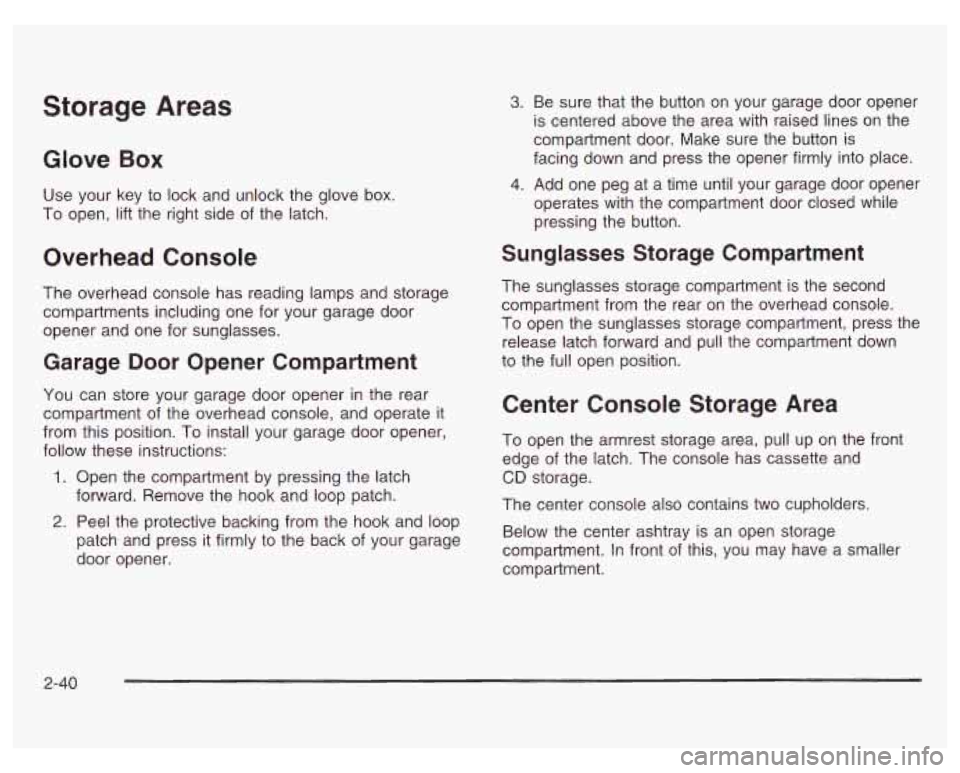
Storage Areas
Glove Box
Use your key to lock and unlock the glove box.
To open, lift the right side
of the latch.
Overhead Console
The overhead console has reading lamps and storage
compartments including one for your garage door
opener and one for sunglasses.
Garage Door Opener Compartment
You can store your garage door opener in the rear
compartment of the overhead console, and operate it
from this position. To install your garage door opener,
follow these instructions:
1. Open the compartment by pressing the latch
forward. Remove the hook and loop patch.
2. Peel the protective backing from the hook and loop
patch and press it firmly to the back of your garage
door opener.
3. Be sure that the button on your garage door opener
is centered above the area with raised lines on the
compartment door. Make sure the button is
facing down and press the opener firmly into place.
4. Add one peg at a time until your garage door opener
operates with the compartment door closed while
pressing the button.
Sunglasses Storage Compartment
The sunglasses storage compartment is the second
compartment from the rear on the overhead console.
To open the sunglasses storage compartment, press the
release latch forward and pull the compartment down
to the full open position.
Center Console Storage Area
To open the armrest storage area, pull up on the front
edge
of the latch. The console has cassette and
CD storage.
The center console also contains two cupholders.
Below the center ashtray is an open storage
compartment. In front
of this, you may have a smaller
compartment.
2-40
Page 108 of 378
Assist Handles
An assist handle with a reading lamp is located over
each rear side window. The handle can be used to help
you get in or out
of the vehicle. Press the reading
lamp to turn it on. Press
it again to turn it off.
Purse or Litter Bag Holder
On the front of the center console, to the right of the
accessory power outlet, there is a hook that can be used
to hold a purse or litter bag.
Rear Storage Area
If you have a trunk access panel, you will also have a
pull down armrest that contains an open storage bin and
two cupholders.
Convenience Net
The vehicle may have a convenience net. You’ll see it
on the back wall of the trunk.
Put small loads, like grocery bags, behind the net. It can
help keep them from falling over during sharp turns or
quick starts and stops. The
net isn’t for larger, heavier loads, which should be
stored
in the trunk as far forward as possible.
You can unhook the net
so that it will lie flat when
you’re not using it.
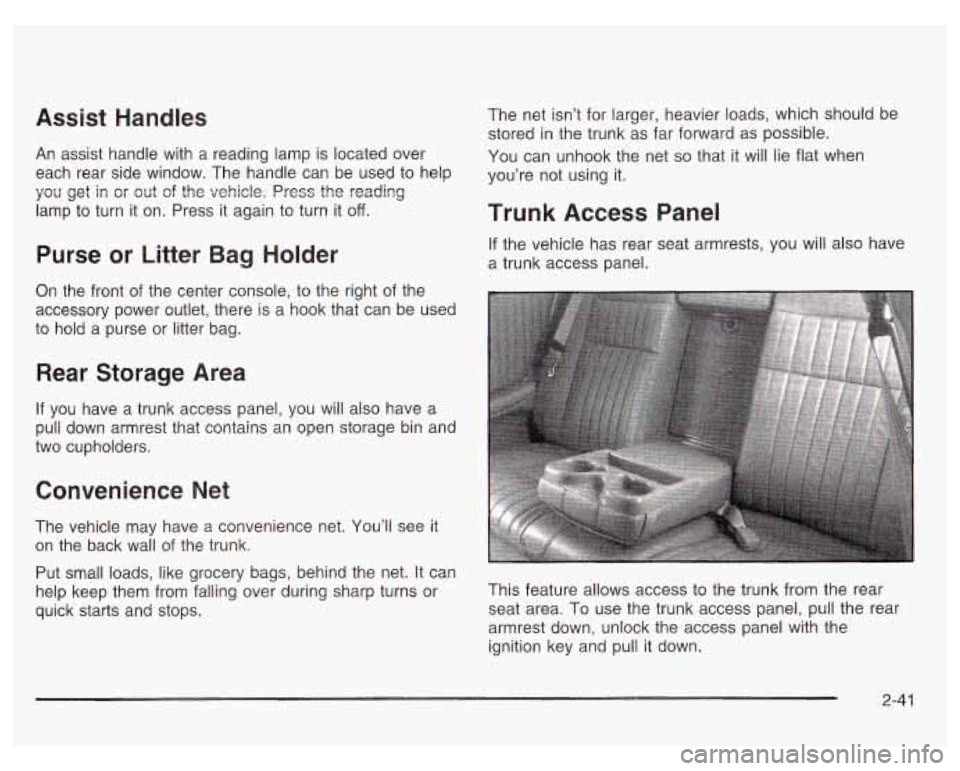
Trunk Access Panel
If the vehicle has rear seat armrests, you will also have
a trunk access panel.
This feature allows access to the trunk from the rear
seat area. To use the trunk access panel, pull the rear
armrest down, unlock the access panel with the
ignition key and pull it down.
2-41
Page 111 of 378
Entering Programming Mode
To program features, your vehicle must be in this
programming mode. Follow these steps:
1. Turn the ignition key to LOCK or OFF.
2. Remove the MALL
PGM fuse from the instrument
panel fuse block. See Fuses and Circuit Breakers
on page
5-97.
3. Turn the ignition key to ACCESSORY.
4. Count the number of chimes you hear. You will
hear up to four chimes, depending on vehicle
content. See “Vehicle Personalization’’ listed
previously.
YOU can now program your choices. After programming
a feature, you can exit the programming mode at
any time.
Delayed Illumination and Exit
Lighting
With delayed illumination, the interior lamps will stay on
for about 25 seconds after all doors are closed.
With exit lighting, the interior lamps will come on and
stay on for about
25 seconds whenever you remove the
key from the ignition.
Programmable Modes
Mode 1: Both Features Off - The interior lamps will
turn on or off at the same instant that a door is opened
or closed.
Mode 2: Delayed Illurnination Only -The interior lamps
will stay on for about
25 seconds after all the doors
are closed, or until you lock the doors.
Mode 3: Exit Lighting Only -The interior lamps will
come on whenever you remove the key from the ignition
and stay
on for about 25 seconds, or until you lock
the doors.
Mode 4: Both Features On -This combines Modes 2
and 3.
Before your vehicle was shipped from the factory, it was
programmed to Mode
4. The mode to which your
vehicle was programmed may have been changed since
it left the factory. To determine the mode
to which
your vehicle is programmed or to program your vehicle
to a different mode, do the following:
1. Follow the instructions for Entering Programming
2. Turn the interior lamps thumbwheel all the way to
Mode
on page 2-44.
the right
and then back slightly to the left.
2-44
Page 112 of 378
3.
4.
5.
Count the number of chimes you hear. The number
of chimes tells you which mode your vehicle is set
for.
If you do not wish to change the current
mode, you can either exit the programming mode
by following the instructions later in this section
or program the next feature available on your
vehicle.
Turn the interior lamps thumbwheel all the way to
the right and then back slightly to the left again to
change the current mode.
Repeat Step
4 until you hear the number of chimes
that matches the number of the mode you want.
The mode you selected is now set. You can either
exit the programming mode by following the instructions
later in this section or program the next feature
available on your vehicle. See Exiting Programming
Mode on page
2-53.
Automatic Door Locks
With automatic door locks, all doors will automatically
lock when you shift out
of PARK (P) and automatically
unlock when the ignition
is turned to OFF.
Programmable Modes
Mode 1: Both Features Off - Automatic door locking
and unlocking are disabled. You will always need to lock
your doors manually before driving to increase
occupant safety.
All doors will lock when you press the power
door lock switch rearward or when you press
the LOCK on the remote keyless entry transmitter
(if equipped).
All doors will unlock when you press the power
door lock switch forward or when you press
UNLOCK on the remote keyless entry transmitter
(if equipped).
Mode 2: Automatic Door Locking Only
Automatic Door Unlocking: The automatic door
Automatic Door Locking: Shift out of PARK (P)
unlock feature is turned off.
with the ignition on and the driver’s door closed,
all doors will lock automatically.
2-45
Page 114 of 378
Last Door Closed Locking and
Lockout Protection
With the last door closed locking and lockout prevention
features, your vehicle will do the following:
0 If you leave your key in the ignition and leave the
driver’s door open, you won’t be able to use the
power door lock switches to lock the doors.
9 The doors will not lock when you press LOCK on
the driver’s door arm rest or the lock button on
the remote keyless entry transmitter
(if equipped)
while any door is open. Instead, you will hear three
chimes which let you know that the last door
closed locking feature is
in operation. Five seconds
after all the doors are closed, all the doors will
automatically lock.
Programmable Modes
Mode 1: Both Features Off - Doors will always lock
immediately when you press
LOCK on the driver’s door
armrest or the remote keyless entry transmitter,
if
equipped.
Mode 2: Lockout Prevention Only - If you leave your
key in the ignition with the driver’s door open, you
will not be able to lock the doors using your power locks.
Mode 3: Last Door Closed Locking Only - If the power
door lock switch or remote keyless entry transmitter,
if
equipped, is used to lock the vehicle while any door is
open and the key is out of the ignition, you will hear three
chimes. The doors will not lock. Five seconds after the
last door is closed, all doors will lock.
Mode 4: Both Features On - This combines Modes 2
and
3.
Before your vehicle was shipped from the factory, it was
programmed to Mode
4. The mode to which your
vehicle was programmed may have changed since it left
the factory. To determine the mode to which your
vehicle
is programmed or to program your vehicle to a
different mode, do the following:
1. Follow the instructions for Entering Programming
2. Press UNLOCK on the driver’s door armrest or the
Mode
on page 2-44.
unlock button
on the remote keyless entry
transmitter.
2-47
Page 115 of 378
3. Count the number of chimes you hear. The number
of chimes tells you which mode your vehicle is set
for.
If you do not wish to change the current mode,
you can either exit the programming mode by
following the instructions later
in this section or
program the next feature available on your vehicle.
4. Press UNLOCK again to change the current mode.
5. Repeat Step
4 until you hear the number of
chimes that matches the mode you want.
The mode you selected
is now set. You can either exit
the programming mode by following the instructions
later in this section or program the next feature available
on your vehicle. See Exiting Programming Mode on
page
2-53.
Remote Driver Unlock Control
With the remote driver’s unlock control feature, if
equipped, you can program your vehicle to do the
following:
When you press UNLOCK on your remote keyless
entry transmitter, the driver’s door will unlock, and
when you press UNLOCK on your remote keyless
entry transmitter again within five seconds, all
doors will unlock.
Programmable Modes
Mode 1: Remote All Doors Unlock - When you press
UNLOCK on the remote keyless entry transmitter
once, all doors will unlock
Mode 2: Remote Driver’s Door and All Doors
Unlock
- When you press UNLOCK on the remote
keyless entry transmitter once, the driver’s door
will unlock.
If you press UNLOCK again within five
seconds, all doors will unlock.
Before your vehicle was shipped from the factory, it was
programmed to Mode
2. The mode to which your
vehicle was programmed may have been changed since
it left the factory. To determine the mode to which
your vehicle is programmed or to program your vehicle
to a different mode, do the following:
1. Follow the instructions for Entering Programming
Mode on page 2-44.
2. Press UNLOCK on the remote keyless entry
transmitter.
3. Count the number of chimes you hear. The number
of chimes tells you which mode the vehicle is set
for.
If you do not wish to change the current mode,
you can either exit the programming mode by
following the instructions later
in this section or
program the next feature available on your vehicle.
2-48
Page 116 of 378
4. Press UNLOCK on the remote keyless entry
5. Repeat Step
4 until you hear the number of chimes
transmitter again
to change the current mode.
that matches the mode you want.
The mode you selected is now set. You can either exit the
programming mode by following the instructions later in
this section or program the next feature available on your
vehicle. See Exiting Programming
Mode on page 2-53.
Remote Lock and Unlock
Confirmation
With the remote lock and unlock confirmation feature, if
equipped, you can program your vehicle to do the
following:
When you use the remote keyless entry transmitter
to lock your vehicle, your headlamps will flash to let
you know the command has been received.
If
you press LOCK on the remote keyless entry
transmitter again within five seconds, the horn will sound briefly and the headlamps will flash to let you
know your vehicle is locked.
When you use the remote keyless entry transmitter
to unlock your vehicle, your headlamps will flash to
let you know the command has been received.
Programmable Modes
Mode 1: Both Features Off - Remote lock and unlock
confirmation are disabled.
Mode 2: Exterior Lamps Flash Only
0 Remote Lock Confirmation: When you use the
remote keyless entry transmitter to lock the vehicle,
the headlamps will flash to let you know the
command is received.
Remote Unlock Confirmation: When you use the
remote keyless entry transmitter to unlock the
vehicle or open the trunk, the headlamps will flash
to let you know when the command is received.
Mode 3: Exterior Lamps Flash and Horn Sound
Remote Lock Confirmation: When you use the
remote keyless entry transmitter to lock the vehicle,
the horn will sound briefly and the headlamps will
flash to let you know the command is received.
Remote Unlock Confirmation: When you use the
remote keyless entry transmitter
to unlock the
vehicle or open the trunk, the headlamps will flash
to let you know the command is received.
2-49
Page 117 of 378
Mode 4: Exterior Lamps and Horn Sound - on second
LOCK press only.
Remote Lock Confirmation: When you use the
remote keyless entry transmitter to lock the vehicle,
the headlamps will flash to let you know the
command is received. The horn will sound briefly
and the headlamps will flash
if you press the LOCK
button again within five seconds.
Remote Unlock Confirmation: When you use the
remote keyless entry transmitter to unlock the
vehicle or open the trunk, the headlamps will flash
to let you know the command is received.
Before your vehicle was shipped from the factory, it was
programmed to Mode
4. The mode to which your
vehicle was programmed may have been changed since
it left the factory. To determine the mode to which
your vehicle is programmed or to program your vehicle
to
a different mode, do the following:
1. Follow the instructions for Entering Programming
2. Press the LOCK button on the remote keyless entry
Mode
on page
2-44.
transmitter.
3.
4.
5.
Count the number of chimes you hear. The number
of chimes tells you which mode the vehicle is set
for.
If you do not wish to change the current mode,
you can either exit the programming mode by
following the instructions later in this section or
program the next feature available
on your vehicle.
Press LOCK on the remote keyless entry transmitter
again
to change the current mode.
Repeat Step
4 until you hear the number of chimes
that matches the number of the mode you want.
The mode you selected is now set. You can either exit
the programming mode by following the instructions
later in this section or program the next feature available
on your vehicle. See Exiting Programming
Mode on
page
2-53.
2-50
Page 118 of 378
Content Theft-Deterrent System
‘lour vehicle is equipped with a content theft-deterrent
alarm system. Once armed, the system will go off
if
someone tries to enter the vehicle without using
the remote keyless entry transmitter or the correct key,
or when someone turns the ignition on with an
incorrect key. The horn will sound, and your vehicle’s
headlamps will flash for about two minutes.
Programmable Modes
Mode 1: Not Used
Mode 2: Content Theft On - If anyone tampers with the
trunk lock or opens a door while the content
theft-deterrent system is armed, an alarm will sound and
the headlamps will flash for up to two minutes.
Mode 3: Content Theft Off - The content theft-deterrent
system is always disarmed.
Mode 4: Not Used
Before your vehicle was shipped from the factory,
it was programmed to Mode 2. The mode to which your
vehicle was programmed may have been changed
since it left the factory. To determine the mode to
which your vehicle is
programmed or to program your vehicle to a different
mode, do the following:
1. Follow the instructions for Entering Programming
MOdC page 2-44.
2. Turn the parking lamps on, then off.
3. Count the number of chimes you hear. The number
of chimes tells you which mode the vehicle is set
for.
If you do not wish to change the current mode,
you can either exit the programming mode by
following the instructions later
in this section or
program the next feature available on your vehicle.
4. Turn the parking lamps on, then off again to change
the current mode.
5. Repeat Step 4 until you hear the number of chimes
that matches the number of the mode you want.
The mode you selected is now set.
You can either exit
the programming mode by following the instructions later in this section or program the next feature available
on your vehicle. See Exiting Programming Mode on
page
2-53.
2-5 1
Page 119 of 378
Arming and Disarming the Content
Theft-Deterrent System
To arm and disarm the content theft-deterrent system,
if equipped, the system must be turned on by using
Mode
2 listed previously in this section under Content
Theft-Deterrent System
on page 2-51.
With the arming and disarming feature, you can do the
following:
Arm the system when you lock the doors using
either power door lock switch while any door is open
and the key is removed from the ignition.
Arm the system when you lock the doors with your
remote keyless entry transmitter and the key is
removed form the ignition.
0 Disarm the system when you unlock the doors with
your key or remote keyless entry transmitter.
Programmable Modes
Mode 1: Power Door Lock Switch Arming Off
The content theft-deterrent system will arm when
you lock the doors with the remote keyless entry
transmitter, The key must be removed from
the ignition when you lock the doors or the content
theft-deterrent system will not arm.
The content theft-deterrent system will disarm when
you unlock the doors with the keys or the remote
keyless entry transmitter.
Mode 2: Remote Keyless Entry Transmitter Arm/Disarm
Only
The content theft-deterrent system will arm when
you lock the doors with the remote keyless entry
transmitter. The key must be removed from
the ignition when you lock the doors or the content
theft-deterrent system will not arm.
The content theft-deterrent system will disarm when
you unlock the doors with the remote keyless entry
transmitter.
While this mode provides increased security,
it can be a
problem
if the remote keyless entry transmitter is
damaged, lost or
if it fails to operate for any reason
while the content theft-deterrent system is armed. The
content theft-deterrent system must be disarmed for
the engine
to run and while in Mode 2, the key can no
longer disarm the system.
If your vehicle is equipped with the Onstar@ system,
Onstar@ will not be able to remotely unlock your vehicle
if it has been programmed to Mode 2.
2-52