key PONTIAC GRAND PRIX 2003 Owner's Guide
[x] Cancel search | Manufacturer: PONTIAC, Model Year: 2003, Model line: GRAND PRIX, Model: PONTIAC GRAND PRIX 2003Pages: 378, PDF Size: 17.64 MB
Page 120 of 378
Mode 3: Standard Arming and Disarming
e
e
0
The content theft-deterrent system will arm when
you lock the doors using either power door lock
switch while any door is open and the key is
removed from the ignition.
The content theft-deterrent system will arm when
you lock the doors with your remote keyless
entry transmitter. The key must be removed from
the ignition when you lock the doors or the content
theft-deterrent system will not arm.
The content theft-deterrent system will disarm when
you unlock the doors with the key or the remote
keyless entry transmitter.
Before your vehicle was shipped from the factory,
it was
programmed to Mode
1. The mode to which your
vehicle was programmed may have been changed since
it left the factory. To determine the mode to which
your vehicle is programmed or to program your vehicle
to a different mode, do the following:
1. Follow the instructions for Entering Programming
Mode on page
2-44.
2. Insert a second ignition key fully into any door key
cylinder and turn it to the unlock position.
This step
is necessary to prevent accidental
programming of this feature to Mode
2.
3.
4.
5.
6.
7,
Do not program this feature to Mode 2 without first
reading the note contained in the description for
that mode. The door key lock cylinder must remain
in the unlock position during Steps 2 through 4.
Press the horn symb~l on the remote keyless entry
transmitter.
Count the number of chimes you hear. The number
of chimes tells you which mode the vehicle is set
for.
If you do not wish to change the current mode,
you can either exit the programming mode by
following the instructions later in this section or
program the next feature available on your vehicle.
Press the horn symbol on the remote keyless entry
transmitter again to change the current mode.
Repeat Step 5 until you hear the number
of chimes
that matches the mode you want.
Remove the key from the door key cylinder.
The mode you selected is now set. You can either exit the
programming mode by following the instructions at the
end of this section or program the next feature available
on your vehicle. See “Exit Programming Mode” following.
Exiting Programming Mode
To exit programming mode, turn the key from
ACCESSORY to
OFF and put the MALL PGM fuse
back into the instrument panel fuse block.
2-53
Page 124 of 378
The main components of the instrument panel are
the following:
A. Side Window Defogger Outlets
B. Fog Lamps Switch
C. Turn SignaVMultifunction Lever
D. Instrument Panel Cluster
E. Hazard Warning Button
F. Horn
G. Trip Computer (If Equipped) and/or Driver
Information Center (DIC)
H. Instrument Panel Outlets
I. Interior Lamps Control
J. Exterior Lamps Control
K. Tilt Steering Wheel Control
L. Audio Steering Controls
(If Equipped)
M. Head Up Display (HUD) Controls (Option)
N. Climate Controls
0. Ashtray and Cigarette Lighter
P. Audio System
Q. Glove Box
R. Instrument Panel Fuse Block
Hazard Warning Flashers
Your hazard warning flashers let you warn others. They
also let police know you have a problem. Your front
and rear turn signa! !amps
will flash or! and off.
The hazard warning
flasher button is
located on top of the
steering column.
The hazard warning flashers work no matter what
position your key is in, and even
if the key isn’t in.
Press the button to make your front and rear turn signal
lamps flash on and
off. Press the button again to turn
the flashers
off.
When the hazard warning flashers are on, your turn
signals and brake lamps won’t work.
3-3
Page 134 of 378
Courtesy Lamps
When a door is open, the courtesy lamps will
automatically come on. You can also turn these lamps
on by manually turning the interior lamps thumbwheel
all the way to the right.
Entry Lighting
The entry lighting feature illuminates the interior of the
vehicle before you enter. The interior lamps will come on
for
40 seconds when you unlock the doors using the
remote keyless entry transmitter (if equipped) and
the ignition is in LOCK or
OFF. After 40 seconds have
elapsed, the interior lamps will slowly fade out. The
lamps will fade out before
40 seconds have elapsed if
you do the following:
Lock all doors using the remote keyless entry
Lock the doors using the power door lock switch.
transmitter (if equipped).
When any door is opened, entry lighting is canceled.
The interior lamps will stay on while any door is opened
and slowly fade out when all doors are closed. The interior lamps may
stay on for up to
25 seconds
after all doors have been closed
if they have not been
locked. See Delayed lllumination and Exit Lighting
on page
2-44.
Delayed Lighting
The delayed lighting feature will continue to illuminate
the interior of the vehicle for 25 seconds after all
the doors have been closed
so that you can find the
ignition and buckle the seat belt at night. Delayed
lighting will not occur while the ignition is
in RUN or
ACCESSORY. After 25 seconds have elapsed,
the interior lamps will slowly fade out. The lamps will
fade out before the 25 seconds have elapsed
if you do
any of the following:
@ Turn the ignition to RUN or ACCESSORY.
@ Lock all doors using the remote keyless entry
transmitter
(if equipped).
@ Lock the doors using the power door lock switch.
To turn delayed lighting feature
off or on, see Vehicle
Personalization
on page 2-43.
3-1 3
Page 135 of 378
Delayed Exit Lighting
For exiting the vehicle at night, the vehicle is equipped
with the delayed exit lighting feature. The interior
lamps will illuminate for up to
25 seconds when you
remove the key from the ignition. After
25 seconds have
elapsed, the interior lamps will slowly fade out. The
lamps will fade out before the
25 seconds have elapsed
if you do any of the following:
Insert the key and turn the ignition to RUN or
ACCESSORY.
Lock all doors using the remote keyless entry
Lock the doors using the power door lock switch.
transmitter
(if equipped).
When any door is opened, delayed exit lighting is
canceled. The interior lamps will stay on while any door
is opened and will slowly fade out when all the doors
are closed. The interior lamps may stay on for up
to
25 seconds after all the doors have been closed if
they have not been locked. See Delayed Illumination
and Exit lighting on page
2-44.
Overhead Console Reading Lamps
Your vehicle may have reading lamps on the overhead
console. These lamps will turn on when you open
the doors. When the doors are closed, push the button
next to each lamp
to turn them on and off. The
overhead console also contains an open storage bin.
Front Reading Lamps
If the vehicle has the optional sunroof, you will have
reading lamps in front of the sunroof switch located on
the headliner. These lamps will come on when you
open the doors. The lamps can be turned on and
off
manually by pressing the button behind each reading
lamp when the doors are closed.
Rear Assist Handle Reading Lamps
Your vehicle may have reading lamps on each
rear assist handle. Press the reading lamp
to turn it on.
Press it again to turn it
off.
To turn the delayed exit lighting feature off or on,
see Vehicle Personalization on page
2-43.
3-1 4
Page 137 of 378

The HUD also shows the following lights when they are
lit on the instrument panel cluster:
Turn Signal Indicators
High-Beam Indicator Symbol
Low Fuel Symbol
The HUD will display CHECK GAGES when the
following items are lit on the instrument panel cluster:
Oil Warning Symbol
Coolant Temperature Symbol
Charging System Symbol
When the ignition key is turned to RUN, the entire HUD
image will come on. Then the Head-Up Display will
operate normally.
Notice: Although the HUD image appears to be
near the front
of the vehicle, do not use it as
a parking aid. The
HUD was not designed for that
purpose.
If you try to use it as such, you may
misjudge the distance and damage your vehicle.
When the HUD is on, the speedometer reading will be
displayed continually. The current radio station
or
CD track number will only be displayed for three
seconds after the radio or CD track status changes.
This will happen whenever one of the radio controls is
pressed, either on the radio itself or on the optional
steering wheel controls. To
adjust the HUD
so you can see it properly do the
following:
1. Adjust your seat, if necessary, to a comfortable
position.
2. Start the engine and adjust the HUD controls
located on the instrument panel, to the right
of
the steering wheel. Move the DIM thumbwheel up
or down to adjust brightness.
3-1 6
Page 147 of 378
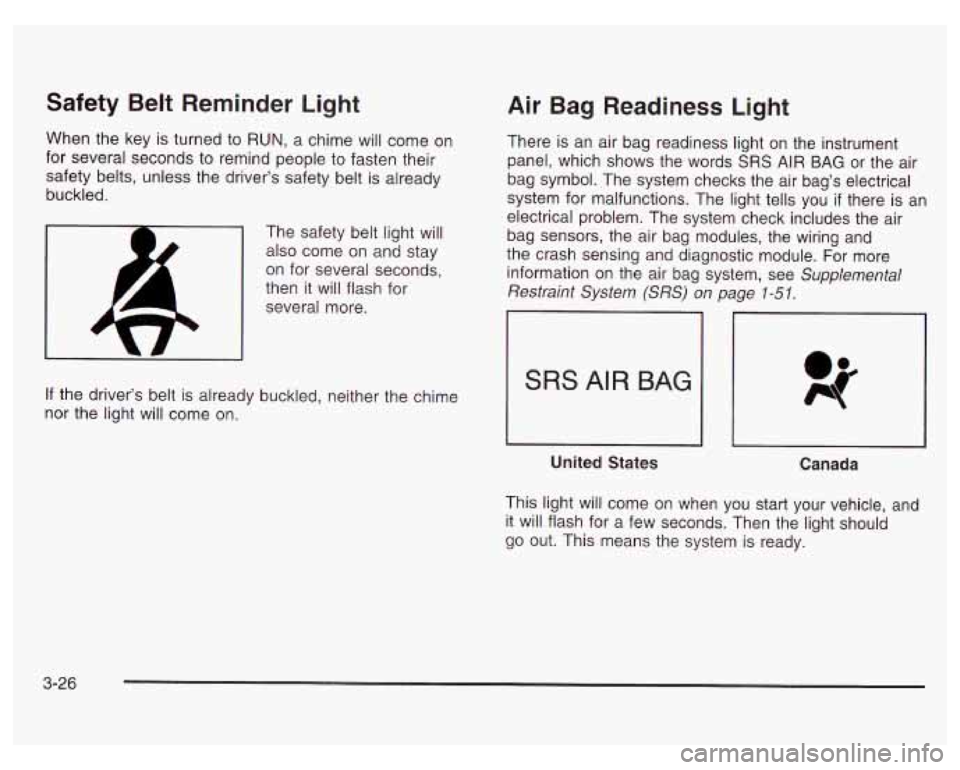
Safety Belt Reminder Light
When the key is turned to RUN, a chime will come on
for several seconds to remind people to fasten their
safety belts, unless the driver’s safety belt is already
buckled.
The safety belt light will
also come on and stay
on for several seconds,
then
it will flash for
several more.
If the driver’s belt
is already buckled, neither the chime
nor the light will come on.
Air Bag Readiness Light
There is an air bag readiness light on the instrument
panel, which shows the words SRS AIR BAG or the air
bag symbol. The system checks the air bag’s electrical
system for malfunctions. The light tells you
if there is an
electrical problem. The system check includes the air
bag sensors, the air bag modules, the wiring and
the crash sensing and diagnostic module. For more
information on the air bag system, see Supplemental
Restraint System (SRS)
on page 1-51.
SRS AIR BAG
United States
Canada
This light will come on when you start your vehicle, and
it will flash for a few seconds. Then the light should
go out. This means the system is ready.
3-26
Page 148 of 378
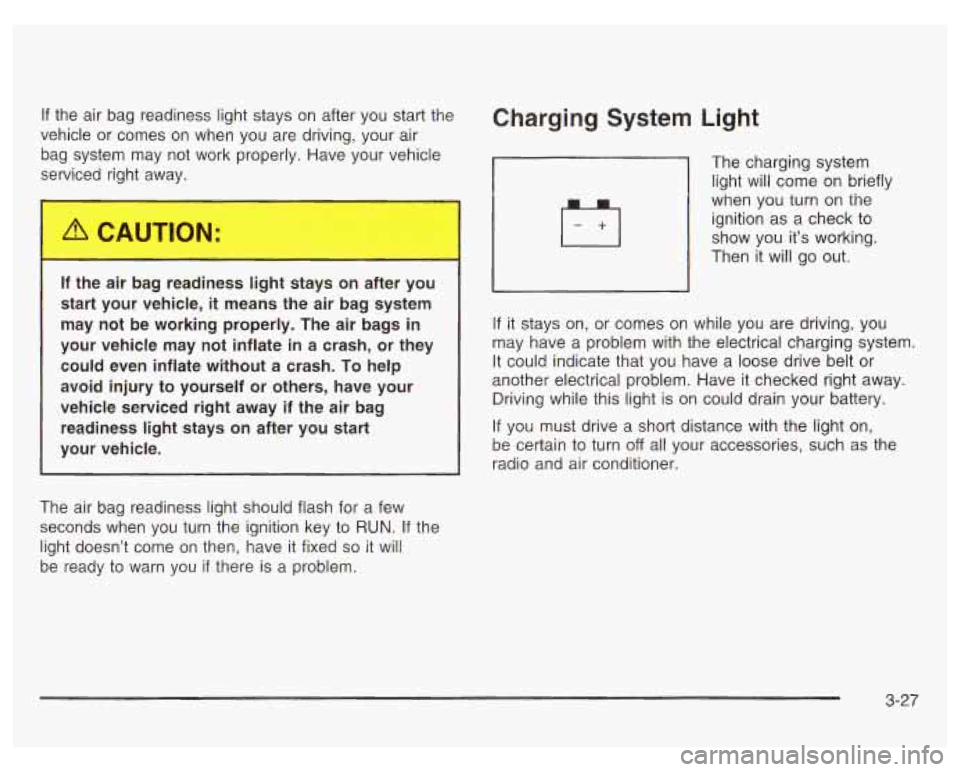
If the air bag readiness light stays on after you start the
vehicle or comes on when you are driving, your air
bag system may not work properly. Have your vehicle
serviced right away.
If the air bag reai.---less light
s 1s on after you
start your vehicle,
it means the air bag system
may not be working properly. The air bags
in
your vehicle may not inflate in a crash, or they
could even inflate without a crash. To help
avoid injury to yourself or others, have your
vehicle serviced right away if the air bag readiness light stays on after you start
your vehicle.
The air bag readiness light should flash for a few
seconds when you turn the ignition key to
RUN. If the
light doesn’t come on then, have
it fixed so it will
be ready to warn you
if there is a problem.
Charging System Light
The
charging system
light will come on briefly
when you turn on the
ignition as a check to
show you it’s working.
Then it will go out.
If it stays on, or comes on while you are driving, you
may have a problem with the electrical charging system.
It could indicate that you have a loose drive belt or
another electrical problem. Have
it checked right away.
Driving while this light is on could drain your battery.
If you must drive a short distance with the light on,
be certain to turn
off all your accessories, such as the
radio and air conditioner.
3-27
Page 149 of 378
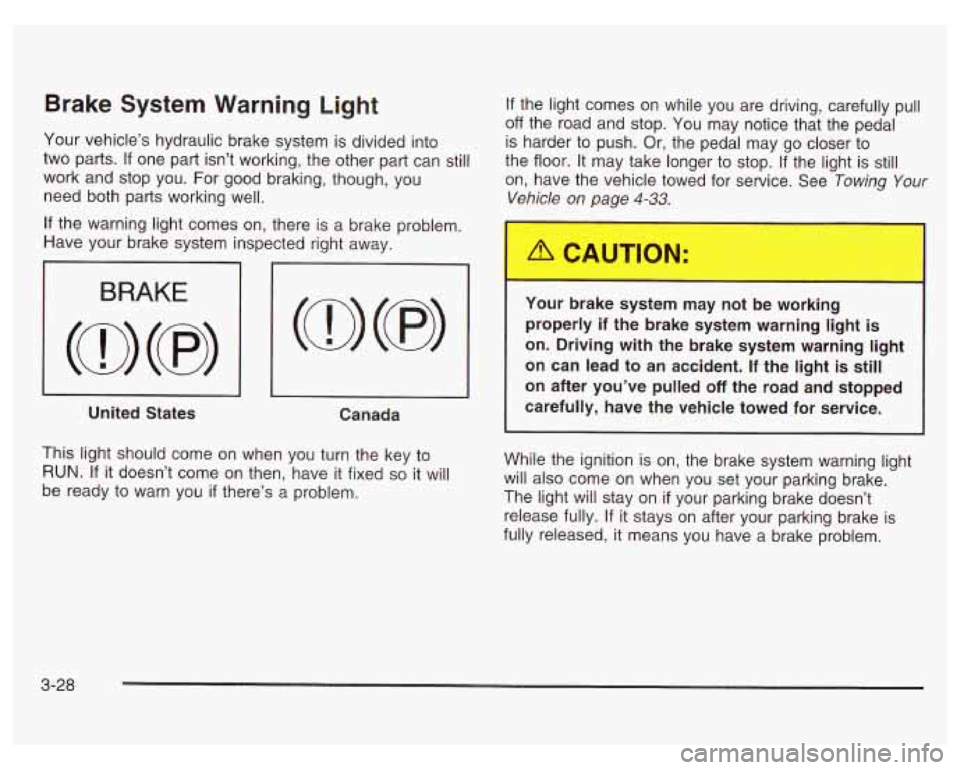
Brake System Warning Light
Your vehicle’s hydraulic brake system is divided into
two parts.
If one part isn’t working, the other part can still
work and stop you. For good braking, though, you
need both parts working well.
If the light comes on while you are driving, carefully pull
off the road and stop. You may notice that the pedal
is harder to push. Or, the pedal may go closer to
the floor. It may take longer to stop.
If the light is still
on, have the vehicle towed for service. See Towing
Your
Vehicle on page 4-33.
If the warning light comes on, there is a brake problem.
Have your brake system inspected right away.
I 3 I I
United States
Canada
This light should come on when you turn the key to
RUN. If it doesn’t come on then, have it fixed so it will
be ready to warn you
if there’s a problem.
Your oraKe system may not be working
properly
if the brake system warning light is
on. Driving with the brake system warning light
on can lead to an accident. If the light is still
on after you’ve pulled off the road and stopped
carefully, have the vehicle towed for service.
While the ignition is on, the brake system warning light
will also come on when you set your parking brake.
The light will stay on
if your parking brake doesn’t
release fully. If it stays on after your parking brake is
fully released, it means you have a brake problem.
3-28
Page 150 of 378
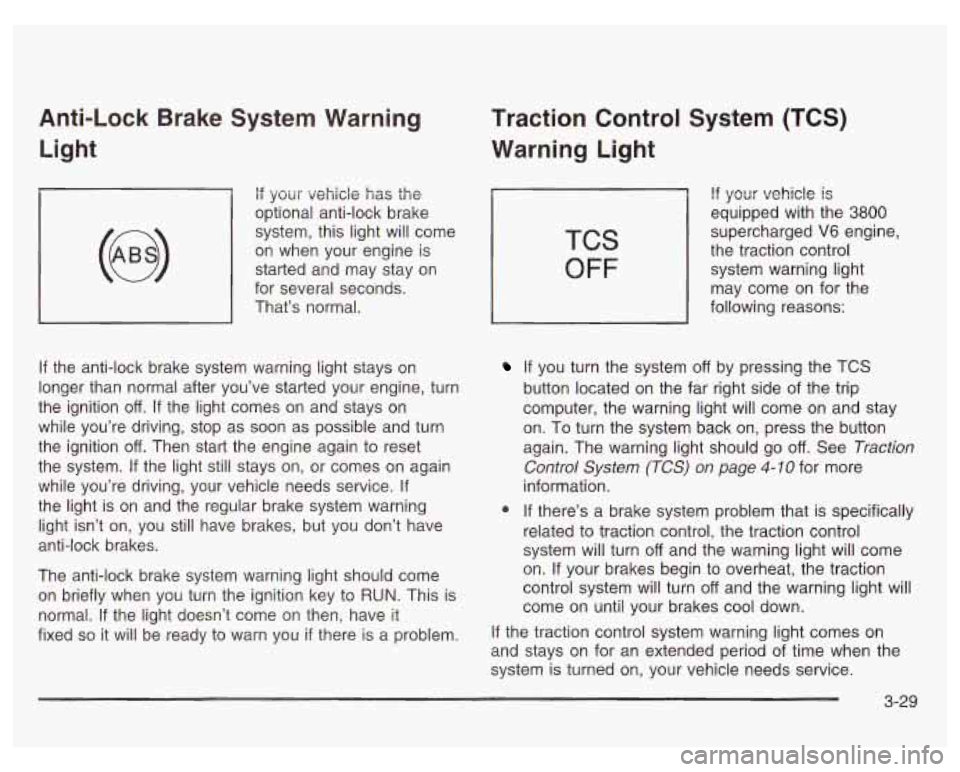
Anti-Lock Brake System Warning Light
if your vehicle has the
optional anti-lock brake
system, this light will come
on when your engine is
started and may stay on
for several seconds.
That’s normal.
If the anti-lock brake system warning light stays on
longer than normal after you’ve started your engine, turn
the ignition
off. If the light comes on and stays on
while you’re driving, stop as soon as possible and turn
the ignition
off. Then start the engine again to reset
the system.
If the light still stays on, or comes on again
while you’re driving, your vehicle needs service.
If
the light is on and the regular brake system warning
light isn’t on, you still have brakes, but you don’t have
anti-lock brakes.
The anti-lock brake system warning light should come
on briefly when you turn the ignition key to
RUN. This is
normal.
If the light doesn’t come on then, have it
fixed
so it will be ready to warn you if there is a problem.
Traction Control System (TCS)
Warning Light
TCS
OFF
If your vehicle is
equipped with the 3800
supercharged V6 engine,
the traction control
system warning light
may come on for the
following reasons:
If you turn the system off by pressing the TCS
button located on the far right side of the trip
computer, the warning light will come on and stay
on. To turn the system back on, press the button
again. The warning light should go
off. See Traction
Control System (TCS) on page
4-10 for more
information.
@ If there’s a brake system problem that is specifically
related to traction control, the traction control
system will turn
off and the warning light will come
on. If your brakes begin to overheat, the traction
control system will turn
off and the warning light will
come on until your brakes cool down.
If the traction control system warning light comes on
and stays on for an extended period of time when the
system
is turned on, your vehicle needs service.
3-29
Page 151 of 378
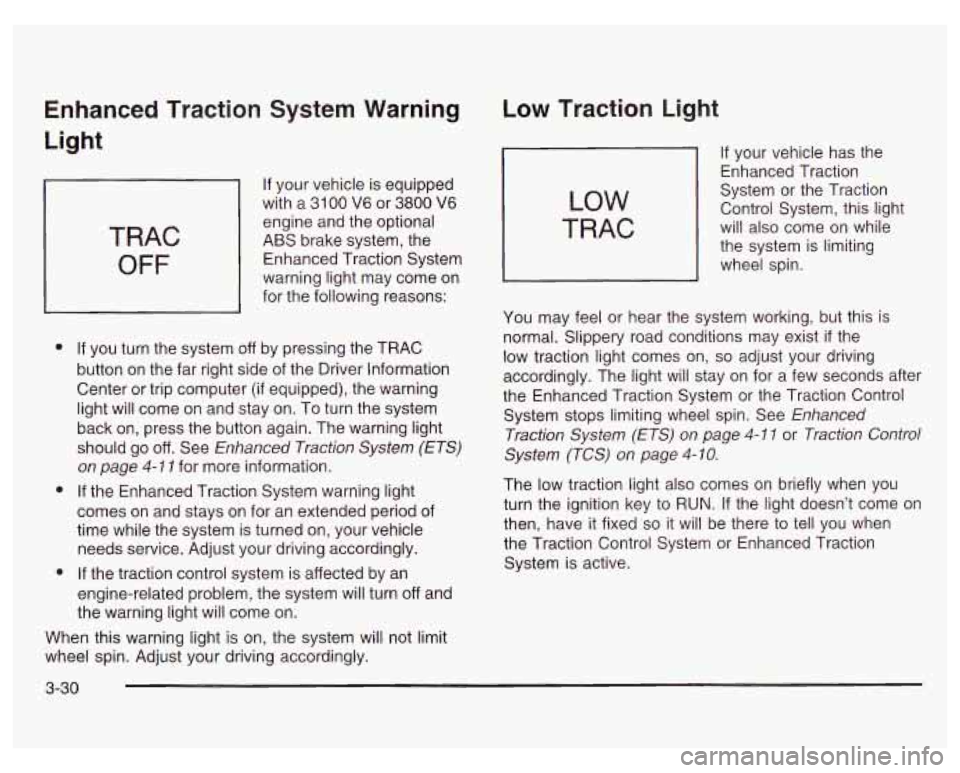
Enhanced Traction System Warning
Light
TRAC
OFF
If your vehicle is equipped
with a
31 00 V6 or 3800 V6
engine and the optional
ABS brake system, the
Enhanced Traction System
warning light may come on
for the following reasons:
e
e
e
If you turn the system off by pressing the TRAC
button on the far right side of the Driver Information
Center or trip computer (if equipped), the warning
light will come on and stay on. To turn the system
back on, press the button again. The warning light
should go
off. See Enhanced Traction System (ETS)
on page 4-1 1 for more information.
If the Enhanced Traction System warning light
comes on and stays on for an extended period of
time while the system is turned on, your vehicle
needs service. Adjust your driving accordingly.
If the traction control system is affected by an
engine-related problem, the system will turn off and
the warning light will come on.
When this warning light is on, the system will not limit
wheel spin. Adjust your driving accordingly.
Low Traction Light
LOW
TRAC
If your vehicle has the
Enhanced Traction
System or the Traction
Control System, this light
will also come on while
the system is limiting
wheel spin.
You may feel or hear the system working, but this is
normal. Slippery road conditions may exist
if the
low traction light comes on,
so adjust your driving
accordingly. The light will stay on for a few seconds after
the Enhanced Traction System or the Traction Control
System stops limiting wheel spin. See Enhanced
Traction System
(ETS) on page 4-1 1 or Traction Control
System (TCS) on page
4- 10.
The low traction light also comes on briefly when you
turn the ignition key to RUN. If the light doesn’t come on
then, have it fixed so it will be there to tell you when
the Traction Control System or Enhanced Traction
System is active.
3-30