light PONTIAC GRAND PRIX 2004 Owner's Manual
[x] Cancel search | Manufacturer: PONTIAC, Model Year: 2004, Model line: GRAND PRIX, Model: PONTIAC GRAND PRIX 2004Pages: 432, PDF Size: 2.99 MB
Page 119 of 432
Turn Signal On Chime
If the turn signal is left on for approximately 1 mile
(1.61 km), a warning chime will sound and the TURN
SIGNAL ON warning message will appear on the Driver
Information Center (DIC) display. See ªTurn Signal
Onº under
DIC Warnings and Messages on page 3-65for more information.
Daytime Running Lamps
Daytime Running Lamps (DRL) can make it easier for
others to see the front of your vehicle during the
day. DRL can be helpful in many different driving
conditions, but they can be especially helpful in the short
periods after dawn and before sunset. Fully functional
daytime running lamps are required on all vehicles
®rst sold in Canada.
The DRL system will make the turn signal lamps come
on when the following conditions are met:
·It is still daylight and the ignition is in RUN or
START,
·the exterior lamp control is in off or AUTO with the
headlamps off, and
·an automatic transaxle is not in PARK (P) and the
parking brake is released.When DRL are on, only the front turn signal/parking
lamps will be on. No other exterior lamps will be
on when the DRL are being used. Your instrument
panel won't be lit up either.
When the exterior lamp control is in AUTO and it's dark
enough outside, the DRL will turn off and the low-beam
headlamps at full brightness will turn on. When it's
bright enough outside, the front turn signal lamps will
go off, and the DRL will turn back on. If you start
your vehicle in a dark garage, the automatic headlamp
system will come on immediately. Once you leave
the garage, it will take approximately one minute for the
automatic headlamp system to change to DRL if it is
light outside. During that delay, your instrument
panel cluster may not be as bright as usual. Make sure
your instrument panel brightness knob is in the full
bright position. See ªInstrument Panel Brightnessº under
Interior Lamps on page 3-16.
Vehicle's sold in the U.S. can turn the DRL off.
To do this, turn the band on the exterior lamp control
to off. Turn the band to this position again to turn
the DRL on.
As with any vehicle, you should turn on the regular
headlamp system when you need it.
3-15
Page 120 of 432
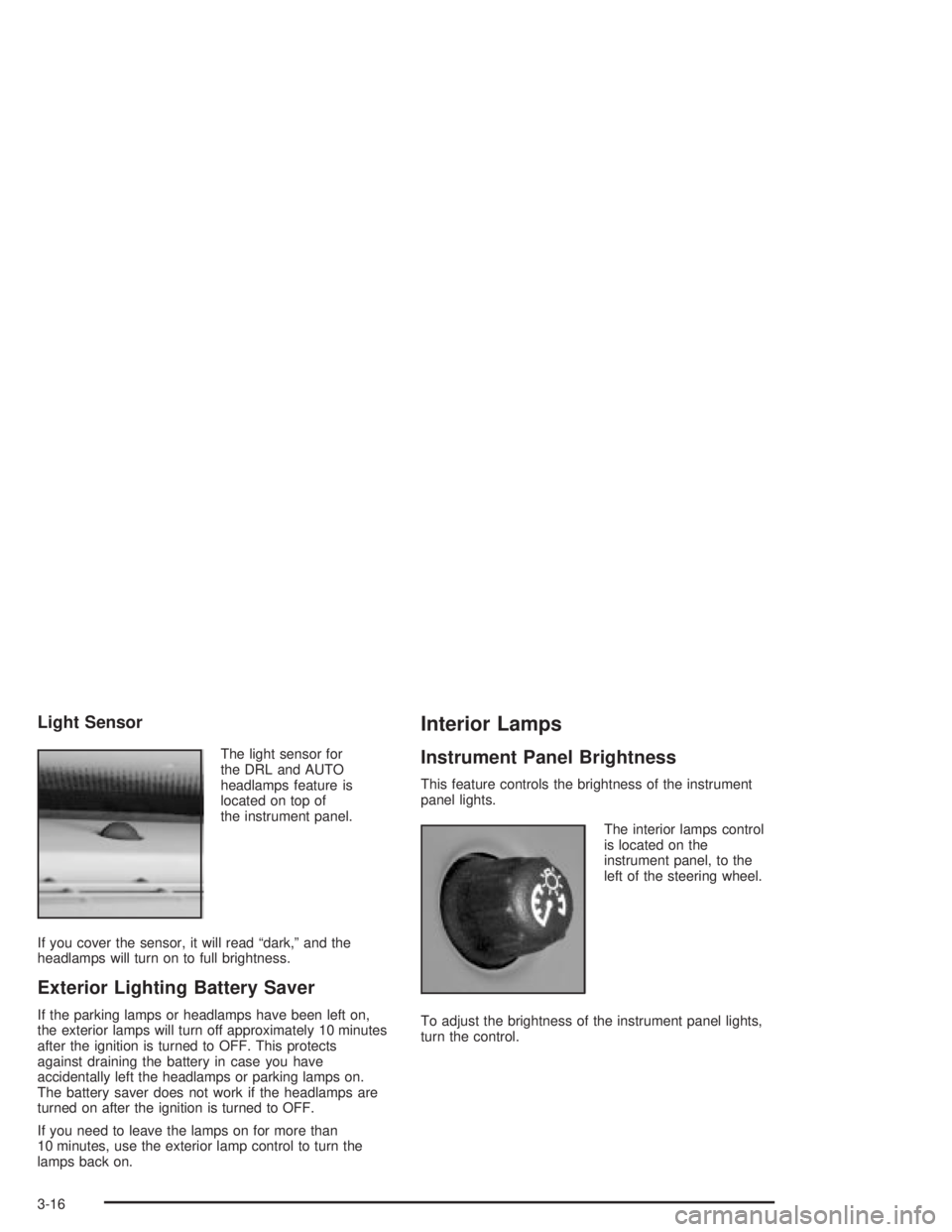
Light Sensor
The light sensor for
the DRL and AUTO
headlamps feature is
located on top of
the instrument panel.
If you cover the sensor, it will read ªdark,º and the
headlamps will turn on to full brightness.
Exterior Lighting Battery Saver
If the parking lamps or headlamps have been left on,
the exterior lamps will turn off approximately 10 minutes
after the ignition is turned to OFF. This protects
against draining the battery in case you have
accidentally left the headlamps or parking lamps on.
The battery saver does not work if the headlamps are
turned on after the ignition is turned to OFF.
If you need to leave the lamps on for more than
10 minutes, use the exterior lamp control to turn the
lamps back on.
Interior Lamps
Instrument Panel Brightness
This feature controls the brightness of the instrument
panel lights.
The interior lamps control
is located on the
instrument panel, to the
left of the steering wheel.
To adjust the brightness of the instrument panel lights,
turn the control.
3-16
Page 121 of 432
Courtesy Lamps
When a door is opened, the courtesy lamps will
automatically come on. You can also turn these lamps
on by manually turning the interior lamps control all
the way to the right.
Entry Lighting
The entry lighting feature lights the interior of the vehicle
before you enter. The interior lamps will come on for
40 seconds when you unlock the doors using the remote
keyless entry transmitter and the ignition is in LOCK
or OFF. After 40 seconds have elapsed, the interior
lamps will slowly fade out. The lamps will fade out before
40 seconds have elapsed if you do the following:
·Lock all doors using the remote keyless entry
transmitter.
·Lock the doors using the power door lock switch.
When any door is opened, entry lighting is canceled.
The interior lamps will stay on while any door is opened
and slowly fade out when all doors are closed. The
interior lamps may stay on for up to 25 seconds after all
doors have been closed if they have not been locked.
Delayed Entry Lighting
The delayed lighting feature will continue to light the
interior of the vehicle for 25 seconds after all the
doors have been closed. Delayed lighting will not
occur while the ignition is in RUN or ACCESSORY.
After 25 seconds have elapsed, the interior lamps will
slowly fade out. The lamps will fade out before the
25 seconds have elapsed if you do any of the following:
·Turn the ignition to RUN or ACCESSORY.
·Lock the doors using the remote keyless entry
transmitter.
·Lock the doors using the power door lock switch.
To turn the delayed lighting feature off or on, see
personal programming under
DIC Controls and Displays
on page 3-45.
3-17
Page 122 of 432
Delayed Exit Lighting
For exiting the vehicle at night, the vehicle is equipped
with the delayed exit lighting feature. The interior
lamps will light for up to 25 seconds when you remove
the key from the ignition. After 25 seconds have
elapsed, the interior lamps will slowly fade out.
The lamps will fade out before the 25 seconds have
elapsed if you do any of the following:
·Turn the ignition to RUN or ACCESSORY.
·Lock the doors using the remote keyless entry
transmitter.
·Lock the doors using the power door lock switch.
When any door is opened, delayed exit lighting is
canceled. The interior lamps will stay on while any door
is opened and will slowly fade out when all the doors
are closed. The interior lamps may stay on for up
to 25 seconds after all the doors have been closed if
they have not been locked.
To turn the delayed exit lighting feature off or on, see
personal programming under
DIC Controls and Displays
on page 3-45.
Overhead Console Reading Lamps
Your vehicle may have reading lamps on the overhead
console. These lamps will turn on when you open
the doors. When the doors are closed, press the side
of each lamp to turn them on and off.
Front Reading Lamps
If the vehicle has the optional sunroof, you will have
reading lamps in front of the sunroof switch located on
the headliner. These lamps will come on when you
open the doors. The lamps can be turned on and off
manually by pressing the side of each reading lamp
when the doors are closed.
Rear Assist Handle Reading Lamps
Your vehicle may have reading lamps on each rear
assist handle. Press the side of the reading lamp
to turn it on or off.
3-18
Page 123 of 432
Battery Run-Down Protection
Your vehicle has a feature to help prevent you from
draining the battery in case you accidentally leave the
interior, trunk or underhood lamps on. If you leave any of
these lamps on while the ignition is in LOCK or OFF,
they will automatically turn off after 10 minutes. The
lamps won't come back on again until you do one of the
following:
·Turn the ignition to RUN or ACCESSORY.
·Turn the interior lamps control completely to the
right, then back slightly to the left.
·Open (or close and reopen) a door that is closed.
If the vehicle has less than 15 miles (25 km) on
the odometer, the battery saver will turn off the lamps
after only three minutes.
Head-Up Display (HUD)
{CAUTION:
If the HUD image is too bright or too high in
your ®eld of view, it may take you more time
to see things you need to see when it's dark
outside. Be sure to keep the HUD image dim
and placed low in your ®eld of view.
If your vehicle is equipped with the Head-Up Display
(HUD), you can see the speedometer reading (in English
or metric units), transaxle positions, compass direction,
outside air temperature, and a brief display of the
current radio station or CD track, displayed ªthroughº
the windshield.
English or metric units selection is done through the
trip computer in the Driver Information Center (DIC).
See
DIC Controls and Displays on page 3-45for more
information.
3-19
Page 124 of 432
The HUD information can be displayed in three
languages, English, French and Spanish.
Language selection is done through the trip computer in
the Driver Information Center (DIC). See
DIC Controls
and Displays on page 3-45.
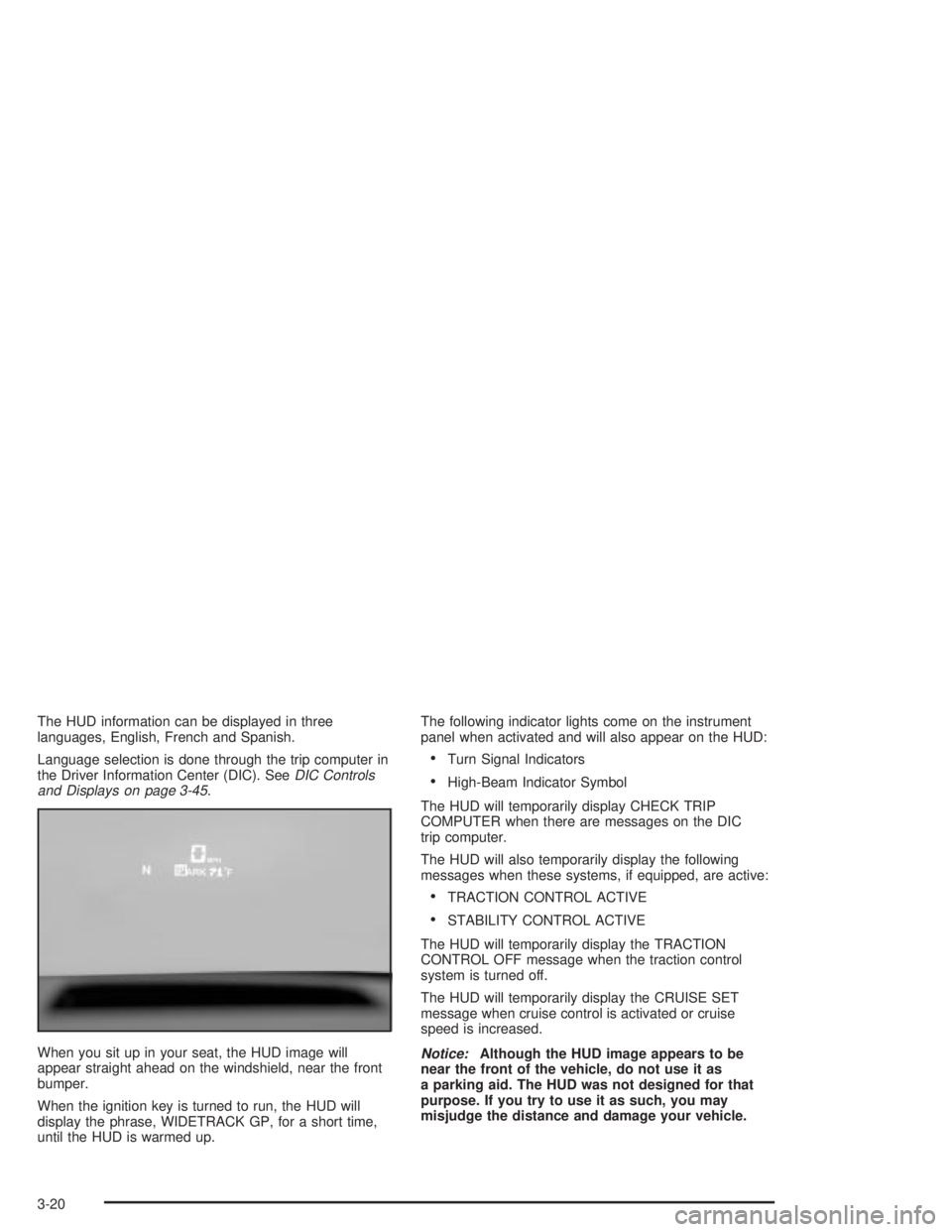
When you sit up in your seat, the HUD image will
appear straight ahead on the windshield, near the front
bumper.
When the ignition key is turned to run, the HUD will
display the phrase, WIDETRACK GP, for a short time,
until the HUD is warmed up.The following indicator lights come on the instrument
panel when activated and will also appear on the HUD:
·Turn Signal Indicators
·High-Beam Indicator Symbol
The HUD will temporarily display CHECK TRIP
COMPUTER when there are messages on the DIC
trip computer.
The HUD will also temporarily display the following
messages when these systems, if equipped, are active:
·TRACTION CONTROL ACTIVE
·STABILITY CONTROL ACTIVE
The HUD will temporarily display the TRACTION
CONTROL OFF message when the traction control
system is turned off.
The HUD will temporarily display the CRUISE SET
message when cruise control is activated or cruise
speed is increased.
Notice:Although the HUD image appears to be
near the front of the vehicle, do not use it as
a parking aid. The HUD was not designed for that
purpose. If you try to use it as such, you may
misjudge the distance and damage your vehicle.
3-20
Page 125 of 432
When the HUD is on, the speedometer reading will be
displayed continually. The current radio station or
CD track number will only be displayed for three
seconds after the radio or CD track status changes.
This will happen whenever one of the radio controls
is pressed.
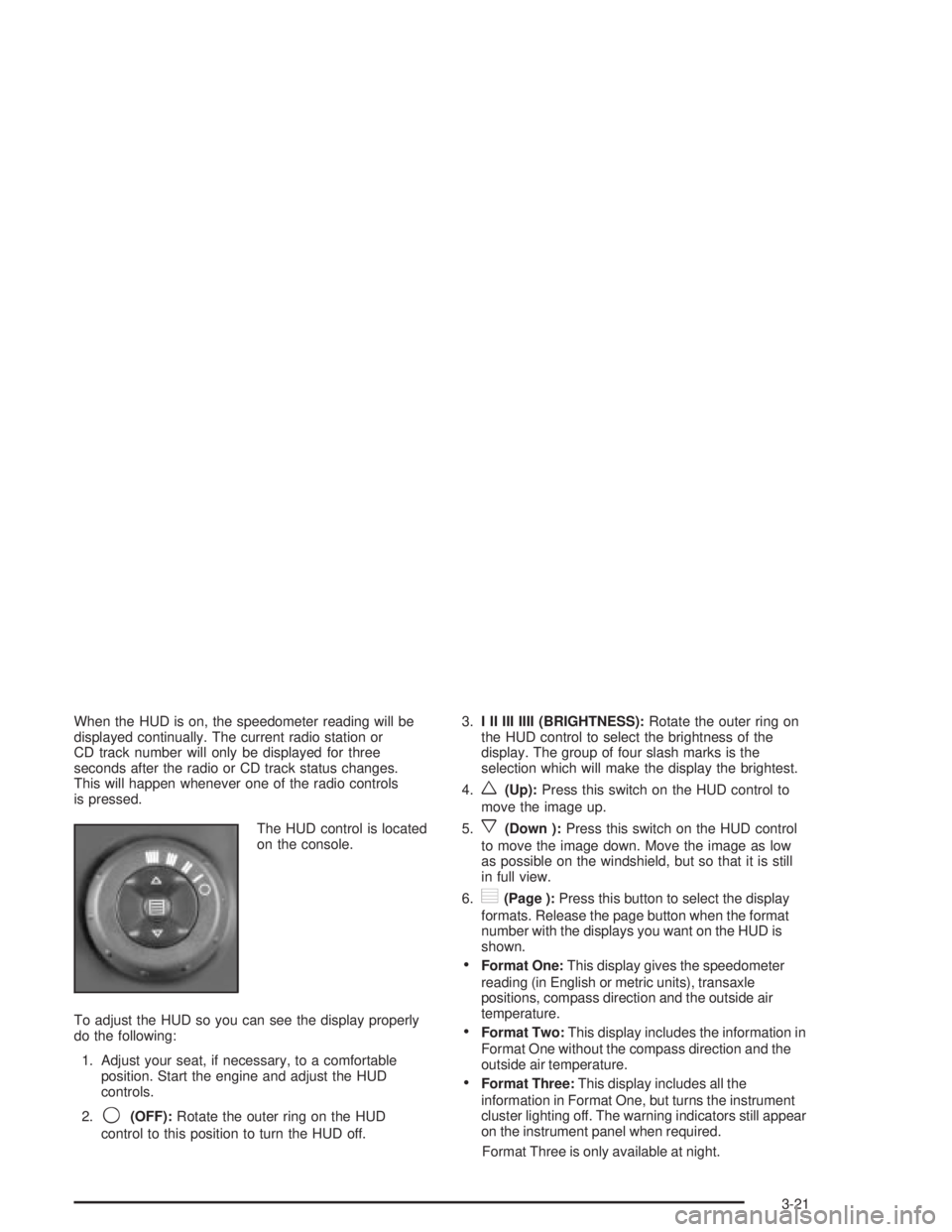
The HUD control is located
on the console.
To adjust the HUD so you can see the display properly
do the following:
1. Adjust your seat, if necessary, to a comfortable
position. Start the engine and adjust the HUD
controls.
2.
9(OFF):Rotate the outer ring on the HUD
control to this position to turn the HUD off.3.I II III IIII (BRIGHTNESS):Rotate the outer ring on
the HUD control to select the brightness of the
display. The group of four slash marks is the
selection which will make the display the brightest.
4.
w(Up):Press this switch on the HUD control to
move the image up.
5.
x(Down ):Press this switch on the HUD control
to move the image down. Move the image as low
as possible on the windshield, but so that it is still
in full view.
6.
?(Page ):Press this button to select the display
formats. Release the page button when the format
number with the displays you want on the HUD is
shown.
·Format One:This display gives the speedometer
reading (in English or metric units), transaxle
positions, compass direction and the outside air
temperature.
·Format Two:This display includes the information in
Format One without the compass direction and the
outside air temperature.
·Format Three:This display includes all the
information in Format One, but turns the instrument
cluster lighting off. The warning indicators still appear
on the instrument panel when required.
Format Three is only available at night.
3-21
Page 126 of 432
The HUD will ªrememberº the last display format
selected. When the vehicle is started if the last format
displayed was Format One or Format Three, then
Format One will be displayed.
If the last format was Format Two, then Format Two
will be displayed.
The HUD will automatically dim and brighten to
compensate for outside lighting.
The HUD display can temporarily light up depending on
the angle and position of the sunlight on the display.
This is normal and will change when the angle of
the sunlight on the HUD display changes.
Polarized sunglasses could also make the HUD image
harder to see.
Care of the HUD
Clean the inside of the windshield as needed to remove
any dirt or ®lm that reduces the sharpness or clarity
of the HUD image.
To clean the HUD, spray household glass cleaner on a
soft, clean cloth. Wipe the HUD lens gently, then dry
it. Do not spray cleaner directly on the lens because the
cleaner could leak into the unit.
If You Can't See the HUD Image When
the Ignition Is On
·Is anything covering the HUD unit?
·Is the HUD dimmer setting bright enough?
·Is the HUD image adjusted to the proper height?
·Are you wearing polarized sunglasses?
·Still no HUD image? Check the fuse in the
instrument panel fuse block. See
Fuses and Circuit
Breakers on page 5-99.
If the HUD Image Is Not Clear
·Is the HUD image too bright?
·Are the windshield and HUD lens clean?
The windshield is part of the HUD system. If you ever
need a new windshield, be sure to get one designed for
HUD. If you don't, the HUD image may look blurred
and out of focus.
3-22
Page 128 of 432
Ashtrays and Cigarette Lighter
Notice:Don't put papers or other ¯ammable items
into your ashtrays. Hot cigarettes or other smoking
materials could ignite them, causing a damaging ®re.
Ashtray
The ashtray is located to the right of the transaxle shift
lever on the center console. To open, push and
release the rear of the cover.
To empty the ashtray, lift the tab on the side and pull
up to remove the ashtray from the center console.
To reinstall, push the tray back into place.
Cigarette Lighter
Notice:Don't hold a cigarette lighter in with your
hand while it is heating. If you do, it won't be able to
back away from the heating element when it's
ready. That can make it overheat, damaging the
lighter and the heating element.
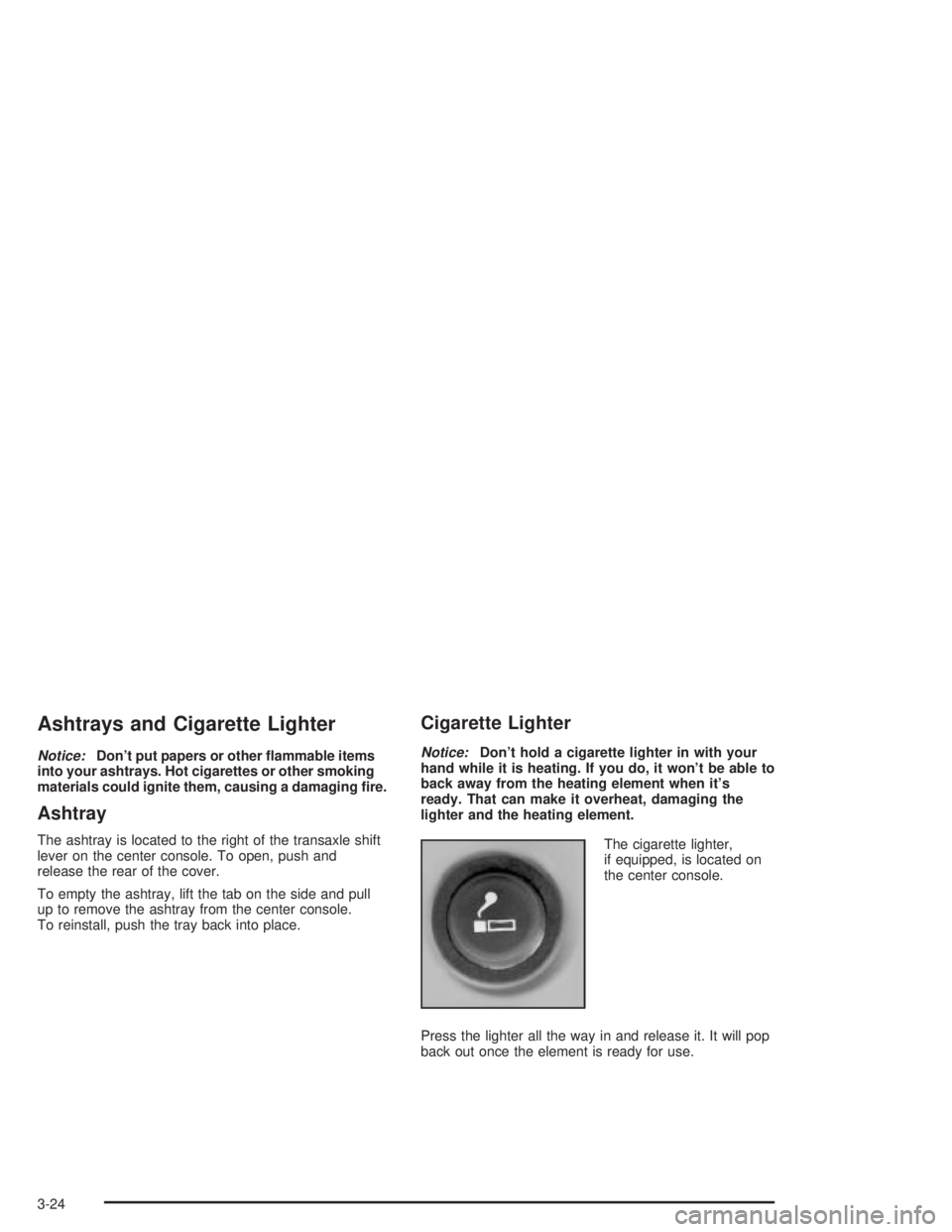
The cigarette lighter,
if equipped, is located on
the center console.
Press the lighter all the way in and release it. It will pop
back out once the element is ready for use.
3-24
Page 129 of 432
Climate Controls
Climate Control System
Manual Climate Control System
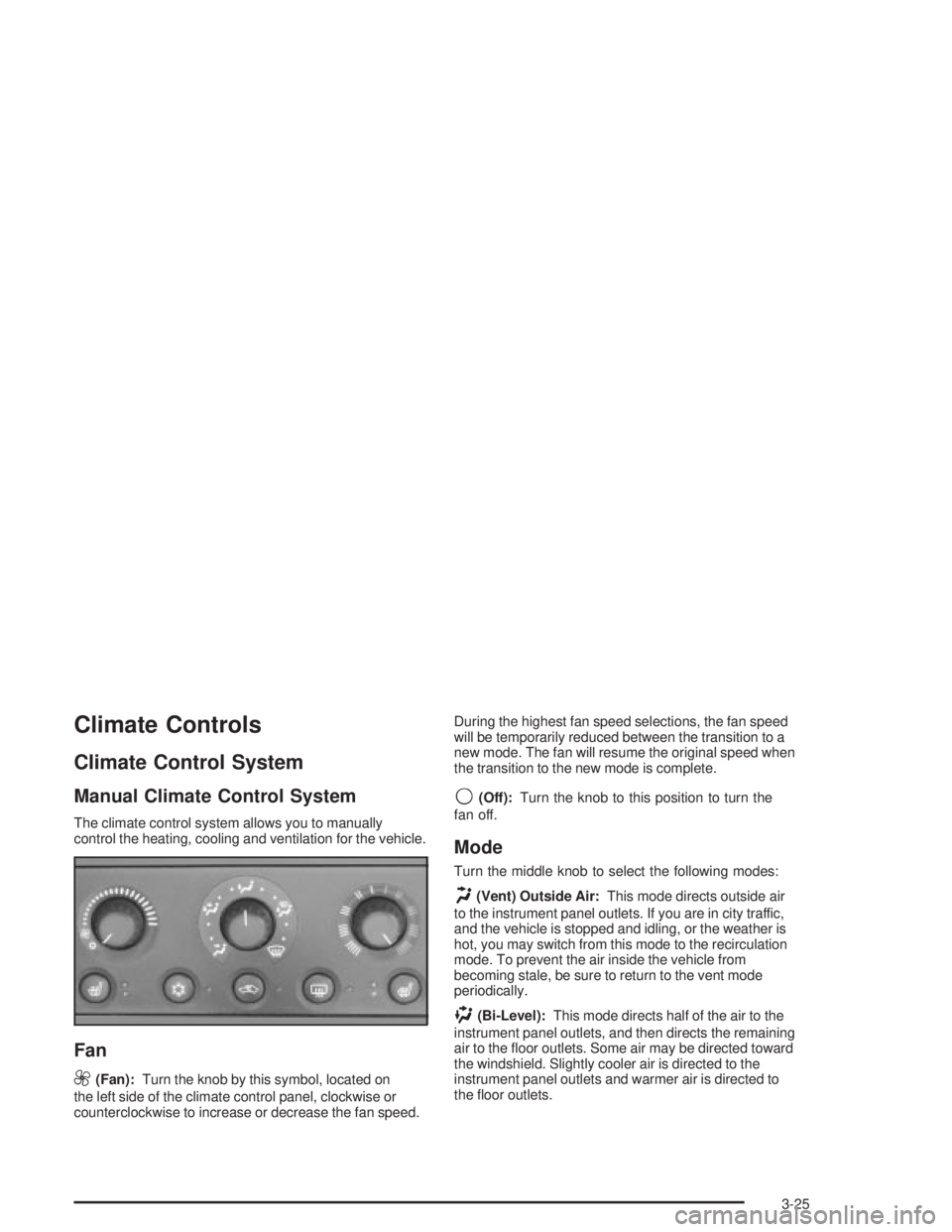
The climate control system allows you to manually
control the heating, cooling and ventilation for the vehicle.
Fan
9
(Fan):Turn the knob by this symbol, located on
the left side of the climate control panel, clockwise or
counterclockwise to increase or decrease the fan speed.During the highest fan speed selections, the fan speed
will be temporarily reduced between the transition to a
new mode. The fan will resume the original speed when
the transition to the new mode is complete.
9(Off):Turn the knob to this position to turn the
fan off.
Mode
Turn the middle knob to select the following modes:
H(Vent) Outside Air:This mode directs outside air
to the instrument panel outlets. If you are in city traffic,
and the vehicle is stopped and idling, or the weather is
hot, you may switch from this mode to the recirculation
mode. To prevent the air inside the vehicle from
becoming stale, be sure to return to the vent mode
periodically.
)(Bi-Level):This mode directs half of the air to the
instrument panel outlets, and then directs the remaining
air to the ¯oor outlets. Some air may be directed toward
the windshield. Slightly cooler air is directed to the
instrument panel outlets and warmer air is directed to
the ¯oor outlets.
3-25