odometer PONTIAC GRAND PRIX 2004 Owners Manual
[x] Cancel search | Manufacturer: PONTIAC, Model Year: 2004, Model line: GRAND PRIX, Model: PONTIAC GRAND PRIX 2004Pages: 432, PDF Size: 2.99 MB
Page 105 of 432
Instrument Panel Overview...............................3-2
Hazard Warning Flashers................................3-4
Other Warning Devices...................................3-5
Horn.............................................................3-5
Tilt Wheel.....................................................3-5
Windshield Washer Lever................................3-6
Cruise Control Lever.......................................3-8
Exterior Lamps.............................................3-12
Interior Lamps..............................................3-16
Head-Up Display (HUD).................................3-19
Accessory Power Outlets...............................3-23
Ashtrays and Cigarette Lighter........................3-24
Climate Controls............................................3-25
Climate Control System.................................3-25
Outlet Adjustment.........................................3-29
Warning Lights, Gages and Indicators.............3-31
Instrument Panel Cluster................................3-32
Speedometer and Odometer...........................3-33
Tachometer.................................................3-33
Safety Belt Reminder Light.............................3-34
Air Bag Readiness Light................................3-34
Up-Shift Light...............................................3-35
Brake System Warning Light..........................3-36
Anti-Lock Brake System Warning Light.............3-37
Traction Control System (TCS)
Warning Light...........................................3-38Enhanced Traction System Warning Light.........3-38
Engine Coolant Temperature Warning Light......3-39
Engine Coolant Temperature Gage..................3-39
Malfunction Indicator Lamp.............................3-40
Oil Pressure Light.........................................3-43
Fog Lamp Light............................................3-44
High-Beam On Light......................................3-44
Fuel Gage...................................................3-44
Driver Information Center (DIC).......................3-45
DIC Controls and Displays.............................3-45
DIC Warnings and Messages.........................3-65
Audio System(s).............................................3-88
Setting the Time...........................................3-88
Radio with CD..............................................3-89
Radio with Cassette and CD.........................3-100
Radio with Six-Disc CD................................3-114
Theft-Deterrent Feature................................3-128
Audio Steering Wheel Controls......................3-129
Understanding Radio Reception....................3-130
Care of Your Cassette Tape Player...............3-130
Care of Your CDs.......................................3-131
Care of Your CD Player...............................3-131
Backglass Antenna......................................3-132
XMŸ Satellite Radio Antenna System
(United States Only).................................3-132
Section 3 Instrument Panel
3-1
Page 123 of 432
Battery Run-Down Protection
Your vehicle has a feature to help prevent you from
draining the battery in case you accidentally leave the
interior, trunk or underhood lamps on. If you leave any of
these lamps on while the ignition is in LOCK or OFF,
they will automatically turn off after 10 minutes. The
lamps won't come back on again until you do one of the
following:
·Turn the ignition to RUN or ACCESSORY.
·Turn the interior lamps control completely to the
right, then back slightly to the left.
·Open (or close and reopen) a door that is closed.
If the vehicle has less than 15 miles (25 km) on
the odometer, the battery saver will turn off the lamps
after only three minutes.
Head-Up Display (HUD)
{CAUTION:
If the HUD image is too bright or too high in
your ®eld of view, it may take you more time
to see things you need to see when it's dark
outside. Be sure to keep the HUD image dim
and placed low in your ®eld of view.
If your vehicle is equipped with the Head-Up Display
(HUD), you can see the speedometer reading (in English
or metric units), transaxle positions, compass direction,
outside air temperature, and a brief display of the
current radio station or CD track, displayed ªthroughº
the windshield.
English or metric units selection is done through the
trip computer in the Driver Information Center (DIC).
See
DIC Controls and Displays on page 3-45for more
information.
3-19
Page 137 of 432
Speedometer and Odometer
The speedometer lets you see your speed in both
miles per hour (mph) and kilometers per hour (km/h).
The odometer, located on the Driver Information Center
(DIC) display, shows how far your vehicle has been
driven, in either miles or kilometers. See
DIC Controls
and Displays on page 3-45for more information.
If the vehicle has the Head-Up Display (HUD), the speed
will also be displayed on the HUD screen.
You may wonder what happens if a vehicle has to have
a new odometer installed. It the new one can be set
to the mileage total of the old odometer, than that will be
done. If it can't, than it will be set at zero and a label
must be put on the driver's door to show the old mileage
reading when the new odometer was installed.
Trip Odometer
The trip odometer, located in the Driver Information
Center (DIC), tells you how far you have driven since you
last reset it. You are able to see the miles (kilometers) for
two different trips. See
DIC Controls and Displays on
page 3-45for more information on setting the trip
odometer.
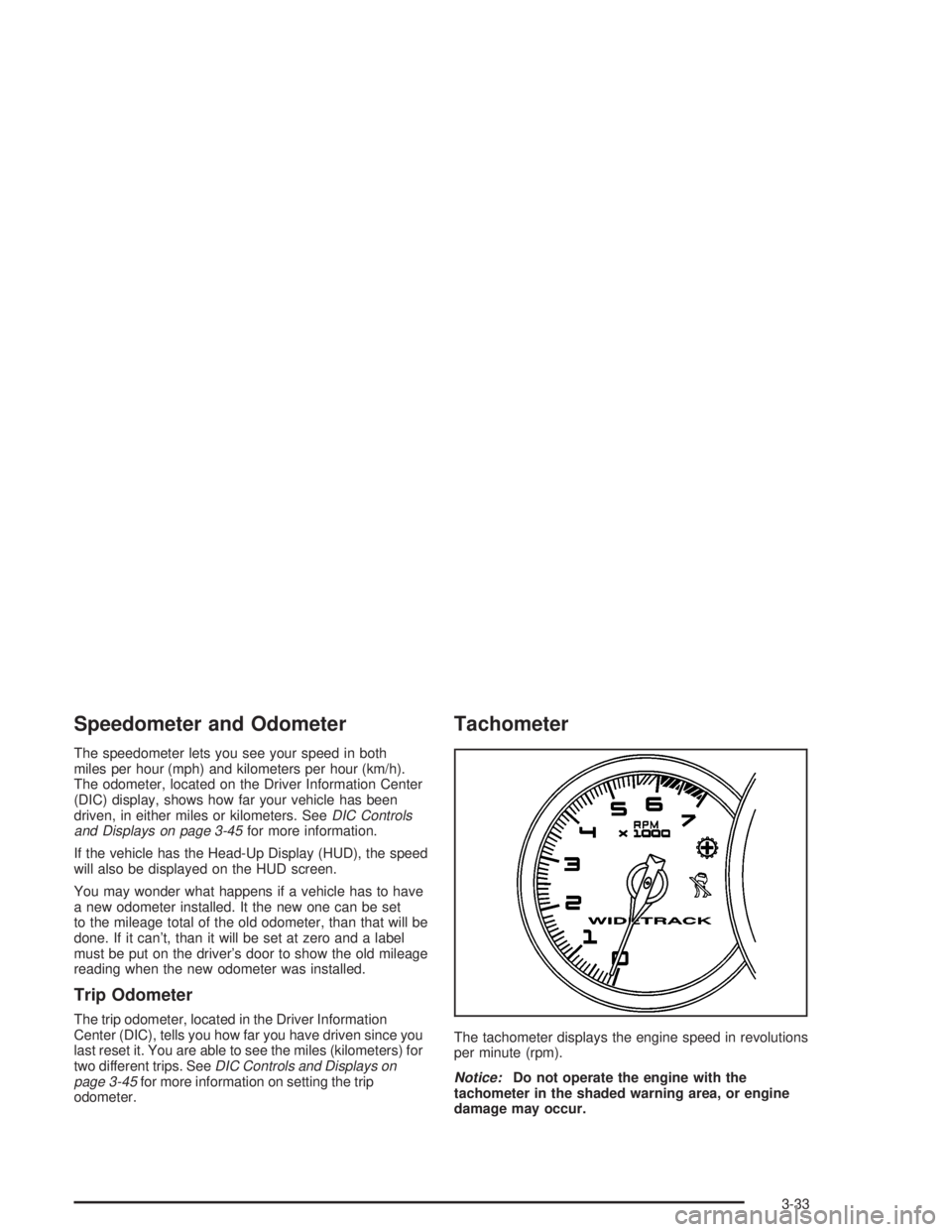
Tachometer
The tachometer displays the engine speed in revolutions
per minute (rpm).
Notice:Do not operate the engine with the
tachometer in the shaded warning area, or engine
damage may occur.
3-33
Page 149 of 432
Driver Information Center (DIC)
The Driver Information Center (DIC) gives you important
safety and maintenance facts. When you turn the ignition
on, all of the DIC lights illuminate for a few seconds and
the phrase WIDETRACK GP will appear. After this, the
DIC will begin working.
DIC Controls and Displays
Base Level DIC
The Driver Information Center (DIC) control buttons
and the message display screen are located above
the radio. The DIC gives you important safety and
maintenance facts concerning the vehicle. The status
of many of the vehicle's systems along with driver
personalization menus and warning messages about
your vehicle's systems may display on the DIC screen.
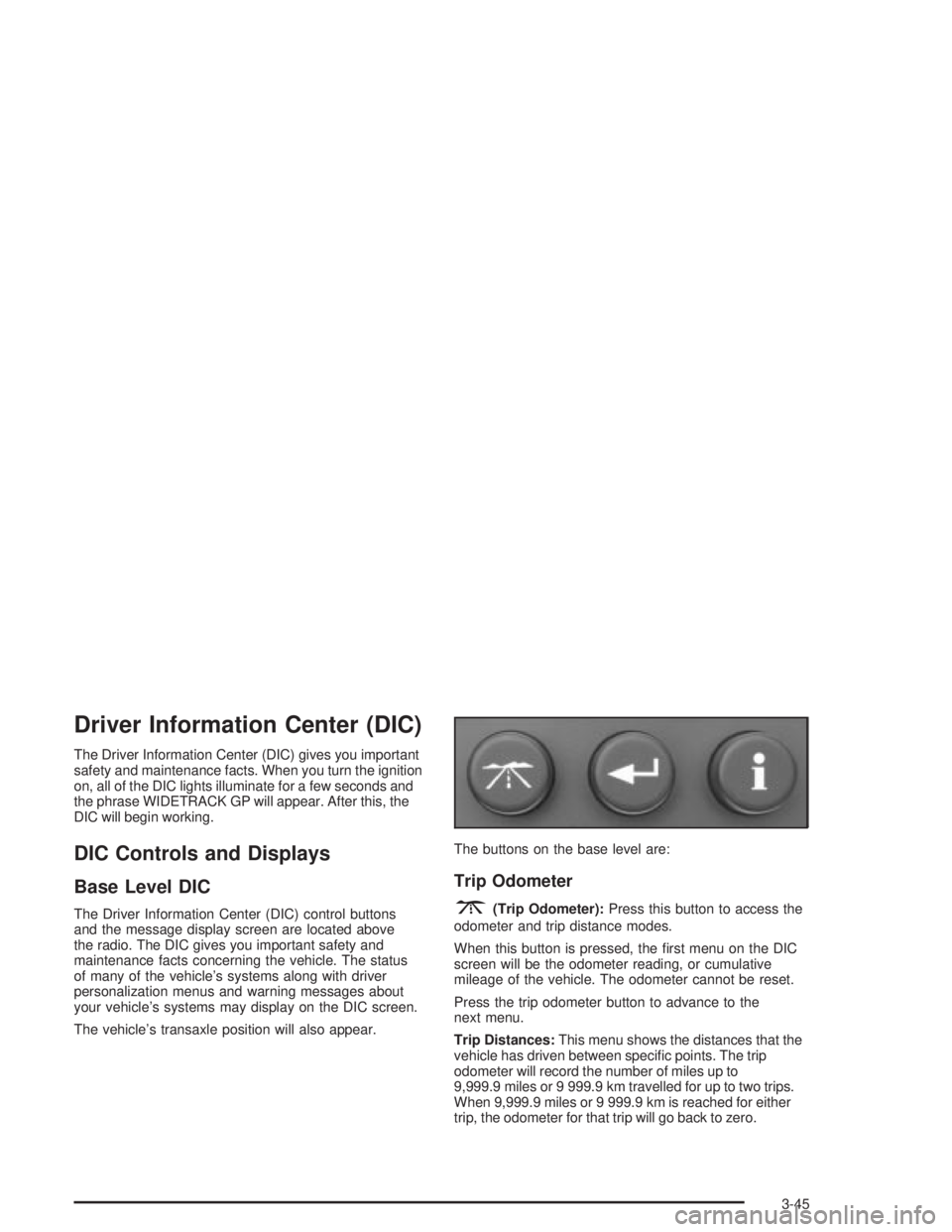
The vehicle's transaxle position will also appear.The buttons on the base level are:
Trip Odometer
3(Trip Odometer):Press this button to access the
odometer and trip distance modes.
When this button is pressed, the ®rst menu on the DIC
screen will be the odometer reading, or cumulative
mileage of the vehicle. The odometer cannot be reset.
Press the trip odometer button to advance to the
next menu.
Trip Distances:This menu shows the distances that the
vehicle has driven between speci®c points. The trip
odometer will record the number of miles up to
9,999.9 miles or 9 999.9 km travelled for up to two trips.
When 9,999.9 miles or 9 999.9 km is reached for either
trip, the odometer for that trip will go back to zero.
3-45
Page 150 of 432

Press the trip odometer button again to access TRIP A.
Press the trip odometer button again to access TRIP B.
To reset the trip odometer(s) back to zero miles or
kilometers, access the trip you want to reset and press
the set/reset button.
The trip odometer has a feature called the retro-active
reset. This can be used to set the trip odometer to the
number of miles or kilometers driven since the ignition
was last turned on. This can be used if you forget to reset
your trip odometer at the beginning of the trip.
To use the retro-active reset feature, press and hold the
set/reset button for at least three seconds. The trip
odometer will display the number of miles or kilometers
driven since the ignition was last turned on and you
began driving. Once you begin driving, the trip odometer
will accumulate mileage. For example, if you have
driven 5.0 miles (8.0 km) since you started the vehicle,
and then activate the reto-active reset feature, the
display will show 5.0 miles (8.0 km) since you started
your vehicle. As you drive, the display will then increase
to 5.1 miles (8.2 km), 5.2 miles (8.4 km), etc.
If the retro-active reset feature is activated after the
vehicle is started, but before it begins moving, the
display will show the number of miles or kilometers
that were driven during the last ignition cycle.
Press the trip odometer button again to access the
odometer.Set/Reset
r(Set/Reset):Press this button to set or reset a
menu item when using the trip odometer or options
buttons.
Options
4(Options):Press this button to access the
Date, Language, Display Units, Daytime Display
Enhancements, Engine Oil Monitor System, Tire In¯ation
Monitor System and Personal Programming modes.
Date:This menu lets you select the date. The time
is set through the radio. See
Setting the Time on
page 3-88for more information. To set the date use
the following procedure:
1. Press the options button until the date is displayed
on the DIC.
2. Press the set/reset button to scroll to the second
position in the year, releasing the button when the
correct digit appears.
3. Press the set/reset button to advance to the ®rst
position in the year, releasing the button when the
correct digit appears.
3-46
Page 159 of 432

Trip Odometer
3(Trip Odometer):Press this button to access the
Odometer, Trip Distances, AVERAGE SPEED and
TIIME ELAPSED modes.
Odometer:When the trip odometer button is pressed,
the ®rst menu displayed on the DIC screen is the
odometer reading, or cumulative mileage of the vehicle.
The odometer cannot be reset.
Press the trip odometer button again to advance to the
next menu.
Trip Distances:This menu shows the distances that
the vehicle has driven between speci®c points. The trip
odometer will record the number of miles up to
9,999.9 miles or 9 999.9 km travelled for up to two trips.
When 9,999.9 miles or 9 999.9 km is reached for either
trip, the odometer for that trip will go back to zero.
To reset the trip distances use the following procedures:
1. Press the trip odometer button again to access
TRIP A. Press the trip odometer button again to
access TRIP B. To reset the trip odometer(s) back
to zero miles or to zero kilometers, access the
trip you want to reset and press the set/reset button.
2. Press the trip odometer button again to access the
odometer.The trip odometer has a feature called the retro-active
reset. This can be used to set the trip odometer to
the number of miles (kilometers) driven since the ignition
was last turned on. This can be used if you forget to
reset your trip odometer at the beginning of the trip.
To use the retro-active reset feature, press and hold the
set/reset button for at least three seconds. The trip
odometer will display the number of miles or kilometers
driven since the ignition was last turned on and you
began driving. Once you begin driving, the trip odometer
will accumulate mileage. For example, if you have
driven 5.0 miles (8.0 km) since you started the vehicle,
and then activate the reto-active reset feature, the
display will show 5.0 miles (8.0 km) since you started
your vehicle. As you drive, the display will then increase
to 5.1 miles (8.2 km), 5.2 miles (8.4 km), etc.
If the retro-active reset feature is activated after the
vehicle is started, but before it begins moving, the
display will show the number of miles or kilometers that
were driven during the last ignition cycle.
3-55
Page 160 of 432

Average Speed:The average speed is displayed in
miles per hour (mph) or kilometers per hour (km/h).
The average speed is calculated from the various
vehicle speeds recorded since the last reset of this
menu item. To reset the average speed, press the
set/reset button. The display will return to zero.
Press the trip odometer button again to advance to
the next screen.
Time Elapsed:This screen can be used as a
stopwatch. The display can show the hours, minutes,
seconds and hundredths of a second. The elapsed time
indicator will record up to 99 hours, 59 minutes and
59 seconds, then it will reset to zero and continue
counting.
To set the time elapsed function use the following
procedures:
1. Press the trip odometer button for less than two
seconds to start or stop the timer.
2. Press and hold the trip odometer button for more
than two seconds to reset the timer back to zero.Set/Reset
r(Set/Reset):Press this button to set or reset a
mode item when using the trip odometer or option
buttons.
Options
4(Options):Press this button to access the Date,
Language, Display Units, Daytime Display
Enhancements, Engine Oil Monitor System, Tire
In¯ation Monitor System, Compass Calibration and the
Personal Programming modes.
Date:This menu lets you select the date.
The time is set through the radio. See
Setting the Time
on page 3-88for more information.
To set the date use the following procedure:
1. Press the options button until the date is displayed
on the DIC.
2. Press the set/reset button to scroll to the second
position in the year, releasing the button when the
correct digit appears.
3. Press the set/reset button to advance to the ®rst
position in the year, releasing the button when the
correct digit appears.
4. Press the options button to advance to the months
of the year.
3-56
Page 356 of 432
Each new wheel should have the same load-carrying
capacity, diameter, width, offset and be mounted
the same way as the one it replaces.
If you need to replace any of your wheels, wheel bolts or
wheel nuts, replace them only with new GM original
equipment parts. This way, you will be sure to have the
right wheel, wheel bolts and wheel nuts for your vehicle.
{CAUTION:
Using the wrong replacement wheels, wheel
bolts or wheel nuts on your vehicle can be
dangerous. It could affect the braking and
handling of your vehicle, make your tires lose
air and make you lose control. You could have
a collision in which you or others could be
injured. Always use the correct wheel, wheel
bolts and wheel nuts for replacement.
Notice:The wrong wheel can also cause problems
with bearing life, brake cooling, speedometer or
odometer calibration, headlamp aim, bumper height,
vehicle ground clearance and tire or tire chain
clearance to the body and chassis.
See
Changing a Flat Tire on page 5-78for more
information.
Used Replacement Wheels
{CAUTION:
Putting a used wheel on your vehicle is
dangerous. You can't know how it's been
used or how far it's been driven. It could fail
suddenly and cause a crash. If you have to
replace a wheel, use a new GM original
equipment wheel.
5-76
Page 392 of 432

It is also important to check your oil regularly and keep
it at the proper level.
If the system is ever reset accidentally, you must
change your oil at 3,000 miles (5 000 km) since your
last oil change. Remember to reset the oil life system
whenever the oil is changed. See
Engine Oil on
page 5-16for information on resetting the system.
An Emission Control Service.
See the mileage intervals following for additional
services that may be performed with an engine oil
change. After the services are performed, record the
date, odometer reading and who performed the service
on the maintenance record pages in Part E of this
schedule.
7,500 Miles (12 500 km)
qRotate tires. SeeTire Inspection and Rotation on
page 5-71for proper rotation pattern and additional
information.(See footnote +.)
15,000 Miles (25 000 km)
qInspect engine air cleaner ®lter. If necessary, replace
the ®lter. If vehicle is driven in dusty/dirty conditions,
inspect ®lter at every engine oil change. See
Engine Air Cleaner/Filter on page 5-22for more
information.An Emission Control Service. (See
footnote ².)
qRotate tires. SeeTire Inspection and Rotation on
page 5-71for proper rotation pattern and additional
information.(See footnote +.)
qReplace passenger compartment air ®lter. If you
drive regularly under dusty conditions, the ®lter
may require replacement more often.
22,500 Miles (37 500 km)
qRotate tires. SeeTire Inspection and Rotation on
page 5-71for proper rotation pattern and additional
information.(See footnote +.)
30,000 Miles (50 000 km)
qRotate tires. SeeTire Inspection and Rotation on
page 5-71for proper rotation pattern and additional
information.(See footnote +.)
qReplace passenger compartment air ®lter. If you
drive regularly under dusty conditions, the ®lter
may require replacement more often.
qReplace engine air cleaner ®lter. See
Engine Air
Cleaner/Filter on page 5-22for more information.An Emission Control Service.
qFor supercharged engines only: Check the
supercharger oil level and add the proper
supercharger oil as needed (or every 36 months,
whichever occurs ®rst). See
Part D: Recommended
Fluids and Lubricants on page 6-16.An Emission
Control Service. (See footnote ².)
6-6
Page 403 of 432
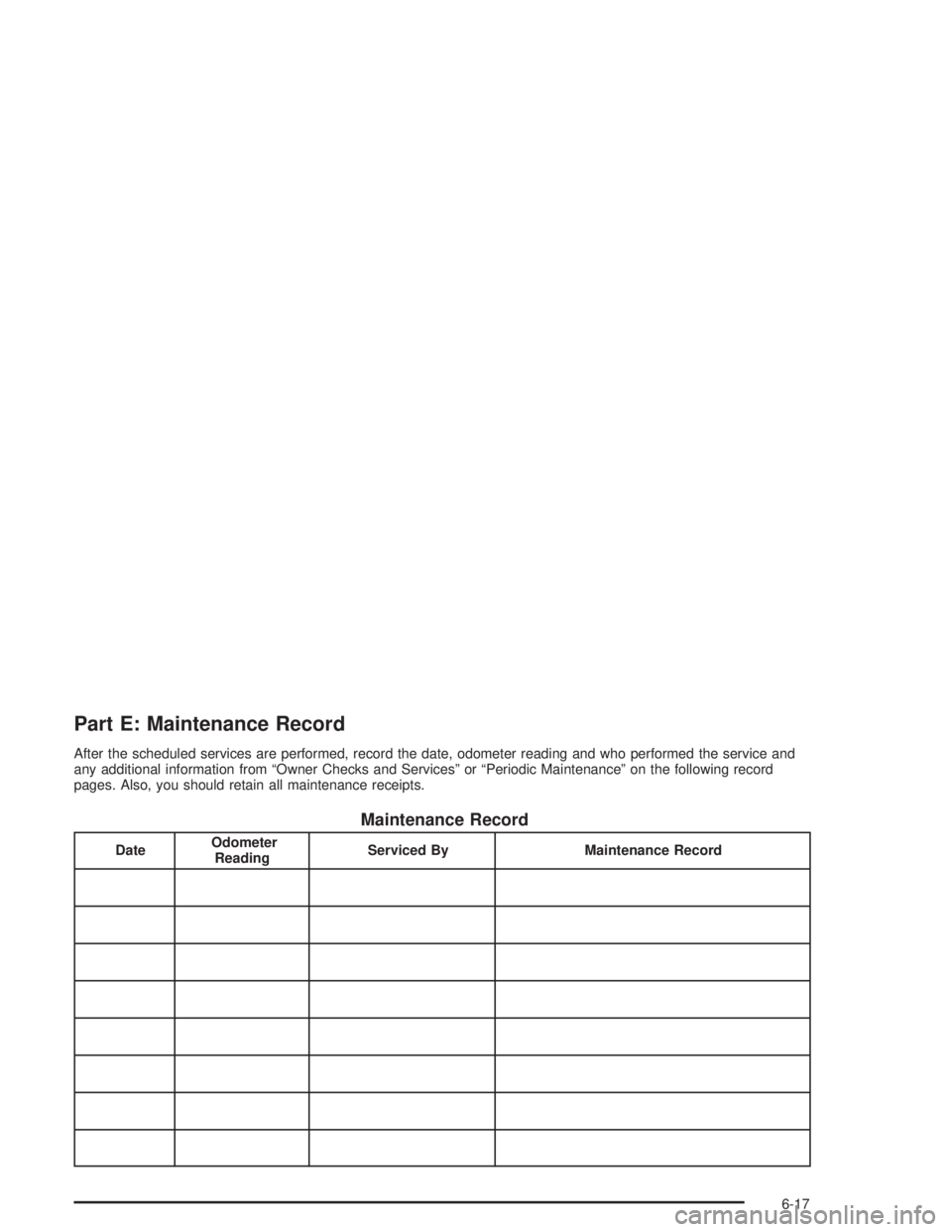
Part E: Maintenance Record
After the scheduled services are performed, record the date, odometer reading and who performed the service and
any additional information from ªOwner Checks and Servicesº or ªPeriodic Maintenanceº on the following record
pages. Also, you should retain all maintenance receipts.
Maintenance Record
DateOdometer
ReadingServiced By Maintenance Record
6-17