light PONTIAC GRAND PRIX 2005 Workshop Manual
[x] Cancel search | Manufacturer: PONTIAC, Model Year: 2005, Model line: GRAND PRIX, Model: PONTIAC GRAND PRIX 2005Pages: 444, PDF Size: 2.6 MB
Page 153 of 444
Oil Pressure Light
If there is a problem with
the vehicle’s oil pressure,
this light may stay on
when the engine is started,
or it may come on while
the vehicle is being driven.
This indicates that oil is not going through the engine
quickly enough to keep it lubricated. The engine
could be low on oil or could have some other oil
problem. Have it xed right away.
The oil light could also come on in two other situations:
When the ignition is on but the engine is not
running, the light will come on as a test to indicate
it is working. The light will go out when the
ignition is turned to RUN. If it does not come on
while the ignition is in the on position, there may be
a problem with the fuse or bulb. SeeFuses and
Circuit Breakers on page 5-103.
If the brakes are applied quickly and the vehicle
makes a hard stop, the light may come on for a
moment. This is normal.
{CAUTION:
Do not keep driving if the oil pressure is low.
If you do, your engine can become so hot that
it catches re. You or others could be burned.
Check your oil as soon as possible and have
your vehicle serviced.
Notice:Lack of proper engine oil maintenance may
damage the engine. The repairs would not be covered
by your warranty. Always follow the maintenance
schedule in this manual for changing engine oil.
Fog Lamp Light
This light will come
on when the fog lamps
are in use.
The light will go out when the fog lamps are turned off.
SeeFog Lamps on page 3-16for more information.
3-47
Page 154 of 444

Cruise Control Light
This light, if equipped,
comes on whenever you
set your cruise control.
The light will go out when the cruise control is turned off.
SeeCruise Control on page 3-10for more information.
Highbeam On Light
This light comes on
whenever the high-beam
headlamps are on.
See “Headlamp High/Low-Beam Changer” under
Exterior Lamps on page 3-14for additional information.
Fuel Gage
The fuel gage shows
about how much fuel
is left in the fuel tank
when the ignition is on.
When the indicator nears empty, there is still a little fuel
left, but you should get more soon.
Here are four things owners usually ask about the fuel
gage. All these situations are normal and do not
indicate a problem with the fuel gage:
At the gas station the pump shuts off before the
gage reads full.
It takes more or less fuel to ll up than the gage
indicates. For example, the gage reads half full, but it
took more or less than half the tank’s capacity to ll it.
The gage pointer may move while cornering, braking
or speeding up.
The gage may not indicate full when the ignition is
turned off.
3-48
Page 155 of 444
Driver Information Center (DIC)
The Driver Information Center (DIC) gives important
safety and maintenance facts. When the vehicle’s
ignition is turned on, all of the DIC lights illuminate for a
few seconds and an introductory message will appear.
After this, the DIC will begin working.
DIC Controls and Displays
(Base Level DIC)
The Driver Information Center (DIC) control buttons and
the message display screen are located above the
radio. The DIC gives important safety and maintenance
facts concerning the vehicle. The status of many of
the vehicle’s systems along with driver personal
programming mode menus and warning messages
about the vehicle’s systems may display on the
DIC screen.The vehicle’s transaxle position will also appear.
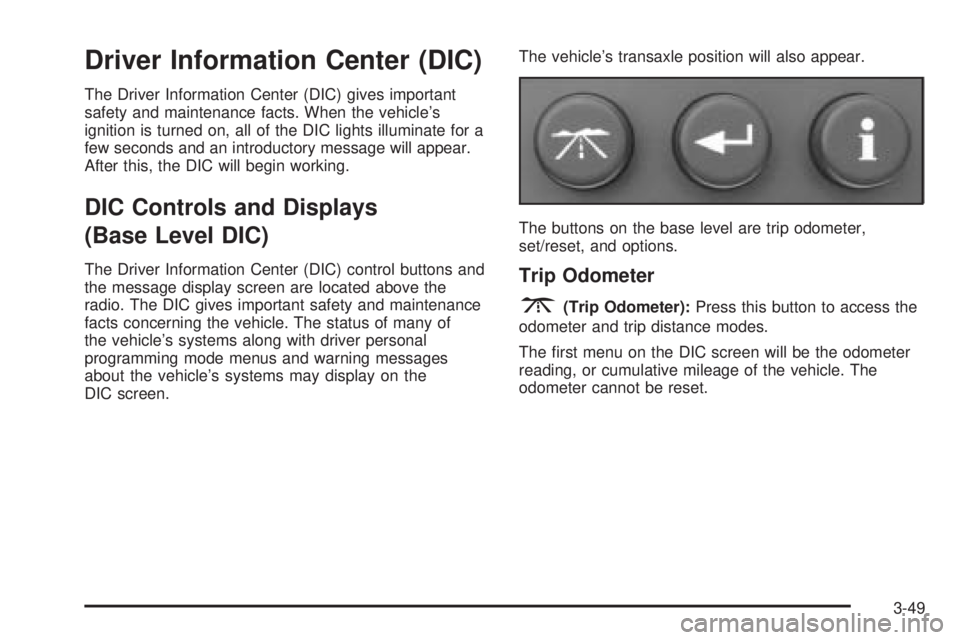
The buttons on the base level are trip odometer,
set/reset, and options.Trip Odometer
3(Trip Odometer):Press this button to access the
odometer and trip distance modes.
The rst menu on the DIC screen will be the odometer
reading, or cumulative mileage of the vehicle. The
odometer cannot be reset.
3-49
Page 159 of 444

If the Check Tire Pressure message did not appear
and the set/reset button is pressed, the system
will reset, but no acknowledgement message
will appear on the screen.
2. Press the options button again to advance to the
next screen.
Select the set/reset button to return to the main (date)
screen.
PERSONAL PROGRAMMING MODE:This menu
allows you to customize several features on your
vehicle. These adjustments can only be made while the
vehicle is in PARK (P). Press the set/reset button to
display the rst screen.
Personal Programming Mode Screens
Press the options button to access these modes:
EXTERIOR LIGHTING DELAY:This screen allows this
feature to be turned off or allows the selection of the
number of seconds the headlamps, sidelamps, taillamps,
fog lamps, and back-up lamps are turned on after the
key is removed from the ignition, or the vehicle is
unlocked using the remote keyless entry transmitter.
If OFF is selected, the exterior lamps will not turn on.If a time delay is chosen, the lamps will turn on for the
selected time. The time delay will be cancelled and
the exterior lamps will turn on automatically when the
key is removed from the ignition, or the vehicle is
unlocked using the remote keyless entry transmitter.
To program this mode, use the following procedure:
1. Press and release the set/reset button to scroll to
the selection to be programmed. Choose from
OFF, 15, 30, 60, or 90 seconds.
2. Press the options button again to advance to the
next screen.
INTERIOR LIGHTS WHEN DOOR CLOSED:This
screen allows this feature to be turned OFF or ON.
If OFF is selected, the interior lamps will turn off
immediately when the ignition is turned off and the last
door is closed.
If ON is selected, the interior lamps will stay on for
about 25 seconds after the vehicle’s ignition is turned off
and the last door is closed.
To program this mode, use the following procedure:
1. Press and release the set/reset button to scroll to
either OFF or ON.
2. Press the options button again to advance to the
next screen.
3-53
Page 160 of 444
INTERIOR LIGHTS WHEN KEY REMOVED:This
screen allows this feature to be turned OFF or ON.
This feature enables the interior lamps in the vehicle to
turn on for about 25 seconds after the key is removed
from the ignition.
If OFF is selected, removing the key from the ignition
will not cause the interior lamps to turn on.
If ON is selected, removing the key from the ignition will
cause the interior lamps to be turned on for about
25 seconds.
To program this mode, use the following procedure:
1. Press and release the set/reset button to scroll to
either OFF or ON.
2. Press the options button again to advance to the
next screen.
AUTO DOOR LOCK:This screen allows this feature to
be turned OFF or ON.
If OFF is selected, all automatic door locking is disabled.
The doors will always need to be locked manually
before driving, to increase occupant safety.
If ON is selected, the vehicle’s doors automatically lock
when the doors are closed and the vehicle is shifted
into DRIVE (D).To program this mode, use the following procedure:
1. Press and release the set/reset button to scroll to
either OFF or ON.
2. Press the options button again to advance to the
next screen.
AUTO DOOR UNLOCK:This screen can be used if
ON was selected for the AUTO DOOR LOCK feature.
This screen allows this feature to be turned off, used for
the driver’s door only, or for all the doors.
If OFF is selected, none of the doors will unlock when
the vehicle’s transaxle is shifted into PARK (P).
If DRIVER is selected, only the driver’s door will unlock
when the vehicle’s transaxle is shifted into PARK (P).
If ALL is selected, all the doors will unlock when
the vehicle’s transaxle is shifted into PARK (P).
To program this mode, use the following procedure:
1. Press and release the set/reset button to scroll to
either OFF, DRIVER, or ALL.
2. Press the options button again to advance to the
next screen.
AUTO DOOR UNLOCK ON:If DRIVER or ALL was
selected on the AUTO DOOR UNLOCK screen, this
screen allows selection of when the vehicle’s doors will
unlock. The choices are when the key is removed from
the ignition or when the vehicle is shifted into PARK (P).
3-54
Page 161 of 444
If KEY-OUT is selected, the auto door unlock will function
when the key is taken out of the ignition.
If PARK is selected, the auto door unlock will function
when the transaxle is shifted into PARK (P).
To program this mode, use the following procedure:
1. Press and release the set/reset button to scroll to
either KEY-OUT or PARK.
2. Press the options button again to advance to the
next screen.
DELAYED LOCKING:This screen allows this feature
to be turned OFF or ON. The key must be out of
the ignition for this feature to work.
If OFF is selected, there will be no delayed locking of
the vehicle’s doors.
If ON is selected, the locking of the vehicle’s doors will
be delayed by ve seconds after a power door lock
switch is pressed when a door is open, or the LOCK
button on the remote keyless entry transmitter is
pressed while a door is open.
To program this mode, use the following procedure:
1. Press and release the set/reset button to scroll to
either OFF or ON.
2. Press the options button again to advance to the
next screen.REMOTE LOCKS FEEDBACK:This screen allows
selection for this option to be turned OFF, or gives the
choice of two methods of verication; LIGHTS or
LIGHTS and HORN; that indicate the vehicle’s doors
are locked when the LOCK button on the remote keyless
entry transmitter is pressed.
If OFF is selected, this feature will not be programmed.
If LIGHTS is selected, the exterior lamps will ash
when the LOCK button on the remote keyless entry
transmitter is pressed.
If LIGHTS and HORN are selected, the exterior lamps
will ash when the LOCK button on the remote
keyless entry transmitter is pressed and the horn will
sound when the LOCK button on the remote keyless
entry transmitter is pressed again within ve seconds of
the previous command.
To program this mode, use the following procedure:
1. Press the set/reset button to scroll to OFF, LIGHTS,
or LIGHTS and HORN.
2. Press the options button again to advance to the
next screen.
If the vehicle does not have a content theft-deterrent
system, the next screens with PROGRAMMING
FINISHED and DISPLAY OFF will appear.
If the vehicle does have a content theft-deterrent
system, the next screen will appear.
3-55
Page 170 of 444

Personal Programming Mode Screens
PERSONAL PROGRAMMING MODE:This menu
allows you to customize several features on your
vehicle. These adjustments can only be made while the
vehicle is in PARK (P). Press the set/reset button to
display the rst screen.
Press the options button to access these modes:
EXTERIOR LIGHTING DELAY:This screen allows this
feature to be turned off, or allows the selection of the
number of seconds the headlamps, sidelamps, taillamps,
fog lamps, and back-up lamps are turned on after the
key is removed from the ignition, or the vehicle is
unlocked using the remote keyless entry transmitter.
If OFF is selected, the exterior lamps will not turn on.
If a time delay is chosen, the lamps will turn on for
the selected time. The time delay will be cancelled and
the exterior lamps will turn on automatically when
the key is removed from the ignition, or the vehicle is
unlocked using the remote keyless entry transmitter.
To program this mode, use the following procedure:
1. Press and release the set/reset button to scroll to
the selection you want to program. Choose from
OFF, 15, 30, 60, or 90 seconds.
2. Press the options button again to advance to the
next screen.INTERIOR LIGHTS WHEN DOOR CLOSED:This
screen allows this feature to be turned OFF or ON.
If OFF is selected, the interior lamps will turn off
immediately when the ignition is turned off and the last
open door is closed.
If ON is selected, the interior lamps will stay on for
about 25 seconds after the vehicle’s ignition is off and
the last open door is closed.
To program this mode, use the following procedure:
1. Press and release the set/reset button to scroll to
either OFF or ON.
2. Press the options button again to advance to the
next screen.
INTERIOR LIGHTS WHEN KEY REMOVED:This
screen allows this feature to be turned OFF or ON.
This feature enables the interior lamps in the vehicle to
turn on for about 25 seconds after the key is removed
from the ignition.
If OFF is selected, removing the key from the ignition
will not cause the interior lamps to turn on.
If ON is selected, removing the key from the ignition
will cause the interior lamps to be turned on for about
25 seconds.
3-64
Page 172 of 444
DELAYED LOCKING:This screen allows this feature
to be turned OFF or ON. The key must be out of
the ignition for this feature to work.
If OFF is selected, there will be no delayed locking of
the vehicle’s doors.
If ON is selected, the locking of the vehicle’s doors will
be delayed by ve seconds after a power door lock
switch is pressed while the door is open, or the LOCK
button on the remote keyless entry transmitter is
pressed while any door is open.
To program this mode, use the following procedure:
1. Press and release the set/reset button to scroll to
either OFF or ON.
2. Press the options button again to advance to the
next screen.
REMOTE LOCKS FEEDBACK:This screen allows this
option to be turned OFF, or gives the choice of two
methods of verication, LIGHTS or LIGHTS and HORN,
that indicate the vehicle’s doors are locked when the
LOCK button on the remote keyless entry transmitter is
pressed.
If OFF is selected, this feature will not be programmed.
If LIGHTS is selected, the exterior lamps will ash
when the LOCK button on the remote keyless entry
transmitter is pressed.If LIGHTS and HORN is selected, the exterior lamps will
ash when the LOCK button on the remote keyless
entry transmitter is pressed, and the horn will sound
when the LOCK button on the remote keyless entry
transmitter is pressed again within ve seconds of the
previous command.
To program this mode, use the following procedure:
1. Press the set/reset button to scroll to OFF, LIGHTS,
or LIGHTS and HORN.
2. Press the options button again to advance to the
next screen.
If the vehicle does not have a content theft-deterrent
system, the next screens with PROGRAMMING
FINISHED and DISPLAY OFF will appear.
If the vehicle does have a content theft-deterrent
system, the next screen will appear.
THEFT DETERRENT:The vehicle may have a content
theft-deterrent system. Once it is turned on, the
system will activate if someone tries to enter the vehicle
without using the remote keyless entry transmitter or
the correct key. It will also activate when an incorrect
key is used in the ignition. This screen allows this
feature to be turned OFF or ON.
If OFF is selected, the content theft-deterrent system
will not function.
3-66
Page 176 of 444
AJAR
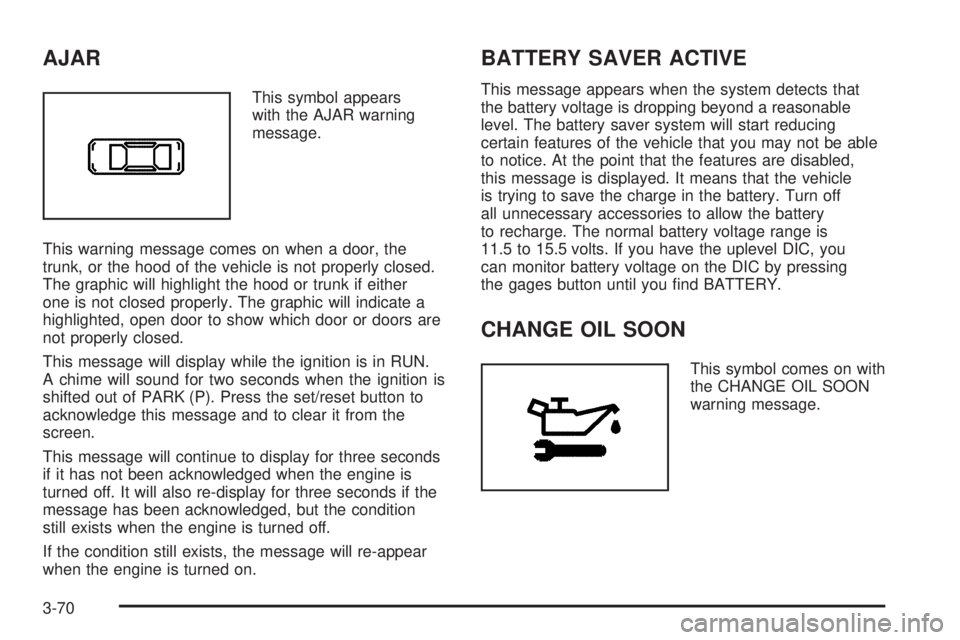
This symbol appears
with the AJAR warning
message.
This warning message comes on when a door, the
trunk, or the hood of the vehicle is not properly closed.
The graphic will highlight the hood or trunk if either
one is not closed properly. The graphic will indicate a
highlighted, open door to show which door or doors are
not properly closed.
This message will display while the ignition is in RUN.
A chime will sound for two seconds when the ignition is
shifted out of PARK (P). Press the set/reset button to
acknowledge this message and to clear it from the
screen.
This message will continue to display for three seconds
if it has not been acknowledged when the engine is
turned off. It will also re-display for three seconds if the
message has been acknowledged, but the condition
still exists when the engine is turned off.
If the condition still exists, the message will re-appear
when the engine is turned on.
BATTERY SAVER ACTIVE
This message appears when the system detects that
the battery voltage is dropping beyond a reasonable
level. The battery saver system will start reducing
certain features of the vehicle that you may not be able
to notice. At the point that the features are disabled,
this message is displayed. It means that the vehicle
is trying to save the charge in the battery. Turn off
all unnecessary accessories to allow the battery
to recharge. The normal battery voltage range is
11.5 to 15.5 volts. If you have the uplevel DIC, you
can monitor battery voltage on the DIC by pressing
the gages button until you nd BATTERY.
CHANGE OIL SOON
This symbol comes on with
the CHANGE OIL SOON
warning message.
3-70
Page 179 of 444
This message will display while the ignition is in RUN.
A chime will sound for two seconds when this message
is displayed. Press the set/reset button to acknowledge
this message and to clear it from the screen.
This message will continue to display for three seconds
if it has not been acknowledged when the engine is
turned off. It will also re-display for three seconds if the
message has been acknowledged, but the condition
still exists when the engine is turned off.
If the condition still exists, the message will re-appear
when the engine is turned on.
CRUISE SET
This symbol comes on
with the CRUISE SET
message.This message and symbol come on briey whenever
the cruise control is set. The cruise control light on
the instrument panel cluster will also come on when
cruise control is set. SeeCruise Control Light on
page 3-48. CRUISE SET will also appear briey in the
Head-Up Display (HUD), if equipped. This message
will display when the ignition is in RUN. SeeCruise
Control on page 3-10for more information.
This message does not need to be acknowledged.
CRUISE SYSTEM OFF
If your vehicle has this message, it comes on briey
whenever the cruise control system is disabled. You
will not be able to use the cruise control feature when
this system is disabled. To use the cruise control
feature, you must rst enable the cruise control system.
SeeCruise Control on page 3-10for more information.
CRUISE SYSTEM ON
If your vehicle has this message, it comes on briey
whenever the cruise control system is enabled.
To use the cruise control feature, seeCruise Control
on page 3-10.
3-73