display PONTIAC GRAND PRIX 2008 Owner's Manual
[x] Cancel search | Manufacturer: PONTIAC, Model Year: 2008, Model line: GRAND PRIX, Model: PONTIAC GRAND PRIX 2008Pages: 450, PDF Size: 2.64 MB
Page 149 of 450

Manual Operation
xw
(Temperature):To manually adjust the
temperature inside the vehicle, press the up arrow on
the temperature control to raise the temperature
and press the down arrow to lower the temperature.
The display will show your selection.
When one temperature is displayed, the driver
temperature is set. When both temperatures are
displayed, the temperature for both the driver and
passenger are set. Pressing PASS will turn the
passenger temperature setting on and off. If only the
driver temperature is set, the driver temperature is used
for the passenger and the passenger display is off.
9(Fan):Turn the fan knob clockwise to increase the
fan speed and counterclockwise to decrease the fan
speed. Turning the fan knob cancels the automatic fan
operation and places the system in manual. Turn the
knob to AUTO to return to automatic fan operation. If the
airow seems low when the fan is at the highest setting,
the passenger compartment air lter, if equipped, may
need to be replaced. SeePassenger Compartment Air
Filter on page 3-36for additional information.
9(Off):Turning the fan knob off will turn the controller
completely off.
Mode:This control has several settings to control the
direction of airow.
To change the current mode, select one of the following:
AUTO:This mode is automatically set depending on the
temperature in the vehicle and solar sensor information.
H(Vent):This mode directs air to the instrument
panel outlets.
%(Bi-Level):This mode directs airow to the
instrument panel outlets and to the oor outlets. A small
amount of air is also directed to the windshield and
the side window outlets.
6(Floor):This mode directs most of the air to the
oor outlets with some air directed to the side window
outlets, and a little air directed to the windshield.
#(Air Conditioning):Press this button to turn the air
conditioning compressor on or off. The indicator light on
the button will come on when the air conditioning is on.
3-33
Page 156 of 450
Speedometer and Odometer
The speedometer shows the vehicle’s speed in both
miles per hour (mph) and kilometers per hour (km/h).
The odometer, located on the Driver Information Center
(DIC) display, shows how far the vehicle has been
driven, in either miles or kilometers. SeeDIC Operation
and Displays (Uplevel DIC with Trip Computer) on
page 3-55orDIC Operation and Displays (Base Level
DIC) on page 3-62for more information.
If the vehicle has the Head-Up Display (HUD) the speed
will also be displayed on the HUD screen.
If a vehicle has to have a new odometer installed, a
new one can be set to the mileage total of the old
odometer, if that can be done. If it cannot, than it will be
set at zero and a label must be put on the driver’s
door to show the old mileage reading when the new
odometer was installed.
Tachometer
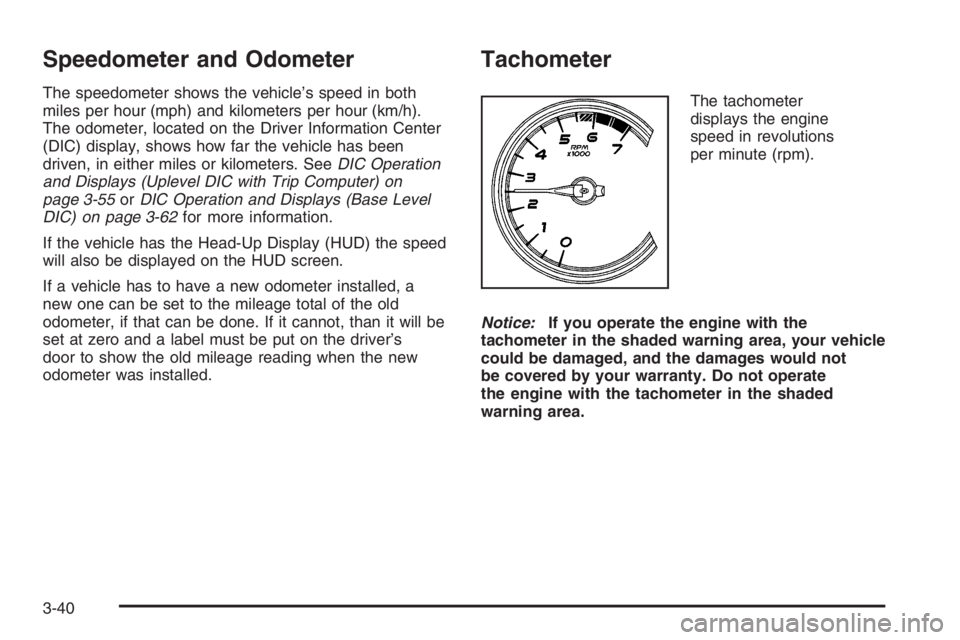
The tachometer
displays the engine
speed in revolutions
per minute (rpm).
Notice:If you operate the engine with the
tachometer in the shaded warning area, your vehicle
could be damaged, and the damages would not
be covered by your warranty. Do not operate
the engine with the tachometer in the shaded
warning area.
3-40
Page 161 of 450
Up-Shift Light
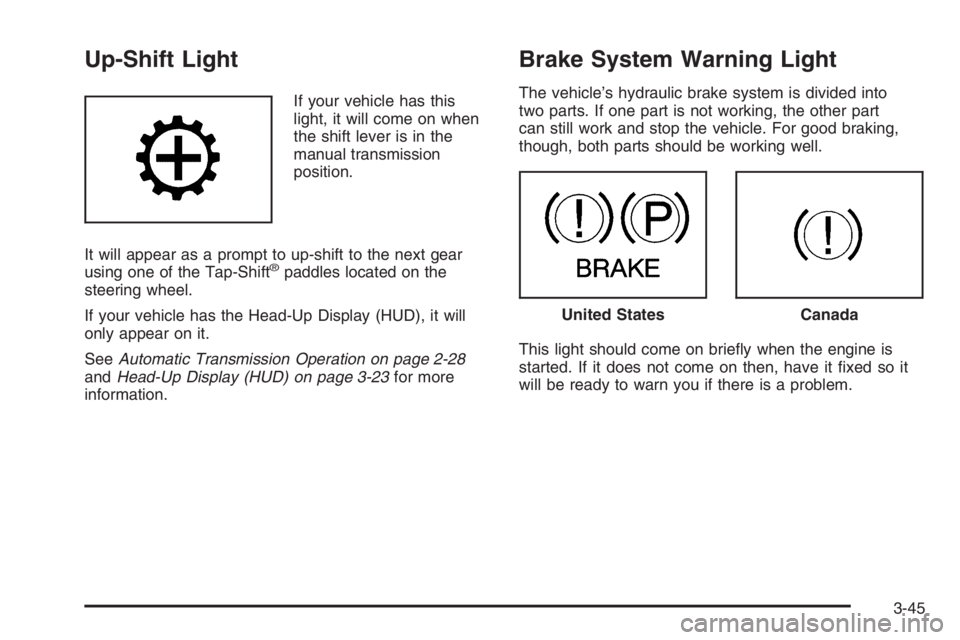
If your vehicle has this
light, it will come on when
the shift lever is in the
manual transmission
position.
It will appear as a prompt to up-shift to the next gear
using one of the Tap-Shift
®paddles located on the
steering wheel.
If your vehicle has the Head-Up Display (HUD), it will
only appear on it.
SeeAutomatic Transmission Operation on page 2-28
andHead-Up Display (HUD) on page 3-23for more
information.
Brake System Warning Light
The vehicle’s hydraulic brake system is divided into
two parts. If one part is not working, the other part
can still work and stop the vehicle. For good braking,
though, both parts should be working well.
This light should come on briey when the engine is
started. If it does not come on then, have it xed so it
will be ready to warn you if there is a problem.
United StatesCanada
3-45
Page 171 of 450
Driver Information Center (DIC)
The Driver Information Center (DIC) gives important
safety and maintenance facts. When the vehicle’s
ignition is turned on, all of the DIC lights illuminate for a
few seconds and an introductory message will appear.
After this, the DIC will begin working.
DIC Operation and Displays
(Uplevel DIC with Trip Computer)
The Driver Information Center (DIC) control buttons and
the message display screen are located above the
radio. The DIC gives important safety and maintenance
facts concerning the vehicle. The status of many of
the vehicle’s systems along with driver personalization
menus and warning messages about the vehicle’s
systems may display on the DIC screen.
The outside temperature automatically appears on
the bottom right corner of the DIC display screen.
If the outside temperature is below 38°F (3°C), the
temperature reading will toggle between displaying the
outside temperature and the word ICE for two minutes.
If there is a problem with the system that controls
the temperature display, the letters OC (Open Circuit)
or SC (Short Circuit) will appear on the display.
If this occurs, have the vehicle serviced by your
dealer/retailer.The vehicle’s shift lever position and the direction the
vehicle is traveling will also appear on the DIC screen.
The compass is self-calibrating, which eliminates
the need to manually set the compass. However, under
certain circumstances, such as during a long distance
cross-country trip, it will be necessary to compensate
for compass variance and reset the zone through
the DIC. SeeDIC Compass (Uplevel DIC) on page 3-65
for more information.
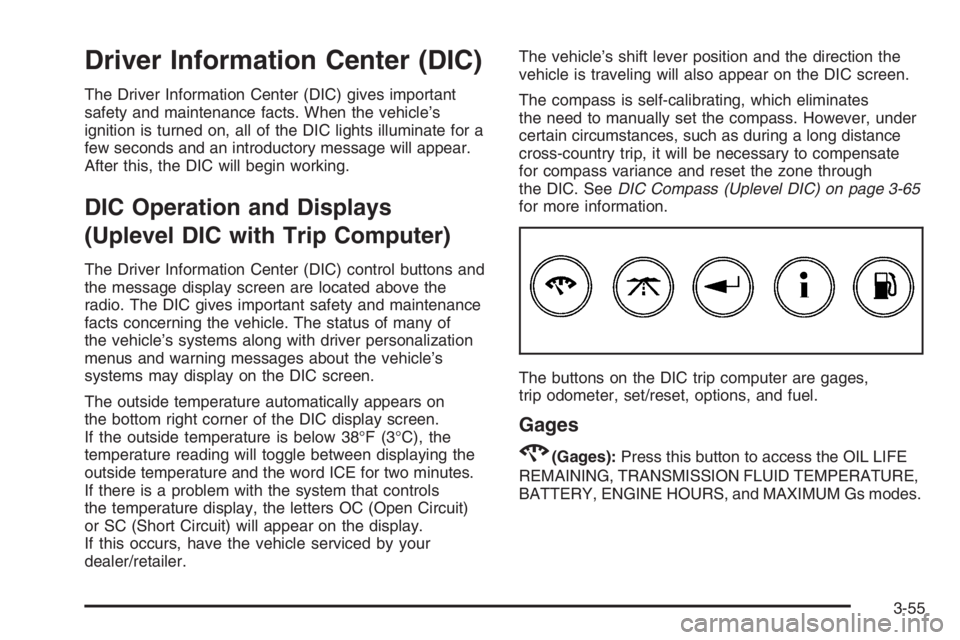
The buttons on the DIC trip computer are gages,
trip odometer, set/reset, options, and fuel.
Gages
2(Gages):Press this button to access the OIL LIFE
REMAINING, TRANSMISSION FLUID TEMPERATURE,
BATTERY, ENGINE HOURS, and MAXIMUM Gs modes.
3-55
Page 172 of 450
OIL LIFE REMAINING:Press the gages button until
OIL LIFE REMAINING is displayed. This screen
indicates the percentage of oil life in the vehicle’s engine
that has not degraded. SeeEngine Oil on page 5-15
for more information.
After the oil has been changed in the vehicle, reset the
ENGINE OIL MONITOR screen in the options menu.
To reset the engine oil monitor system, seeEngine Oil
Life System on page 5-18.
Press the gages button again to advance to the
next screen.
TRANSMISSION FLUID TEMP:This screen displays
this message along with the temperature (F° or C°)
of the transmission uid.
Press the gages button again to advance to the
next screen.
BATTERY:This screen displays the amount of volts
the battery is generating.
Your vehicle’s charging system regulates voltage based
on the state of the battery. The battery voltage may
uctuate when viewing this information on the DIC.
This is normal.SeeElectric Power Management on page 3-22for more
information.
Press the gages button again to advance to the next
screen.
ENGINE HOURS:This screen shows the number of
cumulative hours the engine has operated while the key
was in ON/RUN. This screen cannot be reset.
Press the gages button to advance to the next screen.
MAXIMUM Gs:If you have the GXP option, this screen
will appear. The DIC monitors and keeps track of the
maximum levels for acceleration, deceleration, and
lateral-acceleration achieved since the screen was last
reset. When trying to select this screen while the vehicle
is moving, the message MAXIMUM Gs NOT AVAILABLE
WHILE MOVING will display. To view the maximum
accelerations achieved since last reset, stop the vehicle.
The values will then display. To reset the values to zero,
press and hold the set/reset button.
Press the gages button again to advance to the next
screen.
3-56
Page 173 of 450
Trip Odometer
3(Trip Odometer):Press this button to access the
Odometer, Trip Distances, AVERAGE SPEED, and
TIME ELAPSED modes.
Odometer:When the trip odometer button is pressed,
the rst menu displayed on the DIC screen is the
odometer reading, or cumulative mileage of the vehicle.
The odometer cannot be reset.
Press the trip odometer button again to advance to the
next menu.
Trip Distances:This menu shows the distances that
the vehicle has driven between specic points. The
trip odometer will record the number of miles up to
9,999.9 miles or 9 999.9 km travelled for up to two trips.
When 9,999.9 miles or 9 999.9 km is reached for either
trip, the odometer for that trip will go back to zero.
To reset the trip distances:
1. Press the trip odometer button again to access
TRIP A. Press the trip odometer button again to
access TRIP B. To reset the trip odometer(s) back to
zero miles or to zero kilometers, access the trip that
needs to be reset and press the set/reset button.
2. Press the trip odometer button again to advance
to the next screen.The trip odometer has a feature called the retro-active
reset. This can be used to set the trip odometer to
the number of miles (kilometers) driven since the
ignition was last turned on. This can be used if the
trip odometer is not reset at the beginning of the trip.
To use the retro-active reset feature, press and hold
the set/reset button for at least three seconds. The trip
odometer will display the number of miles or kilometers
driven since the ignition was last turned on and the
vehicle was moving. Once the vehicle begins moving,
the trip odometer will accumulate mileage. For example,
if the vehicle was driven 5.0 miles (8.0 km) before it
is started again, and then the retro-active reset feature
is activated, the display will show 5.0 miles (8.0 km).
As the vehicle begins moving, the display will then
increase to 5.1 miles (8.2 km), 5.2 miles (8.4 km), etc.
If the retro-active reset feature is activated after the
vehicle is started, but before it begins moving, the
display will show the number of miles or kilometers
that were driven during the last ignition cycle.
3-57
Page 174 of 450
AVERAGE SPEED:The average speed is displayed in
miles per hour (mph) or kilometers per hour (km/h).
The average speed is calculated from the various
vehicle speeds recorded since the last reset of this
menu item. To reset the average speed, press the
set/reset button. The display will return to zero.
Press the trip odometer button again to advance to
the next screen.
TIME ELAPSED:This screen can be used as a
stopwatch. The display can show the hours, minutes
and seconds. The elapsed time indicator will record up
to 99 hours, 59 minutes and 59 seconds, then it will
reset to zero and continue counting.
To set the time elapsed function:
1. Press the set/reset button for less than two seconds
to start or stop the timer.
2. Press and hold the set/reset button for more than
two seconds to reset the timer back to zero.
Press the trip odometer button again to advance to
the next screen.
Set/Reset
r(Set/Reset):Press this button to set or reset a
mode item when using the trip odometer or option
buttons.
Options
4(Options):Press this button to access the Date,
Language, Display Units, Daytime Display Enhancement,
Engine Oil Monitor System, Compass Calibration,
Personal Programming modes, and Tire Pressure
readings.
Date:This menu sets the date.
The time is set through the radio. SeeSetting the
Clock on page 3-95for more information.
To set the date:
1. Press the options button until the date is displayed
on the DIC.
2. Press the set/reset button to access the RESET
YEAR screen. The second position in the year
will be selected. Press and hold the set/reset button
to scroll through the available digits. Release the
button when the correct digit appears.
3. Press the options button to advance to the rst
position in the year. Press and hold the set/reset
button to scroll through the available digits.
Release the button when the correct digit appears.
4. Press the options button to advance to the
months of the year.
3-58
Page 175 of 450
5. Press the set/reset button to scroll through the
months of the year, releasing the button when
the correct month appears.
6. Press the options button to advance to the days
of the month.
7. Press the set/reset button to scroll through the
days of the month, releasing the button when
the correct day appears.
8. Press the options button again to advance to the
main date screen. The screen will now display
the new date.
9. Press the options button to advance to the
next screen.
Language:This menu allows selection of the language
in which the DIC messages will appear. The DIC can
be programmed in one of three languages: English,
French, or Spanish. The message on the HUD, if
equipped, will also appear in the language selected.
SeeHead-Up Display (HUD) on page 3-23.
To change the language:
1. Press the options button to enter the language
screen.
2. Press the set/reset button to scroll through and
set the language choice.
3. Press the options button again to advance to
the next screen.DISPLAY UNITS:This menu allows selection of
measurements to be displayed in English or metric
units. The messages on the HUD, if equipped, and the
instrument panel cluster will also appear in the type
of measurement selected.
To set the display units function:
1. Press the set/reset button to select ENGLISH
or METRIC.
2. Press the options button to advance to the next
screen.
DAYTIME DISPLAY ENHANCEMENT:This menu
allows selection of the color of the display message.
When ON is selected for the daytime enhancement,
the messages will appear black on a red screen. This
combination makes it easier to see the DIC messages
during the daytime. When OFF is selected, or when
the headlamps are on, the messages will appear red
on a black background.
To set the daytime display enhancement function:
1. Press the set/reset button to select OFF or ON.
2. Press the options button to advance to the
next screen.
3-59
Page 176 of 450
ENGINE OIL MONITOR SYSTEM:This menu allows
the engine oil monitor system to be reset. To reset
the engine oil monitor system, seeEngine Oil Life
System on page 5-18.
Press the options button to advance to the next screen.
COMPASS CALIBRATION MODE:This menu
allows you to adjust for compass variance. SeeDIC
Compass (Uplevel DIC) on page 3-65for more
information.
Press the options button again to advance to the
next screen.
PERSONAL PROGRAMMING MODE:This menu
allows you to customize several features on your
vehicle. SeeDIC Vehicle Customization on page 3-89
for more information.
Press the options button again to advance to the
next screen.TIRE PRESSURE:This menu shows the tire pressure
for each tire. The tire pressure will be shown in
either pounds per square inch (psi) or kilopascals (kPa).
Press the options button until the DIC shows the tire
pressure for the front tires. Press the options button
again to view the pressure for the rear tires.
If a low tire pressure condition is detected by the
system while driving, a message advising you to
check the pressure in a specic tire will appear in the
display. SeeInflation - Tire Pressure on page 5-69and
DIC Warnings and Messages on page 3-67for more
information.
If the tire pressure display shows dashes instead of a
value, there may be a problem with your vehicle. If this
consistently occurs, see your dealer/retailer for service.
Press the options button to advance to the next screen.
DISPLAY OFF will appear on the next screen.
The screen will count down and then go blank.
Press the options button to return to the main (date)
screen.
3-60
Page 177 of 450
Fuel
.(Fuel):Press this button to access the Average
Fuel Economy, Instantaneous Fuel Economy, and
Fuel Range modes.
AVG ECONOMY (Average Fuel Economy):This
screen will display the approximate average miles per
gallon (mpg) or liters per 100 kilometers (L/100 km).
This number is calculated based on the number of
mpg (L/100 km) recorded since the last time this menu
item was reset.
To reset the average fuel economy for the vehicle,
follow this procedure:
1. Press the set/reset button to reset to zero.
2. Press the fuel button again to advance to the
next screen.
INST ECONOMY (Instantaneous Fuel Economy):
This screen displays the current fuel economy at
a particular moment and will change frequently as
driving conditions change. Unlike average fuel economy,
this screen cannot be reset.
Press the fuel button again to advance to the next
screen.RANGE:This screen displays the approximate number
of remaining miles or kilometers the vehicle can be
driven without refueling. This estimate is based on the
average fuel economy for the amount of fuel remaining
in the fuel tank and the current driving conditions.
This estimate will change if driving conditions change.
For example, if driving in traffic and making frequent
stops, the display may read one number, but if the
vehicle is driven on a freeway the number may change
even though the same amount of fuel is in the fuel
tank. This is because different driving conditions produce
different fuel economies. Generally, freeway driving
produces better fuel economy than city driving.
If the fuel tank contains less than 2 gallons (7.6 L), the
LOW FUEL message will appear on the DIC screen.
Fill the fuel tank as soon as possible to avoid running
out of fuel. See “Low Fuel” underDIC Warnings
and Messages on page 3-67.
Press the fuel button again to advance to the next
screen.
3-61