ignition PONTIAC GTO 2005 Owner's Manual
[x] Cancel search | Manufacturer: PONTIAC, Model Year: 2005, Model line: GTO, Model: PONTIAC GTO 2005Pages: 318, PDF Size: 2.06 MB
Page 83 of 318

Torque Lock (Automatic Transmission)
If you are parking on a hill and you do not shift your
transmission into PARK (P) properly, the weight of the
vehicle may put too much force on the parking pawl
in the transmission. You may find it difficult to move
the shift lever out of PARK (P). This is called torque lock.
To prevent torque lock, set the parking brake and
then shift into PARK (P) properly before you leave the
driver’s seat. To find out how, seeShifting Into Park (P)
(Automatic Transmission) on page 2-24.
When you are ready to drive, move the shift lever out of
PARK (P) before you release the parking brake.
If torque lock does occur, you may need to have another
vehicle push your vehicle uphill. This should take some of
the pressure from the parking pawl in the transmission,
so you can move the shift lever out of PARK (P).
Shifting Out of Park (P)
(Automatic Transmission)
Your vehicle has an automatic transmission shift lock
control system. You must fully apply your regular brakes
before you can press the button on the shift lever to
shift from PARK (P) while the ignition is ON. See
Automatic Transmission Operation on page 2-18.If you cannot shift out of PARK (P), ease pressure on
the shift lever by pushing it all the way into PARK (P)
while keeping the brake pedal down. Release the
shift lever button. Then move the shift lever out of
PARK (P), being sure to press the shift lever button.
Shift Lock Release
If you ever hold the brake pedal down but still cannot
shift out of PARK (P), try this:
1. Turn the ignition to LOCK to remove the key.
2. Remove the front console rubber insert, located in
front of the shift lever, by lifting upwards.
3. Remove the screw slightly to the right of the
front center.
4. Open the console storage compartment and pry
the console cover assembly from the console.
The cover is attached in six places.
5. Insert a tool into the opening in front of the shift
lever and move the yellow release lever forward.
6. Press the button on the shift lever to move lever out
of park.
7. Replace the console cap.
8. Have the vehicle fixed as soon as possible.
2-25
Page 86 of 318
Mirrors
Manual Rearview Mirror
The mirror can be adjusted two ways. First, to adjust
the height of the mirror, adjust the arm that connects the
mirror to the windshield. Second, adjust the angle of
the mirror by moving the mirror to a position that allows
you to see out of the back window.
To reduce glare from headlamps behind you, move the
lever toward you to the night position. To return the
mirror to the daytime position, move the lever away
from you.
Outside Power Mirrors
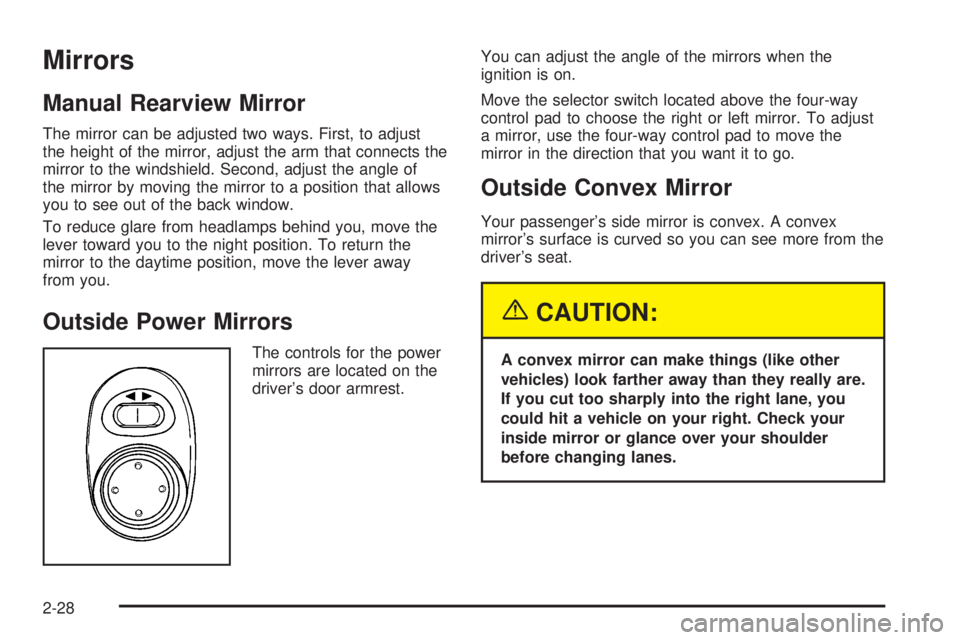
The controls for the power
mirrors are located on the
driver’s door armrest.You can adjust the angle of the mirrors when the
ignition is on.
Move the selector switch located above the four-way
control pad to choose the right or left mirror. To adjust
a mirror, use the four-way control pad to move the
mirror in the direction that you want it to go.
Outside Convex Mirror
Your passenger’s side mirror is convex. A convex
mirror’s surface is curved so you can see more from the
driver’s seat.
{CAUTION:
A convex mirror can make things (like other
vehicles) look farther away than they really are.
If you cut too sharply into the right lane, you
could hit a vehicle on your right. Check your
inside mirror or glance over your shoulder
before changing lanes.
2-28
Page 88 of 318

Vehicle Personalization
The vehicle personalization mode enables the driver to
customize some of the vehicle features using the
trip computer buttons and instrument panel center
display. Only features that are equipped on the vehicle
will be displayed.
The following list shows features that can be reset or
customized:
•RESTORE TO FACTORY SETTINGS
•UNDERSPEED CHIME
•DIST (Distance) TO ARRIVAL DISPLAY
•DIST (Distance) TO ARRIVAL DEFAULT
•TRIP COMPUTERA&B
•DIGITAL SPEEDO (Speedometer)
•REST REMINDER
•STOP WATCH
•RADIO DISPLAY
•CONFIRMATION BEEPS
•SPEED–DEPENDENT VOLUME
•AUDIO DISTORTION LIMITER
•HEADLIGHTS OFF DELAY TIME
•HEADLIGHTS APPROACH TIME
•AUTO HEADLIGHTS SENSITIVITY
•COURTESY LAMP TIMEOUT
•IGNITION OFF COURTESY LAMP
•TWO STAGE UNLOCK
•AUTO LOCK IN DRIVE
(Automatic Transmission Only)
•DOOR LOCK INDICATION
2-30
Page 89 of 318

Entering Programming Mode
The vehicle programming mode is accessed through the
Options Menu. To access the Options Menu, do one
of the following:
•When the vehicle is
stopped, hold down the
MODE button while
turning the ignition
from LOCK to ON.
The MODE button is
located on the instrument
panel, to the right of
the instrument panel
cluster. The Options
Menu will then display.
•When the vehicle has been started, the system
check completed, and the vehicle speed is less
than 6 mph (10 km/h), the Options Menu will display
for three seconds.
If the vehicle speed exceeds 6 mph (10 km/h),
the Options Menu will disappear, and the display
will return to the previous trip computer function.
The programming mode is not accessible if an alarm
warning has been activated or a warning symbol on
the instrument panel cluster has been triggered.
RQ(Programming Mode Selection):When the
Options Menu is displayed, use the trip computer up or
down arrows to enter the programming mode.
There are help screens available to assist you in
understanding the feature that you are adjusting. If a
menu item is selected and the screen is left for
more than five seconds before making a selection, a
help screen displays to inform you how to operate
the selected feature.
2-31
Page 93 of 318

AUTO HEADLIGHTS SENSITIVITY
This option is used to adjust the automatic headlights
on sensitivity. Use the up or down arrows to adjust
the sensitivity setting to Early, Normal, or Late.
The default selection is Normal. Press the MODE button
to continue. SeeHeadlamps on page 3-13.
COURTESY LAMP TIMEOUT
This option is used to adjust the length of time that
the interior courtesy lamp remains illuminated after
opening a door or unlocking the vehicle at night.
Use the up or down arrows to adjust the time setting
between zero and 255 seconds. The default selection is
30 seconds. Press the MODE button to continue.
IGNITION OFF COURTESY LAMP
This option is used to adjust the length of time that the
interior courtesy lamp remains illuminated after the
ignition is turned off, at night only. Use the up or down
arrows to adjust the time setting between zero and
255 seconds. The default selection is 30 seconds.
Press the MODE button to continue.
TWO STAGE UNLOCK
This option is used to enable or disable the two stage
door unlock function. Use the up or down arrows to select
Yes or No. The default selection is Yes. If Yes is selected,
the Two Stage Unlock function is activated. This means
that only the driver’s door will unlock on the first press of
the UNLOCK button on the key. If UNLOCK is pressed
and held a second time, or is held down for more than
half a second, all the doors will unlock. If No is selected,
all of the doors will unlock on the first press of the
UNLOCK button. SeeRemote Keyless Entry System
Operation on page 2-5for more information.
AUTO LOCK IN DRIVE
(Automatic Transmission Only)
This option is used to enable or disable the automatic
door locking when in Drive function. Use the up or down
arrows to select Yes or No. The default selection is
Yes. If Yes is selected, the Auto Lock In Drive function
is activated. This means that the doors will automatically
lock when the shift lever is moved out of PARK (P).
If No is selected, the doors will not automatically lock.
Press the MODE button to continue. SeeProgrammable
Automatic Door Locks on page 2-8for more information.
2-35
Page 94 of 318

DOOR LOCK INDICATION
This option is used to select the type of indication
provided to the driver upon locking and unlocking the
vehicle’s doors. Use the up or down arrows to select
Indicators or Indicators & Horn. The default selection is
Indicators. Press the MODE button to continue. See
Remote Keyless Entry System Operation on page 2-5
andDoor Locks on page 2-7for more information.
EXIT OPTIONS MENU
This option is used to either exit the personalization mode
options menu or to return to the start of the options menu.
Use the up or down arrows to select Yes or No. If Yes is
selected, the trip computer exits calibration mode and
returns to the previous trip computer display. If No is
selected, the menu returns to the start of the options
menu, RESTORE TO FACTORY SETTINGS display.
Press the MODE button to continue.
Exiting Programming Mode
To exit, do one of the following:
•Press the MODE button to scroll through to the
exit screen.
•Drive the vehicle at more than 6 mph (10 km/h).
•Turn the ignition to LOCK if the vehicle is stopped.
2-36
Page 99 of 318
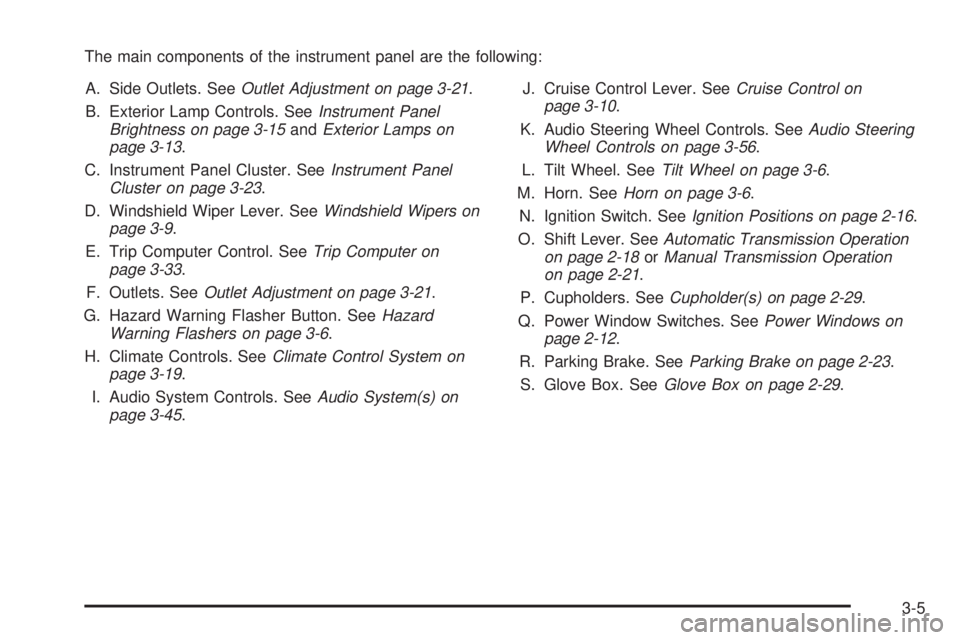
The main components of the instrument panel are the following:
A. Side Outlets. SeeOutlet Adjustment on page 3-21.
B. Exterior Lamp Controls. SeeInstrument Panel
Brightness on page 3-15andExterior Lamps on
page 3-13.
C. Instrument Panel Cluster. SeeInstrument Panel
Cluster on page 3-23.
D. Windshield Wiper Lever. SeeWindshield Wipers on
page 3-9.
E. Trip Computer Control. SeeTrip Computer on
page 3-33.
F. Outlets. SeeOutlet Adjustment on page 3-21.
G. Hazard Warning Flasher Button. SeeHazard
Warning Flashers on page 3-6.
H. Climate Controls. SeeClimate Control System on
page 3-19.
I. Audio System Controls. SeeAudio System(s) on
page 3-45.J. Cruise Control Lever. SeeCruise Control on
page 3-10.
K. Audio Steering Wheel Controls. SeeAudio Steering
Wheel Controls on page 3-56.
L. Tilt Wheel. SeeTilt Wheel on page 3-6.
M. Horn. SeeHorn on page 3-6.
N. Ignition Switch. SeeIgnition Positions on page 2-16.
O. Shift Lever. SeeAutomatic Transmission Operation
on page 2-18orManual Transmission Operation
on page 2-21.
P. Cupholders. SeeCupholder(s) on page 2-29.
Q. Power Window Switches. SeePower Windows on
page 2-12.
R. Parking Brake. SeeParking Brake on page 2-23.
S. Glove Box. SeeGlove Box on page 2-29.
3-5
Page 102 of 318
Turn and Lane-Change Signals
To signal a turn, move the lever all the way up to signal
right turn and all the way down to signal a left turn.
When the turn is finished, the lever will return
automatically.
An arrow on the instrument
panel cluster will flash in
the direction of the
turn or lane change.
To signal a lane change, just raise or lower the lever
until the arrow starts to flash. Hold it there until you
complete your lane change. The lever will return by itself
when you release it.
As you signal a turn or a lane change, if the arrows
flash rapidly, a signal bulb may be burned out and other
drivers won’t see your turn signal.
If a bulb is burned out, replace it to help avoid an
accident. If the arrows don’t go on at all when you signal
a turn, check for burned-out bulbs and then check the
fuse. SeeFuses and Circuit Breakers on page 5-86.
Headlamp High/Low-Beam Changer
To change the headlamps from low beam to high
beam with the headlamps on, push the turn
signal/multifunction lever away from you. The headlamps
will change from low beam to high beam.
When the high beams are
on, a light on the
instrument panel cluster
also will be on if the
ignition is on.
If the fog lamps are on when the high-beam headlamps
are activated, the fog lamps will turn off. The fog
lamp indicator in the instrument panel cluster will
turn off.
3-8
Page 103 of 318

Flash-to-Pass
This feature lets you use your high-beam headlamps to
signal a driver in front of you that you want to pass,
even if the headlamps and ignition are turned off.
To use it, pull the turn signal/multifunction lever toward
you until the high-beam headlamps come on, then
release the lever to turn them off.
If flash-to-pass is activated, then the headlamp
high/low-beam changer indicator will display on the
instrument panel cluster. The fog lamps are turned off
while this feature is active.
Windshield Wipers
The lever on the right side of the steering column
operates the windshield wipers and washer.These functions operate when the ignition is turned to
ON, LOCK, or when the Retained Accessory Power is in
operation. SeeRetained Accessory Power (RAP) on
page 2-17.
INT (Intermittent):Push the lever up to turn on the
wipers. Put the lever in the first position for intermittent
wiping cycles. The delay will change as your vehicle’s
speed changes. The delay will decrease as you go
faster and increase as you go slower.
1 (Low Speed):Put the lever in the second position for
slow, steady wiping cycles.
2 (High Speed):Put the lever in the third position for
rapid wiping cycles.
L(Mist):Move the lever to this position for a single
wiping cycle. Hold it there until the windshield wipers
start; then let go. The windshield wipers will stop after
one wipe. If you want more wipes, hold the lever
down longer.
0 (Off):Turn the lever to this position to turn off
the wipers.
Be sure to clear ice and snow from the wiper blades
before using them. If they’re frozen to the windshield,
gently loosen or thaw them. If the blades do become
damaged, install new blades or blade inserts.
Heavy snow or ice can overload the wiper motor. A
circuit breaker will stop the motor until it cools down.
Clear away snow or ice to prevent an overload.
3-9
Page 105 of 318

{CAUTION:
Cruise control can be dangerous where you
cannot drive safely at a steady speed. So, do
not use your cruise control on winding roads
or in heavy traffic.
Cruise control can be dangerous on slippery
roads. On such roads, fast changes in tire
traction can cause needless wheel spinning,
and you could lose control. Do not use cruise
control on slippery roads.
Setting Cruise Control
{CAUTION:
If you leave your cruise control on when you
are not using cruise, you might hit a button
and go into cruise when you do not want to.
You could be startled and even lose control.
Keep the cruise control switch off until you
want to use cruise control.The cruise control lever is on the left side of the
steering column. The ON-OFF/CANCEL switch is at the
end of the lever and is activated by pushing in towards
the direction of the steering column.
To set cruise control, do the following:
1. Turn on the ignition.
2. Press the ON-OFF/CANCEL switch. The CRUISE
message appears on the trip computer.
3. Get up to the speed you want.
4. Rotate the lever down to SET-DECEL. The CRUISE
ACTIVE message appears on the trip computer.
5. Take your foot off the accelerator pedal and release
the cruise control lever.
Adjusting Speed While Using Cruise
Control
You may do one of the following:
•Turn the lever down to SET-DECEL until the car
slows down to the desired speed, then release it.
•Turn the lever up to RES-ACCEL until the car
accelerates up to the desired speed, then release it.
Minor changes in speed can be achieved by
momentarily turning the lever up or down. When
reducing speed, remember that the cruise control is not
designed to operate under 25 mph (40 km/h).
3-11