ABS PONTIAC GTO 2005 Owners Manual
[x] Cancel search | Manufacturer: PONTIAC, Model Year: 2005, Model line: GTO, Model: PONTIAC GTO 2005Pages: 318, PDF Size: 2.06 MB
Page 121 of 318
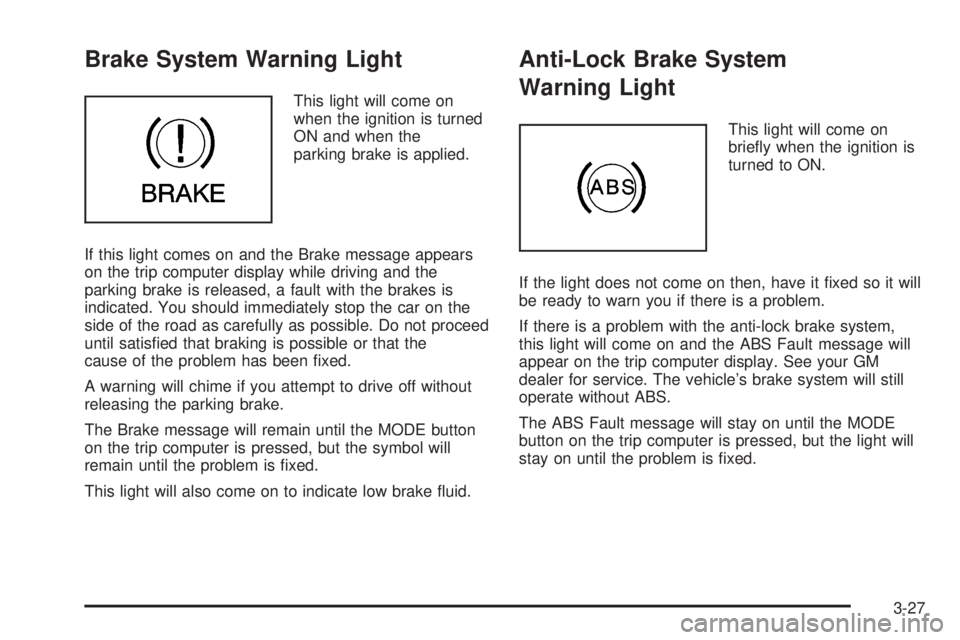
Brake System Warning Light
This light will come on
when the ignition is turned
ON and when the
parking brake is applied.
If this light comes on and the Brake message appears
on the trip computer display while driving and the
parking brake is released, a fault with the brakes is
indicated. You should immediately stop the car on the
side of the road as carefully as possible. Do not proceed
until satisfied that braking is possible or that the
cause of the problem has been fixed.
A warning will chime if you attempt to drive off without
releasing the parking brake.
The Brake message will remain until the MODE button
on the trip computer is pressed, but the symbol will
remain until the problem is fixed.
This light will also come on to indicate low brake fluid.
Anti-Lock Brake System
Warning Light
This light will come on
briefly when the ignition is
turned to ON.
If the light does not come on then, have it fixed so it will
be ready to warn you if there is a problem.
If there is a problem with the anti-lock brake system,
this light will come on and the ABS Fault message will
appear on the trip computer display. See your GM
dealer for service. The vehicle’s brake system will still
operate without ABS.
The ABS Fault message will stay on until the MODE
button on the trip computer is pressed, but the light will
stay on until the problem is fixed.
3-27
Page 132 of 318
Trip Computer Warning Messages
The following messages may appear on the center trip
computer display located on the instrument panel
cluster. If a message is active, it will appear on the
display for 10 seconds, unless the trip computer MODE
button is pressed. Pressing the MODE button will
acknowledge and clear messages from the display.
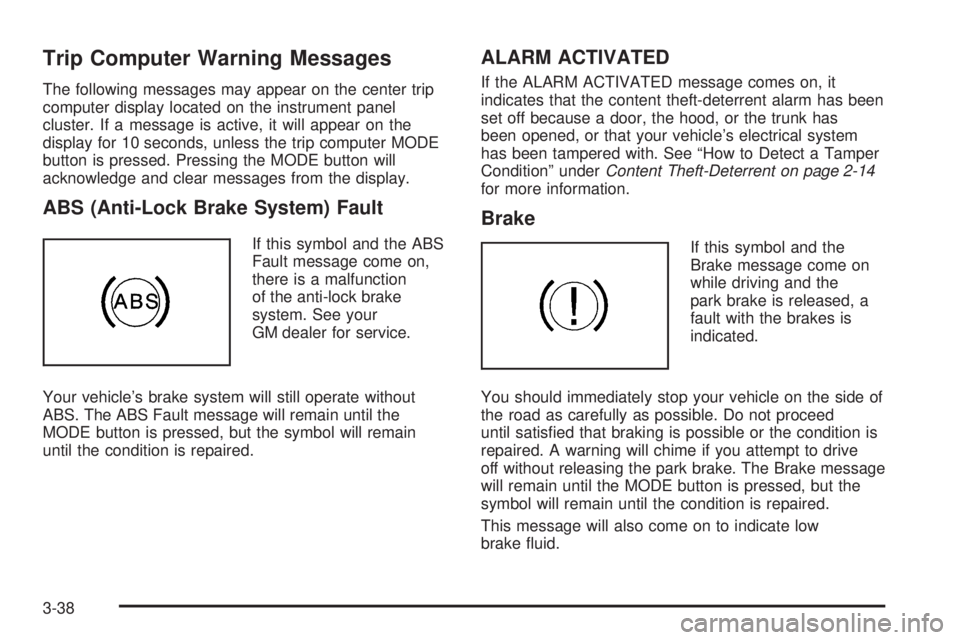
ABS (Anti-Lock Brake System) Fault
If this symbol and the ABS
Fault message come on,
there is a malfunction
of the anti-lock brake
system. See your
GM dealer for service.
Your vehicle’s brake system will still operate without
ABS. The ABS Fault message will remain until the
MODE button is pressed, but the symbol will remain
until the condition is repaired.
ALARM ACTIVATED
If the ALARM ACTIVATED message comes on, it
indicates that the content theft-deterrent alarm has been
set off because a door, the hood, or the trunk has
been opened, or that your vehicle’s electrical system
has been tampered with. See “How to Detect a Tamper
Condition” underContent Theft-Deterrent on page 2-14
for more information.
Brake
If this symbol and the
Brake message come on
while driving and the
park brake is released, a
fault with the brakes is
indicated.
You should immediately stop your vehicle on the side of
the road as carefully as possible. Do not proceed
until satisfied that braking is possible or the condition is
repaired. A warning will chime if you attempt to drive
off without releasing the park brake. The Brake message
will remain until the MODE button is pressed, but the
symbol will remain until the condition is repaired.
This message will also come on to indicate low
brake fluid.
3-38
Page 153 of 318

Your Driving, the Road, and Your Vehicle..........4-2
Defensive Driving...........................................4-2
Drunken Driving.............................................4-2
Control of a Vehicle........................................4-5
Braking.........................................................4-5
Anti-Lock Brake System (ABS).........................4-6
Braking in Emergencies...................................4-8
Traction Control System (TCS).........................4-8
Steering........................................................4-9
Off-Road Recovery.......................................4-11
Passing.......................................................4-12
Loss of Control.............................................4-13
Driving at Night............................................4-14
Driving in Rain and on Wet Roads..................4-16City Driving..................................................4-18
Freeway Driving...........................................4-19
Before Leaving on a Long Trip.......................4-20
Highway Hypnosis........................................4-21
Hill and Mountain Roads................................4-22
Winter Driving..............................................4-24
If Your Vehicle is Stuck in Sand, Mud,
Ice or Snow..............................................4-28
Rocking Your Vehicle to Get It Out.................4-28
Loading Your Vehicle....................................4-29
Towing..........................................................4-34
Towing Your Vehicle.....................................4-34
Recreational Vehicle Towing...........................4-34
Towing a Trailer...........................................4-34
Section 4 Driving Your Vehicle
4-1
Page 158 of 318

Avoid needless heavy braking. Some people drive
in spurts — heavy acceleration followed by heavy
braking — rather than keeping pace with traffic. This is
a mistake. Your brakes may not have time to cool
between hard stops. Your brakes will wear out much
faster if you do a lot of heavy braking. If you keep pace
with the traffic and allow realistic following distances,
you will eliminate a lot of unnecessary braking.
That means better braking and longer brake life.
If your engine ever stops while you are driving, brake
normally but do not pump your brakes. If you do,
the pedal may get harder to push down. If your engine
stops, you will still have some power brake assist.
But you will use it when you brake. Once the power
assist is used up, it may take longer to stop and
the brake pedal will be harder to push.Anti-Lock Brake System (ABS)
Your vehicle has anti-lock brakes. ABS is an advanced
electronic braking system that will help prevent a
braking skid.
When you start your engine and begin to drive away,
your anti-lock brake system will check itself. You
may hear a momentary motor or clicking noise while
this test is going on, and you may even notice that your
brake pedal moves a little. This is normal.
If there is a problem with
the anti-lock brake system,
this warning light will
stay on. SeeAnti-Lock
Brake System Warning
Light on page 3-27.
4-6
Page 159 of 318
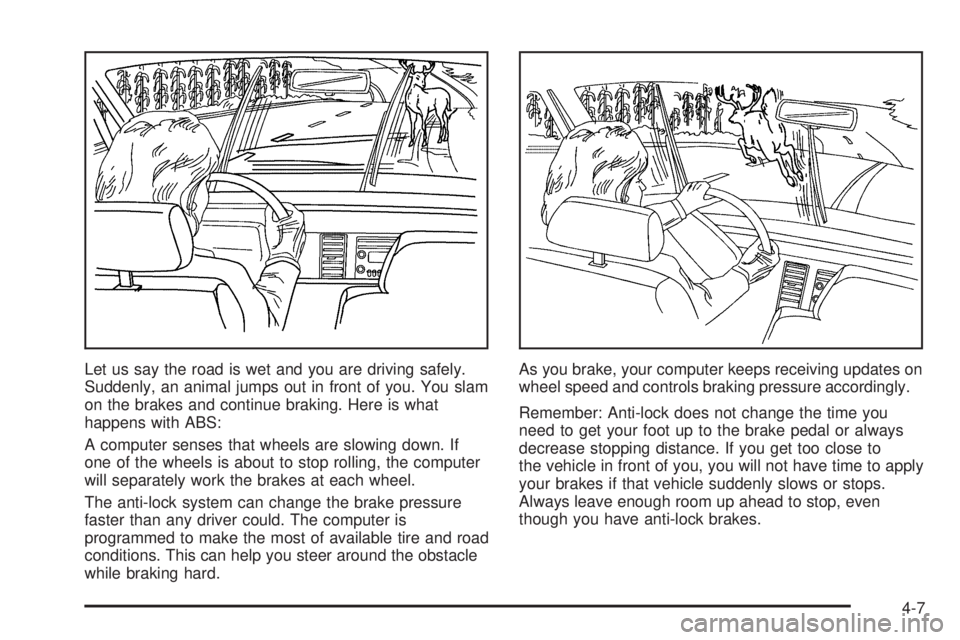
Let us say the road is wet and you are driving safely.
Suddenly, an animal jumps out in front of you. You slam
on the brakes and continue braking. Here is what
happens with ABS:
A computer senses that wheels are slowing down. If
one of the wheels is about to stop rolling, the computer
will separately work the brakes at each wheel.
The anti-lock system can change the brake pressure
faster than any driver could. The computer is
programmed to make the most of available tire and road
conditions. This can help you steer around the obstacle
while braking hard.As you brake, your computer keeps receiving updates on
wheel speed and controls braking pressure accordingly.
Remember: Anti-lock does not change the time you
need to get your foot up to the brake pedal or always
decrease stopping distance. If you get too close to
the vehicle in front of you, you will not have time to apply
your brakes if that vehicle suddenly slows or stops.
Always leave enough room up ahead to stop, even
though you have anti-lock brakes.
4-7
Page 166 of 318
A cornering skid is best handled by easing your foot off
the accelerator pedal.
Remember: Any traction control system helps avoid only
the acceleration skid. If your traction control system is
off, then an acceleration skid is also best handled
by easing your foot off the accelerator pedal.
If your vehicle starts to slide, ease your foot off the
accelerator pedal and quickly steer the way you want
the vehicle to go. If you start steering quickly enough,
your vehicle may straighten out. Always be ready
for a second skid if it occurs.
Of course, traction is reduced when water, snow, ice,
gravel, or other material is on the road. For safety, you
will want to slow down and adjust your driving to
these conditions. It is important to slow down on slippery
surfaces because stopping distance will be longer and
vehicle control more limited.
While driving on a surface with reduced traction, try
your best to avoid sudden steering, acceleration,
or braking, including engine braking by shifting to a
lower gear. Any sudden changes could cause the tires
to slide. You may not realize the surface is slippery
until your vehicle is skidding. Learn to recognize warning
clues — such as enough water, ice, or packed snow
on the road to make a mirrored surface — and
slow down when you have any doubt.
Remember: Any anti-lock brake system (ABS) helps
avoid only the braking skid.Driving at Night
Night driving is more dangerous than day driving.
One reason is that some drivers are likely to be
impaired — by alcohol or drugs, with night vision
problems, or by fatigue.
4-14
Page 178 of 318

Your anti-lock brake system (ABS) improves your
vehicle’s stability when you make a hard stop on a
slippery road. Even though you have ABS, you will want
to begin stopping sooner than you would on dry
pavement. SeeAnti-Lock Brake System (ABS) on
page 4-6.
•Allow greater following distance on any
slippery road.
•Watch for slippery spots. The road might be fine
until you hit a spot that is covered with ice. On
an otherwise clear road, ice patches may appear in
shaded areas where the sun cannot reach, such
as around clumps of trees, behind buildings,
or under bridges. Sometimes the surface of a curve
or an overpass may remain icy when the
surrounding roads are clear. If you see a patch of
ice ahead of you, brake before you are on it. Try not
to brake while you are actually on the ice, and
avoid sudden steering maneuvers.
If You Are Caught in a Blizzard
If you are stopped by heavy snow, you could be in a
serious situation. You should probably stay with
your vehicle unless you know for sure that you are near
help and you can hike through the snow. Here are
some things to do to summon help and keep yourself
and your passengers safe:
•Turn on your hazard flashers.
•Tie a red cloth to your vehicle to alert police that
you have been stopped by the snow.
•Put on extra clothing or wrap a blanket around you.
If you do not have blankets or extra clothing, make
body insulators from newspapers, burlap bags,
rags, floor mats — anything you can wrap around
yourself or tuck under your clothing to keep warm.
4-26
Page 209 of 318
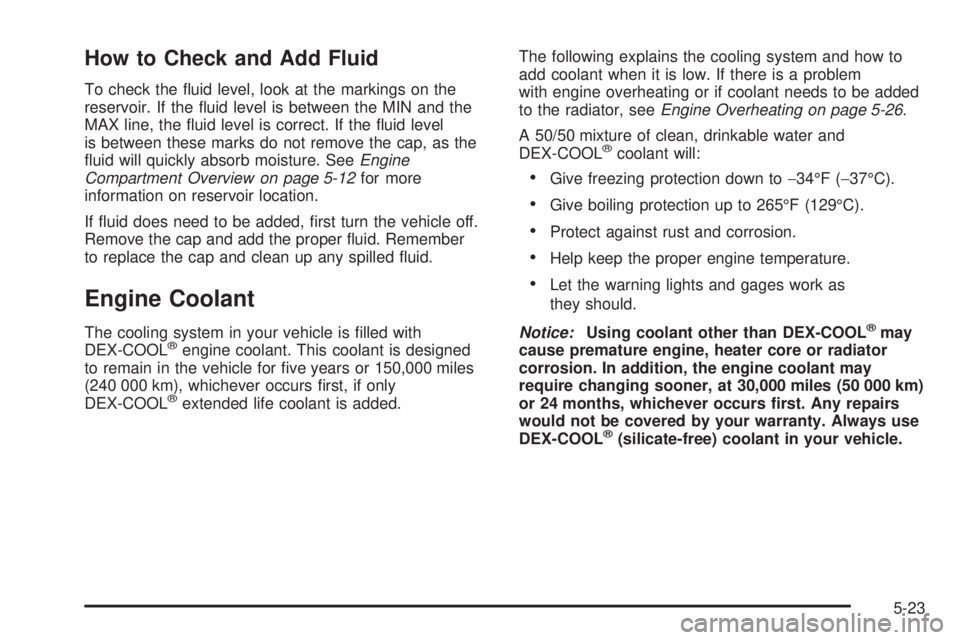
How to Check and Add Fluid
To check the fluid level, look at the markings on the
reservoir. If the fluid level is between the MIN and the
MAX line, the fluid level is correct. If the fluid level
is between these marks do not remove the cap, as the
fluid will quickly absorb moisture. SeeEngine
Compartment Overview on page 5-12for more
information on reservoir location.
If fluid does need to be added, first turn the vehicle off.
Remove the cap and add the proper fluid. Remember
to replace the cap and clean up any spilled fluid.
Engine Coolant
The cooling system in your vehicle is filled with
DEX-COOL®engine coolant. This coolant is designed
to remain in the vehicle for five years or 150,000 miles
(240 000 km), whichever occurs first, if only
DEX-COOL
®extended life coolant is added.The following explains the cooling system and how to
add coolant when it is low. If there is a problem
with engine overheating or if coolant needs to be added
to the radiator, seeEngine Overheating on page 5-26.
A 50/50 mixture of clean, drinkable water and
DEX-COOL
®coolant will:
•Give freezing protection down to−34°F (−37°C).
•Give boiling protection up to 265°F (129°C).
•Protect against rust and corrosion.
•Help keep the proper engine temperature.
•Let the warning lights and gages work as
they should.
Notice:Using coolant other than DEX-COOL
®may
cause premature engine, heater core or radiator
corrosion. In addition, the engine coolant may
require changing sooner, at 30,000 miles (50 000 km)
or 24 months, whichever occurs rst. Any repairs
would not be covered by your warranty. Always use
DEX-COOL
®(silicate-free) coolant in your vehicle.
5-23
Page 235 of 318

3. Remove the wiring harness connector by squeezing
the two tabs on the connector and pulling the
connector down.
4. Remove the old bulb
by twisting the bulb
counterclockwise.
5. Install the new bulb without touching it.
6. Reverse the steps to reinstall the headlamp
assembly.Front Turn Signal and
Parking Lamps
To replace a front turn signal or parking lamp bulb,
do the following:
1. Open the hood. SeeHood Release on page 5-11
for more information.
2. Follow the removal procedure for either the driver’s
side or passenger’s side of the vehicle to access
the bulbs. SeeHeadlamps on page 5-47for
more information.
3. Disconnect the wiring harness connector from the
bulb assembly.
4. Turn the bulb socket counterclockwise and remove.
5. Lightly press the bulb and twist counterclockwise
out of the socket.
6. Insert the new bulb and install the bulb socket.
The bulb should be colored orange.
7. Reconnect the wiring harness connector.
8. Reinstall the battery or radiator cover. See
Headlamps on page 5-47for more information.
5-49
Page 273 of 318

Fuses Usage
POWER
SEATSPower Seat Controls
FRONT WIPER
WASHERFront Windshield Wiper Washer
PARK LAMPS Parking Lamps
STOP LAMPS Stop Lamps
INTERIOR
ILLUM.Interior light Controls
HAZARD
WARNINGHazard Warning Flashers
SPARE Spare
HORN Horn
IGNITION Ignition Switch
INSTRUMENT
ILLUM.Instrument Panel Lighting
TURN SIGNAL,
BACK UP
LAMPSTurn Signal Lamp, Back-Up Lamps
HVAC CONT.
HEAT, REAR
WINDOW,
INSTRUMENTSHeater Controls, Rear Window, Trip
Computer
CIGAR
LIGHTERCigarette LighterFuses Usage
CRUISE CONT.
POWER
MIRRORSCruise Control, Power Mirror
RADIO, CELL
PHONERadio System, Cell Phone
ACC. SOCKET Accessory Power Outlet
SPARE Spare
ENG. CONT.
SIGNALEngine Control Signal
POWER DOOR
LOCKS,
WINDOWS &
THEFT HORNPower Door Locks, Power Windows,
Theft System, Horn
INSTRUMENTS Instruments
SPARE Spare
RADIO & CELL
PHONERadio System, Cell Phone
SUB WOOFER
& AMPLIFIERSub Woofer and Amplifier
SPARE Spare
AIRBAG Airbag
ABS &
TRACTION
CONT.Anti-Lock Brake System, Traction
Control System
5-87