trip computer PONTIAC GTO 2006 User Guide
[x] Cancel search | Manufacturer: PONTIAC, Model Year: 2006, Model line: GTO, Model: PONTIAC GTO 2006Pages: 326, PDF Size: 1.62 MB
Page 103 of 326

The main components of the instrument panel are the following:
A. Side Outlets. See
Outlet Adjustment on page 3-21.
B. Exterior Lamp Controls. See
Instrument Panel
Brightness on page 3-15andExterior Lamps on
page 3-13.
C. Instrument Panel Cluster. See
Instrument Panel
Cluster on page 3-23.
D. Windshield Wiper Lever. See
Windshield Wipers on
page 3-9.
E. Trip Computer Control. See
Trip Computer on
page 3-33.
F. Outlets. See
Outlet Adjustment on page 3-21.
G. Hazard Warning Flasher Button. See
Hazard
Warning Flashers on page 3-6.
H. Climate Controls. See
Climate Control System on
page 3-19.
I. Audio System Controls. See
Audio System(s) on
page 3-44.J. Cruise Control Lever. See
Cruise Control on
page 3-10.
K. Audio Steering Wheel Controls. See
Audio Steering
Wheel Controls on page 3-56.
L. Tilt Wheel. See
Tilt Wheel on page 3-6.
M. Horn. See
Horn on page 3-6.
N. Ignition Switch. See
Ignition Positions on page 2-16.
O. Shift Lever. See
Automatic Transmission Operation
on page 2-19orManual Transmission Operation
on page 2-21.
P. Cupholders. See
Cupholder(s) on page 2-30.
Q. Traction Control System and Power Door Lock
Buttons. See
Traction Control System (TCS)
on page 4-9andDoor Locks on page 2-7.
R. Parking Brake. See
Parking Brake on page 2-24.
S. Glove Box. See
Glove Box on page 2-30.
3-5
2006 - Pontiac GTO Owner Manual
Page 108 of 326
Windshield Washer
{CAUTION:
In freezing weather, do not use your washer
until the windshield is warmed. Otherwise the
washer ¯uid can form ice on the windshield,
blocking your vision.
L(Washer Fluid):Pull the lever towards you to spray
water onto the windshield. Washer ¯uid will squirt
onto the windshield and the wipers will run for a few
cycles to clear the windshield.
Cruise Control
With cruise control, you can maintain a speed without
keeping your foot on the accelerator. This can really help
on long trips. Cruise control does not work unless the
vehicle speed is at least 25 mph (40 km/h). The
Driver Information Center (DIC) will display a message
when cruise control is enabled. See
Trip Computer
on page 3-33.
3-10
2006 - Pontiac GTO Owner Manual
Page 109 of 326

{CAUTION:
Cruise control can be dangerous where you
cannot drive safely at a steady speed. So, do
not use your cruise control on winding roads
or in heavy traffic.
Cruise control can be dangerous on slippery
roads. On such roads, fast changes in tire
traction can cause excessive wheel slip, and
you could lose control. Do not use cruise
control on slippery roads.
Setting Cruise Control
{CAUTION:
If you leave your cruise control on when you
are not using cruise, you might hit a button
and go into cruise when you do not want to.
You could be startled and even lose control.
Keep the cruise control switch off until you
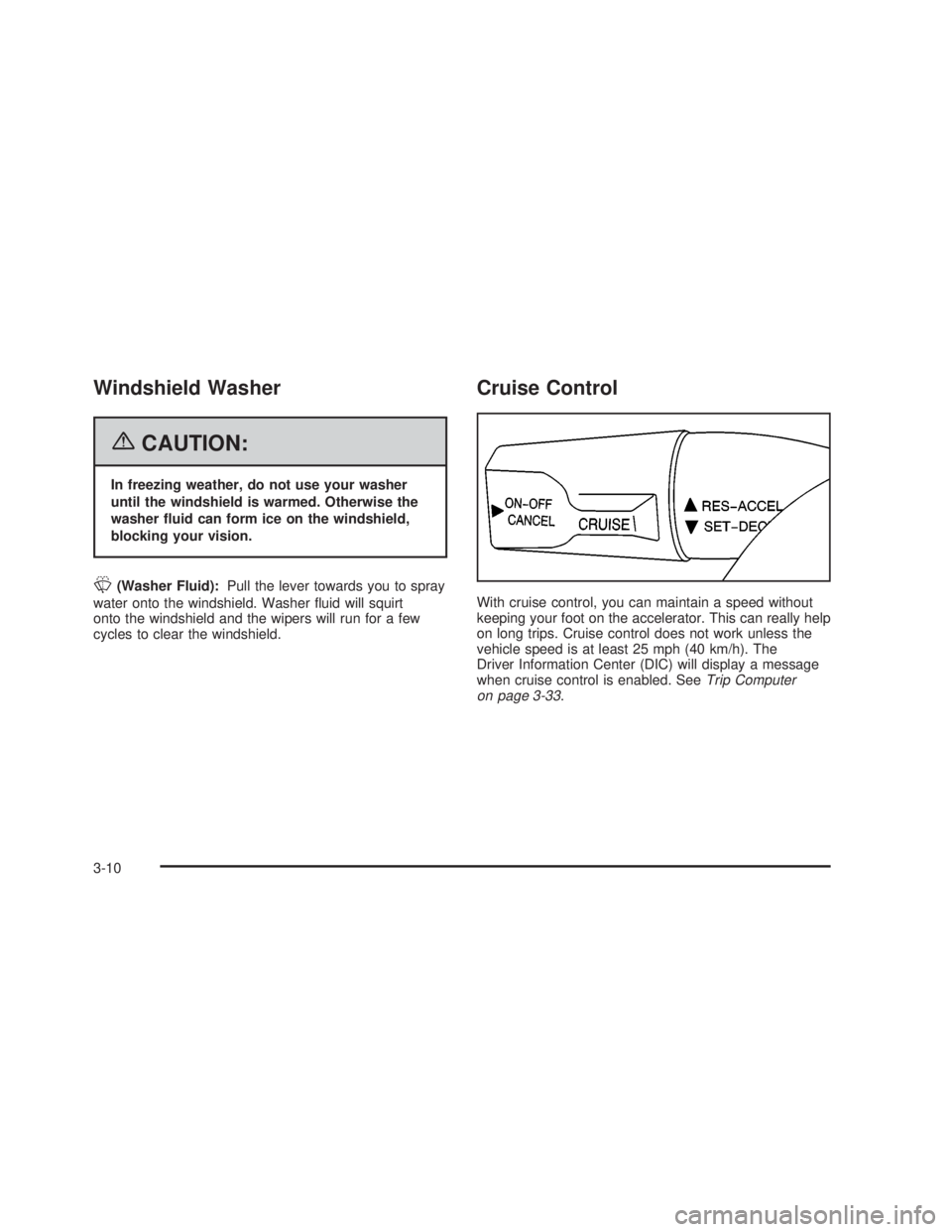
want to use cruise control.The cruise control lever is on the left side of the
steering column. The ON-OFF/CANCEL switch is at the
end of the lever and is activated by pushing in towards
the direction of the steering column.
To set cruise control, do the following:
1. Turn on the ignition.
2. Press the ON-OFF/CANCEL switch. The CRUISE
message appears on the trip computer.
3. Get up to the speed you want.
4. Rotate the lever down to SET-DECEL. The CRUISE
ACTIVE message appears on the trip computer.
5. Take your foot off the accelerator pedal and release
the cruise control lever.
Adjusting Speed While Using Cruise
Control
You may do one of the following:
·Turn the lever down to SET-DECEL until the car
slows down to the desired speed, then release it.
·Turn the lever up to RES-ACCEL until the car
accelerates up to the desired speed, then release it.
Minor changes in speed can be achieved by
momentarily turning the lever up or down. When
reducing speed, remember that the cruise control is not
designed to operate under 25 mph (40 km/h).
3-11
2006 - Pontiac GTO Owner Manual
Page 110 of 326

Pausing Cruise Control
To pause cruise control, press the brake pedal on either
an automatic or manual transmission, or the clutch
pedal on a manual transmission, or press the
ON-OFF/CANCEL switch once.
This deactivates the cruise control but retains the speed
in its memory. The CRUISE ACTIVE message and
cruise control symbol on the trip computer will turn off.
To regain the memory speed, momentarily turn the
lever up to the RES-ACCEL position, provided you are
travelling over 25 mph (40 km/h). Holding the lever
in the RES-ACCEL position for longer than one second
causes the vehicle to accelerate.
Passing Another Vehicle While Using
Cruise Control
Use the accelerator pedal to increase your speed.
When you take your foot off the pedal, your vehicle will
slow down to the cruise control speed you set earlier.
Using Cruise Control on Hills
How well your cruise control will work on hills depends
upon your speed, load, and the steepness of the
hills. When going up steep hills, you may have to step
on the accelerator pedal to maintain your speed.When going downhill, you may have to brake or shift to
a lower gear to keep your speed down. Of course,
applying the brake takes you out of cruise control. Many
drivers ®nd this to be too much trouble and do not
use cruise control on steep hills.
Ending Cruise Control
Pressing the ON-OFF/CANCEL switch once pauses the
cruise control but keeps the system ready and the
speed in memory.
Press the ON-OFF/CANCEL switch twice to turn off
cruise control completely. The cruise control symbol and
message will turn off.
A third press turns the system back on to ready, without
any speed memory.
Turning off the ignition completely turns off cruise
control and wipes the speed memory clear.
Cruise control will be canceled if the Traction Control
System (TCS) becomes active. See
Traction Control
System (TCS) on page 4-9.
Erasing Speed Memory
Pressing the ON-OFF/CANCEL switch twice to turn off
the cruise control or turning off the ignition will erase
the cruise control set speed memory.
3-12
2006 - Pontiac GTO Owner Manual
Page 111 of 326

Exterior Lamps
The switch to the left of
the steering wheel on the
instrument panel controls
the following:
;(Parking Lamps):Turn the switch to this position
to turn on the parking lamps, together with the
taillamps, sidemarker lamps, license plate lamps, and
instrument panel lights.
2(Headlamps):Turn the switch to this position to
turn on the headlamps, together with the parking lamps,
taillamps, sidemarker lamps, and license plate lamps.AUTO (Automatic Headlamps):Turn the switch to
AUTO to provide for automatic operation of the
headlamps, taillamps, sidemarker lamps, and parking
lamps. For more information see
Automatic Headlamp
System on page 3-14.
9(Off):Turn the switch to this position to turn all
lamps off.
Headlamps
When the headlamps are switched on, the instrument
panel is automatically illuminated. Once illuminated, you
can adjust their brightness. Some illuminated areas
of the vehicle have been linked to the brightness control,
such as the trip computer, headlamp switch, radio,
etc. This means that the interior lights can be adjusted
to your preference. When the headlamps are turned
off and back on again, the brightness level reverts to the
last adjusted setting.
Your vehicle is designed to provide additional security,
when returning to the vehicle at night. When the
UNLOCK or LOCK button on the key is used, the car's
exterior lights will come on for a preset time or until
the car is relocked. This feature only works if the
headlamp control is in the AUTO or headlamp positions.
To set or adjust the time the headlamps stay on after
the UNLOCK button has been pressed, see
Vehicle
Personalization on page 2-31.
3-13
2006 - Pontiac GTO Owner Manual
Page 120 of 326

Warning Lights, Gages, and
Indicators
This part describes the warning lights and gages that
may be on your vehicle. The pictures will help you
locate them.
Warning lights and gages can signal that something is
wrong before it becomes serious enough to cause
an expensive repair or replacement. Paying attention to
your warning lights and gages could also save you
or others from injury.
Warning lights come on when there may be or is a
problem with one of your vehicle's functions. As you will
see in the details on the next few pages, some
warning lights come on brie¯y when you start the
engine just to let you know they're working. If you are
familiar with this section, you should not be alarmed
when this happens.
Gages can indicate when there may be or is a problem
with one of your vehicle's functions. Often gages
and warning lights work together to let you know when
there's a problem with your vehicle.When one of the warning lights comes on and stays on
when you are driving, or when one of the gages shows
there may be a problem, check the section that tells you
what to do about it. Please follow this manual's advice.
Waiting to do repairs can be costly ± and even
dangerous. So please get to know your warning lights
and gages. They're a big help.
Your vehicle also has a trip computer that works along
with the warning lights and gages. The trip computer
display provides visual information. See
Trip Computer
on page 3-33. The warning message are displayed
through the trip computer or as an illuminated symbol or
sometimes both ways.
If a Service Error Contact Dealer message appears on
the trip computer display while driving, a fault in the
instrument panel is indicated. Contact your dealer
as soon as possible. This message will remain until the
MODE button on the trip computer is pressed.
3-22
2006 - Pontiac GTO Owner Manual
Page 124 of 326
Charging System Light
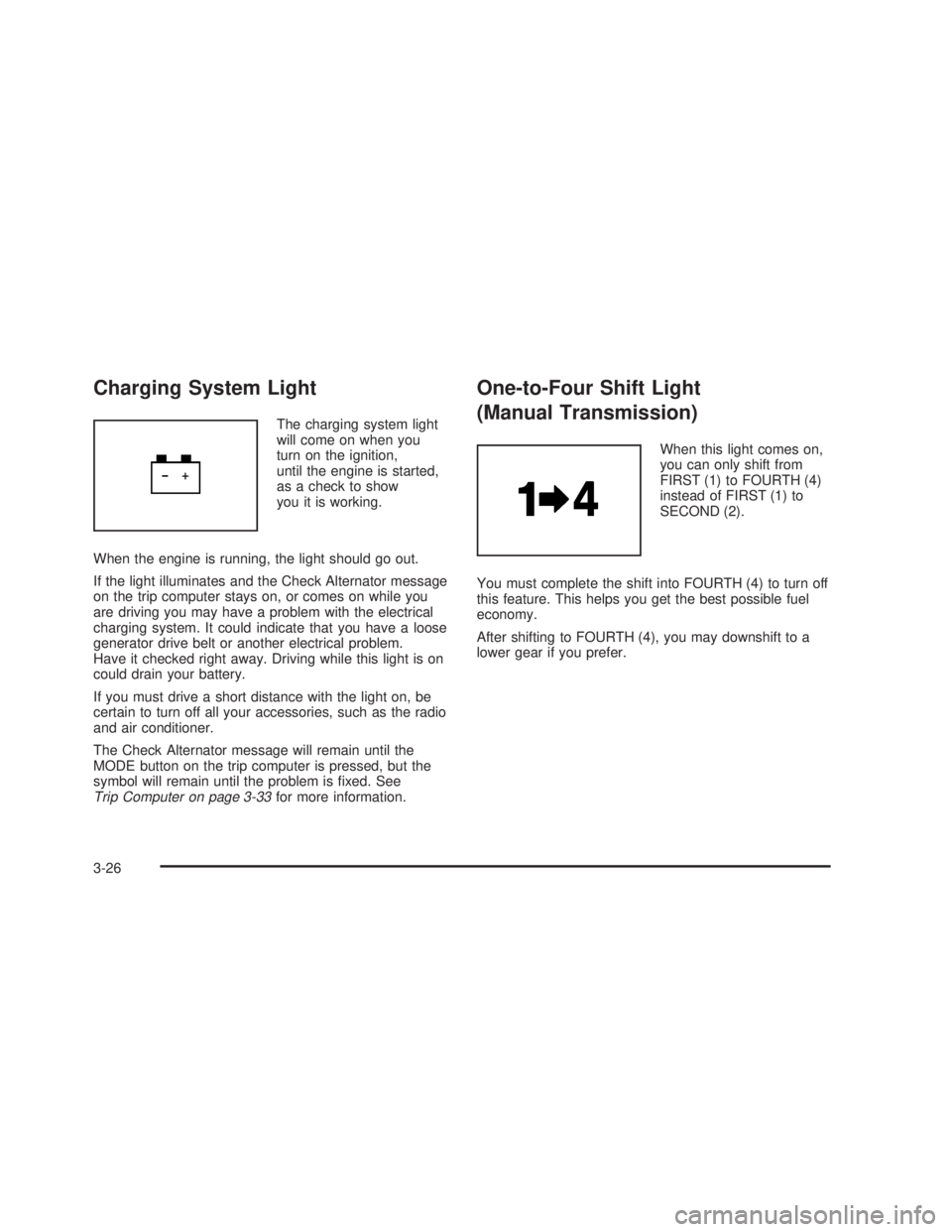
The charging system light
will come on when you
turn on the ignition,
until the engine is started,
as a check to show
you it is working.
When the engine is running, the light should go out.
If the light illuminates and the Check Alternator message
on the trip computer stays on, or comes on while you
are driving you may have a problem with the electrical
charging system. It could indicate that you have a loose
generator drive belt or another electrical problem.
Have it checked right away. Driving while this light is on
could drain your battery.
If you must drive a short distance with the light on, be
certain to turn off all your accessories, such as the radio
and air conditioner.
The Check Alternator message will remain until the
MODE button on the trip computer is pressed, but the
symbol will remain until the problem is ®xed. See
Trip Computer on page 3-33for more information.
One-to-Four Shift Light
(Manual Transmission)
When this light comes on,
you can only shift from
FIRST (1) to FOURTH (4)
instead of FIRST (1) to
SECOND (2).
You must complete the shift into FOURTH (4) to turn off
this feature. This helps you get the best possible fuel
economy.
After shifting to FOURTH (4), you may downshift to a
lower gear if you prefer.
3-26
2006 - Pontiac GTO Owner Manual
Page 125 of 326
Brake System Warning Light
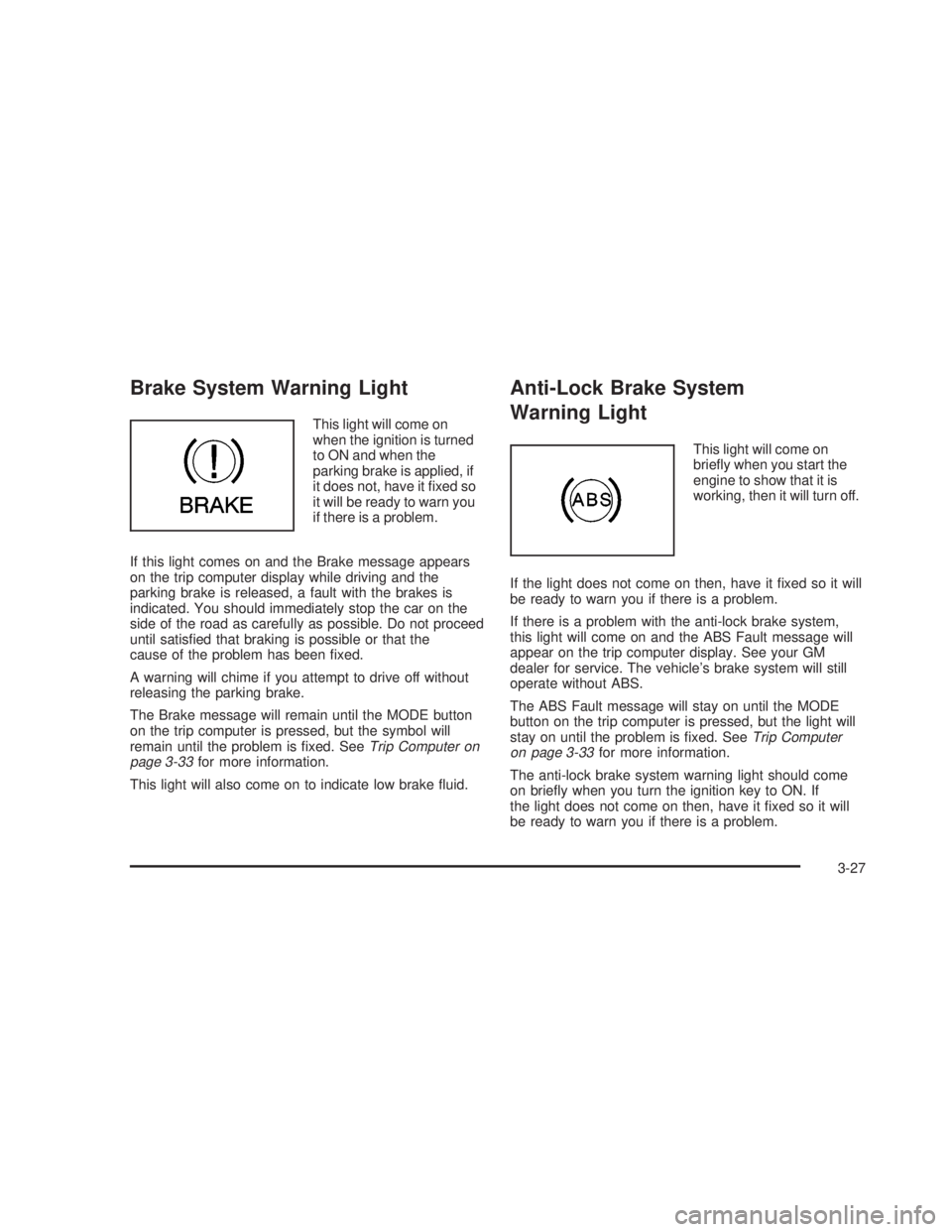
This light will come on
when the ignition is turned
to ON and when the
parking brake is applied, if
it does not, have it ®xed so
it will be ready to warn you
if there is a problem.
If this light comes on and the Brake message appears
on the trip computer display while driving and the
parking brake is released, a fault with the brakes is
indicated. You should immediately stop the car on the
side of the road as carefully as possible. Do not proceed
until satis®ed that braking is possible or that the
cause of the problem has been ®xed.
A warning will chime if you attempt to drive off without
releasing the parking brake.
The Brake message will remain until the MODE button
on the trip computer is pressed, but the symbol will
remain until the problem is ®xed. See
Trip Computer on
page 3-33for more information.
This light will also come on to indicate low brake ¯uid.
Anti-Lock Brake System
Warning Light
This light will come on
brie¯y when you start the
engine to show that it is
working, then it will turn off.
If the light does not come on then, have it ®xed so it will
be ready to warn you if there is a problem.
If there is a problem with the anti-lock brake system,
this light will come on and the ABS Fault message will
appear on the trip computer display. See your GM
dealer for service. The vehicle's brake system will still
operate without ABS.
The ABS Fault message will stay on until the MODE
button on the trip computer is pressed, but the light will
stay on until the problem is ®xed. See
Trip Computer
on page 3-33for more information.
The anti-lock brake system warning light should come
on brie¯y when you turn the ignition key to ON. If
the light does not come on then, have it ®xed so it will
be ready to warn you if there is a problem.
3-27
2006 - Pontiac GTO Owner Manual
Page 131 of 326

Trip Computer
The buttons for the trip
computer are located on
the instrument panel, to the
right of the instrument
panel cluster.
The trip computer displays are located directly beneath
the instrument panel cluster gages. Speed related
information appears in the left display, distance related
information appears in the center display, and fuel
related information appears in the right display.
The basic, more commonly used functions of the trip
computer are shown following. Tap the MODE button to
scroll between the different sets of displays.
When the ignition is turned to ON, the trip computer
displays the same functions as when the ignition
was last turned off.The trip computer can be reset when AVG SPEED or
TRIP TIME are shown on the left display. To reset, press
the SET button for less than two seconds. Resetting
does not affect the Odometer, Overspeed, Range, Time
to Arrival, Distance to Arrival, Instantaneous Fuel, or
Fuel Remaining.
Vehicle personalization is available through the trip
computer controls and display. See
Vehicle
Personalization on page 2-31.
AVG (Average) SPEED
This function shows the average speed, while the
engine is running, since the trip computer was reset.
Odometer
This function records miles travelled since the car
was built.
AVG (Average) FUEL
This function shows the average fuel used since the trip
computer was reset. After resetting, a high number
may initially be shown, due to the short distance
travelled and the high fuel used when accelerating.
TRIP TIME
This function shows the engine running time since the
trip computer was reset. If this exceeds 99 hours
and 59 minutes, the trip time is displayed in hours only.
3-33
2006 - Pontiac GTO Owner Manual
Page 132 of 326

Trip Distance
This function shows the miles travelled from the start of
a particular trip. Reset the reading to zero by pressing
and holding the SET button down for eight seconds.
FUEL USED
This function shows the total gallons or liters of fuel
used since the trip computer was reset.
TIME TO ARRIVAL
This function shows trip time to arrival in hours and
minutes, based on distance to arrival. If this exceeds
99 hours and 59 minutes, the time to arrival is displayed
in hours only.
Dist (Distance) to Arrival
At the start of a trip, estimate your distance to arrival.
Tap the up or down arrows until the display shows your
estimated trip distance. When you drive, the computer
constantly updates your time to arrival, based on
changing driving speeds. You can use the up or down
arrows to adjust the miles (kilometers) any time this
display is shown.
FUEL REMAINING
This function shows the gallons (liters) of fuel left in the
fuel tank, rounded to the nearest one gallon (liter).
When the fuel level is down to about 2 gallons
(7.5 liters), LO is displayed instead of gallons (liters).
If the Low Fuel message in the trip computer comes on
when driving, it indicates that the fuel level is low.
The Low Fuel message is displayed until the MODE
button is pressed. The trip computer then displays
its calculation of Range, which is how far you can drive
with your current fuel level, for 10 seconds before
returning to the original trip computer display with a
small low fuel symbol on the left. The symbol will remain
until the fuel tank is ®lled above the low fuel level.
If the Very Low Fuel message in the trip computer
comes on when driving, it indicates that the fuel level is
very low. The Very Low Fuel message is displayed
until the MODE button is pressed. The trip computer
then displays its calculation of Range, which is how far
you can drive with your current fuel level, for
10 seconds before returning to the original trip computer
display with a small ¯ashing low fuel symbol on the
left. The symbol will remain until the fuel tank is ®lled
above the low fuel level.
3-34
2006 - Pontiac GTO Owner Manual