audio PONTIAC PONTIAC 1995 Owners Manual
[x] Cancel search | Manufacturer: PONTIAC, Model Year: 1995, Model line: PONTIAC, Model: PONTIAC PONTIAC 1995Pages: 354, PDF Size: 17.27 MB
Page 2 of 354
1995 Pontiac Grand Prix Owner’s Manual
Seats and Restraint Systems ...... F.-c-.,. ............................................... 1-1
This section tells you how to use your seats and safety belts prop\
erly. It also explains the “SRS” system.
Features and Controls ............................................................... 2-1
This section explains how to start and operate your Pontiac.
Comfort Controls and Audio Systems .................................................. 3-1
This section tells you how to adjust the ventilation and comfort controls and how to operate your
audio system.
YourDrivingandtheRoad ........................................................... 4-1
ProblernsontheRoad ............................................................... 5-1
Here you’ll find helpful information and tips about the road\
and how to drive under different conditions.
This section tells you what to
do if you have a problem while driving, such as a flat tire or engine
overheating, etc.
Here the manual tells you how to keep your Pontiac running properly and looking good.
This section tells you when to perform vehicle maintenance and \
what fluids and lubricants
to use.
This section tells you how to contact Pontiac for assistance and how to get service publications.
It
also gives you information on “Reporting Safety Defects” on pag\
e 8-4.
Here’s an alphabetical listing of almost every subject in this manual. You can use it to quickly find
something you want to read.
Service and Appearance Care.. ....................................................... 6-1
Maintenanceschedule ............................................................... 7-1
Customer Assistance Information ..................................................... 8-1
Index ........................................................................\
..... 9-1
i
ProCarManuals.com
Page 126 of 354
7 Section 3 Comfort Controls and Audio Systems
In this section you’ll find out how to operate the comfort
control systems and audio systems offered with your Pontiac. Be sure to read about the particular system
supplied with your vehicle.
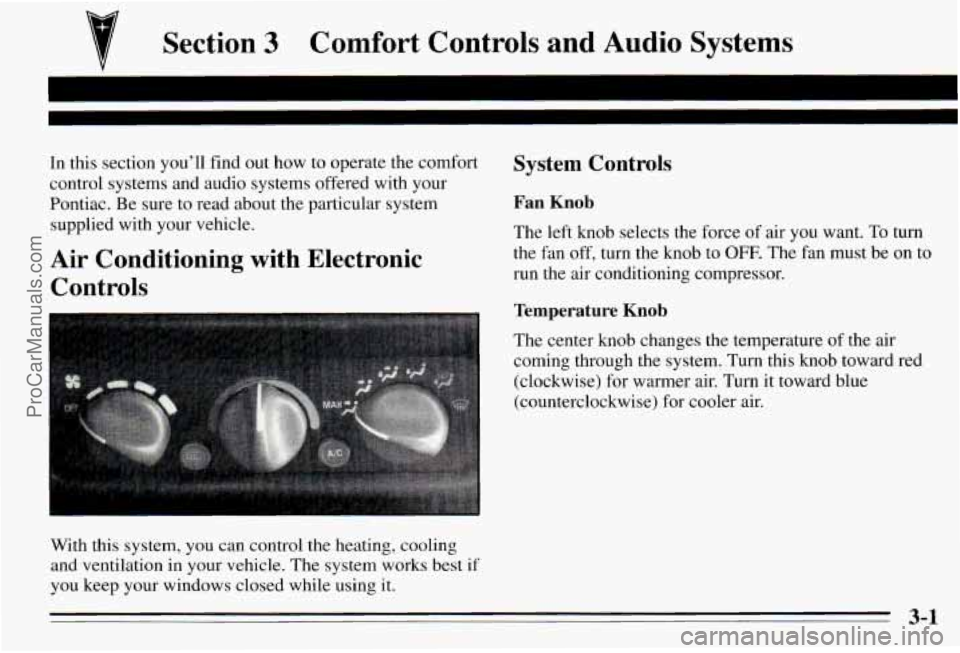
Air Conditioning with Electronic Controls
With this system, you can control the heating, cooling
and ventilation in your vehicle. The system works best if
you keep your windows closed while using it.
System Controls
Fan Knob
The left knob selects the force of air you want. To turn
the fan off, turn the knob to OFF. The fan must be on to
run the air conditioning compressor.
Temperature Knor,
The center knob changes the temperature of the air
coming through the system. Turn this knob toward red
(clockwise) for warmer air. Turn it toward blue
(counterclockwise) for cooler air.
3-1
ProCarManuals.com
Page 130 of 354
Audio Systems
Your Delco@ audio system has been designed to operate
easily and give years
of listening pleasure. You will get
the
most enjoyment out of it if you acquaint yourself
with
it first. Find out what your Delco@system can
do and how to operate all its controls, to be sure you’re
getting the
most out of the advanced engineering that
went into it.
Setting the Clock
Radio Without Cassette Tape or Compact Disc Player
1. With the ignition on, press SET. SET will appear on
2.
3.
the display for five seconds.
Press and hold the up arrow on the
SEEK button
until the correct minute appears.
Press and hold the down arrow on the
SEEK button
until the correct hour appears.
Radio with Cassette Tape or Compact Disc Player
1. Press and hold HR until the correct hour appears.
2. Press and hold MIN until the correct minute appears.
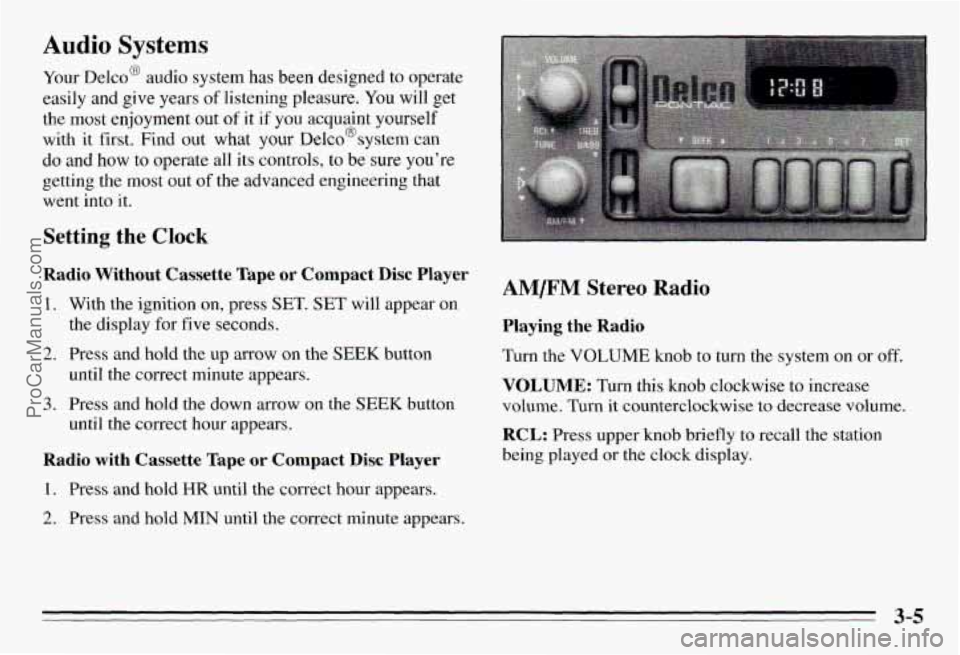
AM/FM Stereo Radio
Playing the Radio
Turn the VOLUME knob to turn the system on or off.
VOLUME: Turn this knob clockwise to increase
volume. Turn it counterclockwise to decrease volume.
RCL: Press upper knob briefly to recall the station
being played
or the clock display.
3-5
ProCarManuals.com
Page 139 of 354
Tips About Your Audio System
Hearing damage from loud noise is almost undetectable
until
it is too late. Your hearing can adapt to higher
volumes
df sound. Sound that seems normal can be loud
and hannful to your hearing. Take precautions by
adjusting the volume control
on your radio to a safe
sound level before your hearing
adapts to it.
To help avoid hearing loss or damage:
Adjust the volume control to the lowest setting.
Increase volume slowly until you hear comfortably
and clearly.
I NOTICE:
Before you add any sound equipment to your
vehicle
-- like a tape player, CB radio, mobile
telephone or two-way radio
- be sure you can
add what
you want. If you can, it’s very
important to do it properly. Added sound
equipment may interfere with the operation
of
your vehicle’s engine, Delco@ radio or other
systems, and even damage them. And, your
vehicle’s systems
may interfere with the
operation
of sound equipment that has been
added improperly.
So, before adding sound equipment, check with
your retailer and be sure
to check Federal rules
covering mobile radio and telephone units.
ProCarManuals.com
Page 142 of 354
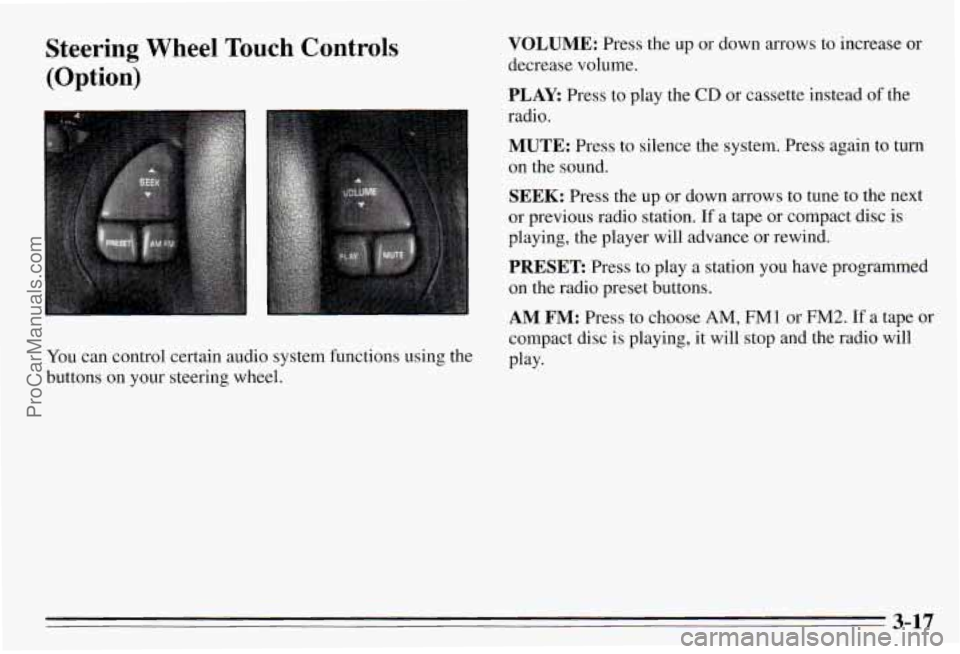
Steering Wheel Touch Controls
(Option)
You can control certain audio system functions using the
buttons on your steering wheel.
VOLUME: Press the up or down arrows to increase or
decrease volume.
PLAY: Press to play the CD or cassette instead of the
radio.
MUTE: Press to silence the system. Press again to turn
on the sound.
SEEK: Press the up or down arrows to tune to the next
or previous radio station.
If a tape or compact disc is
playing, the player will advance or rewind.
PRESET Press to play a station you have programmed
on the radio preset buttons.
AM FM: Press to choose AM, FM1 or FM2. If a tape or
compact disc is playing, it will stop and the radio will
Play-
3-17
ProCarManuals.com
Page 323 of 354
Part B: Owner Checks and Services
Listed below are owner checks and services which
should be performed at the intervals specified to help
ensure the safety, dependability and emission control
performance of your vehicle.
Be sure any necessary repairs are completed at
once.
Whenever any fluids or lubricants are added to your
vehicle, make
sure they are the proper ones, as shown
in Part D.
At Each Fuel Fill
It is important for you or a service station attendant to
perform these underhood checks at each
fuel fill.
Engine Oil Level
Check the engine oil level and add the proper oil if
necessary.
See “Engine Oil” in the hdex for further details.
Engine Coolant Level
Check the engine coolant level and add the proper
coolant mix if necessary. See “Coolant” in the Index
for further details.
Windshield Washer Fluid LeveI
Check the windshield washer fluid level in the
windshield washer tank and add the proper fluid
if
necessary. See “Windshield Washer Fluid” in the
Index for further details.
At Least Once a Month
Tire Inflation
Check tire inflation. Make sure tires are inflated to the
pressures specified on the Tire-Loading Information
label. See “Loading Your Vehicle”
in the Index. See
“Tires” in the Index for further details.
Cassette Deck
Clean cassette deck. Cleaning should be done every
50 hours of tape play. See “Audio Systems” in the Index
for further details.
Power Antenna
Clean power antenna mast. See “Audio Systems” in the
Index for further details.
7-36 ProCarManuals.com
Page 342 of 354
Section 9 Index
.
ABS ......................................... 4-6
Accessory Outlet
............................... 2-42
Adding Automatic Transaxle Fluid
..................... 6- 18
BrakeFluid
................................. 6-26
Electrical Equipment
............... 2-14,3-14, 6-63
Engine Coolant
............................... 6-20
Engineoil
.................................. 6-12
Power Steering Fluid
......................... 6-23
Windshield Washer Fluid
...................... 6-24
AimingHeadlamps
............................. 6-29
AirBag
....................................... 1-23
How Does It Restrain
......................... 1-26
How It Works
............................... 1-25
Location
................................... l-28
Readiness Light ........................ 1-24, 2-51
Servicing
................................... 1-28
What Makes It Inflate
......................... 1-26
What Will You See After It Inflates
.............. 1-27
When Should It Inflate
........................ 1-26
Aircleaner
.................................... 6-15
Air Conditioning
................................ 3-3
Air Conditioning Refrigerants
..................... 6-72
Air Conditioning with Electronic Controls ............ 3-1
SoundEquipment
............................ 3-14
Alignment and Balance. Tires
..................... 6-52
Aluminum Wheels. Cleaning
...................... 6-60
Antenna. Fixed Mast
............................ 3-16
Antenna. Power Mast Care
....................... 3-16
Antifreeze
..................................... 6-19
Anti-Lock Brake System Active Light
.............. 2-54
Anti-Lock Brake System Warning Light
......... 2-53. 4.7
Anti-Lock Brakes
............................... 4-6
Anti-Theft Feature. Theftlock
..................... 3-15
Appearance Care and Materials
.................... 6-62
Armrest. Storage
............................... 2-41
Ashtrays, Rear
................................. 2-45
Audio System, Steering Wheel Touch Controls
....... 3-17
Audio Systems
.................................. 3-5
Auto-Down Window ............................ 2-27
Automatic Door Locks
............................ 2-4
Automatic Transaxle
............................ 2-16
First Gear (1) Position
........................ 2-19
Neutral
(N) Position .......................... 2-17
Overdrive (D) Position
........................ 2-18
Park (P) Position
........................ 2-16. 7-38
Reverse (R) Position
.......................... 2-17
Second Gear (2) Position
...................... 2-19
Appearancecare
............................... 6-54
Ashtrays. Front
................................. 2-44
9-1 ProCarManuals.com