radio PONTIAC PONTIAC 1995 Owners Manual
[x] Cancel search | Manufacturer: PONTIAC, Model Year: 1995, Model line: PONTIAC, Model: PONTIAC PONTIAC 1995Pages: 354, PDF Size: 17.27 MB
Page 6 of 354
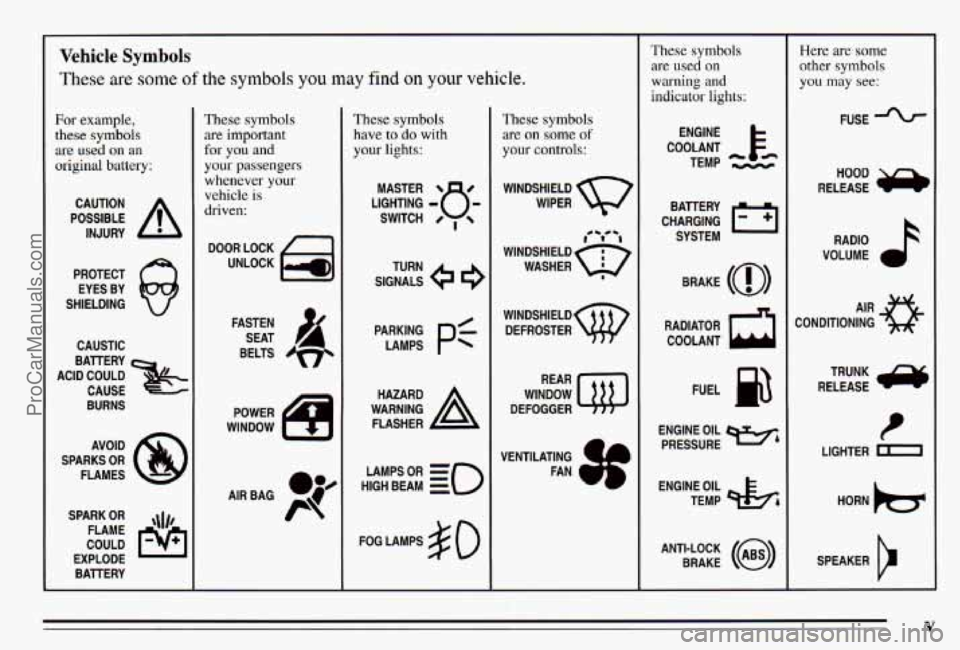
Vehicle Symbols
These are some of the symbols you may find on your vehicle.
For example,
these symbols
are used on an
original battery;
POSSIBLE A
CAUTION
INJURY
PROTECT EYES BY
SHIELDING
CAUSTIC
ACID COULD BATTERY
CAUSE
BURNS
AVOID
SPARKS
OR
FLAMES
SPARK
OR ,\I/,
COULD FLAME
EXPLODE BATTERY
These symbols
are important
for
you and
your passengers
whenever your
vehicle is
driven:
DOOR LOCK
UNLOCK
FASTEN SEAT
BELTS
S
These symbols
have to
do with
your lights:
SIGNALS e
TURN
HIGH
LAMPSoR BEAM = =o
FOG LAMPS $0
These symbols
are
011 some of
your controls:
WINDSHIELD WIPER
WINDSHIELD DEFROSTER
WINDOW
DEFOGGER
VENTILATING
a+
FAN w*
These symbols
are used
on
warning and
indicator lights:
COOLANT F-
ENGINE
TEMP
- k
CHARGING BATTERY
SYSTEM
BRAKE
(0)
RADIATOR COOLANT
a
FUEL
ENGINE OIL
PRESSURE
Wb
TEMP OIL &
ANTI-LOCK (@)
BRAKE
Here are some
other symbols
you may see:
FUSE
RELEASE RADIO
k
VOLUME a
CONDITIONING AIR 33
RELEASE TRUNK ru
t
LIGHTER m
SPEAKER
b
V
ProCarManuals.com
Page 66 of 354
Remote Lock Control (Option)
If your Pontiac has this option, you can lock and unlock
your doors or unlock your trunk from up to 30 feet (9 m)
away using the key chain transmitter supplied with your
vehicle.
Your Remote Lock Control operates
on a radio
frequency subject to Federal Communications
Commission (FCC) Rules.
This device complies with Part 15 of the FCC Rules.
Operation
is subject to the following two conditions:
(1) This device may not cause harmful interference, and
(2) This device must accept any interference received.
including interference that may cause undesired operation. Should interference to this system occur, try this:
0
0
a
0
Check to determine if battery replacement
is
necessary. See the instructions on battery
replacement.
Check the distance.
You may be too far from your
vehicle.
This product has a maximum range.
Check the location. Other vehicles or objects may be
blocking the signal.
See your Pontiac dealer or a qualified technician for
service.
Changes or modifications to this system by other than
an
authorized service facility could void authorization to
use this equipment.
2-5
ProCarManuals.com
Page 73 of 354
New Vehicle “Break-In”
NOTICE:
Your modern Pontiac doesn’t need an elaborate
“break-in.” But it will perform better in the long
run if you follow these guidelines:
Don’t drive at any one speed -- fast or
slow
-- for the first 500 miles (804 km).
Don’t make full-throttle starts.
200 miles (322 km) or so. During this time
your new brake linings aren’t yet broken
in. Hard stops with new linings can mean
premature wear and earlier replacement.
Follow
this “breaking-in” guideline every
time you get new brake linings.
Don’t tow a trailer during “break-in.” See
“Towing
a ”railer’’ in the Index for more
information.
Avoid making hard stops for the first
Ignition Switch
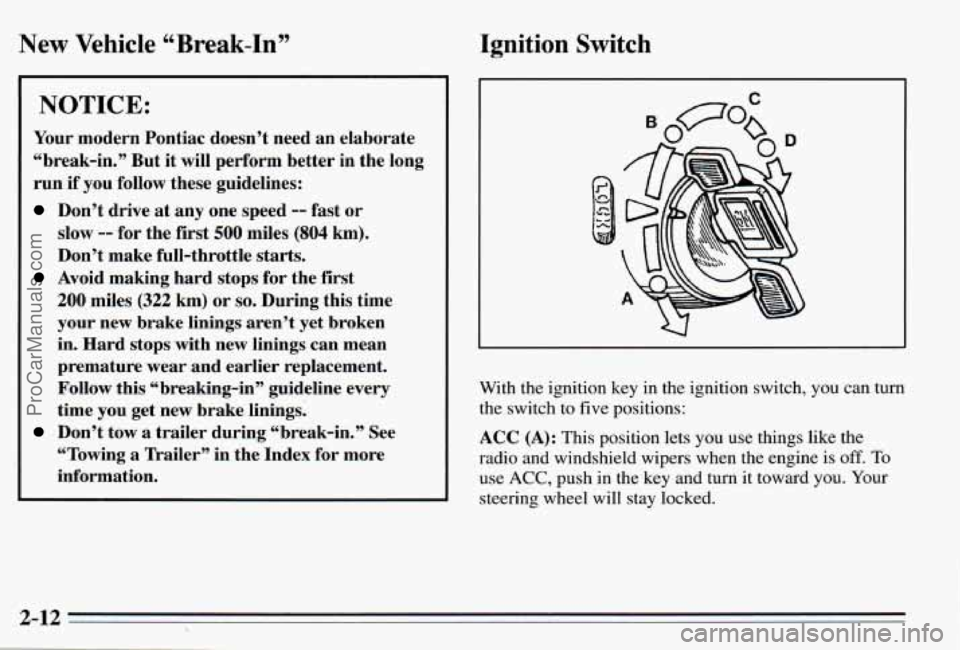
With the ignition key in the ignition switch, you can turn
the switch to five positions:
ACC (A): This position lets you use things like the
radio and windshield wipers when the engine is
off. To
use ACC, push in the key and turn it toward you. Your
steering wheel will stay locked.
2-12
ProCarManuals.com
Page 111 of 354
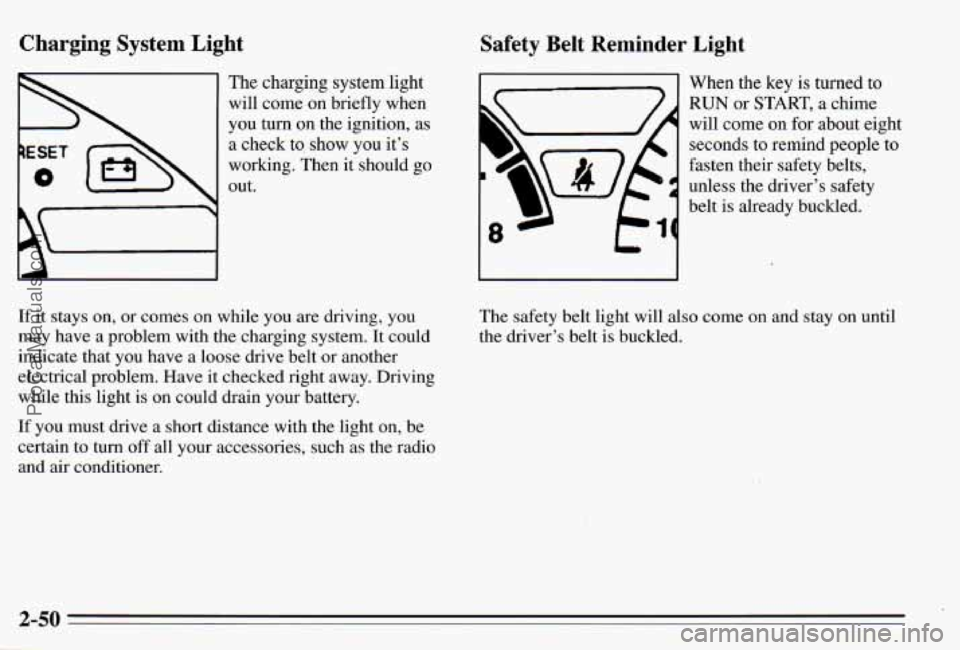
Charging System Light
The charging system light
will come on briefly when
you turn
on the ignition, as
a check to, show you it’s
working. Then it should
go
out.
If it stays on, or comes on while you are driving, you
may have a problem with the charging system. It could
indicate that you have a loose drive belt
or another
electrical problem. Have it checked right away. Driving
while this light is on could drain your battery.
If you must drive a short distance with the light on, be certain to
turn off all your accessories, such as the radio
and
air conditioner.
Safety Belt Reminder Light
When the key is turned to
RUN or START, a chime
will come on for about eight
seconds to remind people to
fasten their safety belts,
unless the driver’s safety
belt is already buckled.
I-
The safety belt light will also come on and stay on until
the driver’s belt is buckled.
ProCarManuals.com
Page 130 of 354
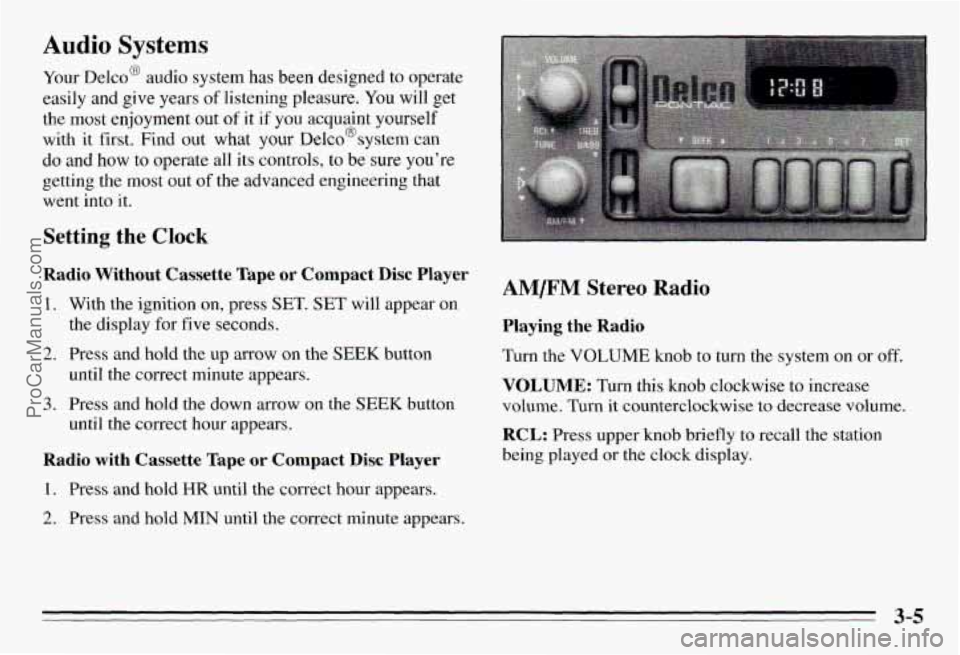
Audio Systems
Your Delco@ audio system has been designed to operate
easily and give years
of listening pleasure. You will get
the
most enjoyment out of it if you acquaint yourself
with
it first. Find out what your Delco@system can
do and how to operate all its controls, to be sure you’re
getting the
most out of the advanced engineering that
went into it.
Setting the Clock
Radio Without Cassette Tape or Compact Disc Player
1. With the ignition on, press SET. SET will appear on
2.
3.
the display for five seconds.
Press and hold the up arrow on the
SEEK button
until the correct minute appears.
Press and hold the down arrow on the
SEEK button
until the correct hour appears.
Radio with Cassette Tape or Compact Disc Player
1. Press and hold HR until the correct hour appears.
2. Press and hold MIN until the correct minute appears.
AM/FM Stereo Radio
Playing the Radio
Turn the VOLUME knob to turn the system on or off.
VOLUME: Turn this knob clockwise to increase
volume. Turn it counterclockwise to decrease volume.
RCL: Press upper knob briefly to recall the station
being played
or the clock display.
3-5
ProCarManuals.com
Page 131 of 354
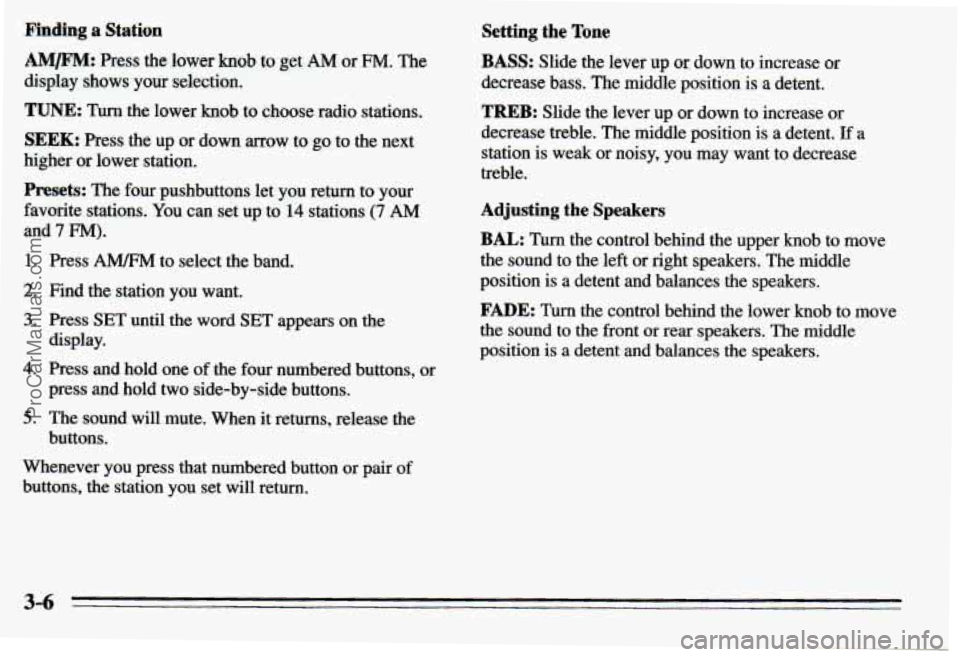
Pinding a Station
AM/FM: Press the lower knob to get AM or FM. The
display shows your selection.
TUNE: Turn the lower knob to choose radio stations.
SEEK: Press the up or down mow to go to the next
higher or lower station.
Presets: The four pushbuttons let you return to your
favorite stations. You can set
up to 14 stations (7 AM
and 7 FM).
1. Press A" to select the band.
2. Find the station you want.
3. Press SET until the word SET appears on the
4. Press and hold one of the four numbered buttons, or
5. The sound will mute. When it returns, release the
display.
press and hold
two side-by-side buttons.
buttons.
Whenever you press that numbered button
or pair of
buttons, the station you set will return.
Setting the Tone
BASS: Slide the lever up or: down to increase or
decrease bass. The middle
position is a detent.
TREB: Slide the lever up or down to increase or
decrease treble. The middle position
is a detent. If a
station is weak or noisy, you may
want to decrease
treble.
Adjusting the Speakers
BAL: Turn the control behind the upper knob to move
the sound to the left or right speakers. The middle
position
is a detent and balances the speakers.
FADE: Turn the control behind the lower knob to move
the sound to the front or rear speakers. The middle
position
is a detent and balances the speakers.
3-6
ProCarManuals.com
Page 132 of 354
Optional AM/F” Stereo Radios
If your Pontiac has a radio with a cassette tape player,
a compact disc player or a graphic equalizer, the
instructions below will explain how to use the radio.
For other features, see the instructions
for the feature
your radio has.
Playing the Radio
Push POWER to turn the system on or off.
VOL: Turn this knob clockwise to increase volume.
Turn it counterclockwise to decrease volume.
RECALL: Press this button briefly to recall the station
being played or the clock display.
If you press the button
when the ignition
is off, the clock will show for a few
seconds.
Finding a Station
AMm: Press this button to get AM, FMl or FM2.
The display shows your selection.
TUNE: Press this knob lightly so it extends. Turn it to
choose radio stations. Push the knob back in when
you’re not using
it.
SEEK: Press the up or down arrow to go to the next
higher
or lower station.
Presets: The six pushbuttons let you return to your
favorite stations. You can set up to
18 stations (6 AM,
6 FM1 and 6 FM2).
1. Press AMRM to select the band.
2. Find the station you want.
3. Press and hold one of the six numbered butt S.
4. The sound will mute. When it returns and SET
appears on the display, release the button.
Whenever you press that numbered button, the station
you set will return.
Adjusting the Speakers
BAL: Press this knob lightly so it extends. Turn the
knob
to move the sound to the left or right speakers. The
middle position is
a detent and balances the speakers.
FADE: Press the knob lightly so it extends. Turn the
knob to move the sound to the front or rear speakers.
The middle position is
a detent and balances the
speakers.
Push the knob back in when you’re not using
it.
3-7
ProCarManuals.com
Page 134 of 354
Playing a Cassette Tape
The longer side with the tape visible should face to the
right.
If the radio is on, the tape will begin playing. If
you hear nothing or hear a garbled sound, the tape may
not be in squarely. Press EJECT to remove the tape and
start over.
While the tape is playing, use the VOL, FADE,
BAL,
TREBLE, BASS and the graphic equalizer controls just
as you do for the radio. Other controls may have
different functions when a tape is inserted. The display
will show a cassette symbol and an
arrow to show which
side of the tape is playing.
Your tape bias is set automatically.
Press this button to search for the previous
selection on the tape. Your tape must have at least fow
seconds
of silence between each selection for PREV to
work.
NEXT: Press this button to go to the next selection on
the tape.
Your tape must have at least four seconds of
silence between each selection for
NEXT to work. The
SEEK down and up arrows will
also find the
previous and next selections on the tape.
REV: Press this button to reverse the tape rapidly. Press
it again to return to playing speed. The radio will play
while the tape reverses. Use
TUNE or SEEK to change
the radio station.
FWD: Press this button to advance quickly to another
part of the tape. Press the button again to return to
playing speed. The radio will play while the tape
advances. Use
TUNE or SEEK to change the radio
station.
PROG: Press this button to change the side of the tape
that is playing.
00: Press this button to reduce background noise on
Dolby@ encoded tapes.
Dolby@
B Noise Reduction manufactured under license
from Dolby Laboratories Licensing Corporation.
“Dolby” and the
On@ symbol are trademarks of Dolby
Laboratories Licensing Corporation.
3-9
ProCarManuals.com
Page 135 of 354
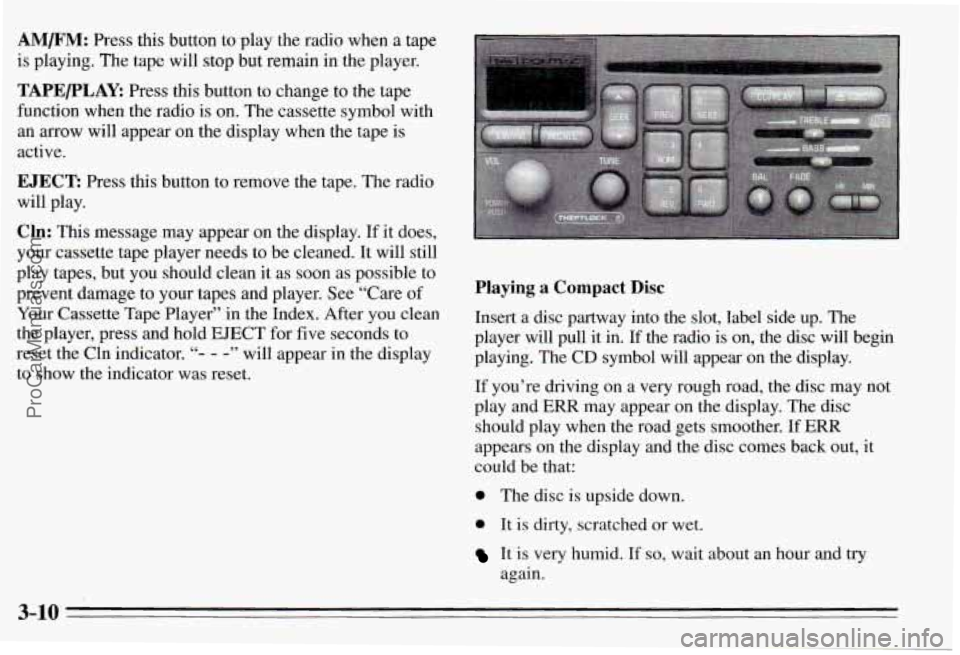
AM/F”: Press this button to play the radio when a tape
is playing. The tape will stop but remain in the player.
TAPE/PLAY: Press this button to change to the tape
function when the radio is on. The cassette symbol with
an
mow will appear on the display when the tape is
active.
EJECT: Press this button to remove the tape. The radio
will play.
Cln: This message may appear on the display. If it does,
your cassette tape player needs to be cleaned.
It will still
play tapes, but you should clean it as soon as possible to
prevent damage to your tapes and player. See “Care
of
Your Cassette Tape Player” in the Index. After you clean
the player, press and hold EJECT for five seconds to
reset the Cln indicator.
“- - -” will appear in the display
to show the indicator was reset.
Playing a Compact Disc
Insert a disc partway into the slot, label side up. The
player will pull it in. If the radio is on, the disc will begin
playing. The CD symbol
will appear on the display.
If you’re driving on a very rough road, the disc may not
play and ERR may appear on the display. The disc
should play when the road gets smoother.
If ERR
appears on the display and the disc comes back out,
it
could be that:
0 The disc is upside down.
0 It is dirty, scratched or wet.
It is very humid. If so, wait about an hour and try
again.
3-10
ProCarManuals.com
Page 136 of 354
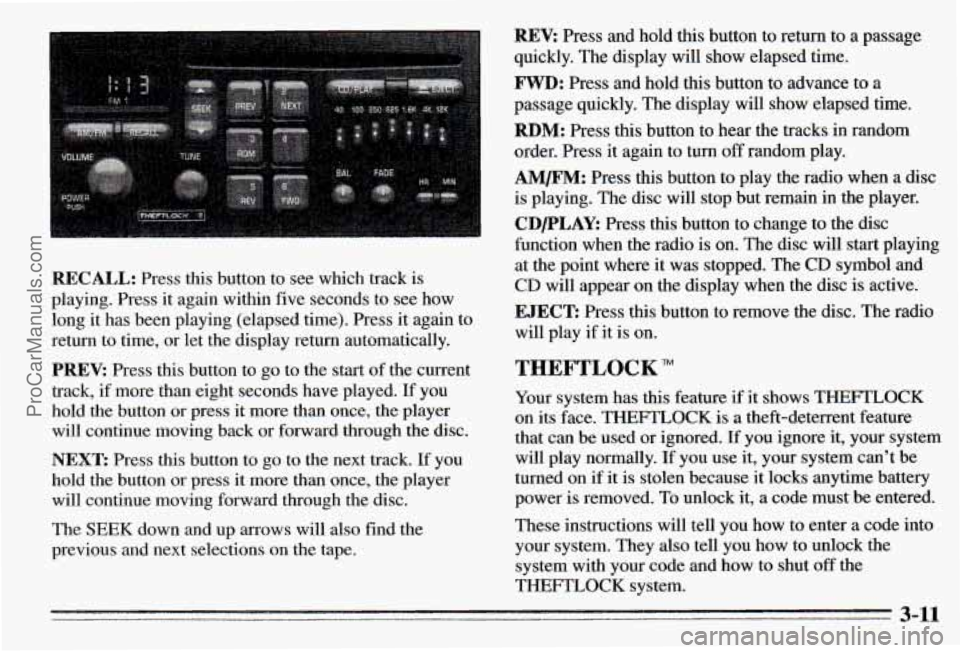
REV: Press and hold this button to return to a passage
quickly. The display will show elapsed time.
FWD: Press and hold this button to advance to a
passage quickly. The display will show elapsed time.
RBM: Press this button to hear the tracks in random
order. Press it again to turn
off random play.
AM/FM: Press this button to play the radio when a disc
is playing. The disc will stop but remain in the player.
CDPLAY: Press this button to change to the disc
function when the radio is on. The disc will start playing
at the point where it was stopped. The CD symbol and
CD will appear on the display when the disc is active.
RECALL: Press this button to see which track is
playing. Press it again within five seconds to see how
long
it has been playing (elapsed time). Press it again to
return to time, or let the display return automatically.
PREV: Press this button to go to the start of the current
track, if more than eight seconds ha.ve played. If you
hold the button or press it more than once, the player
will continue moving back or forward through the disc.
NEXT: Press this button to go to the next track. If you
hold the button
or press it more than once, the player
will continue moving forward through the disc.
The SEEK down and
up arrows will also find the
previous and next selections on the tape.
EJECT: Press this button to remove the disc. The radio
will play if it is on.
THEFTLOCK
Your system has this feature if it shows THEFTLOCK
on its face. THEFTLOCK is a theft-deterrent feature
that can be used or ignored. If you ignore it, your system
will play normally. If you use it, your system can’t be
turned on if
it is stolen because it locks anytime battery
power is removed. To unlock it,
a code must be entered.
These instructions will tell you how to enter a code into
your system. They also tell you how to unlock the
system with your code and how to shut
off the
THEFTLOCK system.
3-11
ProCarManuals.com