light PONTIAC SOLSTICE 2009 User Guide
[x] Cancel search | Manufacturer: PONTIAC, Model Year: 2009, Model line: SOLSTICE, Model: PONTIAC SOLSTICE 2009Pages: 354, PDF Size: 1.98 MB
Page 66 of 354
The passenger’s door has a window switch that controls
that window. Press the front of the switch to open the
window. Pull the switch up to close it.
Express-Down Window
Windows with an express-down feature allow the
window to be lowered fully without pressing and holding
the switch. Press the front of the switch to the rst
position, and the window opens a small amount. Press
the switch down fully and the window goes all the
way down.
To stop the window while it is lowering, pull up the front
of the switch.
Sun Visors
To use the sun visor(s), pull the edge of the visor
nearest to the windshield toward you.
Visor Vanity Mirror
Your vehicle may have a driver’s side vanity mirror.
Swing down the sun visor and slide the cover to expose
the mirror.
Theft-Deterrent Systems
Vehicle theft is big business, especially in some cities.
This vehicle has theft-deterrent features, however,
they do not make it impossible to steal.
Content Theft-Deterrent
Your vehicle may have a content theft-deterrent alarm
system.
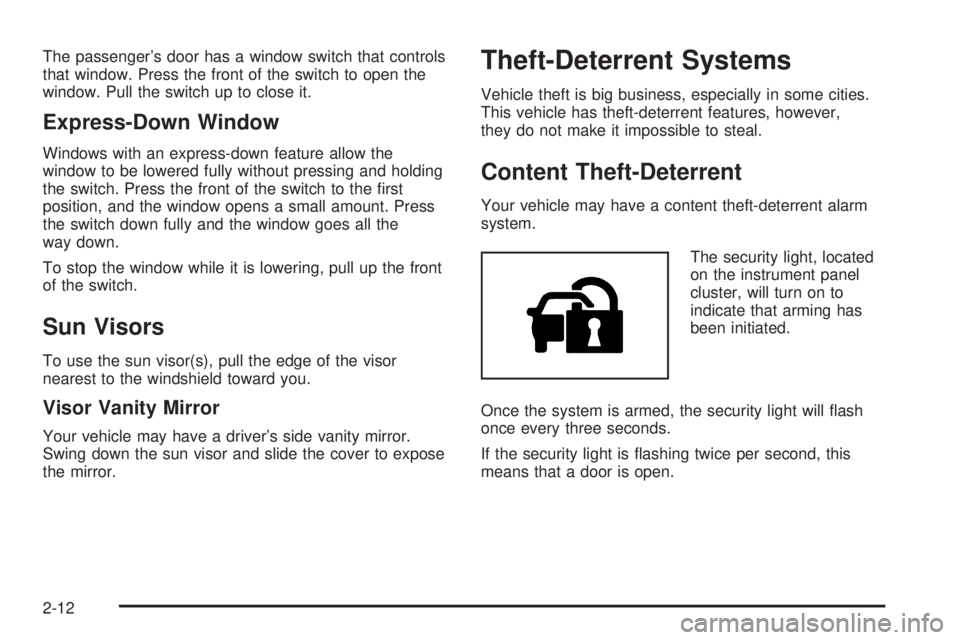
The security light, located
on the instrument panel
cluster, will turn on to
indicate that arming has
been initiated.
Once the system is armed, the security light will ash
once every three seconds.
If the security light is ashing twice per second, this
means that a door is open.
2-12
Page 67 of 354

Arming the System
While the ignition is off, press the Remote Keyless Entry
(RKE) transmitter lock button, to arm the system.
The system will arm after either of these things occur:
Thirty seconds after all the doors are closed.
Sixty seconds with any door open.
If you press the lock button on the transmitter a second
time while all the doors are closed, the system will
arm immediately. The system arms in 60 seconds if a
door is open, or after the open door is closed.
If you do not want to arm the system, lock the car with
the manual door lock knobs.
Disarming the System
To disarm the system:
Press the unlock button on the RKE transmitter.
Turn the ignition on.
If the system is armed and the trunk is opened using
the trunk release button on the transmitter, the system
will temporarily disarm itself and re-arm when the
trunk has been closed. This allows you to exit the
vehicle, lock the doors using the transmitter, or open the
trunk using the transmitter without having to disarm
and re-arm the system.
Once the system is disarmed, the security light will stop
ashing.
How the System Alarm is Activated
To activate the system if it is armed:
Open the driver’s door or trunk. This causes a ten
second pre-alarm chirping noise followed by the
horn sounding and lights ashing for 30 seconds.
Open a passenger’s door. This immediately causes
a full alarm of the horn sounding and lights ashing
for 30 seconds.
After the 30 second alarm ends, the system will
re-arm itself.
How to Turn Off the System Alarm
To turn off the system alarm, do one of the following:
Press the lock button on the RKE transmitter.
The system will then re-arm itself.
Press the unlock button on the RKE transmitter.
This will also disarm the system.
Insert the key in the ignition and turn it on. This will
also disarm the system.
How to Detect a Tamper Condition
If you hear three chirps when you press the unlock, lock,
or trunk release buttons on the RKE transmitter, it
means that the content theft security system alarm was
activated previously.
2-13
Page 68 of 354

PASS-Key®III+ Electronic
Immobilizer
The PASS-Key III+ system operates on a radio
frequency subject to Federal Communications
Commission (FCC) Rules and with Industry Canada.
This device complies with Part 15 of the FCC Rules.
Operation is subject to the following two conditions:
1. This device may not cause harmful interference.
2. This device must accept any interference received,
including interference that may cause undesired
operation.
This device complies with RSS-210 of Industry Canada.
Operation is subject to the following two conditions:
1. This device may not cause interference.
2. This device must accept any interference received,
including interference that may cause undesired
operation of the device.
Changes or modications to this system by other than
an authorized service facility could void authorization to
use this equipment.
PASS-Key III+ uses a radio frequency transponder in
the key that matches a decoder in the vehicle.
PASS-Key®III+ Electronic
Immobilizer Operation
Your vehicle has PASS-Key®III+ (Personalized
Automotive Security System) theft-deterrent system.
PASS-Key
®III+ is a passive theft-deterrent system.
The system is automatically armed when the key
is removed from the ignition.
You do not have to manually arm or disarm the system.
The security light will come on if there is a problem
with arming or disarming the theft-deterrent system.
When the PASS-Key
®III+ system senses that someone
is using the wrong key, it prevents the vehicle from
starting. Anyone using a trial-and-error method to start
the vehicle will be discouraged because of the high
number of electrical key codes.
When trying to start the vehicle if the engine does not
start and the security light comes on, there may be
a problem with your theft-deterrent system. Turn
the ignition off and try again.
If the engine still does not start, and the key appears to
be undamaged, try another ignition key. At this time,
you may also want to check the fuse, seeFuses
and Circuit Breakers on page 5-99. If the engine still
does not start with the other key, your vehicle needs
service. If your vehicle does start, the rst key may be
faulty. See your dealer/retailer who can service the
2-14
Page 69 of 354

PASS-Key®III+ to have a new key made. In an
emergency, contact Roadside Assistance. SeeRoadside
Assistance Program on page 7-6, for more information.
It may be possible for the PASS-Key
®III+ decoder
to “learn” the transponder value of a new or replacement
key. Up to 10 keys may be programmed for the
vehicle. The following procedure is for programming
additional keys only. If all the currently programmed
keys are lost or do not operate, you must see your
dealer/retailer or a locksmith who can service
PASS-Key
®III+ to have keys made and programmed to
the system.
See your dealer/retailer or a locksmith who can service
PASS-Key
®III+ to get a new key blank that is cut
exactly as the ignition key that operates the system.
To program the new key:
1. Verify that the new key has a
1stamped on it.
2. Insert the already programmed key in the ignition
and start the engine. If the engine will not start,
see your dealer/retailer for service.3. After the engine has started, turn the key to
LOCK/OFF, and remove the key.
4. Insert the key to be programmed and turn it to the
ON/RUN position within ve seconds of the original
key being turned to the LOCK/OFF position.
The security light will turn off once the key has
been programmed.
5. Repeat Steps 1 through 4 if additional keys are to
be programmed.
If you are ever driving and the security light comes on
and stays on, you may be able to restart your engine if
you turn it off. Your PASS-Key
®III+ system, however,
is not working properly and must be serviced by
your dealer/retailer. Your vehicle is not protected by the
PASS-Key
®III+ system at this time.
If you lose or damage your PASS-Key
®III+ key, see
your dealer/retailer or a locksmith who can service
PASS-Key
®III+ to have a new key made.
Do not leave the key or device that disarms or
deactivates the theft deterrent system in the vehicle.
2-15
Page 71 of 354
If you have an automatic transmission, the ignition
switch cannot be turned to LOCK/OFF unless the shift
lever is in P (Park).
If you have a manual transmission, the ignition switch
can be turned to LOCK/OFF in any shift lever position.
{CAUTION:
If you have a manual transmission removing the
key from the ignition switch will lock the steering
column and result in a loss of ability to steer the
vehicle. This could cause a collision. If you need
to turn the engine off while the vehicle is moving,
turn the key to ACC/ACCESSORY.
ACC (ACC/ACCESSORY):This is the position in which
you can operate some of the electrical accessories. It
unlocks the steering wheel and ignition.
R(ON/RUN):This position can be used to operate the
electrical accessories and to display some instrument
panel cluster warning and indicator lights. The
switch stays in this position when the engine is running.If you leave the key in the ACC/ACCESSORY or
ON/RUN position with the engine off, the battery could
be drained. You may not be able to start the vehicle
if the battery is allowed to drain for an extended period
of time.
/(START):This is the position that starts the engine.
When the engine starts, release the key. The ignition
switch returns to ON/RUN for normal driving.
A warning tone will sound when the driver door is
opened, the ignition is in LOCK/OFF or
ACC/ACCESSORY and the key is in the ignition.
Retained Accessory Power (RAP)
These vehicle accessories can be used for up to
10 minutes after the engine is turned off:
Audio System
Power Windows, if equipped
Sunroof, if equipped
The power windows and sunroof will continue to work
for up to 10 minutes or until any door is opened.
The radio will work when the key is in ON/RUN or
ACC/ACCESSORY. Once the key is turned from
ON/RUN to OFF/LOCK, the radio will continue to work
for 10 minutes or until the driver’s door is opened.
2-17
Page 75 of 354

Notice:Shifting out of P (Park) or N (Neutral) with
the engine running at high speed may damage
the transmission. The repairs would not be covered
by the vehicle warranty. Be sure the engine is
not running at high speed when shifting the vehicle.
D (Drive):This position is for normal driving with the
automatic transmission. It provides the best fuel
economy. If you need more power for passing and
you are:
Going less than about 35 mph (55 km/h), push the
accelerator pedal about halfway down.
Going about 35 mph (55 km/h), push the accelerator
all the way down.
The transmission will shift down to a lower gear and
have more power.
Downshifting the transmission in slippery road conditions
could result in skidding, see “Skidding” underLoss of
Control on page 4-12.
4 (Fourth):This position is also used for normal
driving. However, it reduces vehicle speed more than
D (Drive) without using the brakes. You might choose
4 (Fourth) instead of D (Drive) when driving on hilly,
winding roads and when going down a steep hill.I (Intermediate):This position is also used for normal
driving. However, it reduces vehicle speed without using
the brakes, for slight downgrades where the vehicle
would otherwise accelerate due to steepness of grade.
If constant upshifting or downshifting occurs while
driving on steep hills, this position can be used to
prevent repetitive types of shifts. You might choose
I (Intermediate) instead of D (Drive) when driving on hilly
and winding roads.
L (Low):This position reduces vehicle speed more
than I (Intermediate) without using the brakes. You can
use it on very steep hills, or in deep snow or mud. If
the shift lever is put in L (Low), the transmission will not
shift into a low gear until the vehicle is going slowly
enough.
Notice:Spinning the tires or holding the vehicle in
one place on a hill using only the accelerator
pedal may damage the transmission. The repair will
not be covered by the vehicle warranty. If you
are stuck, do not spin the tires. When stopping on a
hill, use the brakes to hold the vehicle in place.
2-21
Page 77 of 354

Parking Brake
The parking brake lever is located between the
front seats.
To set the parking brake, hold the brake pedal down
and pull up on the parking brake lever. If the ignition is
on, the brake system warning light will come on.
SeeBrake System Warning Light on page 3-25.To release the parking brake, hold the brake pedal
down. Pull the parking brake lever up until you can press
the release button. Hold the release button in as you
move the brake lever all the way down.
If you forget to release your parking brake, a chime will
sound and a warning message will be displayed in
the Driver Information Center (DIC) when the vehicle is
moving faster than 5 mph (8 kph). SeeDIC Warnings
and Messages on page 3-37.
Notice:Driving with the parking brake on can
overheat the brake system and cause premature
wear or damage to brake system parts. Make sure
that the parking brake is fully released and the brake
warning light is off before driving.
2-23
Page 86 of 354

OnStar Steering Wheel Controls
This vehicle may have a Talk/Mute button that can be
used to interact with OnStar Hands-Free Calling.
SeeAudio Steering Wheel Controls on page 3-79for
more information.
On some vehicles, the mute button can be used to dial
numbers into voice mail systems, or to dial phone
extensions. See the OnStar Owner’s Guide for more
information.
How OnStar Service Works
The OnStar system can record and transmit vehicle
information. This information is automatically sent to an
OnStar Call Center when the OnStar button is
pressed, the emergency button is pressed, or if the
airbags or AACN system deploy. This information
usually includes the vehicle’s GPS location and, in the
event of a crash, additional information regarding
the crash that the vehicle was involved in (e.g. the
direction from which the vehicle was hit). When
the Virtual Advisor feature of OnStar Hands-Free Calling
is used, the vehicle also sends OnStar the vehicle’s
GPS location so they can provide services where it is
located.
OnStar service cannot work unless the vehicle is in a
place where OnStar has an agreement with a wireless
service provider for service in that area. OnStar
service also cannot work unless the vehicle is in a placewhere the wireless service provider OnStar has hired for
that area has coverage, network capacity and reception
when the service is needed, and technology that is
compatible with the OnStar service. Not all services are
available everywhere, particularly in remote or
enclosed areas, or at all times.
Location information about the vehicle is only available
if the GPS satellite signals are unobstructed and
available.
The vehicle must have a working electrical system,
including adequate battery power, for the OnStar
equipment to operate. There are other problems OnStar
cannot control that may prevent OnStar from providing
OnStar service at any particular time or place. Some
examples are damage to important parts of the vehicle
in a crash, hills, tall buildings, tunnels, weather or
wireless phone network congestion.
Your Responsibility
Increase the volume of the radio if the OnStar advisor
cannot be heard. If the light next to the OnStar buttons is
red, the system may not be functioning properly.
Press the OnStar button and request a vehicle
diagnostic. If the light appears clear (no light is
appearing), your OnStar subscription has expired and
all services have been deactivated. Press the OnStar
button to conrm that the OnStar equipment is active.
2-32
Page 95 of 354
Instrument Panel Overview...............................3-4
Hazard Warning Flashers................................3-5
Horn .............................................................3-5
Tilt Wheel.....................................................3-6
Turn Signal/Multifunction Lever.........................3-6
Turn and Lane-Change Signals........................3-7
Headlamp High/Low-Beam Changer..................3-7
Flash-to-Pass.................................................3-7
Windshield Wipers..........................................3-8
Windshield Washer.........................................3-9
Cruise Control................................................3-9
Headlamps..................................................3-12
Headlamps on Reminder................................3-13
Daytime Running Lamps (DRL).......................3-13
Fog Lamps ..................................................3-13
Instrument Panel Brightness...........................3-14
Entry/Exit Lighting.........................................3-14
Mirror Reading Lamps...................................3-14
Battery Run-Down Protection..........................3-14
Accessory Power Outlet(s).............................3-14
Ashtray(s) and Cigarette Lighter......................3-15
Climate Controls............................................3-16
Climate Control System.................................3-16
Outlet Adjustment.........................................3-19Warning Lights, Gages, and Indicators............3-19
Instrument Panel Cluster................................3-20
Speedometer and Odometer...........................3-21
Tachometer.................................................3-21
Safety Belt Reminders...................................3-22
Airbag Readiness Light..................................3-23
Passenger Airbag Status Indicator...................3-24
Charging System Light..................................3-25
Brake System Warning Light..........................3-25
Antilock Brake System (ABS) Warning Light.....3-26
Electronic Stability Control (ESC)/Traction
Control System (TCS) Indicator/Warning
Light........................................................3-27
Engine Coolant Temperature Warning Light......3-28
Low Coolant Warning Light............................3-28
Tire Pressure Light.......................................3-29
Malfunction Indicator Lamp.............................3-29
Oil Pressure Light.........................................3-32
Security Light...............................................3-32
Highbeam On Light.......................................3-33
Trunk Ajar Light............................................3-33
Fuel Gage...................................................3-33
Low Fuel Warning Light.................................3-34
Section 3 Instrument Panel
3-1
Page 99 of 354

The main components of the instrument panel are the
following:
A. Side Window Outlets. SeeClimate Control System
on page 3-16.
B.Outlet Adjustment on page 3-19.
C.Turn Signal/Multifunction Lever on page 3-6.
D.Cruise Control on page 3-9(If Equipped).
E.Instrument Panel Cluster on page 3-20.
F.Audio Steering Wheel Controls on page 3-79
(If Equipped).
G.Instrument Panel Brightness on page 3-14.
H.Passenger Airbag Status Indicator on page 3-24.
I.Hazard Warning Flashers on page 3-5.
J.Fog Lamps on page 3-13(If Equipped).
K. Electronic Stability Control (ESC)/Traction Control
System (TCS) Button (If Equipped). SeeElectronic
Stability Control (ESC) on page 4-6orTraction
Control System (TCS) on page 4-8.
L.Driver Information Center (DIC) on page 3-34.
M.Horn on page 3-5.
N.Windshield Wipers on page 3-8andWindshield
Washer on page 3-9.
O.Climate Control System on page 3-16.P. Cigarette Lighter (If Equipped).Ashtray(s) and
Cigarette Lighter on page 3-15andAccessory Power
Outlet(s) on page 3-14(If Equipped).
Q. Shift Lever. SeeManual Transmission Operation on
page 2-22. SeeAutomatic Transmission Operation
on page 2-19(If equipped with automatic
transmission).
R.Parking Brake on page 2-23.
S.Audio System(s) on page 3-46.
T.Cupholders on page 2-33.
U. Trunk Release. SeeTrunk on page 2-8.
V.Glove Box on page 2-33.
Hazard Warning Flashers
|(Hazard Warning Flasher):Press this button
located on the instrument panel, to make the front and
rear turn signal lamps ash on and off. This warns
others that you are having trouble.
Press
|again to turn the ashers off.
Horn
To sound the horn, press the center pad on the steering
wheel.
3-5