change time PONTIAC TORRENT 2006 Owners Manual
[x] Cancel search | Manufacturer: PONTIAC, Model Year: 2006, Model line: TORRENT, Model: PONTIAC TORRENT 2006Pages: 368, PDF Size: 2.37 MB
Page 2 of 368
GENERAL MOTORS, GM, the GM Emblem, PONTIAC,
and the PONTIAC Emblem are registered trademarks;
and the name TORRENT is a trademark of General
Motors Corporation.
This manual includes the latest information at the time
it was printed. We reserve the right to make changes
after that time without further notice. For vehicles
rst sold in Canada, substitute the name “General
Motors of Canada Limited” for Pontiac Division
whenever it appears in this manual.
Keep this manual in the vehicle, so it will be there if
it is needed while you are on the road. If the vehicle is
sold, leave this manual in the vehicle.
Canadian Owners
A French language copy of this manual can be obtained
from your dealer or from:
Helm, Incorporated
P.O. Box 07130
Detroit, MI 48207
How to Use This Manual
Many people read the owner manual from beginning to
end when they rst receive their new vehicle. If this
is done, it can help you learn about the features
and controls for the vehicle. Pictures and words work
together in the owner manual to explain things.
Index
A good place to quickly locate information about the
vehicle is the Index in the back of the manual. It is
an alphabetical list of what is in the manual and
the page number where it can be found.
Litho in U.S.A.
Part No. 06TORRENT A First Printing
©2005 General Motors Corporation. All Rights Reserved.
ii
Page 39 of 368
Infants and Young Children
Everyone in a vehicle needs protection! This includes
infants and all other children. Neither the distance
traveled nor the age and size of the traveler changes
the need, for everyone, to use safety restraints.
In fact, the law in every state in the United States and
in every Canadian province says children up to
some age must be restrained while in a vehicle.
Every time infants and young children ride in vehicles,
they should have the protection provided by appropriate
restraints. Young children should not use the vehicle’s
adult safety belts alone, unless there is no other choice.
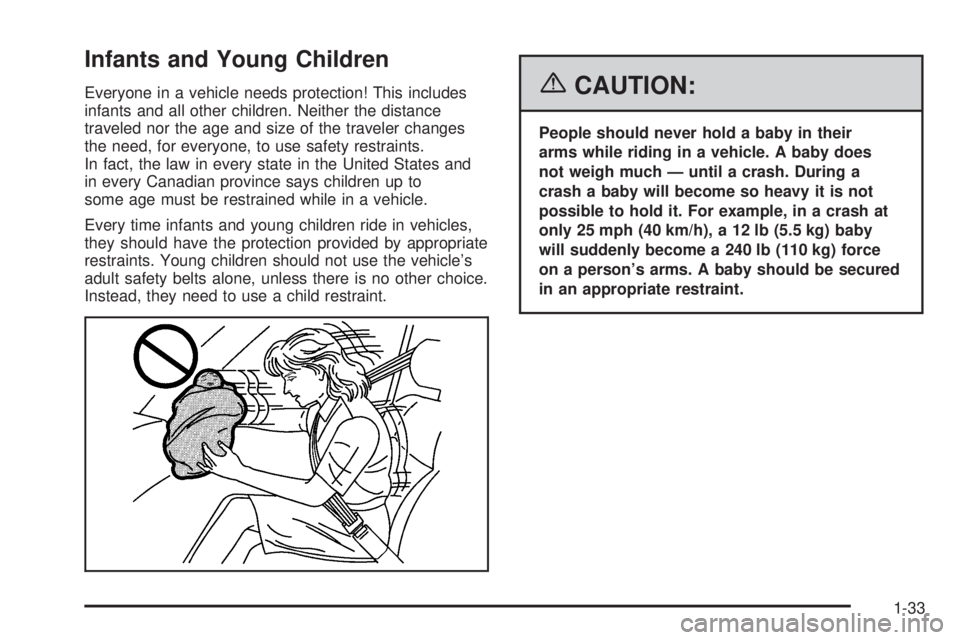
Instead, they need to use a child restraint.{CAUTION:
People should never hold a baby in their
arms while riding in a vehicle. A baby does
not weigh much — until a crash. During a
crash a baby will become so heavy it is not
possible to hold it. For example, in a crash at
only 25 mph (40 km/h), a 12 lb (5.5 kg) baby
will suddenly become a 240 lb (110 kg) force
on a person’s arms. A baby should be secured
in an appropriate restraint.
1-33
Page 73 of 368
Have extra keys made. Your service parts department
can make extra keys for you.
Notice:If you ever lock your keys in your vehicle,
you may have to damage the vehicle to get in.
Be sure you have spare keys.
If your vehicle is equipped with the OnStar
®system
with an active subscription and you lock your keys
inside the vehicle, OnStar
®may be able to send
a command to unlock your vehicle. SeeOnStar®
System on page 2-32for more information.
Remote Keyless Entry System
The remote keyless entry system operates on a
radio frequency subject to Federal Communications
Commission (FCC) Rules and with Industry Canada.
This device complies with Part 15 of the FCC Rules.
Operation is subject to the following two conditions:
This device may not cause harmful interference.
This device must accept any interference received,
including interference that may cause undesired
operation of the device.This device complies with RSS-210 of Industry Canada.
Operation is subject to the following two conditions:
This device may not cause interference.
This device must accept any interference received,
including interference that may cause undesired
operation of the device.
Changes or modications to this system by other than
an authorized service facility could void authorization to
use this equipment.
At times you may notice a decrease in range. This is
normal for any remote keyless entry system. If the
transmitter does not work or if you have to stand closer
to your vehicle for the transmitter to work, try this:
Check the distance. You may be too far from your
vehicle. You may need to stand closer during rainy
or snowy weather.
Check the location. Other vehicles or objects may be
blocking the signal. Take a few steps to the left or
right, hold the transmitter higher, and try again.
Check to determine if battery replacement or
resynchronization is necessary. See “Battery
Replacement” and “Resynchronization” under
Remote Keyless Entry System Operation on
page 2-4.
If you are still having trouble, see your dealer
or a qualied technician for service.
2-3
Page 75 of 368
Matching Transmitter(s) to
Your Vehicle
Each remote keyless entry transmitter is coded to
prevent another transmitter from unlocking your vehicle.
If a transmitter is lost or stolen, a replacement can
be purchased through your dealer. Remember to bring
any remaining transmitters with you when you go to
your dealer. When the dealer matches the replacement
transmitter to your vehicle, any remaining transmitters
must also be matched. Once your dealer has coded
the new transmitter, the lost transmitter will not unlock
your vehicle. Each vehicle can have a maximum of
four transmitters matched to it.
Battery Replacement
Under normal use, the battery in your remote keyless
entry transmitter should last about four years.
You can tell the battery is weak if the transmitter will
not work at the normal range in any location. If you
have to get close to your vehicle before the transmitter
works, it is probably time to change the battery.
Notice:When replacing the battery, use care
not to touch any of the circuitry. Static from your
body transferred to these surfaces may damage
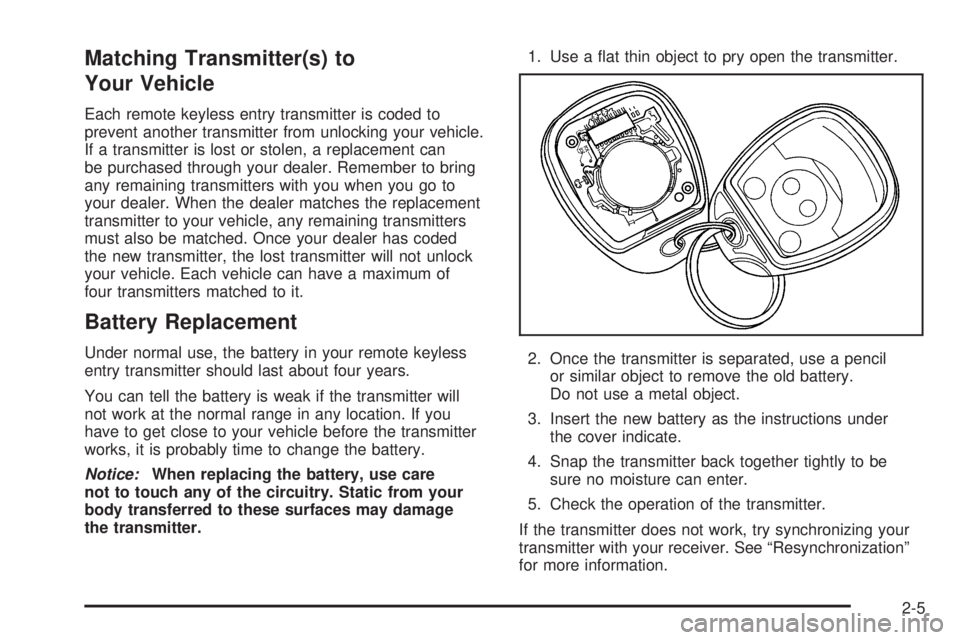
the transmitter.1. Use a at thin object to pry open the transmitter.
2. Once the transmitter is separated, use a pencil
or similar object to remove the old battery.
Do not use a metal object.
3. Insert the new battery as the instructions under
the cover indicate.
4. Snap the transmitter back together tightly to be
sure no moisture can enter.
5. Check the operation of the transmitter.
If the transmitter does not work, try synchronizing your
transmitter with your receiver. See “Resynchronization”
for more information.
2-5
Page 84 of 368
Content Theft-Deterrent Personalization
To change the mode that your vehicle is programmed to,
do the following:
1. Turn the ignition to RUN or ACC (Accessory).
2. Press the panic alarm button on the transmitter
slowly four times within ve seconds.
3. You must complete one of the following within
three seconds to change the mode.
To select the active arming mode, press the
lock button on the transmitter once within
three seconds. A chime will sound two times
to acknowledge that the active arming mode
has been selected.
To select the passive arming mode, press the
lock button on the transmitter twice within
three seconds. A chime will sound three times
to acknowledge that the passive arming
mode has been selected.
To select the security system disable mode,
press the unlock button on the transmitter
once within three seconds. A chime will sound
one time to acknowledge that the security system
disabled mode has been selected.
If you accidentally set off the alarm when entering or
exiting the vehicle, you can shut it off by pressing either
the lock or unlock button once on the remote keyless
entry transmitter. The panic alarm button needs to
be pressed twice to turn off the alarm. There is a
ten second pre-alarm grace period indicated by a
rapid beeping. By pressing the transmitter buttons as
indicated above, you can disarm the system before
the horn begins to sound and the exterior lights begin
to ash.
If you hear three horn chirps when you press the
unlock button on the transmitter, that means the
vehicle’s alarm was triggered while you were away.
2-14
Page 111 of 368
Instrument Panel Overview...............................3-4
Hazard Warning Flashers................................3-6
Other Warning Devices...................................3-6
Horn.............................................................3-6
Tilt Wheel.....................................................3-7
Turn Signal/Multifunction Lever.........................3-7
Turn and Lane-Change Signals........................3-8
Headlamp High/Low-Beam Changer..................3-8
Flash-to-Pass.................................................3-8
Windshield Wipers..........................................3-8
Windshield Washer.......................................3-10
Rear Window Wiper/Washer...........................3-10
Cruise Control..............................................3-11
Headlamps..................................................3-14
Headlamps on Reminder................................3-14
Daytime Running Lamps (DRL).......................3-14
Automatic Headlamp System..........................3-15
Fog Lamps..................................................3-15
Instrument Panel Brightness...........................3-16
Dome Lamp.................................................3-16
Entry Lighting...............................................3-17
Map Lamps.................................................3-17
Cargo Lamp.................................................3-17
Battery Run-Down Protection..........................3-18
Accessory Power Outlet(s).............................3-18
Ashtray(s) and Cigarette Lighter......................3-19Climate Controls............................................3-19
Climate Control System.................................3-19
Outlet Adjustment.........................................3-22
Passenger Compartment Air Filter...................3-22
Warning Lights, Gages, and Indicators............3-23
Instrument Panel Cluster................................3-24
Speedometer and Odometer...........................3-25
Trip Odometer..............................................3-25
Tachometer.................................................3-25
Safety Belt Reminder Light.............................3-26
Airbag Readiness Light..................................3-26
Battery Warning Light....................................3-27
Brake System Warning Light..........................3-28
Anti-Lock Brake System Warning Light.............3-29
Traction Control System (TCS) Warning Light . . .3-30
Low Traction Light........................................3-30
Engine Coolant Temperature Warning Light......3-31
Engine Coolant Temperature Gage..................3-31
Malfunction Indicator Lamp.............................3-32
Oil Pressure Light.........................................3-35
Change Engine Oil Light................................3-36
Security Light...............................................3-36
Reduced Engine Power Light.........................3-36
Highbeam On Light.......................................3-37
Daytime Running Lamps (DRL)
Indicator Light...........................................3-37
Section 3 Instrument Panel
3-1
Page 146 of 368
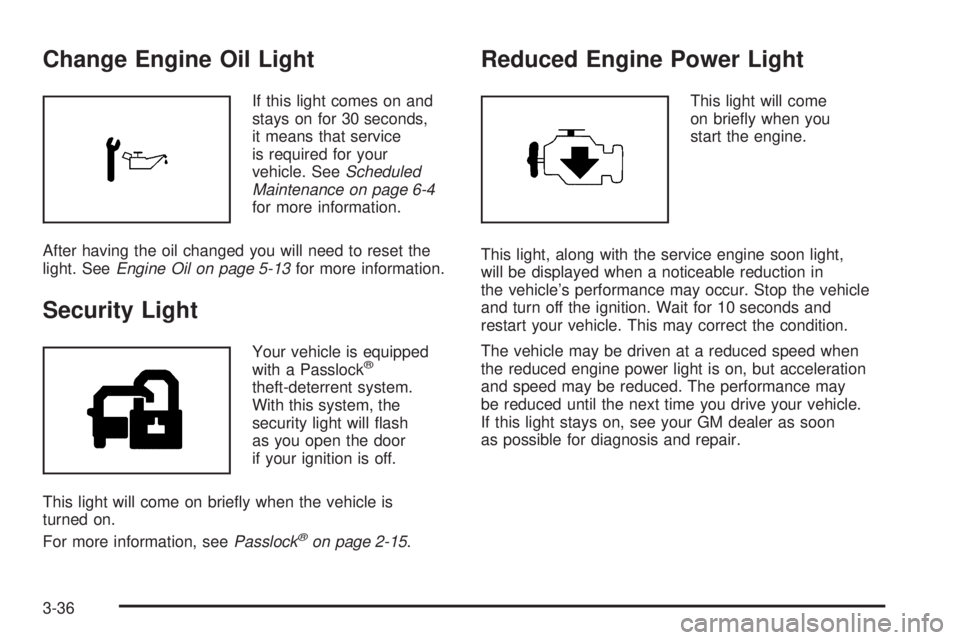
Change Engine Oil Light
If this light comes on and
stays on for 30 seconds,
it means that service
is required for your
vehicle. SeeScheduled
Maintenance on page 6-4
for more information.
After having the oil changed you will need to reset the
light. SeeEngine Oil on page 5-13for more information.
Security Light
Your vehicle is equipped
with a Passlock®
theft-deterrent system.
With this system, the
security light will ash
as you open the door
if your ignition is off.
This light will come on briey when the vehicle is
turned on.
For more information, seePasslock
®on page 2-15.
Reduced Engine Power Light
This light will come
on briey when you
start the engine.
This light, along with the service engine soon light,
will be displayed when a noticeable reduction in
the vehicle’s performance may occur. Stop the vehicle
and turn off the ignition. Wait for 10 seconds and
restart your vehicle. This may correct the condition.
The vehicle may be driven at a reduced speed when
the reduced engine power light is on, but acceleration
and speed may be reduced. The performance may
be reduced until the next time you drive your vehicle.
If this light stays on, see your GM dealer as soon
as possible for diagnosis and repair.
3-36
Page 147 of 368
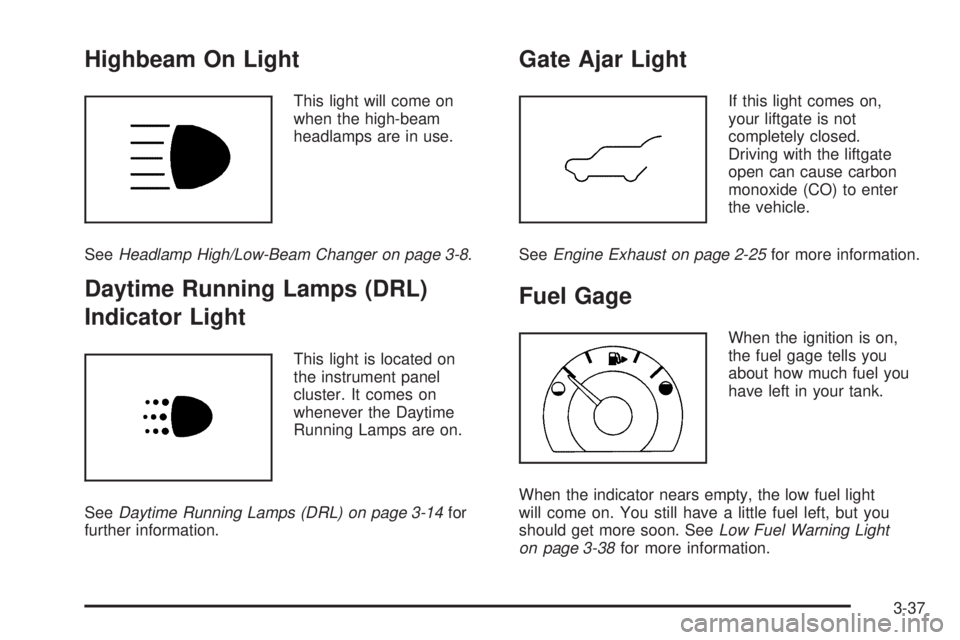
Highbeam On Light
This light will come on
when the high-beam
headlamps are in use.
SeeHeadlamp High/Low-Beam Changer on page 3-8.
Daytime Running Lamps (DRL)
Indicator Light
This light is located on
the instrument panel
cluster. It comes on
whenever the Daytime
Running Lamps are on.
SeeDaytime Running Lamps (DRL) on page 3-14for
further information.
Gate Ajar Light
If this light comes on,
your liftgate is not
completely closed.
Driving with the liftgate
open can cause carbon
monoxide (CO) to enter
the vehicle.
SeeEngine Exhaust on page 2-25for more information.
Fuel Gage
When the ignition is on,
the fuel gage tells you
about how much fuel you
have left in your tank.
When the indicator nears empty, the low fuel light
will come on. You still have a little fuel left, but you
should get more soon. SeeLow Fuel Warning Light
on page 3-38for more information.
3-37
Page 159 of 368

9RPT (Repeat):Press this button once to hear a track
over again. RPT ON will appear on the display. The
current track will continue to repeat. Press RPT again
to turn off repeat play. RPT OFF will appear on the
display and RPT will disappear from the display.
9RDM (Random):Press this button to hear the
tracks in random, rather than sequential, order. TRACK,
TRK#, and the RDM icon will appear on the display.
TRACK and the track number will appear on the
display when each track starts to play. Press RDM
again to turn off random play. RDM OFF will appear
on the display and the RDM icon will disappear from
the display.
oSEEKp:Press the left arrow to go to the start
of the current track. If this button is pressed more
than once, the player will continue moving backward
through the CD.
Press the right arrow to go to the start of the next track.
If this button is pressed more than once, the player
will continue moving forward through the CD.
©SCAN¨:To scan the CD, press either SCAN
arrow. Use this feature to listen to ten seconds of
each track of the CD. Press either SCAN arrow again,
to stop scanning.DISP (Display):Press the DISP knob to see how
long the current track has been playing. The track
number, and the elapsed time of the track will appear
on the display. To change the default on the display,
track or elapsed time, press the knob until you see the
display you want, then hold the knob for two seconds.
The radio will produce one beep and the selected
display will now be the default. Pressing this knob
will also display text on commercially recorded
CDs (if available).
EQ (Equalizer):Press this button to select the desired
equalization setting while playing a CD. The equalization
will be automatically recalled whenever a CD is played.
For more information, see “EQ” listed previously in
this section.
AM/FM:Press this button to listen to the radio when
a CD is playing. The inactive CD will remain safely
inside the radio for future listening.
9CD:Press this button to play a CD when listening
to the radio. CD will appear on the display.
Z(Eject):Press this button to eject a CD. Eject
may be activated with either the ignition or radio off.
CDs may be loaded with the ignition and radio off
if this button is pressed rst.
3-49
Page 169 of 368
9RDM (Random):Press this button to hear the tracks
in random, rather than sequential, order. TRACK, TRK #,
and the RDM icon will appear on the display. TRACK and
the track number will appear on the display when each
track starts to play. Press RDM again to turn off random
play. RDM OFF will appear on the display and the RDM
icon will disappear from the display.
©SEEK¨:Press and release the left arrow to go
to the start of the current track. If this button is pressed
more than once, the player will continue moving
backward through the CD.
Press and release the right arrow to go to the start of
the next track. If this button is pressed more than once,
the player will continue moving forward through the CD.
To scan the CD, press and hold either SEEK arrow for
more than two seconds. Use this feature to listen to
ten seconds of each track of the CD. Press either SEEK
arrow again, to stop scanning.
DISP (Display):Press the DISP knob to see how
long the current track has been playing. The track
number, and the elapsed time of the track will appear
on the display. To change the default on the display,
track or elapsed time, press the knob until you see the
display you want, then hold the knob for two seconds.The radio will produce one beep and the selected
display will now be the default. Pressing this knob
will also display text on commercially recorded
CDs (if available).
EQ (Equalizer):Press this button to select the desired
equalization setting while playing a CD. The equalization
will be automatically recalled whenever a CD is played.
For more information, see “EQ” listed previously in
this section.
AM/FM:Press this button to listen to the radio when
a CD is playing. The inactive CD will remain safely
inside the radio for future listening.
XM/AUX:Press this button to listen to XM™
(if equipped) when a CD is playing. The inactive CD
will remain safely inside the radio for future listening.
9CD:Press this button to play a CD when listening to
the radio. CD will appear on the display.
Z(Eject):Press this button to eject a CD. Eject
may be activated with either the ignition or radio off.
CDs may be loaded with the ignition or radio off if this
button is pressed rst.
3-59