battery PONTIAC TORRENT 2007 Owner's Manual
[x] Cancel search | Manufacturer: PONTIAC, Model Year: 2007, Model line: TORRENT, Model: PONTIAC TORRENT 2007Pages: 490, PDF Size: 2.71 MB
Page 276 of 490
If the remote control becomes lost or damaged, a
new universal remote control can be purchased.
If this happens, make sure the universal
remote control uses a code set of Toshiba
®.
Notice:Do not store the headphones in heat
or direct sunlight. This could damage the
headphones and repairs will not be covered by
your warranty. Keep the headphones stored
in a cool, dry place.
The foam ear pads attached to the headphones
may become worn or damaged if they are
not handled or stored properly. If the foam ear
pads do become damaged or worn out, the pads
can be replaced separately from the headphone
set. It is not necessary to replace the complete
headphone set. The headphone replacement foam
ear pads can be ordered in pairs. See your
dealer for more information.
Battery Replacement
To change the batteries, do the following:
1. Turn the screw with a coin or screw driver to
loosen, then slide open the battery door
located on the left side of the headphones.
2. Replace the two AAA batteries in the
compartment. Make sure that they are
installed correctly, using the diagram on the
inside of the battery compartment.
3. Replace the battery door and tighten the
door screw.
If the headphones are to be stored for a long
period of time, remove the batteries and keep them
in a cool, dry place.
276
Page 279 of 490
Video Screen
The video screen is located in the RSE overhead
console.
To use the video screen, do the following:
1. Push the release button located on the RSE
overhead console.
2. Turn the screen to the desired position.
When the video screen is not in use, push it up
into its locked position.
If a DVD is playing and the screen is raised to its
locked position, the screen will remain on, this
is normal, and the DVD will continue to play
through the previous audio source. Use the remote
control power button or eject the disc to turn off
the screen.
The RSE overhead console contains the IR
transmitters for the wireless headphones and the
IR receivers for the remote control. They are
located at the rear of the console.
Notice:Avoid directly touching the video
screen, as damage may occur. See “Cleaning
the Video Screen” later in this section for
more information.
Remote Control
To use the remote control, aim it at the transmitter
window at the rear of the RSE overhead console
and press the desired button. Direct sunlight
or very bright light may affect the ability of the RSE
transmitter to receive signals from the remote
control. If the remote control does not seem to be
working, the batteries may need to be replaced.
See “Battery Replacement” later in this section.
Objects blocking the line of sight may also affect
the function of the remote control.
If a CD or DVD is in the Radio DVD slot, the
remote control power button can be used to turn
on the video screen display and start the disc. The
radio can also turn on the video screen display.
SeeRadio with CD and DVD on page 239
for more information.
Notice:Storing the remote control in a hot
area or in direct sunlight may damage it,
and the repairs will not be covered by your
warranty. Keep the remote control stored in a
cool, dry place.
279
Page 282 of 490
AUX (Auxiliary):Press this button to switch the
system between the DVD player and an auxiliary
source.
d(Camera):Press this button to change camera
angles on DVDs that have this feature when a
DVD is playing. The format and content of
this function will vary for each disc.
1 through 0 (Numeric Keypad):The numeric
keypad provides the capability of direct chapter or
track number selection.
\(Clear):Press this button within three seconds
after inputting a numeric selection, to clear all
numeric inputs.
}10 (Double Digit Entries):Press this button to
select chapter or track numbers greater than 9.
Press this button before inputting the number.
Battery Replacement
To change the remote control batteries, do the
following:
1. Remove the battery compartment door
located on the bottom of the remote control.
2. Replace the two AA batteries in the
compartment. Make sure that they are
installed correctly, using the diagram on the
inside of the battery compartment.
3. Close the battery door securely.
If the remote control is to be stored for a long
period of time, remove the batteries and keep them
in a cool, dry place.
282
Page 285 of 490
Theft-Deterrent Feature
THEFTLOCK®is designed to discourage theft of
your vehicle’s radio. It works by using a secret
code to disable all radio functions whenever
battery power is removed and the radio is placed
in a different vehicle. This feature requires no
user input to be activated. The radio is
automatically armed when it is put into the vehicle
for the rst time.
If THEFTLOCK
®is activated, the radio will not
operate if stolen. The radio will display LOCKED.
If this occurs, the radio will need to be returned
to your GM dealer.
Audio Steering Wheel Controls
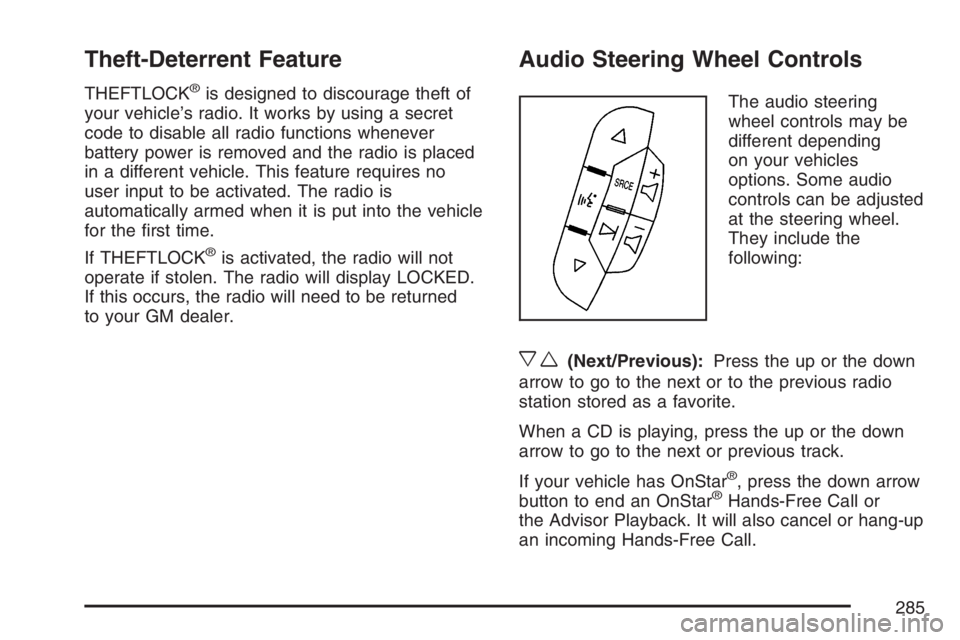
The audio steering
wheel controls may be
different depending
on your vehicles
options. Some audio
controls can be adjusted
at the steering wheel.
They include the
following:
xw(Next/Previous):Press the up or the down
arrow to go to the next or to the previous radio
station stored as a favorite.
When a CD is playing, press the up or the down
arrow to go to the next or previous track.
If your vehicle has OnStar
®, press the down arrow
button to end an OnStar®Hands-Free Call or
the Advisor Playback. It will also cancel or hang-up
an incoming Hands-Free Call.
285
Page 319 of 490
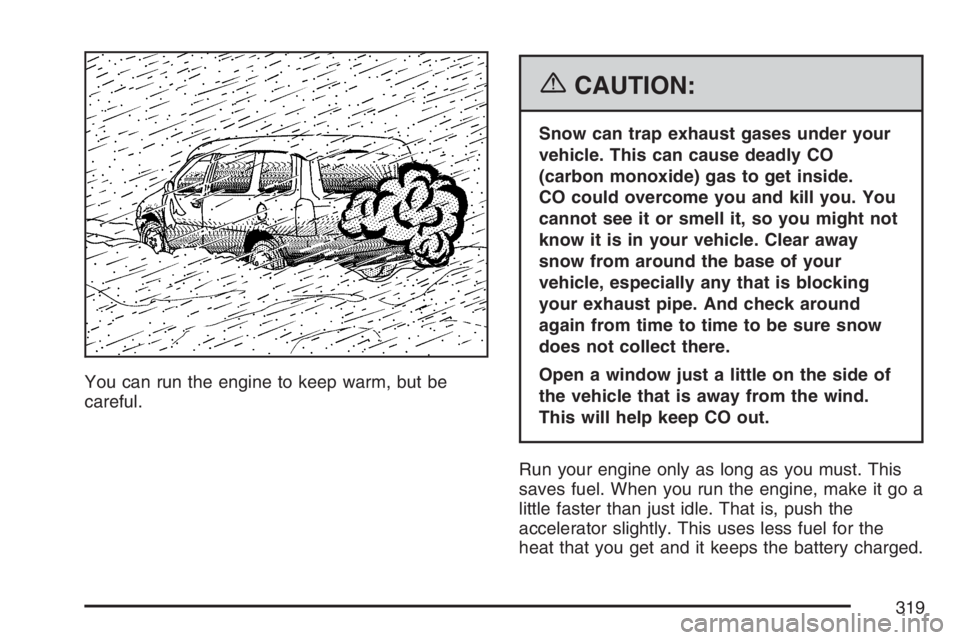
You can run the engine to keep warm, but be
careful.
{CAUTION:
Snow can trap exhaust gases under your
vehicle. This can cause deadly CO
(carbon monoxide) gas to get inside.
CO could overcome you and kill you. You
cannot see it or smell it, so you might not
know it is in your vehicle. Clear away
snow from around the base of your
vehicle, especially any that is blocking
your exhaust pipe. And check around
again from time to time to be sure snow
does not collect there.
Open a window just a little on the side of
the vehicle that is away from the wind.
This will help keep CO out.
Run your engine only as long as you must. This
saves fuel. When you run the engine, make it go a
little faster than just idle. That is, push the
accelerator slightly. This uses less fuel for the
heat that you get and it keeps the battery charged.
319
Page 320 of 490
You will need a well-charged battery to restart the
vehicle, and possibly for signaling later on with
your headlamps. Let the heater run for a while.
Then, shut the engine off and close the window
almost all the way to preserve the heat. Start
the engine again and repeat this only when you
feel really uncomfortable from the cold. But do it as
little as possible. Preserve the fuel as long as
you can. To help keep warm, you can get out of
the vehicle and do some fairly vigorous exercises
every half hour or so until help comes.
If Your Vehicle is Stuck in Sand,
Mud, Ice, or Snow
In order to free your vehicle when it is stuck, you
will need to spin the wheels, but you do not
want to spin your wheels too fast. The method
known as rocking can help you get out when you
are stuck, but you must use caution.
{CAUTION:
If you let your vehicle’s tires spin at high
speed, they can explode, and you or
others could be injured. And, the
transaxle or other parts of the vehicle can
overheat. That could cause an engine
compartment re or other damage. When
you are stuck, spin the wheels as little as
possible. Do not spin the wheels above
35 mph (55 km/h) as shown on the
speedometer.
Notice:Spinning the wheels can destroy parts
of your vehicle as well as the tires. If you
spin the wheels too fast while shifting
the transaxle back and forth, you can destroy
the transaxle. SeeRocking Your Vehicle to
Get It Out on page 321.
For information about using tire chains on your
vehicle, seeTire Chains on page 406.
320
Page 337 of 490
Service........................................................ 339
Accessories and Modications................... 339
California Proposition 65 Warning.............. 340
Doing Your Own Service Work.................. 340
Adding Equipment to the Outside of Your
Vehicle................................................... 341
Fuel............................................................. 341
Gasoline Octane........................................ 341
Gasoline Specications.............................. 341
California Fuel........................................... 342
Additives................................................... 342
Fuels in Foreign Countries........................ 343
Filling the Tank......................................... 343
Filling a Portable Fuel Container............... 345
Checking Things Under the Hood.............. 346
Hood Release........................................... 347
Engine Compartment Overview.................. 348
Engine Oil................................................. 349
Engine Oil Life System.............................. 352
Engine Air Cleaner/Filter............................ 354
Automatic Transaxle Fluid......................... 357
Engine Coolant.......................................... 357
Engine Overheating................................... 360Overheated Engine Protection
Operating Mode..................................... 362
Cooling System......................................... 362
Windshield Washer Fluid........................... 368
Brakes...................................................... 369
Battery...................................................... 372
Jump Starting............................................ 373
All-Wheel Drive........................................... 378
Bulb Replacement....................................... 380
Halogen Bulbs........................................... 380
Headlamps, Front Turn Signal,
Sidemarker, and Parking Lamps............. 381
Taillamps, Turn Signal, Stoplamps and
Back-up Lamps...................................... 382
License Plate Lamp................................... 383
Replacement Bulbs................................... 384
Windshield Wiper Blade Replacement....... 384
Tires............................................................ 386
Tire Sidewall Labeling............................... 387
Tire Terminology and Denitions............... 390
Ination - Tire Pressure............................. 393
Tire Pressure Monitor System................... 395
Tire Inspection and Rotation...................... 399
Section 5 Service and Appearance Care
337
Page 372 of 490
Battery
Your vehicle has a maintenance free battery.
When it is time for a new battery, get one that has
the replacement number shown on the original
battery’s label. We recommend an ACDelco
®
replacement battery.
For battery replacement, see your dealer or the
service manual. To purchase a service manual,
seeService and Owner PublicationsinService
Publications Ordering Information on page 474.
Warning:Battery posts, terminals, and related
accessories contain lead and lead compounds,
chemicals known to the State of California
to cause cancer and reproductive harm. Wash
hands after handling.
Vehicle Storage
If you are not going to drive your vehicle for
25 days or more, remove the black, negative (-)
cable from the battery. This will help keep
your battery from running down.
{CAUTION:
Batteries have acid that can burn you and
gas that can explode. You can be badly
hurt if you are not careful. SeeJump
Starting on page 373for tips on working
around a battery without getting hurt.
You must close all doors and the liftgate before
reconnecting the battery. After reconnecting
the battery, you must press the unlock button on
the remote keyless entry transmitter. Failure
to follow this procedure may result in a sounding
alarm. Pressing unlock on the remote keyless
entry transmitter would stop the sounding alarm.
372
Page 373 of 490
Jump Starting
If your battery has run down, you may want to use
another vehicle and some jumper cables to start
your vehicle. Be sure to use the following steps to
do it safely.
{CAUTION:
Batteries can hurt you. They can be
dangerous because:
They contain acid that can burn you.
They contain gas that can explode or
ignite.
They contain enough electricity to
burn you.
If you do not follow these steps exactly,
some or all of these things can hurt you.Notice:Ignoring these steps could result in
costly damage to your vehicle that would
not be covered by your warranty.
Trying to start your vehicle by pushing or
pulling it will not work, and it could damage
your vehicle.
1. Check the other vehicle. It must have a
12-volt battery with a negative ground system.
Notice:If the other vehicle’s system is not a
12-volt system with a negative ground,
both vehicles can be damaged. Only use
vehicles with 12-volt systems with negative
grounds to jump start your vehicle.
2. Get the vehicles close enough so the jumper
cables can reach, but be sure the vehicles are
not touching each other. If they are, it could
cause a ground connection you do not
want. You would not be able to start your
vehicle, and the bad grounding could damage
the electrical systems.
To avoid the possibility of the vehicles rolling,
set the parking brake rmly on both vehicles
involved in the jump start procedure. Put
an automatic transaxle in PARK (P) or
a manual transaxle in NEUTRAL before setting
the parking brake.
373
Page 374 of 490
Notice:If you leave your radio or other
accessories on during the jump starting
procedure, they could be damaged. The repairs
would not be covered by your warranty.
Always turn off your radio and other
accessories when jump starting your vehicle.
3. Turn off the ignition on both vehicles. Unplug
unnecessary accessories plugged into the
cigarette lighter or the accessory power outlet.
Turn off the radio and all lamps that are not
needed. This will avoid sparks and help save
both batteries. And it could save your radio!
4. Open the hoods and locate the positive (+)
and negative (−) terminal locations on each
vehicle.
You will not need to access your battery for
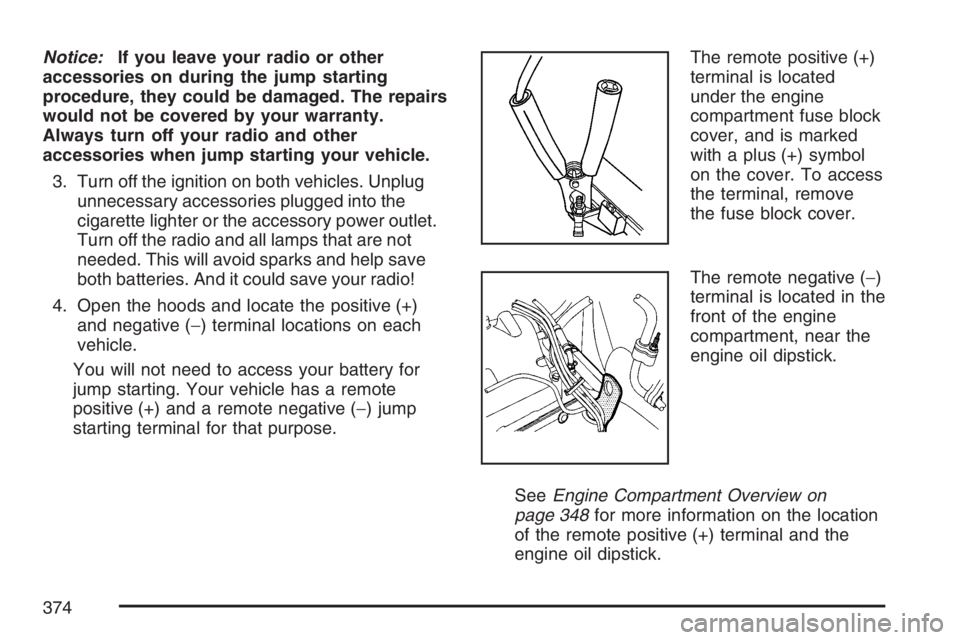
jump starting. Your vehicle has a remote
positive (+) and a remote negative (−) jump
starting terminal for that purpose.The remote positive (+)
terminal is located
under the engine
compartment fuse block
cover, and is marked
with a plus (+) symbol
on the cover. To access
the terminal, remove
the fuse block cover.
The remote negative (−)
terminal is located in the
front of the engine
compartment, near the
engine oil dipstick.
SeeEngine Compartment Overview on
page 348for more information on the location
of the remote positive (+) terminal and the
engine oil dipstick.
374