traction control PONTIAC TORRENT 2007 Owners Manual
[x] Cancel search | Manufacturer: PONTIAC, Model Year: 2007, Model line: TORRENT, Model: PONTIAC TORRENT 2007Pages: 490, PDF Size: 2.71 MB
Page 145 of 490
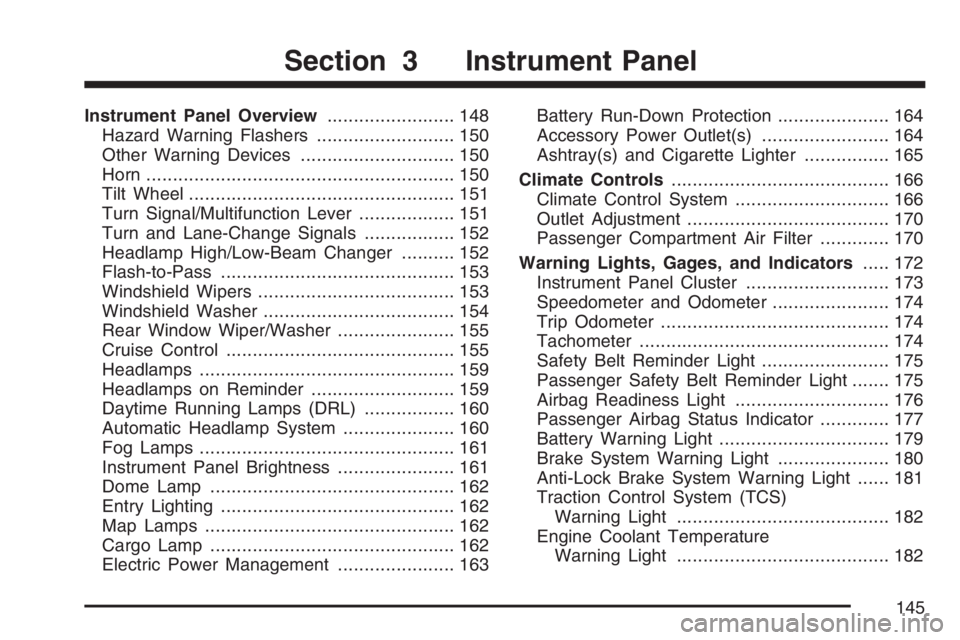
Instrument Panel Overview........................ 148
Hazard Warning Flashers.......................... 150
Other Warning Devices............................. 150
Horn.......................................................... 150
Tilt Wheel.................................................. 151
Turn Signal/Multifunction Lever.................. 151
Turn and Lane-Change Signals................. 152
Headlamp High/Low-Beam Changer.......... 152
Flash-to-Pass............................................ 153
Windshield Wipers..................................... 153
Windshield Washer.................................... 154
Rear Window Wiper/Washer...................... 155
Cruise Control........................................... 155
Headlamps................................................ 159
Headlamps on Reminder........................... 159
Daytime Running Lamps (DRL)................. 160
Automatic Headlamp System..................... 160
Fog Lamps................................................ 161
Instrument Panel Brightness...................... 161
Dome Lamp.............................................. 162
Entry Lighting............................................ 162
Map Lamps............................................... 162
Cargo Lamp.............................................. 162
Electric Power Management...................... 163Battery Run-Down Protection..................... 164
Accessory Power Outlet(s)........................ 164
Ashtray(s) and Cigarette Lighter................ 165
Climate Controls......................................... 166
Climate Control System............................. 166
Outlet Adjustment...................................... 170
Passenger Compartment Air Filter............. 170
Warning Lights, Gages, and Indicators..... 172
Instrument Panel Cluster........................... 173
Speedometer and Odometer...................... 174
Trip Odometer........................................... 174
Tachometer............................................... 174
Safety Belt Reminder Light........................ 175
Passenger Safety Belt Reminder Light....... 175
Airbag Readiness Light............................. 176
Passenger Airbag Status Indicator............. 177
Battery Warning Light................................ 179
Brake System Warning Light..................... 180
Anti-Lock Brake System Warning Light...... 181
Traction Control System (TCS)
Warning Light........................................ 182
Engine Coolant Temperature
Warning Light........................................ 182
Section 3 Instrument Panel
145
Page 149 of 490
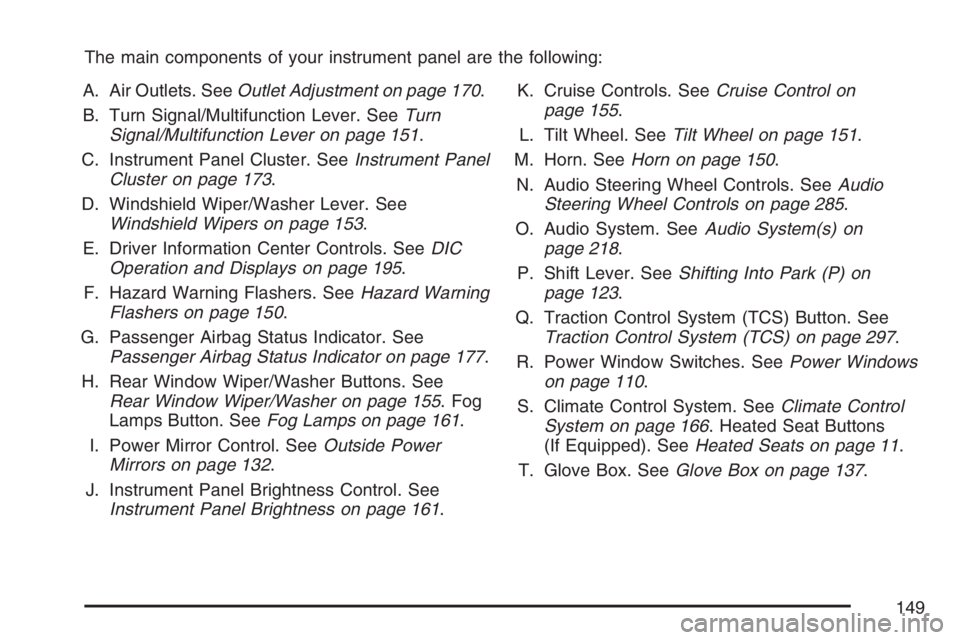
The main components of your instrument panel are the following:
A. Air Outlets. SeeOutlet Adjustment on page 170.
B. Turn Signal/Multifunction Lever. SeeTurn
Signal/Multifunction Lever on page 151.
C. Instrument Panel Cluster. SeeInstrument Panel
Cluster on page 173.
D. Windshield Wiper/Washer Lever. See
Windshield Wipers on page 153.
E. Driver Information Center Controls. SeeDIC
Operation and Displays on page 195.
F. Hazard Warning Flashers. SeeHazard Warning
Flashers on page 150.
G. Passenger Airbag Status Indicator. See
Passenger Airbag Status Indicator on page 177.
H. Rear Window Wiper/Washer Buttons. See
Rear Window Wiper/Washer on page 155. Fog
Lamps Button. SeeFog Lamps on page 161.
I. Power Mirror Control. SeeOutside Power
Mirrors on page 132.
J. Instrument Panel Brightness Control. See
Instrument Panel Brightness on page 161.K. Cruise Controls. SeeCruise Control on
page 155.
L. Tilt Wheel. SeeTilt Wheel on page 151.
M. Horn. SeeHorn on page 150.
N. Audio Steering Wheel Controls. SeeAudio
Steering Wheel Controls on page 285.
O. Audio System. SeeAudio System(s) on
page 218.
P. Shift Lever. SeeShifting Into Park (P) on
page 123.
Q. Traction Control System (TCS) Button. See
Traction Control System (TCS) on page 297.
R. Power Window Switches. SeePower Windows
on page 110.
S. Climate Control System. SeeClimate Control
System on page 166. Heated Seat Buttons
(If Equipped). SeeHeated Seats on page 11.
T. Glove Box. SeeGlove Box on page 137.
149
Page 155 of 490
Rear Window Wiper/Washer
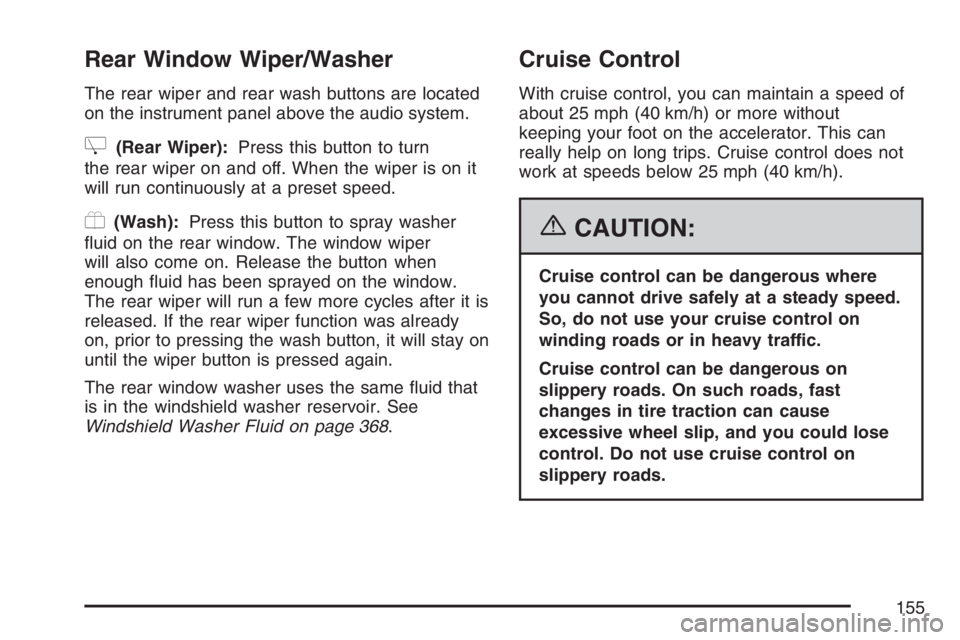
The rear wiper and rear wash buttons are located
on the instrument panel above the audio system.
Z(Rear Wiper):Press this button to turn
the rear wiper on and off. When the wiper is on it
will run continuously at a preset speed.
Y(Wash):Press this button to spray washer
uid on the rear window. The window wiper
will also come on. Release the button when
enough uid has been sprayed on the window.
The rear wiper will run a few more cycles after it is
released. If the rear wiper function was already
on, prior to pressing the wash button, it will stay on
until the wiper button is pressed again.
The rear window washer uses the same uid that
is in the windshield washer reservoir. See
Windshield Washer Fluid on page 368.
Cruise Control
With cruise control, you can maintain a speed of
about 25 mph (40 km/h) or more without
keeping your foot on the accelerator. This can
really help on long trips. Cruise control does not
work at speeds below 25 mph (40 km/h).
{CAUTION:
Cruise control can be dangerous where
you cannot drive safely at a steady speed.
So, do not use your cruise control on
winding roads or in heavy traffic.
Cruise control can be dangerous on
slippery roads. On such roads, fast
changes in tire traction can cause
excessive wheel slip, and you could lose
control. Do not use cruise control on
slippery roads.
155
Page 157 of 490
Setting Cruise Control
The cruise control light on the instrument panel
cluster will come on after the cruise control
has been set to the desired speed.
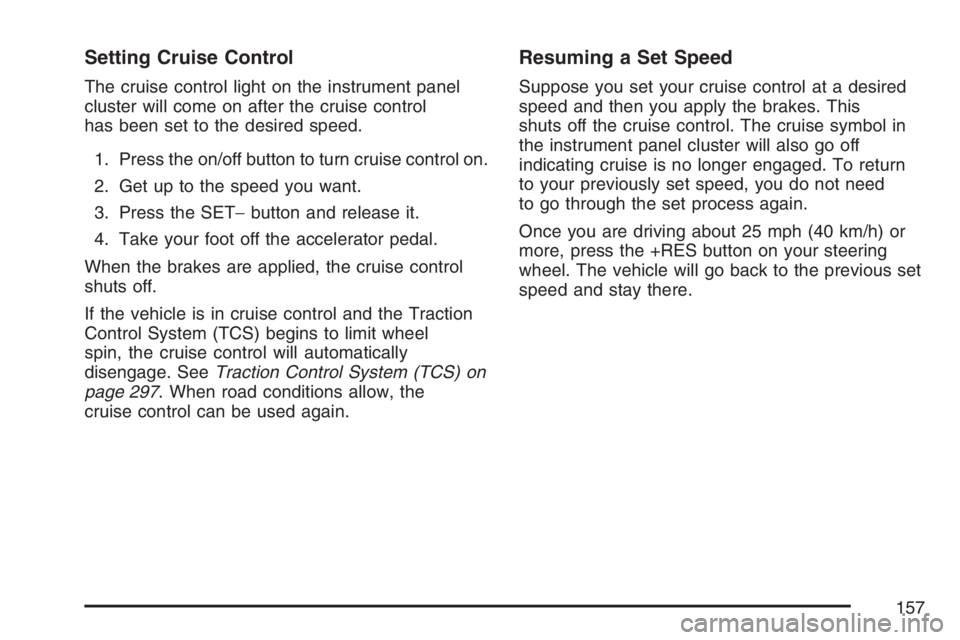
1. Press the on/off button to turn cruise control on.
2. Get up to the speed you want.
3. Press the SET−button and release it.
4. Take your foot off the accelerator pedal.
When the brakes are applied, the cruise control
shuts off.
If the vehicle is in cruise control and the Traction
Control System (TCS) begins to limit wheel
spin, the cruise control will automatically
disengage. SeeTraction Control System (TCS) on
page 297. When road conditions allow, the
cruise control can be used again.
Resuming a Set Speed
Suppose you set your cruise control at a desired
speed and then you apply the brakes. This
shuts off the cruise control. The cruise symbol in
the instrument panel cluster will also go off
indicating cruise is no longer engaged. To return
to your previously set speed, you do not need
to go through the set process again.
Once you are driving about 25 mph (40 km/h) or
more, press the +RES button on your steering
wheel. The vehicle will go back to the previous set
speed and stay there.
157
Page 182 of 490
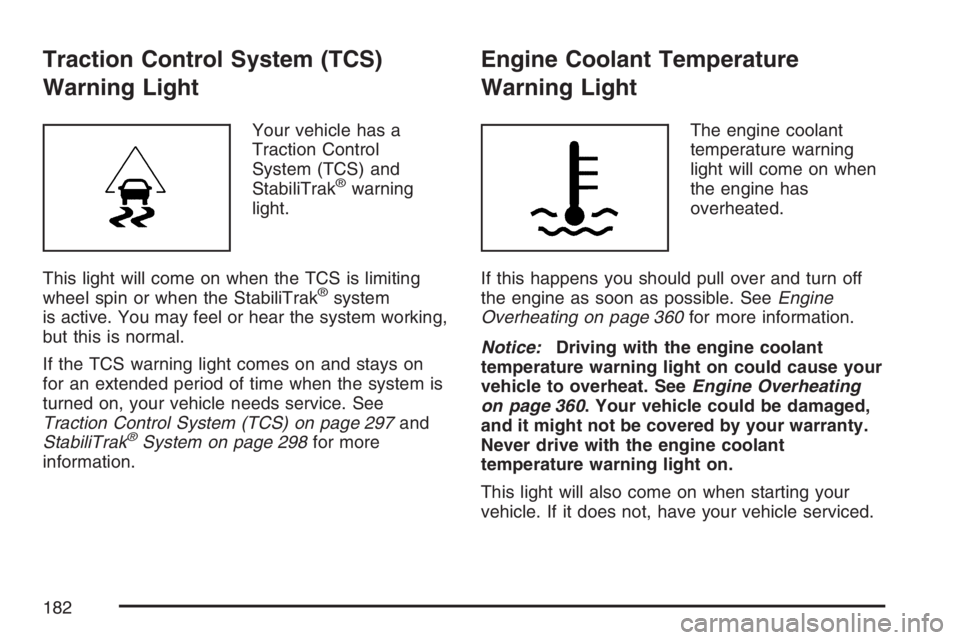
Traction Control System (TCS)
Warning Light
Your vehicle has a
Traction Control
System (TCS) and
StabiliTrak
®warning
light.
This light will come on when the TCS is limiting
wheel spin or when the StabiliTrak
®system
is active. You may feel or hear the system working,
but this is normal.
If the TCS warning light comes on and stays on
for an extended period of time when the system is
turned on, your vehicle needs service. See
Traction Control System (TCS) on page 297and
StabiliTrak
®System on page 298for more
information.
Engine Coolant Temperature
Warning Light
The engine coolant
temperature warning
light will come on when
the engine has
overheated.
If this happens you should pull over and turn off
the engine as soon as possible. SeeEngine
Overheating on page 360for more information.
Notice:Driving with the engine coolant
temperature warning light on could cause your
vehicle to overheat. SeeEngine Overheating
on page 360. Your vehicle could be damaged,
and it might not be covered by your warranty.
Never drive with the engine coolant
temperature warning light on.
This light will also come on when starting your
vehicle. If it does not, have your vehicle serviced.
182
Page 207 of 490
SERVICE STABILITRAK
This message displays if there has been a
problem detected with the StabiliTrak®System.
A warning light also appears on the instrument
panel cluster. SeeTraction Control System (TCS)
Warning Light on page 182. SeeStabiliTrak
®
System on page 298for more information.
If this message turns on while you are driving, pull
off the road as soon as possible and stop
carefully. Try resetting the system by turning the
ignition off and then back on. If this message
still stays on or turns back on again while you are
driving, your vehicle needs service. Have the
StabiliTrak
®System inspected by your dealer as
soon as possible.
SERVICE THEFT DETERRENT SYSTEM
This message displays when there is a problem
with the theft-deterrent system. A fault has
been detected in the system which means that the
system is disabled and it is not protecting the
vehicle. The vehicle usually restarts; however, you
may want to take the vehicle to your dealer
before turning off the engine. SeePASS-Key
®III+
Operation on page 113for more information.
SERVICE TIRE MONITOR SYSTEM
This message displays if a part on the Tire
Pressure Monitor (TPM) system is not working
properly. If you drive your vehicle while any of the
four sensors are missing or inoperable, the
warning comes on in about 20 minutes. A sensor
would be missing, for example, if you put
different wheels on your vehicle without
transferring the sensors. If the warning comes on
and stays on, there may be a problem with the
TPM. See your dealer.
SERVICE TRACTION CONTROL
This message displays when the Traction Control
System (TCS) is not functioning properly. A
warning light also appears on the instrument panel
cluster. SeeTraction Control System (TCS)
Warning Light on page 182andTraction Control
System (TCS) on page 297for more information.
Have the TCS serviced by your dealer as soon
as possible.
207
Page 208 of 490
SERVICE VEHICLE SOON
This message displays when a non-emissions
related malfunction occurs. Have the vehicle
serviced by your dealer as soon as possible.
STABILITRAK NOT READY
This message may display and a warning light on
the instrument panel cluster may be on after
rst driving the vehicle and exceeding 30 mph
(48 km/h) for 30 seconds. SeeTraction Control
System (TCS) Warning Light on page 182.
The StabiliTrak
®System is not functional until the
light has turned off. SeeStabiliTrak®System
on page 298for more information.
STABILITRAK OFF
This message displays any time the StabiliTrak®
System turns off. When this message has
been displayed, StabiliTrak®is no longer available
to assist you with directional control of the
vehicle. Adjust your driving accordingly. See
StabiliTrak
®System on page 298.
This message displays only while the ignition is
in RUN.Any of the following conditions may cause the
StabiliTrak
®System to turn off:
The StabiliTrak®System is turned off by
pressing and holding the traction control
button. SeeStabiliTrak
®System on page 298
for more information.
The battery is low.
There is a StabiliTrak®System failure. See
your dealer for service.
STARTING DISABLD (Disabled)
SERVICE THRTTLE (Throttle)
This message displays if the starting of the engine
is disabled due to the electronic throttle control
system. Have your vehicle serviced by your dealer
immediately.
This message only appears while the ignition is in
RUN, and will not disappear until the problem
is resolved.
This message cannot be acknowledged.
208
Page 209 of 490
THEFT ATTEMPTED
This message displays if the content theft-deterrent
system has detected a break-in attempt while
you were away from your vehicle. SeeContent
Theft-Deterrent on page 111for more information.
TIRE LEARNING ACTIVE
This message displays when the Tire Pressure
Monitor (TPM) system is re-learning the tire
positions. SeeTire Pressure Monitor System on
page 395. The tire positions must be re-learned
after rotating the tires or after replacing a tire
or sensor. SeeTire Inspection and Rotation on
page 399andInation - Tire Pressure on page 393
for more information.
TRACTION CONTROL OFF
This message displays when the Traction Control
System (TCS) turns off. SeeTraction Control
System (TCS) on page 297for more information.
This message only displays while the ignition
is in RUN and disappears after 10 seconds, unless
it is acknowledged or an urgent warning appears.Any of the following conditions may cause the
TCS to turn off:
The TCS is turned off by pressing the
traction control button. SeeTraction Control
System (TCS) on page 297for more
information.
The battery is low.
There is a TCS failure. See your dealer for
service.
TRACTION CONTROL ON
This message displays when the Traction Control
System (TCS) turns on. SeeTraction Control
System (TCS) on page 297for more information.
TURN SIGNAL ON
This message displays as a reminder to turn off
the turn signal if you drive your vehicle for
more than about 0.75 mile (1.2 km) with a turn
signal on. SeeTurn Signal/Multifunction Lever on
page 151.
This message displays and a chime sounds only
when the ignition is in RUN. The message will
not disappear until the turn signal is manually
turned off, or a turn is completed.
209
Page 218 of 490
Audio System(s)
Determine which radio your vehicle has and then
read the pages following to familiarize yourself
with its features.
Driving without distraction is a necessity for a
safer driving experience. SeeDefensive Driving on
page 290. By taking a few moments to read this
manual and get familiar with your vehicle’s
audio system, you can use it with less effort, as
well as take advantage of its features. While your
vehicle is parked, set up your audio system by
presetting your favorite radio stations, setting the
tone and adjusting the speakers. Then, when
driving conditions permit, you can tune to
your favorite stations using the presets and
steering wheel controls if the vehicle has them.{CAUTION:
This system provides you with a far greater
access to audio stations and song listings.
Giving extended attention to entertainment
tasks while driving can cause a crash and
you or others can be injured or killed.
Always keep your eyes on the road and
your mind on the drive — avoid engaging
in extended searching while driving.
Keeping your mind on the drive is important for
safe driving. For more information, seeDefensive
Driving on page 290.
218
Page 219 of 490
Here are some ways in which you can help avoid
distraction while driving.
While your vehicle is parked:
Familiarize yourself with all of its controls.
Familiarize yourself with its operation.
Set up your audio system by presetting your
favorite radio stations, setting the tone, and
adjusting the speakers. Then, when driving
conditions permit, you can tune to your favorite
radio stations using the presets and steering
wheel controls if the vehicle has them.Notice:Before adding any sound equipment to
your vehicle, such as an audio system, CD
player, CB radio, mobile telephone, or two-way
radio, make sure that it can be added by
checking with your dealer. Also, check federal
rules covering mobile radio and telephone
units. If sound equipment can be added, it is
very important to do it properly. Added sound
equipment may interfere with the operation of
your vehicle’s engine, radio, or other systems,
and even damage them. Your vehicle’s systems
may interfere with the operation of sound
equipment that has been added.
Your vehicle has a feature called Retained
Accessory Power (RAP). With RAP, the audio
system can be played even after the ignition is
turned off. SeeRetained Accessory Power (RAP)
on page 116for more information.
219