wheel PONTIAC VIBE 2005 User Guide
[x] Cancel search | Manufacturer: PONTIAC, Model Year: 2005, Model line: VIBE, Model: PONTIAC VIBE 2005Pages: 374, PDF Size: 2.49 MB
Page 88 of 374

Ignition Positions
With the key in the ignition switch, you can turn it to four
different positions.
Notice:If your key seems stuck in LOCK and you
can not turn it, be sure you are using the correct
key; if so, is it all the way in? If it is, then turn the
steering wheel left and right while you turn the
key hard. Turn the key only with your hand. Using a
tool to force it could break the key or the ignition
switch. If none of these works, then your vehicle
needs service.(A) LOCK:This is the only position from which you can
remove the key. This locks your steering wheel,
ignition and automatic transaxle. Push in the ignition
switch as you turn the key toward you.
If you have an automatic transaxle, the ignition switch
cannot be turned to LOCK unless the shift lever is
in PARK (P).
{CAUTION:
On manual transaxle vehicles, turning the key
to LOCK and removing it will lock the steering
column and result in a loss of ability to steer
the vehicle. This could cause a collision. If you
need to turn the engine off while the vehicle is
moving, turn the key only to ACC. Do not push
the key in while the vehicle is moving.
2-18
Page 89 of 374

(B) ACC (ACCESSORY):This position operates some
of your electrical accessories, such as the radio, but
not the ventilation fan. It unlocks the steering wheel and
ignition. To move the key from ACC to LOCK, push in
the key and then turn it to LOCK.
(C) ON:This is the position the switch returns to after
you start your engine and release the switch. The switch
stays in the ON position when the engine is running.
But even when the ignition is not running, you can use
ON to operate your electrical accessories, including
the ventilation fan and 115 volt power outlet, and
to display some warning and indicator lights.
(D) START:This position starts the engine. When the
engine starts, release the key. The ignition switch
will return to ON for normal driving.
When the engine is not running, ACC and ON allow you
to operate some of your electrical accessories.
A warning tone will sound if you open the driver’s door
when the ignition is still in ACC or LOCK and the
key is in the ignition.Starting Your Engine
Automatic Transaxle
Move your shift lever to PARK (P) or NEUTRAL (N).
Your engine will not start in any other position — that is
a safety feature. To restart when you are already
moving, use NEUTRAL (N) only.
Notice:Shifting into PARK (P) with the vehicle
moving could damage the transaxle. Shift into
PARK (P) only when your vehicle is stopped.
Manual Transaxle
The shift lever should be in NEUTRAL and the parking
brake engaged. Hold the clutch pedal to the oor
and start the engine. Your vehicle will not start if the
clutch pedal is not all the way down — that is a
safety feature.
2-19
Page 92 of 374

Automatic Transaxle Operation
There are several
different positions for
your shift lever.
PARK (P):This position locks your front wheels. It is
the best position to use when you start your engine
because your vehicle cannot move easily.{CAUTION:
It is dangerous to get out of your vehicle if the
shift lever is not fully in PARK (P) with the
parking brake rmly set. Your vehicle can roll.
Do not leave your vehicle when the engine is
running unless you have to. If you have left the
engine running, the vehicle can move suddenly.
You or others could be injured. To be sure your
vehicle will not move, even when you are on
fairly level ground, always set your parking
brake and move the shift lever to PARK (P).
SeeShifting Into Park (P) (Automatic Transaxle)
on page 2-28. If you are pulling a trailer,
seeTowing a Trailer on page 4-40.
Ensure that the shift lever is fully in PARK (P) before
starting the engine. Your vehicle has an automatic
transaxle shift lock control system. You have to
fully apply your regular brakes before you can shift
from PARK (P) when the ignition key is in ON.
2-22
Page 93 of 374

If you cannot shift out of PARK (P), ease pressure on the
shift lever, push the shift lever all the way into PARK (P)
and release the shift lever button as you maintain brake
application. Then press the shift lever button and move
the shift lever into the gear you wish. SeeShifting Out of
Park (P) (Automatic Transaxle) on page 2-30.
REVERSE (R):Use this gear to back up.
Notice:Shifting to REVERSE (R) while your vehicle
is moving forward could damage the transaxle.
The repairs would not be covered by your warranty.
Shift to REVERSE (R) only after your vehicle
is stopped.
To rock your vehicle back and forth to get out of
snow, ice or sand without damaging your transaxle,
seeIf You Are Stuck: In Sand, Mud, Ice or Snow
on page 4-30.
NEUTRAL (N):In this position, your engine does not
connect with the wheels. To restart when you are
already moving, use NEUTRAL (N) only.
{CAUTION:
Shifting into a drive gear while your engine is
running at high speed is dangerous. Unless
your foot is rmly on the brake pedal, your
vehicle could move very rapidly. You could
lose control and hit people or objects. Do not
shift into a drive gear while your engine is
running at high speed.
Notice:Shifting out of PARK (P) or NEUTRAL (N)
with the engine racing may damage the transaxle.
The repairs would not be covered by your warranty.
Be sure the engine is not racing when shifting
your vehicle.
2-23
Page 104 of 374
Mirrors
Manual Rearview Mirror
While sitting in a comfortable driving position, adjust the
mirror so you can see clearly behind your vehicle. Grip the
mirror in the center to move it up or down and side to side.
The control at the bottom of the mirror is the day/night
feature that allows adjustment to the mirror so that the
glare of headlamps from behind is reduced. Pull the
control for night driving to reduce glare; push it to return
to the day position.
The mirror may have map lights beneath the mirror.
Push the lens to turn each light on or off.
Manual Rearview Mirror with OnStar®
The vehicle may have an inside rearview mirror with
OnStar®. See your GM dealer for more information
on the system and how to subscribe to OnStar®.
SeeOnStar®System on page 2-35for information
on the services OnStar®provides.
While sitting in a comfortable position, adjust the
mirror so you can see clearly behind your vehicle.
Grip the mirror in the center to move it up or down and
side to side. The control at the bottom of the mirror
is the day/night feature that allows adjustment to
the mirror so that the glare of headlamps from behind is
reduced. Move the control from left to right for day or
night conditions.
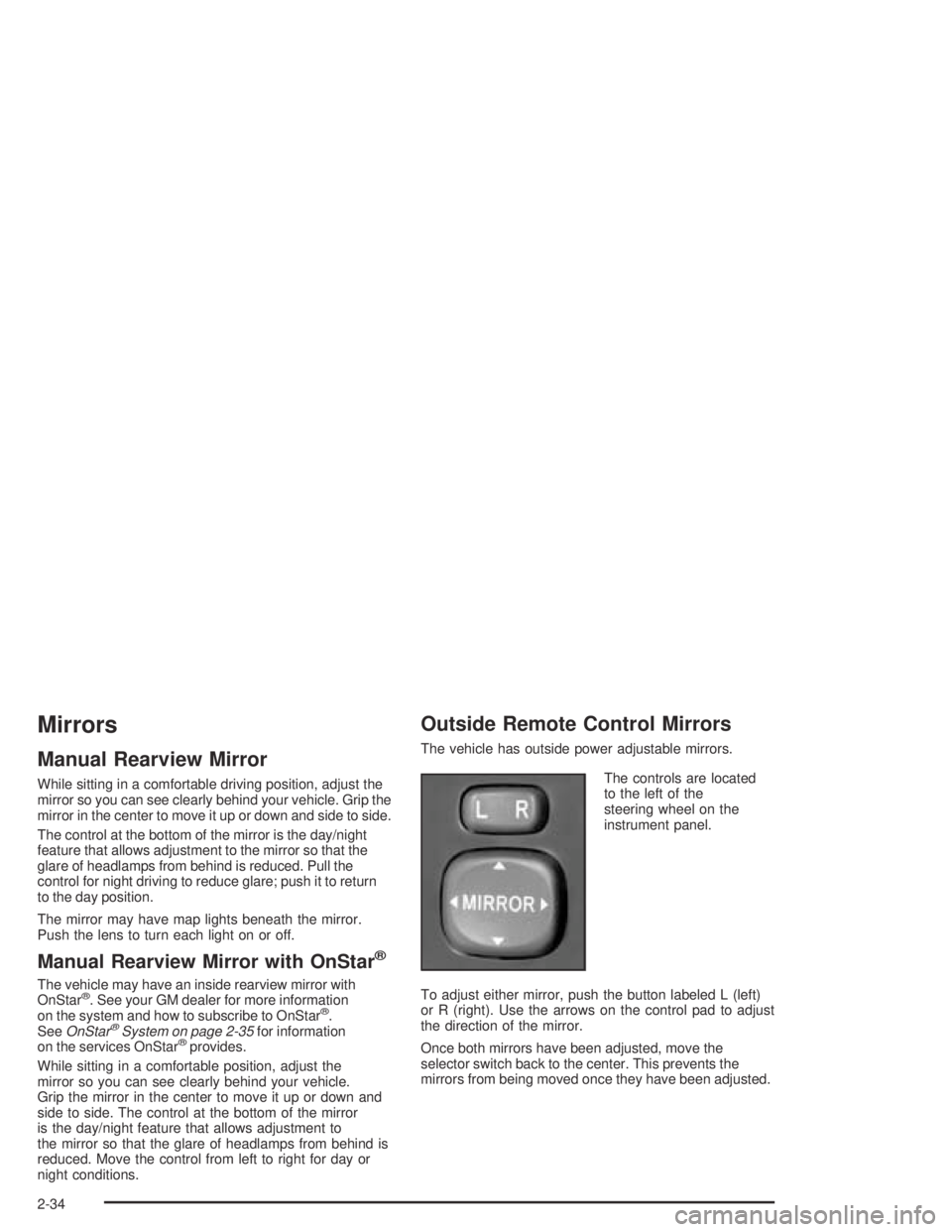
Outside Remote Control Mirrors
The vehicle has outside power adjustable mirrors.
The controls are located
to the left of the
steering wheel on the
instrument panel.
To adjust either mirror, push the button labeled L (left)
or R (right). Use the arrows on the control pad to adjust
the direction of the mirror.
Once both mirrors have been adjusted, move the
selector switch back to the center. This prevents the
mirrors from being moved once they have been adjusted.
2-34
Page 107 of 374
Storage Areas
Glove Box
Open the glove box by pulling the bottom of the handle
upward. Close the glove box with a rm push.
Cupholder(s)
There are two xed cupholders located in the console
area between the two front seats. There are also
two cupholders that fold out of the rear of the console
storage unit.
Coinholder(s)
Your instrument panel has a coinholder located to the
left of the steering wheel and on the center console near
the parking brake.
Instrument Panel Storage Area
There are storage compartments located on the
instrument panel in two places. They are below the
interior/instrument panel brightness dial and below the
shift lever. Pull the top of the door toward you to open it
or for the compartment below the shift lever, push the
button to open it.
Center Console Storage Area
A storage area is located in the console between the
seats. There may also be an accessory power
outlet located in the storage area.
To access the storage area, pull up the lock release
lever while raising the lid.
2-37
Page 111 of 374
Instrument Panel Overview...............................3-4
Hazard Warning Flashers................................3-6
Other Warning Devices...................................3-6
Horn.............................................................3-6
Tilt Wheel.....................................................3-7
Turn Signal/Multifunction Lever.........................3-7
Turn and Lane-Change Signals........................3-8
Headlamp High/Low-Beam Changer..................3-8
Flash-to-Pass.................................................3-8
Windshield Wipers..........................................3-9
Windshield Washer.......................................3-10
Cruise Control..............................................3-10
Exterior Lamps.............................................3-13
Headlamps on Reminder................................3-13
Daytime Running Lamps................................3-14
Automatic Headlamp System..........................3-15
Fog Lamps..................................................3-15
Instrument Panel Brightness...........................3-15
Interior Lamps Control...................................3-16
Entry Lighting...............................................3-16
Reading Lamps............................................3-17
Accessory Power Outlets...............................3-18
Power Outlet 115 Volt Alternating Current........3-18
Ashtrays and Cigarette Lighter........................3-19Climate Controls............................................3-20
Climate Control System.................................3-20
Outlet Adjustment.........................................3-22
Passenger Compartment Air Filter...................3-23
Warning Lights, Gages, and Indicators............3-25
Instrument Panel Cluster................................3-26
Speedometer and Odometer...........................3-27
Trip Odometers............................................3-27
Tachometer.................................................3-27
Safety Belt Reminder Light.............................3-28
Airbag Readiness Light..................................3-29
Passenger Airbag Status Indicator...................3-30
Charging System Light..................................3-31
Brake System Warning Light..........................3-32
Anti-Lock Brake System Warning Light.............3-33
Low Tire Pressure Warning Light....................3-33
Traction Control System (TCS)
Warning Light...........................................3-34
Stabilitrak
®Indicator Light...............................3-34
Engine Coolant Temperature Gage...................3-35
Malfunction Indicator Lamp.............................3-35
Oil Pressure Light.........................................3-38
Lights On Reminder......................................3-39
Section 3 Instrument Panel
3-1
Page 115 of 374

The main components of your instrument panel are the following:
A. Air Outlets. SeeOutlet Adjustment on page 3-22.
B. Instrument Panel Cluster. SeeInstrument Panel
Cluster on page 3-26.
C. Climate Control System. SeeClimate Control
System on page 3-20.
D. Hazard Warning Flasher Button. SeeHazard
Warning Flashers on page 3-6.
E. Audio System. SeeAudio System(s) on page 3-42.
F. Rear Window Defogger Button. See “Rear Window
Defogger” underClimate Control System on
page 3-20.
G. Passenger Airbag Status Indicator. SeePassenger
Airbag Status Indicator on page 3-30. Front
Passenger Safety Belt Reminder Light. SeeSafety
Belt Reminder Light on page 3-28.
H. Power Remote Control Mirror Button. SeeOutside
Remote Control Mirrors on page 2-34.
I. Instrument Panel Brightness Control. SeeInstrument
Panel Brightness on page 3-15.
J. Rear Liftglass Release Button. SeeLiftgate/Liftglass
on page 2-11.
K. Tire Pressure Monitor Reset Button. SeeTire
Pressure Monitor System on page 5-65.L. Coinholder. SeeCoinholder(s) on page 2-37.
M. TRAC OFF Button. SeeTraction Control
System (TCS) on page 4-9.
N. Content Theft-Deterrent Security Light. SeeContent
Theft-Deterrent on page 2-15.
O. Storage Compartment. SeeInstrument Panel
Storage Area on page 2-37.
P. Turn Signal/Multifunction Lever and Exterior Lamp
Stalk. SeeTurn Signal/Multifunction Lever on
page 3-7andExterior Lamps on page 3-13.
Q. Hood Release. SeeHood Release on page 5-10.
R. Tilt Lever. SeeTilt Wheel on page 3-7.
S. Horn. SeeHorn on page 3-6.
T. Cruise Control Lever (Option). SeeCruise Control
on page 3-10.
U. Ignition Switch. SeeIgnition Positions on page 2-18.
V. Windshield Wiper Lever. SeeWindshield Wipers
on page 3-9.
W. Cigarette Lighter or Accessory Power Outlet. See
Ashtrays and Cigarette Lighter on page 3-19or
Accessory Power Outlets on page 3-18.
X. Shift Lever. SeeAutomatic Transaxle Operation
on page 2-22.
3-5
Page 116 of 374
Y. Power Outlet. SeePower Outlet 115 Volt Alternating
Current on page 3-18.
Z. Parking Brake. SeeParking Brake on page 2-28.
AA. Center Console Storage Area. SeeCenter Console
Storage Area on page 2-37.
AB. Glove Box. SeeGlove Box on page 2-37.
Hazard Warning Flashers
Your hazard warning ashers let you warn others. They
also let police know you have a problem. Your front
and rear turn signal lamps will ash on and off.
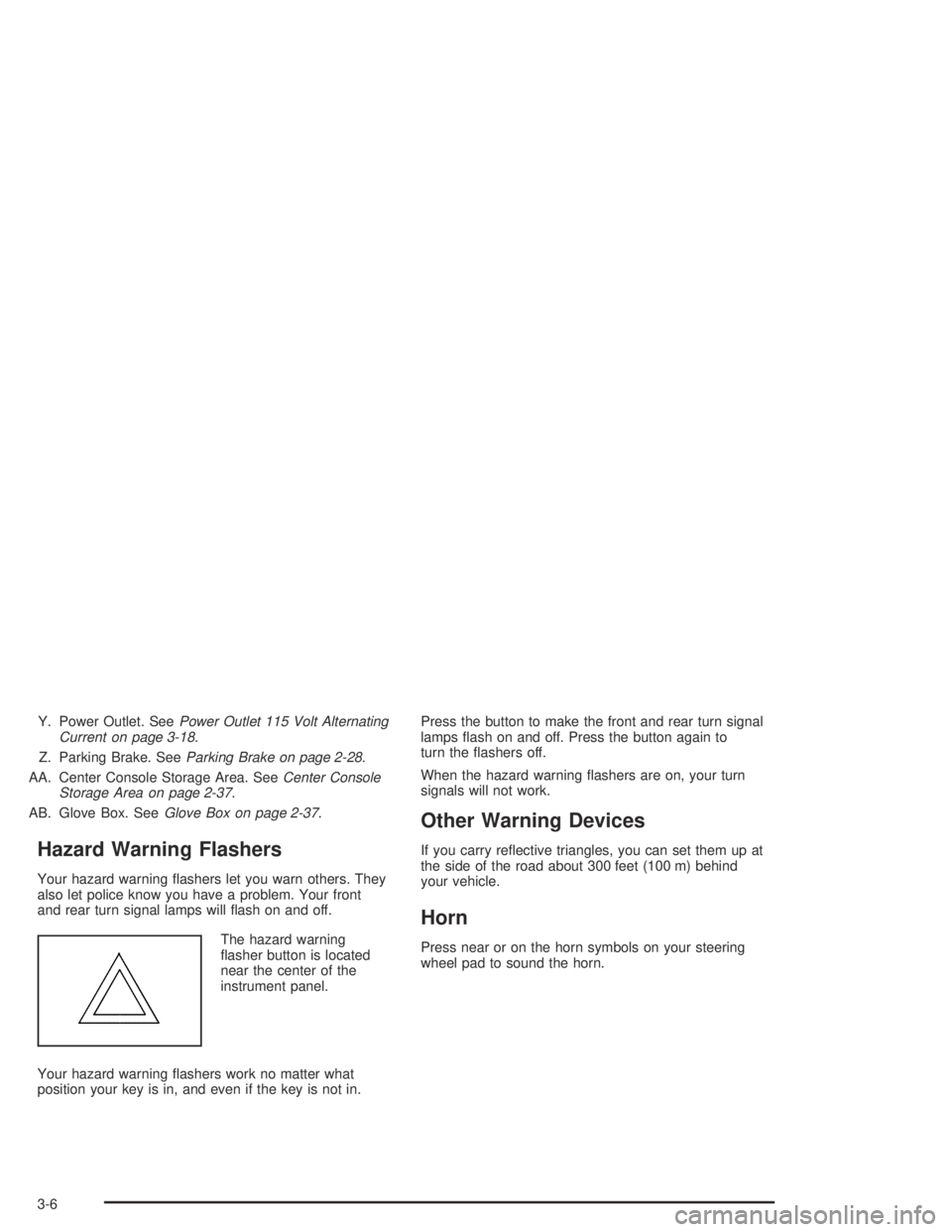
The hazard warning
asher button is located
near the center of the
instrument panel.
Your hazard warning ashers work no matter what
position your key is in, and even if the key is not in.Press the button to make the front and rear turn signal
lamps ash on and off. Press the button again to
turn the ashers off.
When the hazard warning ashers are on, your turn
signals will not work.
Other Warning Devices
If you carry reective triangles, you can set them up at
the side of the road about 300 feet (100 m) behind
your vehicle.
Horn
Press near or on the horn symbols on your steering
wheel pad to sound the horn.
3-6
Page 117 of 374
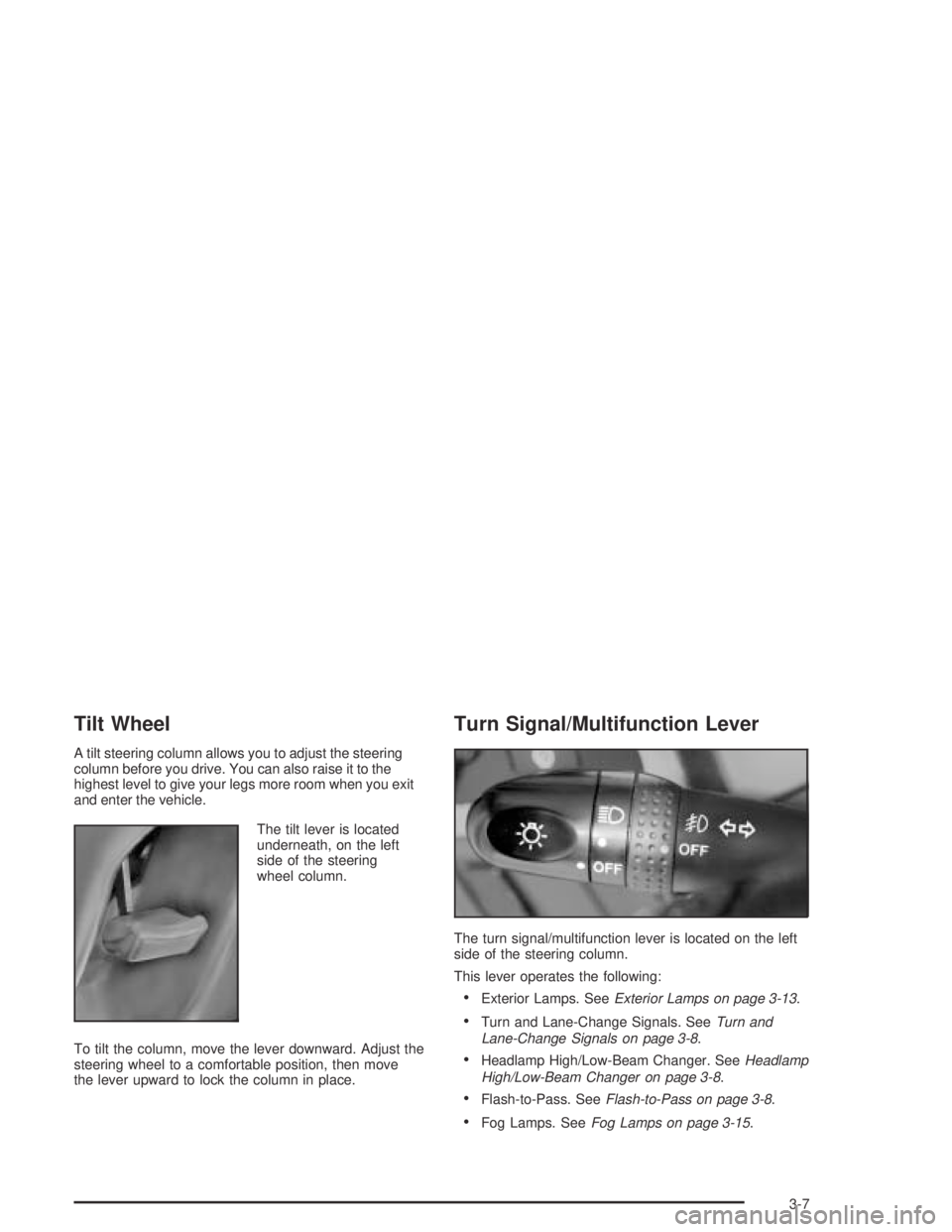
Tilt Wheel
A tilt steering column allows you to adjust the steering
column before you drive. You can also raise it to the
highest level to give your legs more room when you exit
and enter the vehicle.
The tilt lever is located
underneath, on the left
side of the steering
wheel column.
To tilt the column, move the lever downward. Adjust the
steering wheel to a comfortable position, then move
the lever upward to lock the column in place.
Turn Signal/Multifunction Lever
The turn signal/multifunction lever is located on the left
side of the steering column.
This lever operates the following:
Exterior Lamps. SeeExterior Lamps on page 3-13.
Turn and Lane-Change Signals. SeeTurn and
Lane-Change Signals on page 3-8.
Headlamp High/Low-Beam Changer. SeeHeadlamp
High/Low-Beam Changer on page 3-8.
Flash-to-Pass. SeeFlash-to-Pass on page 3-8.
Fog Lamps. SeeFog Lamps on page 3-15.
3-7