light PONTIAC VIBE 2007 Repair Manual
[x] Cancel search | Manufacturer: PONTIAC, Model Year: 2007, Model line: VIBE, Model: PONTIAC VIBE 2007Pages: 432, PDF Size: 2.54 MB
Page 188 of 432
CD Messages
CHECK CD:If this message displays and/or the
CD comes out, it could be for one of the
following reasons:
It is very hot. When the temperature returns to
normal, the CD should play.
You are driving on a very rough road. When
the road becomes smoother, the CD
should play.
The CD is dirty, scratched, wet, or
upside down.
The air is very humid. If so, wait about an hour
and try again.
There could have been a problem while burning
the CD.
The label could be caught in the CD player.
If the CD is not playing correctly, for any other
reason, try a known good CD.
If any error occurs repeatedly or if an error cannot
be corrected, contact your dealer. If the radio
displays an error message, write it down
and provide it to your dealer when reporting the
problem.
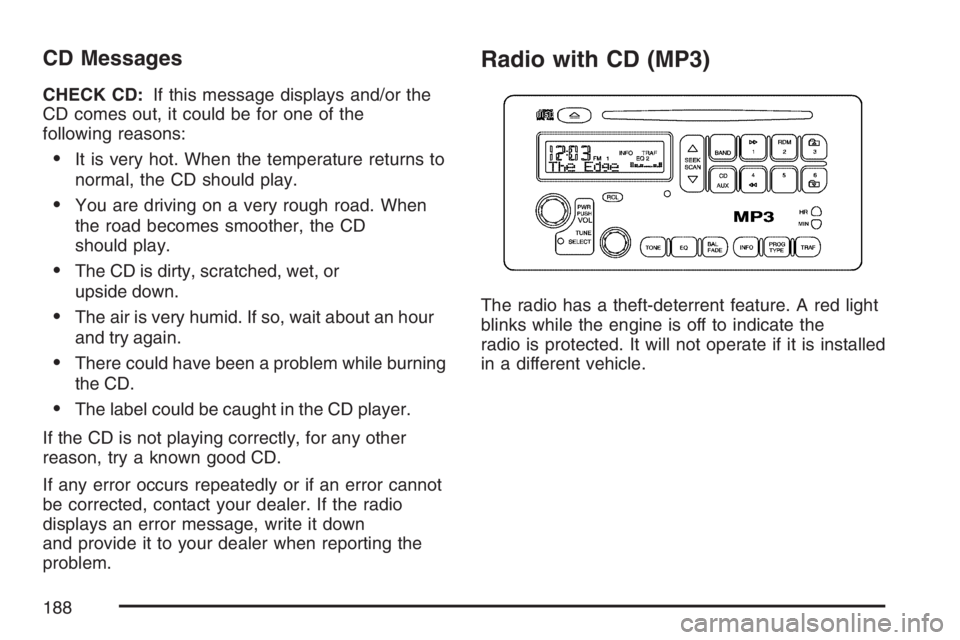
Radio with CD (MP3)
The radio has a theft-deterrent feature. A red light
blinks while the engine is off to indicate the
radio is protected. It will not operate if it is installed
in a different vehicle.
188
Page 191 of 432
Setting the Tone
(Bass/Midrange/Treble)
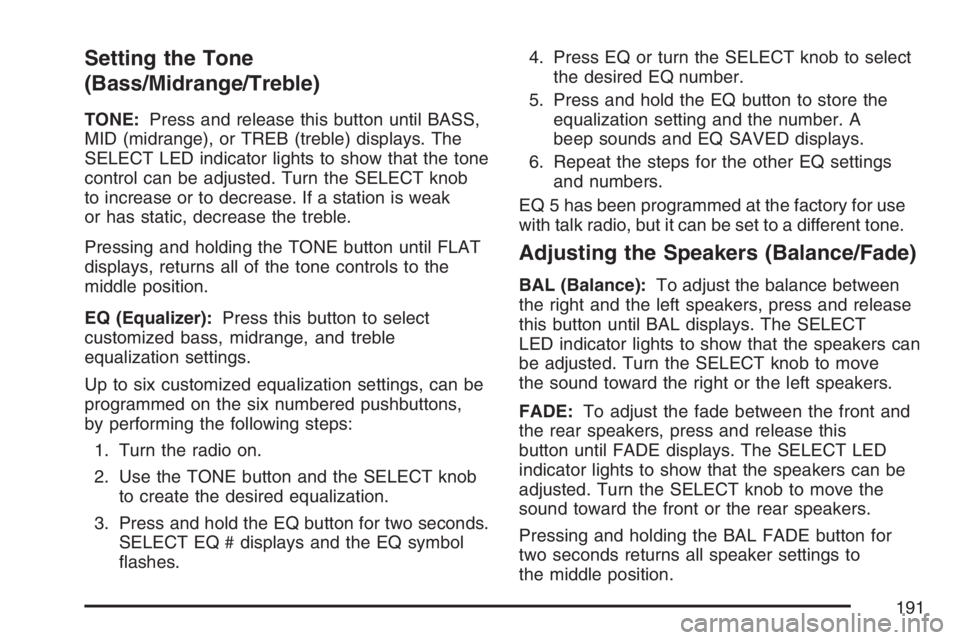
TONE:Press and release this button until BASS,
MID (midrange), or TREB (treble) displays. The
SELECT LED indicator lights to show that the tone
control can be adjusted. Turn the SELECT knob
to increase or to decrease. If a station is weak
or has static, decrease the treble.
Pressing and holding the TONE button until FLAT
displays, returns all of the tone controls to the
middle position.
EQ (Equalizer):Press this button to select
customized bass, midrange, and treble
equalization settings.
Up to six customized equalization settings, can be
programmed on the six numbered pushbuttons,
by performing the following steps:
1. Turn the radio on.
2. Use the TONE button and the SELECT knob
to create the desired equalization.
3. Press and hold the EQ button for two seconds.
SELECT EQ # displays and the EQ symbol
ashes.4. Press EQ or turn the SELECT knob to select
the desired EQ number.
5. Press and hold the EQ button to store the
equalization setting and the number. A
beep sounds and EQ SAVED displays.
6. Repeat the steps for the other EQ settings
and numbers.
EQ 5 has been programmed at the factory for use
with talk radio, but it can be set to a different tone.
Adjusting the Speakers (Balance/Fade)
BAL (Balance):To adjust the balance between
the right and the left speakers, press and release
this button until BAL displays. The SELECT
LED indicator lights to show that the speakers can
be adjusted. Turn the SELECT knob to move
the sound toward the right or the left speakers.
FADE:To adjust the fade between the front and
the rear speakers, press and release this
button until FADE displays. The SELECT LED
indicator lights to show that the speakers can be
adjusted. Turn the SELECT knob to move the
sound toward the front or the rear speakers.
Pressing and holding the BAL FADE button for
two seconds returns all speaker settings to
the middle position.
191
Page 198 of 432
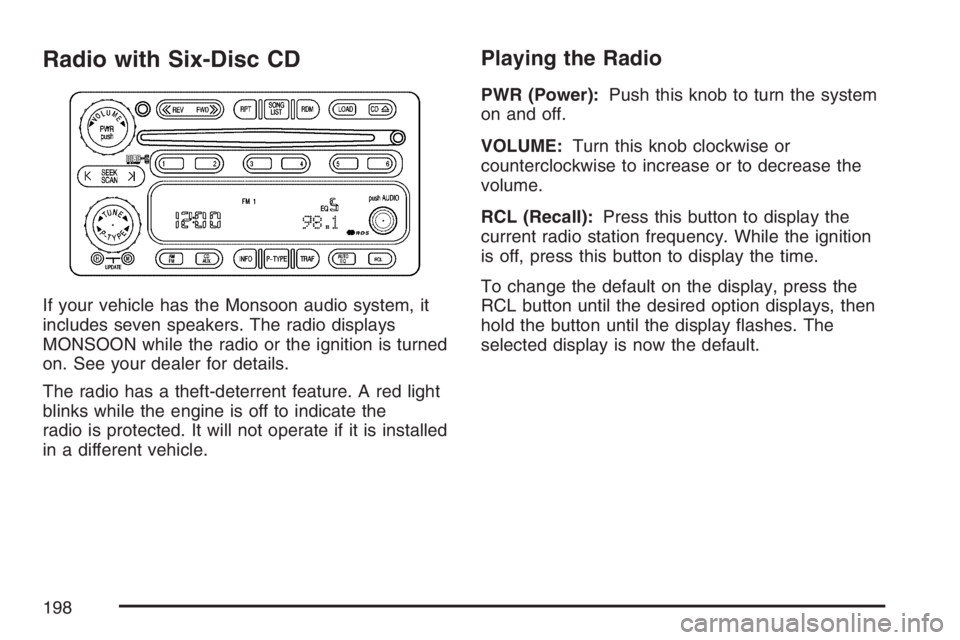
Radio with Six-Disc CD
If your vehicle has the Monsoon audio system, it
includes seven speakers. The radio displays
MONSOON while the radio or the ignition is turned
on. See your dealer for details.
The radio has a theft-deterrent feature. A red light
blinks while the engine is off to indicate the
radio is protected. It will not operate if it is installed
in a different vehicle.
Playing the Radio
PWR (Power):Push this knob to turn the system
on and off.
VOLUME:Turn this knob clockwise or
counterclockwise to increase or to decrease the
volume.
RCL (Recall):Press this button to display the
current radio station frequency. While the ignition
is off, press this button to display the time.
To change the default on the display, press the
RCL button until the desired option displays, then
hold the button until the display ashes. The
selected display is now the default.
198
Page 204 of 432
Playing a CD
If the ignition or radio is turned off, with a CD in the
player, it stays in the player. When the ignition or
radio is turned on, the CD starts playing where it
stopped, if it was the last selected audio source.
When a CD is inserted, the CD symbol displays on
the CD. As each new track starts to play, the
track number displays.
The CD player can play the smaller 3 inch (8 cm)
single CDs with an adapter ring. Full-size CDs
and the smaller CDs are loaded in the same
manner.
If playing a CD-R, the sound quality can be reduced
due to CD-R quality, the method of recording, the
quality of the music that has been recorded, and the
way the CD-R has been handled. There can be an
increase in skipping, difficulty in nding tracks,
and/or difficulty in loading and ejecting. If these
problems occur, check the bottom surface of the
CD. If the surface of the CD is damaged, such as
cracked, broken, or scratched, the CD will not play
properly. If the surface of the CD is soiled, seeCare
of Your CDs on page 219for more information.
If there is no apparent damage, try a known
good CD.Do not add any label to a CD, it could get caught
in the CD player. If a CD is recorded on a
personal computer and a description label is
needed, try labeling the top of the recorded CD
with a marking pen.
Notice:If a label is added to a CD, or more
than one CD is inserted into the slot at a time,
or an attempt is made to play scratched or
damaged CDs, the CD player could be
damaged. While using the CD player, use only
CDs in good condition without any label,
load one CD at a time, and keep the CD player
and the loading slot free of foreign materials,
liquids, and debris.
If an error displays, see “CD Messages” later in
this section.
LOAD CD
Z:Press the LOAD side of this
button to load CDs into the CD player. This CD
player holds up to six CDs.
To insert one CD, do the following:
1. Turn the ignition on.
2. Press and release the LOAD button.
3. Wait for the indicator light, located to the right
of the slot, to turn green.
204
Page 205 of 432
4. Load a CD. Insert the CD partway into
the slot, label side up. The player pulls
the CD in.
To insert multiple CDs, do the following:
1. Turn the ignition on.
2. Press and hold the LOAD button for
two seconds.
A beep sounds and the indicator light, located
to the right of the slot, begins to ash.
3. Once the light stops ashing and turns green,
load a CD. Insert the CD partway into the slot,
label side up. The player pulls the CD in.
Once the CD is loaded, the light begins
ashing again. Once the light stops ashing
and turns green you can load another CD. The
CD player takes up to six CDs. Do not try to
load more than six.
To load more than one CD but less than six,
complete Steps 1 through 3. When nished loading
CDs, the radio begins to play the last CD loaded.
If more than one CD has been loaded, a
number for each CD displays.Playing a Specic Loaded CD
For every CD loaded, a number appears on the
display. To play a specic CD, rst press the
CD AUX button, then press the numbered
pushbutton that corresponds to the CD. A small
bar appears under the CD number that is
playing and the track number displays.
If an error appears on the display, see “CD
Messages” later in this section.
LOAD CD
Z(Eject):Press the CD eject side of
this button to eject a CD(s). To eject the CD
that is currently playing, press and release this
button. To eject multiple CDs, press and hold this
button for two seconds. A beep sounds and
the indicator light ashes while a CD is being
ejected.
REMOVE CD displays. The CD can be removed.
If the CD is not removed, after 25 seconds,
the CD automatically pulls back into the player. If
the CD is pushed back into the player, before
the 25 second time period is complete, the player
senses an error and tries to eject the CD
several times before stopping.
205
Page 219 of 432
Care of Your CDs
Handle CDs carefully. Store them in their original
cases or other protective cases and away from
direct sunlight and dust. The CD player scans the
bottom surface of the disc. If the surface of a
CD is damaged, such as cracked, broken,
or scratched, the CD will not play properly or not
at all. If the surface of a CD is soiled, take a
soft, lint free cloth or dampen a clean, soft cloth in
a mild, neutral detergent solution mixed with
water, and clean it. Make sure the wiping process
starts from the center to the edge.
Do not touch the bottom side of a CD while
handling it; this could damage the surface. Pick up
CDs by grasping the outer edges or the edge of
the hole and the outer edge.
Care of the CD Player
Do not use CD lens cleaners for CD players
because the lens of the CD optics can become
contaminated by lubricants.
Fixed Mast Antenna
The xed mast antenna can withstand most car
washes without being damaged. If the mast should
ever become slightly bent, straighten it out by
hand. If the mast is badly bent, replace it.
Check occasionally to make sure the mast is still
tightened to the antenna base located on the
roof of the vehicle. If tightening is required, tighten
by hand.
XM™ Satellite Radio Antenna
System
The XM™ Satellite Radio antenna is located on
the roof of your vehicle. Keep this antenna clear of
snow and ice build up for clear radio reception.
A vehicle with a sunroof might not get the
best performance from the XM™ system if the
sunroof is open.
Loading items onto the roof of your vehicle can
interfere with the performance of the XM™ system.
Make sure the XM™ Satellite Radio antenna is
not obstructed.
219
Page 226 of 432
Control of a Vehicle
You have three systems that make your vehicle go
where you want it to go. They are the brakes, the
steering, and the accelerator. All three systems
have to do their work at the places where the tires
meet the road.
Sometimes, as when you are driving on snow or
ice, it is easy to ask more of those control systems
than the tires and road can provide. That means
you can lose control of your vehicle.
Adding non-GM accessories can affect your
vehicle’s performance. SeeAccessories and
Modications on page 272.
Braking
SeeBrake System Warning Light on page 166.
Braking action involves perception time and
reaction time.
First, you have to decide to push on the brake
pedal. That is perception time. Then you have to
bring up your foot and do it. That is reaction time.Average reaction time is about three-fourths of
a second. But that is only an average. It might be
less with one driver and as long as two or
three seconds or more with another. Age, physical
condition, alertness, coordination, and eyesight
all play a part. So do alcohol, drugs, and
frustration. But even in three-fourths of a second,
a vehicle moving at 60 mph (100 km/h) travels
66 feet (20 m). That could be a lot of distance in an
emergency, so keeping enough space between
your vehicle and others is important.
And, of course, actual stopping distances vary
greatly with the surface of the road, whether it is
pavement or gravel; the condition of the road,
whether it is wet, dry, or icy; tire tread; the
condition of the brakes; the weight of the vehicle;
and the amount of brake force applied.
226
Page 227 of 432
Avoid needless heavy braking. Some people drive
in spurts — heavy acceleration followed by
heavy braking — rather than keeping pace with
traffic. This is a mistake. The brakes may not have
time to cool between hard stops. The brakes
will wear out much faster if you do a lot of heavy
braking. If you keep pace with the traffic and
allow realistic following distances, you will
eliminate a lot of unnecessary braking. That means
better braking and longer brake life.
If your vehicle’s engine ever stops while you are
driving, brake normally but do not pump the
brakes. If you do, the pedal may get harder to
push down. If the engine stops, you will still have
some power brake assist. But you will use it
when you brake. Once the power assist is used
up, it may take longer to stop and the brake pedal
will be harder to push.
Adding non-GM accessories can affect your
vehicle’s performance. SeeAccessories and
Modications on page 272.Anti-Lock Brake System (ABS)
Your vehicle may have the Anti-Lock Brake
System (ABS), an advanced electronic braking
system that will help prevent a braking skid.
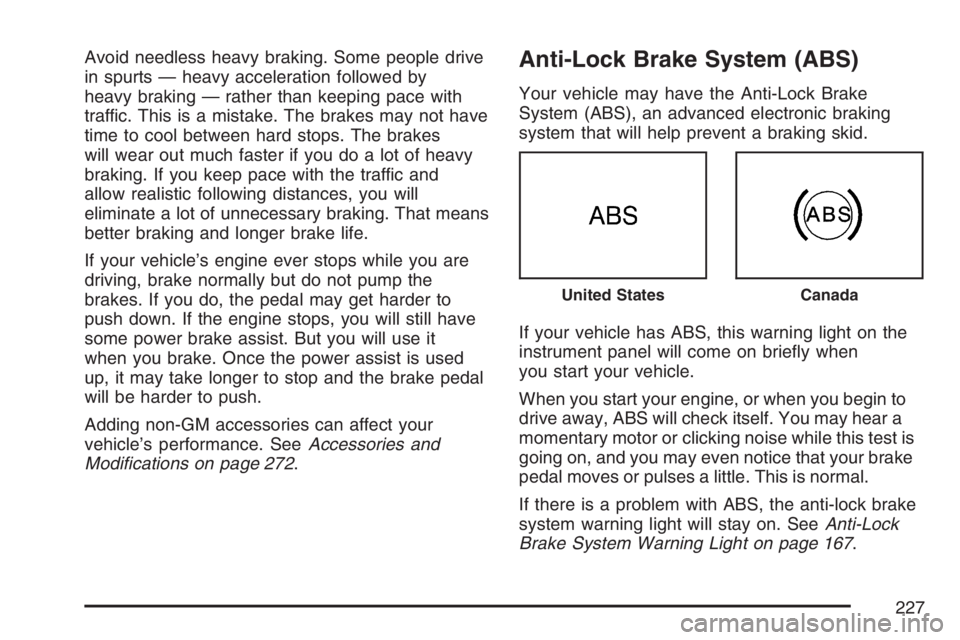
If your vehicle has ABS, this warning light on the
instrument panel will come on briey when
you start your vehicle.
When you start your engine, or when you begin to
drive away, ABS will check itself. You may hear a
momentary motor or clicking noise while this test is
going on, and you may even notice that your brake
pedal moves or pulses a little. This is normal.
If there is a problem with ABS, the anti-lock brake
system warning light will stay on. SeeAnti-Lock
Brake System Warning Light on page 167.
United StatesCanada
227
Page 229 of 432
If your vehicle has the vehicle stability control
system, it includes a brake assist system which
provides more powerful braking during a sudden,
hard brake application. See “Vehicle Stability
Control System” underTraction Control System
(TCS) on page 230.
Remember: ABS does not change the time you
need to get your foot up to the brake pedal
or always decrease stopping distance. If you get
too close to the vehicle in front of you, you will not
have time to apply your brakes if that vehicle
suddenly slows or stops. Always leave enough
room up ahead to stop, even though you
have ABS.
Using ABS
Do not pump the brakes. Just hold the brake
pedal down rmly and let anti-lock work for you.
You may feel a slight brake pedal pulsation
or notice some noise, but this is normal.
Braking in Emergencies
At some time, nearly every driver gets into a
situation that requires hard braking.If you have ABS, you can steer and brake at the
same time. However, if you do not have ABS, your
rst reaction — to hit the brake pedal hard and hold
it down — may be the wrong thing to do. Your
wheels can stop rolling. Once they do, the vehicle
cannot respond to your steering. Momentum will
carry it in whatever direction it was headed when
the wheels stopped rolling. That could be off the
road, into the very thing you were trying to avoid, or
into traffic.
If you do not have ABS, use a “squeeze” braking
technique. This will give you maximum braking
while maintaining steering control. You can do this
by pushing on the brake pedal with steadily
increasing pressure.
In an emergency, you will probably want to
squeeze the brakes hard without locking the
wheels. If you hear or feel the wheels sliding, ease
off the brake pedal. This will help you retain
steering control. If you do have ABS, it is different.
SeeAnti-Lock Brake System (ABS) on page 227.
In many emergencies, steering can help you
more than even the very best braking.
229
Page 230 of 432
Traction Control System (TCS)
Your vehicle may have a traction control system
that limits wheel spin. This is especially useful in
slippery road conditions. The system operates only
if it senses that one or both of the front wheels are
spinning or beginning to lose traction. When this
happens, the system works the front brakes and
reduces engine power to limit wheel spin.
You may feel or hear the system working, but this
is normal. Leave the system on during ordinary
driving so that it can operate when needed. When
the ignition is turned to ON, the system
automatically turns on.
This light should come
on briey when you
start the engine.
If it stays on or comes on while you are driving,
there is a problem with your traction control
system.The TRAC OFF button
is located to the left of
the steering wheel
below the instrument
panel cluster.
When getting the vehicle out of mud or newly
fallen snow, turn off the traction control system.
The system that controls engine performance
interferes with the process of freeing the
front wheels. To turn off traction control, press the
TRAC OFF button. The traction control system
warning light will come on. The vehicle stability
control system (StabiliTrak
®) is always activated,
even when the traction control system is turned
off. To turn the traction control system back
on, press the TRAC OFF button again. The
traction control system warning light will go off.
SeeTraction Control System (TCS) Warning Light
on page 168for more information.
Adding non-GM accessories can affect your
vehicle’s performance. SeeAccessories and
Modications on page 272for more information.
230