rear light PONTIAC VIBE 2008 User Guide
[x] Cancel search | Manufacturer: PONTIAC, Model Year: 2008, Model line: VIBE, Model: PONTIAC VIBE 2008Pages: 368, PDF Size: 5.7 MB
Page 133 of 368
Interior Lamps Control
The interior lights control is located on the overhead
light. To change the interior lights setting, slide the
switch to one of the following positions:
OFF:This position turns the light off.
ON:This position keeps the light on all the time.
Door:This position turns the light on when any door, the
liftgate or the liftglass is opened. The light goes off when
all the side doors, the liftgate and the liftglass are closed.
Entry Lighting
While the interior lights control is in the door position, the
light will come on when any side door, the liftgate or the
liftglass is opened. After all the doors, liftgate and liftglass
are closed, and the key is out of the ignition, in LOCK or
ACC, the light will remain on for about 15 seconds and
then go out except under the following conditions:
The ignition is turned to ACC or ON after all the
doors, the liftgate and the liftglass are closed.
All the doors and liftgate are locked when the liftglass
is closed and the light is still on.When any door is unlocked with the key or remote
keyless entry system transmitter, the light comes on
for 15 seconds, even if the door is not opened.
Reading Lamps
If your vehicle has a sunroof, there will be a reading
lamp near the sunroof switch. Press the button to turn
the lamp on and press it again to turn it off.
If your vehicle does not have a sunroof, the vehicle’s
inside rearview mirror may have reading lamps. If your
vehicle has reading lamps, there are two buttons located
on the bottom of the mirror. Press the buttons to turn the
lamps on and press them again to turn the lamps off.
3-17
Page 138 of 368
Rear Window Defogger
The rear window defogger uses a warming grid to clear
fog from the rear window.
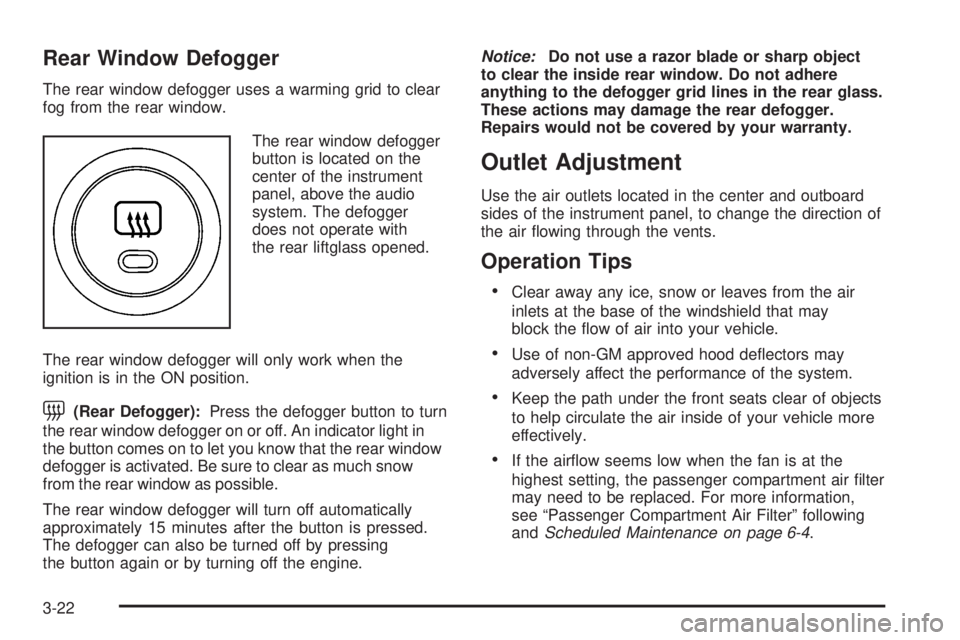
The rear window defogger
button is located on the
center of the instrument
panel, above the audio
system. The defogger
does not operate with
the rear liftglass opened.
The rear window defogger will only work when the
ignition is in the ON position.
=(Rear Defogger):Press the defogger button to turn
the rear window defogger on or off. An indicator light in
the button comes on to let you know that the rear window
defogger is activated. Be sure to clear as much snow
from the rear window as possible.
The rear window defogger will turn off automatically
approximately 15 minutes after the button is pressed.
The defogger can also be turned off by pressing
the button again or by turning off the engine.Notice:Do not use a razor blade or sharp object
to clear the inside rear window. Do not adhere
anything to the defogger grid lines in the rear glass.
These actions may damage the rear defogger.
Repairs would not be covered by your warranty.
Outlet Adjustment
Use the air outlets located in the center and outboard
sides of the instrument panel, to change the direction of
the air owing through the vents.
Operation Tips
Clear away any ice, snow or leaves from the air
inlets at the base of the windshield that may
block the ow of air into your vehicle.
Use of non-GM approved hood deectors may
adversely affect the performance of the system.
Keep the path under the front seats clear of objects
to help circulate the air inside of your vehicle more
effectively.
If the airow seems low when the fan is at the
highest setting, the passenger compartment air lter
may need to be replaced. For more information,
see “Passenger Compartment Air Filter” following
andScheduled Maintenance on page 6-4.
3-22
Page 146 of 368

Passenger Airbag Status Indicator
Your vehicle has the passenger sensing system.
Your instrument panel has a passenger airbag status
indicator.
The indicator next to the
passenger airbag status
indicator lights is the
passenger safety belt
reminder light.
SeeSafety Belt Reminders on page 3-28for more
information on that indicator.
When you start the vehicle, the passenger airbag status
indicator will light ON and OFF for several seconds
as a system check.
Then, after several more seconds, the status indicator
will light either ON or OFF if there is weight on the
seat or if the safety belt is buckled, to let you know
the status of the right front passenger’s frontal
and seat-mounted side impact airbags (if equipped).If the word ON is lit on the passenger airbag status
indicator, it means that the right front passenger’s frontal
and seat-mounted side impact airbag (if equipped)
are enabled (may inate).
{CAUTION:
If the on indicator comes on when you have
a rear-facing child restraint installed in the
right front passenger’s seat, it means that
the passenger sensing system has not turned
off the passenger’s frontal airbag and
seat-mounted side impact airbag (if equipped).
A child in a rear-facing child restraint can be
seriously injured or killed if the right front
passenger’s airbag inates. This is because the
back of the rear-facing child restraint would be
very close to the inating airbag. Do not use a
rear-facing child restraint in the right front
passenger’s seat if the airbag is turned on.
3-30
Page 147 of 368

{CAUTION:
Even though the passenger sensing system is
designed to turn off the right front passenger’s
frontal airbag and seat-mounted side impact
airbag (if equipped) if the system detects a
rear-facing child restraint, no system is
fail-safe, and no one can guarantee that an
airbag will not deploy under some unusual
circumstance, even though it is turned off.
We recommend that rear-facing child restraints
be secured in a rear seat, even if the airbag is
or airbags are off.
If the word OFF is lit on the passenger airbag status
indicator, it means that the passenger sensing system
has turned off the right front passenger’s frontal airbag
and seat-mounted side impact airbag (if equipped).
SeePassenger Sensing System on page 1-59for
more on this, including important safety information.If, after several seconds, all status indicator lights remain
on, or if there are no lights at all, there may be a problem
with the lights or the passenger sensing system. See your
dealer/retailer for service.
{CAUTION:
If the airbag readiness light in the instrument
panel cluster ever comes on and stays on, it
means that something may be wrong with the
airbag system. If this ever happens, have the
vehicle serviced promptly, because an
adult-size person sitting in the right front
passenger’s seat may not have the protection
of the airbag(s). SeeAirbag Readiness Light on
page 3-29for more on this, including important
safety information.
3-31
Page 156 of 368

Highbeam On Light
This light comes on when
the high-beam headlamps
are in use.
SeeHeadlamp High/Low-Beam Changer on page 3-8
for more information.
Low Washer Fluid Warning Light
This light will come on
when your windshield
washer uid is low.
SeeWindshield Washer Fluid on page 5-34for more
information.
Door Ajar Light
This light will come on if
any door, the rear liftgate
or the rear liftglass are
not completely closed.
Canada Only
3-40
Page 164 of 368

AUTO EQ (Automatic Equalization):For the Radio
with Six-Disc CD player, press this button to select
customized equalization settings designed for country,
jazz, talk, pop, rock, and classical.
To return to the manual mode, press the AUTO EQ
button until CUSTOM displays. Then manually adjust
the bass, midrange, and treble using the AUDIO knob.
Adjusting the Speakers (Balance/Fade)
BAL (Balance):To adjust the balance between the right
and the left speakers, press and release this button until
BAL displays. The SELECT LED indicator lights to show
that the speakers can be adjusted. Turn the SELECT
knob to move the sound toward the right or the left
speakers.
FADE:Press and release this button until FADE
displays, to adjust the fade between the front and the
rear speakers. The SELECT LED indicator lights to
show that the speakers can be adjusted. Turn the
SELECT knob to move the sound toward the front
or the rear speakers.Press and hold the BAL FADE button for two seconds
to return all speaker settings to the middle position.
For vehicles that have a radio with a Six-Disc CD player,
see the following for adjusting the speakers.
AUDIO:For the Radio with Six-Disc CD player, push
and release the AUDIO knob until BAL (balance)
displays, to adjust the balance between the right and
the left speakers. Turn the knob to move the sound
toward the right or the left speakers.
Push and release the AUDIO knob until FAD (fade)
displays, to adjust the fade between the front and rear
speakers. Turn the knob to move the sound toward
the front or the rear speakers.
Select balance or fade and push and hold the AUDIO
knob, to adjust the balance and the fade to the middle
position. The radio beeps once and adjusts the display
level to the middle position.
Push and hold the AUDIO knob when no tone or speaker
controls display, to adjust all tone and speaker controls
to the middle position. CENTERED displays and a beep
sounds.
3-48
Page 185 of 368

Let us say the road is wet and you are driving safely.
Suddenly, an animal jumps out in front of you. You slam
on the brakes and continue braking. Here is what
happens with ABS:
A computer senses that wheels are slowing down.
If one of the wheels is about to stop rolling, the computer
will separately work the brakes at each front wheel
and at both rear wheels.
ABS can change the brake pressure faster than any
driver could. The computer is programmed to make
the most of available tire and road conditions. This can
help you steer around the obstacle while braking hard.
As you brake, the computer keeps receiving updates on
wheel speed and controls braking pressure accordingly.
If your vehicle has the vehicle stability control system,
it includes a brake assist system which provides
more powerful braking during a sudden, hard brake
application. See “Vehicle Stability Control System”
underTraction Control System (TCS) on page 4-6.
Remember: ABS does not change the time you need to
get your foot up to the brake pedal or always decrease
stopping distance. If you get too close to the vehicle in
front of you, you will not have time to apply the brakes
if that vehicle suddenly slows or stops. Always leave
enough room up ahead to stop, even though you
have ABS.Using ABS
Do not pump the brakes. Just hold the brake pedal
down rmly and let antilock work for you. You might
feel a slight brake pedal pulsation or notice some noise,
but this is normal.
Braking in Emergencies
At some time, nearly every driver gets into a situation
that requires hard braking.
If you have ABS, you can steer and brake at the same
time. However, if you do not have ABS, your rst
reaction — to hit the brake pedal hard and hold it
down — might be the wrong thing to do. Your wheels
can stop rolling. Once they do, the vehicle cannot
respond to your steering. Momentum will carry it in
whatever direction it was headed when the wheels
stopped rolling. That could be off the road, into the
very thing you were trying to avoid, or into traffic.
If you do not have ABS, use a “squeeze” braking
technique. This will give you maximum braking while
maintaining steering control. You can do this by pushing
on the brake pedal with steadily increasing pressure.
In an emergency, you will probably want to squeeze the
brakes hard without locking the wheels. If you hear or
feel the wheels sliding, ease off the brake pedal.
4-5
Page 192 of 368

Driving at Night
Night driving is more dangerous than day driving
because some drivers are likely to be impaired — by
alcohol or drugs, with night vision problems, or by
fatigue.
Night driving tips include:
Drive defensively.
Do not drink and drive.
Reduce headlamp glare by adjusting the inside
rearview mirror.
Slow down and keep more space between you and
other vehicles because your headlamps can only
light up so much road ahead.
Watch for animals.
When tired, pull off the road.
Do not wear sunglasses.
Avoid staring directly into approaching headlamps.
Keep the windshield and all glass on your vehicle
clean — inside and out.
Keep your eyes moving, especially during turns or
curves.
No one can see as well at night as in the daytime.
But, as we get older, these differences increase.
A 50-year-old driver might need at least twice as much
light to see the same thing at night as a 20-year-old.
Driving in Rain and on Wet Roads
Rain and wet roads can reduce vehicle traction and affect
your ability to stop and accelerate. Always drive slower
in these types of driving conditions and avoid driving
through large puddles and deep-standing or owing
water.
{CAUTION:
Wet brakes can cause crashes. They might not
work as well in a quick stop and could cause
pulling to one side. You could lose control of
the vehicle.
After driving through a large puddle of water
or a car/vehicle wash, lightly apply the brake
pedal until the brakes work normally.
Flowing or rushing water creates strong
forces. Driving through owing water could
cause your vehicle to be carried away. If this
happens, you and other vehicle occupants
could drown. Do not ignore police warnings
and be very cautious about trying to drive
through owing water.
4-12
Page 199 of 368

Rocking Your Vehicle to Get It Out
First, turn the steering wheel left and right to clear the
area around the front wheels. Turn off any traction or
stability system. SeeTraction Control System (TCS)
on page 4-6andStabiliTrak
®System on page 4-7.
Then shift back and forth between REVERSE (R) and a
forward gear, or with a manual transmission, between
FIRST (1) or SECOND (2) and REVERSE (R), spinning
the wheels as little as possible. To prevent transmission
wear, wait until the wheels stop spinning before shifting
gears. Release the accelerator pedal while you shift,
and press lightly on the accelerator pedal when the
transmission is in gear. By slowly spinning the wheels
in the forward and reverse directions, you will cause a
rocking motion that could free your vehicle. If that does
not get your vehicle out after a few tries, it might need to
be towed out. Or, you can use the recovery hook. If your
vehicle does need to be towed out, seeTowing Your
Vehicle on page 4-25.
Loading Your Vehicle
It is very important to know how much weight
your vehicle can carry. Two labels on your vehicle
show how much weight it may properly carry,
the Tire and Loading Information label and
the Certication label.
{CAUTION:
Do not load your vehicle any heavier than
the Gross Vehicle Weight Rating (GVWR),
or either the maximum front or rear Gross
Axle Weight Rating (GAWR). If you do,
parts on your vehicle can break, and it
can change the way your vehicle handles.
These could cause you to lose control
and crash. Also, overloading can shorten
the life of your vehicle.
4-19
Page 204 of 368

And, if you do have a heavy load, you should
spread it out. See “Steps for Determining Correct
Load Limit” earlier in this section.
{CAUTION:
Do not load your vehicle any heavier than
the Gross Vehicle Weight Rating (GVWR),
or either the maximum front or rear Gross
Axle Weight Rating (GAWR). If you do,
parts on your vehicle can break, and it
can change the way your vehicle handles.
These could cause you to lose control
and crash. Also, overloading can shorten
the life of your vehicle.
Notice:Overloading your vehicle may cause
damage. Repairs would not be covered by your
warranty. Do not overload your vehicle.
If you put things inside your vehicle — like
suitcases, tools, packages, or anything else — they
will go as fast as the vehicle goes. If you have to
stop or turn quickly, or if there is a crash, they will
keep going.
{CAUTION:
Things you put inside your vehicle can strike
and injure people in a sudden stop or turn, or
in a crash.
Put things in the rear area of your vehicle.
Try to spread the weight evenly. If you
have fold-down rear seats, you will nd
four anchors on the back wall of your
trunk. You can use these anchors to tie
down lighter loads. They are not strong
enough for heavy things, however, so put
them as far forward as you can in the
trunk or rear area.
Never stack heavier things, like suitcases,
inside the vehicle so that some of them
are above the tops of the seats.
Do not leave an unsecured child restraint
in your vehicle.
When you carry something inside the
vehicle, secure it whenever you can.
Do not leave a seat folded down unless
you need to.
4-24