engine PONTIAC VIBE 2008 Owner's Guide
[x] Cancel search | Manufacturer: PONTIAC, Model Year: 2008, Model line: VIBE, Model: PONTIAC VIBE 2008Pages: 368, PDF Size: 5.7 MB
Page 154 of 368
Emissions Inspection and Maintenance
Programs
Some state/provincial and local governments have or
might begin programs to inspect the emission control
equipment on your vehicle. Failure to pass this
inspection could prevent you from getting a vehicle
registration.
Here are some things you need to know to help your
vehicle pass an inspection:
Your vehicle will not pass this inspection if the check
engine light is on or not working properly.
Your vehicle will not pass this inspection if the OBD
(on-board diagnostic) system determines that critical
emission control systems have not been completely
diagnosed by the system. The vehicle would be
considered not ready for inspection. This can happen if
you have recently replaced the battery or if the battery
has run down. The diagnostic system is designed to
evaluate critical emission control systems during normal
driving. This can take several days of routine driving.
If you have done this and your vehicle still does not pass
the inspection for lack of OBD system readiness, your
dealer/retailer can prepare the vehicle for inspection.
Oil Pressure Light
{CAUTION:
Do not keep driving if the oil pressure is low.
If you do, your engine can become so hot that
it catches re. You or others could be burned.
Check your oil as soon as possible and have
your vehicle serviced.
Notice:Lack of proper engine oil maintenance may
damage the engine. The repairs would not be covered
by your warranty. Always follow the maintenance
schedule in this manual for changing engine oil.
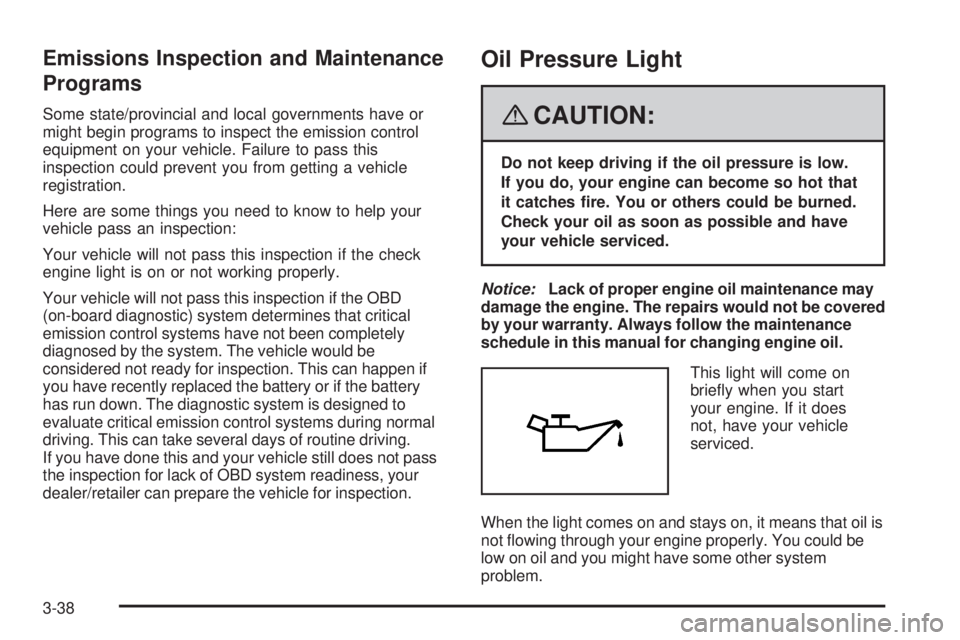
This light will come on
briey when you start
your engine. If it does
not, have your vehicle
serviced.
When the light comes on and stays on, it means that oil is
not owing through your engine properly. You could be
low on oil and you might have some other system
problem.
3-38
Page 159 of 368
While your vehicle is parked:
Familiarize yourself with all of its controls.
Familiarize yourself with its operation.
Set up your audio system by presetting your
favorite radio stations, setting the tone, and
adjusting the speakers. Then, when driving
conditions permit, you can tune to your favorite
radio stations using the presets and steering
wheel controls if the vehicle has them.
Notice:Before adding any sound equipment to
your vehicle, such as an audio system, CD player,
CB radio, mobile telephone, or two-way radio, make
sure that it can be added by checking with your
dealer/retailer. Also, check federal rules covering
mobile radio and telephone units. If sound equipment
can be added, it is very important to do it properly.
Added sound equipment may interfere with the
operation of your vehicle’s engine, radio, or other
systems, and even damage them. Your vehicle’s
systems may interfere with the operation of sound
equipment that has been added.
Setting the Time
The radio may have a button marked with an H or HR to
represent hours and an M or MN to represent minutes.
Press and hold the hour button until the correct hour
displays. AM or PM displays for morning or evening
hours. Press and hold the minute button until the correct
minute displays. The time can be set with the ignition
on or off.
To synchronize the time with an FM station broadcasting
Radio Data System (RDS) information, press and hold
the hour and minute buttons at the same time until
UPDATED and the clock symbol appear on the display.
If the time is not available from the station, NO UPDATE
or NO UPDAT will appear on the display.
RDS time is broadcast once a minute. After tuning to
an RDS broadcast station, it could take a few minutes
for the time to update.
3-43
Page 160 of 368
Radio(s)
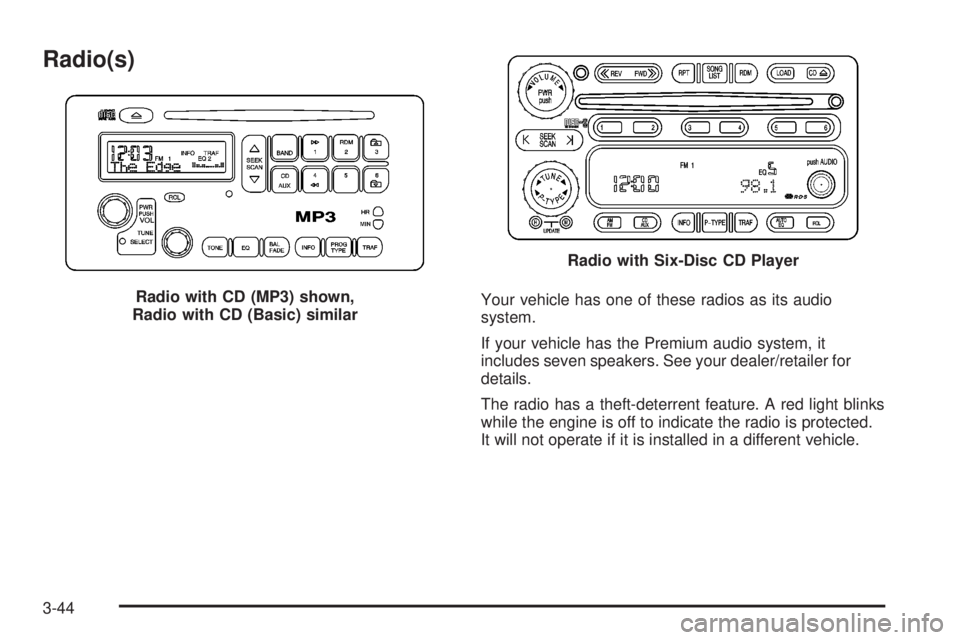
Your vehicle has one of these radios as its audio
system.
If your vehicle has the Premium audio system, it
includes seven speakers. See your dealer/retailer for
details.
The radio has a theft-deterrent feature. A red light blinks
while the engine is off to indicate the radio is protected.
It will not operate if it is installed in a different vehicle. Radio with CD (MP3) shown,
Radio with CD (Basic) similar
Radio with Six-Disc CD Player
3-44
Page 184 of 368

Avoid needless heavy braking. Some people drive
in spurts — heavy acceleration followed by heavy
braking — rather than keeping pace with traffic. This is a
mistake. The brakes might not have time to cool between
hard stops. The brakes will wear out much faster if you do
alot of heavy braking. If you keep pace with the traffic and
allow realistic following distances, you will eliminate a lot
of unnecessary braking. That means better braking and
longer brake life.
If your vehicle’s engine ever stops while you are driving,
brake normally but do not pump the brakes. If you do, the
pedal could get harder to push down. If the engine stops,
you will still have some power brake assist. But you will
use it when you brake. Once the power assist is used up,
it can take longer to stop and the brake pedal will be
harder to push.
Adding non-dealer/non-retailer accessories can affect
your vehicle’s performance. SeeAccessories and
Modifications on page 5-3.Antilock Brake System (ABS)
Your vehicle might have the Antilock Brake
System (ABS), an advanced electronic braking
system that will help prevent a braking skid.
If your vehicle has ABS, this warning light on the
instrument panel will come on briey when you start
your vehicle.
When you start the engine, or when you begin to
drive away, ABS will check itself. You might hear
a momentary motor or clicking noise while this test is
going on, and you might even notice that the brake
pedal moves or pulses a little. This is normal.
If there is a problem with ABS, the antilock brake
system warning light will stay on. SeeAntilock Brake
System Warning Light on page 3-33. United States
Canada
4-4
Page 186 of 368
This will help you retain steering control. If you do have
ABS, it is different. SeeAntilock Brake System (ABS)
on page 4-4.
In many emergencies, steering can help you more than
even the very best braking.
Traction Control System (TCS)
Your vehicle may have a traction control system that
limits wheel spin. This is especially useful in slippery
road conditions. The system operates only if it senses
that one or both of the front wheels are spinning or
beginning to lose traction. When this happens, the
system works the front brakes and reduces engine
power to limit wheel spin.
You may feel or hear the system working, but this is
normal. Leave the system on during ordinary driving so
that it can operate when needed. When the ignition
is turned to ON, the system automatically turns on.
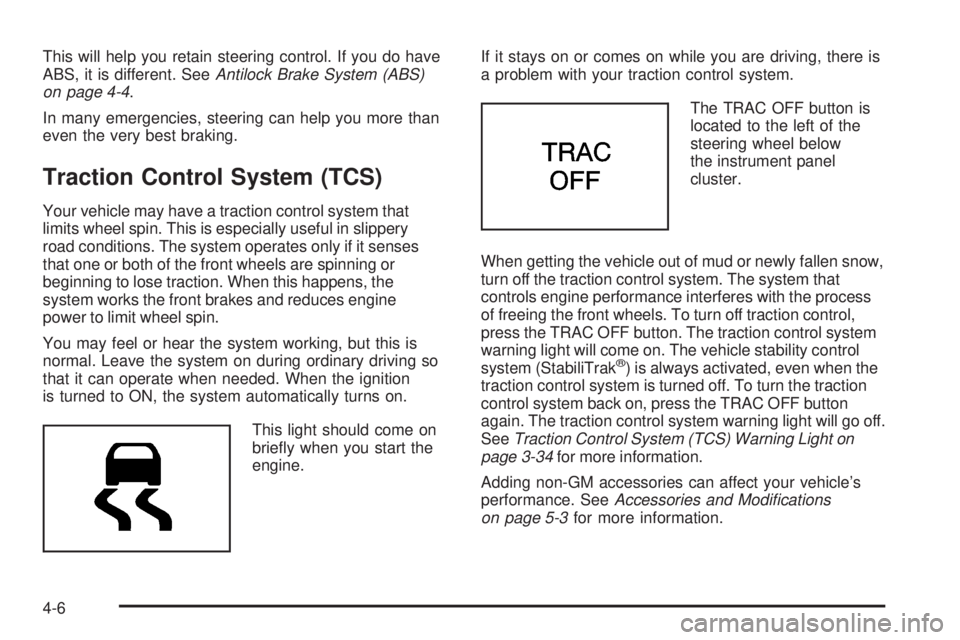
This light should come on
briey when you start the
engine.If it stays on or comes on while you are driving, there is
a problem with your traction control system.
The TRAC OFF button is
located to the left of the
steering wheel below
the instrument panel
cluster.
When getting the vehicle out of mud or newly fallen snow,
turn off the traction control system. The system that
controls engine performance interferes with the process
of freeing the front wheels. To turn off traction control,
press the TRAC OFF button. The traction control system
warning light will come on. The vehicle stability control
system (StabiliTrak
®) is always activated, even when the
traction control system is turned off. To turn the traction
control system back on, press the TRAC OFF button
again. The traction control system warning light will go off.
SeeTraction Control System (TCS) Warning Light on
page 3-34for more information.
Adding non-GM accessories can affect your vehicle’s
performance. SeeAccessories and Modifications
on page 5-3for more information.
4-6
Page 187 of 368

StabiliTrak®System
Your vehicle may have this feature. The StabiliTrak®
system helps provide integrated control of the systems
such as anti-lock brake system, traction control and
engine control. This system automatically controls the
brakes and engine to help prevent the vehicle from
skidding when cornering on a slippery road surface
or turning the steering wheel abruptly.
This system will activate when your vehicle speed
reaches or exceeds 9 mph (15 km/h), and will
deactivate when the vehicle speed reduces to
below 9 mph (15 km/h).
You may hear a sound in the engine compartment for a
few seconds when the engine is started or just after the
vehicle begins to move. This means that the system is in
the self-check mode, but does not indicate a malfunction.
If the vehicle is going to skid during driving, the traction
control system warning light will blink and an alarm
will sound intermittently. Adjust your driving accordingly.
This light warns that there
is a problem somewhere
in the traction control
system or StabiliTrak
®.
Panic Brake Assist
Your vehicle has a panic brake assist system that
monitors the intention of the driver while braking. If the
system senses that the driver has applied hard/fast
pressure to the brake pedal, the system will generate
additional pressure, making it easier for the driver to
maintain brake application. When this happens the brake
pedal will feel easier to push. Just hold the brake pedal
down rmly and let the system work for you. You may feel
the brakes vibrate, or you may notice some noise but this
is normal. The brakes will return to normal operation after
the brake pedal has been released.
The brake assist system becomes operational after
the vehicle has accelerated to a speed in excess
of approximately 6 mph (10 km/h). It stops operating
when the vehicle decelerates to a speed below
approximately 3 mph (5 km/h).
4-7
Page 188 of 368

Steering
Power Steering
If you lose power steering assist because the engine
stops or the system is not functioning, you can steer but
it will take much more effort.
Steering Tips
It is important to take curves at a reasonable speed.
A lot of the “driver lost control” accidents mentioned on
the news happen on curves. Here is why:
Experienced driver or beginner, each of us is subject
to the same laws of physics when driving on curves.
The traction of the tires against the road surface makes
it possible for the vehicle to change its path when you
turn the front wheels. If there is no traction, inertia will
keep the vehicle going in the same direction. If you
have ever tried to steer a vehicle on wet ice, you will
understand this.
The traction you can get in a curve depends on the
condition of the tires and the road surface, the angle
at which the curve is banked, and your speed. While you
are in a curve, speed is the one factor you can control.
Suppose you are steering through a sharp curve.
Then you suddenly apply the brakes. Both control
systems — steering and braking — have to do their workwhere the tires meet the road. Unless you have antilock
brakes, adding the hard braking can demand too
much of those places. You can lose control.
The same thing can happen if you are steering through
a sharp curve and you suddenly accelerate. Those two
control systems — steering and acceleration — can
overwhelm those places where the tires meet the road
and make you lose control.
What should you do if this ever happens? Ease up on
the brake or accelerator pedal, steer the vehicle the way
you want it to go, and slow down.
Speed limit signs near curves warn that you should
adjust your speed. Of course, the posted speeds
are based on good weather and road conditions.
Under less favorable conditions you will want to
go slower.
If you need to reduce your speed as you approach
a curve, do it before you enter the curve, while the
front wheels are straight ahead.
Try to adjust your speed so you can drive through
the curve. Maintain a reasonable, steady speed.
Wait to accelerate until you are out of the curve,
and then accelerate gently into the straightaway.
Adding non-dealer/non-retailer accessories can affect
your vehicle’s performance. SeeAccessories and
Modifications on page 5-3.
4-8
Page 193 of 368
Hydroplaning
Hydroplaning is dangerous. Water can build up under
your vehicle’s tires so they actually ride on the water.
This can happen if the road is wet enough and you are
going fast enough. When your vehicle is hydroplaning,
it has little or no contact with the road.
There is no hard and fast rule about hydroplaning.
The best advice is to slow down when the road is wet.
Other Rainy Weather Tips
Besides slowing down, other wet weather driving tips
include:
Allow extra following distance.
Pass with caution.
Keep windshield wiping equipment in good shape.
Keep the windshield washer uid reservoir lled.
Have good tires with proper tread depth.
SeeTires on page 5-49.
Before Leaving on a Long Trip
To prepare your vehicle for a long trip, consider having
it serviced by your dealer/retailer before departing.
Things to check on your own include:
Windshield Washer Fluid:Reservoir full? Windows
clean — inside and outside?
Wiper Blades:In good shape?
Fuel, Engine Oil, Other Fluids:All levels checked?
Lamps:Do they all work and are lenses clean?
Tires:Are treads good? Are tires inated to
recommended pressure?
Weather and Maps:Safe to travel? Have up-to-date
maps?
Highway Hypnosis
Always be alert and pay attention to your surroundings
while driving. If you become tired or sleepy, nd a
safe place to park your vehicle and rest.
Other driving tips include:
Keep the vehicle well ventilated.
Keep interior temperature cool.
Keep your eyes moving — scan the road ahead
and to the sides.
Check the rearview mirror and vehicle instruments
often.
4-13
Page 194 of 368

Hill and Mountain Roads
Driving on steep hills or through mountains is different
than driving on at or rolling terrain. Tips for driving
in these conditions include:
Keep your vehicle serviced and in good shape.
Check all uid levels and brakes, tires, cooling
system, and transmission.
Going down steep or long hills, shift to a lower gear.
{CAUTION:
If you do not shift down, the brakes could get
so hot that they would not work well. You
would then have poor braking or even none
going down a hill. You could crash. Shift down
to let the engine assist the brakes on a steep
downhill slope.
{CAUTION:
Coasting downhill in NEUTRAL (N) or with the
ignition off is dangerous. The brakes will have
to do all the work of slowing down and they
could get so hot that they would not work well.
You would then have poor braking or even
none going down a hill. You could crash.
Always have the engine running and your
vehicle in gear when you go downhill.
Stay in your own lane. Do not swing wide or cut
across the center of the road. Drive at speeds
that let you stay in your own lane.
Top of hills: Be alert — something could be in your
lane (stalled car, accident).
Pay attention to special road signs (falling rocks
area, winding roads, long grades, passing or
no-passing zones) and take appropriate action.
4-14
Page 197 of 368

You can run the engine to keep warm, but be careful.
{CAUTION:
Snow can trap exhaust gases under your
vehicle. This can cause deadly CO (carbon
monoxide) gas to get inside. CO could
overcome you and kill you. You cannot see it
or smell it, so you might not know it is in your
vehicle. Clear away snow from around the
base of your vehicle, especially any that is
blocking the exhaust pipe. And check around
again from time to time to be sure snow does
not collect there.
Open a window just a little on the side of the
vehicle that is away from the wind. This will
help keep CO out.
Run your engine only as long as you must. This saves
fuel. When you run the engine, make it go a little faster
than just idle. That is, push the accelerator slightly. This
uses less fuel for the heat that you get and it keeps the
battery charged. You will need a well-charged battery to
restart the vehicle, and possibly for signaling later on with
the headlamps. Let the heater run for a while.
4-17