wheel PONTIAC VIBE 2010 Owner's Manual
[x] Cancel search | Manufacturer: PONTIAC, Model Year: 2010, Model line: VIBE, Model: PONTIAC VIBE 2010Pages: 318, PDF Size: 1.7 MB
Page 145 of 318
To save fuel, run the engine for only
short periods as needed to warm the
vehicle and then shut the engine off
and close the window most of the
way to save heat. Repeat this until
help arrives but only when you feel
really uncomfortable from the cold.
Moving about to keep warm also
helps.
If it takes some time for help to
arrive, now and then when you run
the engine, push the accelerator
pedal slightly so the engine runs
faster than the idle speed. This
keeps the battery charged to restart
the vehicle and to signal for help with
the headlamps. Do this as little as
possible to save fuel.If the Vehicle is Stuck
Slowly and cautiously spin the
wheels to free the vehicle when
stuck in sand, mud, ice, or snow.
{CAUTION
If you let your vehicle’s tires spin at
high speed, they can explode, and
you or others could be injured. The
vehicle can overheat, causing an
engine compartment fire or other
damage. Spin the wheels as little
as possible and avoid going above
55 km/h (35 mph) as shown on the
speedometer.
For information about using tire
chains on the vehicle, see Tire
Chains on page 9-61 .
Rocking the Vehicle to Get
it Out
Turn the steering wheel left and
right to clear the area around the
front wheels. Turn off any traction
system. Shift back and forth between
R (Reverse) and a forward gear,
or with a manual transmission,
between 1 (First) or 2 (Second) and
R (Reverse), spinning the wheels
as little as possible. To prevent
transmission wear, wait until the
wheels stop spinning before shifting
gears. Release the accelerator pedal
while shifting, and press lightly on
the accelerator pedal when the
transmission is in gear. Slowly
spinning the wheels in the forward
and reverse directions causes a
rocking motion that could free the
vehicle. If that does not get the
vehicle out after a few tries, it might
need to be towed out. If the vehicle
does need to be towed out, see
Towing the Vehicle on page 9-73 .
Driving and Operating 8-11
Page 151 of 318
LOCK/OFF:This is the only position
from which you can remove the key.
This locks the steering wheel,
ignition and automatic transmission.
Push in the ignition switch as you
turn the key toward you.
On vehicles with an automatic
transmission, the shift lever must be
in P (Park) to turn the ignition switch
to the LOCK/OFF position.
A warning tone will sound if the driver
door is opened with the key in the
ignition.
The ignition switch can bind in the
LOCK/OFF position with your wheels
turned off center. If this happens,
move the steering wheel from right
to left while turning the key to
ACC/ACCESSORY. If this doesn’t
work, then the vehicle needs service.{CAUTION
On manual transmission vehicles,
turning the key to LOCK/OFF and
removing it will lock the steering
column and result in a loss of
ability to steer the vehicle.
This could cause a collision.
If you need to turn the engine
off while the vehicle is moving,
turn the key only to ACC/
ACCESSORY. Do not push the
key in while the vehicle is moving.
ACC/ACCESSORY: This position
provides power to some of the
electrical accessories. It unlocks the
steering wheel and ignition. To move
the key from ACC/ACCESSORY to
LOCK/OFF, push in the key and then
turn it to LOCK/OFF.
A warning tone will sound when the
driver door is opened when the
ignition is still in ACC/ACCESSORY
or LOCK/OFF and the key is in the
ignition. ON/RUN:
The ignition switch stays
in this position when the engine is
running. This position can be used
to operate the electrical accessories,
including the ventilation fan and
115 volt power outlet, as well as to
display some warning and indicator
lights. The transmission is also
unlocked in this position on
automatic transmission vehicles.
The battery could be drained
if you leave the key in the ACC/
ACCESSORY or ON/RUN position
with the engine off. You may not be
able to start the vehicle if the battery
is allowed to drain for an extended
period of time.
START: This position starts the
engine. When the engine starts,
release the key. The ignition switch
will return to ON/RUN for normal
driving.
Driving and Operating 8-17
Page 158 of 318
Running the Vehicle
While Parked
It is better not to park with the
engine running. But if you ever have
to, here are some things to know.
{CAUTION
Idling a vehicle in an enclosed
area with poor ventilation is
dangerous. Engine exhaust may
enter the vehicle. Engine exhaust
contains Carbon Monoxide (CO)
which cannot be seen or smelled.
It can cause unconsciousness
and even death. Never run the
engine in an enclosed area that
has no fresh air ventilation. For
more information, seeEngine
Exhaust on page 8-23 .
{CAUTION
It can be dangerous to get out
of the vehicle if the automatic
transmission shift lever is not fully
in P (Park) with the parking brake
firmly set. The vehicle can roll.
Do not leave the vehicle when the
engine is running unless you have
to. If you have left the engine
running, the vehicle can move
suddenly. You or others could be
injured. To be sure the vehicle will
not move, even when you are on
fairly level ground, always set the
parking brake and move the shift
lever to P (Park).
Follow the proper steps to be
sure the vehicle will not move.
See Shifting Into Park on page 8-20 .
If parking on a hill and pulling a
trailer, see Driving Characteristics
and Towing Tips on page 8-44 .
Automatic
Transmission
Automatic Transmission
(Four Speed Automatic)
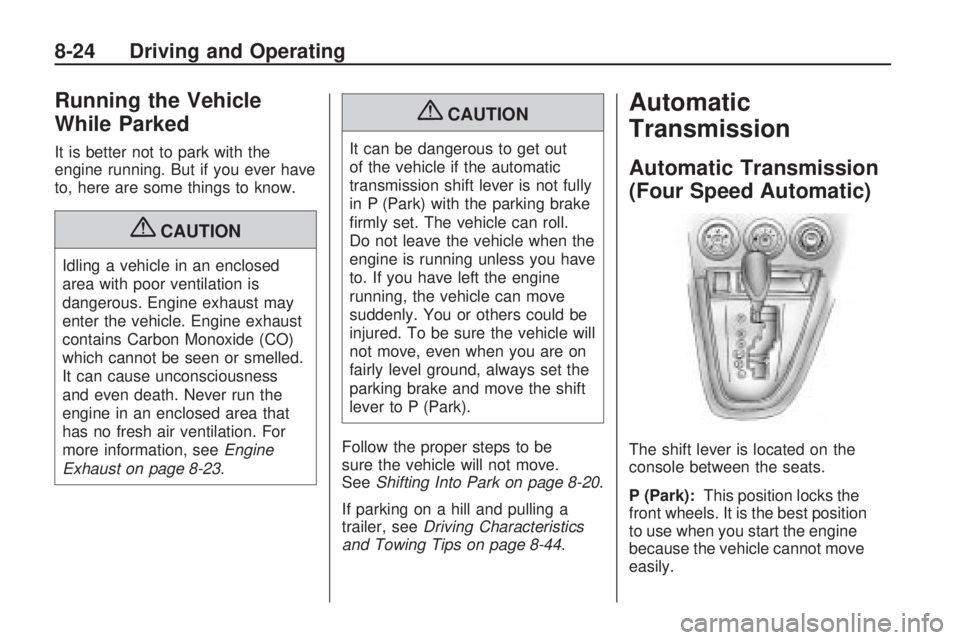
The shift lever is located on the
console between the seats.
P (Park):This position locks the
front wheels. It is the best position
to use when you start the engine
because the vehicle cannot move
easily.
8-24 Driving and Operating
Page 160 of 318
N (Neutral):In this position, the
engine does not connect with the
wheels. To restart the vehicle when it
is already moving, use N (Neutral)
only. Also, use N (Neutral) when the
vehicle is being towed.
{CAUTION
Shifting into a drive gear while the
engine is running at high speed is
dangerous. Unless your foot is
firmly on the brake pedal, the
vehicle could move very rapidly.
You could lose control and hit
people or objects. Do not shift into
a drive gear while the engine is
running at high speed. Notice:
Shifting out of P (Park)
or N (Neutral) with the engine
running at high speed may
damage the transmission. The
repairs would not be covered by
the vehicle warranty. Be sure the
engine is not running at high
speed when shifting the vehicle.
D (Drive): This position is for
normal driving. It provides the best
fuel economy. If you need more
power for passing, and you are:
•Going less than 35 mph
(56 km/h), push the accelerator
pedal about halfway down.
•Going about 35 mph (56 km/h) or
more, push the accelerator all
the way down.
Notice: If the vehicle seems to
start up rather slowly or not shift
gears when you go faster, and
you continue to drive the vehicle that way, you could damage the
transmission. Have the vehicle
serviced right away. You can drive
in L2 (Low) when you are driving
less than 35 mph (56 km/h) and
D (Drive) for higher speeds
until then.
2 (Second):
This position reduces
vehicle speed more than D (Drive)
without using the brakes. You can
use 2 (Second) on hills. It can help
control vehicle speed as you go
down steep mountain roads, but then
you would also want to use the
brakes off and on.
L (Low): This position reduces
vehicle speed even more than
2 (Second) without using the brakes.
You can use it on very steep hills, or
in deep snow or mud. If the shift lever
is put in L (Low), the transmission will
not shift into low gear until the vehicle
is going slow enough.
8-26 Driving and Operating
Page 161 of 318
Automatic Transmission
(Five Speed Automatic)
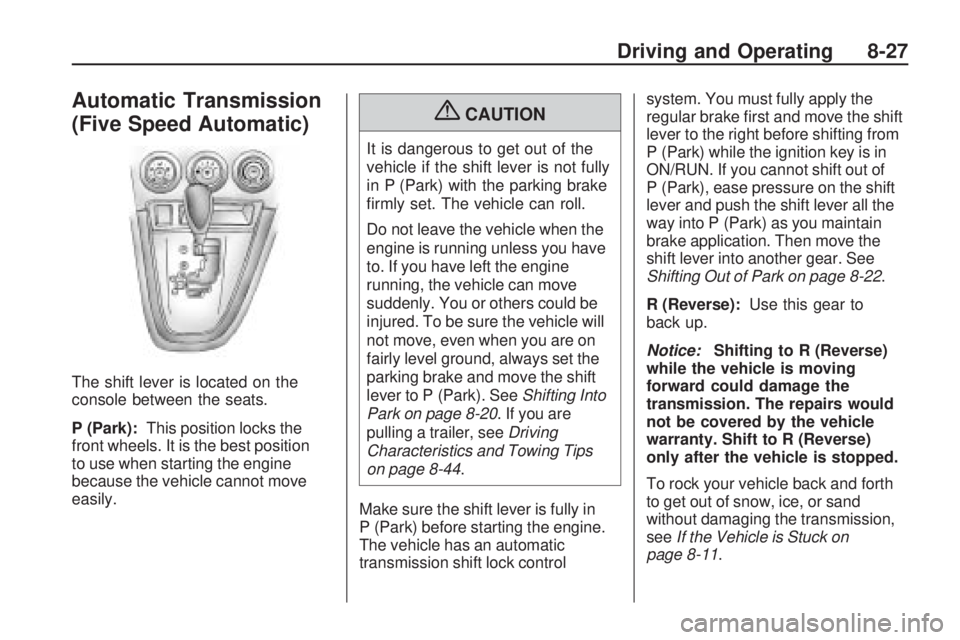
The shift lever is located on the
console between the seats.
P (Park):This position locks the
front wheels. It is the best position
to use when starting the engine
because the vehicle cannot move
easily.
{CAUTION
It is dangerous to get out of the
vehicle if the shift lever is not fully
in P (Park) with the parking brake
firmly set. The vehicle can roll.
Do not leave the vehicle when the
engine is running unless you have
to. If you have left the engine
running, the vehicle can move
suddenly. You or others could be
injured. To be sure the vehicle will
not move, even when you are on
fairly level ground, always set the
parking brake and move the shift
lever to P (Park). See Shifting Into
Park on page 8-20. If you are
pulling a trailer, see Driving
Characteristics and Towing Tips
on page 8-44.
Make sure the shift lever is fully in
P (Park) before starting the engine.
The vehicle has an automatic
transmission shift lock control system. You must fully apply the
regular brake first and move the shift
lever to the right before shifting from
P (Park) while the ignition key is in
ON/RUN. If you cannot shift out of
P (Park), ease pressure on the shift
lever and push the shift lever all the
way into P (Park) as you maintain
brake application. Then move the
shift lever into another gear. See
Shifting Out of Park on page 8-22
.
R (Reverse): Use this gear to
back up.
Notice: Shifting to R (Reverse)
while the vehicle is moving
forward could damage the
transmission. The repairs would
not be covered by the vehicle
warranty. Shift to R (Reverse)
only after the vehicle is stopped.
To rock your vehicle back and forth
to get out of snow, ice, or sand
without damaging the transmission,
see If the Vehicle is Stuck on
page 8-11.
Driving and Operating 8-27
Page 162 of 318
N (Neutral):In this position,
the engine does not connect with
the wheels. To restart the engine
when the vehicle is already moving,
use N (Neutral) only. Also, use
N (Neutral) when the vehicle is
being towed.
{CAUTION
Shifting into a drive gear while the
engine is running at high speed is
dangerous. Unless your foot is
firmly on the brake pedal, the
vehicle could move very rapidly.
You could lose control and hit
people or objects. Do not shift into
a drive gear while the engine is
running at high speed. Notice:
Shifting out of P (Park)
or N (Neutral) with the engine
running at high speed may
damage the transmission.
The repairs would not be covered
by the vehicle warranty. Be sure
the engine is not running at high
speed when shifting the vehicle.
D (Drive): This position is for normal
driving. It provides the best fuel
economy from the vehicle. If you
need more power for passing, and
you are:
•Going less than 35 mph
(55 km/h), push the accelerator
pedal about halfway down.
•Going about 35 mph (55 km/h) or
more, push the accelerator all the
way down.
Manual Mode
Driver Shift Control (DSC)
DSC mode allows you to choose
the top gear limit of the vehicle’s
transmission and the vehicle’s speed
while driving down hill or towing a
trailer. To use this feature, do the
following:
1. Move the shift lever from D (Drive) left to S (Shift Control).
While driving in this mode, the
transmission will remain in the
driver selected range. When
coming to a stop, the vehicle
will automatically shift into
1 (First) gear.
2. Move the shift lever forward to increase the gear range, or
rearward to decrease the gear
range available based upon your
current driving conditions and
needs.
8-28 Driving and Operating
Page 165 of 318
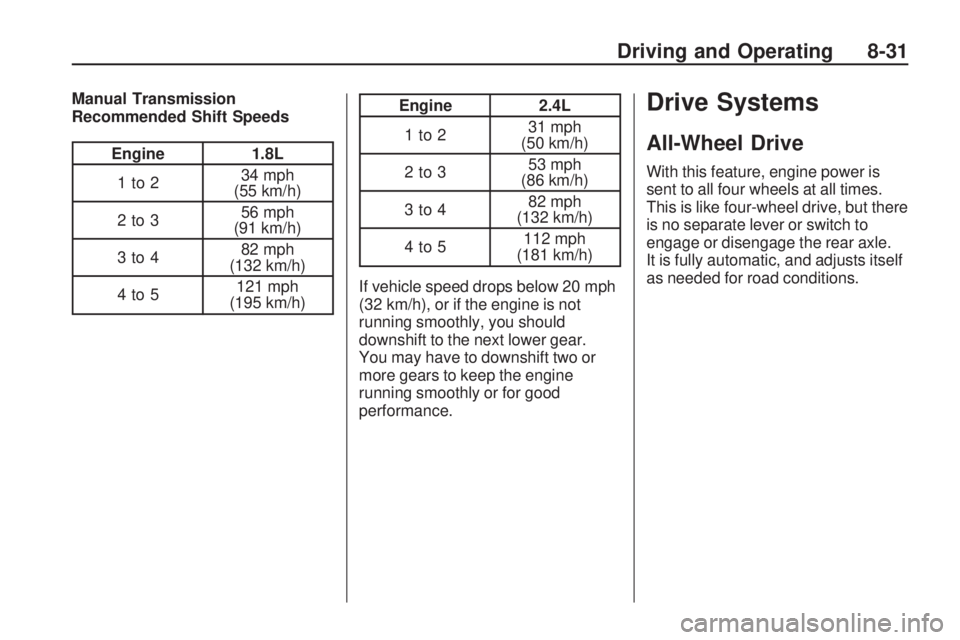
Manual Transmission
Recommended Shift Speeds
Engine1.8L
1to2 34 mph
(55 km/h)
2to3 56 mph
(91 km/h)
3to4 82 mph
(132 km/h)
4to5 121 mph
(195 km/h)
Engine 2.4L
1to2 31 mph
(50 km/h)
2to3 53 mph
(86 km/h)
3to4 82 mph
(132 km/h)
4to5 112 mph
(181 km/h)
If vehicle speed drops below 20 mph
(32 km/h), or if the engine is not
running smoothly, you should
downshift to the next lower gear.
You may have to downshift two or
more gears to keep the engine
running smoothly or for good
performance.Drive Systems
All-Wheel Drive
With this feature, engine power is
sent to all four wheels at all times.
This is like four-wheel drive, but there
is no separate lever or switch to
engage or disengage the rear axle.
It is fully automatic, and adjusts itself
as needed for road conditions.
Driving and Operating 8-31
Page 166 of 318
Brakes
Antilock Brake
System (ABS)
This vehicle has the Antilock Brake
System (ABS), an advanced
electronic braking system that
helps prevent a braking skid.
When the engine is started and the
vehicle begins to drive away, ABS
checks itself. A momentary motor or
clicking noise might be heard while
this test is going on, and it might
even be noticed that the brake pedal
moves a little. This is normal.
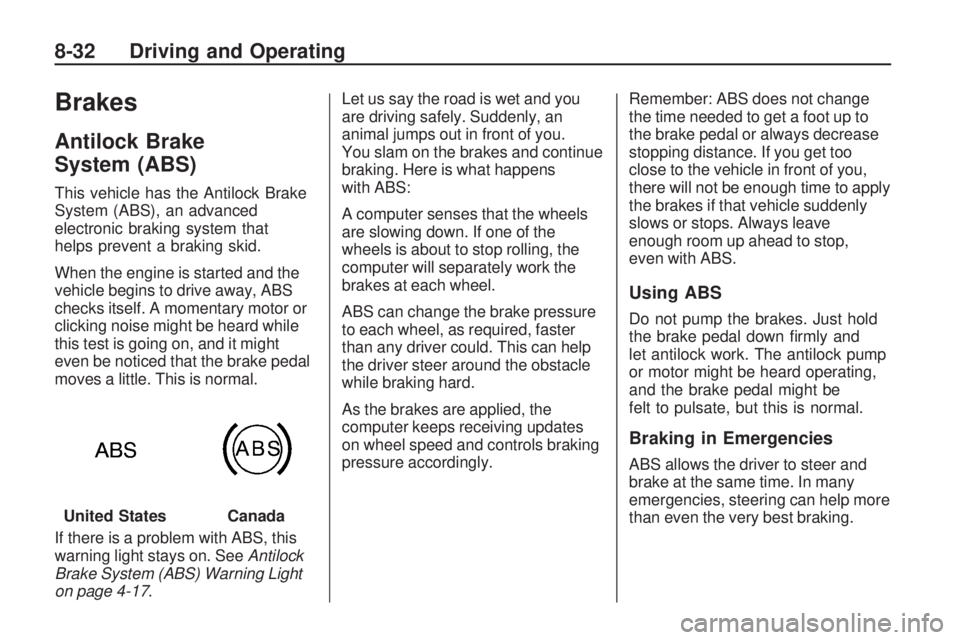
If there is a problem with ABS, this
warning light stays on. SeeAntilock
Brake System (ABS) Warning Light
on page 4-17. Let us say the road is wet and you
are driving safely. Suddenly, an
animal jumps out in front of you.
You slam on the brakes and continue
braking. Here is what happens
with ABS:
A computer senses that the wheels
are slowing down. If one of the
wheels is about to stop rolling, the
computer will separately work the
brakes at each wheel.
ABS can change the brake pressure
to each wheel, as required, faster
than any driver could. This can help
the driver steer around the obstacle
while braking hard.
As the brakes are applied, the
computer keeps receiving updates
on wheel speed and controls braking
pressure accordingly.
Remember: ABS does not change
the time needed to get a foot up to
the brake pedal or always decrease
stopping distance. If you get too
close to the vehicle in front of you,
there will not be enough time to apply
the brakes if that vehicle suddenly
slows or stops. Always leave
enough room up ahead to stop,
even with ABS.
Using ABS
Do not pump the brakes. Just hold
the brake pedal down firmly and
let antilock work. The antilock pump
or motor might be heard operating,
and the brake pedal might be
felt to pulsate, but this is normal.
Braking in Emergencies
ABS allows the driver to steer and
brake at the same time. In many
emergencies, steering can help more
than even the very best braking.
United States
Canada
8-32 Driving and Operating
Page 167 of 318
Parking Brake
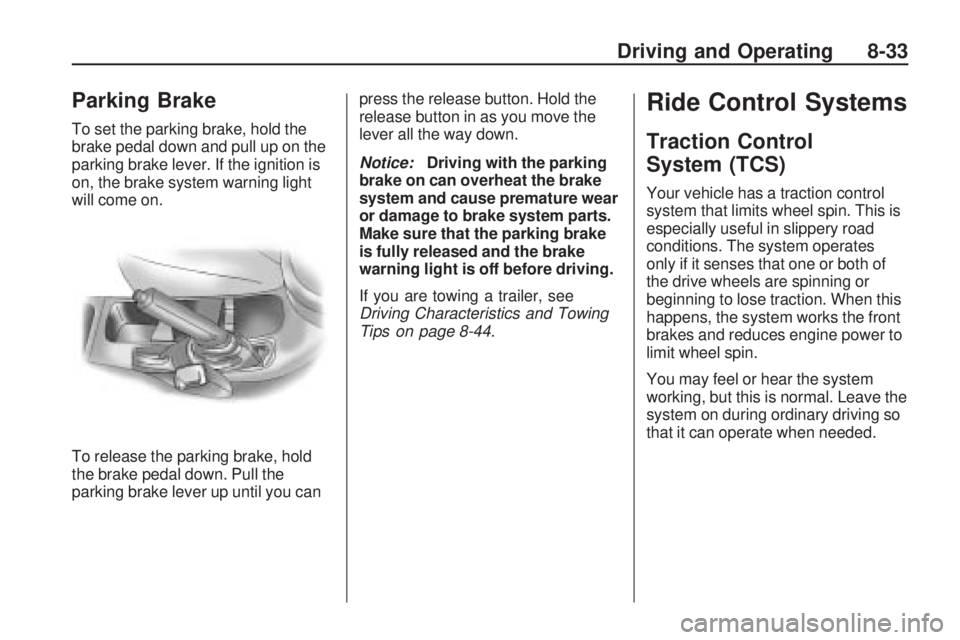
To set the parking brake, hold the
brake pedal down and pull up on the
parking brake lever. If the ignition is
on, the brake system warning light
will come on.
To release the parking brake, hold
the brake pedal down. Pull the
parking brake lever up until you canpress the release button. Hold the
release button in as you move the
lever all the way down.
Notice:
Driving with the parking
brake on can overheat the brake
system and cause premature wear
or damage to brake system parts.
Make sure that the parking brake
is fully released and the brake
warning light is off before driving.
If you are towing a trailer, see
Driving Characteristics and Towing
Tips on page 8-44.
Ride Control Systems
Traction Control
System (TCS)
Your vehicle has a traction control
system that limits wheel spin. This is
especially useful in slippery road
conditions. The system operates
only if it senses that one or both of
the drive wheels are spinning or
beginning to lose traction. When this
happens, the system works the front
brakes and reduces engine power to
limit wheel spin.
You may feel or hear the system
working, but this is normal. Leave the
system on during ordinary driving so
that it can operate when needed.
Driving and Operating 8-33
Page 168 of 318
When the ignition is turned to
ON/RUN, the system automatically
turns on. If the system has been
turned off, it will automatically turn on
at 55 km/h (35 mph). TCS cannot be
turned off above 55 km/h (35 mph).
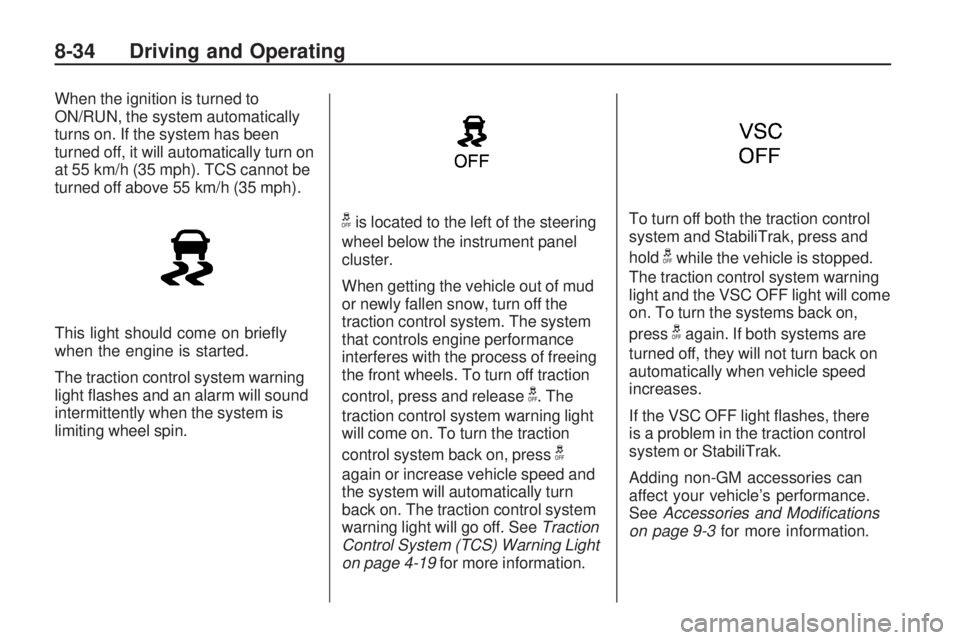
This light should come on briefly
when the engine is started.
The traction control system warning
light flashes and an alarm will sound
intermittently when the system is
limiting wheel spin.
gis located to the left of the steering
wheel below the instrument panel
cluster.
When getting the vehicle out of mud
or newly fallen snow, turn off the
traction control system. The system
that controls engine performance
interferes with the process of freeing
the front wheels. To turn off traction
control, press and release
g. The
traction control system warning light
will come on. To turn the traction
control system back on, press
g
again or increase vehicle speed and
the system will automatically turn
back on. The traction control system
warning light will go off. See Traction
Control System (TCS) Warning Light
on page 4-19 for more information. To turn off both the traction control
system and StabiliTrak, press and
hold
gwhile the vehicle is stopped.
The traction control system warning
light and the VSC OFF light will come
on. To turn the systems back on,
press
gagain. If both systems are
turned off, they will not turn back on
automatically when vehicle speed
increases.
If the VSC OFF light flashes, there
is a problem in the traction control
system or StabiliTrak.
Adding non-GM accessories can
affect your vehicle’s performance.
See Accessories and Modications
on page 9-3 for more information.
8-34 Driving and Operating