PORSCHE 911 CARRERA 2010 5.G Manual Online
911 CARRERA 2010 5.G
PORSCHE
PORSCHE
https://www.carmanualsonline.info/img/22/7747/w960_7747-0.png
PORSCHE 911 CARRERA 2010 5.G Manual Online
Page 133 of 310
Instruments, On-Board Computer, Warnings
131
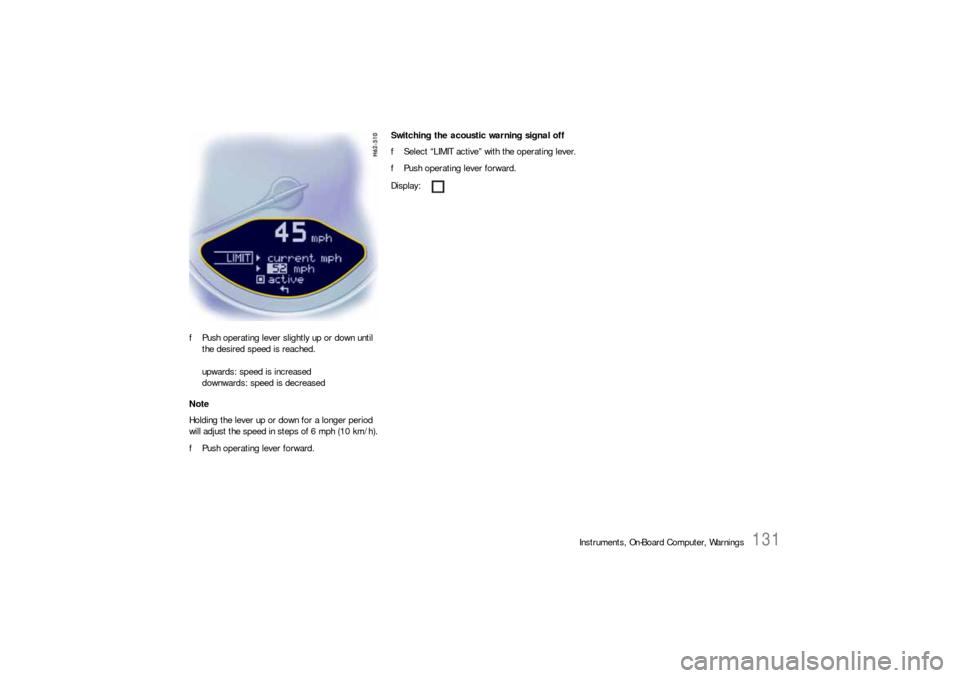
fPush operating lever slightly up or down until
the desired speed is reached.
upwards: speed is increased
downwards: speed is decreased
Note
Holding the lever up or down for a longer period
will adjust the speed in steps of 6 mph (10 km/h).
fPush operating lever forward.Switching the acoustic warning signal off
fSelect “LIMIT active” with the operating lever.
fPush operating lever forward.
Display:
Page 134 of 310
132
Instruments, On-Board Computer, Warnings
INFO
Warning messagesSwitching on selection field “D”
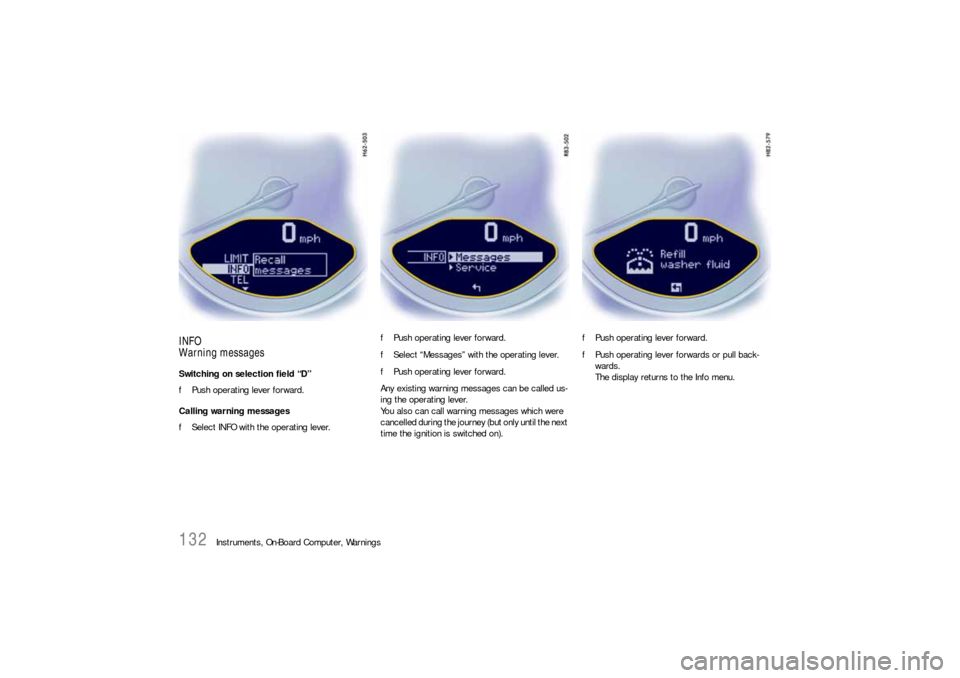
fPush operating lever forward.
Calling warning messages
fSelect INFO with the operating lever.fPush operating lever forward.
fSelect “Messages” with the operating lever.
fPush operating lever forward.
Any existing warning messages can be called us-
ing the operating lever.
You also can call warning messages which were
cancelled during the journey (but only until the next
time the ignition is switched on).fPush operating lever forward.
fPush operating lever forwards or pull back-
wards.
The display returns to the Info menu.
Page 135 of 310
Instruments, On-Board Computer, Warnings
133
ServiceSwitching on selection field “D”
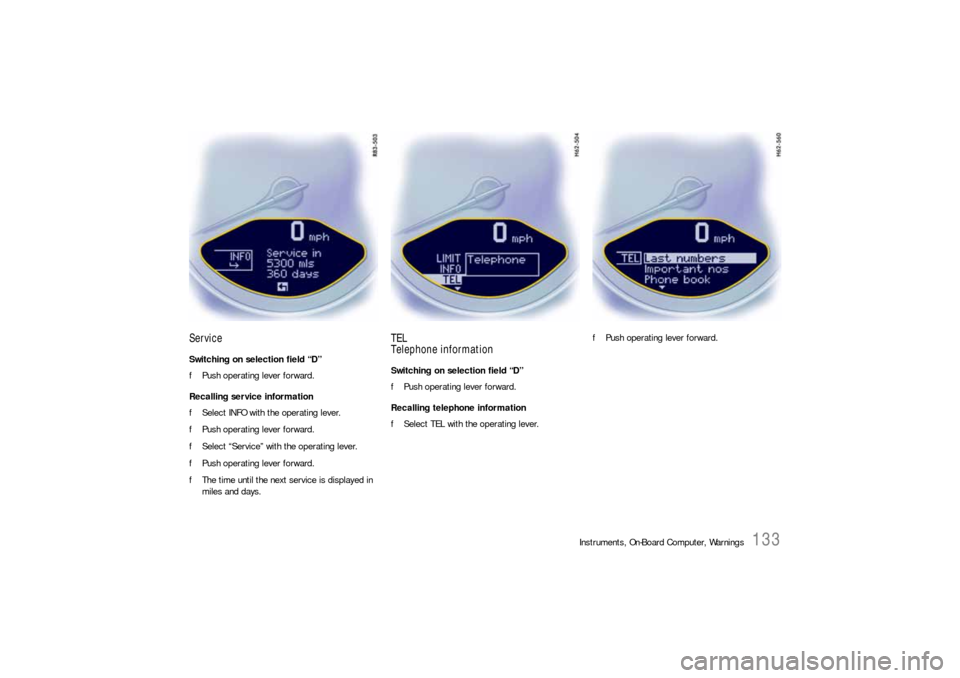
fPush operating lever forward.
Recalling service information
fSelect INFO with the operating lever.
fPush operating lever forward.
fSelect “Service” with the operating lever.
fPush operating lever forward.
fThe time until the next service is displayed in
miles and days.
TEL
Telephone informationSwitching on selection field “D”
fPush operating lever forward.
Recalling telephone information
fSelect TEL with the operating lever.fPush operating lever forward.
Page 136 of 310
134
Instruments, On-Board Computer, Warnings Note
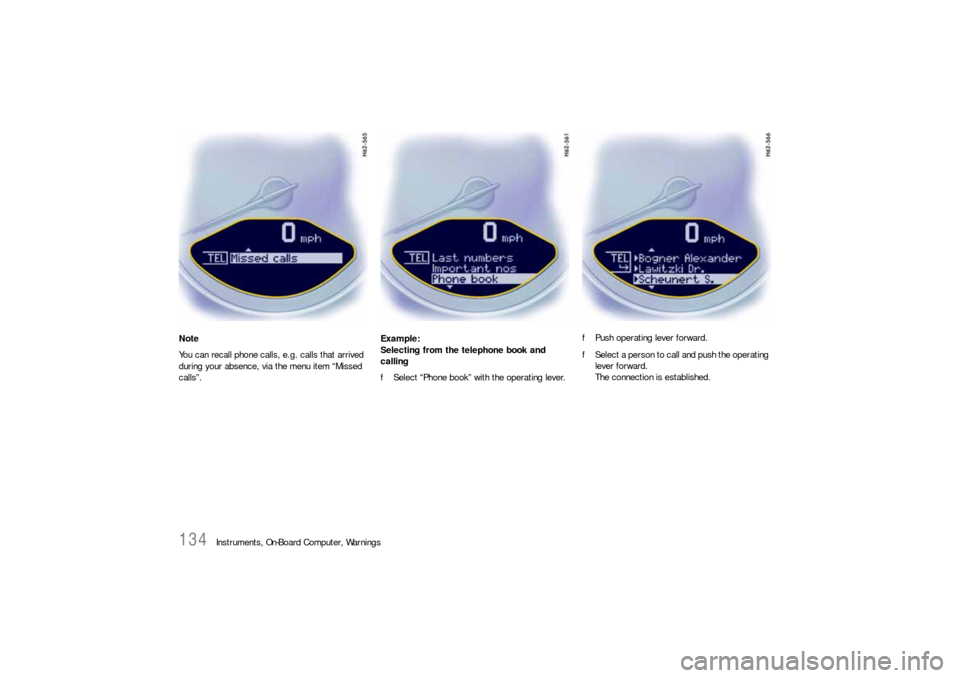
You can recall phone calls, e.g. calls that arrived
during your absence, via the menu item “Missed
calls”.Example:
Selecting from the telephone book and
calling
fSelect “Phone book” with the operating lever.fPush operating lever forward.
fSelect a person to call and push the operating
lever forward.
The connection is established.
Page 137 of 310
Instruments, On-Board Computer, Warnings
135
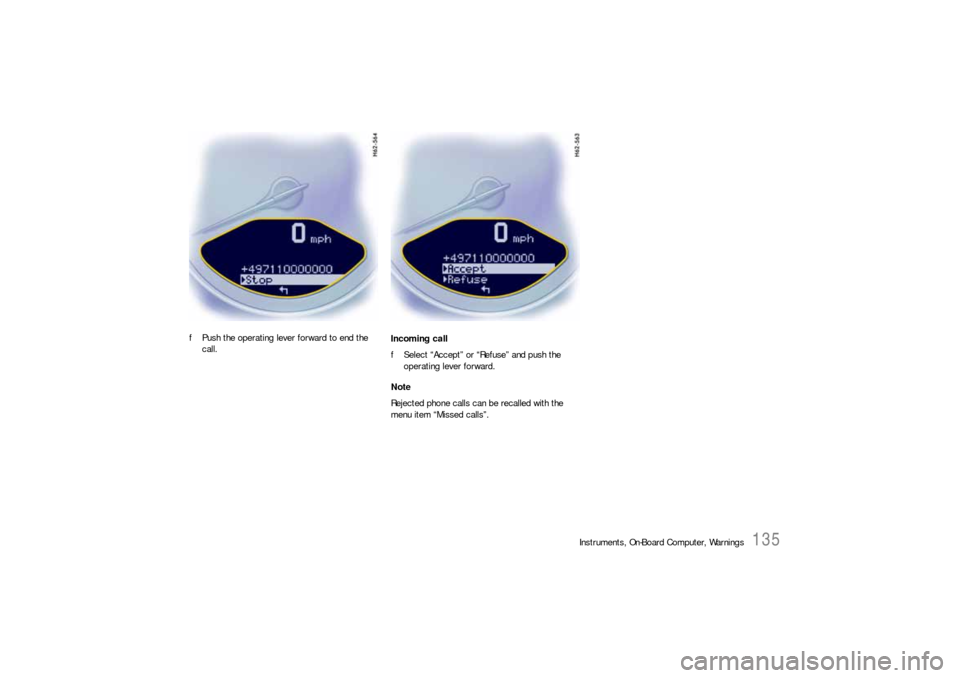
fPush the operating lever forward to end the
call.Incoming call
fSelect “Accept” or “Refuse” and push the
operating lever forward.
Note
Rejected phone calls can be recalled with the
menu item “Missed calls”.
Page 138 of 310
136
Instruments, On-Board Computer, Warnings
CHRONO
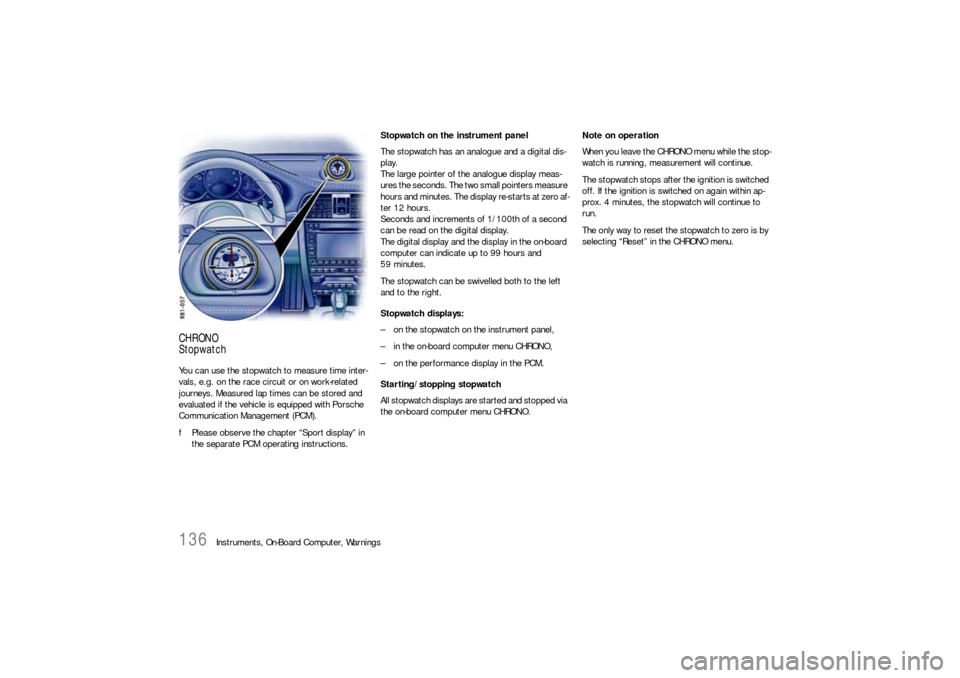
StopwatchYou can use the stopwatch to measure time inter-
vals, e.g. on the race circuit or on work-related
journeys. Measured lap times can be stored and
evaluated if the vehicle is equipped with Porsche
Communication Management (PCM).
fPlease observe the chapter “Sport display” in
the separate PCM operating instructions.Stopwatch on the instrument panel
The stopwatch has an analogue and a digital dis-
play.
The large pointer of the analogue display meas-
ures the seconds. The two small pointers measure
hours and minutes. The display re-starts at zero af-
ter 12 hours.
Seconds and increments of 1/100th of a second
can be read on the digital display.
The digital display and the display in the on-board
computer can indicate up to 99 hours and
59 minutes.
The stopwatch can be swivelled both to the left
and to the right.
Stopwatch displays:
– on the stopwatch on the instrument panel,
– in the on-board computer menu CHRONO,
– on the performance display in the PCM.
Starting/stopping stopwatch
All stopwatch displays are started and stopped via
the on-board computer menu CHRONO.Note on operation
When you leave the CHRONO menu while the stop-
watch is running, measurement will continue.
The stopwatch stops after the ignition is switched
off. If the ignition is switched on again within ap-
prox. 4 minutes, the stopwatch will continue to
run.
The only way to reset the stopwatch to zero is by
selecting “Reset” in the CHRONO menu.
Page 139 of 310
Instruments, On-Board Computer, Warnings
137
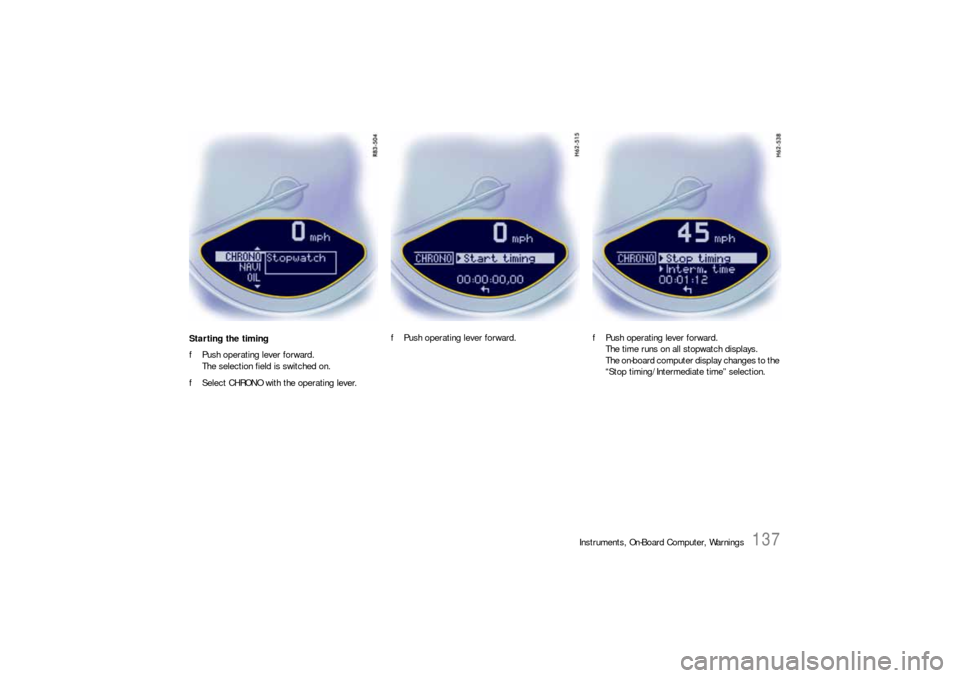
Starting the timing
fPush operating lever forward.
The selection field is switched on.
fSelect CHRONO with the operating lever.fPush operating lever forward.fPush operating lever forward.
The time runs on all stopwatch displays.
The on-board computer display changes to the
“Stop timing/Intermediate time” selection.
Page 140 of 310
138
Instruments, On-Board Computer, Warnings Stopping the timing
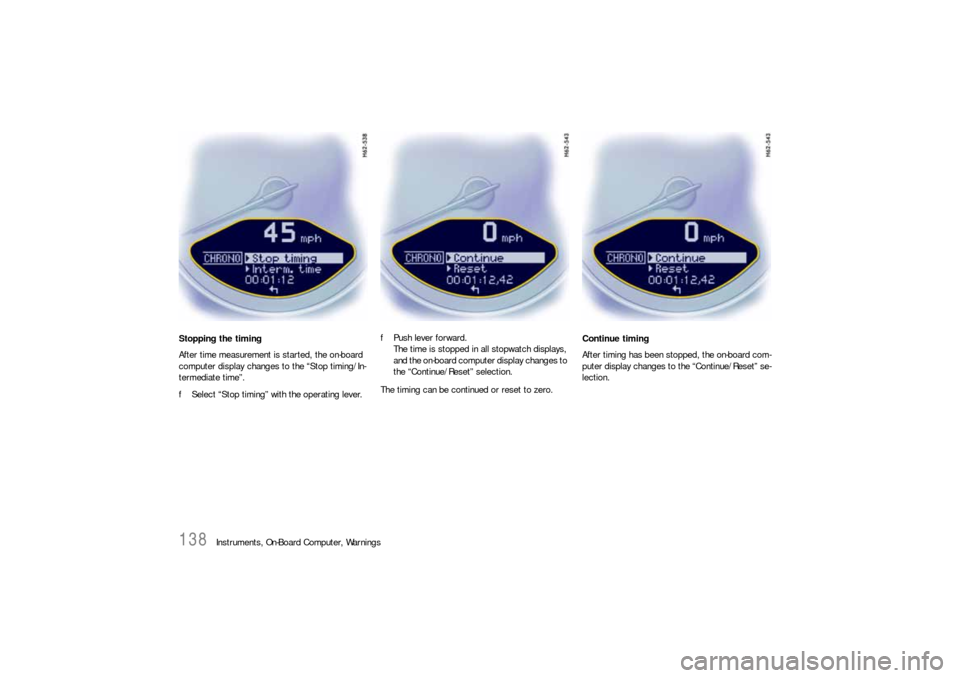
After time measurement is started, the on-board
computer display changes to the “Stop timing/In-
termediate time”.
fSelect “Stop timing” with the operating lever.fPush lever forward.
The time is stopped in all stopwatch displays,
and the on-board computer display changes to
the “Continue/Reset” selection.
The timing can be continued or reset to zero.Continue timing
After timing has been stopped, the on-board com-
puter display changes to the “Continue/Reset” se-
lection.
Page 141 of 310
Instruments, On-Board Computer, Warnings
139
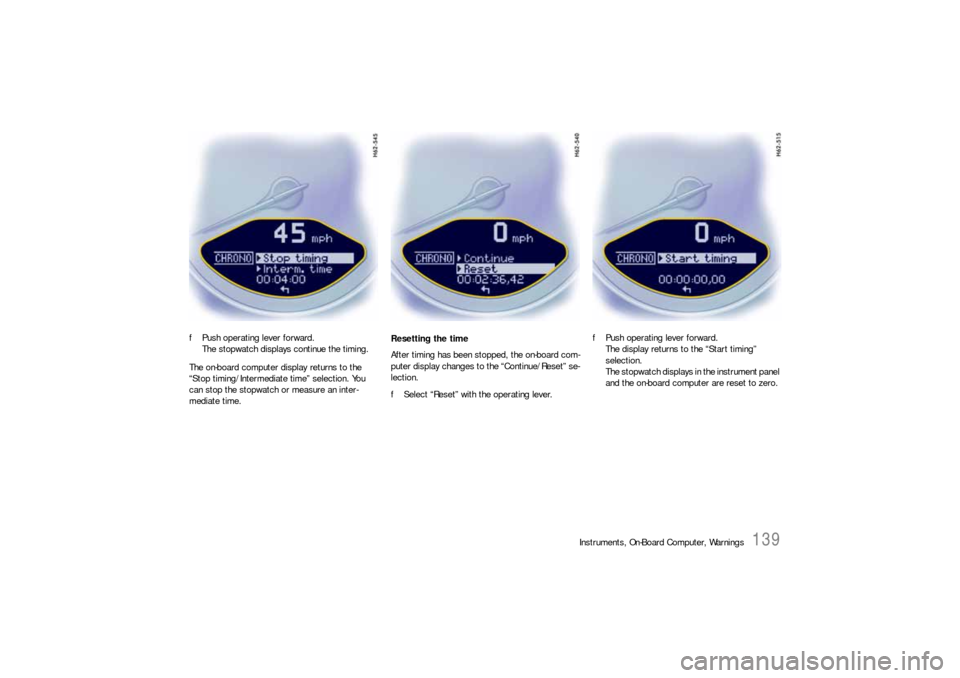
fPush operating lever forward.
The stopwatch displays continue the timing.
The on-board computer display returns to the
“Stop timing/Intermediate time” selection. You
can stop the stopwatch or measure an inter-
mediate time.Resetting the time
After timing has been stopped, the on-board com-
puter display changes to the “Continue/Reset” se-
lection.
fSelect “Reset” with the operating lever.fPush operating lever forward.
The display returns to the “Start timing”
selection.
The stopwatch displays in the instrument panel
and the on-board computer are reset to zero.
Page 142 of 310
140
Instruments, On-Board Computer, Warnings
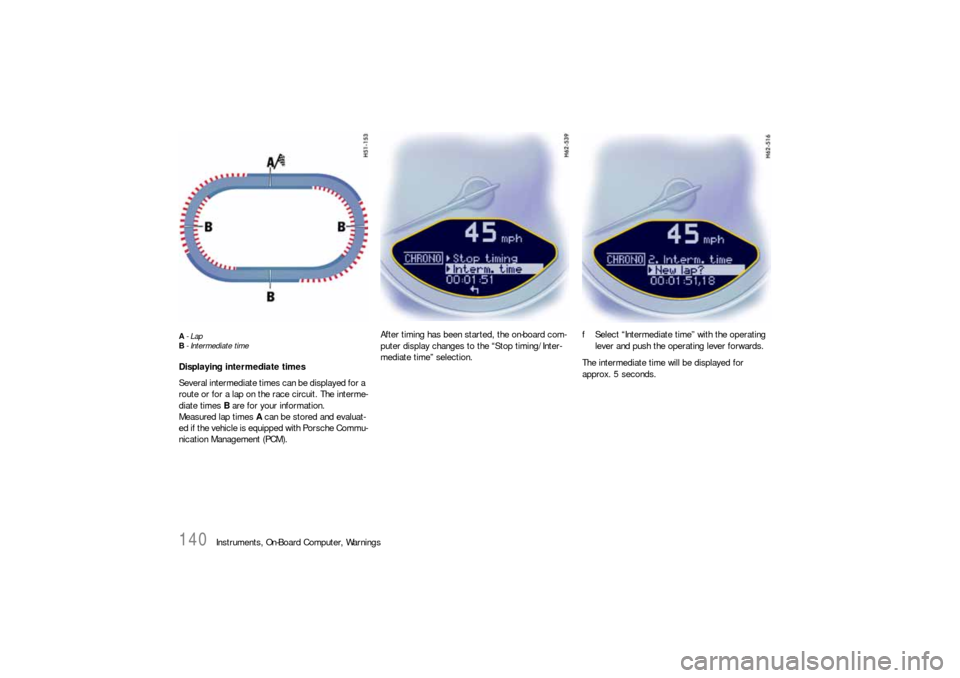
A-Lap
B- Intermediate timeDisplaying intermediate times
Several intermediate times can be displayed for a
route or for a lap on the race circuit. The interme-
diate times B are for your information.
Measured lap times A can be stored and evaluat-
ed if the vehicle is equipped with Porsche Commu-
nication Management (PCM).After timing has been started, the on-board com-
puter display changes to the “Stop timing/Inter-
mediate time” selection.fSelect “Intermediate time” with the operating
lever and push the operating lever forwards.
The intermediate time will be displayed for
approx. 5 seconds.