lights PORSCHE CAYNNE 2010 1.G User Guide
[x] Cancel search | Manufacturer: PORSCHE, Model Year: 2010, Model line: CAYENNE, Model: PORSCHE CAYENNE 2010 1.GPages: 379, PDF Size: 13.91 MB
Page 57 of 379

Seats, Mirrors and Steering Wheel
57
Interior MirrorInitial position – lever forward
Anti-dazzle setting – lever back
Note on operation
fWhen the interior mirror is being adjusted, anti-
dazzle lever A must point forward.
E- Light-emitting diodes (LED)
F- Button for automatic anti-dazzle operation
G- Light sensorsAutomatic Anti-Dazzle MirrorSensors on the front and rear sides of the interior
mirror measure the incident light. The mirrors
automatically change to anti-dazzle position or
revert to their normal state, depending on the light
intensity.
Note on operation
The incident light in the area of light sensors G
must not be restricted (e.g. by stickers on the
windshield).Switching off automatic anti-dazzle
operation
fPress button F.
Light-emitting diode E goes out.
Note on operation
Anti-dazzle operation switches off automatically,
if:
– Reverse gear is engaged or
– Interior lighting and/or
reading lights in the front are switched on.
Switching on automatic anti-dazzle
operation
fPress button F.
Light-emitting diode E lights up.
Warning!
Danger of injury. Electrolyte fluid can
emerge from broken mirror glass. This fluid
irritates the skin and eyes.
fIf the electrolyte fluid should come into contact
with the skin or eyes, immediately rinse it off
with clean water.
See a doctor if necessary.
Risk of damage to paintwork and leather and
plastic parts, and clothing. Electrolyte fluid
can be removed only while it is still wet.
fClean the affected parts with water.
10_Cayenne_21_KW17.book Seite 57 Donnerstag, 9. April 2009 3:33 15
Page 67 of 379
Air Conditioning, Parking Heater and Heated Rear Window
67
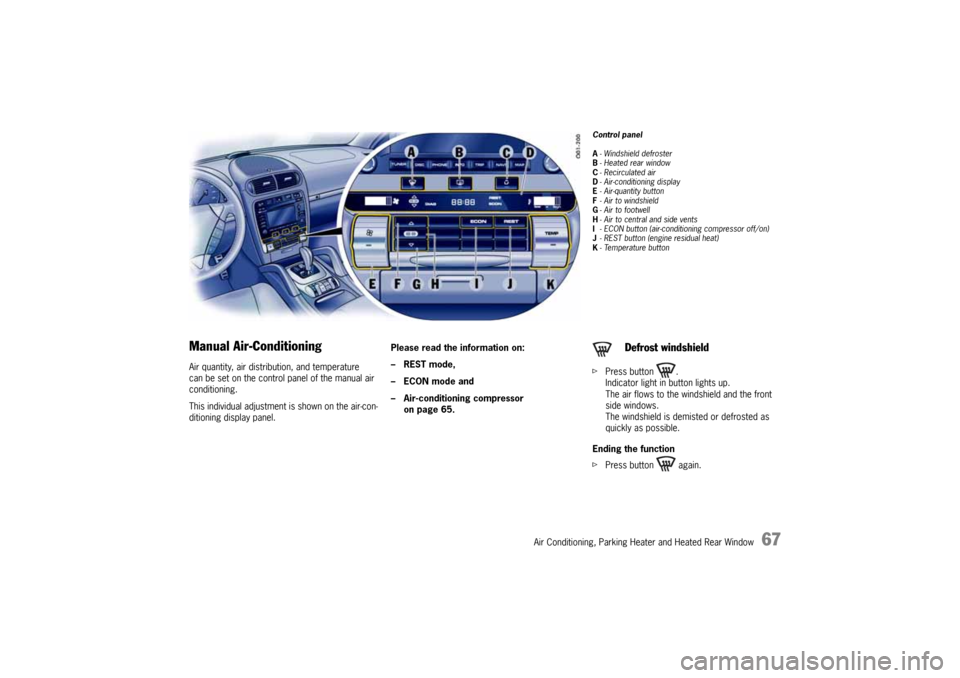
Manual Air-ConditioningAir quantity, air distribution, and temperature
can be set on the control panel of the manual air
conditioning.
This individual adjustment is shown on the air-con-
ditioning display panel.Please read the information on:
–REST mode,
–ECON mode and
– Air-conditioning compressor
on page 65.
Control panel
A- Windshield defroster
B-Heated rear window
C- Recirculated air
D- Air-conditioning display
E- Air-quantity button
F- Air to windshield
G- Air to footwell
H- Air to central and side vents
I- ECON button (air-conditioning compressor off/on)
J- REST button (engine residual heat)
K-Temperature buttonfPress button .
Indicator light in button lights up.
The air flows to the windshield and the front
side windows.
The windshield is demisted or defrosted as
quickly as possible.
Ending the function
fPress button again.
Defrost windshield
10_Cayenne_21_KW17.book Seite 67 Donnerstag, 9. April 2009 3:33 15
Page 68 of 379
68
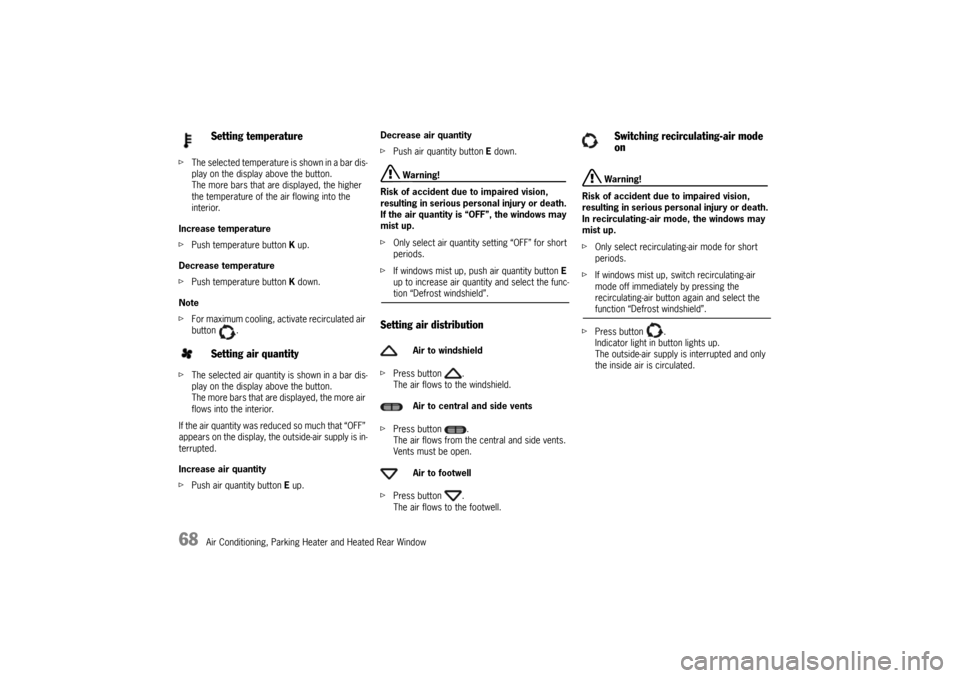
Air Conditioning, Parking Heater and Heated Rear Window fThe selected temperature is shown in a bar dis-
play on the display above the button.
The more bars that are displayed, the higher
the temperature of the air flowing into the
interior.
Increase temperature
fPush temperature button K up.
Decrease temperature
fPush temperature button K down.
Note
fFor maximum cooling, activate recirculated air
button .
fThe selected air quantity is shown in a bar dis-
play on the display above the button.
The more bars that are displayed, the more air
flows into the interior.
If the air quantity was reduced so much that “OFF”
appears on the display, the outside-air supply is in-
terrupted.
Increase air quantity
fPush air quantity button E up.Decrease air quantity
fPush air quantity button E down.
Warning!
Risk of accident due to impaired vision,
resulting in serious personal injury or death.
If the air quantity is “OFF”, the windows may
mist up.
fOnly select air quantity setting “OFF” for short
periods.
fIf windows mist up, push air quantity button E
up to increase air quantity and select the func-tion “Defrost windshield”.
Setting air distributionfPress button .
The air flows to the windshield.
fPress button .
The air flows from the central and side vents.
Vents must be open.
fPress button .
The air flows to the footwell.
Warning!
Risk of accident due to impaired vision,
resulting in serious personal injury or death.
In recirculating-air mode, the windows may
mist up.
fOnly select recirculating-air mode for short
periods.
fIf windows mist up, switch recirculating-air
mode off immediately by pressing the
recirculating-air button again and select the function “Defrost windshield”.
fPress button .
Indicator light in button lights up.
The outside-air supply is interrupted and only
the inside air is circulated.
Setting temperature
Setting air quantity
Air to windshield
Air to central and side vents
Air to footwell
Switching recirculating-air mode
on
10_Cayenne_21_KW17.book Seite 68 Donnerstag, 9. April 2009 3:33 15
Page 70 of 379

70
Air Conditioning, Parking Heater and Heated Rear Window
Automatically Controlled 2-Zone
Air-ConditioningDepending on various factors (e.g. sunlight, air
quality), the air-conditioning system controls the
preset interior temperature fully automatically.
Temperature can be set individually/separately for
the two left and right air-conditioned areas.
You can manually influence the automatic system.
This individual adjustment is shown on the
air-conditioning display panel.Please read the information on:
–REST mode,
–ECON mode and
– Air-conditioning compressor
on page 65.
Control panel
A- Windshield defroster
B-Heated rear window
C- AUTO button (automatic mode)
D- Recirculated air, automatic recirculated air
E- Air-conditioning display
F-Temperature sensor
G- Air-quantity button
H- Temperature button for left side
I- Air to windshield
J- Air to footwell
K- Air to central and side vents
L- ECON button (air-conditioning compressor off/on)
M- REST button (engine residual heat)
N- Temperature button, right sidefPress button .
Indicator light in button lights up.
The air flows to the windshield and the front
side windows.
The windshield is demisted or defrosted as
quickly as possible.
Ending the function
fPress button again or
fPress button .
Defrosting the windshield
10_Cayenne_21_KW17.book Seite 70 Donnerstag, 9. April 2009 3:33 15
Page 71 of 379

Air Conditioning, Parking Heater and Heated Rear Window
71
Automatic modefPress button .
Indicator light in button lights up.
Air quantity and air distribution are automati-
cally controlled and variations are compensa-
ted.
Note on operation
If necessary, the automatic system can be manu-
ally influenced.
This manual setting is retained until the appropri-
ate function button is pressed again or the button
is pressed.SensorsTo avoid affecting the performance of the air-con-
ditioning system:
fDo not cover the sun sensor on the dashboard
and the temperature sensor F in the front con-
trol panel of the air-conditioning system.
Setting temperatureTo suit personal comfort, the interior temperature
can be adjusted between 61 °F and 85 °F (16 °C
and 29.5 °C).
Recommendation: 72 °F (22 °C)
The selected temperature is shown on the display
above the button.
Increase temperature
fPush temperature button up.
Left side of vehicle: button H
Right side of vehicle: button N
Decrease temperature
fPush temperature button down.
Left side of vehicle: button H
Right side of vehicle: button N
If “LO” or “HI” appears on the display, the system
is operating at maximum cooling or heating
power. Automatic mode is switched off.
If the preselected temperature is changed, the air
quantity blowing out can adjust automatically in
automatic mode.
The desired temperature is reached more quickly
this way.The selected air quantity is shown in a bar display
on the display above the button.
The more bars that are displayed, the more air
flows into the interior.
Increase air quantity
fPush air quantity button G up.
Decrease air quantity
fPush air quantity button G down.
Press button to return to automatic mode.
If the air quantity was reduced so much that “OFF”
appears on the display, the outside-air supply is
interrupted.
Warning!
Risk of accident due to impaired vision,
resulting in serious personal injury or death.
If the air quantity is “OFF”, the windows may
mist up.
fOnly select air quantity setting “OFF” for short
periods.
fIf windows mist up, push air quantity button G
up to increase air quantity and select the func-tion “Defrost windshield”.
Setting air quantity
10_Cayenne_21_KW17.book Seite 71 Donnerstag, 9. April 2009 3:33 15
Page 72 of 379
72
Air Conditioning, Parking Heater and Heated Rear Window
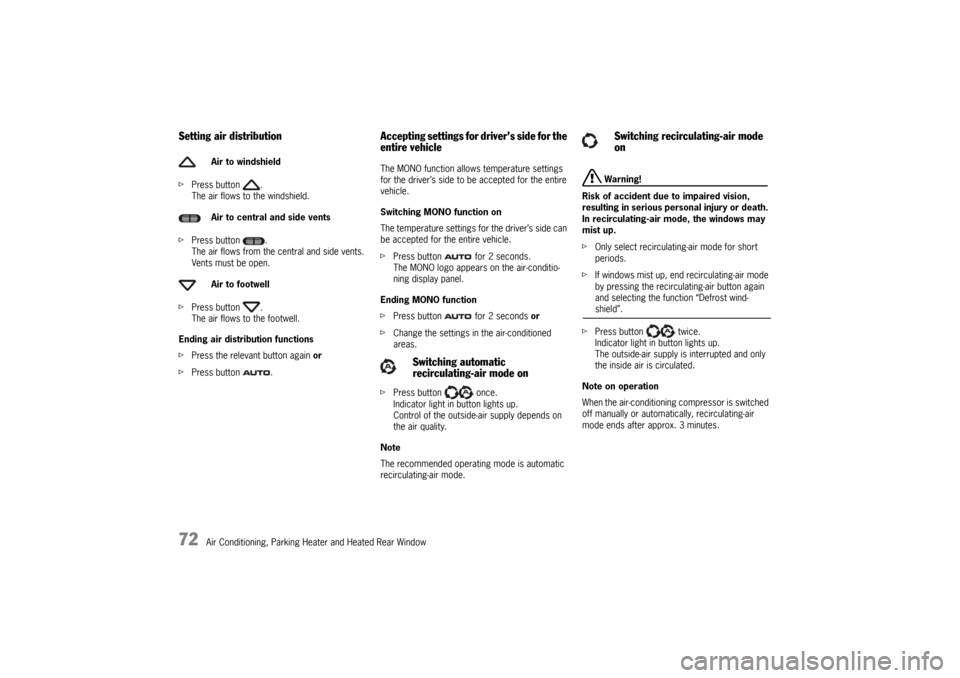
Setting air distributionfPress button .
The air flows to the windshield.
fPress button .
The air flows from the central and side vents.
Vents must be open.
fPress button .
The air flows to the footwell.
Ending air distribution functions
fPress the relevant button again or
fPress button .
Accepting settings for driver’s side for the
entire vehicle The MONO function allows temperature settings
for the driver’s side to be accepted for the entire
vehicle.
Switching MONO function on
The temperature settings for the driver’s side can
be accepted for the entire vehicle.
fPress button for 2 seconds.
The MONO logo appears on the air-conditio-
ning display panel.
Ending MONO function
fPress button for 2 seconds or
fChange the settings in the air-conditioned
areas.
fPress button once.
Indicator light in button lights up.
Control of the outside-air supply depends on
the air quality.
Note
The recommended operating mode is automatic
recirculating-air mode.
Warning!
Risk of accident due to impaired vision,
resulting in serious personal injury or death.
In recirculating-air mode, the windows may
mist up.
fOnly select recirculating-air mode for short
periods.
fIf windows mist up, end recirculating-air mode
by pressing the recirculating-air button again
and selecting the function “Defrost wind-shield”.
fPress button twice.
Indicator light in button lights up.
The outside-air supply is interrupted and only
the inside air is circulated.
Note on operation
When the air-conditioning compressor is switched
off manually or automatically, recirculating-air
mode ends after approx. 3 minutes. Air to windshield
Air to central and side vents
Air to footwell
Switching automatic
recirculating-air mode on
Switching recirculating-air mode
on
10_Cayenne_21_KW17.book Seite 72 Donnerstag, 9. April 2009 3:33 15
Page 75 of 379

Air Conditioning, Parking Heater and Heated Rear Window
75
Automatically Controlled 4-Zone
Air-ConditioningDepending on various factors (e.g. ambient tem-
perature, sunlight, air quality), the air-conditioning
system controls the preset interior temperature
fully automatically.
Temperature, air quantity and air distribution can
be set individually/separately for the four air-con-
ditioned areas front left, front right, rear left and
rear right.
You can manually influence the automatic system.
This individual adjustment is shown on the
air-conditioning display panel.Please read the information on:
–REST mode,
–ECON mode and
– air-conditioning compressor
on page 65.
Control panel, front
A- Windshield defroster
B-Heated rear window
C- AUTO button (automatic mode)
REST button (engine residual heat)
D- Recirculated air, automatic recirculated air
E- Air-conditioning display
F-Temperature sensor
G- Air-quantity button, left
H-Temperature button, left
I- Air to windshield, left
J- Air to footwell, left
K- Air to left central and side vents
L- Setting for rear air-conditioned areas
M- ECON button (air-conditioning compressor off/on)
N- Air to right central and side vents
O- Air to footwell, right
P- Air to windshield, right
Q- Temperature button, right
R- Air-quantity button, rightfPress button on the front control panel.
Indicator light lights up.
The air flows to the windshield and the front
side windows.
The windshield is demisted or defrosted as
quickly as possible.
Ending the function
fPress button again or
fPress the button .
Defrosting the windshield
10_Cayenne_21_KW17.book Seite 75 Donnerstag, 9. April 2009 3:33 15
Page 78 of 379
78
Air Conditioning, Parking Heater and Heated Rear Window fPress button .
– Front control panel:
The air flows from the front central and side
vents.
– Rear control panel:
The air flows to the center vents.
fVents must be open.
fPress button .
The air flows to the footwell.
Ending air distribution functions
fPress the relevant button again or
fPress the AUTO button C.
Accepting settings for driver’s side for the
entire vehicle The MONO function allows the temperature and air
quantity settings for the driver’s side to be
accepted for the entire vehicle.
Switching on MONO function
fPress button in the front control panel
for 2 seconds.
The MONO logo appears on the air-conditio-
ning display panel.
Ending MONO function
fPress button in the front control panel
for 2 seconds or
fChange the settings in the air-conditioned
areas.
fPress button on the front control panel
once.
Indicator light in button lights up.
Control of the outside-air supply depends on
the air quality.
Note
The recommended operating mode is automatic
recirculating-air mode.
Warning!
Risk of accident due to impaired vision,
resulting in serious personal injury or death.
In recirculating-air mode, the windows may
mist up.
fOnly select recirculating-air mode for short
periods.
fIf windows mist up, end recirculating-air mode
by pressing the recirculating-air button again
and selecting the function “Defrost wind-shield”.
fPress button on the front control panel
twice.
Indicator light in button lights up.
The outside-air supply is interrupted and only
the inside air is circulated.
Note on operation
When the air-conditioning compressor is switched
off manually or automatically, recirculating-air
mode ends after approx. 3 minutes. Air to central and side vents
Air to footwell
Switching automatic recirculating-
air mode on
Switching recirculating-air mode
on
10_Cayenne_21_KW17.book Seite 78 Donnerstag, 9. April 2009 3:33 15
Page 79 of 379
Air Conditioning, Parking Heater and Heated Rear Window
79
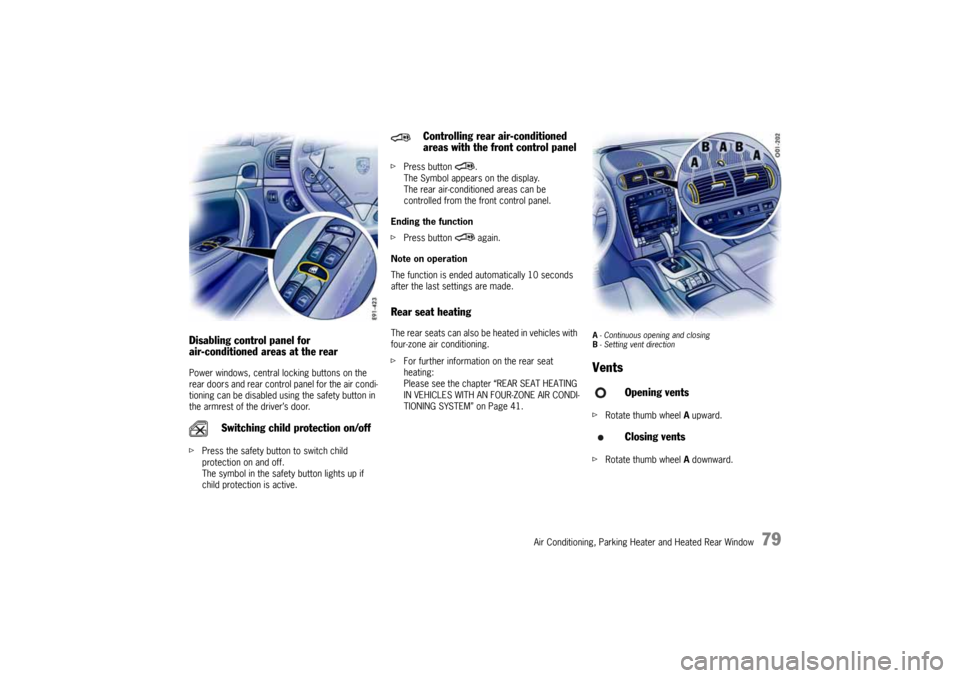
Disabling control panel for
air-conditioned areas at the rearPower windows, central locking buttons on the
rear doors and rear control panel for the air condi-
tioning can be disabled using the safety button in
the armrest of the driver’s door.
fPress the safety button to switch child
protection on and off.
The symbol in the safety button lights up if
child protection is active.fPress button .
The Symbol appears on the display.
The rear air-conditioned areas can be
controlled from the front control panel.
Ending the function
fPress button again.
Note on operation
The function is ended automatically 10 seconds
after the last settings are made.
Rear seat heatingThe rear seats can also be heated in vehicles with
four-zone air conditioning.
fFor further information on the rear seat
heating:
Please see the chapter “REAR SEAT HEATING
IN VEHICLES WITH AN FOUR-ZONE AIR CONDI-
TIONING SYSTEM” on Page 41.
A- Continuous opening and closing
B- Setting vent directionVentsfRotate thumb wheel A upward.
fRotate thumb wheel A downward.
Switching child protection on/off
Controlling rear air-conditioned
areas with the front control panel
Opening vents
Closing vents
10_Cayenne_21_KW17.book Seite 79 Donnerstag, 9. April 2009 3:33 15
Page 80 of 379
80
Air Conditioning, Parking Heater and Heated Rear Window
Changing air flow directionfSwivel vent fins B in the desired direction.
Note on operation
Fresh air or conditioned fresh air can be delivered
from all vents depending on the air distribution
setting.Fresh-air intakeIn order to ensure unhindered air intake:
fKeep the fresh-air intake between the wind-
shield and the engine compartment lid free
from snow, ice and leaves.
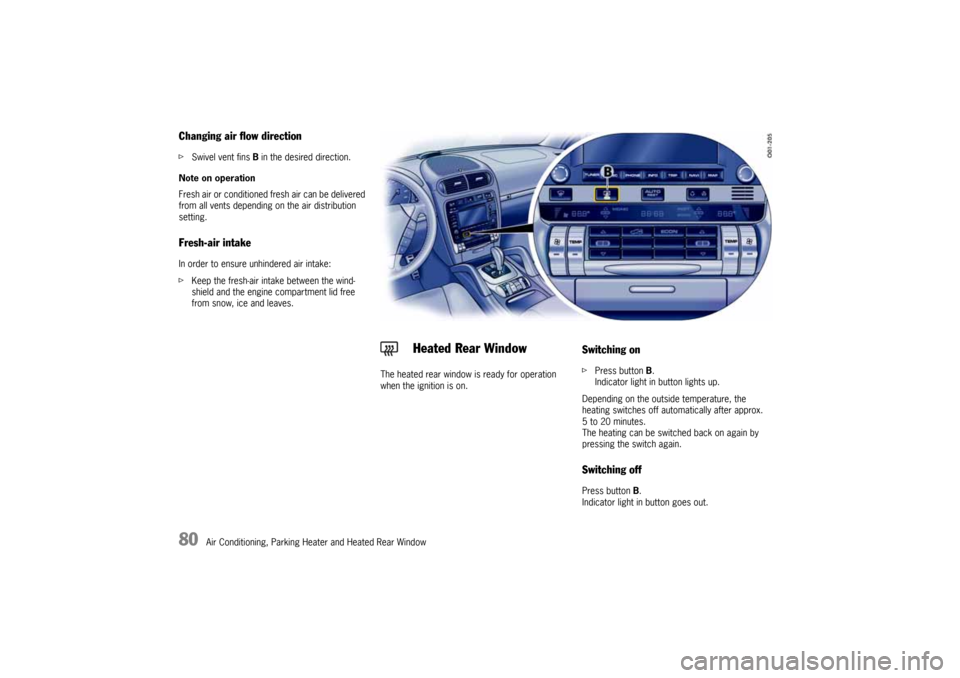
The heated rear window is ready for operation
when the ignition is on.
Switching onfPress button B.
Indicator light in button lights up.
Depending on the outside temperature, the
heating switches off automatically after approx.
5 to 20 minutes.
The heating can be switched back on again by
pressing the switch again.Switching offPress button B.
Indicator light in button goes out.
Heated Rear Window
10_Cayenne_21_KW17.book Seite 80 Donnerstag, 9. April 2009 3:33 15