ESP PORSCHE CAYNNE S 2006 1.G User Guide
[x] Cancel search | Manufacturer: PORSCHE, Model Year: 2006, Model line: CAYENNE S, Model: PORSCHE CAYENNE S 2006 1.GPages: 420, PDF Size: 3.81 MB
Page 95 of 420
Controls, Safety, Instruments
95
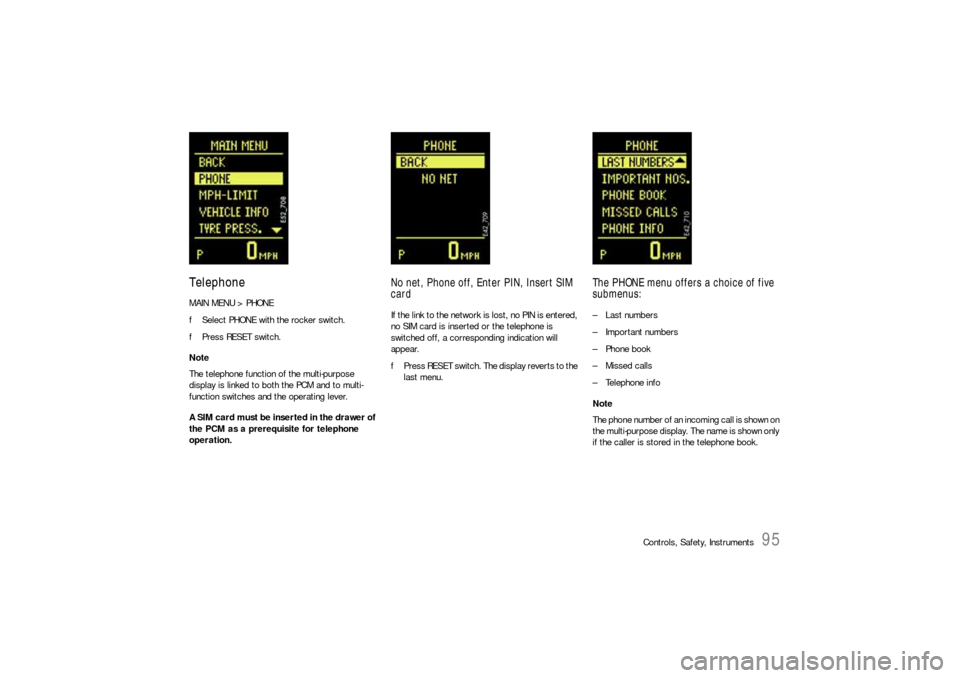
TelephoneMAIN MENU > PHONE
fSelect PHONE with the rocker switch.
fPress RESET switch.
Note
The telephone function of the multi-purpose
display is linked to both the PCM and to multi-
function switches and the operating lever.
A SIM card must be inserted in the drawer of
the PCM as a prerequisite for telephone
operation.
No net, Phone off, Enter PIN, Insert SIM
cardIf the link to the network is lost, no PIN is entered,
no SIM card is inserted or the telephone is
switched off, a corresponding indication will
appear.
fPress RESET switch. The display reverts to the
last menu.
The PHONE menu offers a choice of five
submenus:– Last numbers
– Important numbers
– Phone book
– Missed calls
– Telephone info
Note
The phone number of an incoming call is shown on
the multi-purpose display. The name is shown only
if the caller is stored in the telephone book.
Page 96 of 420
96
Controls, Safety, Instruments
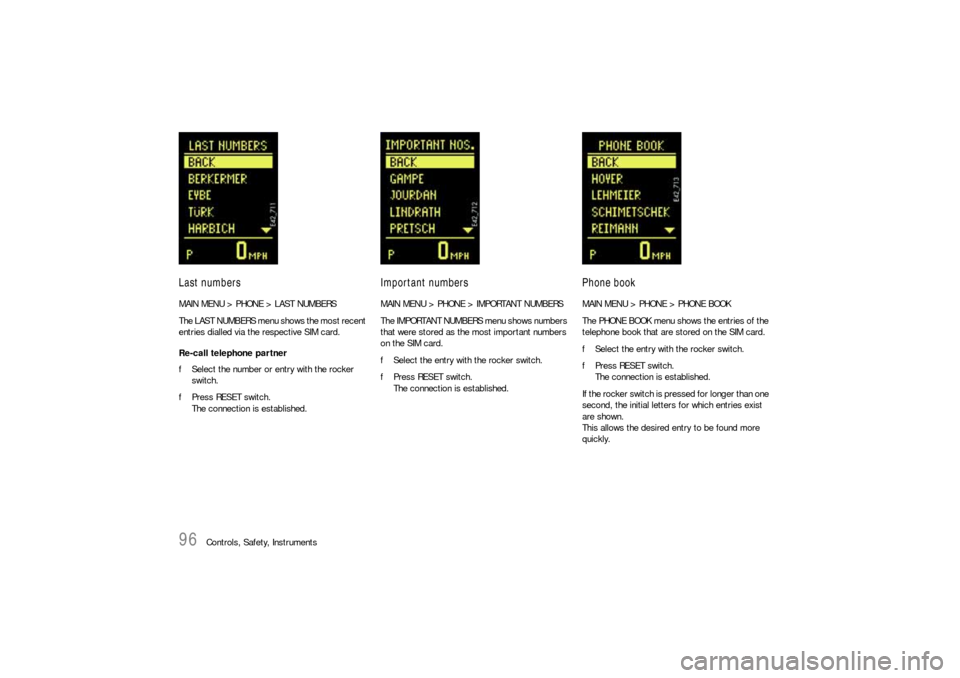
Last numbersMAIN MENU > PHONE > LAST NUMBERS
The LAST NUMBERS menu shows the most recent
entries dialled via the respective SIM card.
Re-call telephone partner
fSelect the number or entry with the rocker
switch.
fPress RESET switch.
The connection is established.
Important numbersMAIN MENU > PHONE > IMPORTANT NUMBERS
The IMPORTANT NUMBERS menu shows numbers
that were stored as the most important numbers
on the SIM card.
fSelect the entry with the rocker switch.
fPress RESET switch.
The connection is established.
Phone bookMAIN MENU > PHONE > PHONE BOOK
The PHONE BOOK menu shows the entries of the
telephone book that are stored on the SIM card.
fSelect the entry with the rocker switch.
fPress RESET switch.
The connection is established.
If the rocker switch is pressed for longer than one
second, the initial letters for which entries exist
are shown.
This allows the desired entry to be found more
quickly.
Page 102 of 420

102
Controls, Safety, Instruments
Tire PressurefPlease observe the chapter “TIRES/WHEELS”
on Page 297.
The tire pressure monitoring monitors the pres-
sure in the four road wheels and warns the driver
if the pressure is too low.
The display as well as the settings for tire pres-
sure monitoring are done on the multi-purpose dis-
play in the TIRE PRESSURE menu.
However the tire pressure must be set manually
on the wheel.
The tire pressures to be monitored for tire type
are permanently set in the tire pressure
monitoring and cannot be changed.
The driver is solely responsible for filling the tires
correctly and for selecting in the multi-purpose dis-
play.
Danger!
Risk of serious personal injury or death.
Driving the vehicle with low tire pressure in-
creases risk of a tire failure and resulting
loss of control. Furthermore, low tire pres-
sure increases rate of wear of the affected
tires.
Despite the advantages offered by the tire
pressure monitoring, it is not a substitute for
proper tire maintenance, and it is the driver’s
responsibility to maintain correct tire pres-
sure, even if under-inflation has not reached
the level to trigger illumination of the tire
pressure monitoring low tire pressure mes-
sage.
fWhen a flat tire has been displayed, immedi-
ately stop in a suitable place and check the
tires for damage. If necessary remedy the
damages with a tire sealant.
fDo not by any means continue to drive with
leaking tires.
fDefective tires must be immediately replaced
by a specialist repair shop.
Tire repairs are not permissible under any
circumstances.
fSealing the tire with the tire sealant is only an
emergency repair, so you can drive to the next
repair shop. The maximum permitted speed is
50 mph (80 km/h).fDo not drive with tires whose tire pressure
drops again in a short period of time. In cases
of doubt, have tires checked by a specialist re-
pair shop.
fIf the tire pressure monitoring is defective
(e.g., defective wheel transmitter), contact a
specialist repair shop immediately and have
the damages repaired.
The tire pressure will not be monitored by a
defective tire pressure monitoring.
fTires lose air over time without a tire defect
being present. A tire pressure warning will then
appear in the multi-purpose display. Correct
the tire pressure at the next opportunity.
fThe tire pressure monitoring gives a warning
about tire damages due to insufficient tire
pressure as well as about a gradual loss of
pressure due to foreign objects.
The tire pressure monitoring cannot warn you
about tire damages occurring suddenly (e.g.,
flat tire due to sudden external effects).
fBefore fitting tires approved by Porsche which
are not stored in the on-board computer, the
missing information should be supplemented
in the on-board computer.
Page 104 of 420
104
Controls, Safety, Instruments
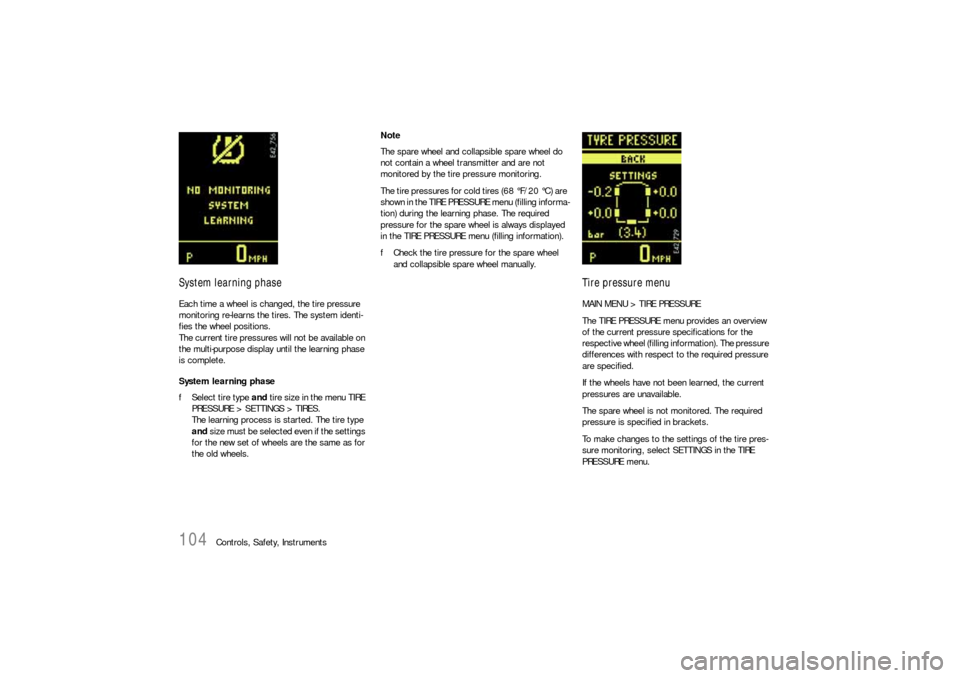
System learning phaseEach time a wheel is changed, the tire pressure
monitoring re-learns the tires. The system identi-
fies the wheel positions.
The current tire pressures will not be available on
the multi-purpose display until the learning phase
is complete.
System learning phase
fSelect tire type and tire size in the menu TIRE
PRESSURE > SETTINGS > TIRES.
The learning process is started. The tire type
and size must be selected e ve n if the se ttings
for the new set of wheels are the same as for
the old wheels.Note
The spare wheel and collapsible spare wheel do
not contain a wheel transmitter and are not
monitored by the tire pressure monitoring.
The tire pressures for cold tires (68 °F/20 °C) are
shown in the TIRE PRESSURE menu (filling informa-
tion) during the learning phase. The required
pressure for the spare wheel is always displayed
in the TIRE PRESSURE menu (filling information).
fCheck the tire pressure for the spare wheel
and collapsible spare wheel manually.
Tire pressure menuMAIN MENU > TIRE PRESSURE
The TIRE PRESSURE menu provides an overview
of the current pressure specifications for the
respective wheel (filling information). The pressure
differences with respect to the required pressure
are specified.
If the wheels have not been learned, the current
pressures are unavailable.
The spare wheel is not monitored. The required
pressure is specified in brackets.
To make changes to the settings of the tire pres-
sure monitoring, select SETTINGS in the TIRE
PRESSURE menu.
Page 105 of 420
Controls, Safety, Instruments
105
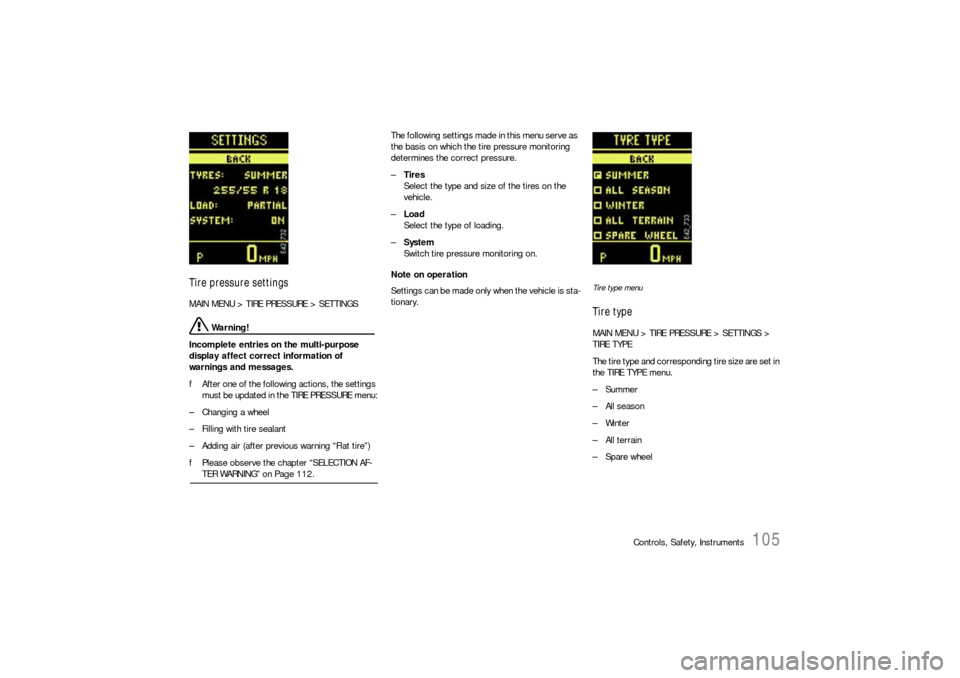
Tire pressure settingsMAIN MENU > TIRE PRESSURE > SETTINGS
Warning!
Incomplete entries on the multi-purpose
display affect correct information of
warnings and messages.
fAfter one of the following actions, the settings
must be updated in the TIRE PRESSURE menu:
– Changing a wheel
– Filling with tire sealant
– Adding air (after previous warning “Flat tire”)
fPlease observe the chapter “SELECTION AF-TER WARNING” on Page 112.The following settings made in this menu serve as
the basis on which the tire pressure monitoring
determines the correct pressure.
–Tires
Select the type and size of the tires on the
vehicle.
–Load
Select the type of loading.
–System
Switch tire pressure monitoring on.
Note on operation
Settings can be made only when the vehicle is sta-
tionary.
Tire type menuTire typeMAIN MENU > TIRE PRESSURE > SETTINGS >
TIRE TYPE
The tire type and corresponding tire size are set in
the TIRE TYPE menu.
–Summer
–All season
–Winter
– All terrain
–Spare wheel
Page 106 of 420
106
Controls, Safety, Instruments
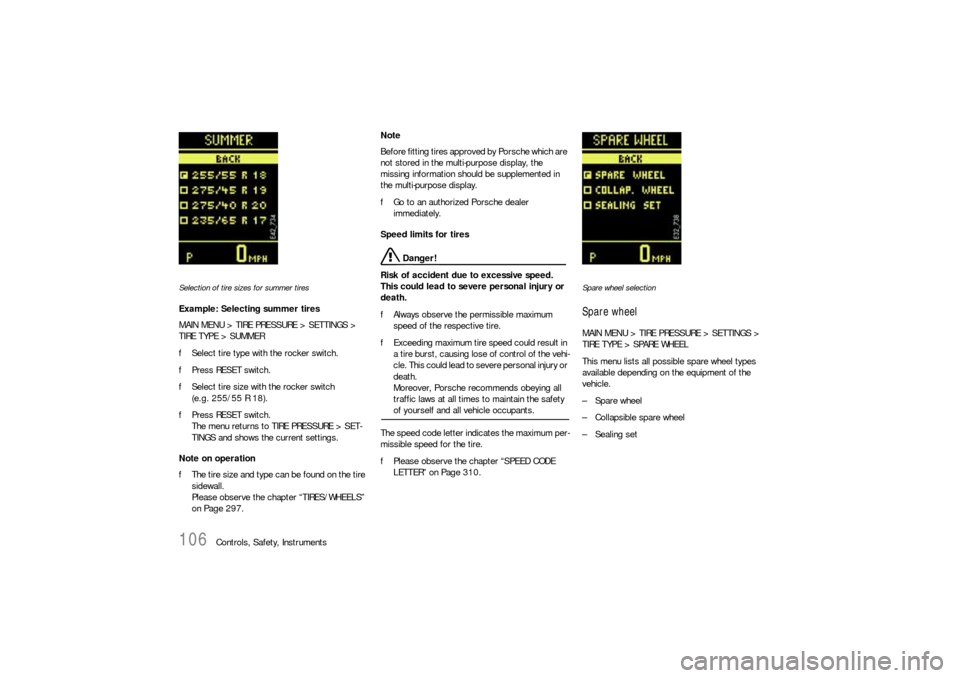
Selection of tire sizes for summer tiresExample: Selecting summer tires
MAIN MENU > TIRE PRESSURE > SETTINGS >
TIRE TYPE > SUMMER
fSelect tire type with the rocker switch.
fPress RESET switch.
fSelect tire size with the rocker switch
(e.g. 255/55 R 18).
fPress RESET switch.
The menu returns to TIRE PRESSURE > SET-
TINGS and shows the current settings.
Note on operation
fThe tire size and type can be found on the tire
sidewall.
Please observe the chapter “TIRES/WHEELS”
on Page 297.Note
Before fitting tires approved by Porsche which are
not stored in the multi-purpose display, the
missing information should be supplemented in
the multi-purpose display.
fGo to an authorized Porsche dealer
immediately.
Speed limits for tires
Danger!
Risk of accident due to excessive speed.
This could lead to severe personal injury or
death.
fAlways observe the permissible maximum
speed of the respective tire.
fExceeding maximum tire speed could result in
a tire burst, causing lose of control of the vehi-
cle. This could lead to severe personal injury or
death.
Moreover, Porsche recommends obeying all
traffic laws at all times to maintain the safety of yourself and all vehicle occupants.
The speed code letter indicates the maximum per-
missible speed for the tire.
fPlease observe the chapter “SPEED CODE
LETTER” on Page 310.
Spare wheel selectionSpare wheelMAIN MENU > TIRE PRESSURE > SETTINGS >
TIRE TYPE > SPARE WHEEL
This menu lists all possible spare wheel types
available depending on the equipment of the
vehicle.
–Spare wheel
– Collapsible spare wheel
–Sealing set
Page 110 of 420
110
Controls, Safety, Instruments
Tire pressure warnings and
messagesThe tire pressure monitoring warns about loss in
pressure in two stages, depending on the amount
of pressure loss:
Stage 1 – Tire pressure too low message
(3 to 6 psi (0.2 to 0.4 bar) loss in pressure)
Stage 2 – Flat tire warning
(loss in pressure as of 6 psi (0.4 bar))
Warning!
Risk of accident. Tire damage may impair
road safety.
fStop the vehicle in a suitable place. Check the
tires for signs of damage and change them if necessary.
Example: If the tire pressure display shows
„– 3 psi“, you must increase the tire pressure by
3psi.
Tires lose air over time without a tire defect being
present. The tire pressure monitoring will then
issue a corresponding message or warning.
fCorrect the tire pressure.
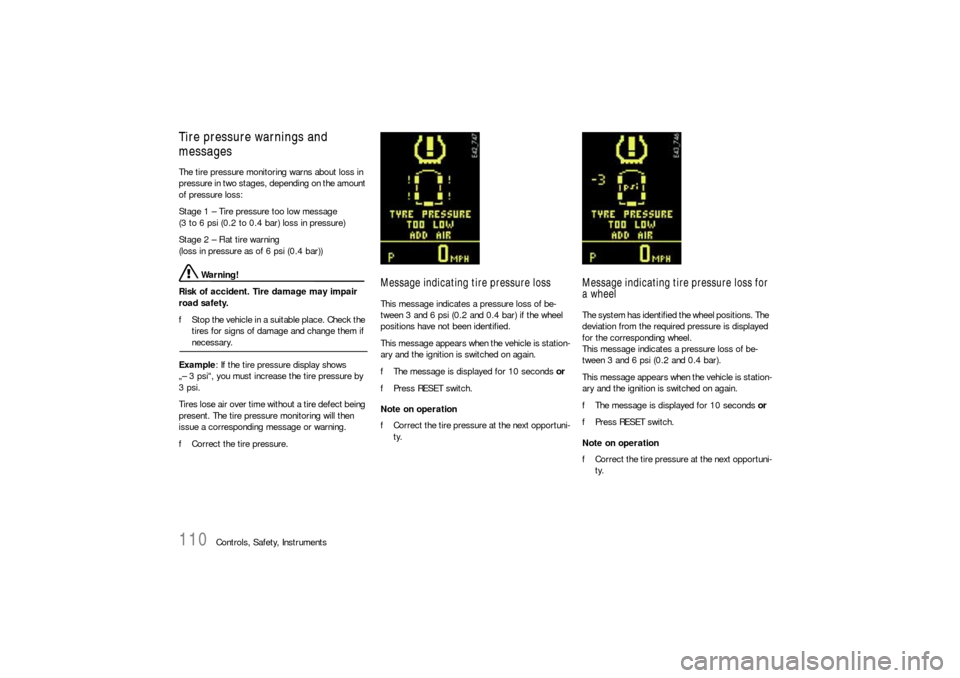
Message indicating tire pressure lossThis message indicates a pressure loss of be-
tween 3 and 6 psi (0.2 and 0.4 bar) if the wheel
positions have not been identified.
This message appears when the vehicle is station-
ary and the ignition is switched on again.
fThe message is displayed for 10 seconds or
fPress RESET switch.
Note on operation
fCorrect the tire pressure at the next opportuni-
ty.
Message indicating tire pressure loss for
a wheelThe system has identified the wheel positions. The
deviation from the required pressure is displayed
for the corresponding wheel.
This message indicates a pressure loss of be-
tween 3 and 6 psi (0.2 and 0.4 bar).
This message appears when the vehicle is station-
ary and the ignition is switched on again.
fThe message is displayed for 10 seconds or
fPress RESET switch.
Note on operation
fCorrect the tire pressure at the next opportuni-
ty.
Page 111 of 420
Controls, Safety, Instruments
111
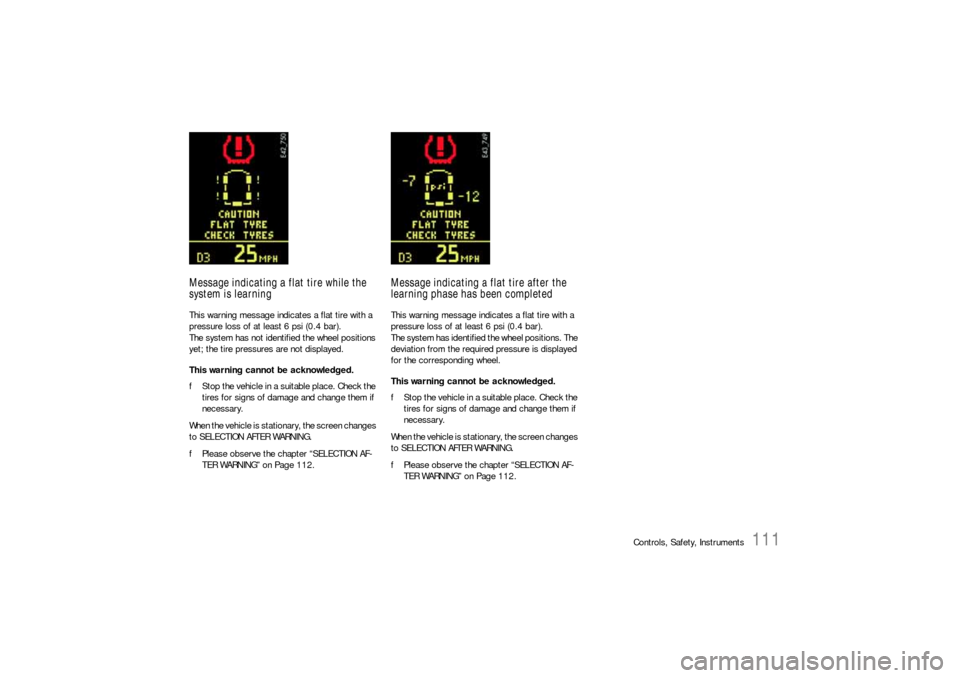
Message indicating a flat tire while the
system is learningThis warning message indicates a flat tire with a
pressure loss of at least 6 psi (0.4 bar).
The system has not identified the wheel positions
yet; the tire pressures are not displayed.
This warning cannot be acknowledged.
fStop the vehicle in a suitable place. Check the
tires for signs of damage and change them if
necessary.
When the vehicle is stationary, the screen changes
to SELECTION AFTER WARNING.
fPlease observe the chapter “SELECTION AF-
TER WARNING” on Page 112.
Message indicating a flat tire after the
learning phase has been completedThis warning message indicates a flat tire with a
pressure loss of at least 6 psi (0.4 bar).
The system has identified the wheel positions. The
deviation from the required pressure is displayed
for the corresponding wheel.
This warning cannot be acknowledged.
fStop the vehicle in a suitable place. Check the
tires for signs of damage and change them if
necessary.
When the vehicle is stationary, the screen changes
to SELECTION AFTER WARNING.
fPlease observe the chapter “SELECTION AF-
TER WARNING” on Page 112.
Page 117 of 420
Controls, Safety, Instruments
117
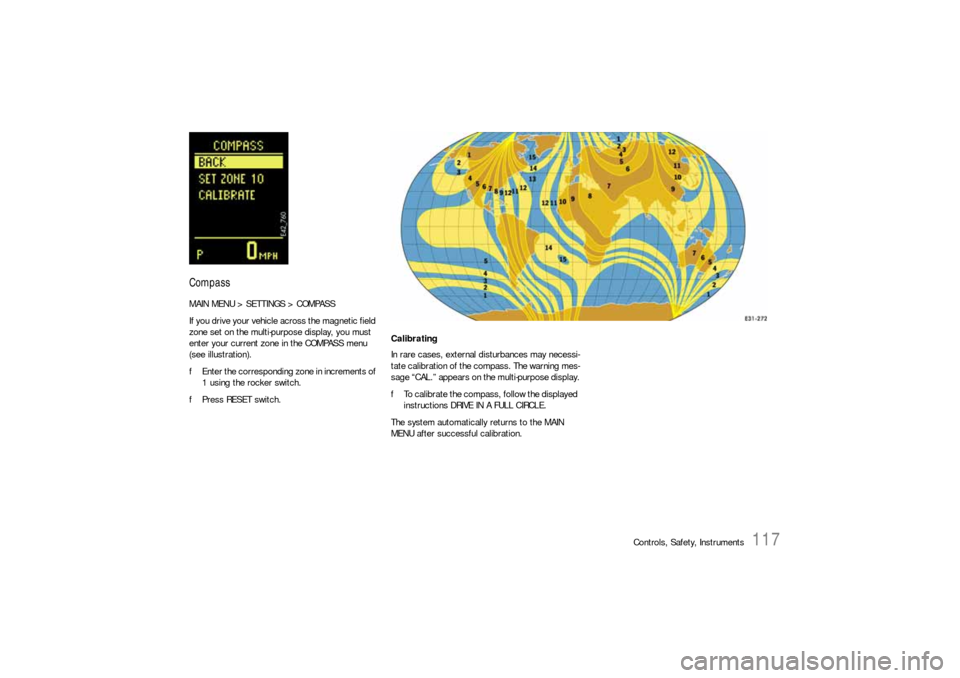
CompassMAIN MENU > SETTINGS > COMPASS
If you drive your vehicle across the magnetic field
zone set on the multi-purpose display, you must
enter your current zone in the COMPASS menu
(see illustration).
fEnter the corresponding zone in increments of
1 using the rocker switch.
fPress RESET switch.
Calibrating
In rare cases, external disturbances may necessi-
tate calibration of the compass. The warning mes-
sage “CAL.” appears on the multi-purpose display.
fTo calibrate the compass, follow the displayed
instructions DRIVE IN A FULL CIRCLE.
The system automatically returns to the MAIN
MENU after successful calibration.
Page 119 of 420
Controls, Safety, Instruments
119
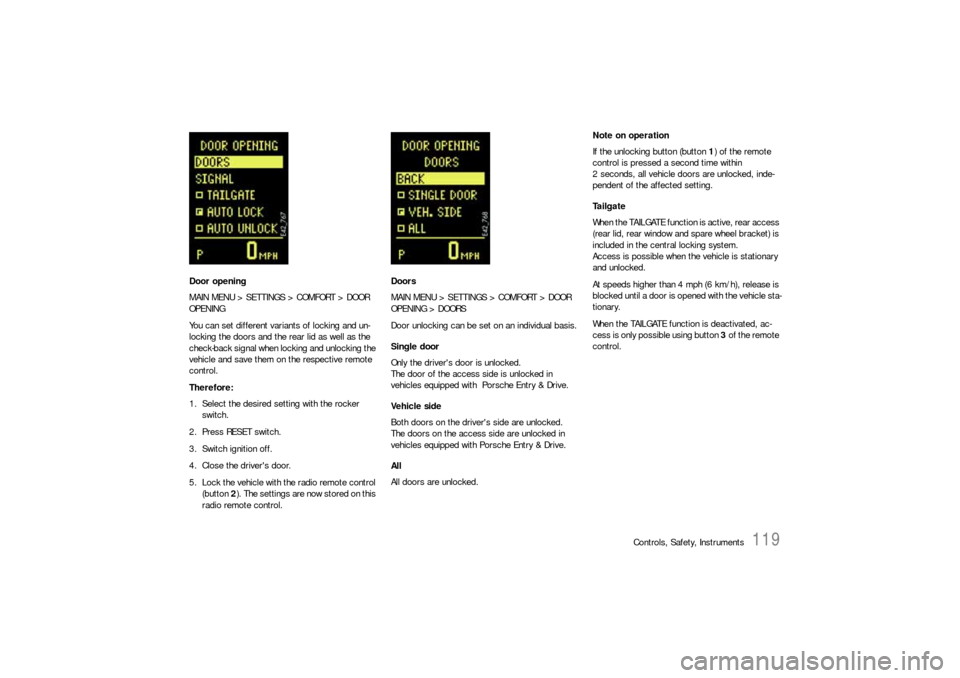
Door opening
MAIN MENU > SETTINGS > COMFORT > DOOR
OPENING
You can set different variants of locking and un-
locking the doors and the rear lid as well as the
check-back signal when locking and unlocking the
vehicle and save them on the respective remote
control.
Therefore:
1. Select the desired setting with the rocker
switch.
2. Press RESET switch.
3. Switch ignition off.
4. Close the driver's door.
5. Lock the vehicle with the radio remote control
(button 2). The settings are now stored on this
radio remote control.Doors
MAIN MENU > SETTINGS > COMFORT > DOOR
OPENING > DOORS
Door unlocking can be set on an individual basis.
Single door
Only the driver's door is unlocked.
The door of the access side is unlocked in
vehicles equipped with Porsche Entry & Drive.
Vehicle side
Both doors on the driver's side are unlocked.
The doors on the access side are unlocked in
vehicles equipped with Porsche Entry & Drive.
All
All doors are unlocked.Note on operation
If the unlocking button (button 1) of the remote
control is pressed a second time within
2 seconds, all vehicle doors are unlocked, inde-
pendent of the affected setting.
Ta i l g a t e
When the TAILGATE function is active, rear access
(rear lid, rear window and spare wheel bracket) is
included in the central locking system.
Access is possible when the vehicle is stationary
and unlocked.
At speeds higher than 4 mph (6 km/h), release is
blocked until a door is opened with the vehicle sta-
tionary.
When the TAILGATE function is deactivated, ac-
cess is only possible using button 3 of the remote
control.