phone PORSCHE PANAMERA 2009 1.G Information Manual
[x] Cancel search | Manufacturer: PORSCHE, Model Year: 2009, Model line: PANAMERA, Model: PORSCHE PANAMERA 2009 1.GPages: 343, PDF Size: 7.96 MB
Page 141 of 343
Instrument Panel and Multi-Function Display
139
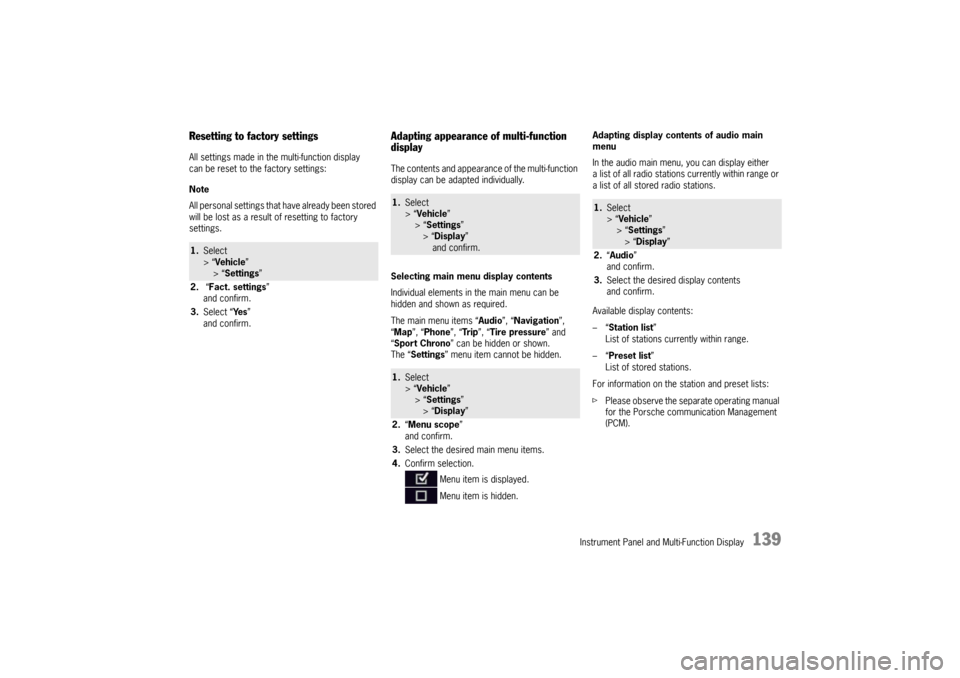
Resetting to factory settingsAll settings made in the multi-function display
can be reset to the factory settings:
Note
All personal settings that have already been stored
will be lost as a result of resetting to factory
settings.
Adapting appearance of multi-function
displayThe contents and appearance of the multi-function
display can be adapted individually.
Selecting main menu display contents
Individual elements in the main menu can be
hidden and shown as required.
The main menu items “ Audio”, “Navigation”,
“ Map ”, “Phone ”, “Tr i p ”, “Tire pressure” and
“ Sport Chrono” can be hidden or shown.
The “ Settings ” menu item cannot be hidden. Adapting display contents of audio main
menu
In the audio main menu, you can display either
a list of all radio stations currently within range or
a list of all stored radio stations.
Available display contents:
–“
Station list ”
List of stations currently within range.
–“ Preset list ”
List of stored stations.
For information on the station and preset lists:
f Please observe the separate operating manual
for the Porsche communication Management
(PCM).
1.Select
> “Vehicle ”
> “ Settings ”
2. “Fact. settings ”
and confirm.
3. Select “ Ye s”
and confirm.
1. Select
> “Vehicle ”
> “Settings ”
> “ Display ”
and confirm.1. Select
> “Vehicle ”
> “Settings ”
> “ Display ”
2. “Menu scope ”
and confirm.
3. Select the desired main menu items.
4. Confirm selection.
Menu item is displayed.
Menu item is hidden.
1.Select
> “Vehicle ”
> “ Settings ”
> “Display ”
2. “Audio”
and confirm.
3. Select the desired display contents
and confirm.
Page 142 of 343
140
Instrument Panel and Multi-Function Display
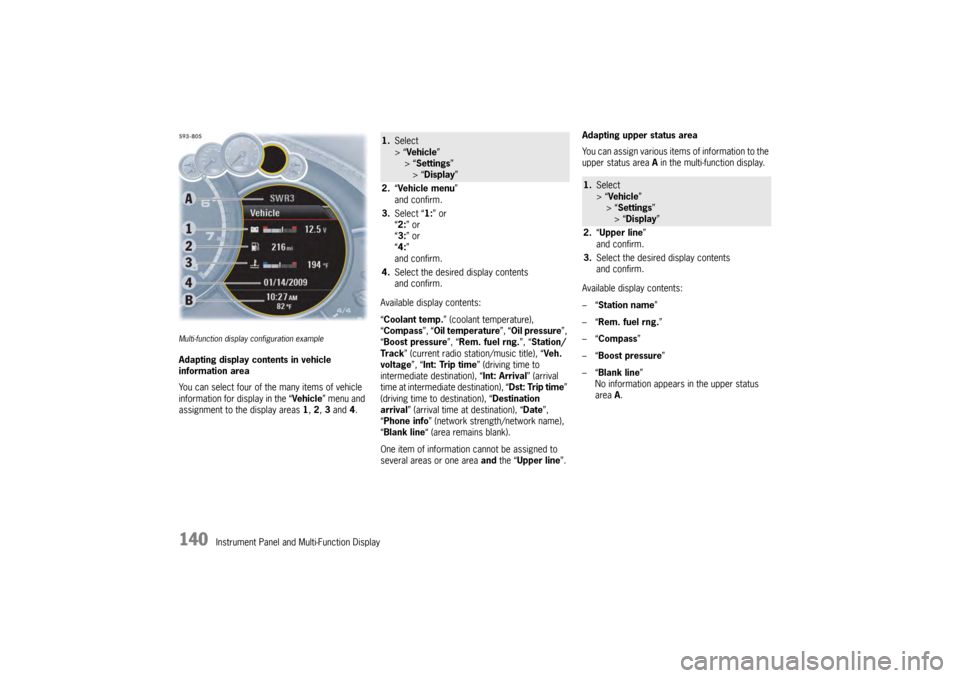
Multi-function display configuration exampleAdapting display contents in vehicle
information area
You can select four of the many items of vehicle
information for display in the “Vehicle” menu and
assignment to the display areas 1, 2 , 3 and 4. Available display contents:
“
Coolant temp. ” (coolant temperature),
“ Compass ”, “Oil temperature ”, “Oil pressure ”,
“ Boost pressure ”, “Rem. fuel rng. ”, “Station/
Track ” (current radio station/music title), “ Veh.
voltage ”, “Int: Trip time ” (driving time to
intermediate destination), “Int: Arrival ” (arrival
time at intermediate destination), “ Dst: Trip time”
(driving time to destination), “ Destination
arrival ” (arrival time at destination), “ Date”,
“ Phone info ” (network strength/network name),
“ Blank line “ (area remains blank).
One item of information cannot be assigned to
several areas or one area and the “ Upper line ”.Adapting upper status area
You can assign various items of information to the
upper status area
A in the multi-function display.
Available display contents:
–“ Station name”
–“ Rem. fuel rng. ”
–“ Compass”
–“ Boost pressure ”
–“ Blank line ”
No information appears in the upper status
area A.
1. Select
> “Vehicle ”
> “ Settings ”
> “Display ”
2. “Vehicle menu ”
and confirm.
3. Select “ 1:” or
“ 2: ” or
“ 3: ” or
“ 4: ”
and confirm.
4. Select the desired display contents
and confirm.
1.Select
> “Vehicle ”
> “Settings ”
> “Display ”
2. “Upper line ”
and confirm.
3. Select the desired display contents
and confirm.
Page 143 of 343
Instrument Panel and Multi-Function Display
141
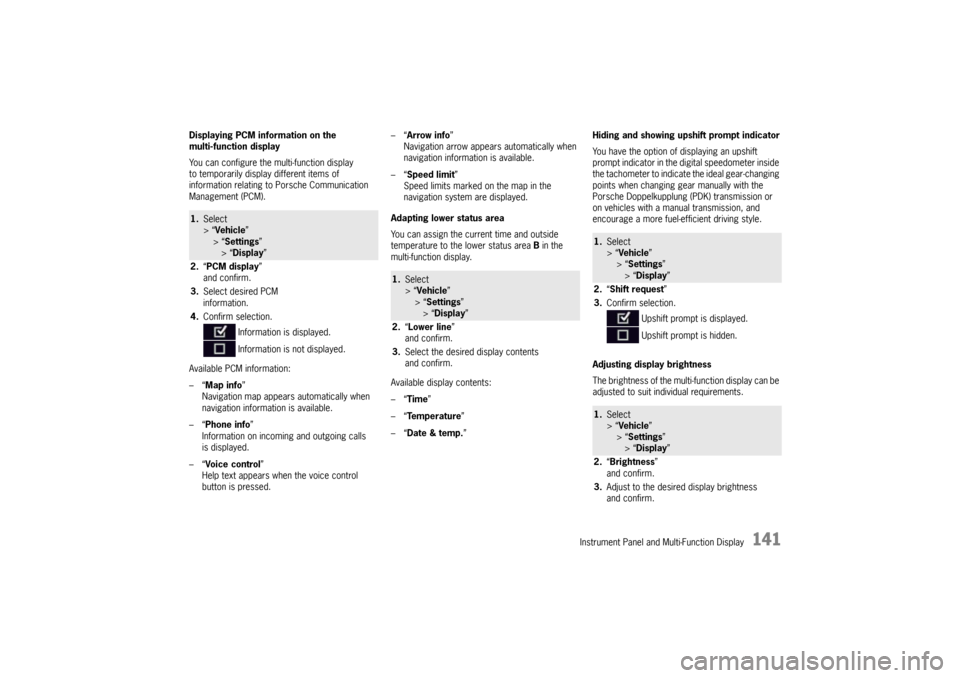
Displaying PCM information on the
multi-function display
You can configure the multi-function display
to temporarily display different items of
information relating to Porsche Communication
Management (PCM).
Available PCM information:
–“Map info ”
Navigation map appears automatically when
navigation information is available.
–“ Phone info ”
Information on incoming and outgoing calls
is displayed.
–“ Voice control”
Help text appears when the voice control
button is pressed. –“
Arrow info ”
Navigation arrow appears automatically when
navigation information is available.
–“ Speed limit ”
Speed limits marked on the map in the
navigation system are displayed.
Adapting lower status area
You can assign the current time and outside
temperature to the lower status area B in the
multi-function display.
Available display contents:
–“ Time ”
–“ Temperature ”
–“ Date & temp. ” Hiding and showing upshift prompt indicator
You have the option of displaying an upshift
prompt indicator in the di
gital speedometer inside
the tachometer to indicate the ideal gear-changing
points when changing gear manually with the
Porsche Doppelkupplung (PDK) transmission or
on vehicles with a manual transmission, and
encourage a more fuel-efficient driving style.
Adjusting display brightness
The brightness of the multi-function display can be
adjusted to suit individual requirements.1. Select
> “Vehicle ”
> “ Settings ”
> “Display ”
2. “PCM display ”
and confirm.
3. Select desired PCM
information.
4. Confirm selection.
Information is displayed.
Information is not displayed.
1.Select
> “Vehicle ”
> “Settings ”
> “ Display ”
2. “Lower line ”
and confirm.
3. Select the desired display contents
and confirm.
1.Select
> “Vehicle ”
> “ Settings ”
> “Display ”
2. “Shift request”
3. Confirm selection.
Upshift prompt is displayed.
Upshift prompt is hidden.1.Select
> “Vehicle ”
> “ Settings ”
> “Display ”
2. “Brightness”
and confirm.
3. Adjust to the desired display brightness
and confirm.
Page 153 of 343
Instrument Panel and Multi-Function Display
151
Adjusting volume of warning tones
The volume of the warning tones can be adjusted
individually.
Available setting options:
–“Loud ”
–“ Medium”
–“ Low ”
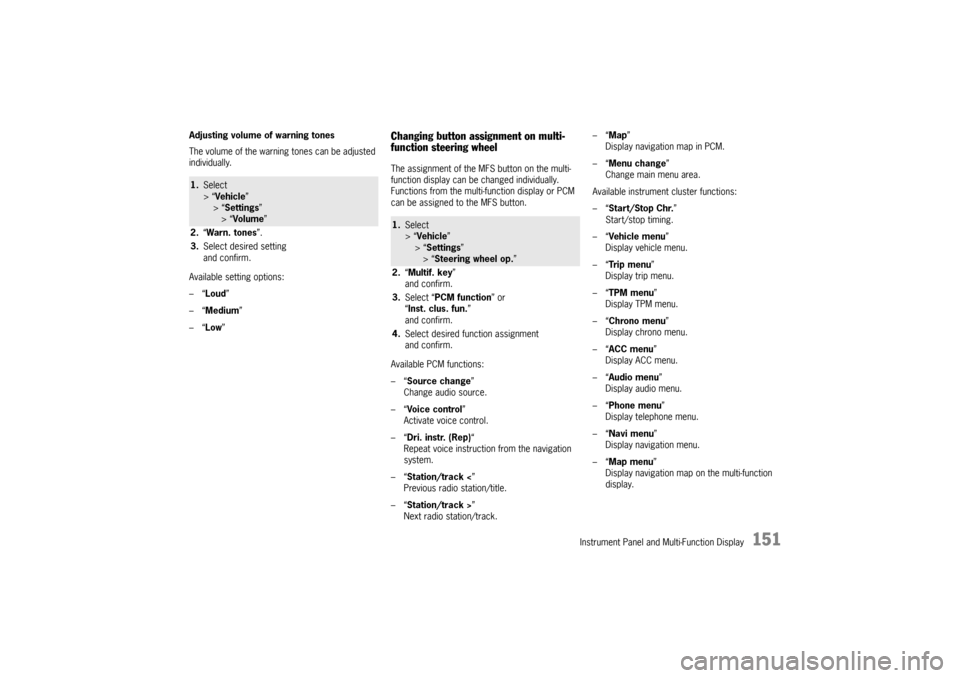
Changing button assignment on multi-
function steering wheelThe assignment of the MFS button on the multi-
function display can be changed individually.
Functions from the multi-function display or PCM
can be assigned to the MFS button.
Available PCM functions:
–“Source change ”
Change audio source.
–“ Voice control ”
Activate voice control.
–“ Dri. instr. (Rep) “
Repeat voice instruction from the navigation
system.
–“ Station/track < ”
Previous radio station/title.
–“ Station/track > ”
Next radio station/track. –“
Map ”
Display navigation map in PCM.
–“ Menu change ”
Change main menu area.
Available instrument cluster functions:
–“ Start/Stop Chr. ”
Start/stop timing.
–“ Vehicle menu ”
Display vehicle menu.
–“ Tr i p m e n u ”
Display trip menu.
–“ TPM menu ”
Display TPM menu.
–“ Chrono menu”
Display chrono menu.
–“ ACC menu ”
Display ACC menu.
–“ Audio menu ”
Display audio menu.
–“ Phone menu ”
Display telephone menu.
–“ Navi menu ”
Display navigation menu.
–“ Map menu ”
Display navigation map on the multi-function
display.
1. Select
> “Vehicle ”
> “ Settings ”
> “Volume ”
2. “Warn. tones ”.
3. Select desired setting
and confirm.
1.Select
> “Vehicle ”
> “Settings ”
> “ Steering wheel op. ”
2. “Multif. key ”
and confirm.
3. Select “PCM function” or
“ Inst. clus. fun. ”
and confirm.
4. Select desired function assignment
and confirm.
Page 192 of 343

190
Driving and Driving Safety
Compact disc player
Caution!
To avoid damage to compact disc player and
discs.
f Use only compact discs labeled as shown,
having no dirt, damage or warpage.
f Never attempt to disassemble or oil any part
of the player unit. Do not insert any object
other than a disc into the slot.Remember there
are no user-serviceable parts inside the
compact disc player.
f Do not allow the disc to sustain any
fingerprints, scrapes or stickers on the
surfaces. This may cause poor sound quality.
Hold the disc only on the edge or center hole.
f When not in use, take the disc out of the player,
put the disc back into its case and store it
away from dust, heat, damp and direct
sunlight.
Leaving the disc on the dashboard in the sun
can damage the disc. f
If the disc gets dirty, clean the disc by wiping
the surfaces from the center to the outside in
a radial direction with a soft cloth.
Do not use a conventional record cleaner or
anti-static record preservative.
Disc cleaners are available in audio stores.
Car Telephone and Aftermarket Alarms Important legal and safety information
regarding the use of cellular telephones
Some states may prohibit the use of cellular
telephones while driving a vehicle. Check the laws
and regulations on the use of cellular telephones
in the areas where you drive.
Danger!
Risk of an accident.
Severe personal injury or death can result in
the event of an accident.
Looking away from the road or turning your
attention away from your driving can cause
an accident and lead to serious personal
injury or death.
When using your cellular telephone, you should
always:
f Give full attention to your driving – pull off the
road and park before making or answering a
call if traffic conditions so require, and f
Keep both hands on the steering wheel – use
hands-free operation (if available) – pull off the
road and park before using a hand-held
telephone.
It is essential to observe the telephone
manufacturer’s instructions before operating
the telephone.
Any portable telephone or radio transmitter which
is used in a Porsche must be properly installed in
accordance with the technical requirements of
Porsche.
The transmission power must not exceed
10 W.
The devices must possess a type approval for
your vehicle and have an “e” symbol.
If you should require equipment with transmission
power values greater than 10 W, please consult
your authorized Porsche dealer for this purpose.
They are familiar with the technical requirements
for installing devices of this kind.
The antennas for all radios and telephones with a
transmitting antenna must be externally mounted.
The improper installation of radios or telephones
or use of a radio or tele phone with a transmitting
antenna inside the car may cause the warning
lights to come on.
Improper installation of such equipment can
create a discharged battery or excessive current
draw from added equipment.
Page 193 of 343

Driving and Driving Safety
191
If aftermarket systems are installed by non-
dealership technicians or outside the selling
dealer, problems may result. Installation of
aftermarket equipment is not covered under the
New Car Warranty.
fConsult your authorized Porsche dealer about
the installation of non-Porsche approved
equipment.
Reception quality
The reception quality of your car telephone will
change constantly when you are driving.
Interference caused by buildings, landscape and
weather is unavoidable. It may become particu-
larly difficult to hear when using the hands-free
function due to external noise such as engine and
wind noise.
Automatic car-wash
f Unscrew external antennas before using an
automatic car-wash.
Porsche Communication
Management (PCM)
Warning!
There is danger of accident if you set or
operate the on-board computer, radio,
navigation system, telephone or other
equipment when driving.
This could distract you from traffic and
cause you to lose control of the vehicle
resulting in serious personal injury or death.
f Operate the components while driving only if
the traffic situation allows you to do so safely.
f Carry out any complicated operating or setting
procedures only with the vehicle stationary.
f If it is necessary to operate these components
while the vehicle is in motion, use the function keys on the multi-functional steering wheel.
f Refer to the separate operating instructions
before putting the PCM into operation.
When put into operation for the first time, a
distance of approx. 3 miles (5 km) must be driven
in order for the navigation system to complete the
process of fine calibration. The same applies
when the tires are changed (e.g. summer/winter
tires) or new tires fitted. Full location accuracy is
not yet achieved during the fine-calibration
process. If the vehicle has been tr
ansported (e.g. ferry, car
train), the system may ta ke a few minutes after
being switched on before it determines the current
location.
Serious tire slip (e.g. spinning wheels on snow)
may result in temporarily inaccurate navigation.
When the battery has been disconnected, it may
take up to 15 minutes before the navigation
system is operational once more.
Satellite radioYou must have the satellit e radio activated before
you can put it into operation. You will need a
contract with a provider in order to use this radio.
f Refer to the separate radio operating
instructions before putting into operation.
Page 252 of 343

250
Alarm System and Theft Protection
ImmobilizerThere is a transponder (an electronic component),
containing a stored code, in each key.
Before the ignition is switched on, the ignition lock
checks the code.
The immobiliser can be deactivated and
the engine started only using an authorised
ignition key.
Locking the Steering ColumnVehicles without Porsche Entry & Drive Unlocking the steering column automatically
f Insert the ignition key into the ignition lock.
Locking the steering column automatically
f Remove the ignition key.Vehicles with Porsche Entry & DriveUnlocking the steering column automatically
f Turn the control unit out of ignition lock
position 0 .
Locking the steering column automatically
f Open the driver’s door (with the ignition
switched off).
Locking the steering column manually
f Once the ignition is sw itched off, turn the
control unit to ignition lock position 3 again
and hold it there for 2seconds.
The steering column locks with an
audible click.
Theft ProtectionWhen leaving the vehicle, always:
f Close all door windows.
f Close the slide/tilt roof.
f Remove the ignition key (or switch ignition off
on vehicles with Porsche Entry & Drive).
f Lock the glove box.
f Close all storage compartments.
f Remove valuables, vehicle registration
documents, telephone and house keys from
the vehicle.
f Cover the luggage compartment with the
retractable luggage compartment cover.
f Close the tailgate.
f Lock all doors.
Page 268 of 343
266
Maintenance and Car Care
Refuelling
Danger!
The RF energy from a cellphone can cause a
sparking on bare metal, much like aluminum
foil in a microwave oven. The spark could
ignite gasoline fumes present while refuling.
Static discharge from your body can ignite
gasoline fumes present when you get back
out of the vehicle and touch the fuel nozzle.
In either case, resulting fire can cause
serious damage to the vehicle, serious injury
or death to persons in immediate vicinity.
f Do not use a cellphone while pumping gas.
fDo not re-enter the vehicle while pumping gas.
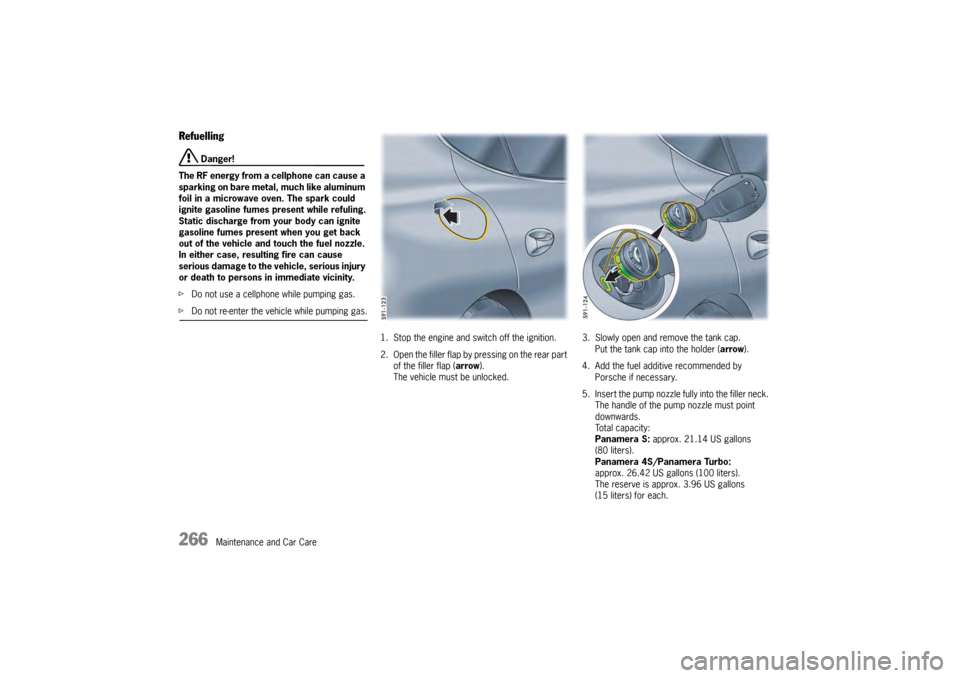
1. Stop the engine and switch off the ignition.
2 . O p e n t h e f i l l e r f l a p b y p re s s i n g o n t h e re a r p a r t of the filler flap ( arrow).
The vehicle must be unlocked. 3. Slowly open and remove the tank cap.
Put the tank cap into the holder ( arrow).
4. Add the fuel additive recommended by Porsche if necessary.
5. Insert the pump nozzle fully into the filler neck.
The handle of the pump nozzle must point
downwards.
Total capacity:
Panamera S: approx. 21.14 US gallons
(80 liters).
Panamera 4S/Panamera Turbo:
approx. 26.42 US gallons (100 liters).
The reserve is approx. 3.96 US gallons
(15 liters) for each.
Page 301 of 343

Minor Repairs
299
Fuse box in left side of dashboardNo.Designation A
1 Steering column switch 7.5
2 Instrument cluster 7.5
3PCM 3.1 10
4 Additional instrument 5
5 Air conditioning, front + rear 10
6 Rearview camera 5
7 LHD, electric parking brake button 5
8 LHD, central locking for rear left
door
RHD, central locking for left doors 10
9 LHD, steering column adjustment 15
10 LHD, PDK control unit 25
11 Power windows, rear left 25
12 Power windows, front left 25
13 ParkAssist 5
14 Xenon headlight, left 15
15 Interior mirror,
LHD, diagnostic socket 5
16 LHD, PDK control unit,
clutch sensor
RHD, air conditioning, sun sensor 5
17 Not used
18 Not used
19 Not used
20 LHD, ignition lock control unit, light
switch 5
21LHD, central locking for front
left door
RHD, mobile phone charger 10
5
22 Steering column lock 5
23 Left-hand drive vehicles only:
Turn signal, rear right
Marker light, front left
Low beam headlight, right
High beam headlight, right
Side turn signals, front
Cornering light, front left
Ignition lock
Two-tone horns
PSM
Starter relay
Emergency flasher switch LED
Ignition lock lighting
Turn signal, front left/right
Footwell lights
Ignition lock anti-removal lock
Power steering control valves 30
No.
Designation A
24Left-hand drive vehicles only:
Turn signal, rear left
Marker light, front right
Low beam headlight, left
High beam headlight, left
Cornering light, front right
Engine compartment lid light
Shutter elements, right/left
Active brake ventilation
open/closed
Heatable washer jets
Engine compartment lid
Headlight beam adjustment 30
25 Left-hand drive vehicles only:
Steering column lock
Filler flap closed/open
Windshield washer pump,
front/rear 15
26 LHD, headlight cleaning system 30
27 Ignition coils 15
28 Not used
29 Oil level sensor, camshaft sensor 7.5
30 Oxygen sensors behind catalytic
converter 7.5
31 Electric control valves for engine 15
32 Engine control unit 20
33 Fan activation,
tank leakage detection 10
34 Valves for engine 10
35 Oxygen sensors ahead of catalytic
converter 10
No.
Designation A
Page 302 of 343

300
Minor Repairs
Fuse box in right side of dashboard
36 Not used
37 Not used
38Front cigarette lighter,
luggage compartment socket 20
39 Seat adjustment, front left
without memory 30
40 RHD, center console sockets,
glove box 20
41 PSM control unit 10
42 Interior light in roof console 7.5
43 Not used
44 Not used
45 Not used
46 Not used
47 Slide/tilt roof 30
48 Windshield wipers 30
49 Engine control unit 5
50 Not used
51 Seat adjustment, front left
with memory 30
52 Seat adjustment, rear left 20
53 Circulating pump 10
54 Rain sensor 5
55 Not used
56 Not used
57 Air-conditioning system fan 40
No.
Designation A
No.Designation A
1 Tire Pressure Monitoring control unit 5
2 Not used
3 Seat heating, front 30
4 Seat heating, rear 30
5 Seat adjustment, rear right 20
6 Not used
7 Not used
8 Seat adjustment, front right
with memory 30
9 RHD, electric parking brake button 5
10 LHD, handset, mobile phone charger
RHD, steering column adjustment 5
15
11 RHD, PDK control unit 25
12 LHD, telephone 5
13 Not used
14 Xenon headlight, right 15
15 Not used
16 RHD, diagnostic socket 5
17 PSM control unit 5
18 LHD, air conditioning, sun sensor
RHD, PDK control unit,
clutch sensor 5
19 Garage door opener 5
20 Air bag control unit 7.5
21 Advanced air bag, occupant sensing 5
22 Steering column switch 5
23 Adaptive cruise control (ACC) 5
24 Seat ventilation, front seats 7.5
25 Seat ventilation, rear seats 7.5
26 Not used
27Front center console socket,
Rear cigarette lighter 20
28 Seat adjustment, front right
without memory 30
29 LHD, rear center console socket,
socket in glove box,
socket in large rear center console 20
30 Not used
31 Coolbox 15
32 Rear Seat Entertainment 7.5
33 Right-hand drive vehicles only:
Turn signal, rear right
Marker light, front left
Low beam headlight, right
High beam headlight, right
Side turn signals, front
Cornering light, front left
Ignition lock
Two-tone horns
PSM
Starter relay
Emergency flasher switch LED
Ignition lock lighting
Turn signal, front left/right
Footwell lights
Ignition lock anti-removal lock
Power steering control valves 30
No.
Designation A