Oil PORSCHE PANAMERA 2010 1.G User Guide
[x] Cancel search | Manufacturer: PORSCHE, Model Year: 2010, Model line: PANAMERA, Model: PORSCHE PANAMERA 2010 1.GPages: 343, PDF Size: 7.96 MB
Page 107 of 343
Instrument Panel and Multi-Function Display
105
Instrument Panel and Multi-Function Display
Instrument Panel USA
Models...................... 107
Instrument Panel Canada Models ................. 109
Tachometer ................. .............................. 110
Speedometer ............... .............................. 110
Multi-Function Displa y ................................. 110
Engine Oil Temperatur e Gauge .................... 110
Coolant Temperature Gauge ....................... 110
Engine Oil Pressure Gauge.......................... 111
Fuel Gauge .................. .............................. 111
Digital Speedometer ................................... 112
Upshift Prompt Indica tor ............................. 112
Odometer .................... .............................. 112
Reset Button for Trip Counter Display/
Brightness Setting for Instrument Lighting ... 112
PDK Display for Selector-Lever Position/
Engaged Gear.............. .............................. 112
Battery/Alternator ... ................................... 113
Check Engine (Emission Control) ................. 114
Acoustic Signals ..... ................................... 114
Operating the Multi-Function Display in the
Instrument Panel .......... .............................. 115
Vehicle Settings on the Multi-Function
Display ............................................ .......... 138
Overview of Warning Messages ................... 152
Page 109 of 343
Instrument Panel and Multi-Function Display
107
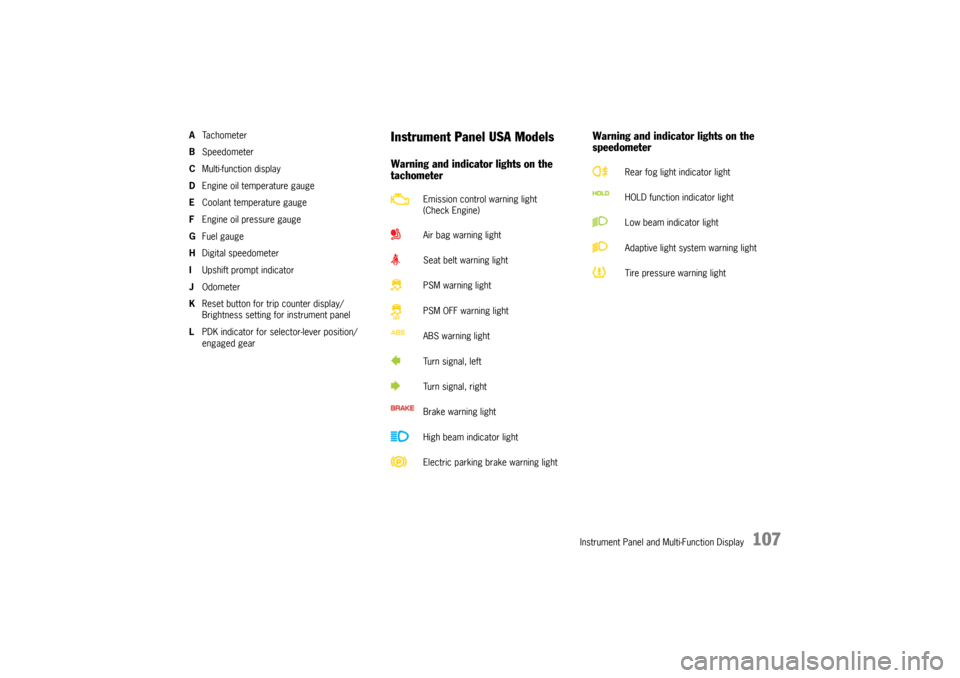
ATa c h o m e t e r
B Speedometer
C Multi-function display
D Engine oil temperature gauge
E Coolant temperature gauge
F Engine oil pressure gauge
G Fuel gauge
H Digital speedometer
I Upshift prompt indicator
J Odometer
K Reset button for trip counter display/
Brightness setting for instrument panel
L PDK indicator for selector-lever position/
engaged gear
Instrument Panel USA ModelsWarning and indicator lights on the
tachometer Warning and indicator lights on the
speedometer
Emission control warning light
(Check Engine)
Air bag warning light
Seat belt warning light
PSM warning light
PSM OFF warning light
ABS warning light
Turn signal, left
Turn signal, right
Brake warning light
High beam indicator light
Electric parking brake warning light
Rear fog light indicator light
HOLD function indicator light
Low beam indicator light
Adaptive light system warning light
Tire pressure warning light
Page 111 of 343
Instrument Panel and Multi-Function Display
109
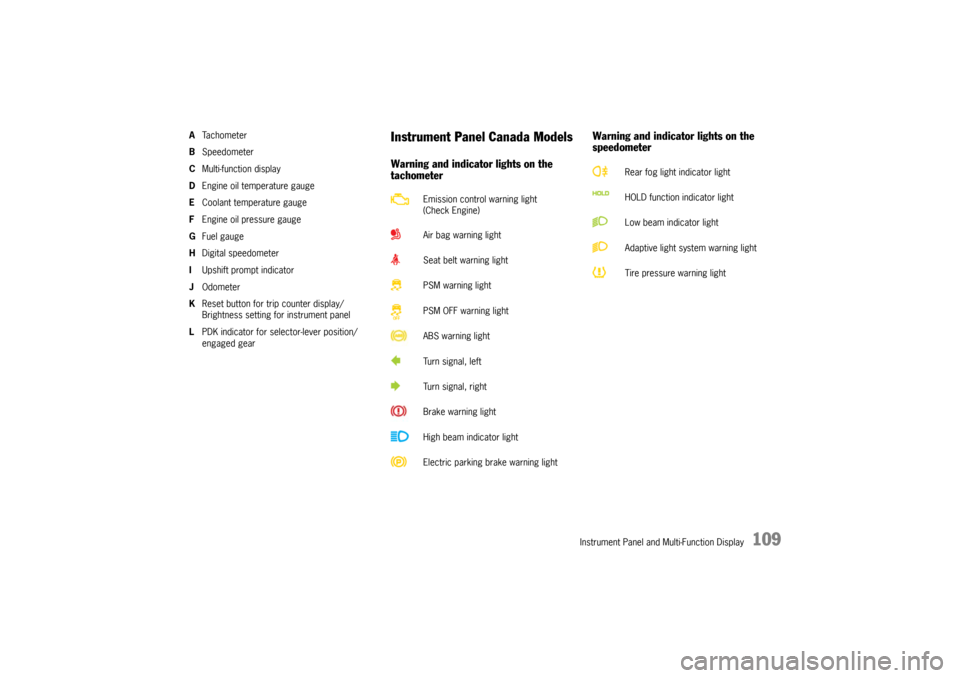
ATa c h o m e t e r
B Speedometer
C Multi-function display
D Engine oil temperature gauge
E Coolant temperature gauge
F Engine oil pressure gauge
G Fuel gauge
H Digital speedometer
I Upshift prompt indicator
J Odometer
K Reset button for trip counter display/
Brightness setting for instrument panel
L PDK indicator for selector-lever position/
engaged gear
Instrument Panel Canada ModelsWarning and indicator lights on the
tachometer Warning and indicator lights on the
speedometer
Emission control warning light
(Check Engine)
Air bag warning light
Seat belt warning light
PSM warning light
PSM OFF warning light
ABS warning light
Turn signal, left
Turn signal, right
Brake warning light
High beam indicator light
Electric parking brake warning light
Rear fog light indicator light
HOLD function indicator light
Low beam indicator light
Adaptive light system warning light
Tire pressure warning light
Page 112 of 343

110
Instrument Panel and Multi-Function Display
A – TachometerThe start of the red zone on the tachometer or
rev-counter scale is a visual warning of the
maximum permissible engine speed.
If the red zone is reached during acceleration, fuel
feed is interrupted in order to protect the engine.B – SpeedometerThe analogue display B is located on the left next
to the tachometer in the instrument panel.C – Multi-Function DisplayFor information on the multi-function display:
f Please see the chapter “OPERATING THE
MULTI-FUNCTION DISPLAY IN THE
INSTRUMENT PANEL” on page 115.
D – Engine Oil Temperature GaugeA warning message will appear on the multi-
function display in the instrument panel if the
engine oil temperature is too high.
f Reduce engine speed and engine load
immediately if the red zone is reached.
For information on warning messages on the
multi-function display:
f Please see the chapter “OVERVIEW OF
WARNING MESSAGES” on page 152.E – Coolant Temperature GaugeIf the cooling system is in any way faulty, consult
a qualified specialist workshop. We recommend
that you have an authorized Porsche dealer to do
this work, as they have the trained workshop
personnel and the necessa ry parts and tools for
this type of work.
Pointer in the lower area – engine cold
f Avoid high engine speeds and heavy
engine loading.
Pointer in the middle – normal operating
temperature
Pointer may move up to the red area when engine
is heavily loaded and outside temperature is high.
Coolant temperature warningThe temperature gauge warning light will
illuminate if the coolant temperature is too high.
The warning message “Engine temperature too
high” will also appear on the multi-function display
in the instrument panel.
f Switch off engine and allow to cool.
f Check radiators and air guides in front end of
vehicle for obstructions.
f Check the coolant level.
Top up with coolant if necessary.
f Have the fault corrected.
f Please see the chapte r “CHECKING COOLANT
LEVEL AND ADDING COOLANT” on page 257.
f Please see the chapter “OVERVIEW OF
WARNING MESSAGES” on page 152.
Note on operation
To prevent excessive temperatures, the cooling
air ducts must not be obstructed by covering
them (e.g. with film, “stone guards”, etc.).
Page 113 of 343
Instrument Panel and Multi-Function Display
111
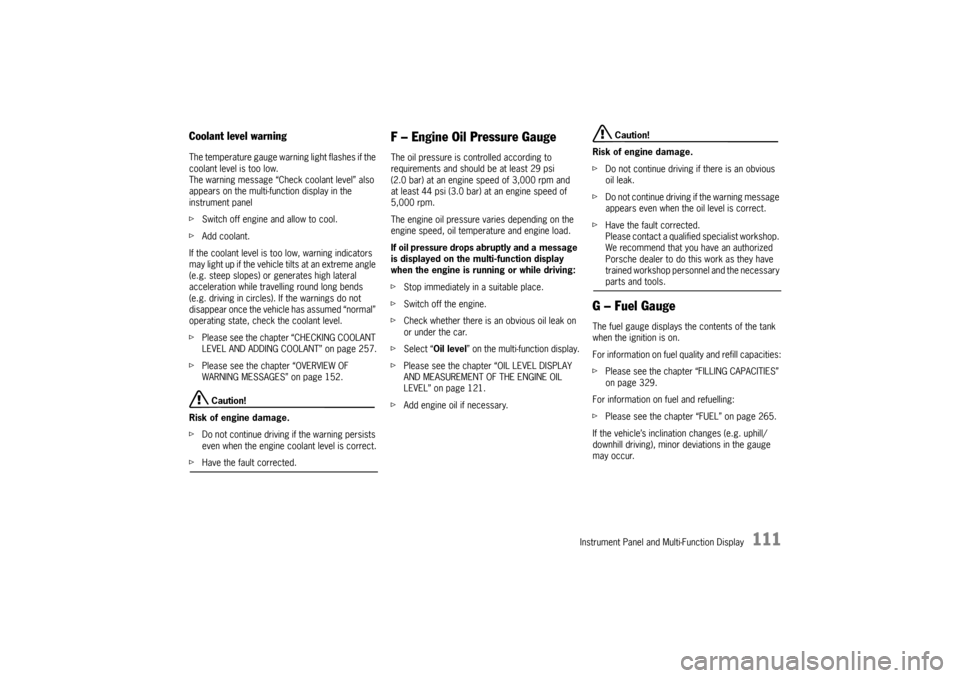
Coolant level warningThe temperature gauge warning light flashes if the
coolant level is too low.
The warning message “Check coolant level” also
appears on the multi-function display in the
instrument panel
f Switch off engine and allow to cool.
f Add coolant.
If the coolant level is too low, warning indicators
may light up if the vehicle tilts at an extreme angle
(e.g. steep slopes) or generates high lateral
acceleration while travelling round long bends
(e.g. driving in circles). If the warnings do not
disappear once the vehicle has assumed “normal”
operating state, check the coolant level.
f Please see the chapter “CHECKING COOLANT
LEVEL AND ADDING COOLANT” on page 257.
f Please see the chapter “OVERVIEW OF
WARNING MESSAGES” on page 152.
Caution!
Risk of engine damage.
f Do not continue driving if the warning persists
even when the engine coolant level is correct.
fHave the fault corrected.
F – Engine Oil Pressure GaugeThe oil pressure is controlled according to
requirements and should be at least 29 psi
(2.0 bar) at an engine speed of 3,000 rpm and
at least 44 psi (3.0 bar) at an engine speed of
5,000 rpm.
The engine oil pressure varies depending on the
engine speed, oil temperature and engine load.
If oil pressure drops abruptly and a message
is displayed on the multi-function display
when the engine is running or while driving:
f Stop immediately in a suitable place.
f Switch off the engine.
f Check whether there is an obvious oil leak on
or under the car.
f Select “Oil level ” on the multi-function display.
f Please see the chapter “OIL LEVEL DISPLAY
AND MEASUREMENT OF THE ENGINE OIL
LEVEL” on page 121.
f Add engine oil if necessary.
Caution!
Risk of engine damage.
f Do not continue driving if there is an obvious
oil leak.
f Do not continue driving if the warning message
appears even when the oil level is correct.
f Have the fault corrected.
Please contact a qualified specialist workshop.
We recommend that you have an authorized
Porsche dealer to do this work as they have
trained workshop personnel and the necessary parts and tools.
G – Fuel GaugeThe fuel gauge displays the contents of the tank
when the ignition is on.
For information on fuel qu ality and refill capacities:
f Please see the chapter “FILLING CAPACITIES”
on page 329.
For information on fuel and refuelling:
f Please see the chapter “FUEL” on page 265.
If the vehicle’s inclination changes (e.g. uphill/
downhill driving), minor deviations in the gauge
may occur.
Page 117 of 343
Instrument Panel and Multi-Function Display
115
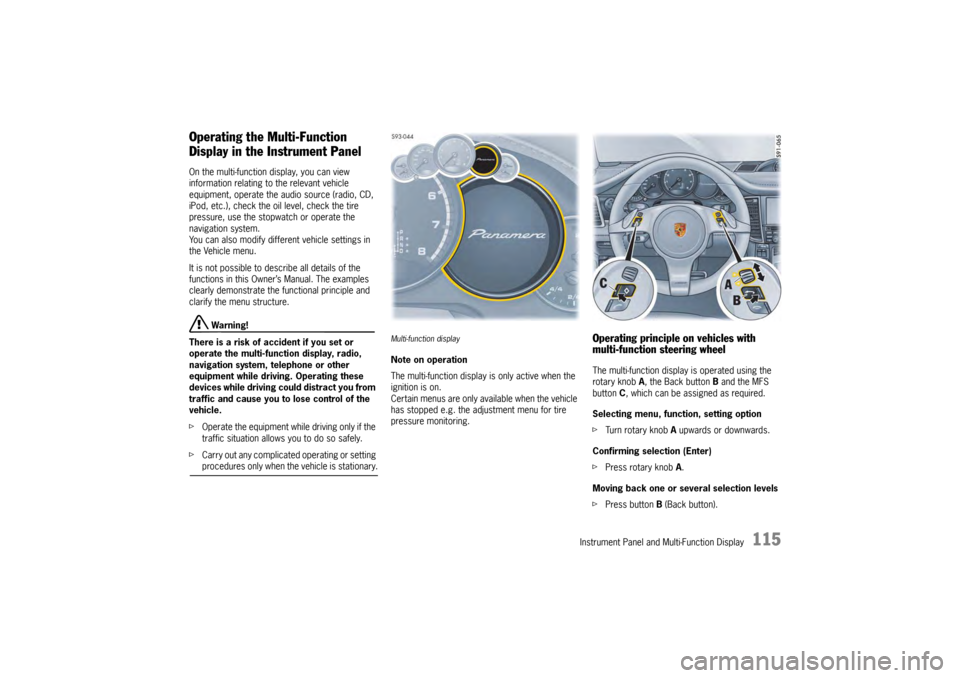
Operating the Multi-Function
Display in the Instrument PanelOn the multi-function display, you can view
information relating to the relevant vehicle
equipment, operate the audio source (radio, CD,
iPod, etc.), check the oil level, check the tire
pressure, use the stopwatch or operate the
navigation system.
You can also modify different vehicle settings in
the Vehicle menu.
It is not possible to desc ribe all details of the
functions in this Owner’s Manual. The examples
clearly demonstrate the functional principle and
clarify the menu structure.
Warning!
There is a risk of accident if you set or
operate the multi-funct ion display, radio,
navigation system, telephone or other
equipment while driving. Operating these
devices while driving could distract you from
traffic and cause you to lose control of the
vehicle.
f Operate the equipment while driving only if the
traffic situation allows you to do so safely.
f Carry out any complicated operating or setting procedures only when the vehicle is stationary.
Multi-function displayNote on operation
The multi-function display is only active when the
ignition is on.
Certain menus are only available when the vehicle
has stopped e.g. the adjustment menu for tire
pressure monitoring.
Operating principle on vehicles with
multi-function steering wheelThe multi-function display is operated using the
rotary knob A , the Back button B and the MFS
button C, which can be assigned as required.
Selecting menu, function, setting option
f Turn rotary knob A upwards or downwards.
Confirming selection (Enter)
f Press rotary knob A .
Moving back one or several selection levels
f Press button B (Back button).
Page 119 of 343
Instrument Panel and Multi-Function Display
117
For information on adapting the multi-function
display:
fPlease see the chapter “ADAPTING
APPEARANCE OF MULTI-FUNCTION DISPLAY”
on page 139.
Title area with menu indicator
The menu item currently selected is displayed in
the title area.
The menu indicator on the right shows the position
of the current menu item in the overall menu and
displays the number of other menu items on this
menu level.
The wider the menu indicator, the fewer menu
items the current menu contains.
Information area
The information area C displays the menu items
currently available for selection or after a menu
item is selected, information relating to this menu
item or other selection options.
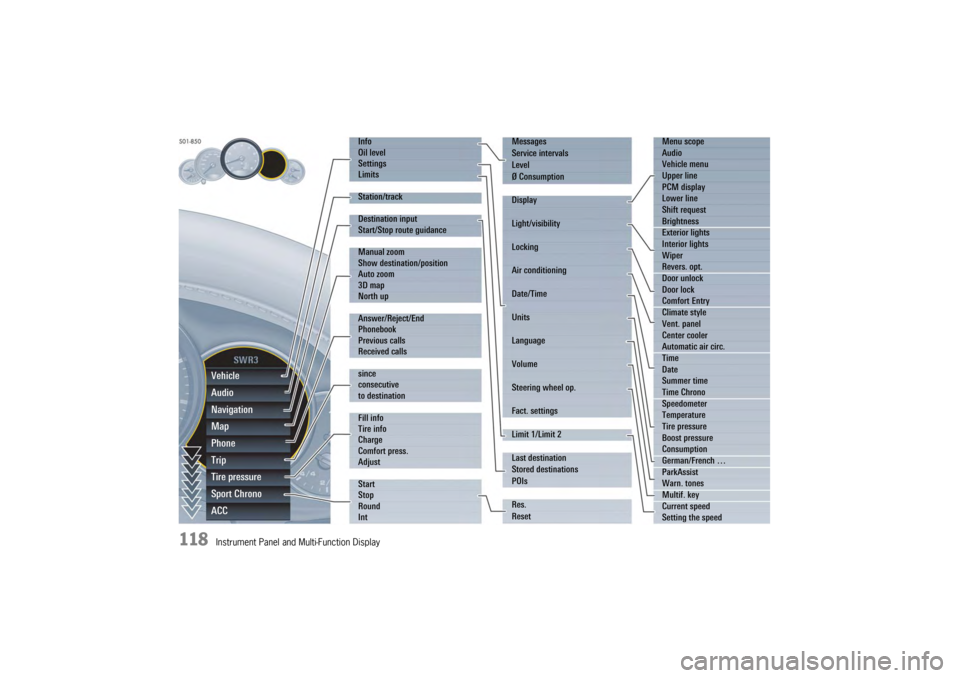
Overview of menus in the multi-function
displayThe following main menu areas are available
depending on the vehicle equipment.
–“ Vehicle ”
Retrieve vehicle inform ation, check oil level,
adjust settings, adapt speed limits,
see page 119.
–“ Audio”
Display/select radio station or track,
see page 123.
–“ Navigation ”
Retrieve navigation information, enter
navigation destination, start/finish navigation,
see page 123.
–“ Map ”
Show/adapt the map display for navigation,
see page 124.
–“ Phone ”
Make telephone calls, see page 125.
–“ Tr i p”
Retrieve/reset trip information, see page 126.
–“ Tire pressure ”
Retrieve tire pressure information, modify Tire
Pressure Monitoring settings, see page 127.
–“ Sport Chrono”
Start/stop/reset stopwatch, see page 135. –“
ACC ”
Retrieve adaptive cruise control information,
seepage178.
Activating functions, opening submenus
and accessing setting options from the
main menu areasPress the rotary knob A or push the right lower
lever on the steering wheel forwards (position 1)
to access menus, other functions and setting
options regardless of the main menu area.Browsing through long listsWhen searching for an entry in long telephone and
audio lists on vehicles with PCM, you can skip
directly to other entries with the same first letter.
f Briefly press the rotary knob A or hold the
operating lever in position 3 or 4.
A letter selection screen appears.
Select the desired first letters and confirm.
The marking skips to the first list entry beginning
with the letters selected.1. Select main menu
and confirm.
2. Select function, submenu or setting option
and confirm.
Page 120 of 343
118
Instrument Panel and Multi-Function DisplayVehicle
Audio
Navigation
Map
Phone
Trip
Tire pressure
Sport Chrono
ACC
Info
Oil level
Settings
Limits
Station/track
Destination input
Start/Stop route guidance
Manual zoom
Show destination/position
Auto zoom
3D map
North up
Answer/Reject/End
Phonebook
Previous calls
Received calls
since
consecutive
to destination
Fill info
Tire info
Charge
Comfort press.
Adjust
Start
Stop
Round
IntMessages
Service intervals
Level
Ø Consumption
Display
Light/visibility
Locking
Air conditioning
Date/Time
Units
Language
Volume
Steering wheel op.
Fact. settings
Limit 1/Limit 2
Last destination
Stored destinations
POIs
Res.
Reset
Menu scope
Audio
Vehicle menu
Upper line
PCM display
Lower line
Shift request
Brightness
Exterior lights
Interior lights
Wiper
Revers. opt.
Door unlock
Door lock
Comfort Entry
Climate style
Vent. panel
Center cooler
Automatic air circ.
Time
Date
Summer time
Time Chrono
Speedometer
Temperature
Tire pressure
Boost pressure
Consumption
German/French …
ParkAssist
Warn. tones
Multif. key
Current speed
Setting the speed
Page 122 of 343
120
Instrument Panel and Multi-Function Display
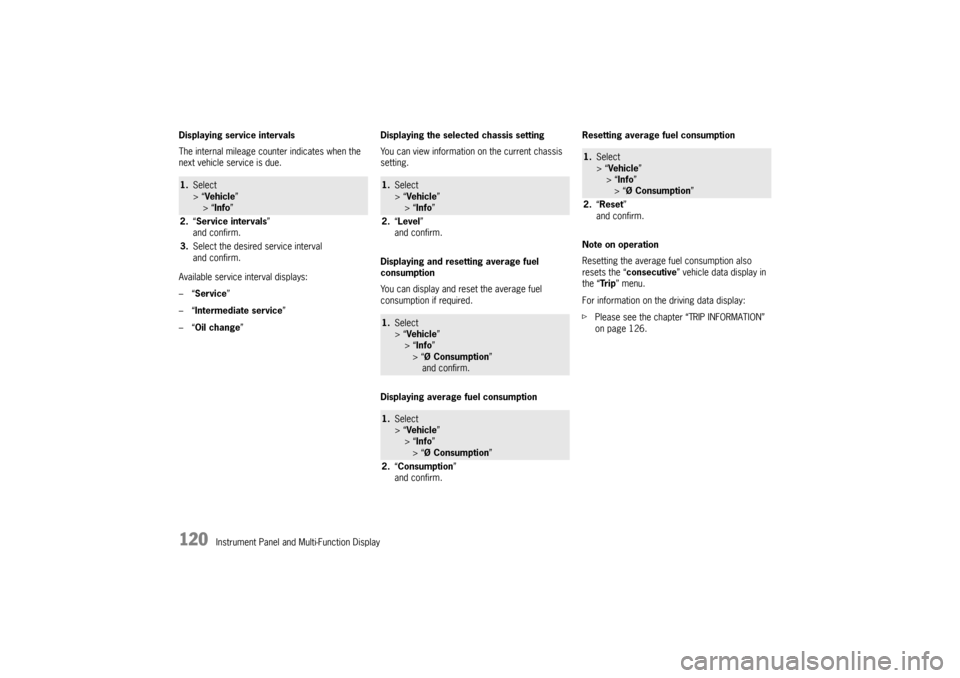
Displaying service intervals
The internal mileage count
er indicates when the
next vehicle service is due.
Available service interval displays:
–“ Service ”
–“ Intermediate service ”
–“ Oil change ” Displaying the selected chassis setting
You can view information
on the current chassis
setting.
Displaying and resetting average fuel
consumption
You can display and reset the average fuel
consumption if required.
Displaying average fuel consumption Resetting average fuel consumption
Note on operation
Resetting the average fuel consumption also
resets the “
consecutive ” vehicle data display in
the “Tr i p ” menu.
For information on the driving data display:
f Please see the chapter “TRIP INFORMATION”
on page 126.
1.Select
> “Vehicle ”
> “ Info ”
2. “Service intervals”
and confirm.
3. Select the desired service interval
and confirm.
1.Select
> “Vehicle ”
> “ Info ”
2. “Level ”
and confirm.1. Select
> “Vehicle ”
> “ Info ”
> “Ø Consumption ”
and confirm.1. Select
> “Vehicle ”
> “ Info ”
> “Ø Consumption ”
2. “Consumption”
and confirm.
1. Select
> “Vehicle ”
> “Info ”
> “Ø Consumption ”
2. “Reset ”
and confirm.
Page 123 of 343
Instrument Panel and Multi-Function Display
121
Oil level
Display and measurement of the engine oil
level
Caution!
Risk of engine damage.
f Regularly check the oil level each time before
refuelling.
f Do not allow the oil level to fall below the minimum mark.
Prerequisites for the oil-level gauge:
– Ignition is switched on or
Engine is running while the vehicle is stationary
or in motion.
– After opening the hood, the oil level can only be measured after driving for at least 6 miles
(10 km).
Activate the “Oil level” function on the
multi-function display
f Please see the chapter “OVERVIEW OF
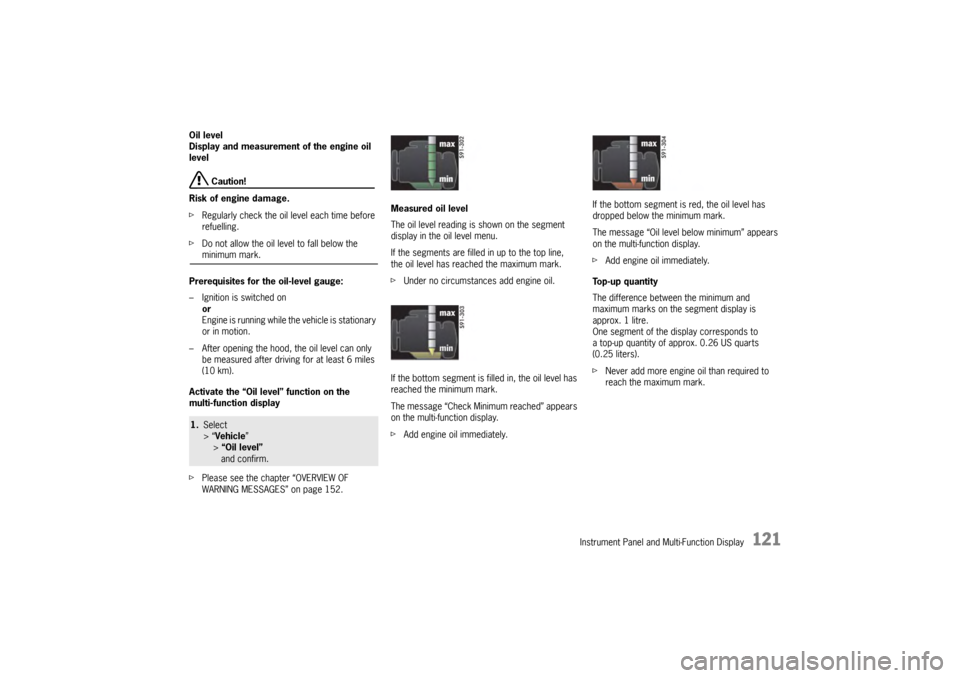
WARNING MESSAGES” on page 152. Measured oil level
The oil level reading is
shown on the segment
display in the oil level menu.
If the segments are filled in up to the top line,
the oil level has reached the maximum mark.
f Under no circumstances add engine oil.
If the bottom segment is filled in, the oil level has
reached the minimum mark.
The message “Check Minimum reached” appears
on the multi-function display.
f Add engine oil immediately. If the bottom segment is red, the oil level has
dropped below the minimum mark.
The message “Oil level below minimum” appears
on the multi-function display.
f
Add engine oil immediately.
Top-up quantity
The difference between the minimum and
maximum marks on the segment display is
approx. 1 litre.
One segment of the display corresponds to
a top-up quantity of approx. 0.26 US quarts
(0.25 liters).
f Never add more engine oil than required to
reach the maximum mark.
1.Select
> “Vehicle ”
> “Oil level” and confirm.