warning lights PORSCHE PANAMERA 2010 1.G User Guide
[x] Cancel search | Manufacturer: PORSCHE, Model Year: 2010, Model line: PANAMERA, Model: PORSCHE PANAMERA 2010 1.GPages: 343, PDF Size: 7.96 MB
Page 96 of 343
94
Lights, Turn Signals and Windshield Wipers
Automatic headlight levellingWhen the ignition and low beam are switched on,
the level of the headlight beam automatically
changes in accordance with the vehicle load.
The level of the headlight beam is automatically
kept constant during acceleration and braking.
Note on operation
Automatic headlight levellin g is also available
when the light switch is set to the position
(low beam/driving light).
Daytime driving lightsIf the light switch is in po sition (light switched
off), the daytime driving lights are switched on
automatically when the ignition is switched on.
If the light switch is in position , the daytime
driving lights are switched on automatically during
daylight when the ignition is switched on.
If the light switch is in position (low beam/
driving light), the daytime driving lights are not
active.
You can switch the daytime driving lights on and
off on the multi-function display in the instrument
panel (not available in Canada).
Regulations for switching daytime driving lights on
and off vary according to the legal requirements in
each country.
For information on setting the daytime driving
lights:
f Please see the chapter “ACTIVATING AND
DEACTIVATING AUTOMATIC DAYTIME DRIVING
LIGHTS” on page 142.
Static cornering lightThe static cornering light switches on if the
steering wheel is turned sharply.
Note on operation
The static cornering light is also available when
the light switch is set to the position (driving
light/low beam).Dynamic cornering lightAt speeds greater than 5 mph (8 km/h), the low
beam light is swivelled in the direction of the curve
to illuminate the road more clearly, depending on
the speed of the vehicle and the extent to which
the steering wheel is turned.
In the event of a fault in the dynamic cornering
light, the warning light for the adaptive light
system flashes in the instrument panel and
a warning message appears on the multi-function
display in the instrument panel.
For information on indicator lights and warning
lights on the instrument panel:
fPlease see the chapter “INSTRUMENT PANEL
USA MODELS” on page 107.
For information on warning messages on the
multi-function display:
f Please see the chapter “OVERVIEW OF
WARNING MESSAGES” on page 152.
Page 98 of 343
96
Lights, Turn Signals and Windshield Wipers Warning!
Risk of accident when adjusting brightness
while driving. You may lose control of the
vehicle.
f Do not reach through the steering-wheel spokes when driving.
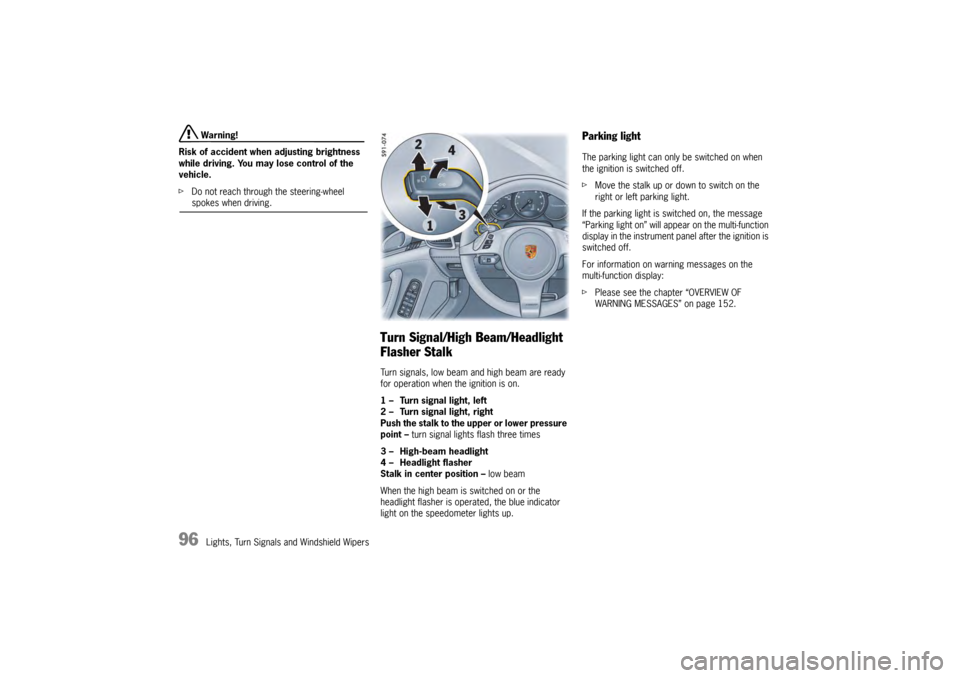
Turn Signal/High Beam/Headlight
Flasher StalkTurn signals, low beam and high beam are ready
for operation when the ignition is on.
1 – Turn signal light, left
2 – Turn signal light, right
Push the stalk to the upper or lower pressure
point – turn signal lights flash three times
3 – High-beam headlight
4 – Headlight flasher
Stalk in center position – low beam
When the high beam is switched on or the
headlight flasher is operated, the blue indicator
light on the speedometer lights up.
Parking lightThe parking light can only be switched on when
the ignition is switched off.
f Move the stalk up or do wn to switch on the
right or left parking light.
If the parking light is switched on, the message
“Parking light on” will appear on the multi-function
display in the instrument panel after the ignition is
switched off.
For information on warning messages on the
multi-function display:
f Please see the chapter “OVERVIEW OF
WARNING MESSAGES” on page 152.
Page 99 of 343
Lights, Turn Signals and Windshield Wipers
97
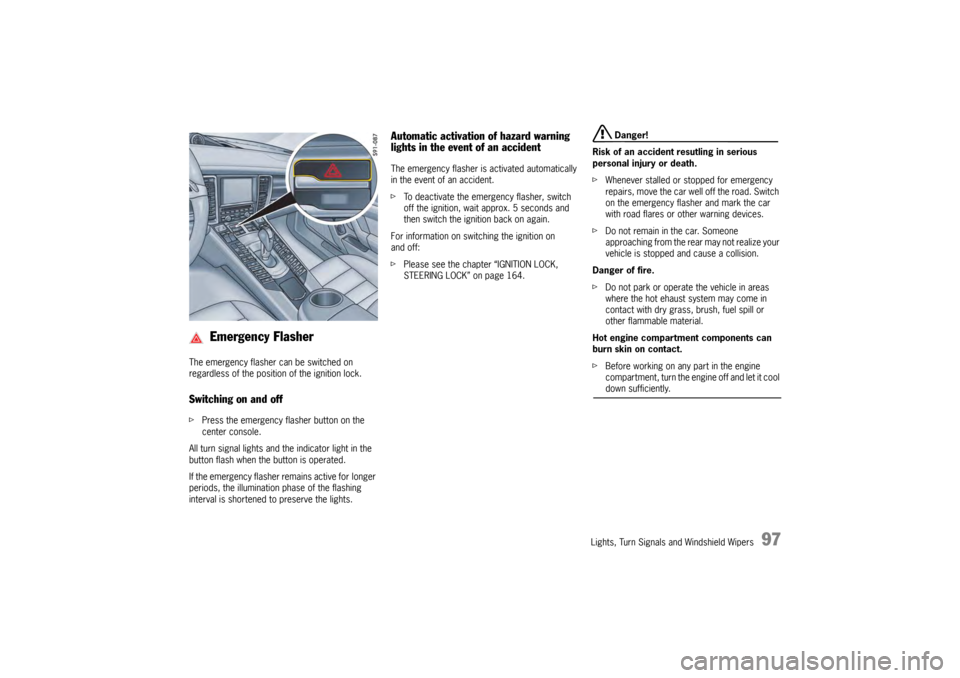
The emergency flasher can be switched on
regardless of the position of the ignition lock.Switching on and offfPress the emergency fl asher button on the
center console.
All turn signal lights and the indicator light in the
button flash when the button is operated.
If the emergency flasher remains active for longer
periods, the illumination phase of the flashing
interval is shortened to preserve the lights.
Automatic activation of hazard warning
lights in the event of an accidentThe emergency flasher is activated automatically
in the event of an accident.
f To deactivate the emergency flasher, switch
off the ignition, wait approx. 5 seconds and
then switch the ignition back on again.
For information on switching the ignition on
and off:
f Please see the chapter “IGNITION LOCK,
STEERING LOCK” on page 164.
Danger!
Risk of an accident resutling in serious
personal injury or death.
f Whenever stalled or stopped for emergency
repairs, move the car well off the road. Switch
on the emergency flasher and mark the car
with road flares or other warning devices.
f Do not remain in the car. Someone
approaching from the rear may not realize your
vehicle is stopped and cause a collision.
Danger of fire.
f Do not park or operate the vehicle in areas
where the hot ehaust system may come in
contact with dry grass, brush, fuel spill or
other flammable material.
Hot engine compartment components can
burn skin on contact.
f Before working on any part in the engine
compartment, turn the engine off and let it cool down sufficiently.
Emergency Flasher
Page 103 of 343
Lights, Turn Signals and Windshield Wipers
101
Brief Overview – Windshield
WipersThis brief overview does not replace the
information provided under “WINDSHIELD WIPER/
WASHER STALK”.
Warnings, in particular, are not replaced by this
brief overview.
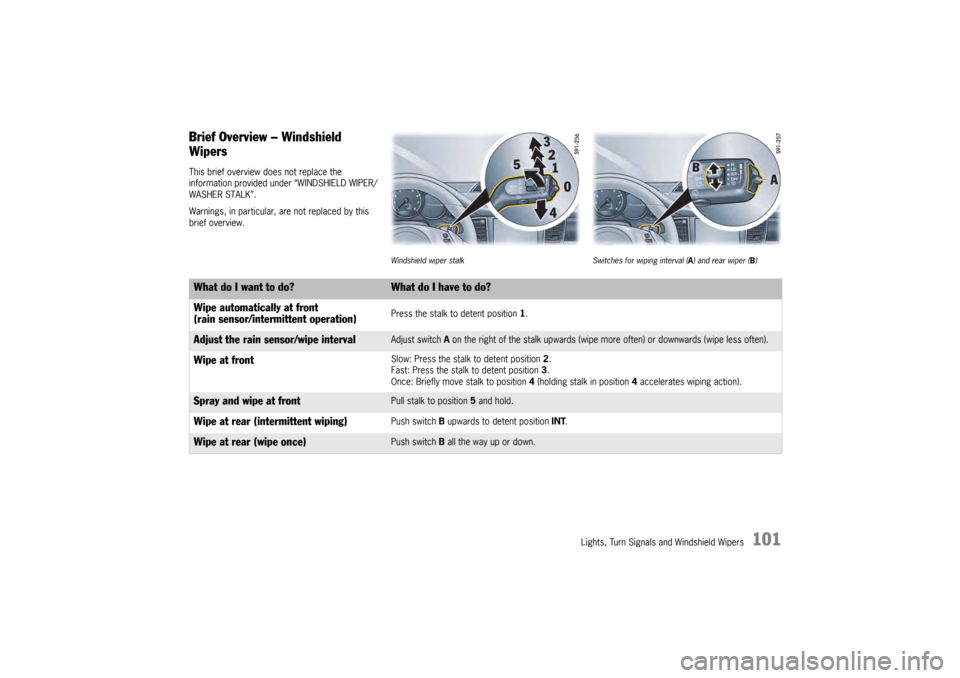
Windshield wiper stalkSwitches for wiping interval ( A) and rear wiper ( B)
What do I want to do?
What do I have to do?
Wipe automatically at front
(rain sensor/intermittent operation)Press the stalk to detent position 1 .
Adjust the rain sensor/wipe interval
Adjust switch A on the right of the stalk upwards (wipe mo re often) or downwards (wipe less often).
Wipe at front
Slow: Press the stalk to detent position 2.
Fast: Press the stalk to detent position 3 .
Once: Briefly move stalk to position 4 (holding stalk in position 4 accelerates wiping action).
Spray and wipe at front
Pull stalk to position 5 and hold.
Wipe at rear (intermittent wiping)
Push switch B upwards to detent position INT.
Wipe at rear (wipe once)
Push switch B all the way up or down.
Page 109 of 343
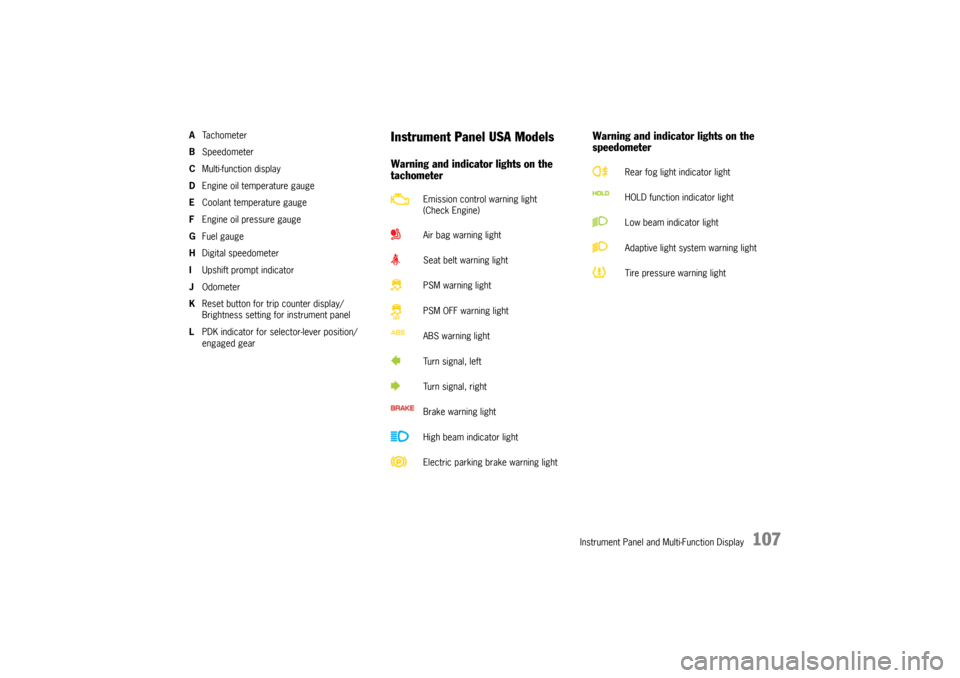
Instrument Panel and Multi-Function Display
107
ATa c h o m e t e r
B Speedometer
C Multi-function display
D Engine oil temperature gauge
E Coolant temperature gauge
F Engine oil pressure gauge
G Fuel gauge
H Digital speedometer
I Upshift prompt indicator
J Odometer
K Reset button for trip counter display/
Brightness setting for instrument panel
L PDK indicator for selector-lever position/
engaged gear
Instrument Panel USA ModelsWarning and indicator lights on the
tachometer Warning and indicator lights on the
speedometer
Emission control warning light
(Check Engine)
Air bag warning light
Seat belt warning light
PSM warning light
PSM OFF warning light
ABS warning light
Turn signal, left
Turn signal, right
Brake warning light
High beam indicator light
Electric parking brake warning light
Rear fog light indicator light
HOLD function indicator light
Low beam indicator light
Adaptive light system warning light
Tire pressure warning light
Page 111 of 343
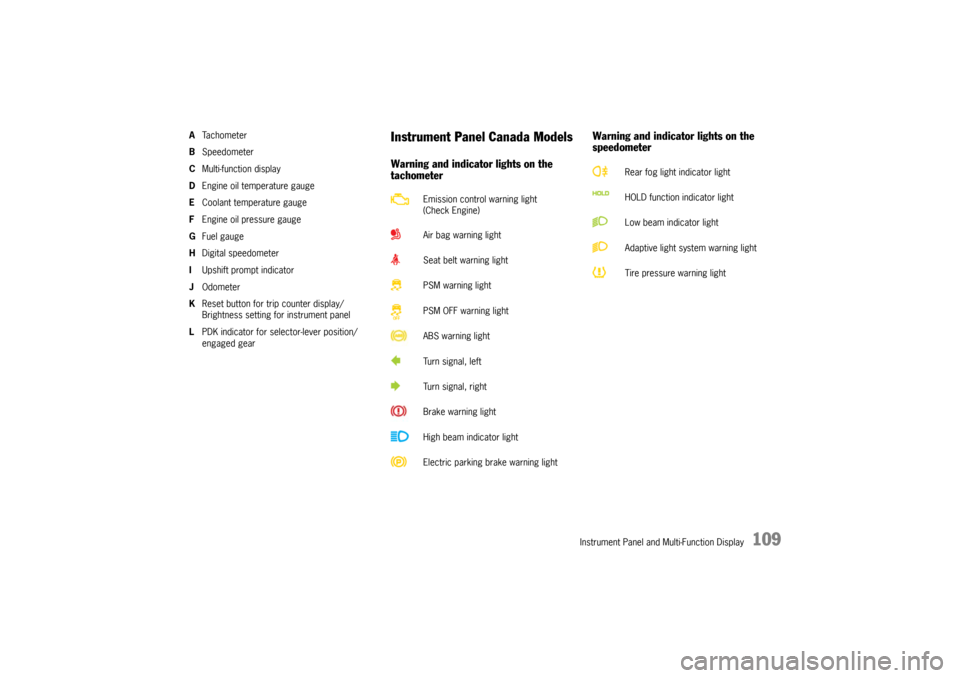
Instrument Panel and Multi-Function Display
109
ATa c h o m e t e r
B Speedometer
C Multi-function display
D Engine oil temperature gauge
E Coolant temperature gauge
F Engine oil pressure gauge
G Fuel gauge
H Digital speedometer
I Upshift prompt indicator
J Odometer
K Reset button for trip counter display/
Brightness setting for instrument panel
L PDK indicator for selector-lever position/
engaged gear
Instrument Panel Canada ModelsWarning and indicator lights on the
tachometer Warning and indicator lights on the
speedometer
Emission control warning light
(Check Engine)
Air bag warning light
Seat belt warning light
PSM warning light
PSM OFF warning light
ABS warning light
Turn signal, left
Turn signal, right
Brake warning light
High beam indicator light
Electric parking brake warning light
Rear fog light indicator light
HOLD function indicator light
Low beam indicator light
Adaptive light system warning light
Tire pressure warning light
Page 114 of 343

112
Instrument Panel and Multi-Function Display
Fuel reserve warningIf less than approximately 4 US gallons (15 liters)
of fuel remains in the tank or the range on
remaining fuel falls below approx. 30 miles
(50 km) when the ignition is switched on or the
engine is running, the warning light on the multi-
function display in the instrument panel lights up.
fRefuel at the next opportunity.
Caution!
A shortage of fuel may damage the emission
control system.
f Never drive the tank dry.
f If the warning lights have come on, do not take bends at high speed.
For information on the emission control system:
f Please see the chapter “EMISSION CONTROL
SYSTEM” on page 262.
H – Digital SpeedometerThe digital speedometer H is integrated in the
tachometer on the instrument panel.
I – Upshift Prompt IndicatorThe consumption-oriented shift indicator to the
right of the digital speed display on the
tachometer helps you to develop a fuel-saving
driving style.
The upshift indicator lights up - prompting you to
shift up to the next-higher gear - depending on the
selected gear, engine speed and accelerator
pedal position.
The upshift indicator is only active when “Sport”
or “Sport Plus” mode is switched off.
On vehicles with PDK transmission, the upshift
prompt is only available in manual selection mode.
f Change to the next-higher gear when the shift
indicator lights up.J – OdometerThe displays for the total mileage and individual
trips are integrated in the speedometer on the
instrument panel.
The upper display counts the total mileage, the
lower display shows individual trips.
After exceeding 9,999 kilometers or 6,213 miles,
the trip counter returns to 0.
K – Reset Button for Trip Counter
Display/Brightness Setting for
Instrument LightingResetting trip counter displayfPress rotary switch K for approximately
1second.
The trip counter display is reset to “0”.Adjusting brightness of instrument
lightingFor information on adjusting the brightness of the
instrument lighting:
f Please see the chapter “INSTRUMENT
LIGHTING” on page 95.L – PDK Display for Selector-Lever
Position/Engaged GearWhen the engine is running, the selector-lever
position and engaged forward gear are indicated
in gates D or M.
Page 116 of 343
114
Instrument Panel and Multi-Function Display
Warning!
Risk of accidents and ri sk of engine damage.
A broken drive belt means there is no power
assistance to the steering (more effort is
required to steer) and engine cooling fails.
f Do not continue driving.
f Have the fault corrected.
f Please contact a qualif ied specialist workshop.
We recommend that you have an authorized
Porsche dealer to do this work as they have
trained workshop personnel and the necessary
parts and tools.
Danger of steering assistance failing during
a long journey in water if the drive belt slips.
f If steering assistance fails, more effort will be required to steer.
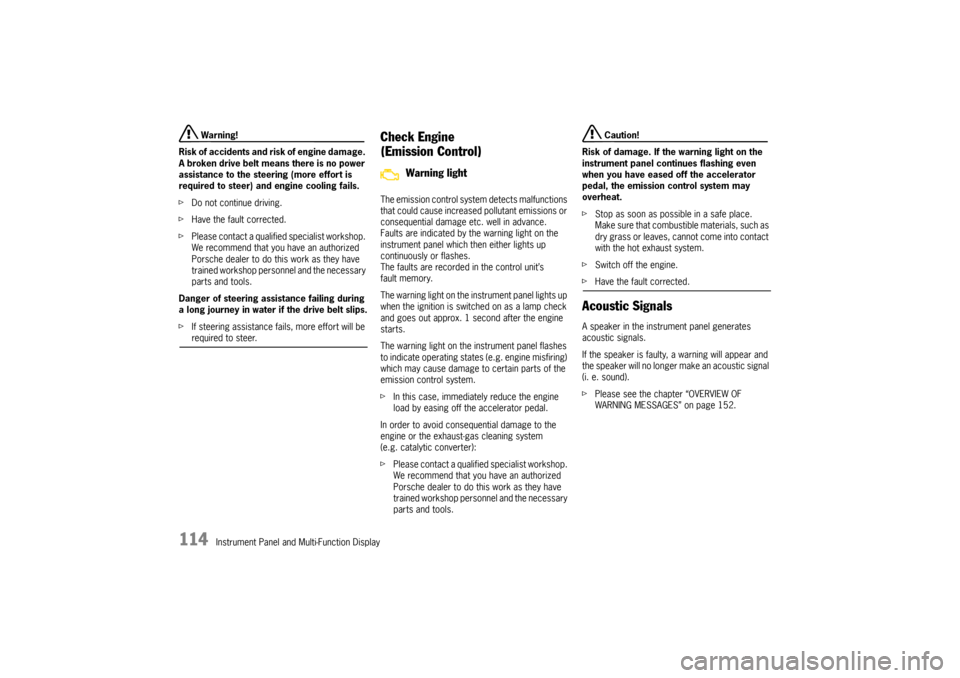
Check Engine
(Emission Control)The emission control system detects malfunctions
that could cause increased pollutant emissions or
consequential damage etc. well in advance.
Faults are indicated by the warning light on the
instrument panel which then either lights up
continuously or flashes.
The faults are recorded in the control unit’s
fault memory.
The warning light on the instrument panel lights up
when the ignition is switched on as a lamp check
and goes out approx. 1 second after the engine
starts.
The warning light on the instrument panel flashes
to indicate operating states (e.g. engine misfiring)
which may cause damage to certain parts of the
emission control system.
f In this case, immediately reduce the engine
load by easing off the accelerator pedal.
In order to avoid consequential damage to the
engine or the exhaust-gas cleaning system
(e.g. catalytic converter):
f Please contact a qualified specialist workshop.
We recommend that you have an authorized
Porsche dealer to do this work as they have
trained workshop personnel and the necessary
parts and tools.
Caution!
Risk of damage. If the warning light on the
instrument panel continues flashing even
when you have eased off the accelerator
pedal, the emission control system may
overheat.
f Stop as soon as possible in a safe place.
Make sure that combustible materials, such as
dry grass or leaves, cannot come into contact
with the hot exhaust system.
f Switch off the engine.
fHave the fault corrected.Acoustic SignalsA speaker in the instrument panel generates
acoustic signals.
If the speaker is faulty, a warning will appear and
the speaker will no longer make an acoustic signal
(i. e. sound).
f Please see the chapter “OVERVIEW OF
WARNING MESSAGES” on page 152.
Warning light
Page 130 of 343
128
Instrument Panel and Multi-Function Display
f
Use only the pressure differences shown in the
“Fill info” display in the tire pressure menu or
from the corresponding tire pressure warning
when correcting the tire pressure.
f Tires can lose air over time without a tire
defect being present. A tire pressure warning
will then appear on the multi-function display.
Check the tire pressure at the next opportunity.
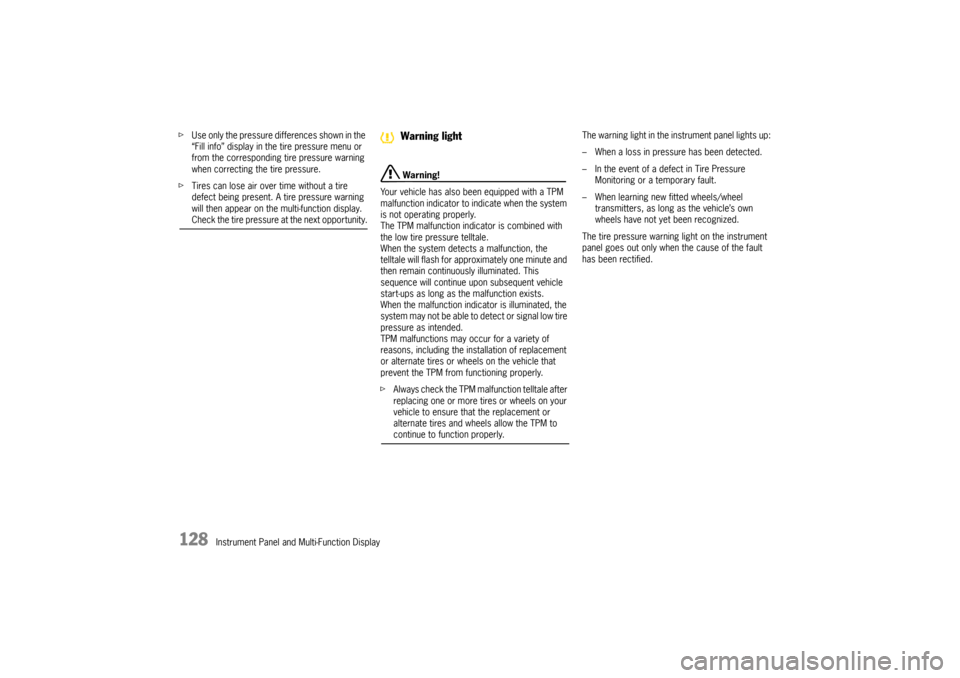
Warning!
Your vehicle has also been equipped with a TPM
malfunction indicator to in dicate when the system
is not operating properly.
The TPM malfunction indicator is combined with
the low tire pressure telltale.
When the system detects a malfunction, the
telltale will flash for approximately one minute and
then remain continuously illuminated. This
sequence will continue upon subsequent vehicle
start-ups as long as the malfunction exists.
When the malfunction indicator is illuminated, the
system may not be able to detect or signal low tire
pressure as intended.
TPM malfunctions may occur for a variety of
reasons, including the installation of replacement
or alternate tires or wheels on the vehicle that
prevent the TPM from functioning properly.
f Always check the TPM malfunction telltale after
replacing one or more tires or wheels on your
vehicle to ensure that the replacement or
alternate tires and wheels allow the TPM to continue to function properly. The warning light in the instrument panel lights up:
– When a loss in pressure has been detected.
– In the event of a defect in Tire Pressure
Monitoring or a temporary fault.
– When learning new fitted wheels/wheel transmitters, as long as the vehicle’s own
wheels have not ye t been recognized.
The tire pressure warning light on the instrument
panel goes out only when the cause of the fault
has been rectified.Warning light
Page 136 of 343

134
Instrument Panel and Multi-Function Display
If necessary, fill in ti
re sealant and set the
correct tire pressure.
This tire pressure warning also appears when
driving and can be acknowledged.
The tire pressure warning light on the instrument
panel goes out only when the tire pressure has
been corrected.
System learningTire Pressure Monitoring begins to “learn” the
wheels after a wheel change, wheel transmitter
replacement or update of the tire settings . During
this process, Tire Pressu re Monitoring recognizes
the wheels and their locations.
The following message appears on the multi-
function display (example):
“No monitoring, system is learning”.
The wheel learning process takes place
exclusively when the vehicle is being driven
(vehicle speed above 16 mph (25 km/h)).
Tire Pressure Monitoring requires a certain
amount of time to learn the wheels. During this
time, the current tire pressures are not available
on the multi-function display:
– The tire pressure warning light remains lit until all wheels have been learned.
– Lines (-.-) appear on the display of the “Tire pressure” function. – The required pressures for cold tires (68 °F
(20 °C)) are indicated under “Fill info” in the tire
pressure menu.
Position and pressure information is displayed as
soon as Tire Pressure Monitoring has assigned
the wheels recognized as belonging to the vehicle
to the correct wheel positions.
f Check the tire pressure for all wheels under
“Fill info ”.
f Correct the tire pressure to the required
pressure if necessary.
Changing a wheel and replacing tiresfNew wheels must be fitted with radio
transmitters for Tire Pressure Monitoring.
Before tires are changed, the battery charge
condition of the wheel transmitters should be
checked.
Please contact a qualified specialist workshop.
We recommend that you have an authorized
Porsche dealer to do this work as they have
trained workshop personnel and the necessary
parts and tools.
f Switch off the ignition when changing a wheel.
The tire settings on the mu lti-function display must
be updated after changing a wheel.
If the tire settings are not updated, the message
“Tire change? Update settings!” is displayed on the
multi-function display.
f Update the multi-function display settings the
next time the vehicle is stationary.
Pressure increase as the result of
temperature increaseIn accordance with physical principles, the tire
pressure changes as the temperature
changes.The tire pressure increases or decreases
by 0.1 bar (1.5 psi) for
every 18 °F (10 °C) change in temperature.Partial monitoringMonitoring of the other wheels is continued if there
is a fault in one or two wheel transmitters.
– The tire pressure warning light lights up.
– The message “Restricted monitoring” appears
on the multi-function display.
– No tire pressures are displayed on the multi-function display for wheels with faulty
wheel transmitters.