lights PORSCHE PANAMERA 2010 1.G Owner's Manual
[x] Cancel search | Manufacturer: PORSCHE, Model Year: 2010, Model line: PANAMERA, Model: PORSCHE PANAMERA 2010 1.GPages: 343, PDF Size: 7.96 MB
Page 76 of 343
74
Air Conditioning
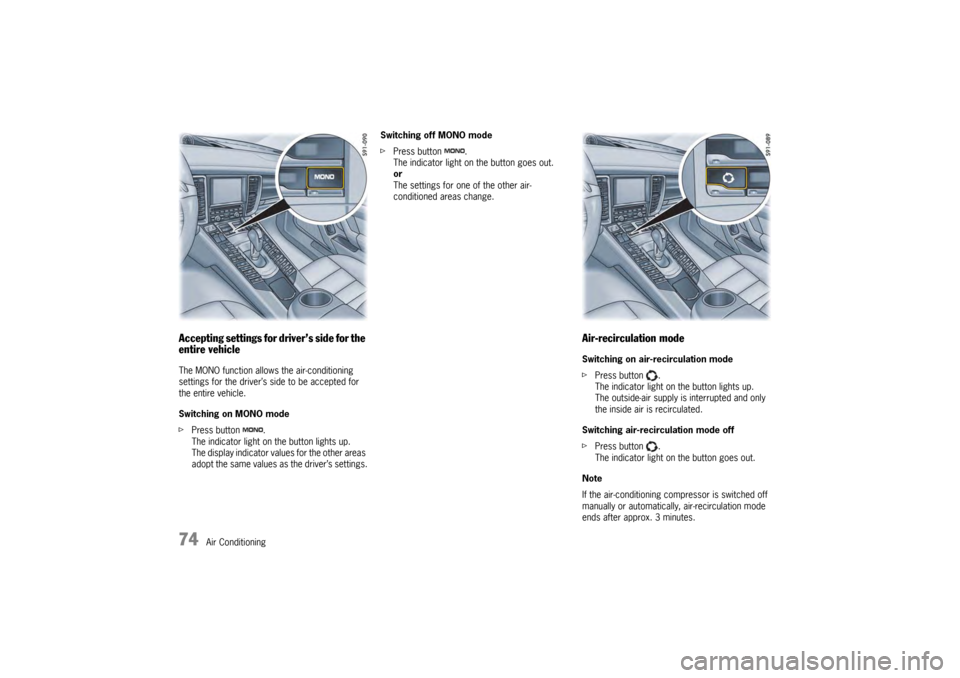
Accepting settings for driver’s side for the
entire vehicleThe MONO function allows the air-conditioning
settings for the driver’s side to be accepted for
the entire vehicle.
Switching on MONO mode
fPress button .
The indicator light on the button lights up.
The display indicator values for the other areas
adopt the same values as the driver’s settings. Switching off MONO mode
f
Press button .
The indicator light on the button goes out.
or
The settings for one of the other air-
conditioned areas change.
Air-recirculation modeSwitching on air-recirculation mode
f Press button .
The indicator light on the button lights up.
The outside-air supply is interrupted and only
the inside air is recirculated.
Switching air-recirculation mode off
f Press button .
The indicator light on the button goes out.
Note
If the air-conditioning co mpressor is switched off
manually or automatically, air-recirculation mode
ends after approx. 3 minutes.
Page 81 of 343
Air Conditioning
79
Setting air quantityThe selected air quantity is shown in a bar display
above the button . The more bars that are
displayed, the more air flows into the passenger
compartment.
Increasing air quantity
fPress button for the air quantity to the
relevant air-conditioned area upwards.
Reducing air quantity
f Press button for the air quantity to the
relevant air-conditioned area downwards.
Press button for the relevant air-conditioned
area to switch back to automatic mode.
If the air quantity was reduced so much that OFF
appears on the air-conditioning system display,
the supply of air from the outside is interrupted.
Warning!
Risk of accidents due to impaired vision.
The windows can mist up if the air quantity
setting is OFF.
f Only select air quantity setting OFF for short
periods.
f If windows mist up, press for the left and
right vehicle side on the front control panel upwards (increase air quantity).
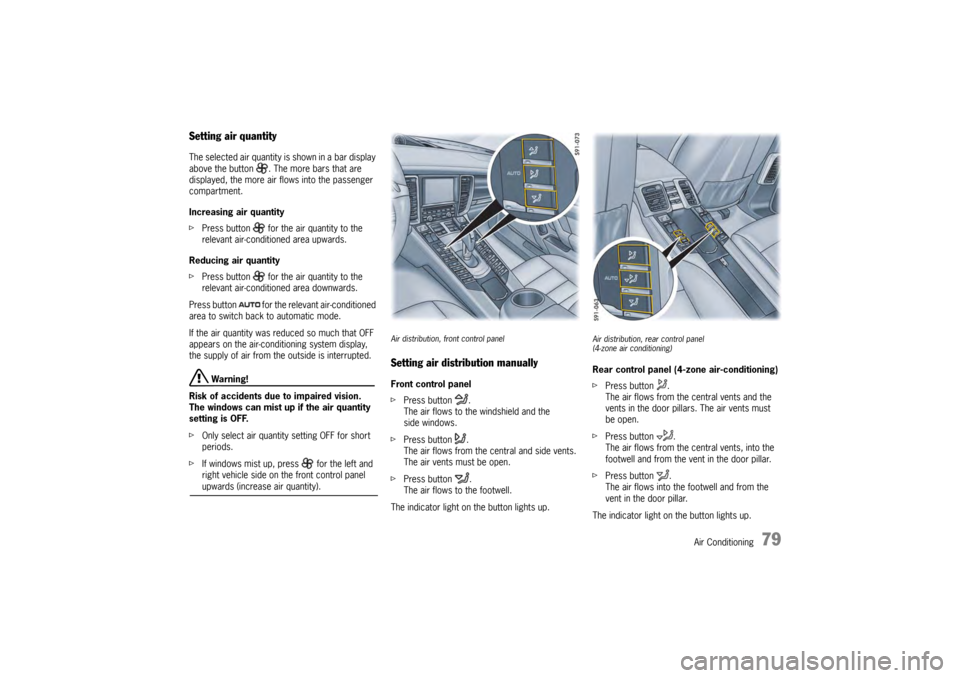
Air distribution, front control panelSetting air distribution manuallyFront control panel
f Press button .
The air flows to the windshield and the
side windows.
f Press button .
The air flows from the central and side vents.
The air vents must be open.
f Press button .
The air flows to the footwell.
The indicator light on the button lights up.
Air distribution, rear control panel
(4-zone air conditioning)Rear control panel (4-zone air-conditioning)
f Press button .
The air flows from the central vents and the
vents in the door pillars. The air vents must
be open.
f Press button .
The air flows from the ce ntral vents, into the
footwell and from the vent in the door pillar.
f Press button .
The air flows into the footwell and from the
vent in the door pillar.
The indicator light on the button lights up.
Page 82 of 343
80
Air Conditioning
Cancelling manual air distributionfPress the relevant air distribution button again.
The indicator light on the button goes out.
or
Press button for the relevant
air-conditioned area.
The indicator light on the button lights up.
Air quantity and distribution are controlled
automatically and variations are compensated.
Air distribution in the rear air-conditioned
areas when MONO or REAR mode is
activated (4-zone air conditioning)If the button or is pressed on the front
control panel, air flows from the central and side
vents in the rear of the vehicle.
If the button is pressed on the front control
panel, air flows into the footwells in the rear of
the vehicle.
For information on MONO mode:
fPlease see the chapter “ACCEPTING
SETTINGS FOR DRIVER’S SIDE FOR THE
ENTIRE VEHICLE” on page 74.
For information on REAR mode:
f Please see the chapter “ADJUSTING REAR AIR-
CONDITIONED AREAS WITH THE FRONT
CONTROL PANEL – REAR MODE (4-ZONE AIR
CONDITIONING)” on page 81.
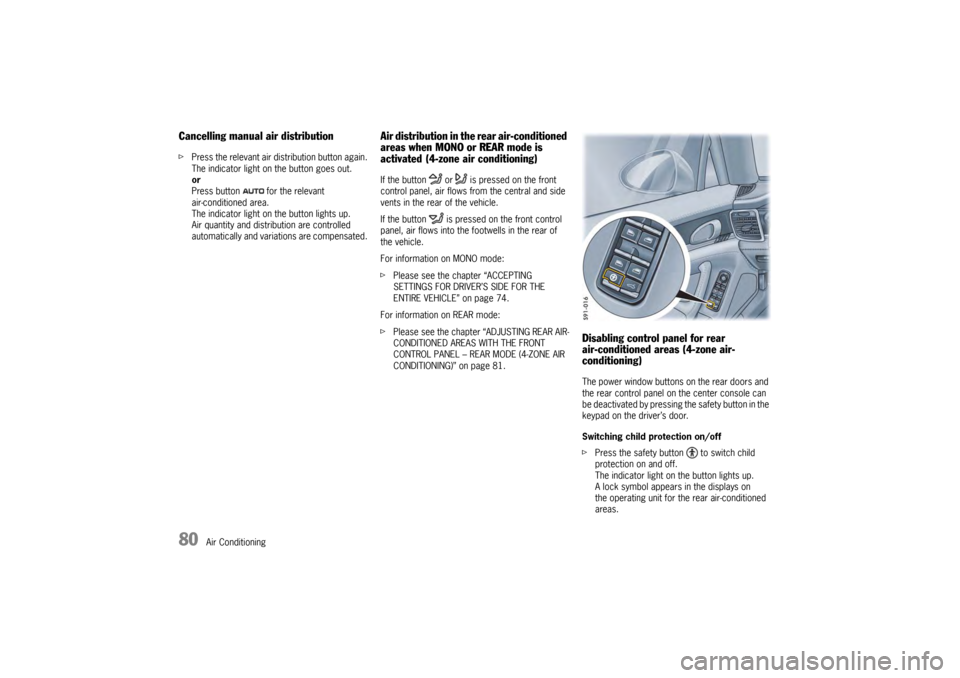
Disabling control panel for rear
air-conditioned areas (4-zone air-
conditioning)The power window buttons on the rear doors and
the rear control panel on the center console can
be deactivated by pressing the safety button in the
keypad on the driver’s door.
Switching child protection on/off
fPress the safety button to switch child
protection on and off.
The indicator light on the button lights up.
A lock symbol appears in the displays on
the operating unit for the rear air-conditioned
areas.
Page 86 of 343
84
Air Conditioning
Extended ventilation panelFor information on the extended ventilation panel:
fPlease see the chapter “EXTENDED
VENTILATION PANEL” on page 81.
Automatic air-recirculation
For information on automatic air-recirculation
mode:
f Please see the chapter “AIR-RECIRCULATION
MODE” on page 74.
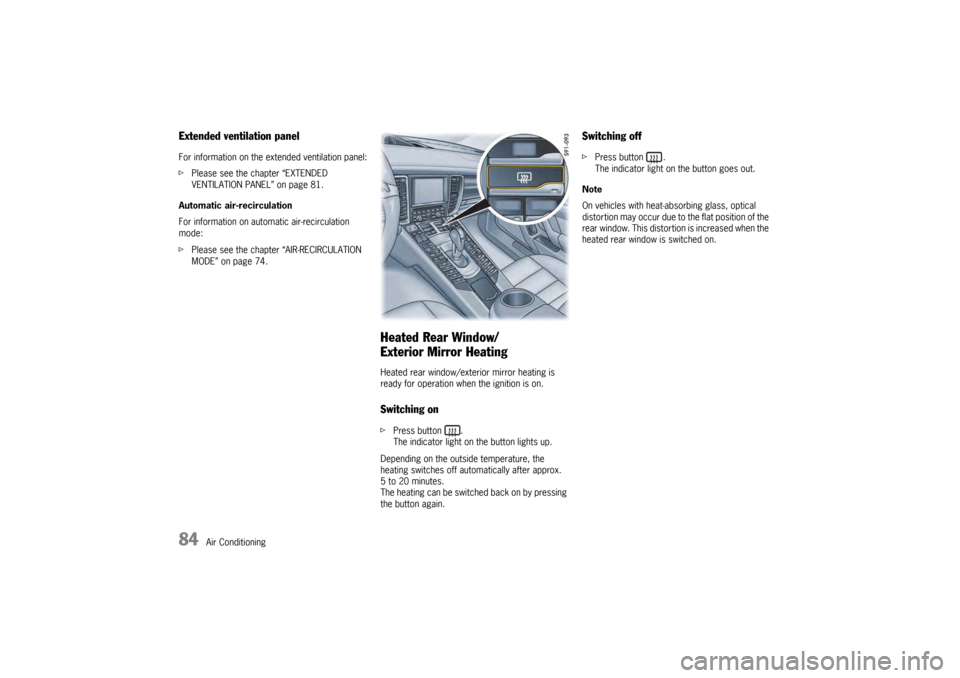
Heated Rear Window/
Exterior Mirror HeatingHeated rear window/exterior mirror heating is
ready for operation when the ignition is on.Switching onfPress button .
The indicator light on the button lights up.
Depending on the outside temperature, the
heating switches off automatically after approx.
5 to 20 minutes.
The heating can be switched back on by pressing
the button again.
Switching offf Press button .
The indicator light on the button goes out.
Note
On vehicles with heat-absorbing glass, optical
distortion may occur due to the flat position of the
rear window. This distortion is increased when the
heated rear window is switched on.
Page 90 of 343
88
Windows and Slide/Tilt Roof
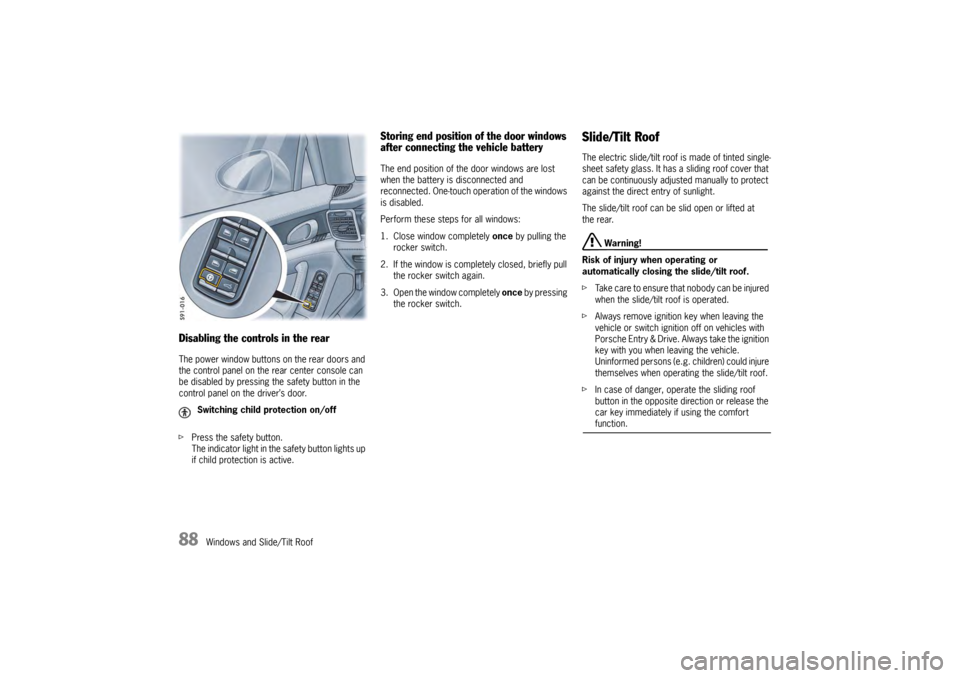
Disabling the controls in the rearThe power window buttons on the rear doors and
the control panel on the rear center console can
be disabled by pressing the safety button in the
control panel on the driver’s door.
fPress the safety button.
The indicator light in the safety button lights up
if child protection is active.
Storing end position of the door windows
after connecting the vehicle batteryThe end position of the door windows are lost
when the battery is disconnected and
reconnected. One-touch operation of the windows
is disabled.
Perform these steps for all windows:
1. Close window completely once by pulling the
rocker switch.
2. If the window is comple tely closed, briefly pull
the rocker switch again.
3. Open the window completely once by pressing
the rocker switch.
Slide/Tilt RoofThe electric slide/tilt roof is made of tinted single-
sheet safety glass. It has a sliding roof cover that
can be continuously adjusted manually to protect
against the direct entry of sunlight.
The slide/tilt roof can be slid open or lifted at
the rear.
Warning!
Risk of injury when operating or
automatically closing the slide/tilt roof.
f Take care to ensure that nobody can be injured
when the slide/tilt roof is operated.
f Always remove ignition key when leaving the
vehicle or switch ignition off on vehicles with
Porsche Entry & Drive. Always take the ignition
key with you when leaving the vehicle.
Uninformed persons (e.g. children) could injure
themselves when operating the slide/tilt roof.
f In case of danger, operate the sliding roof
button in the opposite di rection or release the
car key immediately if using the comfort function.
Switching child protection on/off
Page 93 of 343
Lights, Turn Signals and Windshield Wipers
91
Lights, Turn Signals and Windshield Wipers
Automatic Driving Light Assistant/
Adaptive Light System
.................................. 92
Instrument lighting... ..................................... 95
Turn Signal/High Beam/Headlight
Flasher Stalk ........... ..................................... 96
Emergency Flasher ...... ................................ 97
Interior Lighting ....... ..................................... 98
Brief Overview – Windshield Wipers ........... 101
Windshield Wiper/Washer Stalk ................... 102
Page 94 of 343
92
Lights, Turn Signals and Windshield WipersNote on operation
If the ignition key is removed and the door is
opened while the lights are on, an audible signal
(gong) warns of possible battery discharge.
In some countries, differences are possible
due to legal requirements.
Automatic Driving Light Assistant/
Adaptive Light SystemThe automatic driving light assistant is a comfort
function. Your Porsche’s driving light (low beam) is
switched on and off automatically depending on
the ambient brightness.
The automatic driving light assistant also controls
the daytime driving lights, the Automatic Coming
Home lights and the dy
namic cornering light.
The automatic driving light assistant is activated
when the light switch is set to the position .
Despite possible support by the driving light
assistant, it is the responsibility of the driver to
switch on the driving ligh t using the conventional
light switch in accordance with the relevant
national regulations.
Activating the headlights using the driving light
assistant therefore does not absolve the driver
of responsibility for correct operation of the
driving light.
Warning!
Risk of accidents if yo u drive your vehicle
without lights.
f Always carefully monitor the automatic driving light control.
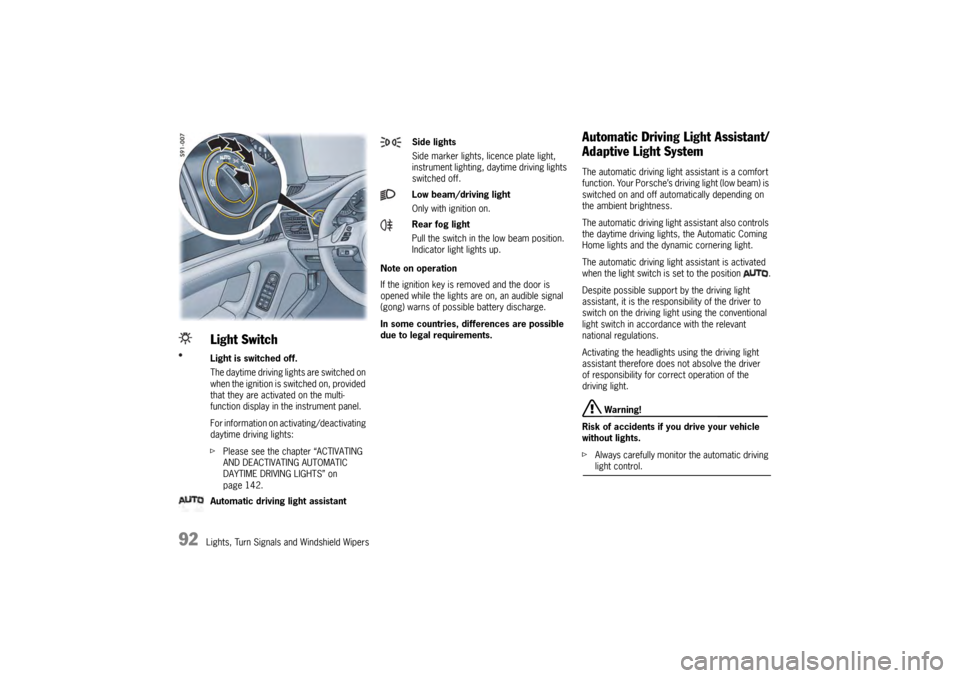
Light SwitchLight is switched off.
The daytime driving lights are switched on
when the ignition is switched on, provided
that they are activated on the multi-
function display in the instrument panel.
For information on activating/deactivating
daytime driving lights:
fPlease see the chapter “ACTIVATING
AND DEACTIVATING AUTOMATIC
DAYTIME DRIVING LIGHTS” on
page 142.
Automatic driving light assistant
Side lights
Side marker lights , licence plate light,
instrument lighting, daytime driving lights
switched off.
Low beam/driving light
Only with ignition on.
Rear fog light
Pull the switch in the low beam position.
Indicator light lights up.
Page 95 of 343
Lights, Turn Signals and Windshield Wipers
93
Note
In the event of a fault in the automatic driving light
assistant/adaptive light system, the warning light
for the adaptive light system lights up in the
instrument panel and a warning message appears
on the multi-function display in the instrument
panel.
For information on indicator lights and warning
lights on the instrument panel:
f Please see the chapter “INSTRUMENT PANEL
USA MODELS” on page 107.
For information on warning messages on the
multi-function display:
f Please see the chapter “OVERVIEW OF
WARNING MESSAGES” on page 152.
Low beam/driving lightIf the light switch is set to the position , the
low beam is switched on automatically in the
following situations:
–Dusk
– Darkness
– Driving through tunnels
–Rain
– Highway driving (daytime driving lights
deactivated)
When the low beam is switched on, the indicator
light on the speedometer lights up.
Note on operation
Fog is not recognized.
f In the event of fog, the headlights must
be switched on manually.
Highway function in daylight
The low beam is switched on automatically at
vehicle speeds of more than approx. 90 mph
(140 km/h) in daylight conditions and when
daytime driving lights are deactivated.
If the vehicle is travelling at speeds of less than
approx. 40 mph (65 km/h), the low beam
switches off after a delay of approx. 4 minutes,
if the external lighting conditions permit. Highway function in darkness
The distribution characteristics of the low beam
change if the vehicle is travelling at speeds of
more than approx. 80 mph (130 km/h) in
darkness.
The light beam becomes longer and the field of
vision increases.
Rain function
The low beam is switched on automatically after
five seconds of continuous wiper operation.
If the wipers have not been used for approx.
4 minutes, the low beam is switched off.
Page 96 of 343
94
Lights, Turn Signals and Windshield Wipers
Automatic headlight levellingWhen the ignition and low beam are switched on,
the level of the headlight beam automatically
changes in accordance with the vehicle load.
The level of the headlight beam is automatically
kept constant during acceleration and braking.
Note on operation
Automatic headlight levellin g is also available
when the light switch is set to the position
(low beam/driving light).
Daytime driving lightsIf the light switch is in po sition (light switched
off), the daytime driving lights are switched on
automatically when the ignition is switched on.
If the light switch is in position , the daytime
driving lights are switched on automatically during
daylight when the ignition is switched on.
If the light switch is in position (low beam/
driving light), the daytime driving lights are not
active.
You can switch the daytime driving lights on and
off on the multi-function display in the instrument
panel (not available in Canada).
Regulations for switching daytime driving lights on
and off vary according to the legal requirements in
each country.
For information on setting the daytime driving
lights:
f Please see the chapter “ACTIVATING AND
DEACTIVATING AUTOMATIC DAYTIME DRIVING
LIGHTS” on page 142.
Static cornering lightThe static cornering light switches on if the
steering wheel is turned sharply.
Note on operation
The static cornering light is also available when
the light switch is set to the position (driving
light/low beam).Dynamic cornering lightAt speeds greater than 5 mph (8 km/h), the low
beam light is swivelled in the direction of the curve
to illuminate the road more clearly, depending on
the speed of the vehicle and the extent to which
the steering wheel is turned.
In the event of a fault in the dynamic cornering
light, the warning light for the adaptive light
system flashes in the instrument panel and
a warning message appears on the multi-function
display in the instrument panel.
For information on indicator lights and warning
lights on the instrument panel:
fPlease see the chapter “INSTRUMENT PANEL
USA MODELS” on page 107.
For information on warning messages on the
multi-function display:
f Please see the chapter “OVERVIEW OF
WARNING MESSAGES” on page 152.
Page 97 of 343
Lights, Turn Signals and Windshield Wipers
95
Automatic Coming Home lights
(Welcome Home function/Entry function)Switching on Automatic Coming Home lights
fSet light switch to .
The following lights remain switched on for
a certain period to allow you to get in and out of
your vehicle safely and with improved visibility in
darkness:
– Daytime driving lights,
– Courtesy lights in the exterior mirrors (on vehicles with comfort memory),
– Front and rear side marker lights,
– Licence plate lights.
Welcome Home function (off delay)
When the vehicle is locked, the lights remain
switched on for the duration of the off delay preset
on the multi-function display.
For information on adjusting the off delay of the
external lights on the multi-function display:
f Please see the chapter “ADJUSTING EXTERIOR
LIGHTS” on page 142. Entry function
When the vehicle is unlocked, the area around the
vehicle is illuminated for the duration of the off
delay preset on the multi-function display.
The lights are switched off when the ignition is
switched on or the light sw
itch is set to a position
other than .
For information on adjusting the off delay of the
external lights on the multi-function display:
f Please see the chapter “ADJUSTING EXTERIOR
LIGHTS” on page 142.
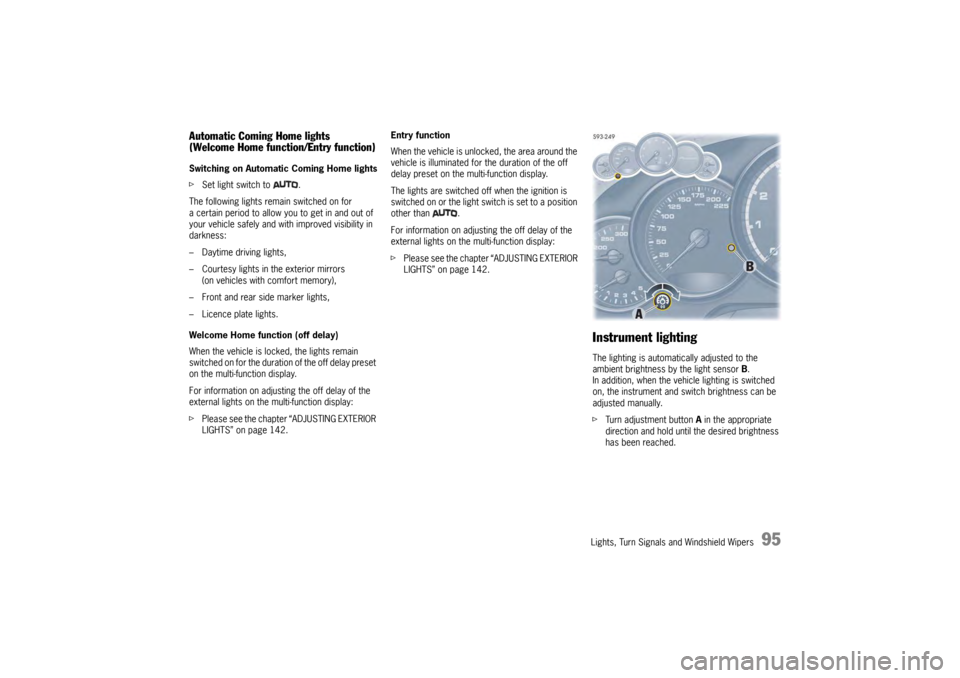
Instrument lightingThe lighting is automatically adjusted to the
ambient brightness by the light sensor B.
In addition, when the vehicle lighting is switched
on, the instrument and switch brightness can be
adjusted manually.
f Turn adjustment button A in the appropriate
direction and hold until the desired brightness
has been reached.