tow Ram 1500 2013 User Guide
[x] Cancel search | Manufacturer: RAM, Model Year: 2013, Model line: 1500, Model: Ram 1500 2013Pages: 734, PDF Size: 5.47 MB
Page 174 of 734
Lane Change Assist
Tap the lever up or down once, without moving beyond
the detent, and the turn signal (right or left) will flash
three times then automatically turn off.
Flash-To-Pass
You can signal another vehicle with your headlights by
partially pulling the multifunction lever toward the steer-
ing wheel. This will cause the high beam headlights to
turn on until the lever is released.
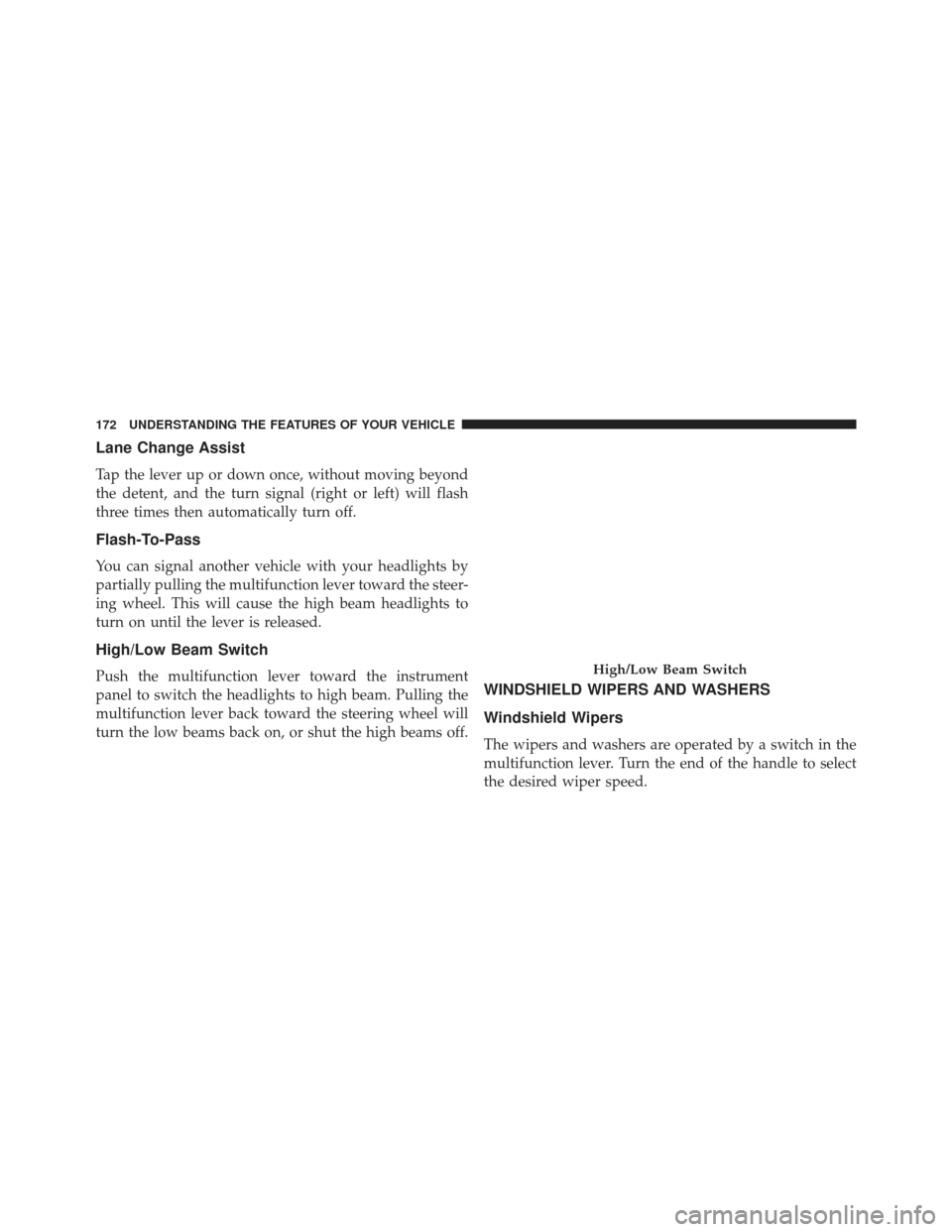
High/Low Beam Switch
Push the multifunction lever toward the instrument
panel to switch the headlights to high beam. Pulling the
multifunction lever back toward the steering wheel will
turn the low beams back on, or shut the high beams off.WINDSHIELD WIPERS AND WASHERS
Windshield Wipers
The wipers and washers are operated by a switch in the
multifunction lever. Turn the end of the handle to select
the desired wiper speed.
High/Low Beam Switch
172 UNDERSTANDING THE FEATURES OF YOUR VEHICLE
Page 178 of 734
operate until the wiper switch is moved, vehicle speed
is greater than 0 mph (0 km/h), or the outside tem-
perature is greater than 32°F (0°C).
• Transmission In NEUTRAL Position — When the
ignition is ON, and the transmission is in the NEU-
TRAL position, the Rain Sensing system will not
operate until the wiper switch is moved, vehicle speed
is greater than 5 mph (8 km/h), or the shift lever is
moved out of the NEUTRAL position.
Remote Start Mode Inhibit — On vehicles equipped
with Remote Starting system, Rain Sensing wipers are
not operational when the vehicle is in the remote start
mode. Once the operator is in the vehicle and has placed
the ignition switch in the RUN position, rain sensing
wiper operation can resume, if it has been selected, and
no other inhibit conditions (mentioned previously) exist.TILT STEERING COLUMN
This feature allows you to tilt the steering column
upward or downward. The tilt lever is located on the
steering column, below the multifunction lever.
Pull the lever toward the steering wheel to unlock the
steering column. With one hand firmly on the steering
wheel, move the steering column up or down, as desired.
Release the lever to lock the steering column firmly in
place.
176 UNDERSTANDING THE FEATURES OF YOUR VEHICLE
Page 181 of 734
DRIVER ADJUSTABLE PEDALS — IF EQUIPPED
The adjustable pedals system is designed to allow a
greater range of driver comfort for steering wheel tilt and
seat position. This feature allows the brake, accelerator,
and clutch pedals (if equipped) to move toward or away
from the driver to provide improved position with the
steering wheel.
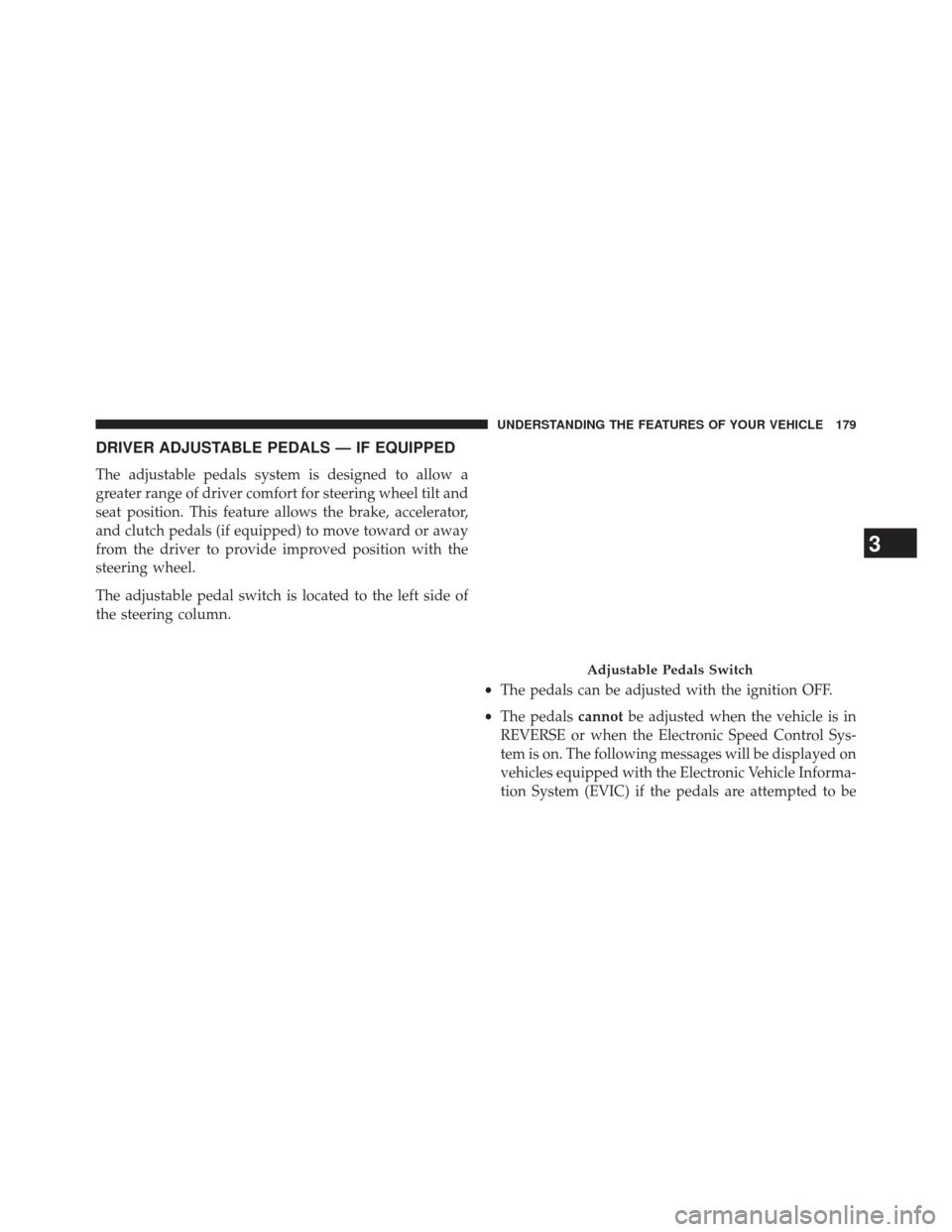
The adjustable pedal switch is located to the left side of
the steering column.•The pedals can be adjusted with the ignition OFF.
• The pedals cannotbe adjusted when the vehicle is in
REVERSE or when the Electronic Speed Control Sys-
tem is on. The following messages will be displayed on
vehicles equipped with the Electronic Vehicle Informa-
tion System (EVIC) if the pedals are attempted to be
Adjustable Pedals Switch
3
UNDERSTANDING THE FEATURES OF YOUR VEHICLE 179
Page 194 of 734
WARNING!
•Drivers must be careful when backing up even
when using ParkSense®. Always check carefully
behind your vehicle, look behind you, and be sure
to check for pedestrians, animals, other vehicles,
obstructions, and blind spots before backing up.
You are responsible for safety and must continue to
pay attention to your surroundings. Failure to do so
can result in serious injury or death.
(Continued)
WARNING! (Continued)
•Before using ParkSense®, it is strongly recom-
mended that the ball mount and hitch ball assem-
bly is disconnected from the vehicle when the
vehicle is not used for towing. Failure to do so can
result in injury or damage to vehicles or obstacles
because the hitch ball will be much closer to the
obstacle than the rear fascia when the loudspeaker
sounds the continuous tone. Also, the sensors
could detect the ball mount and hitch ball assem-
bly, depending on its size and shape, giving a false
indication that an obstacle is behind the vehicle.
192 UNDERSTANDING THE FEATURES OF YOUR VEHICLE
Page 223 of 734
WARNING!
Do not operate this vehicle with a console compart-
ment lid in the open position. Cellular phones, music
players, and other handheld electronic devices
should be stowed while driving. Use of these devices
while driving can cause an accident due to distrac-
tion, resulting in death or injury.
Lower Storage Bin
3
UNDERSTANDING THE FEATURES OF YOUR VEHICLE 221
Page 244 of 734
4. Rotate the handles to the horizontal position to secureinto place.WARNING!
To reduce the risk of potential injury or property
damage:
•Cargo must be secured.
• Do not exceed cargo load rating of your vehicle.
• Secure all loads to truck utilizing cargo tie downs.
• Extender should not be used as cargo tie down.
• When vehicle is in motion do not exceed 150 lbs
(68 kg) load on the tailgate.
• The bed extender is not intended for off road use.
• When not in use, the extender/divider should be in
stowed or divider position with the tailgate closed.
• When in use all handles are to be in the locked
position.
Locking Tab
242 UNDERSTANDING THE FEATURES OF YOUR VEHICLE
Page 251 of 734
TRI-FOLD TONNEAU COVER-IF EQUIPPED
Tri-Fold Tonneau Cover — If Equipped
Your vehicle may be equipped with a Tri-Fold Tonneau
Cover which consists of different features:
•Easy Tri-Fold cover
• Tonneau fore aft locator
• Crosscar inside bed locator
• Front and rear clamps
• Stowage strap
• Locking Capability
NOTE: The Tonneau Cover can be folded up and secured
at the front of the box without removing completely.
Tri-Fold Tonneau Cover Removal
To remove the Tonneau Cover follow the following steps:
1. Lower the tailgate.
2. Pull down on the clamp on both driver and passenger sides.
3. Pick up on the cover and fold it back into the second panel.
4. Be sure both clamps are pushed completely down.
5. Pick up on the cover and fold it back into the third panel.
6. Once in the third panel position pull down on the clamp on both sides.
7. Be sure to clip both straps together to insure the cover stays together.
3
UNDERSTANDING THE FEATURES OF YOUR VEHICLE 249
Page 253 of 734
NOTE:Be sure the Tonneau Cover has been folded
completely before removing.
Released PositionStowage Strap
3
UNDERSTANDING THE FEATURES OF YOUR VEHICLE 251
Page 254 of 734
Tri-Fold Tonneau Cover Installation And Cleaning
Position the folded Tonneau Cover on the truck bed and
push the Cover forward against the front of the truck
bed. The Tonneau Cover centers itself when placed on the
vehicle. Disengage the stowage straps and unfold the
Tonneau Cover then attach the rear clamps to the truck
bed flange to secure the Tonneau Cover to the vehicle.
The Tonneau Cover clamps can be locked when in the
clamped position by placing a lock through the locking
hole.NOTE:Be sure the Tonneau Cover is secured before
driving after installation.
For proper cleaning of the Tonneau Cover use MOPAR®
Whitewall &Vinyl Top Cleaner and MOPAR® Leather &
Vinyl Conditioner/Protectant.
Locking Hole
252 UNDERSTANDING THE FEATURES OF YOUR VEHICLE
Page 257 of 734
INSTRUMENT PANEL FEATURES
1 — Headlight Switch7 — 115v Power Inverter Outlet 13 — Gear Selector/Transfer Case Position Switch
2 — Instrument Cluster 8 — Power Outlet 14 — Ignition Switch
3 — Radio 9 — Lower Switch Bank (Engine Start/Stop, ESC
OFF, TOW/HAUL, Electronic Trailer Brake, Air
Suspension, Park Assist) — If Equipped 15 — Hood Release
4 — Hazard Switch 10 — Instrument Panel Drawer 16 — Parking Brake Release
5 — Upper Glove Compartment 11 — Climate Controls
6 — Lower Glove Compartment 12 — Power Outlet/Cigar Lighter
4
UNDERSTANDING YOUR INSTRUMENT PANEL 255