brake Ram 1500 2013 Owner's Guide
[x] Cancel search | Manufacturer: RAM, Model Year: 2013, Model line: 1500, Model: Ram 1500 2013Pages: 734, PDF Size: 5.47 MB
Page 274 of 734
seconds and then returns to the previous screen. An
example of this message type is “Automatic High Beams
On”.
Engine Oil Change Indicator System
Oil Change Required
Your vehicle is equipped with an engine oil change
indicator system. The “Oil Change Required” message
will flash in the EVIC display for approximately 10
seconds after a single chime has sounded, to indicate the
next scheduled oil change interval. The engine oil change
indicator system is duty cycle based, which means the
engine oil change interval may fluctuate, dependent
upon your personal driving style.
Unless reset, this message will continue to display each
time you turn the ignition switch to the ON/RUN
position or cycle the ignition to the ON/RUN position if
equipped with Keyless Enter-N-Go™. To turn off themessage temporarily, press and release the MENU but-
ton. To reset the oil change indicator system (after
performing the scheduled maintenance) refer to the fol-
lowing procedure.
Vehicles Equipped With Keyless Enter-N-Go™
1. Without pressing the brake pedal, press the ENGINE
START/STOP button and cycle the ignition to the
ON/ RUN position (Do not start the engine.)
2. Fully depress the accelerator pedal, slowly, three times within 10 seconds.
3. Without pressing the brake pedal, press the ENGINE START/STOP button once to return the ignition to the
OFF/LOCK position.
Vehicles Not Equipped With Keyless Enter-N-Go™
1. Turn the ignition switch to the ON/RUN position (Do not start the engine.)
272 UNDERSTANDING YOUR INSTRUMENT PANEL
Page 275 of 734
2. Fully depress the accelerator pedal, slowly, three timeswithin 10 seconds.
3. Turn the ignition switch to the OFF/LOCK position.
NOTE: If the indicator message illuminates when you
start the vehicle, the oil change indicator system did not
reset. If necessary, repeat this procedure.
Electronic Vehicle Information Center (EVIC)
Messages
• Front Seatbelts Unbuckled
• Driver Seatbelt Unbuckled
• Passenger Seatbelt Unbuckled
• Service Airbag System
• Traction Control Off
• Washer Fluid Low •
Oil Pressure Low
• Oil Change Due
• Fuel Low
• Service Antilock Brake System
• Service Electronic Throttle Control
• Service Power Steering
• Cruise Off
• Cruise Ready
• Cruise Set To XXX MPH
• Tire Pressure Screen With Low Tire(s) “Inflate Tire to
XX”
• Service Tire Pressure System
• Parking Brake Engaged
4
UNDERSTANDING YOUR INSTRUMENT PANEL 273
Page 276 of 734
•Brake Fluid Low
• Service Electronic Braking System
• Engine Temperature Hot
• Battery Voltage Low
• Service Electronic Throttle Control
• Lights On
• Right Turn Signal Light Out
• Left Turn Signal Light Out
• Turn Signal On
• Vehicle Not in Park
• Key in Ignition
• Key in Ignition Lights On
• Remote Start Active Key to Run •
Remote Start Active Push Start Button
• Remote Start Aborted Fuel Low
• Remote Start Aborted Too Cold
• Remote Start Aborted Door Open
• Remote Start Aborted Hood Open
• Remote Start Aborted Trunk Open
• Remote Start Aborted Time Expired
• Remote Start Disabled Start to Reset
• Service Airbag System
• Service Airbag Warning Light
• Driver Seatbelt Unbuckled
• Passenger Seatbelt Unbuckled
• Front Seatbelts Unbuckled
274 UNDERSTANDING YOUR INSTRUMENT PANEL
Page 277 of 734
•Door Open
• Doors Open
• Gear Not Available
• Shift Not Allowed
• Shift to Neutral then Drive or Reverse
• Autostick Unavailable Service Required
• Automatic Unavailable Use Autostick Service Req.
• Transmission Getting Hot Press Brake
• Trans. Hot Stop Safely Shift to Park Wait to Cool
• Transmission Cool Ready to Drive
• Trailer Brake Disconnected
• Service Transmission
• Service Shifter •
Engage Park Brake to Prevent Rolling
• Transmission Too cold Idle with Engine On
• Washer Fluid Low
• Service Air Suspension System
• Normal Ride Height Achieved
• Aerodynamic Ride Height Achieved
• Off Road 1 Ride Height Achieved
• Off Road 2 Ride Height Achieved
• Entry/Exit Ride Height Achieved
• Selected Ride Height Not Permitted
• Service Air Suspension System Immediately
• Reduce Speed To Maintain Selected Ride Height
• Air Suspension System Cooling Down Please Wait
4
UNDERSTANDING YOUR INSTRUMENT PANEL 275
Page 286 of 734
•Average Speed
• Elapsed Time
Hold the SELECT/RIGHT arrow button to reset all the
information.
Fuel Economy
Press and release the UP or DOWN arrow
button until the Fuel Economy icon is
highlighted.
• Average Fuel Economy/Miles Per Gallon (MPG Bar-
graph)
• Range To Empty (RTE)
• Current Miles Per Gallon (MPG)
Stop/Start – If Equipped
Press and release the UP or DOWN arrow
button until the Stop/Start icon is highlighted
in the EVIC. Press and release the SELECT/
RIGHT arrow button to display the Stop/Start
status.
Trailer Tow
Press and release the UP or DOWN arrow
button until the Trailer Tow icon is highlighted.
Press the SELECT/RIGHT arrow button and
the next screen will display the following
trailer trip information:
• Trailer Trip
• Trailer Brake
284 UNDERSTANDING YOUR INSTRUMENT PANEL
Page 290 of 734
check-mark is removed showing the system has been
deactivated. When the system is deactivated, the system
reverts to the standard intermittent wiper operation.
Hill Start Assist (HSA)
When on is selected, the HSA system is active. Refer to
“Electronic Brake Control System” in “Starting And
Operating” for system function and operating informa-
tion. To make your selection, press and release the
SELECT button until a check-mark appears next to the
feature showing the system has been activated or the
check-mark is removed showing the system has been
deactivated.
Headlamp Off Delay
When this feature is selected, the driver can choose to
have the headlights remain on for 0, 30, 60, or 90 seconds
when exiting the vehicle. To make your selection, scroll
up or down until the preferred setting is highlighted,then press and release the SELECT button until a check-
mark appears next to the setting, showing that the setting
has been selected.
Illuminated Approach
When this feature is selected, the headlights will activate
and remain on for 0, 30, 60, or 90 seconds when the doors
are unlocked with the RKE transmitter. To make your
selection, scroll up or down until the preferred setting is
highlighted, then press and release the SELECT button
until a check-mark appears next to the setting, showing
that the setting has been selected.
Headlamps With Wipers
When this feature is selected and the HEADLIGHT
switch is in the AUTO position, the headlights will turn
on approximately 10 seconds after the wipers are turned
on. The headlights will also turn off when the wipers are
turned off if they were turned on by this feature. To make
your selection, press and release the SELECT button until
288 UNDERSTANDING YOUR INSTRUMENT PANEL
Page 295 of 734
Wheel Alignment Mode – If Equipped
Before performing a wheel alignment this mode must be
enabled. Refer to your authorized dealer for further
information.
Horn with Remote Lower – If Equipped
When this feature is selected, a short horn sound will
occur when the RKE transmitter REMOTE LOWER but-
ton is pressed. To make your selection, press and release
the SELECT button until a check-mark appears next to
the feature showing the system has been activated or the
check-mark is removed showing the system has been
deactivated.
Lights with Remote Lower – If Equipped
When this feature is selected, the front and rear turn
signals will flash when the RKE transmitter REMOTE
LOWER button is pressed. This feature may be selected
with or without the sound horn on lower feature selected.To make your selection, press and release the SELECT
button until a check-mark appears next to the feature
showing the system has been activated or the check-mark
is removed showing the system has been deactivated.
Trailer Select
When this feature is selected, the Trailer Type can be
selected between “Trailer 1”, “Trailer 2”, “Trailer 3” and
“Trailer 4”. To make your selection, scroll up or down
until the preferred setting is highlighted, then press and
release the SELECT button until a check-mark appears
next to the setting, showing that the setting has been
selected.
Trailer Brake Type
When this feature is selected, the Trailer Brake Type can
be changed between “Light Electric”, “Heavy Electric”,
“Light EOH” and “Heavy EOH”. To make your selection,
scroll up or down until the preferred setting is high-
lighted, then press and release the SELECT button until a
4
UNDERSTANDING YOUR INSTRUMENT PANEL 293
Page 296 of 734
check-mark appears next to the setting, showing that the
setting has been selected. Refer to “Integrated Trailer
Brake Module” in “Starting And Operating.”
Trailer Name
When this feature is selected, the Trailer name can be
selected from 16 names. To make your selection, scroll up
or down until the preferred setting is highlighted, then
press and release the SELECT button until a check-mark
appears next to the setting, showing that the setting has
been selected.
Calibrate Compass
Refer to “Compass Display” for more information.
Compass Variance
Refer to “Compass Display” for more information.
Screen Setup Driver Selectable Items
Odometer
•000
• 000.0
Upper Left
• None
• Compass
• Outside Temp (default setting)
• Trans Temp
• Oil Temp
• Time
• Range To Empty (RTE)
• Average MPG
294 UNDERSTANDING YOUR INSTRUMENT PANEL
Page 297 of 734
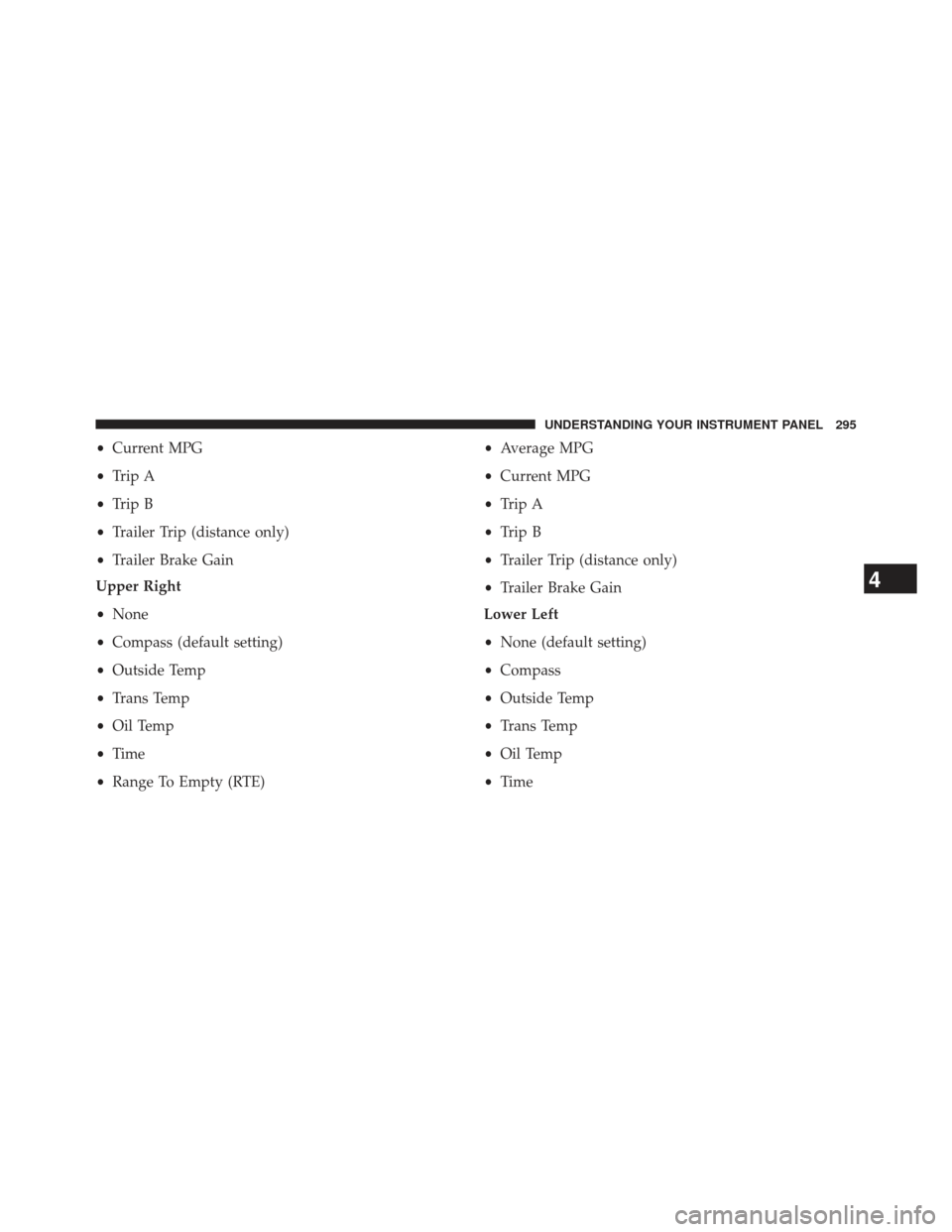
•Current MPG
• Trip A
• Trip B
• Trailer Trip (distance only)
• Trailer Brake Gain
Upper Right
• None
• Compass (default setting)
• Outside Temp
• Trans Temp
• Oil Temp
• Time
• Range To Empty (RTE) •
Average MPG
• Current MPG
• Trip A
• Trip B
• Trailer Trip (distance only)
• Trailer Brake Gain
Lower Left
• None (default setting)
• Compass
• Outside Temp
• Trans Temp
• Oil Temp
• Time
4
UNDERSTANDING YOUR INSTRUMENT PANEL 295
Page 298 of 734
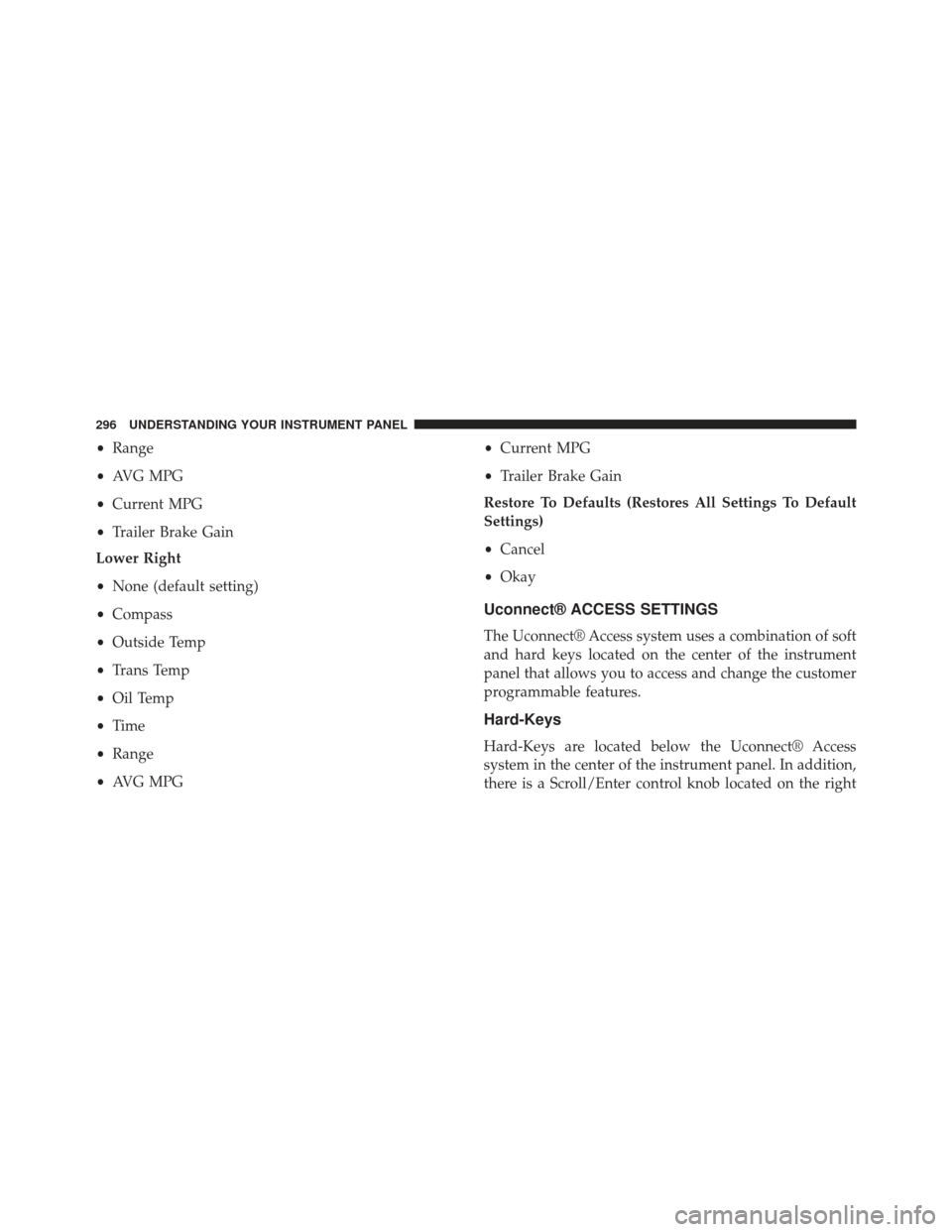
•Range
• AVG MPG
• Current MPG
• Trailer Brake Gain
Lower Right
• None (default setting)
• Compass
• Outside Temp
• Trans Temp
• Oil Temp
• Time
• Range
• AVG MPG •
Current MPG
• Trailer Brake Gain
Restore To Defaults (Restores All Settings To Default
Settings)
• Cancel
• Okay
Uconnect® ACCESS SETTINGS
The Uconnect® Access system uses a combination of soft
and hard keys located on the center of the instrument
panel that allows you to access and change the customer
programmable features.
Hard-Keys
Hard-Keys are located below the Uconnect® Access
system in the center of the instrument panel. In addition,
there is a Scroll/Enter control knob located on the right
296 UNDERSTANDING YOUR INSTRUMENT PANEL