CAN Ram 1500 2015 User Guide
[x] Cancel search | Manufacturer: RAM, Model Year: 2015, Model line: 1500, Model: Ram 1500 2015Pages: 871, PDF Size: 24.83 MB
Page 29 of 871
Flash Lamps With Remote Key Lock
This feature will cause the turn signal lights to flash when
the doors are locked or unlocked with the RKE transmit-
ter. This feature can be turned on or turned off. To change
the current setting, proceed as follows:
•For vehicles not equipped with a touchscreen radio,
refer to “Electronic Vehicle Information Center
(EVIC)/Settings (Customer-Programmable Features)”
in “Understanding Your Instrument Panel” for further
information.
•For vehicles equipped with a touchscreen radio, refer
to “Uconnect® Settings” in “Understanding Your In-
strument Panel” for further information.
To Lock The Doors
Push and release the LOCK button on the RKE transmit-
ter to lock all doors, the tailgate and the RamBox® (if
equipped). The turn signal lights will flash and the horn
will chirp to acknowledge the signal.
Sound Horn With Remote Key Lock
This feature will cause the horn to chirp when the doors
are locked with the RKE transmitter. This feature can be
turned on or turned off. To change the current setting,
proceed as follows:
•For vehicles not equipped with a touchscreen radio,
refer to “Electronic Vehicle Information Center
(EVIC)/Settings (Customer-Programmable Features)”
in “Understanding Your Instrument Panel” for further
information.
2
THINGS TO KNOW BEFORE STARTING YOUR VEHICLE 27
Page 31 of 871
RKE Air Suspension (Remote Lowering Of The
Vehicle) — If Equipped
For easy entry and loading, your vehicle can be
lowered by pushing the Key Fob air suspension
lowering button two times. When Remote key
FOB lowering is requested, the vehicle will
send a series of chirps and flashes to alert the customer
that the operation has begun and will continue these
alerts until it successfully lowers.
The following conditions must be met for the vehicle to
lower remotely:
•The vehicle must not already be in Entry/Exit (Park)
ride height.
•The vehicle battery must be fully charged.
•All doors must be closed.
•The ignition key must be out of the vehicle.
Cancelling Remote Lowering
Vehicle lowering can be cancelled at anytime. When
vehicle lowering is cancelled, the vehicle will raise up to
the next defined level and lock out the remote lowering
feature until the ignition has been cycled ON/OFF.
To cancel vehicle lowering, push the Key Fob air suspen-
sion lowering button one time during the lowering
process. When vehicle lowering is cancelled the horn will
chirp two times and the hazard lights will flash four
times. Once raising is completed, the horn will chirp one
time.
NOTE:For further information, refer to “Air Suspension
System” in “Starting And Operating”.
2
THINGS TO KNOW BEFORE STARTING YOUR VEHICLE 29
Page 35 of 871
clip, located on the back cover. Avoid touching the
new battery with your fingers. Skin oils may cause
battery deterioration. If you touch a battery, clean it
with rubbing alcohol.
4. To assemble the RKE transmitter case, snap the two
halves together, reposition and secure the screw as
shown in step #2 for removal.
General Information
This device complies with Part 15 of the FCC rules and
RSS 210 of Industry Canada. Operation is subject to the
following conditions:
•This device may not cause harmful interference.
•This device must accept any interference received,
including interference that may cause undesired op-
eration.
NOTE:Changes or modifications not expressly approved
by the party responsible for compliance could void the
user’s authority to operate the equipment.
If your RKE transmitter fails to operate from a normal
distance, check for these two conditions:
1. A weak battery in the transmitter. The expected life of
the battery is a minimum of three years.
2. Closeness to a radio transmitter such as a radio station
tower, airport transmitter, and some mobile or CB
radios.
2
THINGS TO KNOW BEFORE STARTING YOUR VEHICLE 33
Page 37 of 871
WARNING!
•Do not start or run an engine in a closed garage or
confined area. Exhaust gas contains Carbon Mon-
oxide (CO) which is odorless and colorless. Carbon
Monoxide is poisonous and can cause serious in-
jury or death when inhaled.
•Keep Remote Keyless Entry (RKE) transmitters
away from children. Operation of the Remote Start
System, windows, door locks or other controls
could cause serious injury or death.
Remote Start Abort Message
The following messages will display in the EVIC/DID if
the vehicle fails to remote start or exits remote start
prematurely:
•Remote Start Cancelled — Door Open
•Remote Start Cancelled — Hood Ajar
•Remote Start Cancelled — Fuel Low
•Remote Start Cancelled — System Fault
•Remote Start Disabled — Start Vehicle to Reset
The EVIC/DID message stays active until the ignition is
turned to the ON/RUN position.
To Enter Remote Start Mode
Push and release the REMOTE START button
on the RKE transmitter twice within five sec-
onds. The parking lights will flash, vehicle
doors will lock, and the horn will chirp twice (if
programmed). Once the vehicle has started, the engine
will run for 15 minutes.
NOTE:
•If your power door locks were unlocked, Remote Start
will automatically lock the doors.
2
THINGS TO KNOW BEFORE STARTING YOUR VEHICLE 35
Page 38 of 871
•If an engine fault is present or fuel level is low, the
vehicle will start and then shut down in 10 seconds.
•The park lamps will turn on and remain on during
Remote Start mode.
•For security, power window and power sunroof op-
eration (if equipped) are disabled when the vehicle is
in the Remote Start mode.
•The engine can be started two consecutive times (two
15-minute cycles) with the RKE transmitter. However,
the ignition switch must be cycled to the ON/RUN
position before you can repeat the start sequence for a
third cycle.
To Exit Remote Start Mode Without Driving The
Vehicle
Push and release the REMOTE START button one time or
allow the engine to run for the entire 15-minute cycle.
NOTE:To avoid unintentional shut downs, the system
will disable the one time push of the REMOTE START
button for two seconds after receiving a valid Remote
Start request.
To Exit Remote Start Mode And Drive The Vehicle
Before the end of the 15-minute cycle, push and release
the UNLOCK button on the RKE transmitter to unlock
the doors and disarm the Vehicle Security Alarm System
(if equipped). Then, prior to the end of the 15 minute
cycle, cycle the ignition to the ON/RUN position.
36 THINGS TO KNOW BEFORE STARTING YOUR VEHICLE
Page 39 of 871
Remote Start Comfort Systems — If Equipped
When remote start is activated, the heated steering wheel
and driver heated seat features will automatically turn on
in cold weather. In warm weather, the driver vented seat
feature will automatically turn on when the remote start
is activated. These features will stay on through the
duration of remote start or until the ignition switch is
turned to the ON/RUN position.
The Remote Start Comfort System can be activated and
deactivated through the Uconnect® System. For more
information on Remote Start Comfort System operation
refer to ”Customer Programmable Features” in
“Uconnect® Settings” in “Understanding Your Instru-
ment Panel”.
DOOR LOCKS
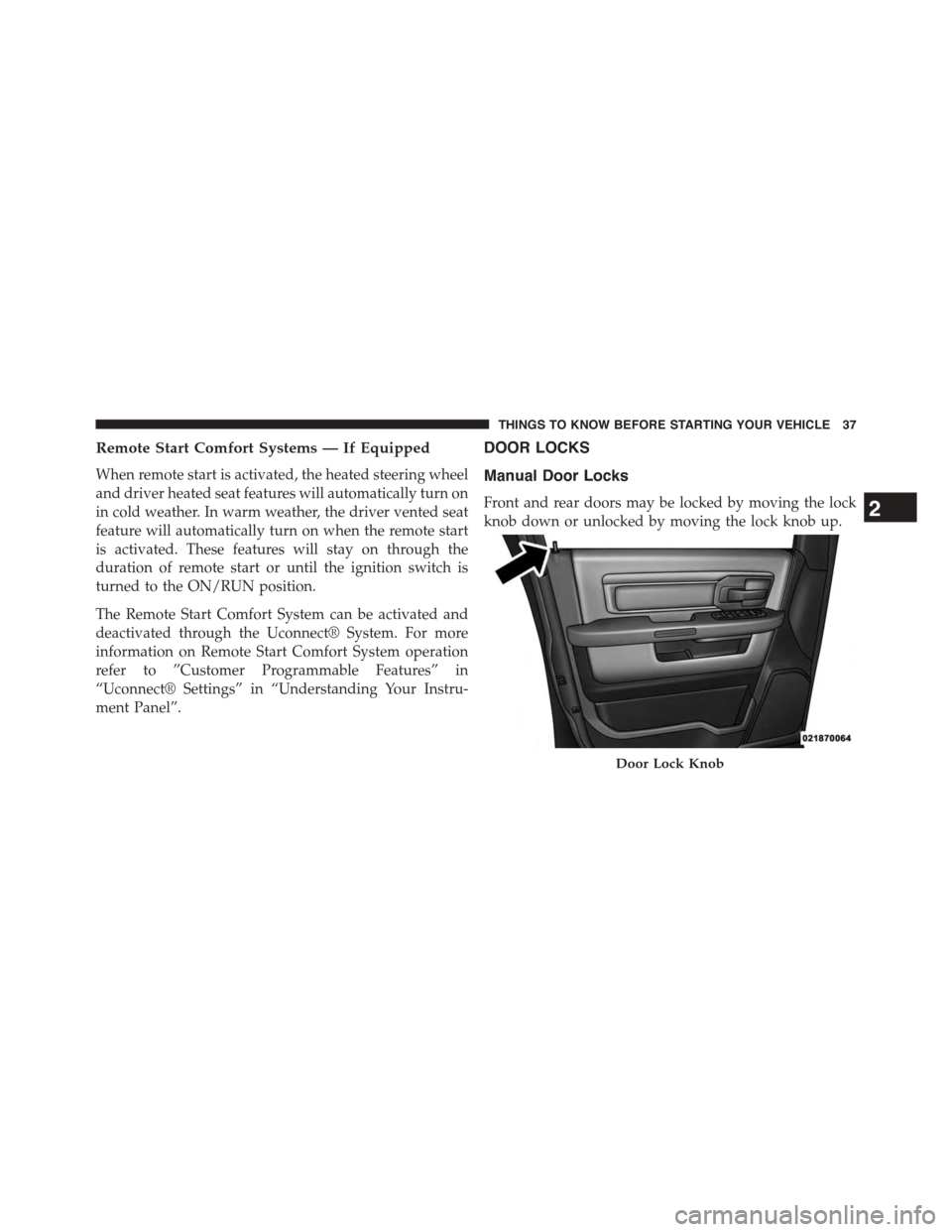
Manual Door Locks
Front and rear doors may be locked by moving the lock
knob down or unlocked by moving the lock knob up.
Door Lock Knob
2
THINGS TO KNOW BEFORE STARTING YOUR VEHICLE 37
Page 42 of 871
operate. A chime will sound if the Key Fob is in the
ignition switch and a door is open, as a reminder to
remove the Key Fob.
Automatic Door Locks — If Equipped
The auto door lock feature default condition is enabled.
When enabled, the door locks will lock automatically
when the vehicle’s speed exceeds 15 mph (24 km/h). The
auto door lock feature can be enabled or disabled by your
authorized dealer or through the Uconnect® Settings in
your radio.
Automatic Doors Unlock — If Equipped
This feature unlocks all of the doors of the vehicle when
either front door is opened. This will occur only after the
vehicle has been shifted into the PARK position after the
vehicle has been driven (shifted out of PARK and all
doors closed).
Automatic Doors Unlock Programming — If
Equipped
The Automatic Doors Unlock feature can be enabled or
disabled as follows:
•For vehicles not equipped with a touchscreen radio,
refer to “Electronic Vehicle Information Center
(EVIC)/Settings (Customer-Programmable Features)”
in “Understanding Your Instrument Panel” for further
information.
•For vehicles equipped with a touchscreen radio, refer
to “Uconnect® Settings” in “Understanding Your In-
strument Panel” for further information.
NOTE:Use the Auto Unlock Doors feature in accordance
with local laws.
40 THINGS TO KNOW BEFORE STARTING YOUR VEHICLE
Page 43 of 871
Child-Protection Door Lock
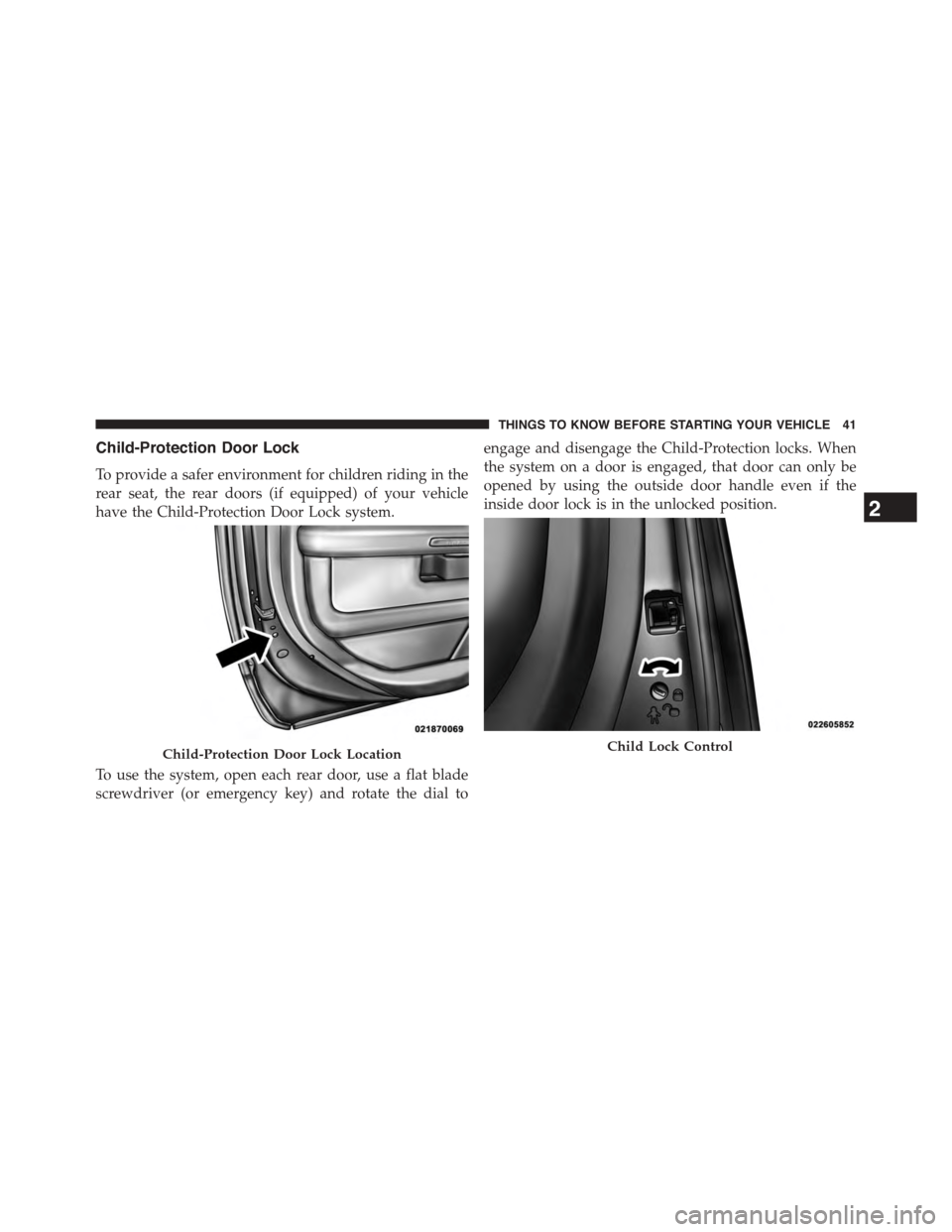
To provide a safer environment for children riding in the
rear seat, the rear doors (if equipped) of your vehicle
have the Child-Protection Door Lock system.
To use the system, open each rear door, use a flat blade
screwdriver (or emergency key) and rotate the dial to
engage and disengage the Child-Protection locks. When
the system on a door is engaged, that door can only be
opened by using the outside door handle even if the
inside door lock is in the unlocked position.
Child-Protection Door Lock LocationChild Lock Control
2
THINGS TO KNOW BEFORE STARTING YOUR VEHICLE 41
Page 44 of 871
WARNING!
Avoid trapping anyone in a vehicle in a collision.
Remember that the rear doors can only be opened
from the outside when the Child-Protection locks are
engaged.
NOTE:
•After setting the Child-Protection Door Lock system,
always test the door from the inside to make certain it
is in the desired position.
•For emergency exit with the system engaged, move the
door lock switch to the UNLOCK position, roll down
the window and open the door with the outside door
handle.
KEYLESS ENTER-N-GO™
The Passive Entry system is an enhancement to the
vehicle’s Remote Keyless Entry (RKE) system and a
feature of Keyless Enter-N-Go™. For further information,
refer to “Keyless Enter-N-Go™” in “Starting And Oper-
ating”. This feature allows you to lock and unlock the
vehicle’s door(s) without having to push the RKE trans-
mitter lock or unlock buttons.
NOTE:
•Passive Entry may be programmed ON/OFF; refer to
“Uconnect® Settings” in “Understanding Your Instru-
ment Panel” for further information.
•If wearing gloves on your hands, or if it has been
raining on the Passive Entry door handle, the unlock
sensitivity can be affected, resulting in a slower re-
sponse time.
42 THINGS TO KNOW BEFORE STARTING YOUR VEHICLE
Page 45 of 871
•If the vehicle is unlocked by the Passive Entry Door
Handle, and no door goes ajar within 60 seconds, the
vehicle will re-lock and if equipped will arm the
security alarm.
•The vehicles security alarm can be armed/disarmed
by pushing the passive entry key fob lock/unlock
buttons (if equipped).
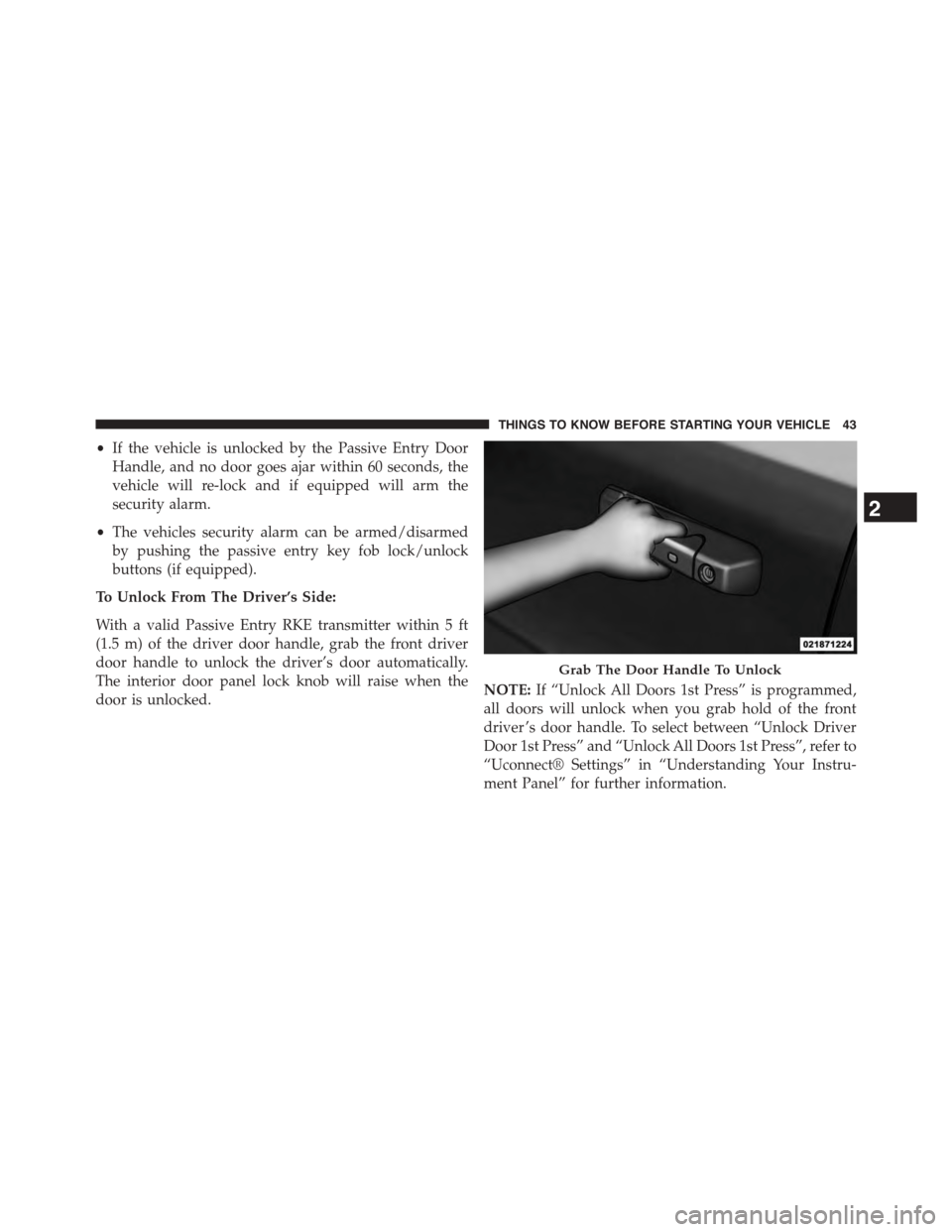
To Unlock From The Driver’s Side:
With a valid Passive Entry RKE transmitter within 5 ft
(1.5 m) of the driver door handle, grab the front driver
door handle to unlock the driver’s door automatically.
The interior door panel lock knob will raise when the
door is unlocked.NOTE:If “Unlock All Doors 1st Press” is programmed,
all doors will unlock when you grab hold of the front
driver ’s door handle. To select between “Unlock Driver
Door 1st Press” and “Unlock All Doors 1st Press”, refer to
“Uconnect® Settings” in “Understanding Your Instru-
ment Panel” for further information.
Grab The Door Handle To Unlock
2
THINGS TO KNOW BEFORE STARTING YOUR VEHICLE 43