Trailer Ram 1500 2015 User Guide
[x] Cancel search | Manufacturer: RAM, Model Year: 2015, Model line: 1500, Model: Ram 1500 2015Pages: 871, PDF Size: 24.83 MB
Page 316 of 871
required. You may experience reduced performance, an
elevated/rough idle or engine stall and your vehicle may
require towing.
•Engine Temperature Warning Light
This light warns of an overheated engine condi-
tion. As temperatures rise and the gauge ap-
proachesH,this indicator will illuminate and a single
chime will sound after reaching a set threshold. Further
overheating will cause the temperature gauge to passH,
a continuous chime will occur until the engine is allowed
to cool.
If the light turns on while driving, safely pull over and
stop the vehicle. If the A/C system is on, turn it off. Also,
shift the transmission into NEUTRAL and idle the ve-
hicle. If the temperature reading does not return to
normal, turn the engine off immediately and call for
service. Refer to “If Your Engine Overheats” in “What To
Do In Emergencies” for more information.
•Electric Power Steering Malfunction Warning Light
This telltale is on when the Electric Power
Steering is not operating and needs service.
•Trailer Brake Disconnected Warning Light
This telltale is on when the Trailer Brake has
been disconnected.
EVIC Yellow Telltales
This area will show reconfigurable yellow caution tell-
tales. These telltales include:
•Low Fuel Telltale
When the fuel level reaches approximately 3.0 gal
(11.0 L) this light will turn on, and remain on until
fuel is added.
314 UNDERSTANDING YOUR INSTRUMENT PANEL
Page 317 of 871
•Windshield Washer Fluid Low Indicator
This telltale will turn on to indicate the wind-
shield washer fluid is low.
•Low Coolant Level Indicator
This telltale will turn on to indicate the vehicle
coolant level is low.
•Transmission Temperature Warning Telltale
This telltale indicates that the transmission
fluid temperature is running hot. This may
occur with severe usage, such as trailer towing.
If this telltale turns on, safely pull over and
stop the vehicle. Then, shift the transmission into NEU-
TRAL and run the engine at idle or faster until the light
turns off.
CAUTION!
Continuous driving with the Transmission Tempera-
ture Warning Light illuminated will eventually cause
severe transmission damage or transmission failure.
WARNING!
If you continue operating the vehicle when the
Transmission Temperature Warning Light is illumi-
nated you could cause the fluid to boil over, come in
contact with hot engine or exhaust components and
cause a fire.
4
UNDERSTANDING YOUR INSTRUMENT PANEL 315
Page 321 of 871
Air Suspension — If Equipped
Push and release theUPorDOWNarrow button until
the Air Suspension menu item is highlighted in the EVIC.
Push and release theRIGHTarrow button to display the
Air Suspension status.
Trailer Tow
Push and release theUPorDOWNarrow button until
the Trailer Tow menu item is highlighted. Push and
release theRIGHTarrow button and the next screen will
display the following trailer trip information:
•Trip (trailer specific) Distance
•Trailer Brake
•Output
•Type
•Gain
Push and hold theRIGHTarrow button to reset all the
information.
EVIC Messages
•Front Seatbelts Unbuckled
•Driver Seatbelt Unbuckled
•Passenger Seatbelt Unbuckled
•Service Airbag System
•Traction Control Off
•Washer Fluid Low
•Oil Pressure Low
•Oil Change Due
•Fuel Low
•Service Antilock Brake System
4
UNDERSTANDING YOUR INSTRUMENT PANEL 319
Page 323 of 871
•Remote Start Aborted Fuel Low
•Remote Start Aborted Too Cold
•Remote Start Aborted Door Open
•Remote Start Aborted Hood Open
•Remote Start Aborted Trunk Open
•Remote Start Aborted Time Expired
•Remote Start Disabled Start to Reset
•Service Airbag System
•Service Airbag Warning Light
•Driver Seatbelt Unbuckled
•Passenger Seatbelt Unbuckled
•Front Seatbelts Unbuckled
•Door Open
•Doors Open
•Gear Not Available
•Shift Not Allowed
•Shift to Neutral then Drive or Reverse
•Autostick Unavailable Service Required
•Automatic Unavailable Use Autostick Service Req.
•Transmission Getting Hot Press Brake
•Trans. Hot Stop Safely Shift to Park Wait to Cool
•Transmission Cool Ready to Drive
•Trailer Brake Disconnected
•Service Transmission
•Service Shifter
•Engage Park Brake to Prevent Rolling
4
UNDERSTANDING YOUR INSTRUMENT PANEL 321
Page 324 of 871
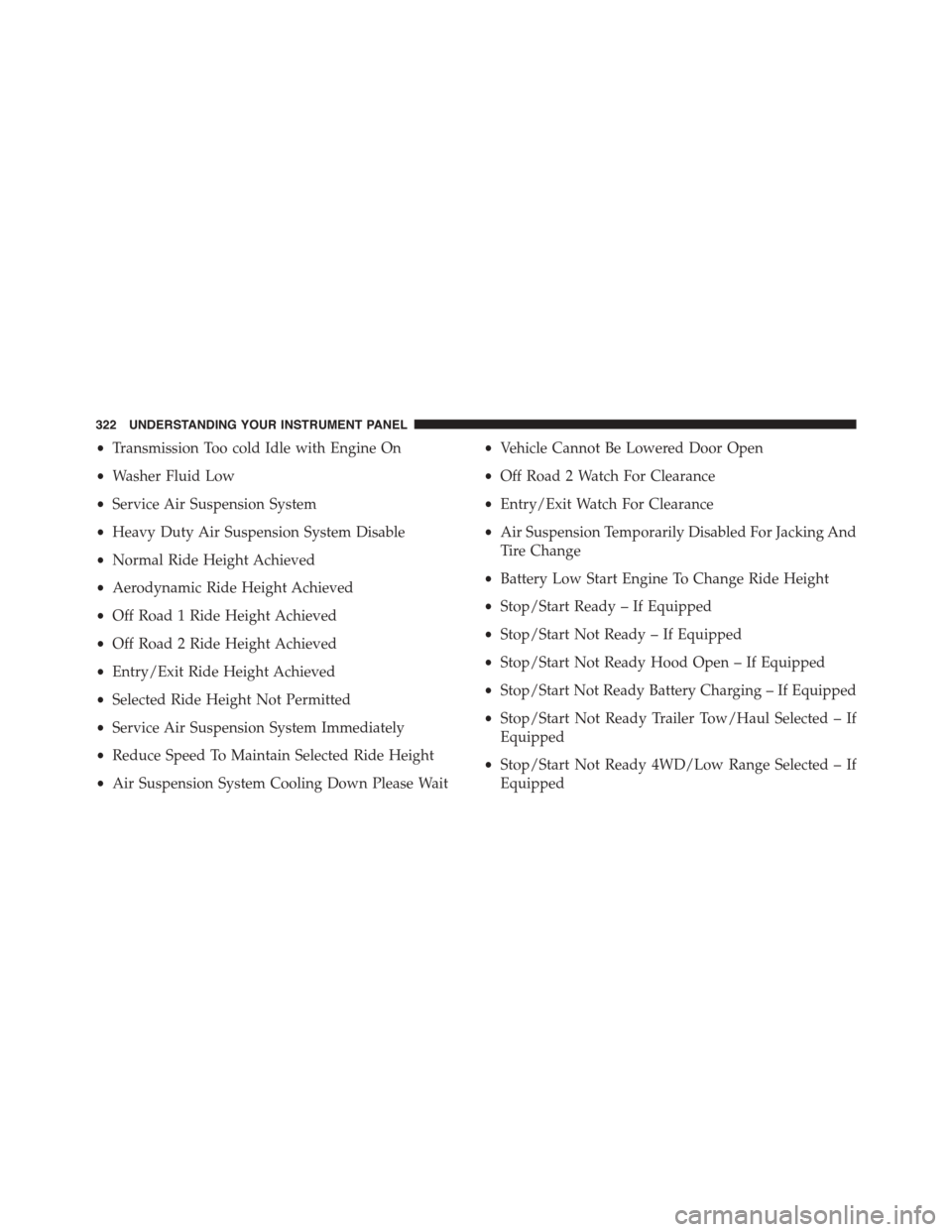
•Transmission Too cold Idle with Engine On
•Washer Fluid Low
•Service Air Suspension System
•Heavy Duty Air Suspension System Disable
•Normal Ride Height Achieved
•Aerodynamic Ride Height Achieved
•Off Road 1 Ride Height Achieved
•Off Road 2 Ride Height Achieved
•Entry/Exit Ride Height Achieved
•Selected Ride Height Not Permitted
•Service Air Suspension System Immediately
•Reduce Speed To Maintain Selected Ride Height
•Air Suspension System Cooling Down Please Wait
•Vehicle Cannot Be Lowered Door Open
•Off Road 2 Watch For Clearance
•Entry/Exit Watch For Clearance
•Air Suspension Temporarily Disabled For Jacking And
Tire Change
•Battery Low Start Engine To Change Ride Height
•Stop/Start Ready – If Equipped
•Stop/Start Not Ready – If Equipped
•Stop/Start Not Ready Hood Open – If Equipped
•Stop/Start Not Ready Battery Charging – If Equipped
•Stop/Start Not Ready Trailer Tow/Haul Selected – If
Equipped
•Stop/Start Not Ready 4WD/Low Range Selected – If
Equipped
322 UNDERSTANDING YOUR INSTRUMENT PANEL
Page 330 of 871
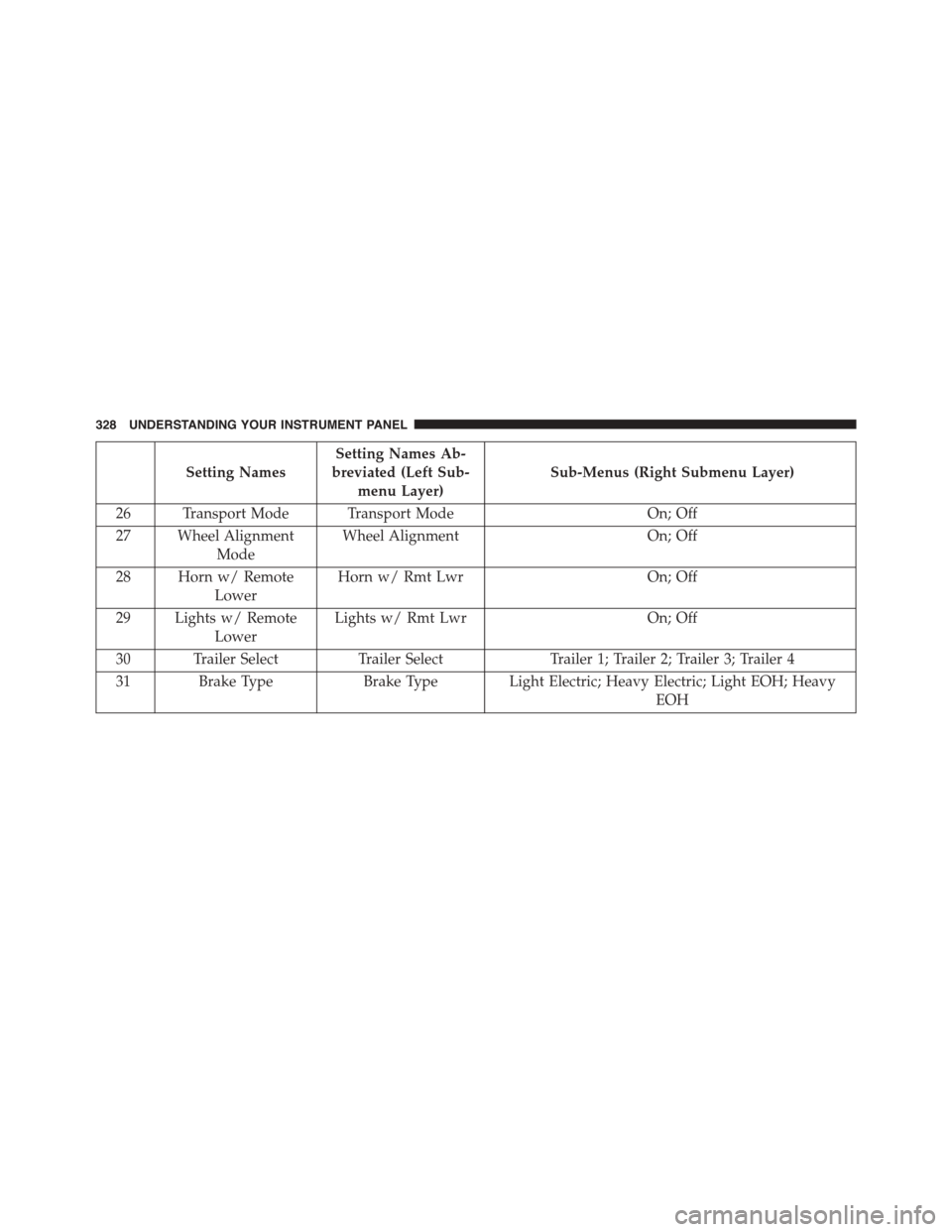
Setting Names
Setting Names Ab-
breviated (Left Sub-
menu Layer)
Sub-Menus (Right Submenu Layer)
26 Transport Mode Transport ModeOn; Off
27 Wheel Alignment
Mode
Wheel AlignmentOn; Off
28 Horn w/ Remote
Lower
Horn w/ Rmt LwrOn; Off
29 Lights w/ Remote
Lower
Lights w/ Rmt LwrOn; Off
30 Trailer SelectTrailer SelectTrailer 1; Trailer 2; Trailer 3; Trailer 4
31 Brake TypeBrake Type Light Electric; Heavy Electric; Light EOH; Heavy
EOH
328 UNDERSTANDING YOUR INSTRUMENT PANEL
Page 331 of 871
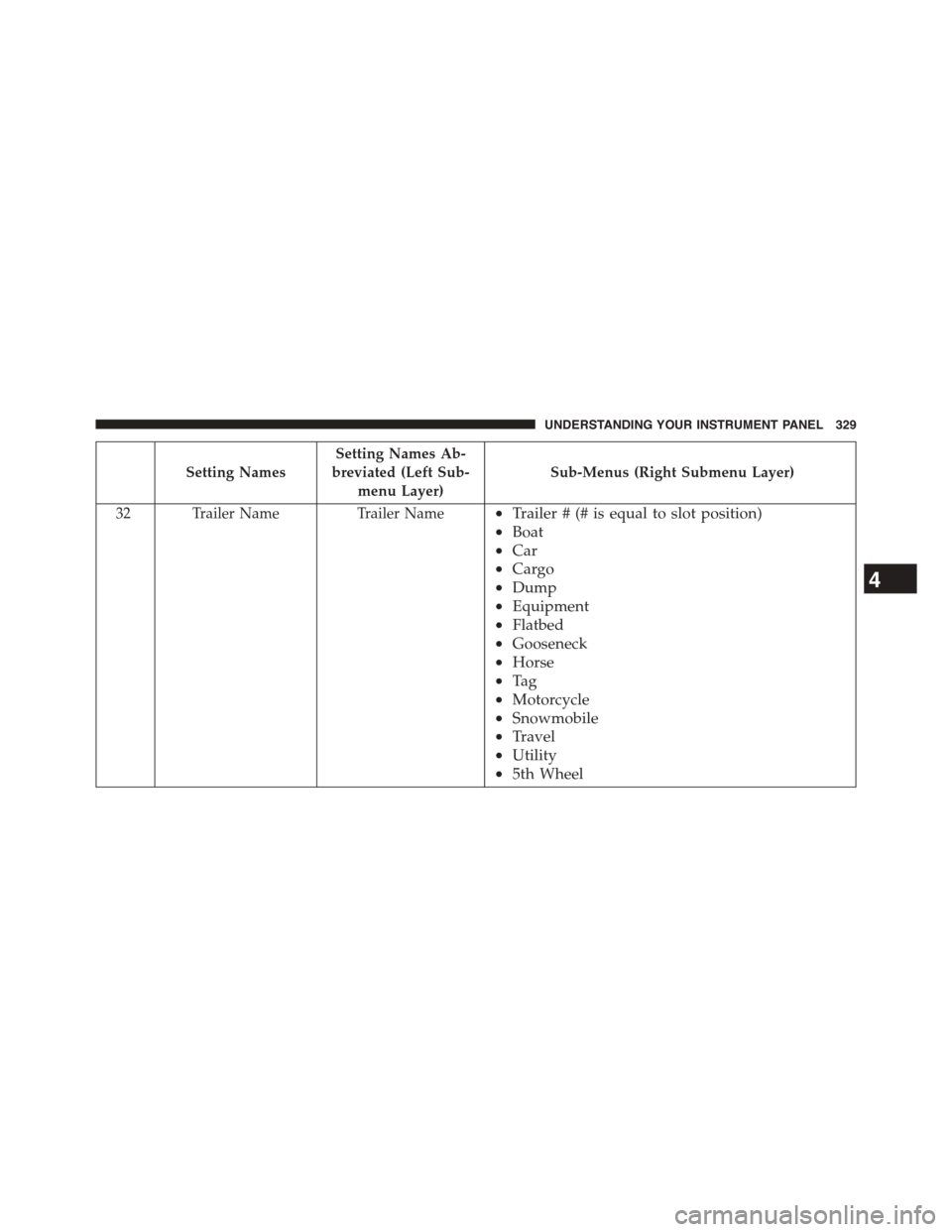
Setting Names
Setting Names Ab-
breviated (Left Sub-
menu Layer)
Sub-Menus (Right Submenu Layer)
32 Trailer NameTrailer Name•Trailer # (# is equal to slot position)
•Boat
•Car
•Cargo
•Dump
•Equipment
•Flatbed
•Gooseneck
•Horse
•Ta g
•Motorcycle
•Snowmobile
•Travel
•Utility
•5th Wheel
4
UNDERSTANDING YOUR INSTRUMENT PANEL 329
Page 333 of 871

DRIVER INFORMATION DISPLAY (DID)
The Driver Information Display (DID) features a driver-
interactive display that is located in the instrument
cluster.
The DID Menu items consists of the following:
•Digital Speedometer
•Vehicle Info
•Fuel Economy Info
•Trip A
•Trip B
•Stop/Start Info (If Equipped)
•Trailer Tow
•Audio
•Stored Messages
•Screen Setup
•Vehicle Settings (Not Equipped with a Uconnect® 5.0
& 8.4 radio)
Driver Information Display (DID)
4
UNDERSTANDING YOUR INSTRUMENT PANEL 331
Page 336 of 871
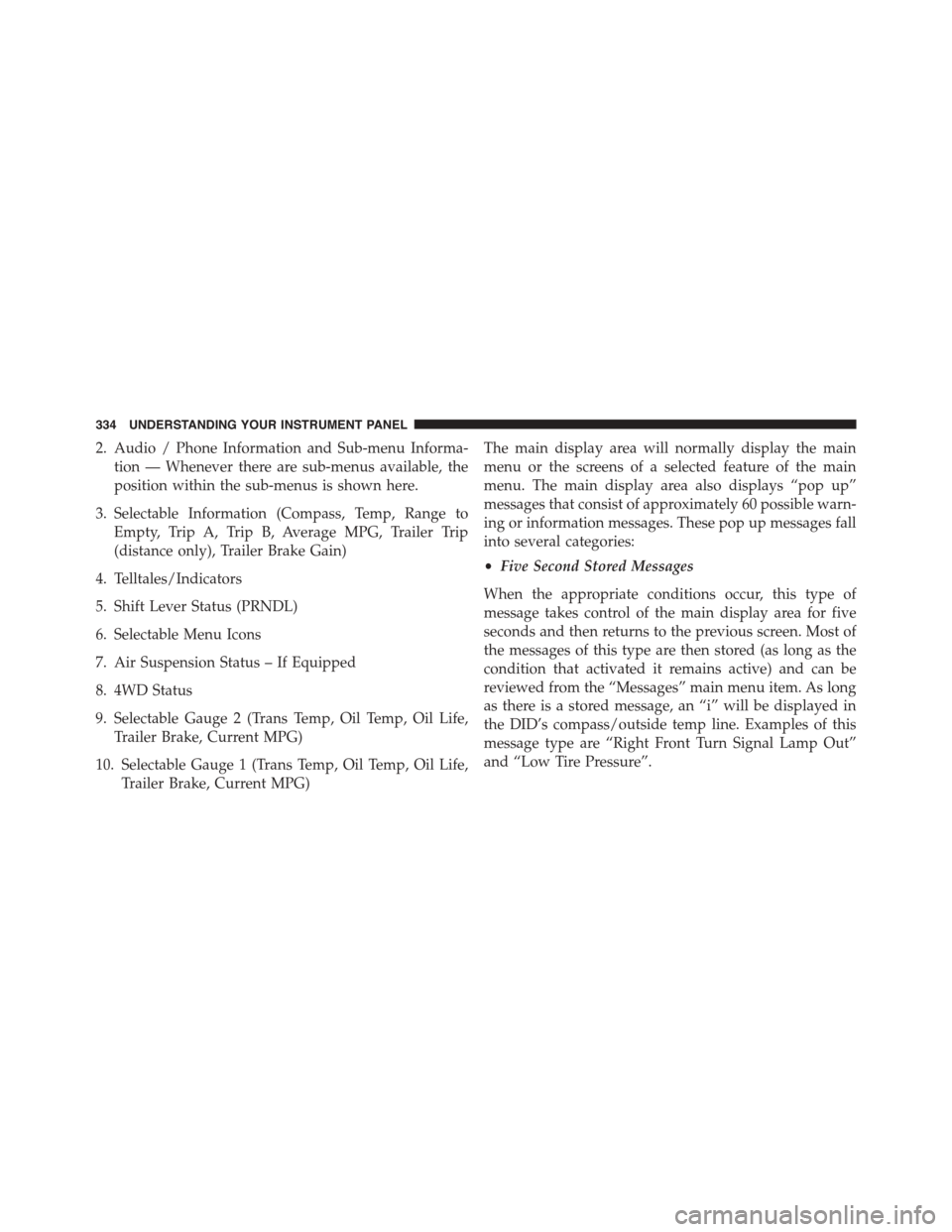
2. Audio / Phone Information and Sub-menu Informa-
tion — Whenever there are sub-menus available, the
position within the sub-menus is shown here.
3. Selectable Information (Compass, Temp, Range to
Empty, Trip A, Trip B, Average MPG, Trailer Trip
(distance only), Trailer Brake Gain)
4. Telltales/Indicators
5. Shift Lever Status (PRNDL)
6. Selectable Menu Icons
7. Air Suspension Status – If Equipped
8. 4WD Status
9. Selectable Gauge 2 (Trans Temp, Oil Temp, Oil Life,
Trailer Brake, Current MPG)
10. Selectable Gauge 1 (Trans Temp, Oil Temp, Oil Life,
Trailer Brake, Current MPG)
The main display area will normally display the main
menu or the screens of a selected feature of the main
menu. The main display area also displays “pop up”
messages that consist of approximately 60 possible warn-
ing or information messages. These pop up messages fall
into several categories:
•Five Second Stored Messages
When the appropriate conditions occur, this type of
message takes control of the main display area for five
seconds and then returns to the previous screen. Most of
the messages of this type are then stored (as long as the
condition that activated it remains active) and can be
reviewed from the “Messages” main menu item. As long
as there is a stored message, an “i” will be displayed in
the DID’s compass/outside temp line. Examples of this
message type are “Right Front Turn Signal Lamp Out”
and “Low Tire Pressure”.
334 UNDERSTANDING YOUR INSTRUMENT PANEL
Page 341 of 871
•Transmission Getting Hot Press Brake
•Trans. Hot Stop Safely Shift to Park Wait to Cool
•Transmission Cool Ready to Drive
•Trailer Brake Disconnected
•Service Transmission
•Service Shifter
•Engage Park Brake to Prevent Rolling
•Transmission Too cold Idle with Engine On
•Washer Fluid Low
•Service Air Suspension System
•Normal Ride Height Achieved
•Aerodynamic Ride Height Achieved
•Off Road 1 Ride Height Achieved
•Off Road 2 Ride Height Achieved
•Entry/Exit Ride Height Achieved
•Selected Ride Height Not Permitted
•Service Air Suspension System Immediately
•Reduce Speed To Maintain Selected Ride Height
•Air Suspension System Cooling Down Please Wait
•Vehicle Cannot Be Lowered Door Open
•Off Road 2 Watch For Clearance
•Entry/Exit Watch For Clearance
•Air Suspension Temporarily Disabled For Jacking And
Tire Change
•Battery Low Start Engine To Change Ride Height
•Stop/Start Ready – If Equipped
4
UNDERSTANDING YOUR INSTRUMENT PANEL 339