Trailer Ram 1500 2015 Owner's Guide
[x] Cancel search | Manufacturer: RAM, Model Year: 2015, Model line: 1500, Model: Ram 1500 2015Pages: 871, PDF Size: 24.83 MB
Page 342 of 871
•Stop/Start Not Ready – If Equipped
•Stop/Start Not Ready Hood Open – If Equipped
•Stop/Start Not Ready Battery Charging – If Equipped
•Stop/Start Not Ready Trailer Tow/Haul Selected – If
Equipped
•Stop/Start Not Ready 4WD/Low Range Selected – If
Equipped
•Stop/Start Not Ready Fuel Level Low – If Equipped
•Stop/Start Not Ready Steep Incline – If Equipped
•Stop/Start Not Ready Extreme Outside Temperature –
If Equipped
•Stop/Start Not Ready Engine Temperature Too High –
If Equipped
•Stop/Start Not Ready Engine Temperature Too Low –
If Equipped
•Stop/Start Not Ready Driver Seatbelt Unbuckled – If
Equipped
•Stop/Start Not Ready Driver Door Open – If Equipped
•Stop/Start Not Ready Cabin Cooling Or Heating – If
Equipped
•Stop/Start Not Ready Not Ready Max Cooling Or
Heating – If Equipped
•Stop/Start Not Ready Max Cooling Or Heating Se-
lected – If Equipped
•Stop/Start Not Ready Front Defrost Selected – If
Equipped
•Stop/Start Not Ready Steering Wheel Turned – If
Equipped
•Stop/Start Autostop Active – If Equipped
340 UNDERSTANDING YOUR INSTRUMENT PANEL
Page 345 of 871
•Engine Temperature Warning Light
This light warns of an overheated engine condi-
tion. As temperatures rise and the gauge ap-
proachesH,this indicator will illuminate and a single
chime will sound after reaching a set threshold. Further
overheating will cause the temperature gauge to passH,
a continuous chime will occur until the engine is allowed
to cool.
If the light turns on while driving, safely pull over and
stop the vehicle. If the A/C system is on, turn it off. Also,
shift the transmission into NEUTRAL and idle the ve-
hicle. If the temperature reading does not return to
normal, turn the engine off immediately and call for
service. Refer to “If Your Engine Overheats” in “What To
Do In Emergencies” for more information.
•Electric Power Steering Malfunction Warning Light
This telltale is on when the Electric Power
Steering is not operating and needs service.
•Trailer Brake Disconnected Warning Light
This telltale is on when the Trailer Brake has
been disconnected.
DID Yellow Telltales
This area will show reconfigurable yellow caution tell-
tales. These telltales include:
•Low Fuel Telltale
When the fuel level reaches approximately 3.0 gal
(11.0 L) this light will turn on, and remain on until
fuel is added.
4
UNDERSTANDING YOUR INSTRUMENT PANEL 343
Page 346 of 871
•Windshield Washer Fluid Low Indicator
This telltale will turn on to indicate the wind-
shield washer fluid is low.
•Low Coolant Level Indicator
This telltale will turn on to indicate the vehicle
coolant level is low.
•Transmission Temperature Warning Telltale
This telltale indicates that the transmission
fluid temperature is running hot. This may
occur with severe usage, such as trailer towing.
If this telltale turns on, safely pull over and
stop the vehicle. Then, shift the transmission into NEU-
TRAL and run the engine at idle or faster until the light
turns off.
CAUTION!
Continuous driving with the Transmission Tempera-
ture Warning Light illuminated will eventually cause
severe transmission damage or transmission failure.
WARNING!
If you continue operating the vehicle when the
Transmission Temperature Warning Light is illumi-
nated you could cause the fluid to boil over, come in
contact with hot engine or exhaust components and
cause a fire.
344 UNDERSTANDING YOUR INSTRUMENT PANEL
Page 351 of 871

Stop/Start – If Equipped
Push and release theUPorDOWNarrow
button until the Stop/Start icon is highlighted
in the DID. Push and release theRIGHTarrow
button to display the Stop/Start status.
Trailer Tow
Push and release theUPorDOWNarrow
button until the Trailer Tow icon is highlighted.
Push and release theRIGHTarrow button and
the next screen will display the following
trailer trip information:
•Trailer Trip
•Trailer Brake
Audio
Push and release theUPorDOWNarrow
button until the Audio display icon is high-
lighted in the DID. Push and release the
RIGHTarrow button to display the active
source.
Stored Messages
Push and release theUParrow button until the
Messages display icon is highlighted in the
DID. This feature shows the number of stored
warning messages. Pushing theRIGHTarrow
button will allow you to see what the stored messages
are.
4
UNDERSTANDING YOUR INSTRUMENT PANEL 349
Page 355 of 871
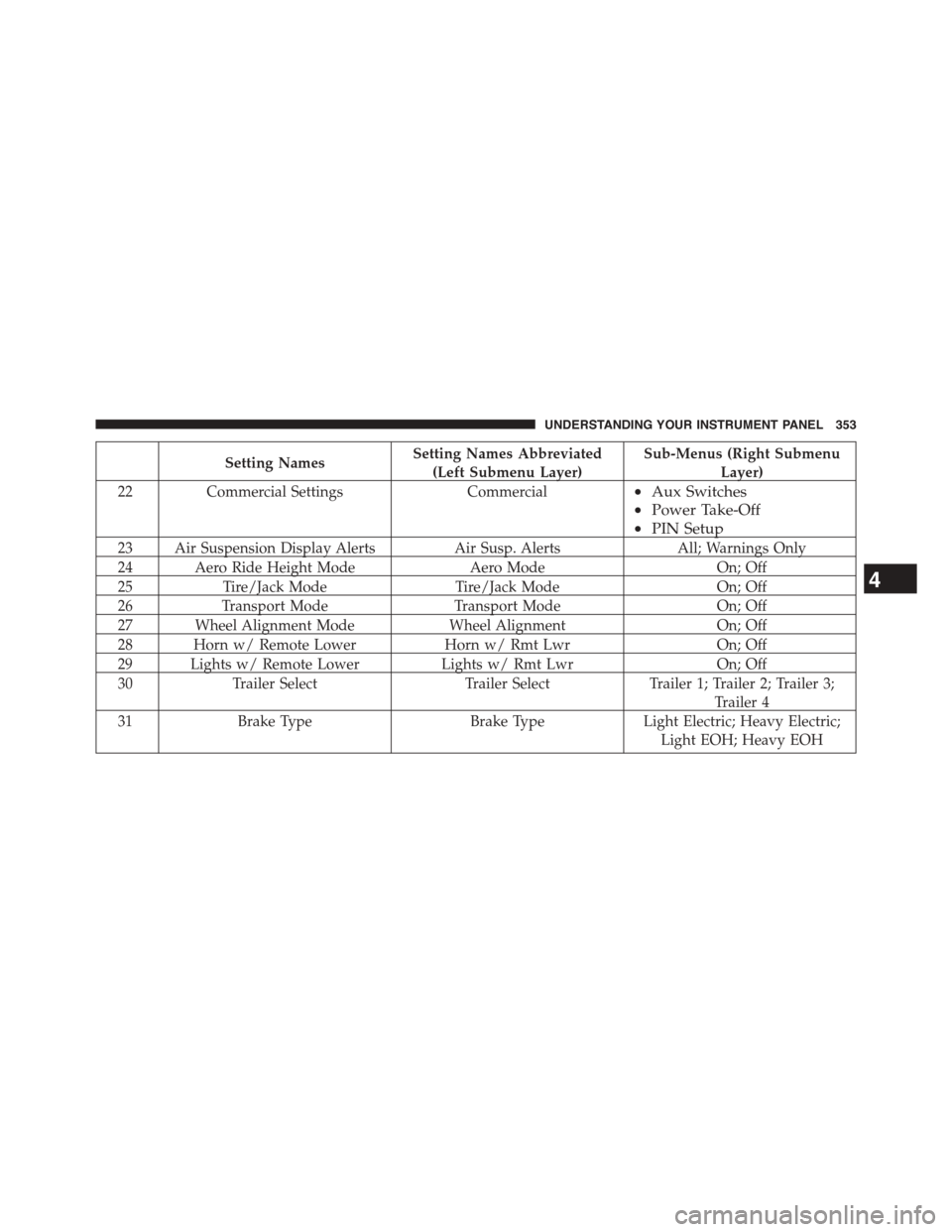
Setting NamesSetting Names Abbreviated
(Left Submenu Layer)
Sub-Menus (Right Submenu
Layer)
22Commercial SettingsCommercial•Aux Switches
•Power Take-Off
•PIN Setup
23 Air Suspension Display AlertsAir Susp. AlertsAll; Warnings Only
24 Aero Ride Height ModeAero ModeOn; Off
25Tire/Jack ModeTire/Jack ModeOn; Off
26Transport ModeTransport ModeOn; Off
27 Wheel Alignment ModeWheel AlignmentOn; Off
28 Horn w/ Remote LowerHorn w/ Rmt LwrOn; Off
29 Lights w/ Remote LowerLights w/ Rmt LwrOn; Off
30Trailer SelectTrailer SelectTrailer 1; Trailer 2; Trailer 3;
Trailer 4
31Brake TypeBrake TypeLight Electric; Heavy Electric;
Light EOH; Heavy EOH
4
UNDERSTANDING YOUR INSTRUMENT PANEL 353
Page 356 of 871
Setting NamesSetting Names Abbreviated
(Left Submenu Layer)
Sub-Menus (Right Submenu
Layer)
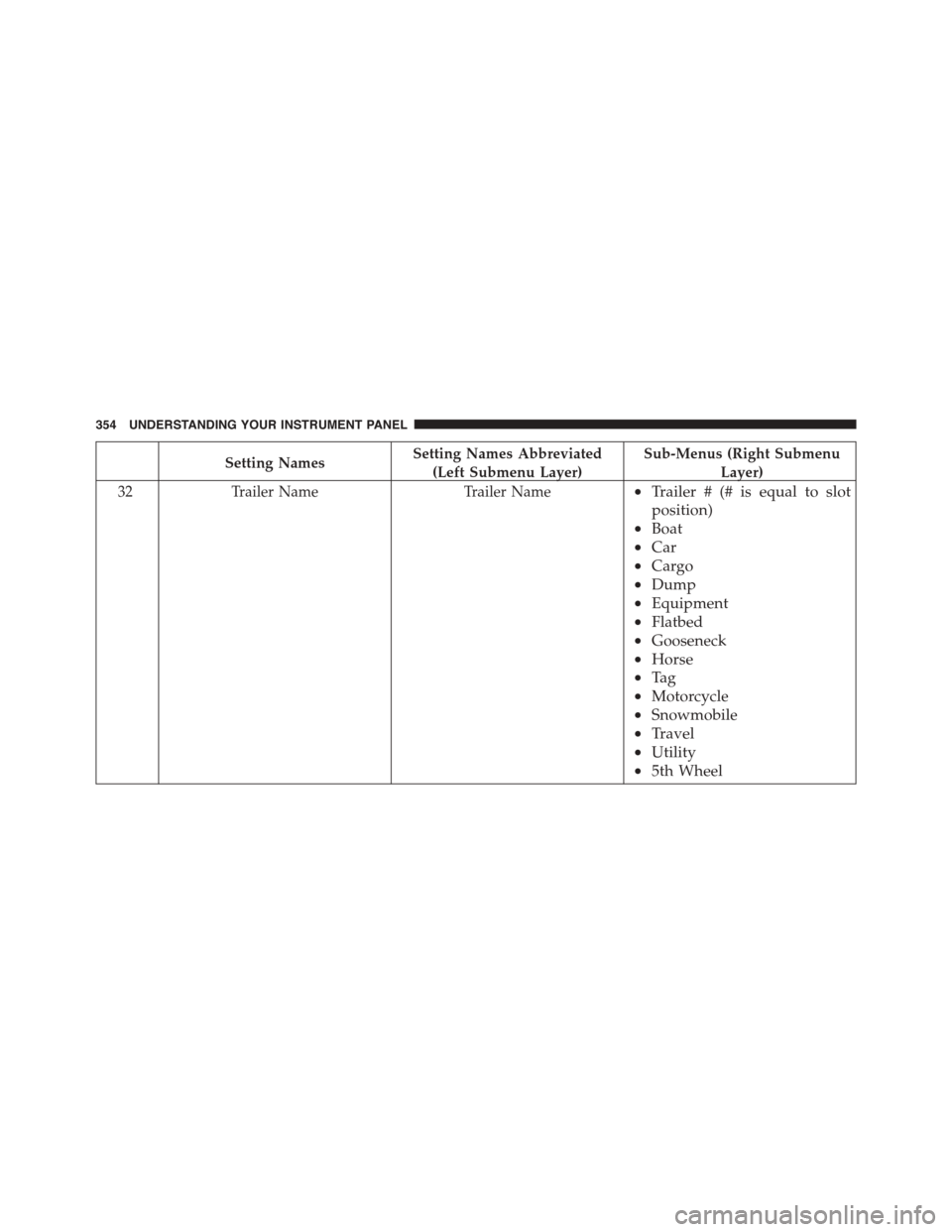
32Trailer NameTrailer Name•Trailer # (# is equal to slot
position)
•Boat
•Car
•Cargo
•Dump
•Equipment
•Flatbed
•Gooseneck
•Horse
•Ta g
•Motorcycle
•Snowmobile
•Travel
•Utility
•5th Wheel
354 UNDERSTANDING YOUR INSTRUMENT PANEL
Page 360 of 871
Buttons On The Touchscreen
Buttons on the touchscreen are accessible on the
Uconnect® display.
Customer Programmable Features — Uconnect®
5.0 Personal Settings
Push the Settings button on the faceplate to display the
settings menu screen. In this mode the Uconnect® system
allows you to access programmable features that may be
equipped such as Display, Voice, Clock, Safety & Assis-
tance, Lights, Doors & Locks, Auto-On Comfort (if
equipped), Engine Off Options, Suspension, Trailer
Brake, Audio, Compass Settings, Phone/Bluetooth®,
SiriusXM Setup (if equipped), Restore Settings, Clear
Personal Data and System Information.
NOTE:Only one category may be selected at a time.
When making a selection, press the button on the touch-
screen to enter the desired mode. Once in the desired
mode, press and release the preferred setting until the
button is highlighted. Once the setting is complete, either
press the back arrow or Done button on the touchscreen
or the Back button on the faceplate to return to the
previous menu. Pressing the Up or Down Arrow buttons
on the touchscreen on the right side of the screen will
allow you to toggle up or down through the list of
available settings.
NOTE:All settings should be changed with the ignition
in the “Run” position.
358 UNDERSTANDING YOUR INSTRUMENT PANEL
Page 372 of 871

Trailer Brake
After pressing the “Trailer Brake” button on the touch-
screen the following settings will be available:
•Trailer Select
When this feature is selected, the Trailer Type can be
selected between “Trailer 1,” “Trailer 2,” “Trailer 3” and
“Trailer 4.”
•Trailer Brake Type
When this feature is selected, the Trailer Brake Type can
be changed between “Light Electric,” “Heavy Electric,”
“Light EOH” and “Heavy EOH.” Refer to “Integrated
Trailer Brake Module” in “Starting And Operating.”
•Trailer Name — If Equipped
When this feature is selected, the Trailer name can be
selected from 16 names.
Audio
After pressing the “Audio” button on the touchscreen the
following settings will be available:
•Balance/Fade
This feature allows you to adjust the Balance and Fade
settings. Press and drag the speaker icon or use the
arrows to adjust, tap the “C” icon to readjust to the center.
Press the back arrow/Done button on the touchscreen to
return to the previous menu.
•Equalizer
When in this display you may adjust the Bass, Mid and
Treble settings. Adjust the settings with the “+” and “–”
buttons on the touchscreen or by selecting any point on
the scale between the “+” and “–” buttons on the
touchscreen. Press the back arrow/Done button on the
touchscreen to return to the previous menu.
370 UNDERSTANDING YOUR INSTRUMENT PANEL
Page 377 of 871
System Information
After pressing the “System Information” button on the
touchscreen the following information will be available:
•System Information
When System Information is selected, a System Informa-
tion screen will appear displaying the system software
version.
Customer Programmable Features — Uconnect®
8.4A/8.4AN Personal Settings
Press the “Settings” button on the touchscreen (if
equipped) or press the “Apps” button on the touchscreen
then press the “Settings” button on the touchscreen to
display the settings menu screen. In this mode the
Uconnect® system allows you to access programmable
features that may be equipped such as Display, Voice,
Clock, Safety & Driving Assistance, Lights, Doors &
Locks, Auto-On Comfort (if equipped), Engine Off Op-
tions, Suspension, Trailer Brake, Audio, Phone/
Bluetooth®, SiriusXM Setup (if equipped), Restore Set-
tings, Clear Personal Data and System Information.
NOTE:Only one category may be selected at a time.
When making a selection, press the button on the touch-
screen to enter the desired mode. Once in the desired
mode, press and release the preferred setting until a
check-mark appears next to the setting, showing that
setting has been selected. Once the setting is complete,
either press the back arrow button on the touchscreen or
the Back button on the faceplate to return to the previous
menu or press the “X” button on the touchscreen to close
out of the settings screen. Pressing the Up or Down
Arrow buttons on the touchscreen on the right side of the
screen will allow you to toggle up or down through the
list of available settings.
4
UNDERSTANDING YOUR INSTRUMENT PANEL 375
Page 392 of 871
the feature showing the system has been activated or the
check-mark is removed showing the system has been
deactivated.
•Transport Mode
When this feature is selected the air suspension system is
disabled to assist with flat bed towing. Press the box next
to your selection and a check-mark appears next to the
feature showing the system has been activated or the
check-mark is removed showing the system has been
deactivated.
•Wheel Alignment Mode
Before performing a wheel alignment this mode must be
enabled. Refer to your authorized dealer for further
information.
Trailer Brake
After pressing the “Trailer Brake” button on the touch-
screen the following settings will be available:
•Trailer Select
When this feature is selected, the Trailer Type can be
selected between “Trailer 1,” “Trailer 2,” “Trailer 3” and
“Trailer 4.” To make your selection, scroll up or down
until the preferred setting is highlighted, then press and
release the SELECT button until a check-mark appears
next to the setting, showing that the setting has been
selected.
•Trailer Brake Type
When this feature is selected, the Trailer Brake Type can
be changed between “Light Electric,” “Heavy Electric,”
“Light EOH” and “Heavy EOH.”. To make your selec-
tion, scroll up or down until the preferred setting is
highlighted, then press and release the SELECT button
390 UNDERSTANDING YOUR INSTRUMENT PANEL