radio Ram 1500 2015 User Guide
[x] Cancel search | Manufacturer: RAM, Model Year: 2015, Model line: 1500, Model: Ram 1500 2015Pages: 871, PDF Size: 24.83 MB
Page 162 of 871
Programming The Memory Feature
NOTE:To create a new memory profile, perform the
following:
1. Cycle the vehicles ignition to the ON/RUN position
(do not start the engine).
2. Adjust all memory profile settings to desired prefer-
ences (seat, side mirrors, adjustable pedals and radio
station presets).
3. Press and release the S (Set) button on the memory
switch.
4. Within five seconds, press and release either of the
memory buttons (1) or (2). The Electronic Vehicle
Information Center (EVIC) or Driver Information Dis-
play (DID) will display which memory position has
been set.
NOTE:
•Memory profiles can be set without the vehicle in
PARK, but the vehicle must be in PARK to recall a
memory profile.
•To set a memory profile to your RKE transmitter, refer
to “Linking And Unlinking The Remote Keyless Entry
Transmitter To Memory” in this section.
Linking And Unlinking The Remote Keyless Entry
Transmitter To Memory
Your RKE transmitters can be programmed to recall one
of two pre-programmed memory profiles by pressing the
UNLOCK button on the RKE transmitter.
NOTE:Before programming your RKE transmitters to
memory the feature has to be selected.
•If your vehicle is equipped with a touchscreen, you
must select the “Memory To FOB” feature through the
160 UNDERSTANDING THE FEATURES OF YOUR VEHICLE
Page 175 of 871
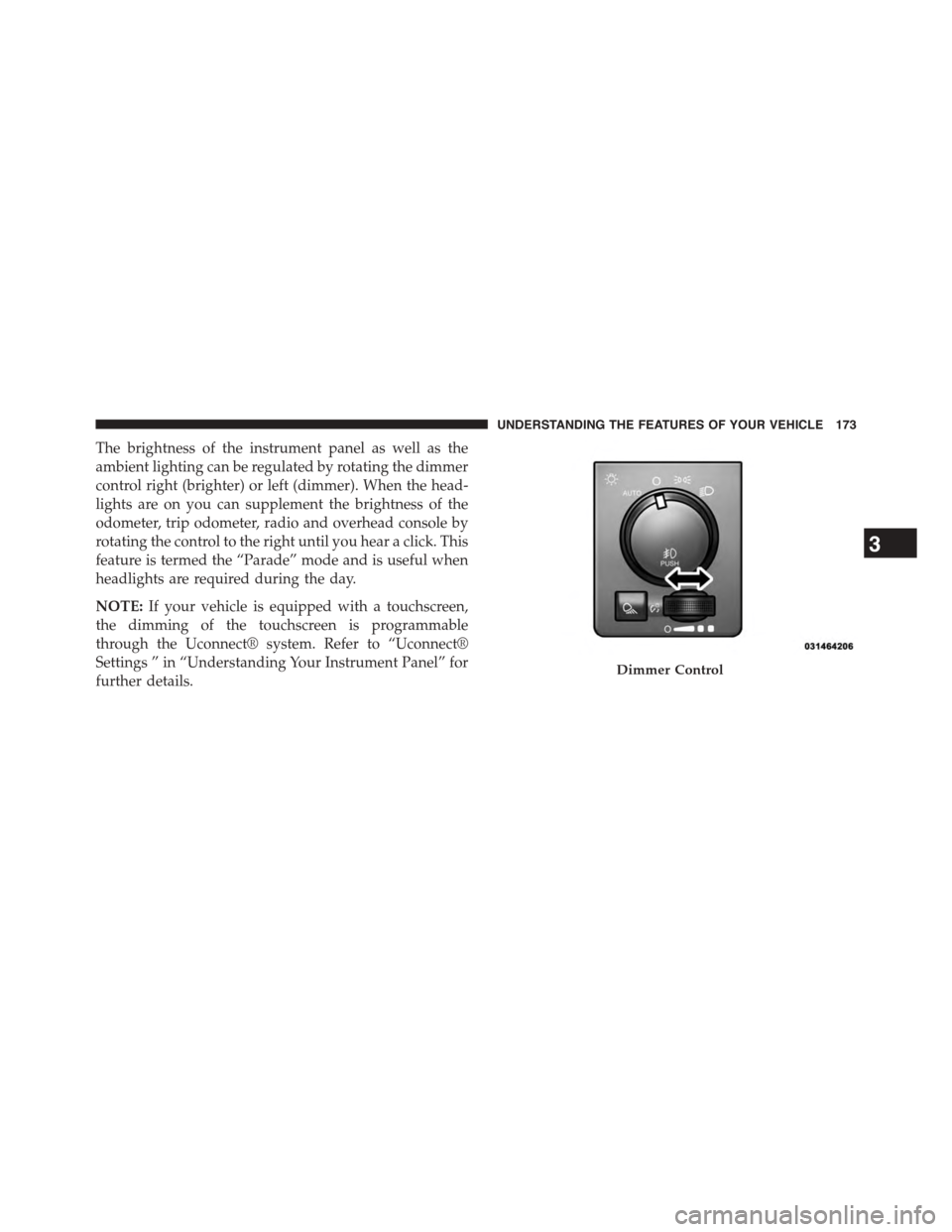
The brightness of the instrument panel as well as the
ambient lighting can be regulated by rotating the dimmer
control right (brighter) or left (dimmer). When the head-
lights are on you can supplement the brightness of the
odometer, trip odometer, radio and overhead console by
rotating the control to the right until you hear a click. This
feature is termed the “Parade” mode and is useful when
headlights are required during the day.
NOTE:If your vehicle is equipped with a touchscreen,
the dimming of the touchscreen is programmable
through the Uconnect® system. Refer to “Uconnect®
Settings ” in “Understanding Your Instrument Panel” for
further details.Dimmer Control
3
UNDERSTANDING THE FEATURES OF YOUR VEHICLE 173
Page 198 of 871

The vehicle is close to the obstacle when the warning
display shows one flashing arc and sounds a continuous
tone. The following chart shows the warning alert opera-
tion when the system is detecting an obstacle:
WARNING ALERTS
Rear Distance
(in/cm)
Greater than
79 in (200 cm)
79-45 in
(200-115 cm)
45-31 in
(115-80 cm)
31-18 in
(80-45 cm)
Less than
12 in (30 cm)
Audible Alert
Chime
NoneSingle 1/2
Second Tone
SlowFastContinuous
ArcNone4th Solid3rd
Solid
2nd
Flashing
1st
Flashing
Radio Volume
Reduced
NoYesYesYesYes
NOTE:ParkSense® will reduce the volume of the radio,
if on, when the system is sounding an audio tone.
196 UNDERSTANDING THE FEATURES OF YOUR VEHICLE
Page 201 of 871
Cleaning The ParkSense® System
Clean the ParkSense® sensors with water, car wash soap
and a soft cloth. Do not use rough or hard cloths. Do not
scratch or poke the sensors. Otherwise, you could dam-
age the sensors.
ParkSense® System Usage Precautions
NOTE:
•Ensure that the rear bumper is free of snow, ice, mud,
dirt and debris to keep the ParkSense® system oper-
ating properly.
•Jackhammers, large trucks, and other vibrations could
affect the performance of ParkSense® .
•When you turn ParkSense® off, the instrument cluster
will display#PARKSENSE OFF#. Furthermore, once
you turn ParkSense® off, it remains off until you turn
it on again, even if you cycle the ignition key.
•When you move the shift lever to the REVERSE
position and ParkSense® is turned off, the instrument
cluster will display#PARKSENSE OFF#message for as
long as the vehicle is in REVERSE.
•ParkSense®, when on, will reduce the volume of the
radio when it is sounding a tone.
•Clean the ParkSense® sensors regularly, taking care
not to scratch or damage them. The sensors must not
be covered with ice, snow, slush, mud, dirt or debris.
Failure to do so can result in the system not working
properly. The ParkSense® system might not detect an
obstacle behind the fascia/bumper, or it could provide
a false indication that an obstacle is behind the fascia/
bumper.
•Ensure the ParkSense® system is OFF if objects such as
bicycle carriers, trailer hitches, etc., are placed within
18 in (45 cm) from the rear fascia/bumper while
driving the vehicle. Failure to do so can result in the
3
UNDERSTANDING THE FEATURES OF YOUR VEHICLE 199
Page 206 of 871

The vehicle is close to the obstacle when the display
shows one flashing arc and sounds a continuous tone.
The following chart shows the warning alert operation
when the system is detecting an obstacle:
WARNING ALERTS
Rear Distance
(in/cm)
Greater than 79
in (200 cm)
79-45 in
(200-115 cm)
45-31 in
(115-80 cm)
31-18 in
(80-45 cm)
Less than 18 in
(45 cm)
Front Distance
(in/cm)
Greater than 47
in (120 cm)
47-39 in
(120-100 cm)
39-25 in
(100-65 cm)
25-12 in
(65-30 cm)
Less than 12 in
(30 cm)
Audible Alert
(Chime)
None Single 1/2
Second Tone
(for rear only)
Slow (for rear
only)
FastContinuous
ArcsNone4th Solid 3rd Solid 2nd Flashing 1st Flashing
Radio Volume
Reduced
NoYesYesYesYes
NOTE:ParkSense® will reduce the volume of the radio,
if on, when the system is sounding an audio tone.
204 UNDERSTANDING THE FEATURES OF YOUR VEHICLE
Page 210 of 871

•When you turn Front or Rear ParkSense® off, the
instrument cluster will display “FRONT PARKSENSE
OFF” or “REAR PARKSENSE OFF.” Furthermore,
once you turn Front or Rear ParkSense® off, it remains
off until you turn it on again, even if you cycle the
ignition key.
•When you move the shift lever to the REVERSE
position and Front or Rear ParkSense® is turned off,
the instrument cluster will display#FRONT
PARKSENSE OFF#or#REAR PARKSENSE OFF#mes-
sage for five seconds, followed by a car graphic with
#OFF#in the corresponding side. This car graphic will
be displayed for as long as the vehicle is in REVERSE.
•ParkSense®, when on, will reduce the volume of the
radio when it is sounding a tone.
•Clean the ParkSense® sensors regularly, taking care
not to scratch or damage them. The sensors must not
be covered with ice, snow, slush, mud, dirt or debris.
Failure to do so can result in the system not working
properly. The ParkSense® system might not detect an
obstacle behind or in front of the fascia/bumper, or it
could provide a false indication that an obstacle is
behind or in front of the fascia/bumper.
•Use the ParkSense® switch to turn the ParkSense®
system off if obstacles such as bicycle carriers, trailer
hitches, etc. are placed within 18 in (45 cm) from the
rear fascia/bumper. Failure to do so can result in the
system misinterpreting a close obstacle as a sensor
problem, causing the “PARKSENSE UNAVAILABLE
SERVICE REQUIRED” message to be displayed in the
instrument cluster.
•On vehicles equipped with a tailgate, ParkSense®
should be disabled when the tailgate is in the lowered
or open position. A lowered tailgate could provide a
false indication that an obstacle is behind the vehicle.
208 UNDERSTANDING THE FEATURES OF YOUR VEHICLE
Page 217 of 871
NOTE:HomeLink® is disabled when the Vehicle Secu-
rity Alarm is active.
Before You Begin Programming HomeLink®
Ensure your vehicle is parked outside of the garage
before you begin programming.
For efficient programming and accurate transmission of
the radio-frequency signal it is recommended that a new
battery be placed in the hand-held transmitter of the
device that is being programmed to the HomeLink®
system.
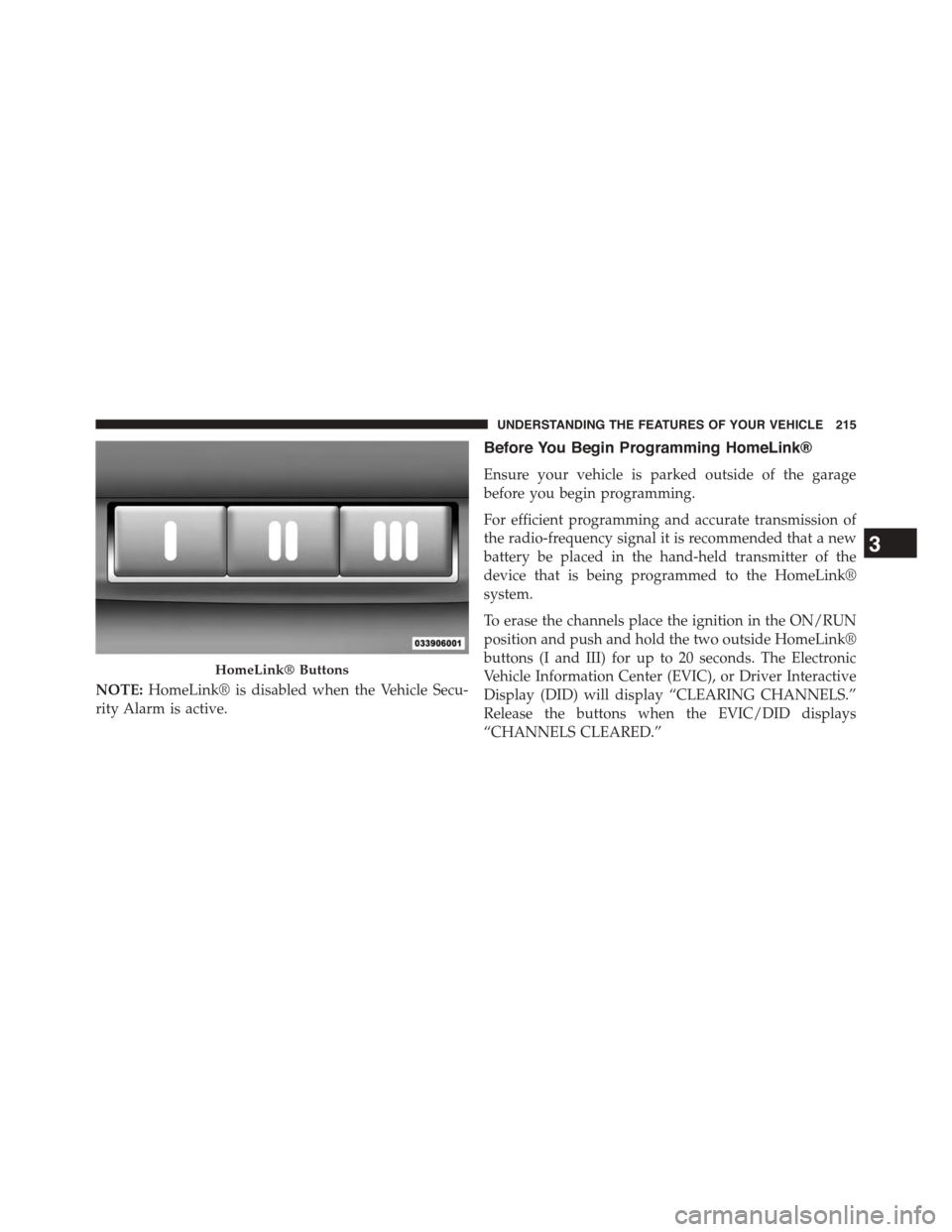
To erase the channels place the ignition in the ON/RUN
position and push and hold the two outside HomeLink®
buttons (I and III) for up to 20 seconds. The Electronic
Vehicle Information Center (EVIC), or Driver Interactive
Display (DID) will display “CLEARING CHANNELS.”
Release the buttons when the EVIC/DID displays
“CHANNELS CLEARED.”
HomeLink® Buttons
3
UNDERSTANDING THE FEATURES OF YOUR VEHICLE 215
Page 222 of 871
Canadian/Gate Operator Programming
For programming transmitters in Canada/United States
that require the transmitter signals to “time-out” after
several seconds of transmission.
Canadian radio frequency laws require transmitter sig-
nals to time-out (or quit) after several seconds of trans-
mission – which may not be long enough for HomeLink®
to pick up the signal during programming. Similar to this
Canadian law, some U.S. gate operators are designed to
time-out in the same manner.
It may be helpful to unplug the device during the cycling
process to prevent possible overheating of the garage
door or gate motor.
1. Turn the ignition switch to the ON/RUN position.
For vehicle’s equipped with Keyless Enter-N-Go™, place
the ignition in the RUN position with the Engine ON.
2. Place the hand - held transmitter 1 to 3 inches (3 to 8
cm) away from the HomeLink® button you wish to
program.
3. Push and hold the Homelink® button while you push
and release (“cycle”), your hand - held transmitter
every two seconds.
4. Continue to hold both buttons until the EVIC/DID
display changes from “CHANNEL # TRAINING” to
“CHANNEL # TRAINED,” then release both buttons.
NOTE:
•It may take up to 30 seconds or longer in some cases
for the channel to train.
•If the EVIC/DID displays “DID NOT TRAIN” repeat
from Step 2.
220 UNDERSTANDING THE FEATURES OF YOUR VEHICLE
Page 235 of 871
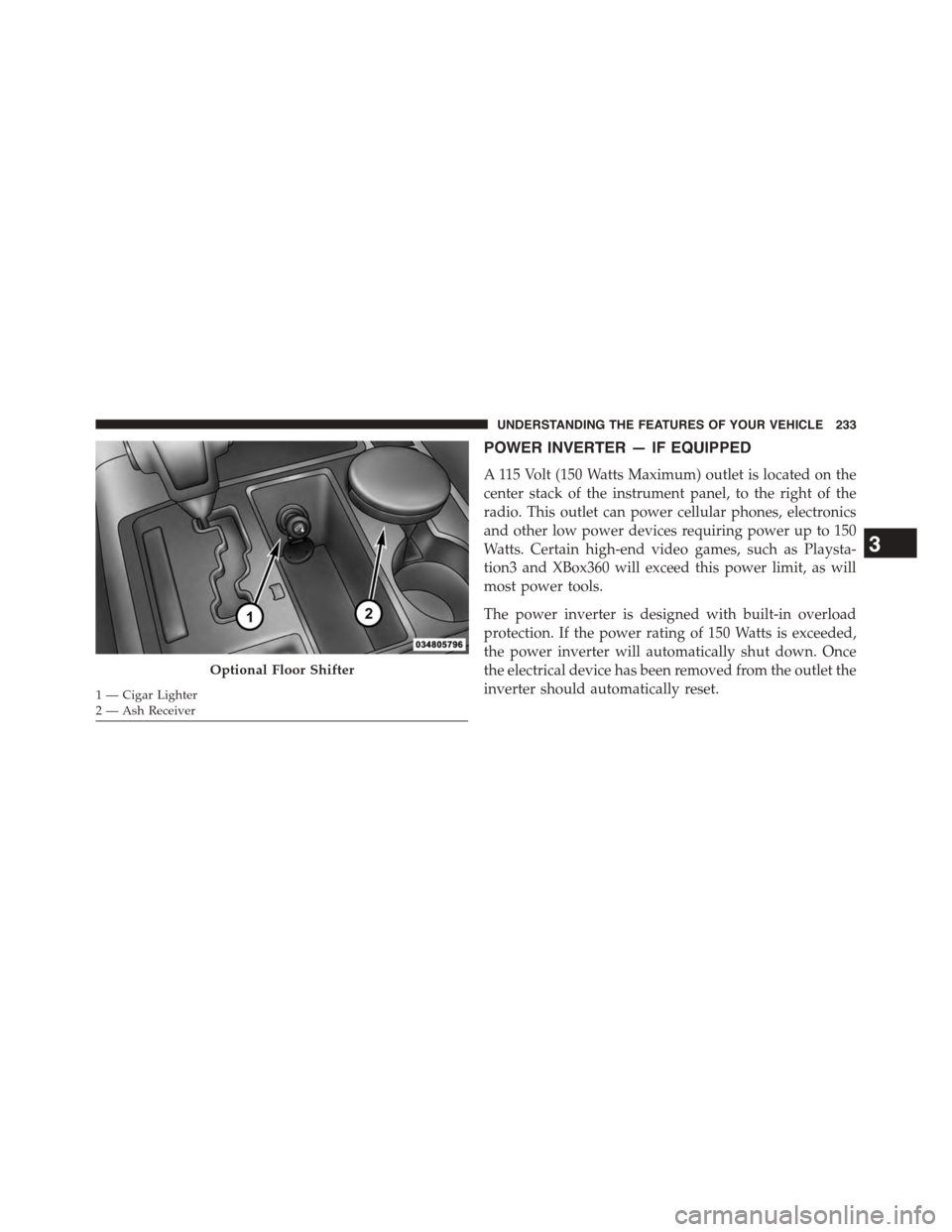
POWER INVERTER — IF EQUIPPED
A 115 Volt (150 Watts Maximum) outlet is located on the
center stack of the instrument panel, to the right of the
radio. This outlet can power cellular phones, electronics
and other low power devices requiring power up to 150
Watts. Certain high-end video games, such as Playsta-
tion3 and XBox360 will exceed this power limit, as will
most power tools.
The power inverter is designed with built-in overload
protection. If the power rating of 150 Watts is exceeded,
the power inverter will automatically shut down. Once
the electrical device has been removed from the outlet the
inverter should automatically reset.
Optional Floor Shifter
1 — Cigar Lighter2 — Ash Receiver
3
UNDERSTANDING THE FEATURES OF YOUR VEHICLE 233
Page 286 of 871
▫DID White Telltales....................345
▫DID Selectable Menu Items..............346
!Uconnect® SETTINGS...................356
▫Buttons On The Faceplate................357
▫Buttons On The Touchscreen..............358
▫Customer Programmable Features —
Uconnect® 5.0 Personal Settings...........358
▫Customer Programmable Features —
Uconnect® 8.4A/8.4AN Personal Settings . . . .375
!Uconnect® RADIOS — IF EQUIPPED........394
!iPod®/USB/MP3 CONTROL — IF EQUIPPED . .395
!STEERING WHEEL AUDIO CONTROLS — IF
EQUIPPED...........................396
▫Radio Operation......................397
▫CD Player — If Equipped................397
!CD/DVD DISC MAINTENANCE...........397
!RADIO OPERATION AND MOBILE PHONES . .398
▫Regulatory And Safety Information.........398
!CLIMATE CONTROLS...................400
▫Manual Climate Controls Without Touchscreen —
If Equipped.........................400
▫Manual Climate Controls With Touchscreen — If
Equipped...........................405
▫Automatic Climate Controls With Touchscreen —
If Equipped.........................410
▫Climate Control Functions...............416
▫Automatic Temperature Control (ATC)......418
▫Operating Tips.......................419
284 UNDERSTANDING YOUR INSTRUMENT PANEL