back Ram 1500 2015 Service Manual
[x] Cancel search | Manufacturer: RAM, Model Year: 2015, Model line: 1500, Model: Ram 1500 2015Pages: 871, PDF Size: 24.83 MB
Page 152 of 871

Vehicles Equipped With Remote Start
On models that are equipped with remote start, the
ventilated seats can be programed to come on during a
remote start.
If your vehicle is equipped with a touchscreen, this
feature can be programmed through the Uconnect®
system. Refer to “Uconnect® Settings” in “Understand-
ing Your Instrument Panel” for further information.
If your vehicle is not equipped with a touchscreen, this
feature can be programmed through the Electronic Ve-
hicle Information Center (EVIC) or Driver Information
Display (DID). Refer to “Electronic Vehicle Information
Center (EVIC)” or “Driver Information Display (DID)” in
“Understanding Your Instrument Panel” for further in-
formation.
Manual Seat Adjuster — If Equipped
Both front seats are adjustable forward or rearward. The
manual seat adjustment handle is located under the seat
cushion at the front edge of each seat.
While sitting in the seat, pull up on the handle and slide
the seat forward or backward. Release the bar once you
Manual Seat Adjuster
150 UNDERSTANDING THE FEATURES OF YOUR VEHICLE
Page 153 of 871

have reached the desired position. Then, using body
pressure, move forward and rearward on the seat to be
sure that the seat adjusters have latched.
WARNING!
•Adjusting a seat while driving may be dangerous.
Moving a seat while driving could result in loss of
control which could cause a collision and serious
injury or death.
•Seats should be adjusted before fastening the seat
belts and while the vehicle is parked. Serious
injury or death could result from a poorly adjusted
seat belt.
Dump Feature (Manual Recline Seat Only) —
Standard Cab
Actuating the recliner handle will allow the seatback to
swing (dump) forward on manual recliner seats. This
“dump” feature allows access to the storage bin behind
the seat.
WARNING!
•Do not stand or lean in front of the seat while
actuating the handle. The seatback may swing
forward and hit you causing injury.
•To avoid injury, place your hand on the seatback
and actuate the handle, then position the seatback
in the desired position.
3
UNDERSTANDING THE FEATURES OF YOUR VEHICLE 151
Page 154 of 871
40-20-40 Front Bench Seat — If Equipped
The seat is divided into three segments. The outboard
seat portions are each 40% of the total width of the seat.
On some models the back of the center portion (20%)
easily folds down to provide an armrest/center storage
compartment.
Mega Cab® Rear Seat Features
Reclining Rear Seats — If Equipped
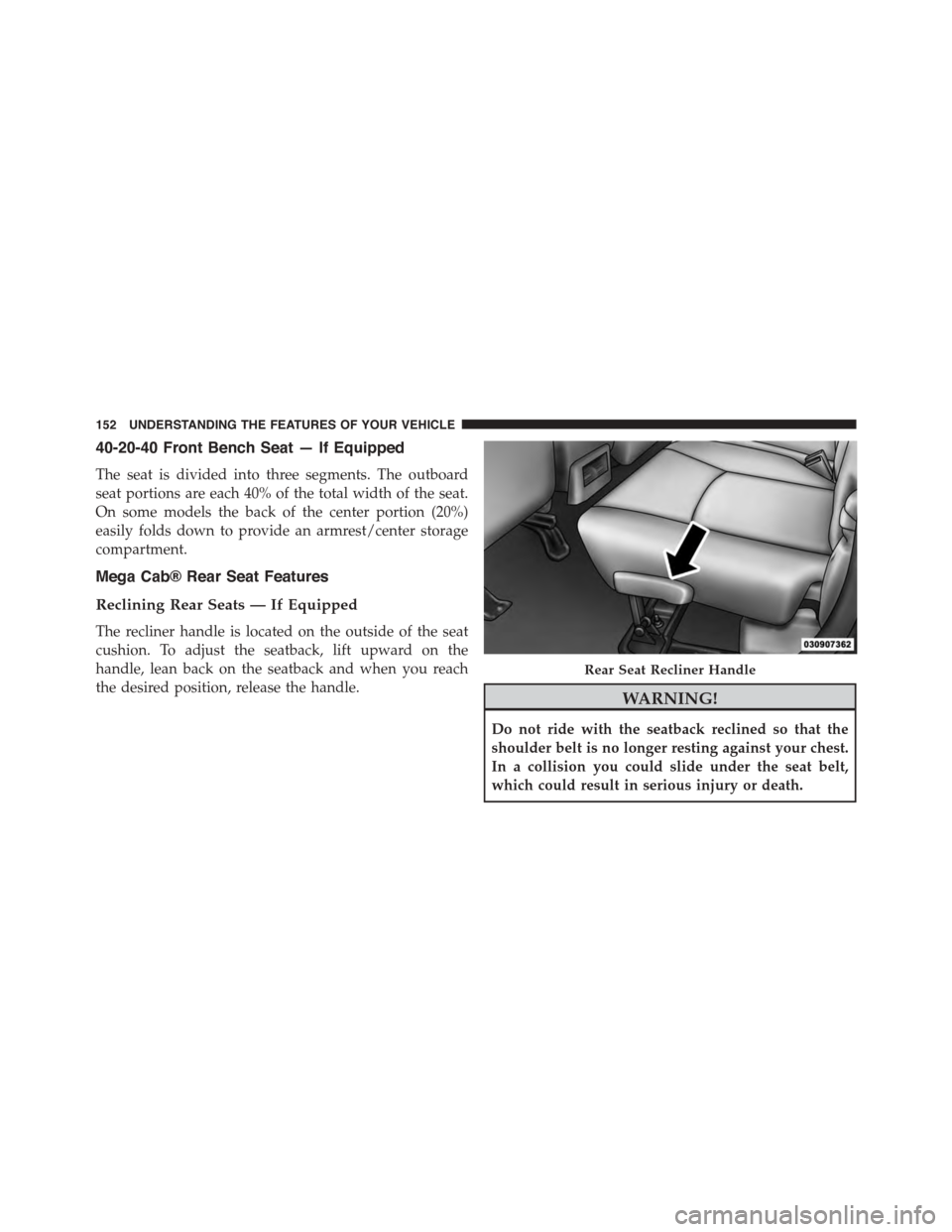
The recliner handle is located on the outside of the seat
cushion. To adjust the seatback, lift upward on the
handle, lean back on the seatback and when you reach
the desired position, release the handle.WARNING!
Do not ride with the seatback reclined so that the
shoulder belt is no longer resting against your chest.
In a collision you could slide under the seat belt,
which could result in serious injury or death.
Rear Seat Recliner Handle
152 UNDERSTANDING THE FEATURES OF YOUR VEHICLE
Page 155 of 871

Folding Rear Seat (Table Mode) — If Equipped
Both the left and right rear seatbacks can be folded down
and used as a table.
To fold down either rear seatback:
1. Lift the handle, located next to the head restraint.
2. Fold the seatback forward.
3. Lift the seatback, to return the seat to the upright
position. Be sure the seatback is locked in place.
Table Mode Handle
Table Mode
3
UNDERSTANDING THE FEATURES OF YOUR VEHICLE 153
Page 156 of 871
Folding Rear Seat — If Equipped
Both the outboard rear seats will drop and move forward
when the seatback is folded flat.
WARNING!
•It is dangerous to ride in a cargo area, inside or
outside of a vehicle. In a collision, people riding in
these areas are more likely to be seriously injured
or killed.
•Do not allow people to ride in any area of your
vehicle that is not equipped with seats and seat
belts.
•Be sure everyone in your vehicle is in a seat and
using a seat belt properly.
(Continued)
WARNING!(Continued)
•Cargo must be securely tied down before driving
your vehicle. Improperly secured cargo can fly
around in a sudden stop or collision and strike
someone in the vehicle, causing serious injury or
death.
To fold either rear seat flat:
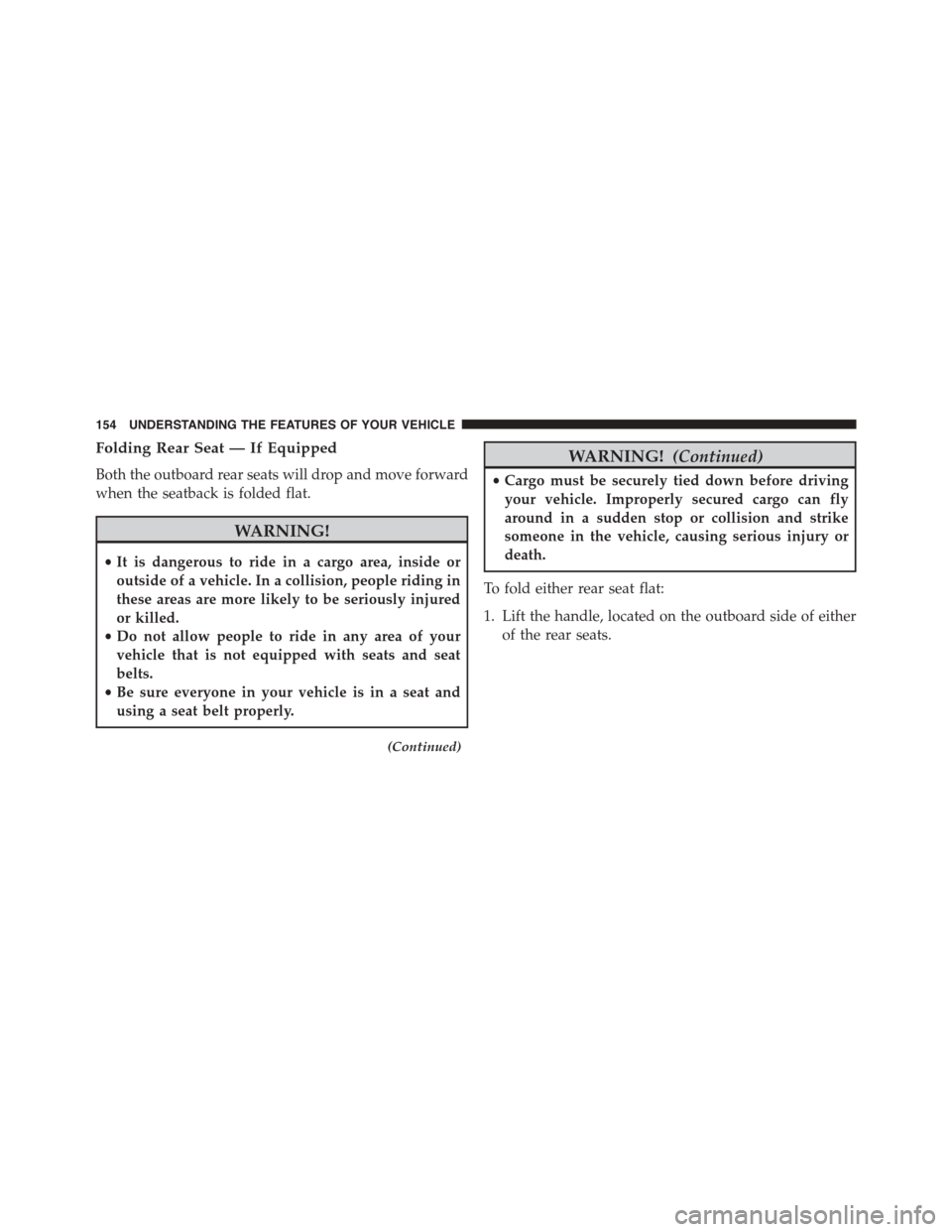
1. Lift the handle, located on the outboard side of either
of the rear seats.
154 UNDERSTANDING THE FEATURES OF YOUR VEHICLE
Page 157 of 871
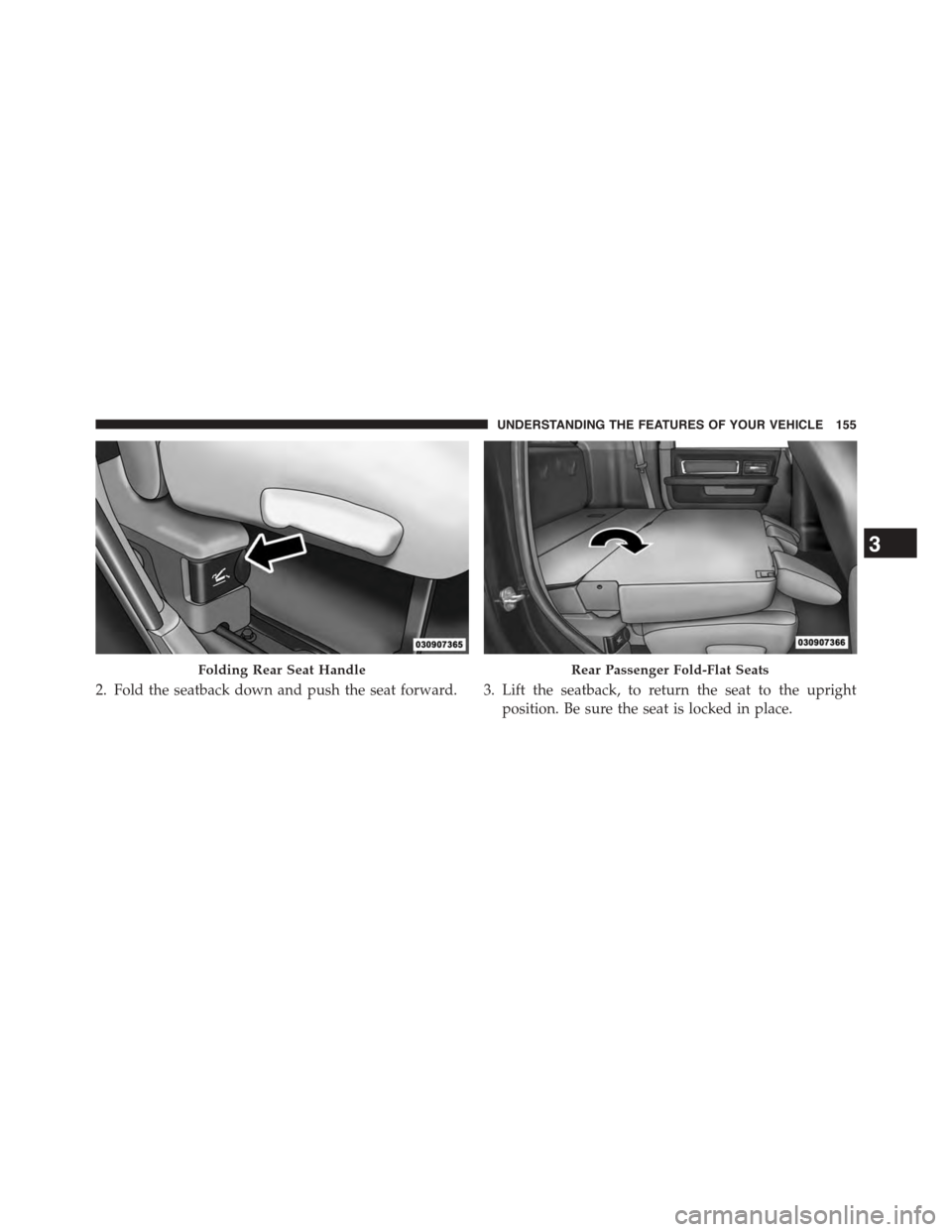
2. Fold the seatback down and push the seat forward. 3. Lift the seatback, to return the seat to the upright
position. Be sure the seat is locked in place.
Folding Rear Seat HandleRear Passenger Fold-Flat Seats
3
UNDERSTANDING THE FEATURES OF YOUR VEHICLE 155
Page 158 of 871
WARNING!
An improperly latched seat could cause serious in-
jury or death. Make sure that the seatback is securely
locked into position. If the seatback in not securely
locked into position the seat will not provide the
proper stability for child seats and/or passengers.
Head Restraints
Head restraints are designed to reduce the risk of injury
by restricting head movement in the event of a rear
impact. Head restraints should be adjusted so that the top
of the head restraint is located above the top of your ear.
WARNING!
The head restraints for all occupants must be prop-
erly installed and adjusted prior to operating the
(Continued)
WARNING!(Continued)
vehicle or occupying a seat. Head restraints should
never be adjusted while the vehicle is in motion.
Driving a vehicle with the head restraints improperly
adjusted or removed could cause serious injury or
death in the event of a collision.
Front Head Restraints
To raise the head restraint, pull upward on the head
restraint. To lower the head restraint, press the adjust-
ment button, located on the base of the head restraint,
and push downward on the head restraint.
To remove the head restraint, raise it as far as it can go
then press the release buttons at the base of each post
while pulling the head restraint up. To reinstall the head
restraint, put the head restraint posts into the holes while
pressing the release buttons. Then adjust it to the appro-
priate height.
156 UNDERSTANDING THE FEATURES OF YOUR VEHICLE
Page 168 of 871
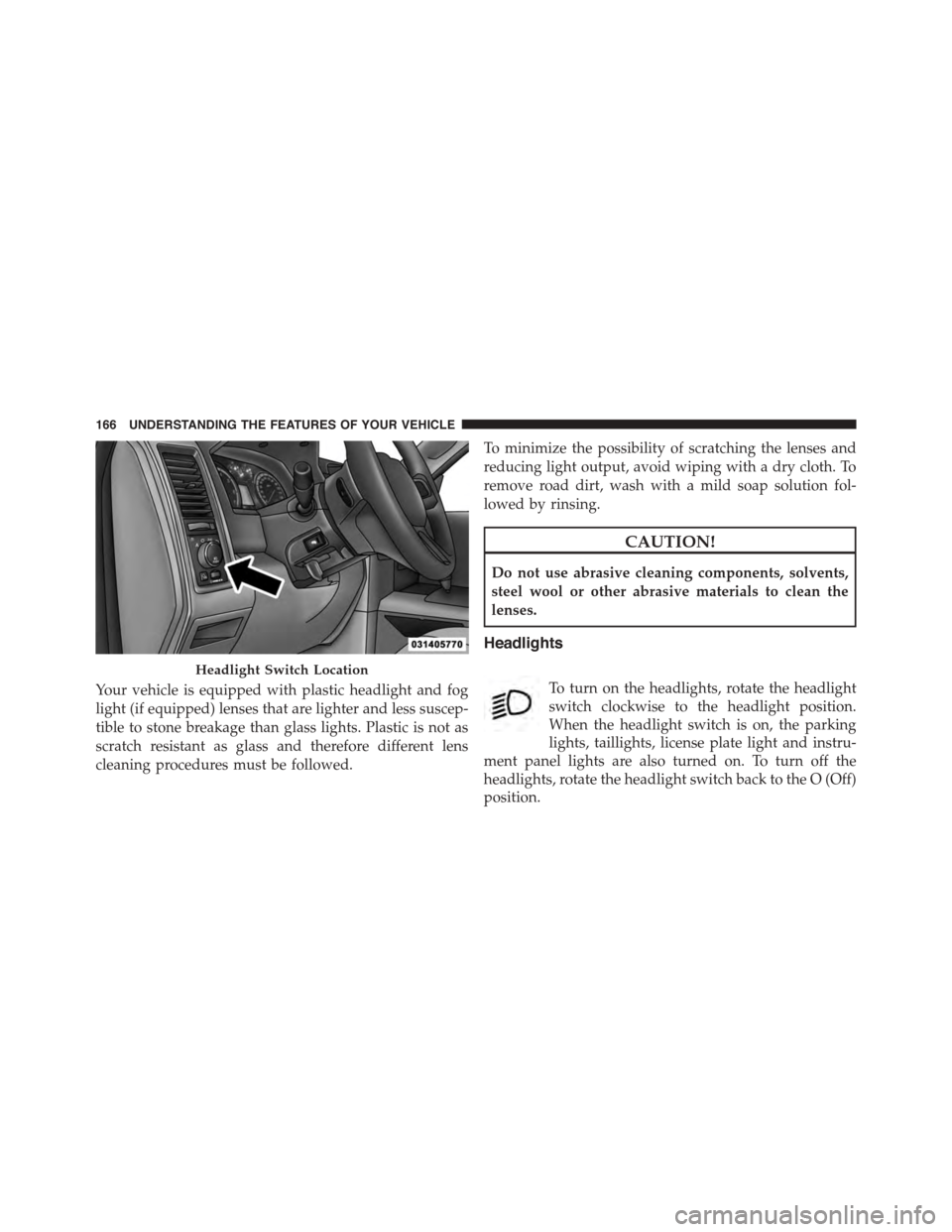
Your vehicle is equipped with plastic headlight and fog
light (if equipped) lenses that are lighter and less suscep-
tible to stone breakage than glass lights. Plastic is not as
scratch resistant as glass and therefore different lens
cleaning procedures must be followed.
To minimize the possibility of scratching the lenses and
reducing light output, avoid wiping with a dry cloth. To
remove road dirt, wash with a mild soap solution fol-
lowed by rinsing.
CAUTION!
Do not use abrasive cleaning components, solvents,
steel wool or other abrasive materials to clean the
lenses.
Headlights
To turn on the headlights, rotate the headlight
switch clockwise to the headlight position.
When the headlight switch is on, the parking
lights, taillights, license plate light and instru-
ment panel lights are also turned on. To turn off the
headlights, rotate the headlight switch back to the O (Off)
position.
Headlight Switch Location
166 UNDERSTANDING THE FEATURES OF YOUR VEHICLE
Page 173 of 871
2. Push back on the multifunction lever once again to
reactivate the system.
Parking Lights And Panel Lights
To turn on the parking lights and instrument
panel lights, rotate the headlight switch clockwise.
To turn off the parking lights, rotate the headlight switch
back to the O (Off) position.
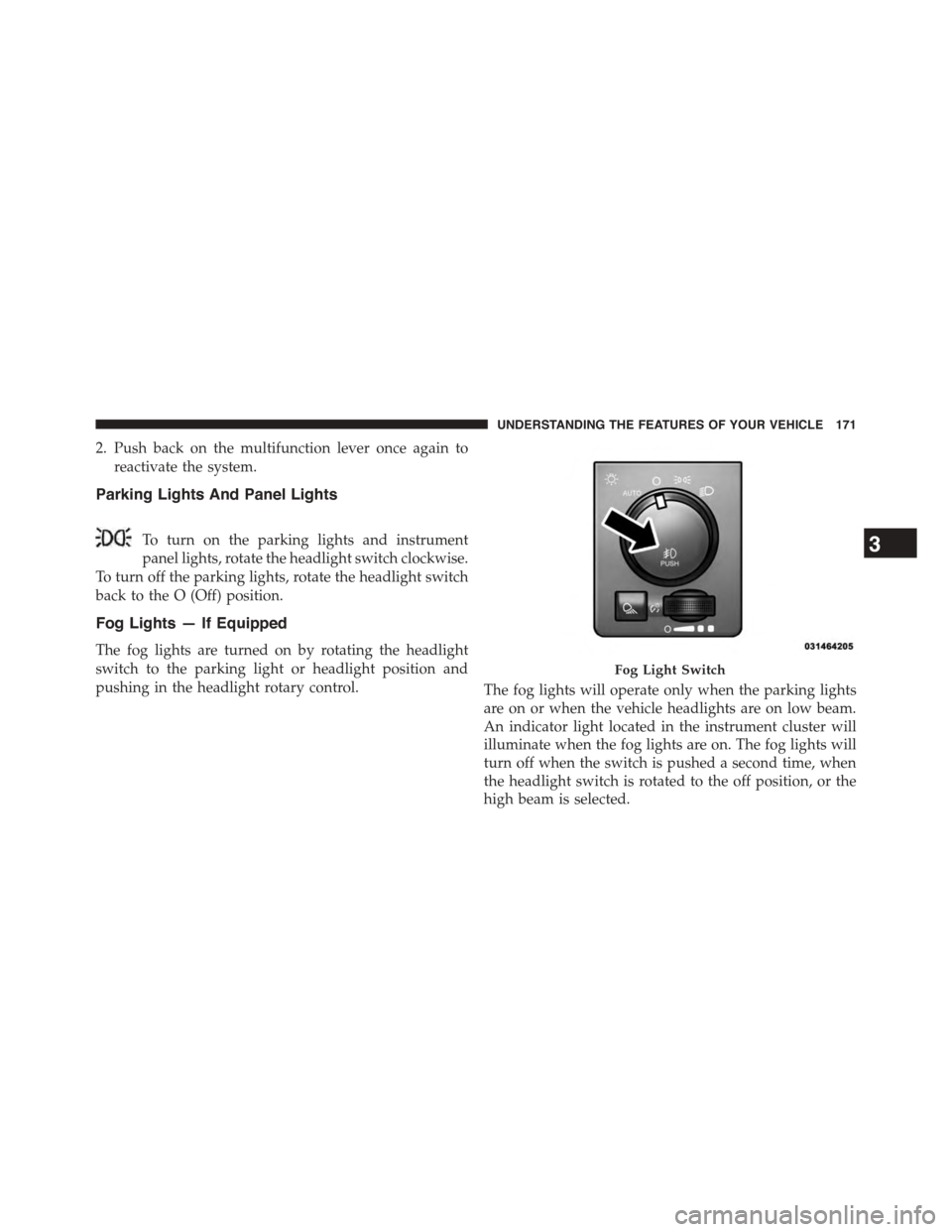
Fog Lights — If Equipped
The fog lights are turned on by rotating the headlight
switch to the parking light or headlight position and
pushing in the headlight rotary control.The fog lights will operate only when the parking lights
are on or when the vehicle headlights are on low beam.
An indicator light located in the instrument cluster will
illuminate when the fog lights are on. The fog lights will
turn off when the switch is pushed a second time, when
the headlight switch is rotated to the off position, or the
high beam is selected.
Fog Light Switch
3
UNDERSTANDING THE FEATURES OF YOUR VEHICLE 171
Page 180 of 871
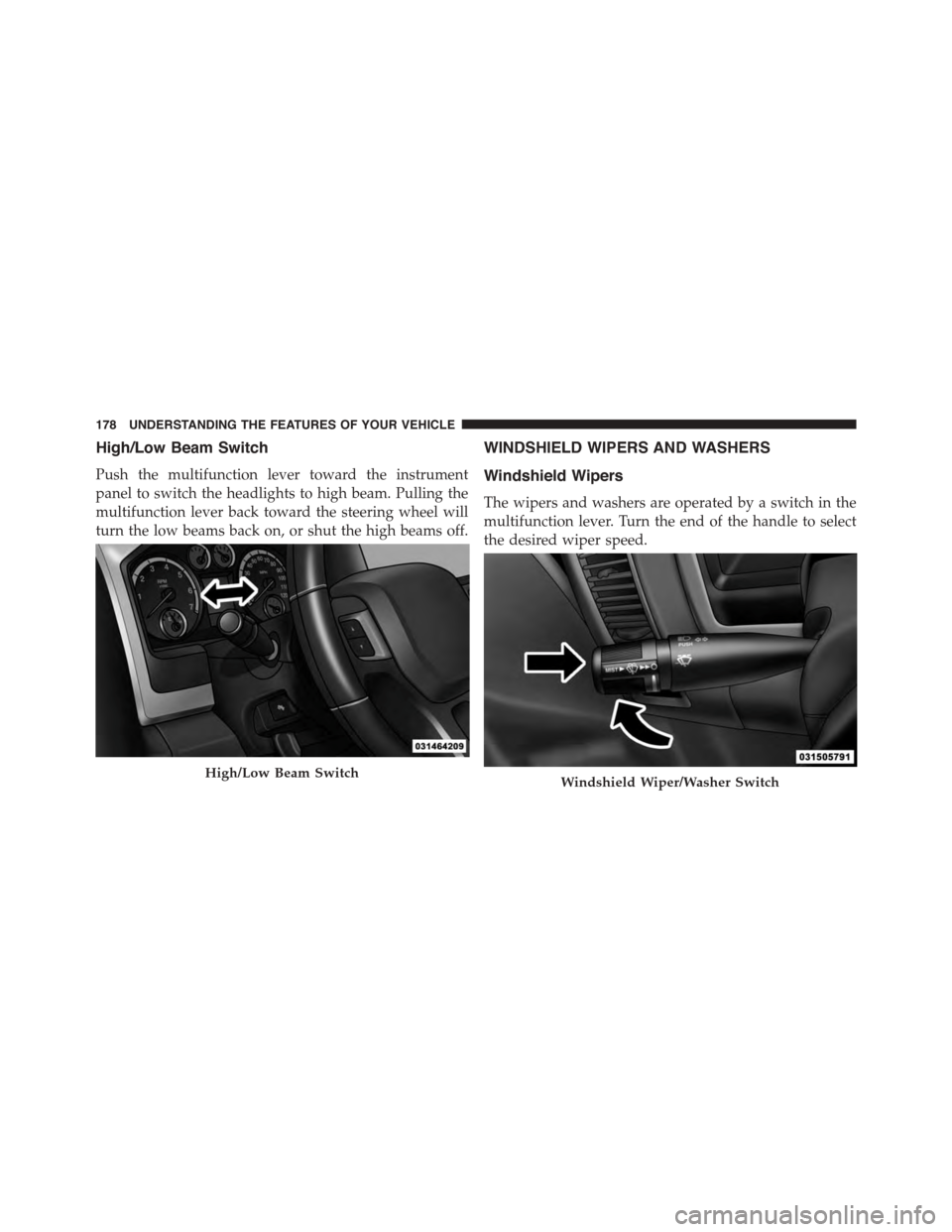
High/Low Beam Switch
Push the multifunction lever toward the instrument
panel to switch the headlights to high beam. Pulling the
multifunction lever back toward the steering wheel will
turn the low beams back on, or shut the high beams off.
WINDSHIELD WIPERS AND WASHERS
Windshield Wipers
The wipers and washers are operated by a switch in the
multifunction lever. Turn the end of the handle to select
the desired wiper speed.
High/Low Beam SwitchWindshield Wiper/Washer Switch
178 UNDERSTANDING THE FEATURES OF YOUR VEHICLE