back Ram 1500 2015 Repair Manual
[x] Cancel search | Manufacturer: RAM, Model Year: 2015, Model line: 1500, Model: Ram 1500 2015Pages: 871, PDF Size: 24.83 MB
Page 245 of 871
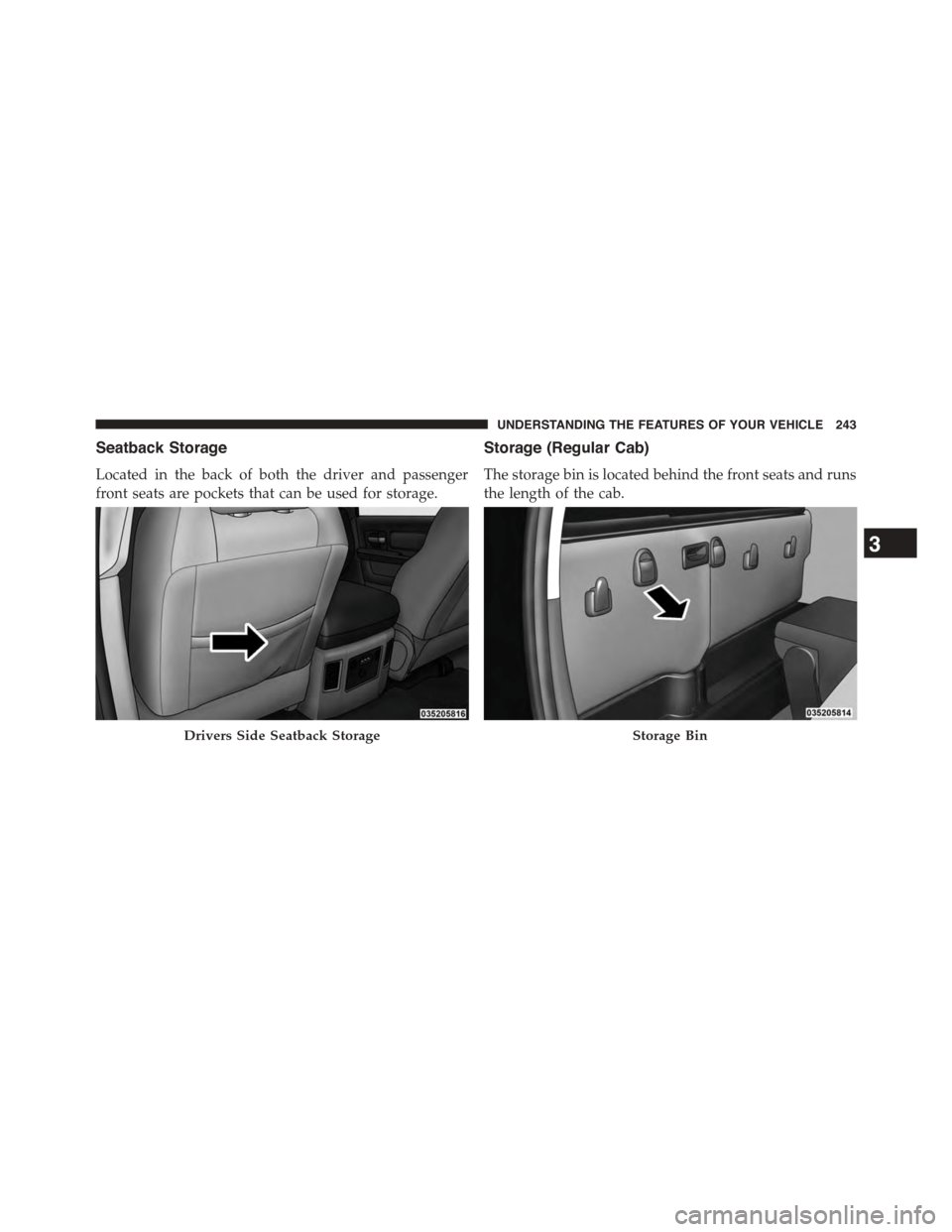
Seatback Storage
Located in the back of both the driver and passenger
front seats are pockets that can be used for storage.
Storage (Regular Cab)
The storage bin is located behind the front seats and runs
the length of the cab.
Drivers Side Seatback StorageStorage Bin
3
UNDERSTANDING THE FEATURES OF YOUR VEHICLE 243
Page 247 of 871
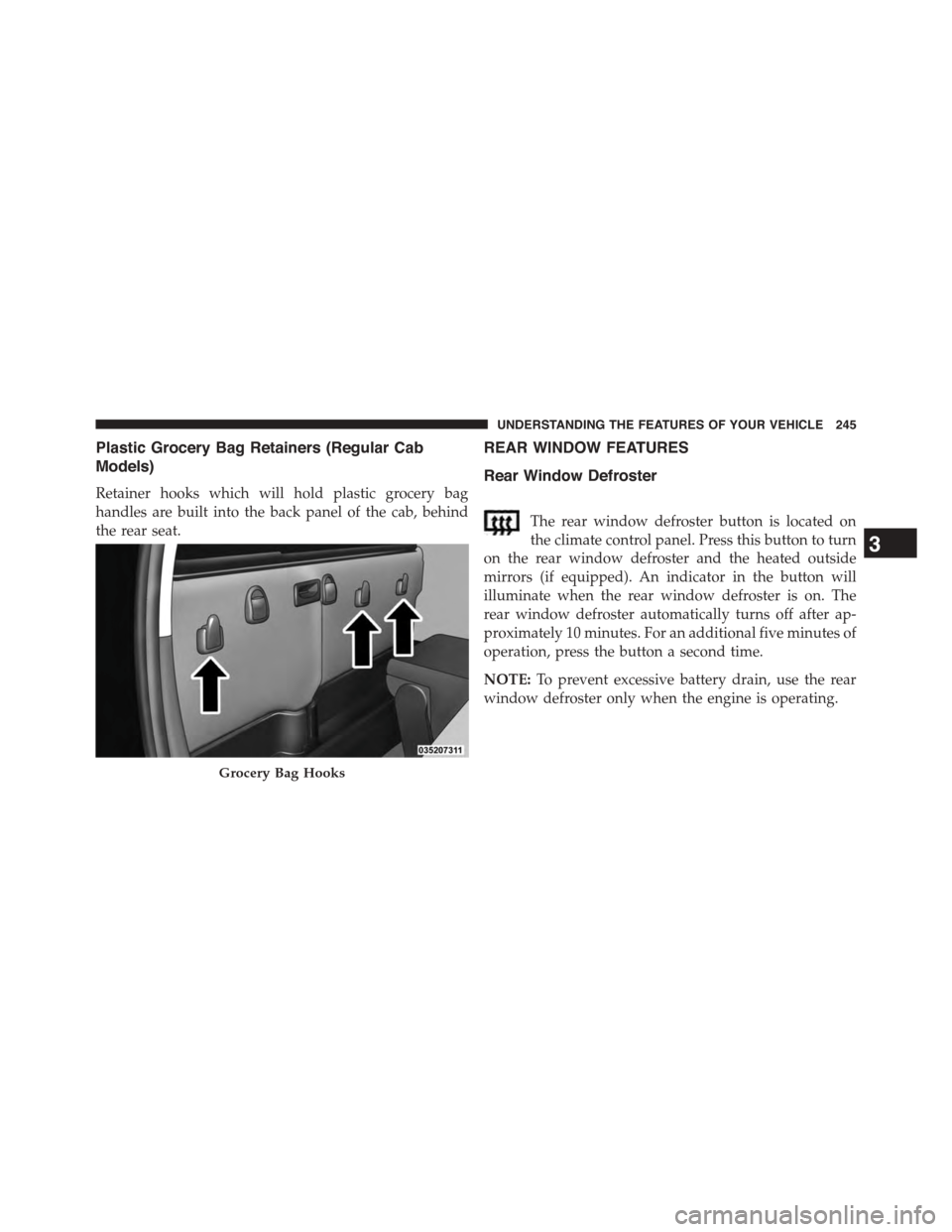
Plastic Grocery Bag Retainers (Regular Cab
Models)
Retainer hooks which will hold plastic grocery bag
handles are built into the back panel of the cab, behind
the rear seat.
REAR WINDOW FEATURES
Rear Window Defroster
The rear window defroster button is located on
the climate control panel. Press this button to turn
on the rear window defroster and the heated outside
mirrors (if equipped). An indicator in the button will
illuminate when the rear window defroster is on. The
rear window defroster automatically turns off after ap-
proximately 10 minutes. For an additional five minutes of
operation, press the button a second time.
NOTE:To prevent excessive battery drain, use the rear
window defroster only when the engine is operating.
Grocery Bag Hooks
3
UNDERSTANDING THE FEATURES OF YOUR VEHICLE 245
Page 253 of 871
Crew Cab® — If Equipped
4. Reverse the procedure to put the load floor back in the
secured down position before you operate the vehicle.
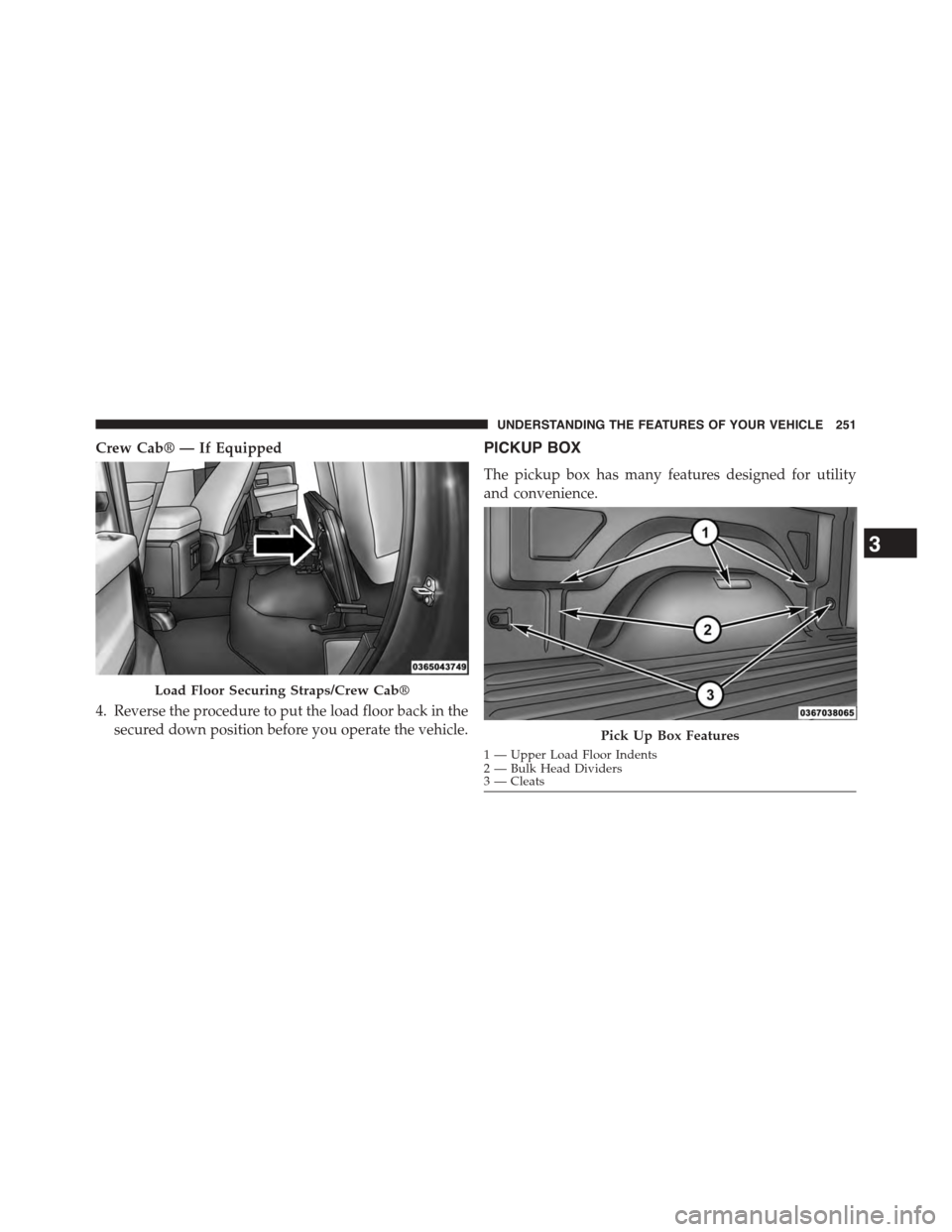
PICKUP BOX
The pickup box has many features designed for utility
and convenience.
Load Floor Securing Straps/Crew Cab®
Pick Up Box Features
1—UpperLoadFloorIndents2 — Bulk Head Dividers3 — Cleats
3
UNDERSTANDING THE FEATURES OF YOUR VEHICLE 251
Page 257 of 871
CAUTION!
Failure to follow the following items could cause
damage to the vehicle:
•Assure that all cargo inside the storage bins is
properly secured.
•Do not exceed cargo weight rating of 150 lb (68 kg)
1500 series vehicles or 300 lbs (136 kg) for 2500 and
3500 series vehicles per bin.
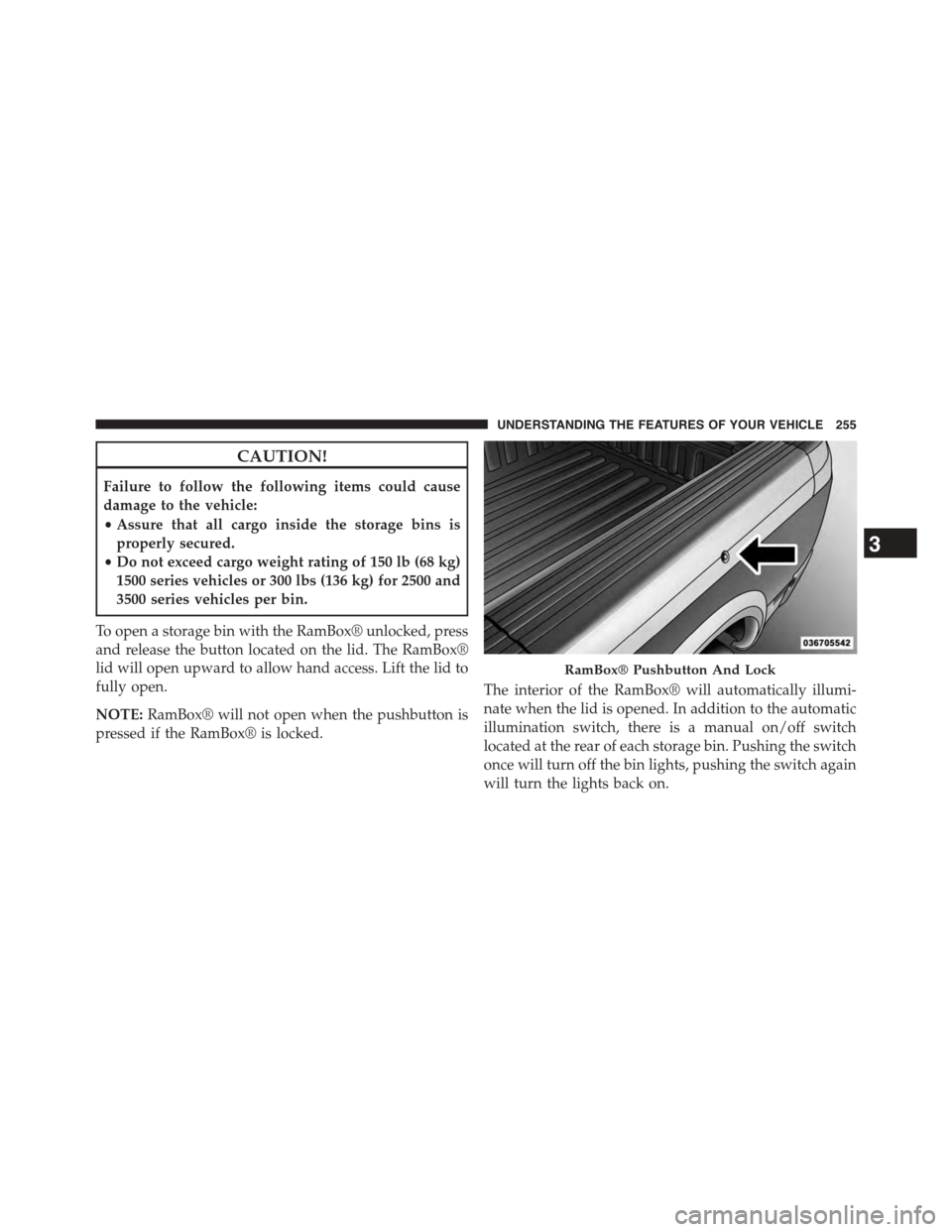
To open a storage bin with the RamBox® unlocked, press
and release the button located on the lid. The RamBox®
lid will open upward to allow hand access. Lift the lid to
fully open.
NOTE:RamBox® will not open when the pushbutton is
pressed if the RamBox® is locked.
The interior of the RamBox® will automatically illumi-
nate when the lid is opened. In addition to the automatic
illumination switch, there is a manual on/off switch
located at the rear of each storage bin. Pushing the switch
once will turn off the bin lights, pushing the switch again
will turn the lights back on.
RamBox® Pushbutton And Lock
3
UNDERSTANDING THE FEATURES OF YOUR VEHICLE 255
Page 265 of 871
Extender Position
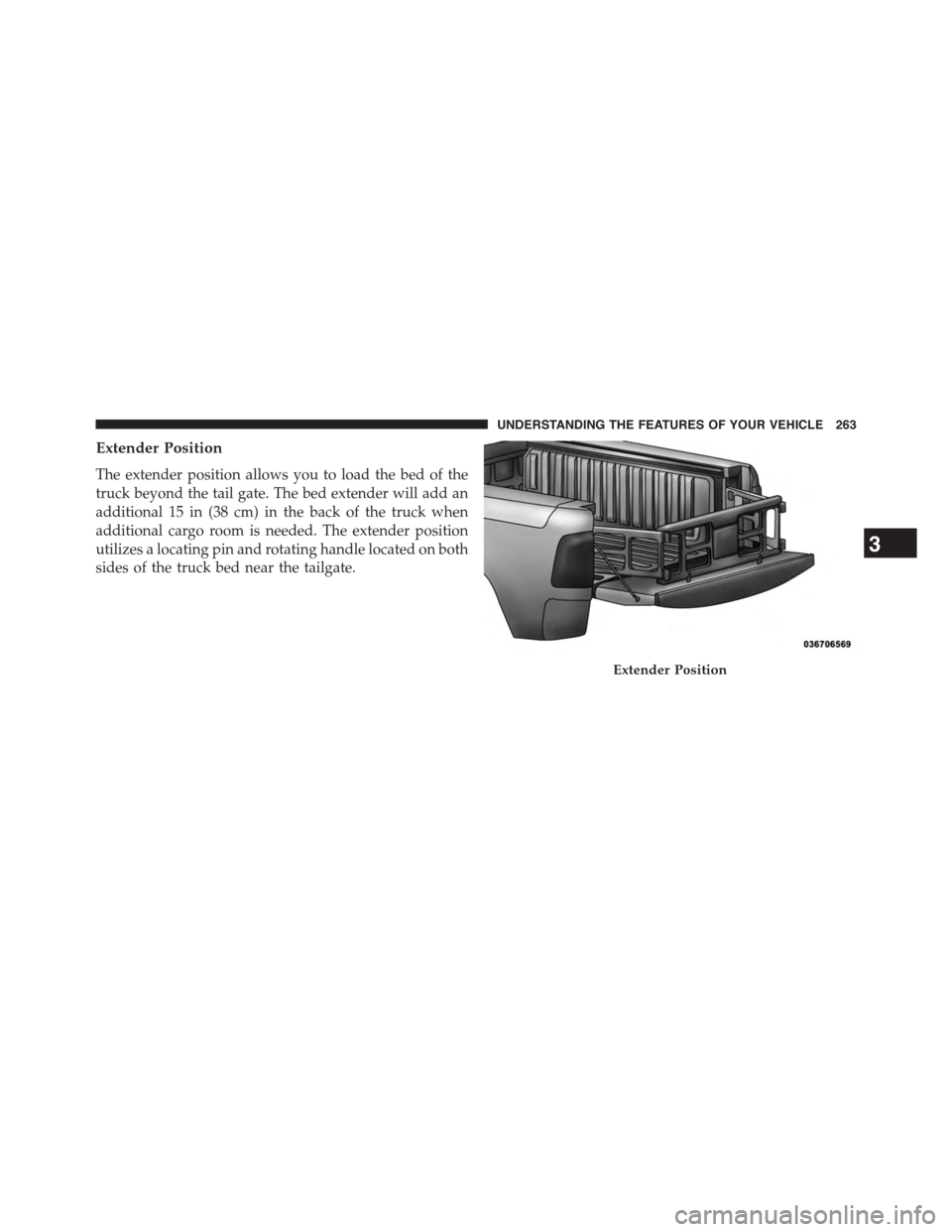
The extender position allows you to load the bed of the
truck beyond the tail gate. The bed extender will add an
additional 15 in (38 cm) in the back of the truck when
additional cargo room is needed. The extender position
utilizes a locating pin and rotating handle located on both
sides of the truck bed near the tailgate.
Extender Position
3
UNDERSTANDING THE FEATURES OF YOUR VEHICLE 263
Page 271 of 871
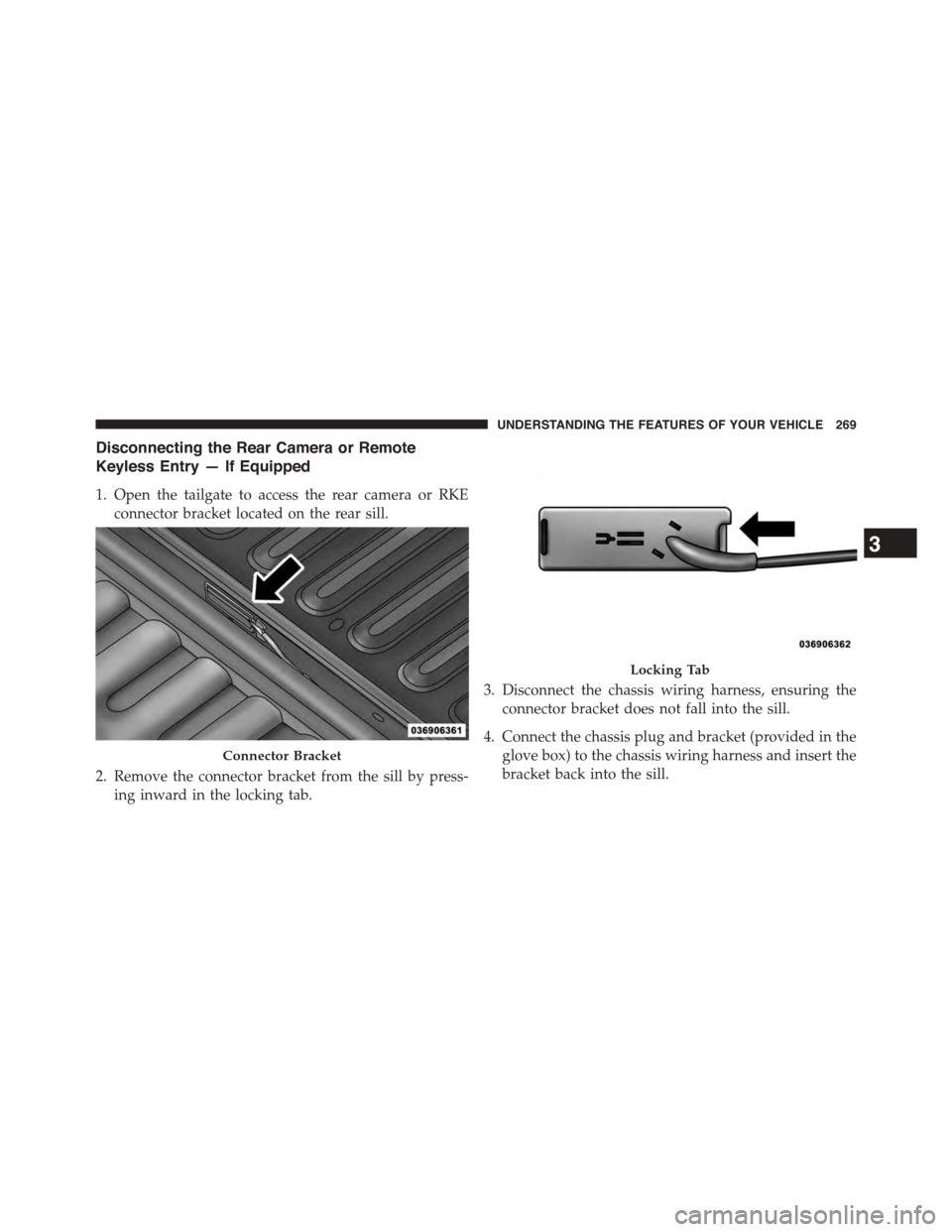
Disconnecting the Rear Camera or Remote
Keyless Entry — If Equipped
1. Open the tailgate to access the rear camera or RKE
connector bracket located on the rear sill.
2. Remove the connector bracket from the sill by press-
ing inward in the locking tab.
3. Disconnect the chassis wiring harness, ensuring the
connector bracket does not fall into the sill.
4. Connect the chassis plug and bracket (provided in the
glove box) to the chassis wiring harness and insert the
bracket back into the sill.
Connector Bracket
Locking Tab
3
UNDERSTANDING THE FEATURES OF YOUR VEHICLE 269
Page 276 of 871
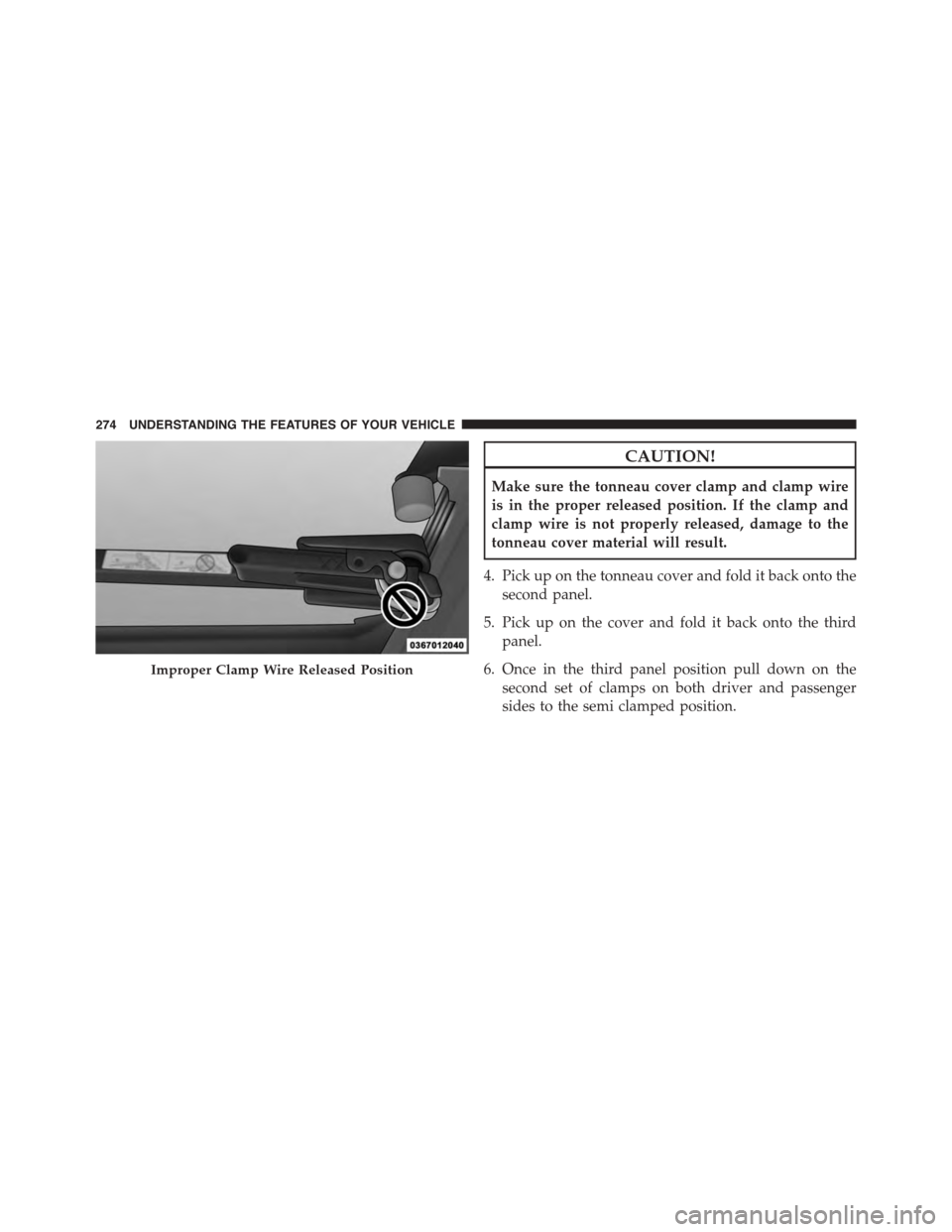
CAUTION!
Make sure the tonneau cover clamp and clamp wire
is in the proper released position. If the clamp and
clamp wire is not properly released, damage to the
tonneau cover material will result.
4. Pick up on the tonneau cover and fold it back onto the
second panel.
5. Pick up on the cover and fold it back onto the third
panel.
6. Once in the third panel position pull down on the
second set of clamps on both driver and passenger
sides to the semi clamped position.
Improper Clamp Wire Released Position
274 UNDERSTANDING THE FEATURES OF YOUR VEHICLE
Page 295 of 871
unless the parking brake is applied or a brake fault is
detected. If the light does not illuminate, have the light
inspected by an authorized dealer.
The light also will turn on when the parking brake is
applied with the ignition switch in the ON/RUN posi-
tion.
NOTE:This light shows only that the parking brake is
applied. It does not show the degree of brake application.
7. High Beam Indicator
This light shows that the high beam headlights
are on. Push the multifunction control lever
away from you to switch the headlights to high
beam. Pull the lever toward you to switch the headlights
back to low beam. If the driver’s door is open, and the
headlights or park lights are left on, the high beam
indicator light will remain illuminated and a chime will
sound.
8. Seat Belt Reminder Light
When the ignition switch is first turned to
ON/RUN, this light will turn on for four to
eight seconds as a bulb check. During the bulb
check, if the driver’s seat belt is unbuckled, a
chime will sound. After the bulb check or when driving,
if the driver’s seat belt remains unbuckled, the seat belt
reminder light will flash or remain on continuously. Refer
to “Occupant Restraints” in “Things To Know Before
Starting Your Vehicle” for further information.
9. Air Bag Warning Light
This light will turn on for four to eight seconds
as a bulb check when the ignition switch is first
turned to ON/RUN. If the light is either not on
during starting, stays on, or turns on while
driving, have the system inspected at an authorized dealer
as soon as possible. Refer to “Occupant Restraints” in
“Things To Know Before Starting Your Vehicle” for further
information.
4
UNDERSTANDING YOUR INSTRUMENT PANEL 293
Page 300 of 871
NOTE:
•The “ESC Off Indicator Light” and the “ESC
Activation/Malfunction Indicator Light” come on
momentarily each time the ignition switch is turned
to ON/RUN.
•Each time the ignition is turned to ON/RUN, the
ESC system will be ON, even if it was turned off
previously.
•The ESC system will make buzzing or clicking
sounds when it is active. This is normal; the sounds
will stop when ESC becomes inactive following the
maneuver that caused the ESC activation.
24. Temperature Gauge
The temperature gauge shows engine coolant tempera-
ture. Any reading within the normal range indicates that
the engine cooling system is operating satisfactorily.
The gauge pointer will likely indicate a higher tempera-
ture when driving in hot weather, up mountain grades,
or when towing a trailer. It should not be allowed to
exceed the upper limits of the normal operating range.
CAUTION!
Driving with a hot engine cooling system could
damage your vehicle. If the temperature gauge reads
“H” pull over and stop the vehicle. Idle the vehicle
with the air conditioner turned off until the pointer
drops back into the normal range. If the pointer
remains on the “H” and you hear continuous chimes,
turn the engine off immediately and call an autho-
rized dealer for service.
298 UNDERSTANDING YOUR INSTRUMENT PANEL
Page 359 of 871
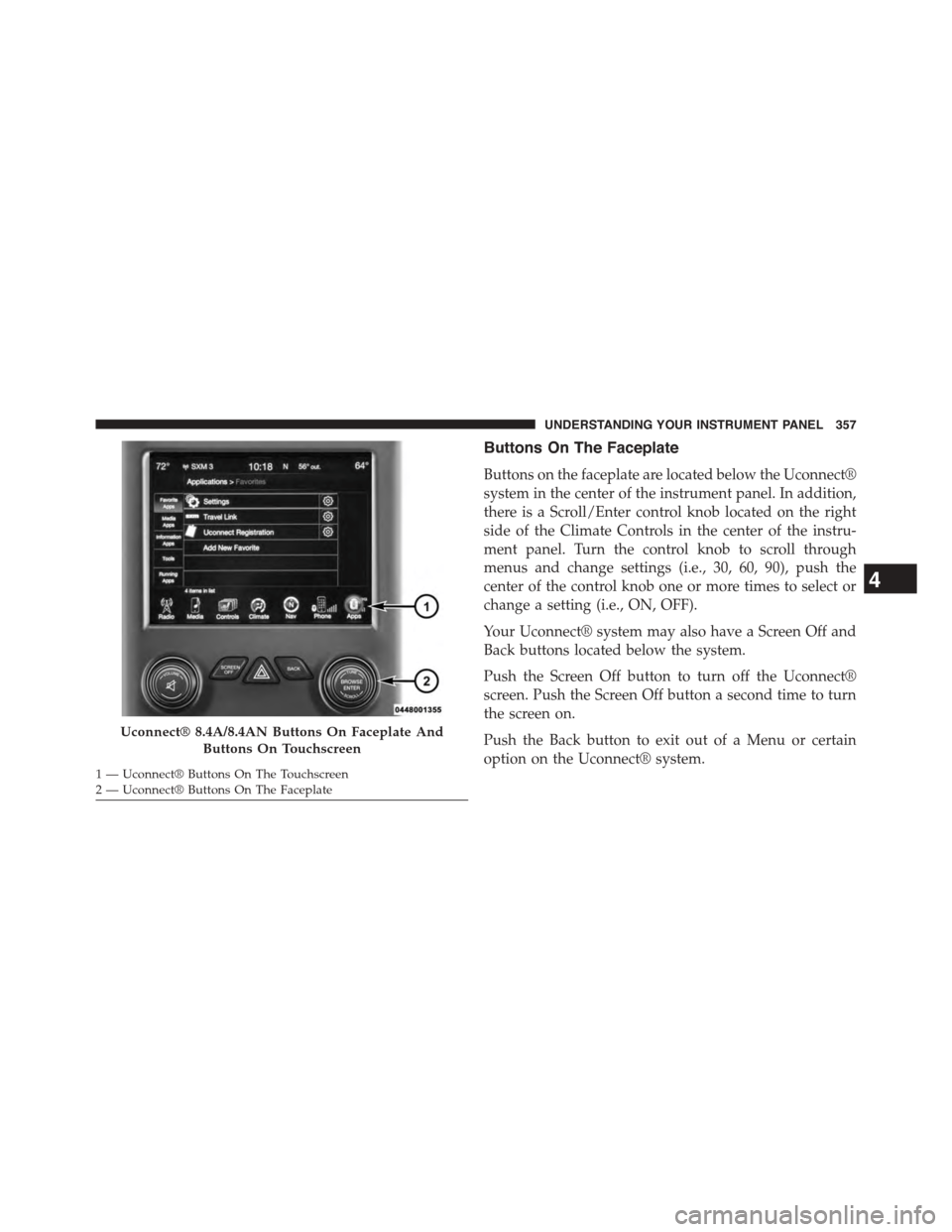
Buttons On The Faceplate
Buttons on the faceplate are located below the Uconnect®
system in the center of the instrument panel. In addition,
there is a Scroll/Enter control knob located on the right
side of the Climate Controls in the center of the instru-
ment panel. Turn the control knob to scroll through
menus and change settings (i.e., 30, 60, 90), push the
center of the control knob one or more times to select or
change a setting (i.e., ON, OFF).
Your Uconnect® system may also have a Screen Off and
Back buttons located below the system.
Push the Screen Off button to turn off the Uconnect®
screen. Push the Screen Off button a second time to turn
the screen on.
Push the Back button to exit out of a Menu or certain
option on the Uconnect® system.
Uconnect® 8.4A/8.4AN Buttons On Faceplate And
Buttons On Touchscreen
1—Uconnect®ButtonsOnTheTouchscreen2—Uconnect®ButtonsOnTheFaceplate
4
UNDERSTANDING YOUR INSTRUMENT PANEL 357