seats Ram 1500 2015 Service Manual
[x] Cancel search | Manufacturer: RAM, Model Year: 2015, Model line: 1500, Model: Ram 1500 2015Pages: 871, PDF Size: 24.83 MB
Page 236 of 871
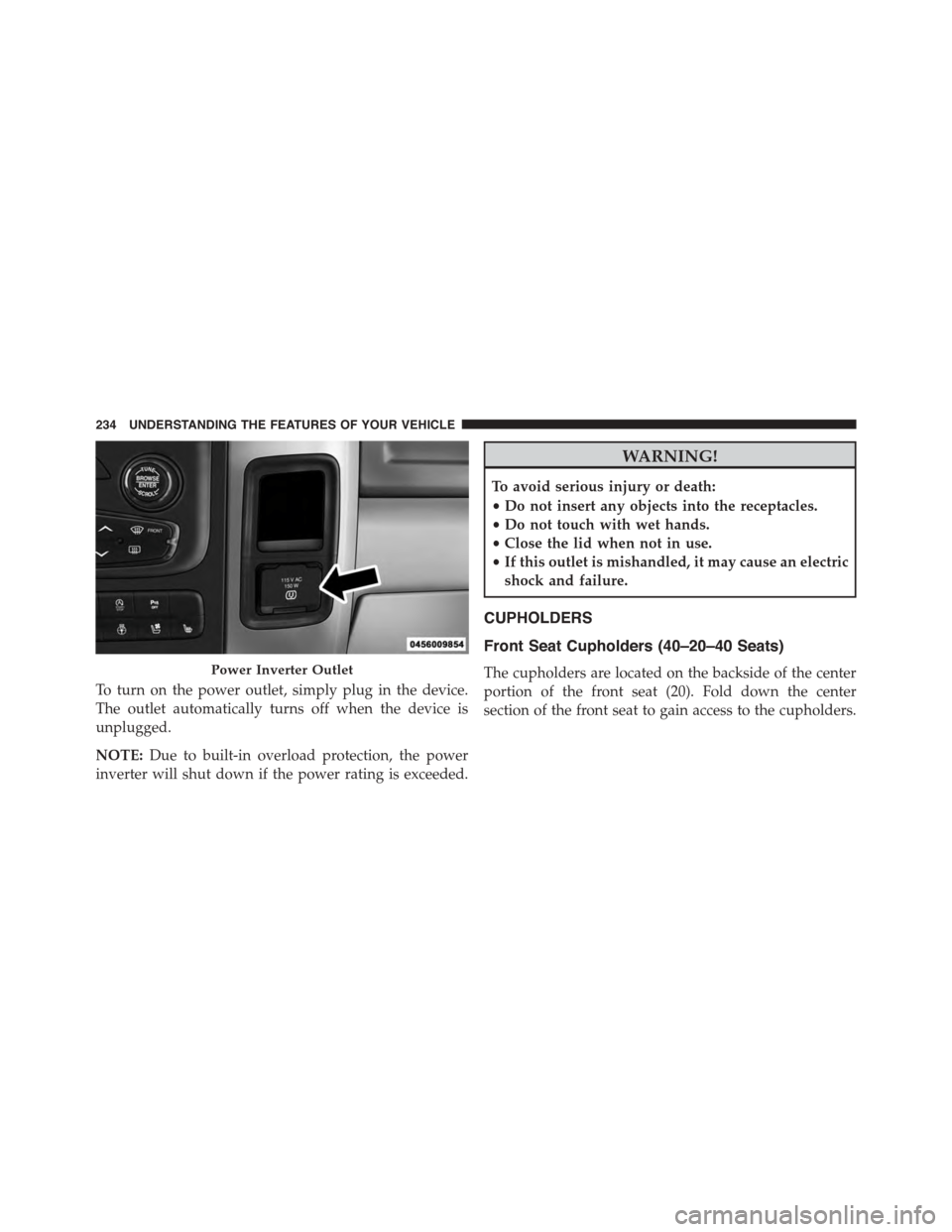
To turn on the power outlet, simply plug in the device.
The outlet automatically turns off when the device is
unplugged.
NOTE:Due to built-in overload protection, the power
inverter will shut down if the power rating is exceeded.
WARNING!
To avoid serious injury or death:
•Do not insert any objects into the receptacles.
•Do not touch with wet hands.
•Close the lid when not in use.
•If this outlet is mishandled, it may cause an electric
shock and failure.
CUPHOLDERS
Front Seat Cupholders (40–20–40 Seats)
The cupholders are located on the backside of the center
portion of the front seat (20). Fold down the center
section of the front seat to gain access to the cupholders.
Power Inverter Outlet
234 UNDERSTANDING THE FEATURES OF YOUR VEHICLE
Page 237 of 871

Front Instrument Panel Cupholders — Floor
Mounted Shifter
For vehicles equipped with bucket seats there are two
cupholders located in the floor console.
Rear Cupholder — Quad Cab®
Quad Cab® vehicles may be equipped with a rear
cupholder that consists of two cup wells for rear passen-
ger convenience.
CupholdersRear Cup Wells
3
UNDERSTANDING THE FEATURES OF YOUR VEHICLE 235
Page 242 of 871

Center Storage Compartment — If Equipped
The center storage compartment is located between the
driver and passenger seats. The storage compartment
provides an armrest and contains both and upper and
lower storage area.
WARNING!
•This armrest is not a seat. Anyone seated on the
armrest could be seriously injured during vehicle
operation, or a collision. Only use the center seat-
ing position when the armrest is fully upright.
•In a collision, the latch may open if the total weight
of the items stored exceeds about 10 lbs (4.5 kg).
These items could be thrown about endangering
occupants of the vehicle. Items stored should not
exceed a total of 10 lbs (4.5 kg).
Pull on the upper handle on the front of the armrest to
raise the cover. The upper storage area contains a 12 Volt
power outlet that can be used to power small electrical
devices, refer to “Electrical Power Outlets” for further
information.
Center Storage Compartment
240 UNDERSTANDING THE FEATURES OF YOUR VEHICLE
Page 244 of 871
Second Row In-Floor Storage Bin — If Equipped
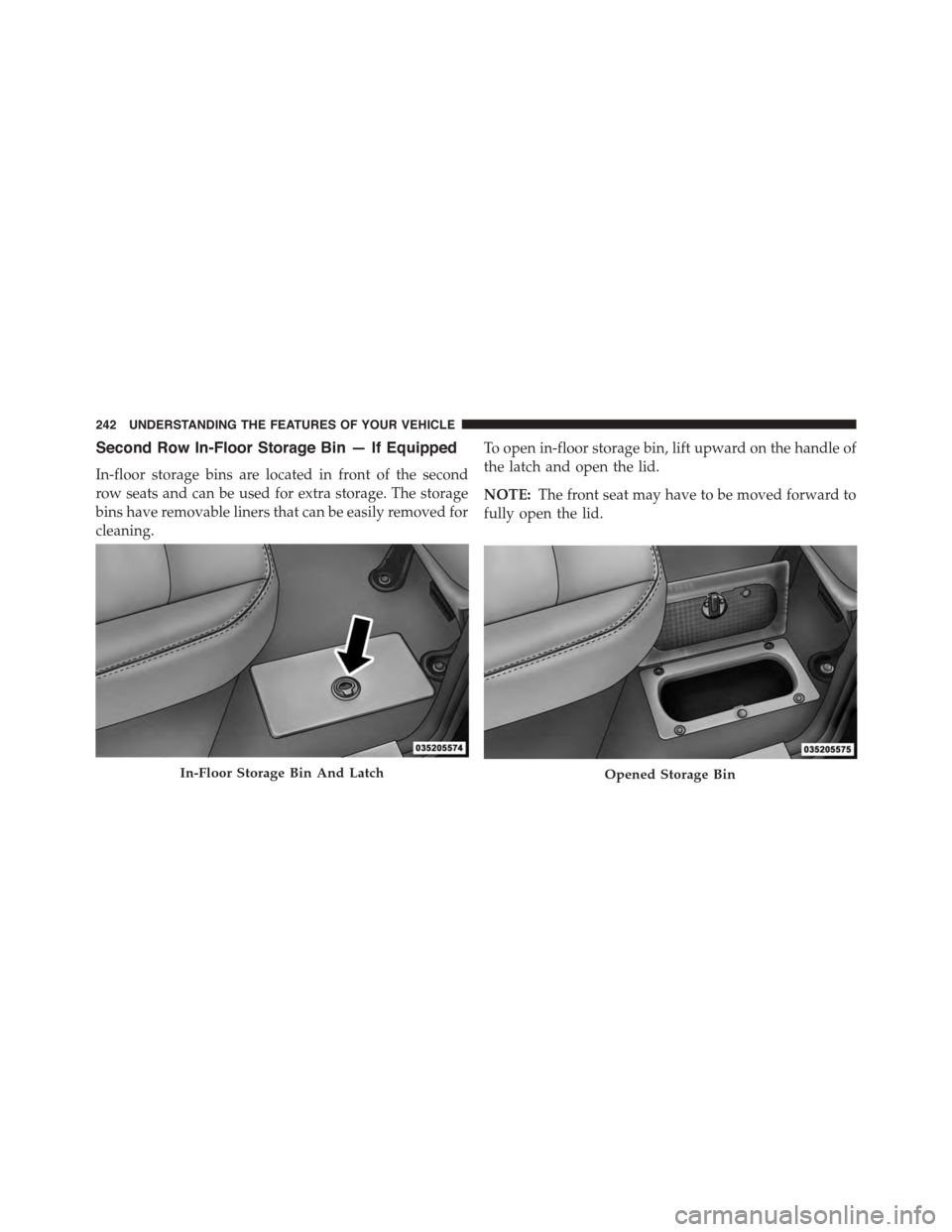
In-floor storage bins are located in front of the second
row seats and can be used for extra storage. The storage
bins have removable liners that can be easily removed for
cleaning.
To open in-floor storage bin, lift upward on the handle of
the latch and open the lid.
NOTE:The front seat may have to be moved forward to
fully open the lid.
In-Floor Storage Bin And LatchOpened Storage Bin
242 UNDERSTANDING THE FEATURES OF YOUR VEHICLE
Page 245 of 871
Seatback Storage
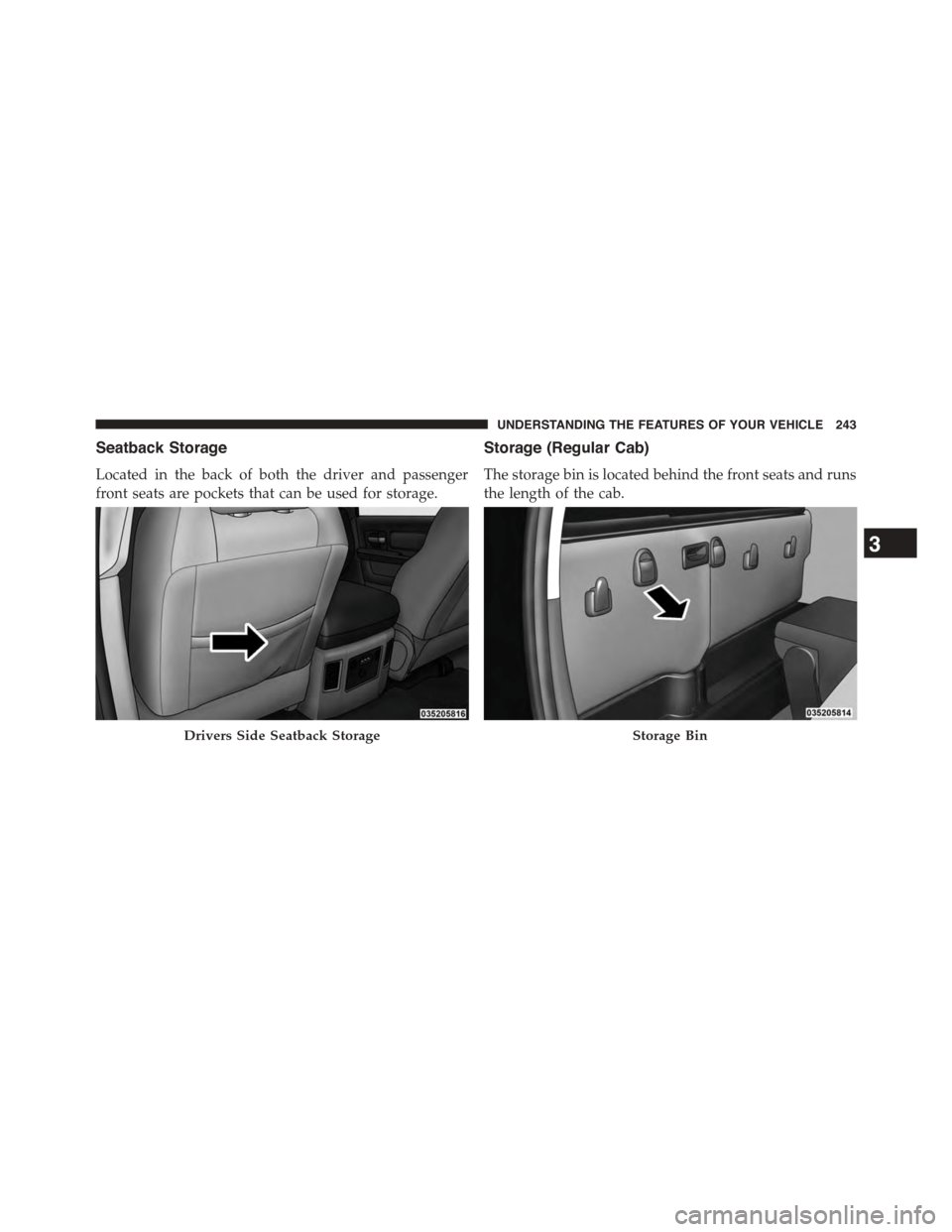
Located in the back of both the driver and passenger
front seats are pockets that can be used for storage.
Storage (Regular Cab)
The storage bin is located behind the front seats and runs
the length of the cab.
Drivers Side Seatback StorageStorage Bin
3
UNDERSTANDING THE FEATURES OF YOUR VEHICLE 243
Page 246 of 871

Storage and Seats (Crew Cab)
The Crew Cab models provide additional storage under
the rear seats. Lift the seats to access the storage com-
partment.
To open the storage compartments, lift upward on the
handle of the latch and open the lid.
CAUTION!
Always lift the storage compartment lids by using
the handle. Failure to lift the lids by using the handle
can result in damage to the lids.
Crew Cab Storage
244 UNDERSTANDING THE FEATURES OF YOUR VEHICLE
Page 254 of 871
NOTE:If you are installing a Toolbox, Ladder Rack or
Headache Rack at the front of the Pickup Box, you must
use Mopar Box Reinforcement Brackets that are available
from your authorized dealer.
You can carry wide building materials (sheets of ply-
wood, etc.) by building a raised load floor. Place lumber
across the box in the indentations provided above the
wheel housings and in the bulkhead dividers to form the
floor.
WARNING!
•The pickup box is intended for load carrying pur-
poses only, not for passengers, who should sit in
seats and use seat belts.
(Continued)
WARNING!(Continued)
•Care should always be exercised when operating a
vehicle with unrestrained cargo. Vehicle speeds
may need to be reduced. Severe turns or rough
roads may cause shifting or bouncing of the cargo
that may result in vehicle damage. If wide building
materials are to be frequently carried, the installa-
tion of a support is recommended. This will re-
strain the cargo and transfer the load to the pickup
box floor.
•If you wish to carry more than 600 lbs (272 kg) of
material suspended above the wheelhouse, sup-
ports must be installed to transfer the weight of the
load to the pickup box floor or vehicle damage may
result. The use of proper supports will permit
loading up to the rated payload.
•Unrestrained cargo may be thrown forward in an
accident causing serious or fatal injury.
252 UNDERSTANDING THE FEATURES OF YOUR VEHICLE
Page 369 of 871
Auto Comfort Systems — If Equipped
After pressing the “Auto-On Comfort” button on the
touchscreen the following settings will be available:
•Auto-On Driver Heated/Ventilated Seat & Steering
Wheel With Vehicle Start — If Equipped
When this feature is selected the driver’s heated seat and
heated steering wheel will automatically turn ON when
temperatures are below 40° F (4.4° C). When tempera-
tures are above 80° F (26.7° C) the driver vented seat will
turn ON. To make your selection, press the “Auto Heated
Seats” button on the touchscreen, then select either “On”
or “Off.” Press the back arrow/Done button on the
touchscreen to return to the previous menu.
Engine Off Options
After pressing the “Engine Off Options” button on the
touchscreen the following settings will be available.
•Easy Exit Seats — If Equipped
When this feature is selected, the Driver ’s seat will
automatically move rearward once the engine is shut off.
To make your selection, press the “Easy Exit Seats”
button on the touchscreen and make your selection. Press
the back arrow/Done button on the touchscreen to return
to the previous menu.
•Headlight Off Delay
When this feature is selected, the driver can choose to
have the headlights remain on for 0, 30, 60, or 90 seconds
when exiting the vehicle. Press the “Headlight Off Delay”
button on the touchscreen and choose from “0,” “30,”
“60,” or “90” seconds to select your desired time interval.
Press the back arrow/Done button on the touchscreen to
return to the previous menu.
4
UNDERSTANDING YOUR INSTRUMENT PANEL 367
Page 389 of 871
•Passive Entry
This feature allows you to lock and unlock the vehicles
door(s) without having to push the Remote Keyless Entry
(RKE) transmitter lock or unlock buttons. To make your
selection, press the “Passive Entry” button on the touch-
screen until a check-mark appears next to setting, show-
ing that setting has been selected. Press the back arrow
button on the touchscreen to return to the previous
menu. Refer to “Keyless Enter-N-Go™” in “Things To
Know Before Starting Your Vehicle”.
•Personal Settings Linked To Key Fob — If Equipped
This feature provides automatic driver seat positioning to
enhance driver mobility when entering and exiting the
vehicle. To make your selection, press the “Personal
Settings Linked To Key Fob” button on the touchscreen
until a check-mark appears next to setting, showing that
setting has been selected. Press the back arrow button on
the touchscreen to return to the previous menu.
NOTE:The seat will return to the memorized seat
location (if Personal Settings Linked To Key Fob is set to
ON) when the Remote Keyless Entry (RKE) transmitter is
used to unlock the door. Refer to “Driver Memory Seat”
in “Understanding The Features Of Your Vehicle” for
further information.
Auto Comfort Systems — If Equipped
After pressing the “Auto-On Comfort” button on the
touchscreen the following settings will be available:
•Auto-On Driver Heated/Ventilated Seat & Steering
Wheel With Vehicle Start — If Equipped
When this feature is selected the driver’s heated seat and
heated steering wheel will automatically turn ON when
temperatures are below 40° F (4.4° C). When temperatures
are above 80° F (26.7° C) the driver vented seat will turn
ON. To make your selection, press the “Auto Heated Seats”
4
UNDERSTANDING YOUR INSTRUMENT PANEL 387
Page 431 of 871
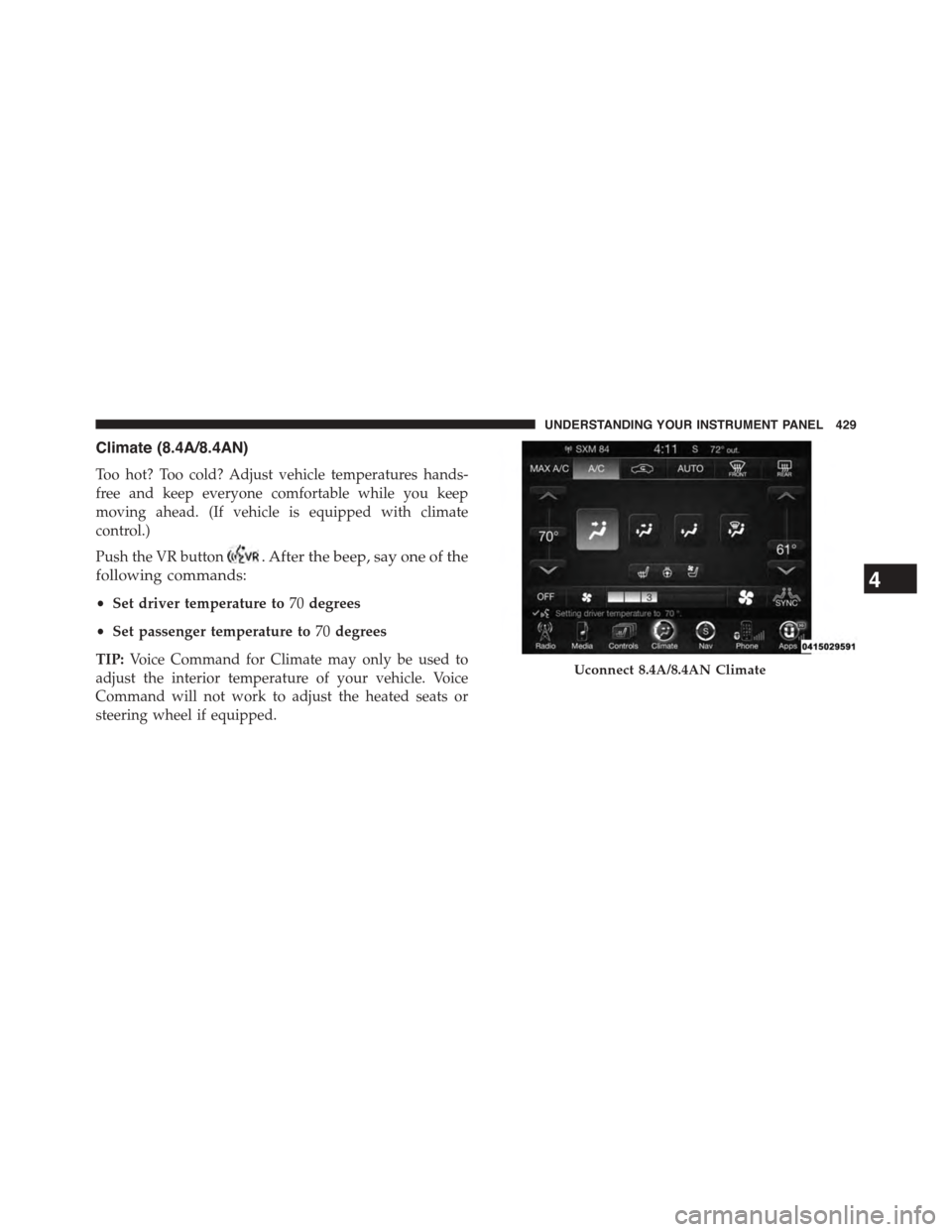
Climate (8.4A/8.4AN)
Too hot? Too cold? Adjust vehicle temperatures hands-
free and keep everyone comfortable while you keep
moving ahead. (If vehicle is equipped with climate
control.)
Push the VR button. After the beep, say one of the
following commands:
•Set driver temperature to70degrees
•Set passenger temperature to70degrees
TIP:Voice Command for Climate may only be used to
adjust the interior temperature of your vehicle. Voice
Command will not work to adjust the heated seats or
steering wheel if equipped.
Uconnect 8.4A/8.4AN Climate
4
UNDERSTANDING YOUR INSTRUMENT PANEL 429