tow Ram 1500 2015 Service Manual
[x] Cancel search | Manufacturer: RAM, Model Year: 2015, Model line: 1500, Model: Ram 1500 2015Pages: 871, PDF Size: 24.83 MB
Page 342 of 871
•Stop/Start Not Ready – If Equipped
•Stop/Start Not Ready Hood Open – If Equipped
•Stop/Start Not Ready Battery Charging – If Equipped
•Stop/Start Not Ready Trailer Tow/Haul Selected – If
Equipped
•Stop/Start Not Ready 4WD/Low Range Selected – If
Equipped
•Stop/Start Not Ready Fuel Level Low – If Equipped
•Stop/Start Not Ready Steep Incline – If Equipped
•Stop/Start Not Ready Extreme Outside Temperature –
If Equipped
•Stop/Start Not Ready Engine Temperature Too High –
If Equipped
•Stop/Start Not Ready Engine Temperature Too Low –
If Equipped
•Stop/Start Not Ready Driver Seatbelt Unbuckled – If
Equipped
•Stop/Start Not Ready Driver Door Open – If Equipped
•Stop/Start Not Ready Cabin Cooling Or Heating – If
Equipped
•Stop/Start Not Ready Not Ready Max Cooling Or
Heating – If Equipped
•Stop/Start Not Ready Max Cooling Or Heating Se-
lected – If Equipped
•Stop/Start Not Ready Front Defrost Selected – If
Equipped
•Stop/Start Not Ready Steering Wheel Turned – If
Equipped
•Stop/Start Autostop Active – If Equipped
340 UNDERSTANDING YOUR INSTRUMENT PANEL
Page 344 of 871
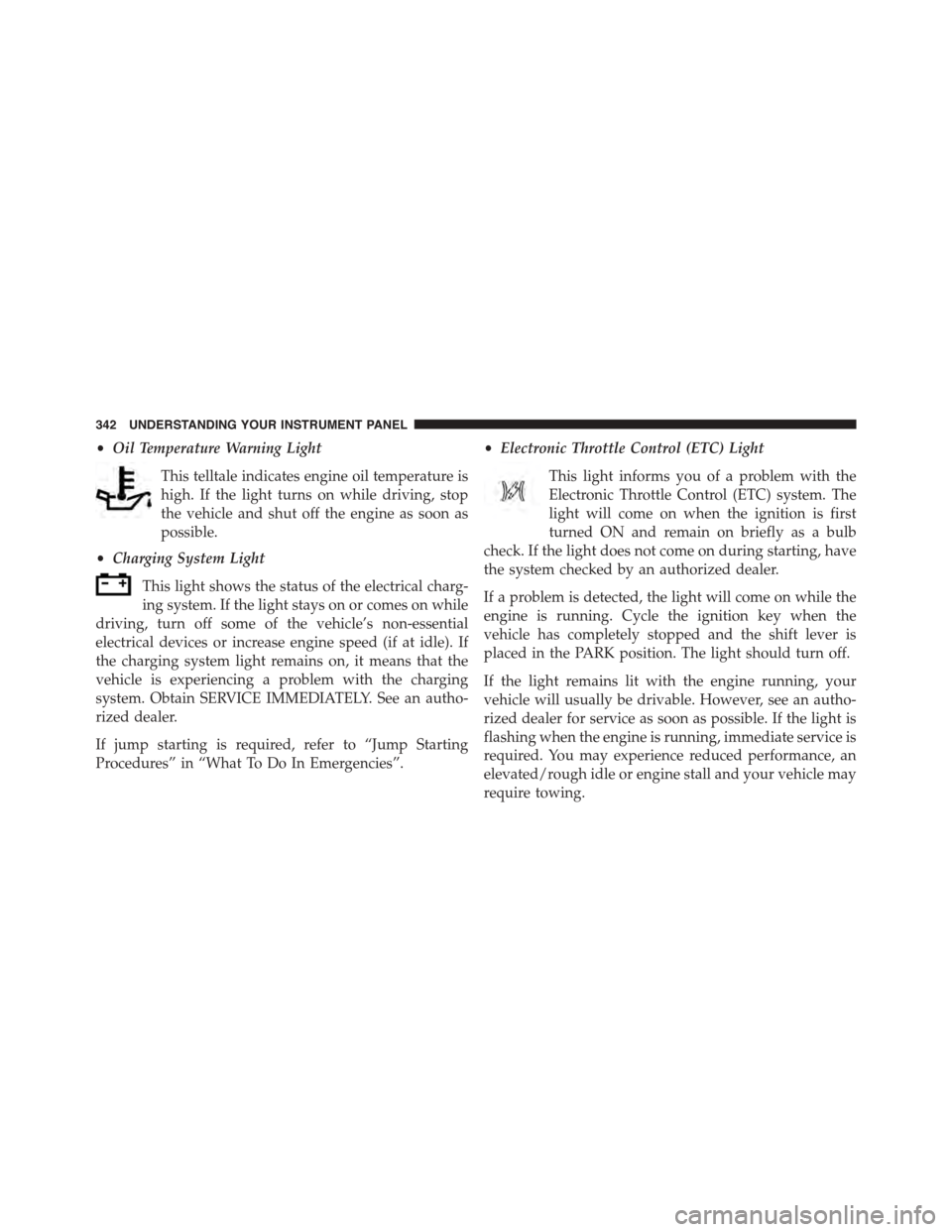
•Oil Temperature Warning Light
This telltale indicates engine oil temperature is
high. If the light turns on while driving, stop
the vehicle and shut off the engine as soon as
possible.
•Charging System Light
This light shows the status of the electrical charg-
ing system. If the light stays on or comes on while
driving, turn off some of the vehicle’s non-essential
electrical devices or increase engine speed (if at idle). If
the charging system light remains on, it means that the
vehicle is experiencing a problem with the charging
system. Obtain SERVICE IMMEDIATELY. See an autho-
rized dealer.
If jump starting is required, refer to “Jump Starting
Procedures” in “What To Do In Emergencies”.
•Electronic Throttle Control (ETC) Light
This light informs you of a problem with the
Electronic Throttle Control (ETC) system. The
light will come on when the ignition is first
turned ON and remain on briefly as a bulb
check. If the light does not come on during starting, have
the system checked by an authorized dealer.
If a problem is detected, the light will come on while the
engine is running. Cycle the ignition key when the
vehicle has completely stopped and the shift lever is
placed in the PARK position. The light should turn off.
If the light remains lit with the engine running, your
vehicle will usually be drivable. However, see an autho-
rized dealer for service as soon as possible. If the light is
flashing when the engine is running, immediate service is
required. You may experience reduced performance, an
elevated/rough idle or engine stall and your vehicle may
require towing.
342 UNDERSTANDING YOUR INSTRUMENT PANEL
Page 346 of 871
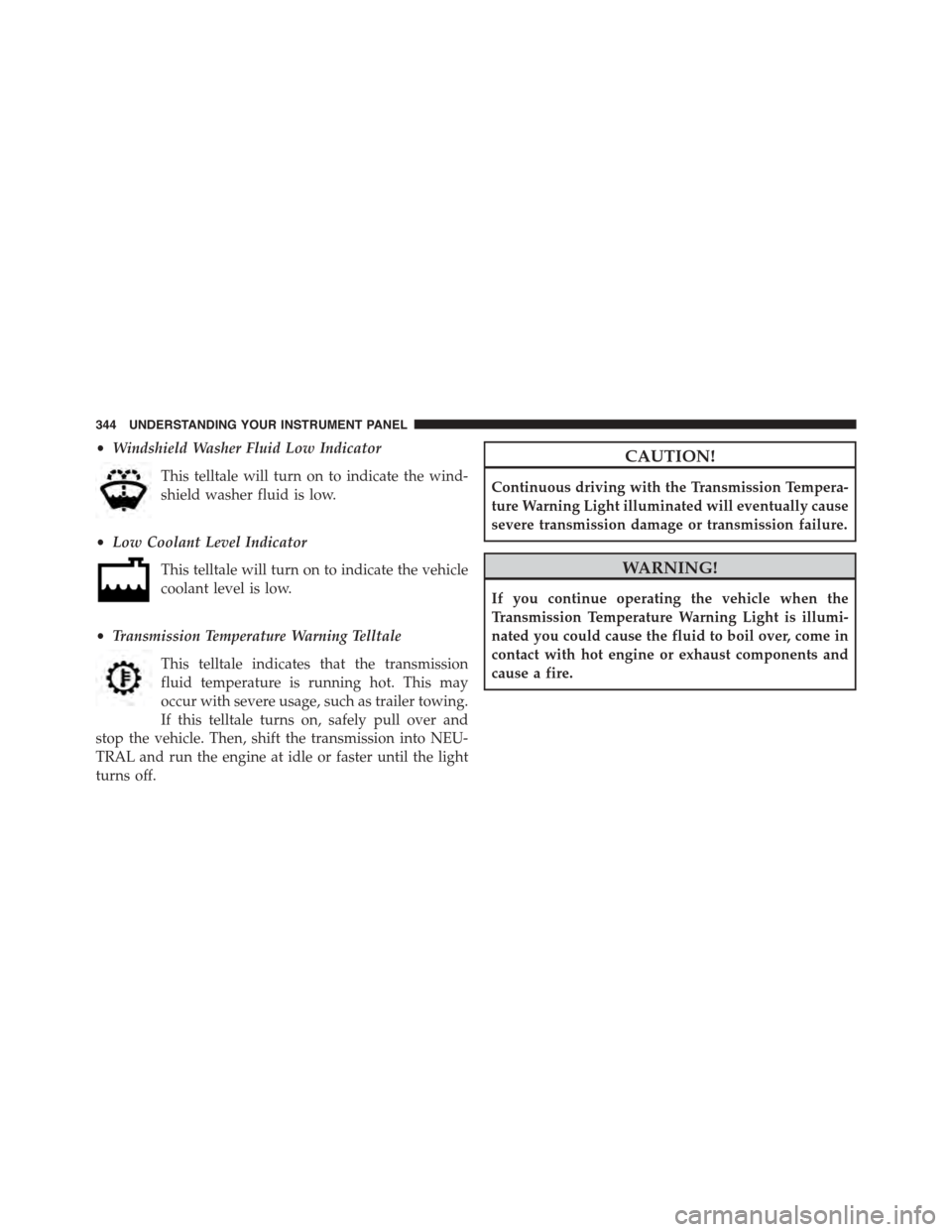
•Windshield Washer Fluid Low Indicator
This telltale will turn on to indicate the wind-
shield washer fluid is low.
•Low Coolant Level Indicator
This telltale will turn on to indicate the vehicle
coolant level is low.
•Transmission Temperature Warning Telltale
This telltale indicates that the transmission
fluid temperature is running hot. This may
occur with severe usage, such as trailer towing.
If this telltale turns on, safely pull over and
stop the vehicle. Then, shift the transmission into NEU-
TRAL and run the engine at idle or faster until the light
turns off.
CAUTION!
Continuous driving with the Transmission Tempera-
ture Warning Light illuminated will eventually cause
severe transmission damage or transmission failure.
WARNING!
If you continue operating the vehicle when the
Transmission Temperature Warning Light is illumi-
nated you could cause the fluid to boil over, come in
contact with hot engine or exhaust components and
cause a fire.
344 UNDERSTANDING YOUR INSTRUMENT PANEL
Page 351 of 871

Stop/Start – If Equipped
Push and release theUPorDOWNarrow
button until the Stop/Start icon is highlighted
in the DID. Push and release theRIGHTarrow
button to display the Stop/Start status.
Trailer Tow
Push and release theUPorDOWNarrow
button until the Trailer Tow icon is highlighted.
Push and release theRIGHTarrow button and
the next screen will display the following
trailer trip information:
•Trailer Trip
•Trailer Brake
Audio
Push and release theUPorDOWNarrow
button until the Audio display icon is high-
lighted in the DID. Push and release the
RIGHTarrow button to display the active
source.
Stored Messages
Push and release theUParrow button until the
Messages display icon is highlighted in the
DID. This feature shows the number of stored
warning messages. Pushing theRIGHTarrow
button will allow you to see what the stored messages
are.
4
UNDERSTANDING YOUR INSTRUMENT PANEL 349
Page 371 of 871
•Auto Entry/Exit Suspension
When this feature is selected, the vehicle automatically
lowers from ride height position when vehicle shifted to
park for easy entry/exit. To make your selection, press
the “Auto Entry/Exit” button on the touchscreen, select
“On” or “Off” followed by pressing the back arrow/
Done button on the touchscreen.
•Display Suspension Messages
When “All” is selected, all the Air Suspension Alerts will
be displayed. When “Warning Only” is selected only the
Air Suspension Warnings will be displayed.
•Automatic Aero Mode (1500 Model Only)
When this feature is selected the Ride Height will auto-
matically be adjusted depending on the vehicle speed. To
make your selection, press the “Aero Mode” button on
the touchscreen, select “On” or “Off” followed by press-
ing the back arrow/Done button on the touchscreen.
•Tire Jack Mode
When this feature is selected the air suspension system is
disabled to prevent auto leveling of the suspension, while
the vehicle is on a jack changing a tire. To make your
selection, press the “Tire Jack Mode” button on the
touchscreen, select “On” or “Off” followed by pressing
the back arrow/Done button on the touchscreen.
•Transport Mode
When this feature is selected the air suspension system is
disabled to assist with flat bed towing. To make your
selection, press the “Transport Mode” button on the
touchscreen, select “On” or “Off” followed by pressing
the back arrow/Done button on the touchscreen.
•Wheel Alignment Mode
This feature prevents auto leveling of the air suspension
while performing a wheel alignment service. Before per-
forming a wheel alignment this mode must be enabled.
Refer to your authorized dealer for further information.
4
UNDERSTANDING YOUR INSTRUMENT PANEL 369
Page 385 of 871
•Hill Start Assist — If Equipped
When this feature is selected, the Hill Start Assist (HSA)
system is active. Refer to “Electronic Brake Control
System” in “Starting And Operating” for system function
and operating information. To make your selection, press
the “Hill Start Assist” button on the touchscreen to select
from on or off. Press the back arrow button on the
touchscreen to return to the previous menu.
•Four Corner Air Suspension Modes — If Equipped
There are four air suspension modes designed to protect
the system in unique situations. Tire Jack Mode is selected
to assist in changing a spare tire. Transport Mode is
selected to assist when the vehicle is being flat bed towed.
Wheel Alignment Mode is selected before performing a
wheel alignment, refer to your authorized dealer for infor-
mation. Protection Mode will automatically be selected to
“protect” the air suspension system when the payload has
been exceeded or load leveling cannot be achieved.
Lights
After pressing the “Lights” button on the touchscreen the
following settings will be available.
•Headlight Off Delay
When this feature is selected, the driver can choose to
have the headlights remain on for 0, 30, 60, or 90 seconds
when exiting the vehicle. To make your selection, press
the “+” or “–” buttons on the touchscreen to adjust the
seconds up or down. Press the back arrow button on the
touchscreen to return to the previous menu.
•Headlight Illumination On Approach
When this feature is selected, the headlights will activate
and remain on for 0, 30, 60, or 90 seconds when the doors
are unlocked with the Remote Keyless Entry (RKE) trans-
mitter. To make your selection, To make your selection,
press the “+” or “–” buttons on the touchscreen to adjust
the seconds up or down. Press the back arrow button on
the touchscreen to return to the previous menu.
4
UNDERSTANDING YOUR INSTRUMENT PANEL 383
Page 392 of 871
the feature showing the system has been activated or the
check-mark is removed showing the system has been
deactivated.
•Transport Mode
When this feature is selected the air suspension system is
disabled to assist with flat bed towing. Press the box next
to your selection and a check-mark appears next to the
feature showing the system has been activated or the
check-mark is removed showing the system has been
deactivated.
•Wheel Alignment Mode
Before performing a wheel alignment this mode must be
enabled. Refer to your authorized dealer for further
information.
Trailer Brake
After pressing the “Trailer Brake” button on the touch-
screen the following settings will be available:
•Trailer Select
When this feature is selected, the Trailer Type can be
selected between “Trailer 1,” “Trailer 2,” “Trailer 3” and
“Trailer 4.” To make your selection, scroll up or down
until the preferred setting is highlighted, then press and
release the SELECT button until a check-mark appears
next to the setting, showing that the setting has been
selected.
•Trailer Brake Type
When this feature is selected, the Trailer Brake Type can
be changed between “Light Electric,” “Heavy Electric,”
“Light EOH” and “Heavy EOH.”. To make your selec-
tion, scroll up or down until the preferred setting is
highlighted, then press and release the SELECT button
390 UNDERSTANDING YOUR INSTRUMENT PANEL
Page 406 of 871
NOTE:
•If the RECIRCULATION button is pushed when the
system is in Defrost mode, the Recirculation LED
indicator will flash three times and then turn off to
indicate Recirculation mode is not allowed.
•Continuous use of the Recirculation mode may make
the inside air stuffy and window fogging may occur.
Extended use of this mode is not recommended.
•In cold or damp weather, the use of the Recirculation
mode will cause windows to fog on the inside because
of moisture buildup inside the vehicle. For maximum
defogging, select the outside air position.
•The A/C can be deselected manually without disturb-
ing the mode control selection by pushing the A/C
button.
Air Outlets
The airflow from each of the instrument panel outlets can be
adjusted for direction, and turned on or off to control airflow.
NOTE:For maximum airflow to the rear, the center
instrument panel outlets can be directed toward the rear
seat passengers.
Economy Mode
If ECONOMY mode is desired, push the A/C button to
turn off the LED indicator and the A/C compressor.
Rotate the temperature control knob to the desired tem-
perature. Also, make sure to select only Panel, Bi-Level or
Floor modes.
Stop/Start System — If Equipped
While in an Autostop, the Climate Controls system may
automatically adjust airflow to maintain cabin comfort.
Customer settings will be maintained upon return to an
engine running condition.
404 UNDERSTANDING YOUR INSTRUMENT PANEL
Page 411 of 871
8. Climate Control OFF Button
Press and release this button to turn the Climate Control
ON/OFF.
9. Temperature Control Down Button
Push the button on the faceplate for cooler temperature
settings. On the touchscreen, slide the temperature bar
towards the blue arrow button for cooler temperature
settings.
10. Temperature Control Up Button
Push the button on the faceplate for warmer temperature
settings. On the touchscreen, slide the temperature bar
towards the blue arrow button for cooler temperature
settings.
Recirculation Control
When outside air contains smoke, odors, or
high humidity, or if rapid cooling is desired,
you may wish to recirculate interior air by
pressing the RECIRCULATION control button.
Recirculation mode should only be used temporarily. The
recirculation LED will illuminate on the blower control
knob when this button is selected. Push the button a
second time to turn off the Recirculation mode LED and
allow outside air into the vehicle.
NOTE:In cold weather, use of Recirculation mode may
lead to excessive window fogging. The Recirculation
mode is not allowed in Defrost mode to improve window
clearing operation. Recirculation will be disabled auto-
matically if these modes are selected.
4
UNDERSTANDING YOUR INSTRUMENT PANEL 409
Page 415 of 871
CAUTION!
Failure to follow these cautions can cause damage to
the heating elements:
•Use care when washing the inside of the rear
window. Do not use abrasive window cleaners on
the interior surface of the window. Use a soft cloth
and a mild washing solution, wiping parallel to the
heating elements. Labels can be peeled off after
soaking with warm water.
•Do not use scrapers, sharp instruments, or abrasive
window cleaners on the interior surface of the
window.
•Keep all objects a safe distance from the window.
7. Passenger Temperature Control Up Button
(Uconnect® 8.4)
Provides the passenger with independent temperature
control. Push the button on the faceplate for warmer
temperature settings or on the touchscreen, press and
slide the temperature bar towards the red arrow for
warmer temperature settings.
NOTE:Pressing this button while in Sync mode will
automatically exit Sync.
8. Passenger Temperature Control Down Button
(Uconnect® 8.4)
Provides the passenger with independent temperature
control. Push the button on the faceplate for cooler
temperature settings or on the touchscreen, press and
slide the temperature bar towards the blue arrow for
cooler temperature settings.
NOTE:Pressing this button while in Sync mode will
automatically exit Sync.
9. SYNC
Press the Sync button on the touchscreen to toggle the
Sync feature On/Off. The Sync indicator is illuminated
4
UNDERSTANDING YOUR INSTRUMENT PANEL 413