PIN Ram 1500 2016 User Guide
[x] Cancel search | Manufacturer: RAM, Model Year: 2016, Model line: 1500, Model: Ram 1500 2016Pages: 916, PDF Size: 7.55 MB
Page 192 of 916
The heated steering wheel control button is located on
the center of the instrument panel below the climate
controls.
If your vehicle is equipped with a touchscreen, the heated
steering wheel control button is located within the cli-
mate or controls screen of the touchscreen.
•Press the heated steering wheel button
once to
turn the heating element On.
•Press the heated steering wheel buttona second
time to turn the heating element Off.
NOTE:The engine must be running for the heated
steering wheel to operate.
Vehicles Equipped With Remote Start
On models that are equipped with remote start, the
heated steering wheel can be programmed to come on
during a remote start.If your vehicle is equipped with a touchscreen, this
feature can be programmed through the Uconnect sys-
tem. Refer to “Uconnect Settings” in “Understanding
Your Instrument Panel” for further information.
If your vehicle is not equipped with a touchscreen, this
feature can be programmed through the Electronic Ve-
hicle Information Center (EVIC) or Driver Information
Display (DID). Refer to “Electronic Vehicle Information
Center (EVIC)” or “Driver Information Display (DID)” in
“Understanding Your Instrument Panel” for further in-
formation.WARNING!
•Persons who are unable to feel pain to the skin
because of advanced age, chronic illness, diabetes,
spinal cord injury, medication, alcohol use, exhaus-
tion, or other physical conditions must exercise
(Continued)
190 UNDERSTANDING THE FEATURES OF YOUR VEHICLE
Page 232 of 916
Opening Sunroof — Manual Mode
To open the sunroof, push and hold the switch rearward
to full open. Any release of the switch will stop the
movement. The sunroof and sunshade will remain in a
partially opened condition until the sunroof switch is
pushed again.
Closing Sunroof — Manual Mode
To close the sunroof, push and hold the switch in the
forward position. Any release of the switch will stop the
movement and the sunroof will remain in a partially
closed condition until the sunroof switch is pushed again.
Opening Sunroof — Express
Push the switch rearward and release it within one-half
second and the sunroof will open automatically from anyposition. The sunroof will open fully and stop automati-
cally. This is called “Express Open”. During Express
Open operation, any other actuation of the sunroof
switch will stop the sunroof.
Closing Sunroof — Express
Push the switch forward and release it within one-half
second and the sunroof will close automatically from any
position. The sunroof will close fully and stop automati-
cally. This is called “Express Close.” During Express
Close operation, any other actuation of the switch will
stop the sunroof.
Pinch Protect Feature
This feature will detect an obstruction in the opening of
the sunroof during Express Close operation. If an ob-
struction in the path of the sunroof is detected, the
sunroof will automatically retract. Remove the obstruc-
tion if this occurs. Next, push the switch forward and
release to Express Close.
230 UNDERSTANDING THE FEATURES OF YOUR VEHICLE
Page 233 of 916
NOTE:If three consecutive sunroof close attempts result
in Pinch Protect reversals, the fourth close attempt will be
a Manual Close movement with Pinch Protect disabled.
Push and hold close switch to fully close sunroof.
Venting Sunroof — Express
Push and release the Vent button within one half second
and the sunroof will open to the vent position. This is
called “Express Vent” and it will occur regardless of
sunroof position. During Express Vent operation, any
movement of the switch will stop the sunroof.
Sunshade Operation
The sunshade can be opened manually. However, the
sunshade will open automatically as the sunroof opens.
NOTE:The sunshade cannot be closed if the sunroof is
open.
Wind Buffeting
Wind buffeting can be described as the perception of
pressure on the ears or a helicopter-type sound in the
ears. Your vehicle may exhibit wind buffeting with the
windows down, or the sunroof (if equipped) in certain
open or partially open positions. This is a normal occur-
rence and can be minimized. If the buffeting occurs with
the rear windows open, open the front and rear windows
together to minimize the buffeting. If the buffeting occurs
with the sunroof open, adjust the sunroof opening to
minimize the buffeting or open any window.
Sunroof Maintenance
Use only a nonabrasive cleaner and a soft cloth to clean
the glass panel.
3
UNDERSTANDING THE FEATURES OF YOUR VEHICLE 231
Page 252 of 916
CAUTION!
Failure to follow these cautions can cause damage to
the heating elements:
•Use care when washing the inside of the rear
window. Do not use abrasive window cleaners on
the interior surface of the window. Use a soft cloth
and a mild washing solution, wiping parallel to the
heating elements. Labels can be peeled off after
soaking with warm water.
•Do not use scrapers, sharp instruments, or abrasive
window cleaners on the interior surface of the
window.
•Keep all objects a safe distance from the window.
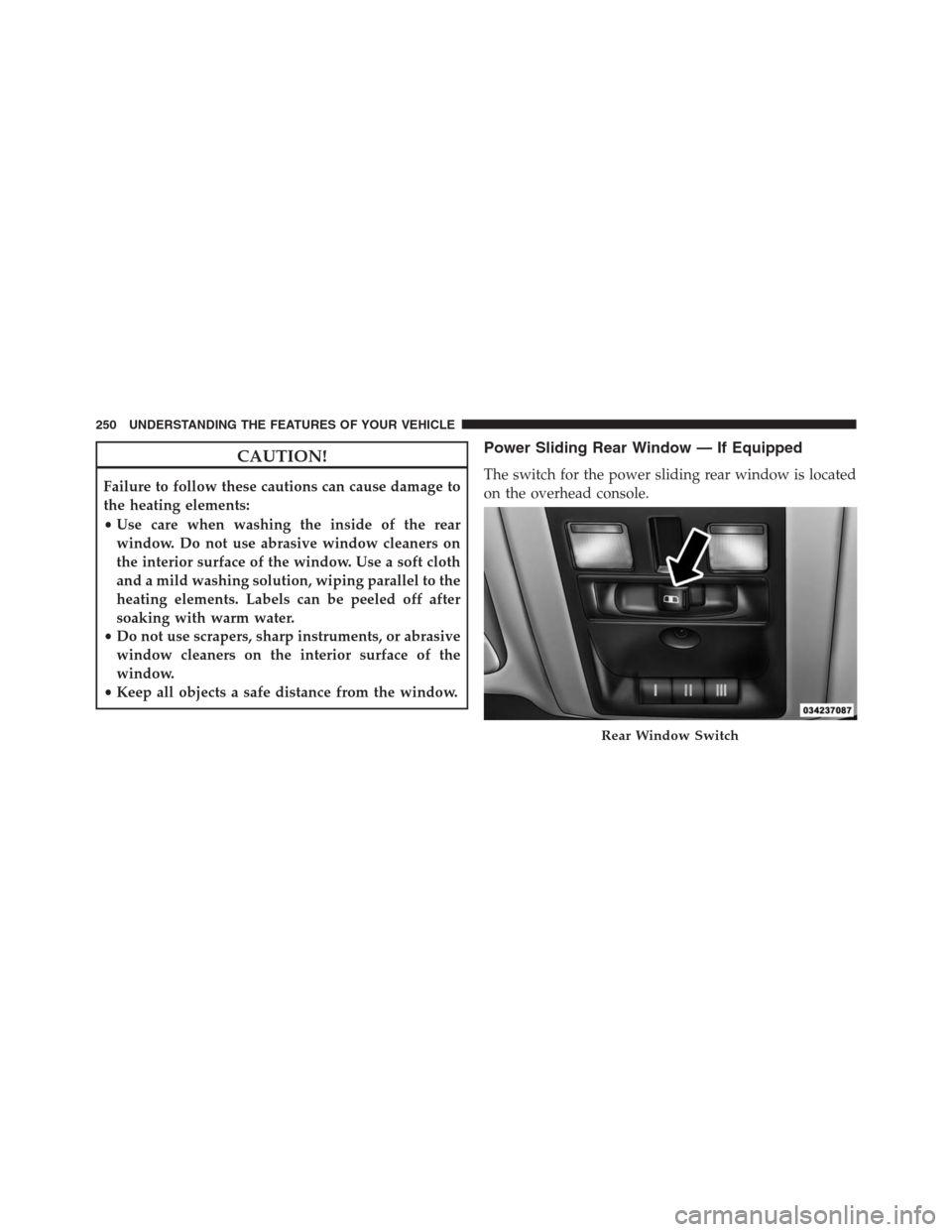
Power Sliding Rear Window — If Equipped
The switch for the power sliding rear window is located
on the overhead console.
Rear Window Switch
250 UNDERSTANDING THE FEATURES OF YOUR VEHICLE
Page 253 of 916
Push the switch to the right to open the glass. Pull the
switch to the left to close the glass.
Manual Sliding Rear Window — If Equipped
A locking device in the center of the window helps to
prevent entry from the rear of the vehicle. Squeeze the
lock to release the window.
FOLD FLAT LOAD FLOOR — IF EQUIPPED
Quad Cab and Crew Cab models with a 60/40 rear seat
may be equipped with a folding load floor.
WARNING!
Do not operate the vehicle with loose items stored on
the load floor. While driving or in an accident you
may experience abrupt stopping, rapid acceleration,
or sharp turns. Loose objects stored on the load floor
may move around with force and strike occupants,
resulting in serious or fatal injury.Unfolding The Load Floor/Quad Cab
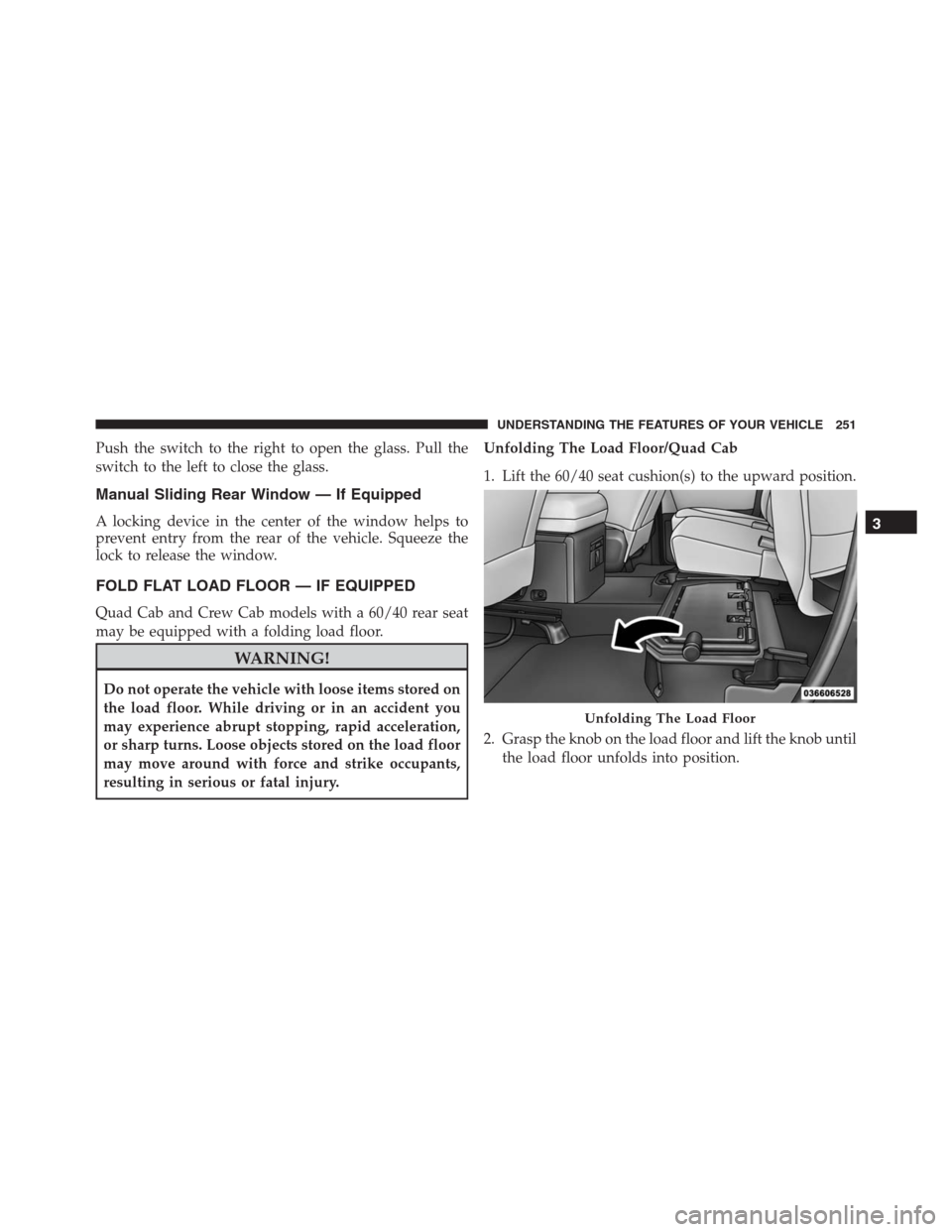
1. Lift the 60/40 seat cushion(s) to the upward position.
2. Grasp the knob on the load floor and lift the knob until
the load floor unfolds into position.
Unfolding The Load Floor
3
UNDERSTANDING THE FEATURES OF YOUR VEHICLE 251
Page 256 of 916
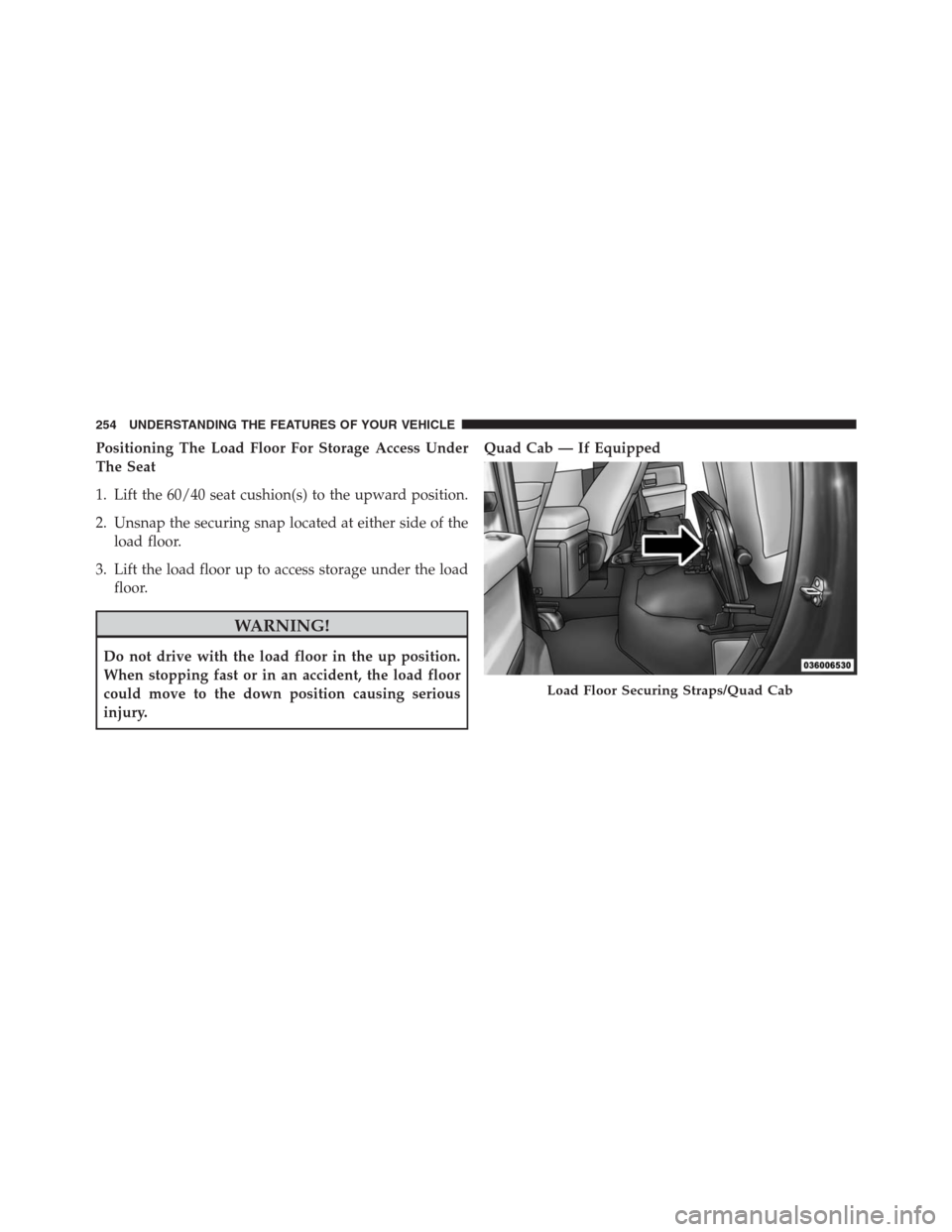
Positioning The Load Floor For Storage Access Under
The Seat
1. Lift the 60/40 seat cushion(s) to the upward position.
2. Unsnap the securing snap located at either side of the
load floor.
3. Lift the load floor up to access storage under the load
floor.
WARNING!
Do not drive with the load floor in the up position.
When stopping fast or in an accident, the load floor
could move to the down position causing serious
injury.Quad Cab — If Equipped
Load Floor Securing Straps/Quad Cab
254 UNDERSTANDING THE FEATURES OF YOUR VEHICLE
Page 258 of 916
NOTE:If you are installing a Toolbox, Ladder Rack or
Headache Rack at the front of the Pickup Box, you must
use Mopar Box Reinforcement Brackets that are available
from your authorized dealer.
You can carry wide building materials (sheets of ply-
wood, etc.) by building a raised load floor. Place lumber
across the box in the indentations provided above the
wheel housings and in the bulkhead dividers to form the
floor.
WARNING!
•The pickup box is intended for load carrying pur-
poses only, not for passengers, who should sit in
seats and use seat belts.
•Care should always be exercised when operating a
vehicle with unrestrained cargo. Vehicle speeds
may need to be reduced. Severe turns or rough
(Continued)
WARNING!(Continued)
roads may cause shifting or bouncing of the cargo
that may result in vehicle damage. If wide building
materials are to be frequently carried, the installa-
tion of a support is recommended. This will re-
strain the cargo and transfer the load to the pickup
box floor.
•If you wish to carry more than 600 lbs (272 kg) of
material suspended above the wheelhouse, sup-
ports must be installed to transfer the weight of the
load to the pickup box floor or vehicle damage may
result. The use of proper supports will permit
loading up to the rated payload.
•Unrestrained cargo may be thrown forward in an
accident causing serious or fatal injury.
There are stampings in the sheet metal on the inner side
bulkheads of the box in front of and behind both wheel
256 UNDERSTANDING THE FEATURES OF YOUR VEHICLE
Page 268 of 916
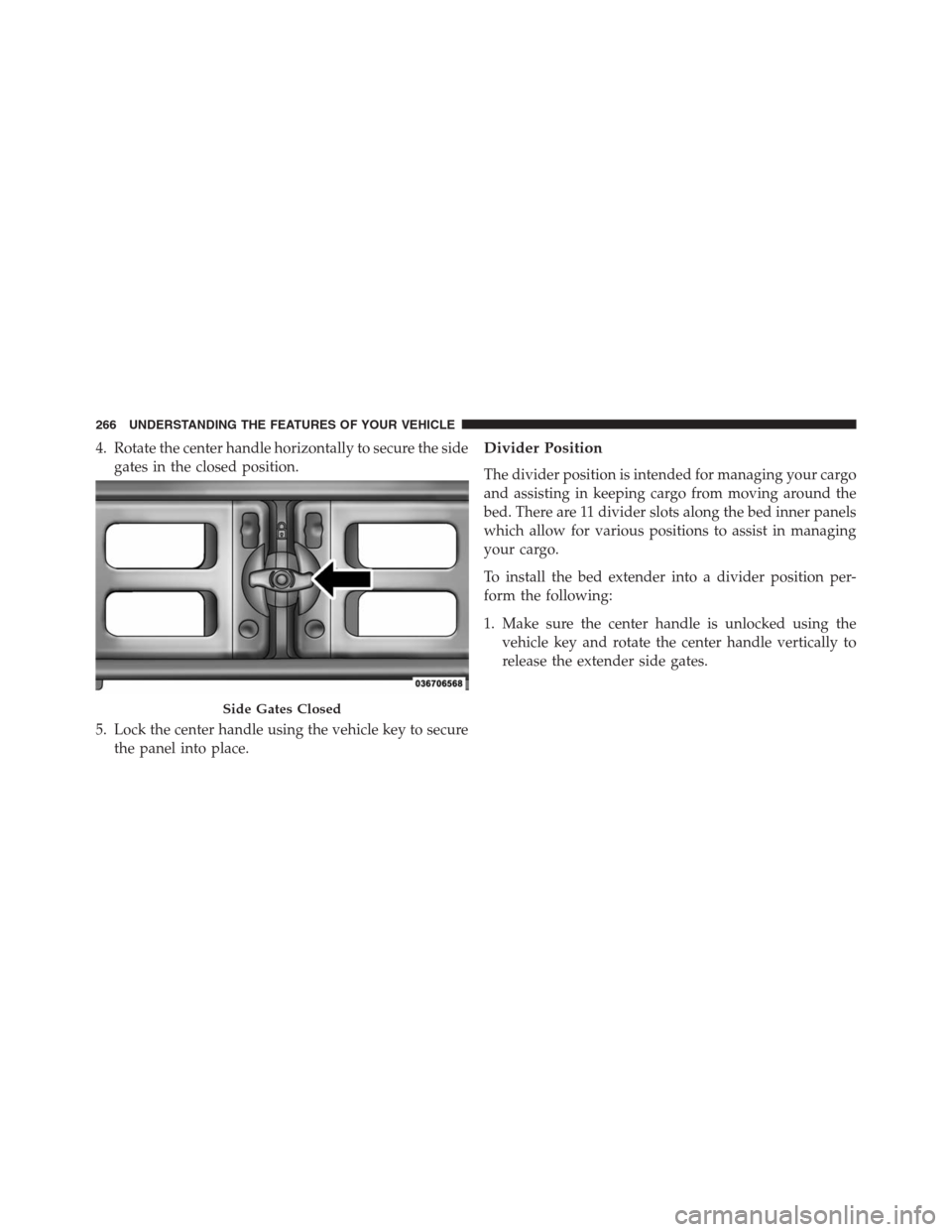
4. Rotate the center handle horizontally to secure the side
gates in the closed position.
5. Lock the center handle using the vehicle key to secure
the panel into place.Divider Position
The divider position is intended for managing your cargo
and assisting in keeping cargo from moving around the
bed. There are 11 divider slots along the bed inner panels
which allow for various positions to assist in managing
your cargo.
To install the bed extender into a divider position per-
form the following:
1. Make sure the center handle is unlocked using the
vehicle key and rotate the center handle vertically to
release the extender side gates.
Side Gates Closed
266 UNDERSTANDING THE FEATURES OF YOUR VEHICLE
Page 270 of 916
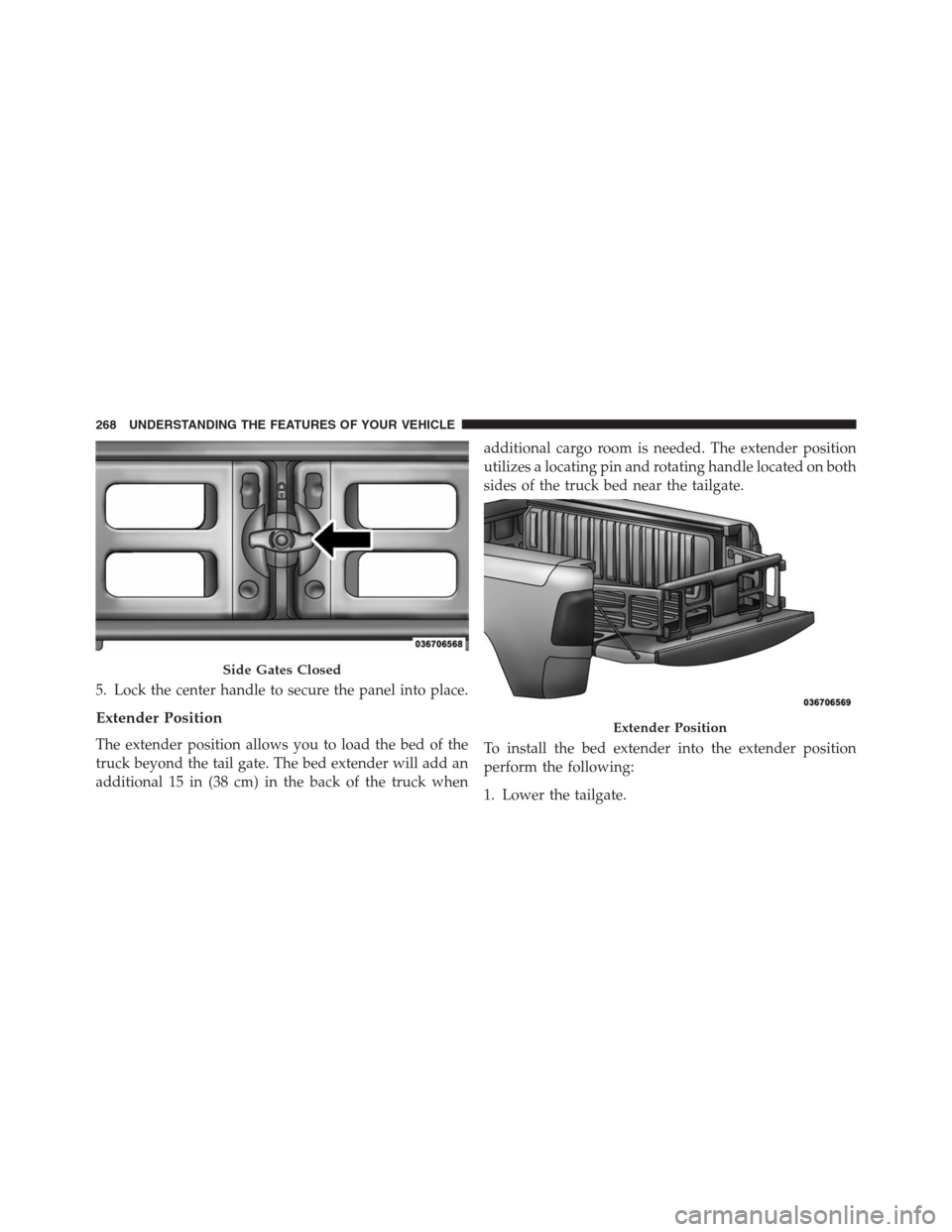
5. Lock the center handle to secure the panel into place.
Extender Position
The extender position allows you to load the bed of the
truck beyond the tail gate. The bed extender will add an
additional 15 in (38 cm) in the back of the truck whenadditional cargo room is needed. The extender position
utilizes a locating pin and rotating handle located on both
sides of the truck bed near the tailgate.
To install the bed extender into the extender position
perform the following:
1. Lower the tailgate.
Side Gates Closed
Extender Position
268 UNDERSTANDING THE FEATURES OF YOUR VEHICLE
Page 271 of 916
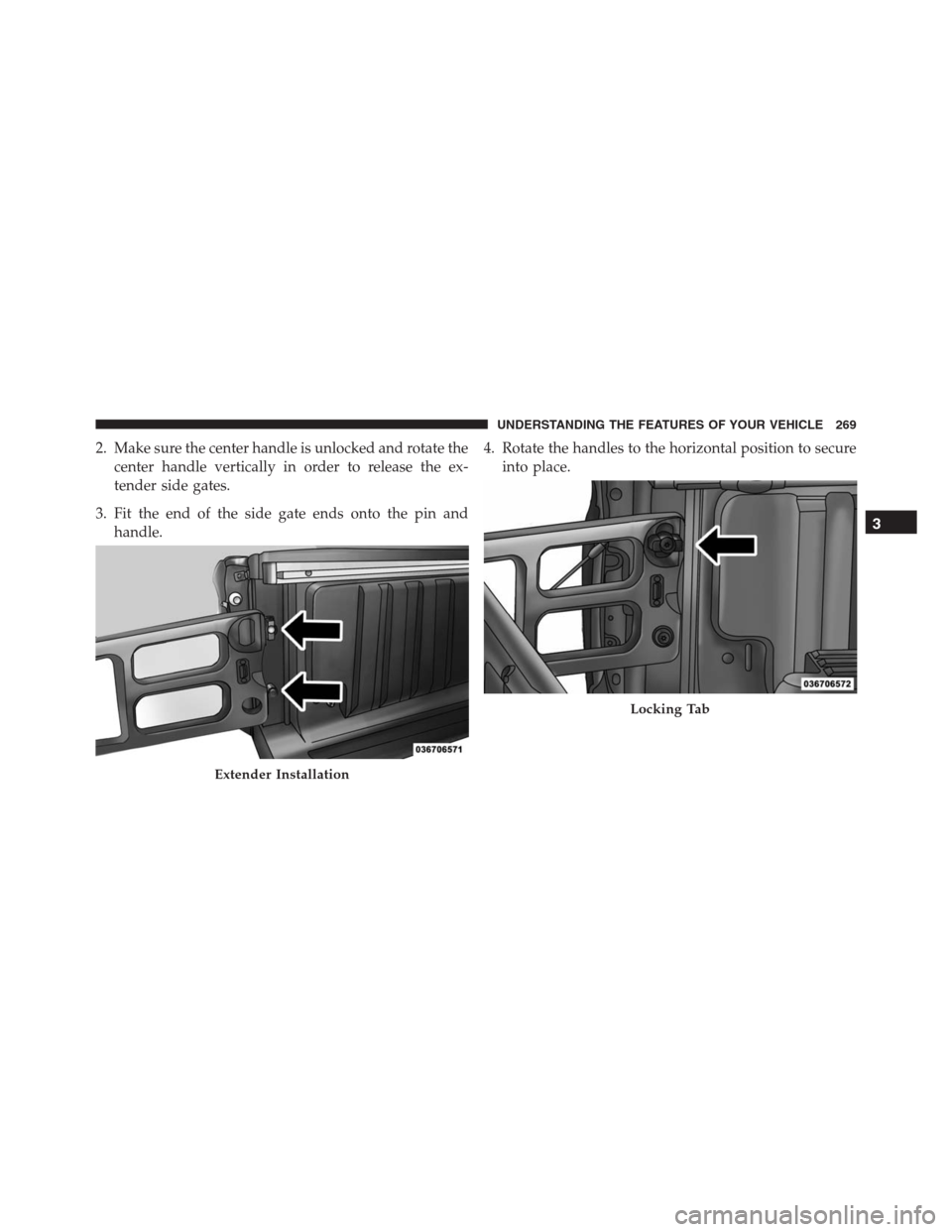
2. Make sure the center handle is unlocked and rotate the
center handle vertically in order to release the ex-
tender side gates.
3. Fit the end of the side gate ends onto the pin and
handle.4. Rotate the handles to the horizontal position to secure
into place.
Extender Installation
Locking Tab
3
UNDERSTANDING THE FEATURES OF YOUR VEHICLE 269