PIN Ram 1500 2016 Owner's Guide
[x] Cancel search | Manufacturer: RAM, Model Year: 2016, Model line: 1500, Model: Ram 1500 2016Pages: 916, PDF Size: 7.55 MB
Page 499 of 916
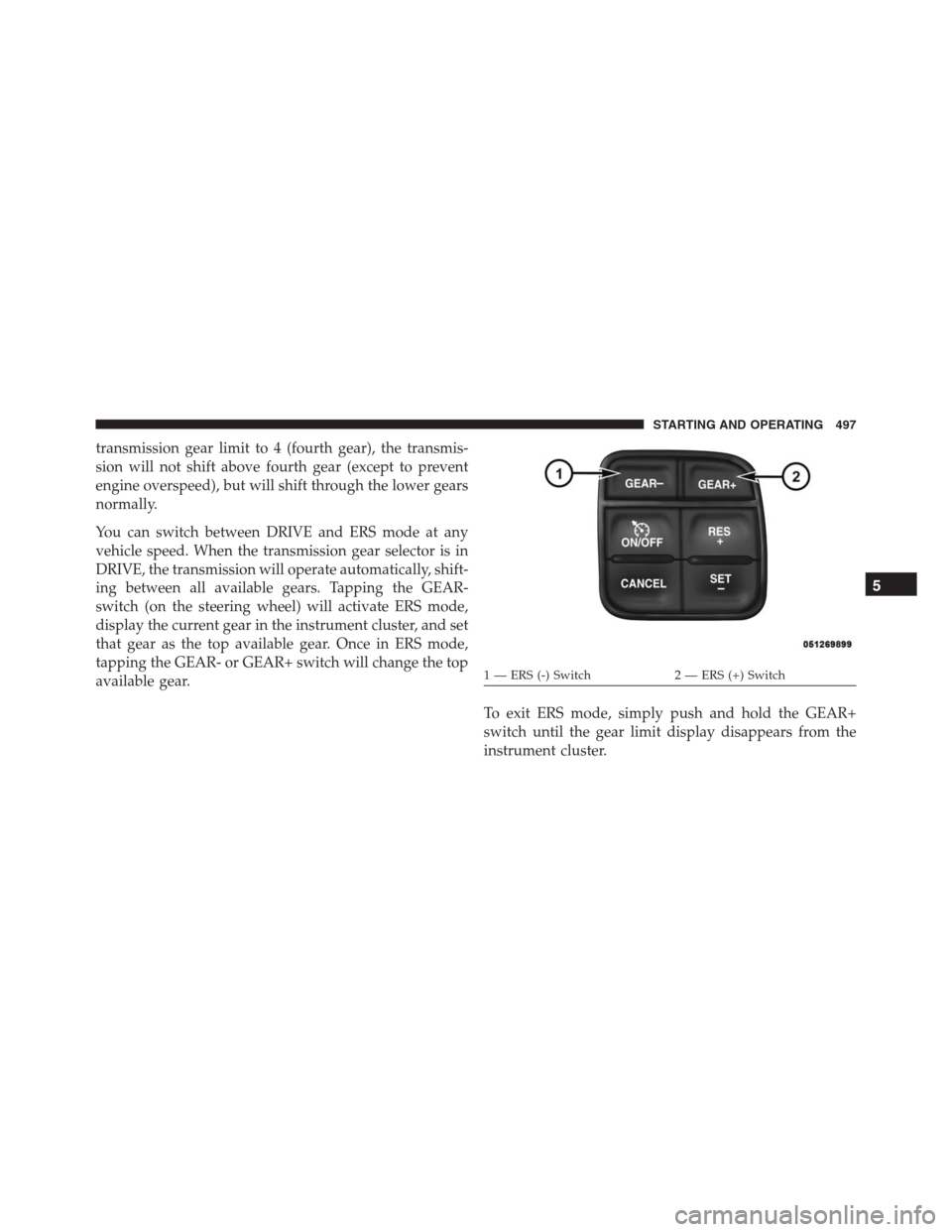
transmission gear limit to 4 (fourth gear), the transmis-
sion will not shift above fourth gear (except to prevent
engine overspeed), but will shift through the lower gears
normally.
You can switch between DRIVE and ERS mode at any
vehicle speed. When the transmission gear selector is in
DRIVE, the transmission will operate automatically, shift-
ing between all available gears. Tapping the GEAR-
switch (on the steering wheel) will activate ERS mode,
display the current gear in the instrument cluster, and set
that gear as the top available gear. Once in ERS mode,
tapping the GEAR- or GEAR+ switch will change the top
available gear.
To exit ERS mode, simply push and hold the GEAR+
switch until the gear limit display disappears from the
instrument cluster.
1 — ERS (-) Switch 2 — ERS (+) Switch
5
STARTING AND OPERATING 497
Page 509 of 916
You can switch between DRIVE and ERS mode at any
vehicle speed. When the shift lever is in the DRIVE
position, the transmission will operate automatically,
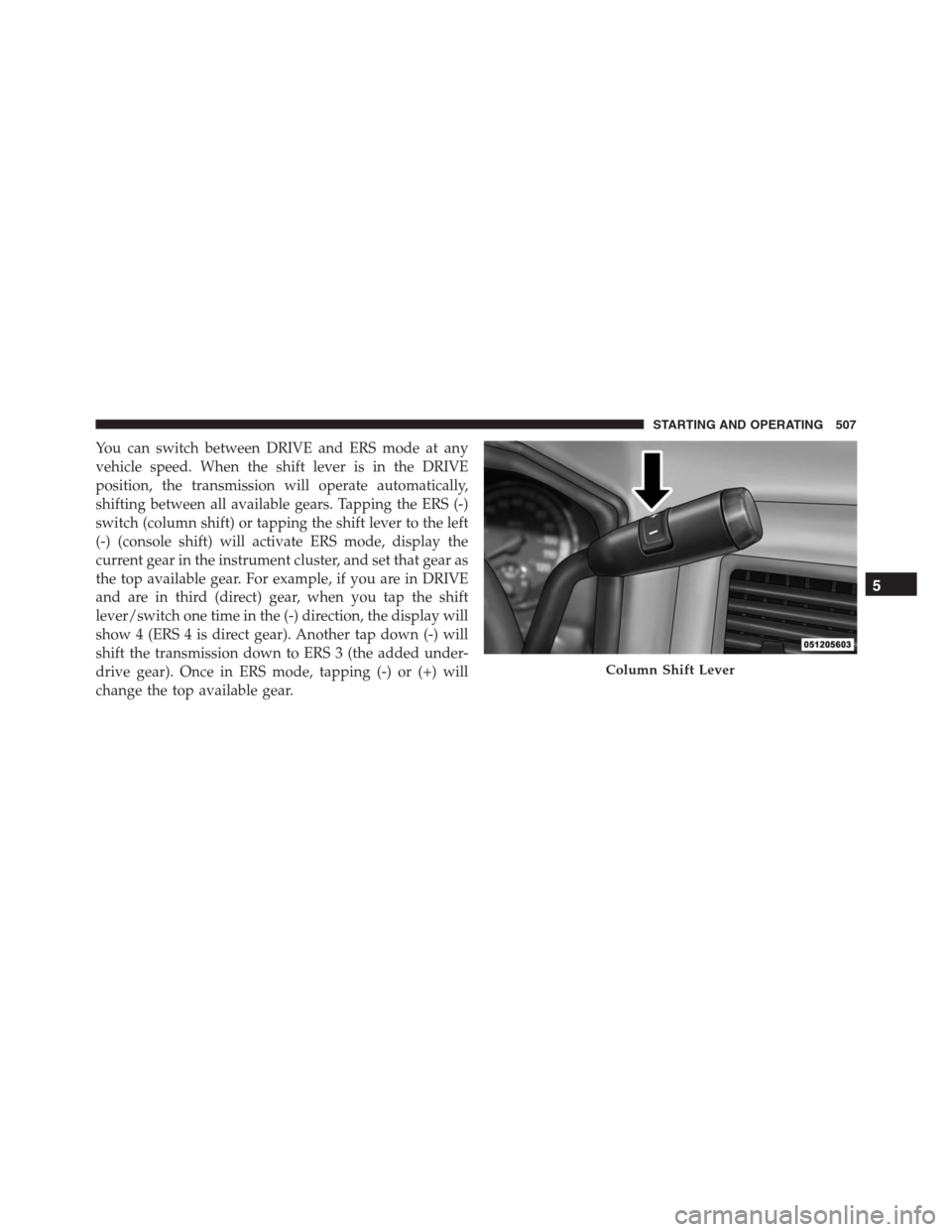
shifting between all available gears. Tapping the ERS (-)
switch (column shift) or tapping the shift lever to the left
(-) (console shift) will activate ERS mode, display the
current gear in the instrument cluster, and set that gear as
the top available gear. For example, if you are in DRIVE
and are in third (direct) gear, when you tap the shift
lever/switch one time in the (-) direction, the display will
show 4 (ERS 4 is direct gear). Another tap down (-) will
shift the transmission down to ERS 3 (the added under-
drive gear). Once in ERS mode, tapping (-) or (+) will
change the top available gear.
Column Shift Lever
5
STARTING AND OPERATING 507
Page 521 of 916
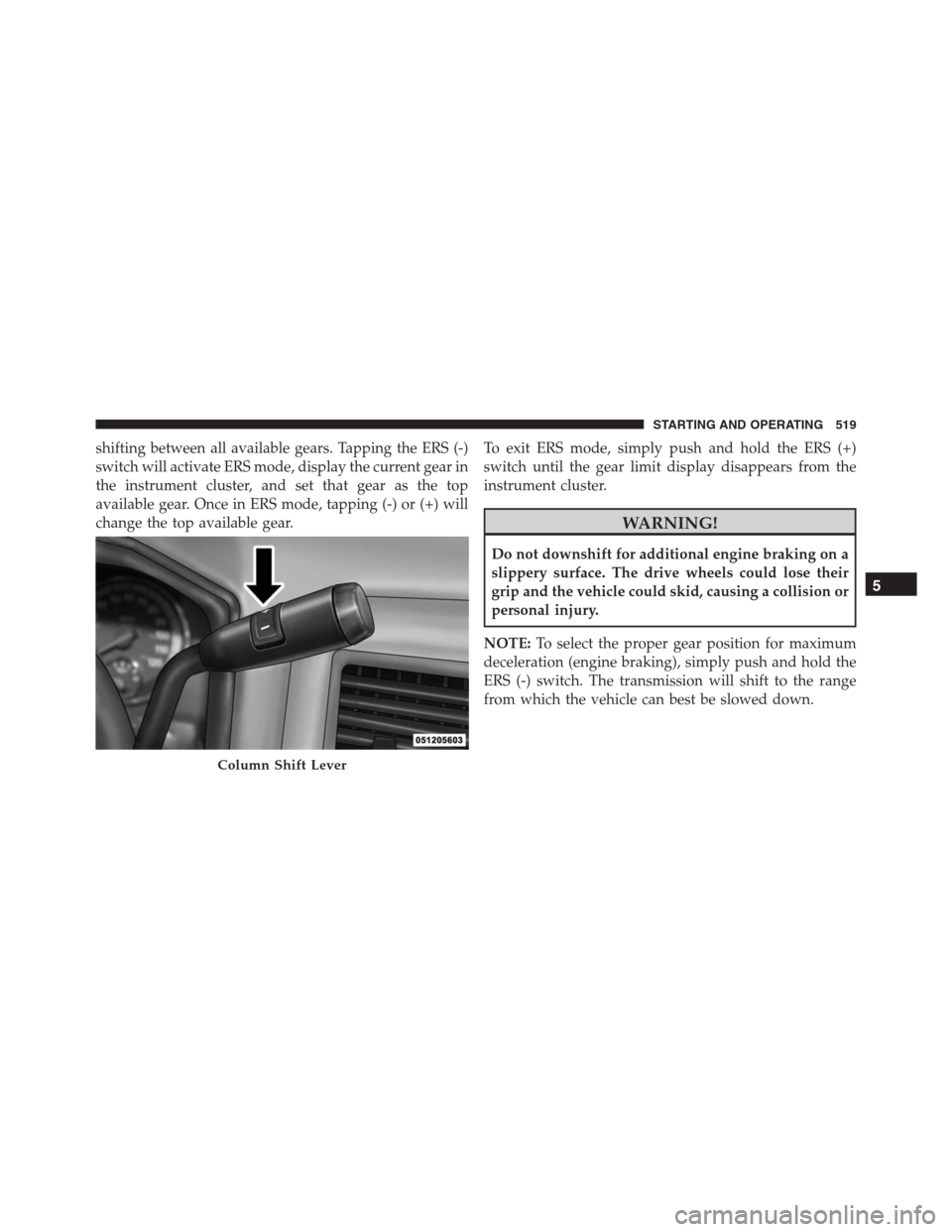
shifting between all available gears. Tapping the ERS (-)
switch will activate ERS mode, display the current gear in
the instrument cluster, and set that gear as the top
available gear. Once in ERS mode, tapping (-) or (+) will
change the top available gear.To exit ERS mode, simply push and hold the ERS (+)
switch until the gear limit display disappears from the
instrument cluster.
WARNING!
Do not downshift for additional engine braking on a
slippery surface. The drive wheels could lose their
grip and the vehicle could skid, causing a collision or
personal injury.
NOTE:To select the proper gear position for maximum
deceleration (engine braking), simply push and hold the
ERS (-) switch. The transmission will shift to the range
from which the vehicle can best be slowed down.
Column Shift Lever
5
STARTING AND OPERATING 519
Page 525 of 916
This transfer case is intended to be driven in the 2H
position for normal street and highway conditions such
as dry, hard surfaced roads.
When additional traction is required, the 4H and 4L
positions can be used to lock the front and rear drive-
shafts together and force the front and rear wheels to
rotate at the same speed. This is accomplished by simply
moving the shift lever to the desired positions once the
appropriate speed and gear requirements are met, refer
to “Shifting Procedure – Manually Shifted Transfer Case”
in this section for further information.
The 4H and 4L positions are intended for loose, slippery
road surfaces only. Driving in the 4H and 4L positions on
dry, hard surfaced roads may cause increased tire wear
and damage to the driveline components.
The “Transfer Case Position Indicator Light” in the
instrument cluster will alert the driver that the vehicle isin four-wheel drive and that the front and rear drive-
shafts are locked together. This light will illuminate when
the transfer case is shifted into either the 4H or 4L
position. There is no light for the 2H or NEUTRAL
positions on some models.
When operating your vehicle in 4L, the engine speed is
approximately three times that of the 2H or 4H positions
at a given road speed. Take care not to overspeed the
engine and do not exceed 25 mph (40 km/h).
Proper operation of four-wheel drive vehicles depends
on tires of equal size, type and circumference on each
wheel. Any difference will adversely affect shifting and
can cause damage to the drivetrain.
NOTE:Do not attempt to make a shift while only the
front or rear wheels are spinning. The front and rear
driveshaft speeds must be equal for the shift to take
place. Shifting while only the front or rear wheels are
spinning can cause damage to the transfer case.
5
STARTING AND OPERATING 523
Page 526 of 916
Because four-wheel drive provides improved traction,
there is a tendency to exceed safe turning and stopping
speeds. Do not go faster than road conditions permit.
NOTE:Delayed shifts out of four-wheel drive may be
experienced due to uneven tire wear, low or uneven tire
pressures, excessive vehicle loading, or cold tempera-
tures.
WARNING!
You or others could be injured or killed if you leave
the vehicle unattended with the transfer case in the
NEUTRAL position without first fully engaging the
parking brake. The transfer case NEUTRAL position
disengages both the front and rear drive shafts from
the powertrain and will allow the vehicle to roll,
even if the transmission is in PARK. The parking
brake should always be applied when the driver is
not in the vehicle.For additional information on the appropriate use of each
transfer case mode position, see the information below:
2H
Rear-Wheel Drive High Range — This range is for
normal street and highway driving on dry hard surfaced
roads.
4H
Four-Wheel Drive High Range — This range locks the
front and rear driveshafts together forcing the front and
rear wheels to rotate at the same speed. Additional
traction for loose, slippery road surfaces only.
Neutral (N)
Neutral — This range disengages the front and rear
driveshafts from the powertrain. To be used for flat
towing behind another vehicle. Refer to “Recreational
Towing” in “Starting And Operating” for further infor-
mation.
524 STARTING AND OPERATING
Page 531 of 916
WARNING!
Always engage the parking brake when powering
down the vehicle if the “SVC 4WD Warning Light” is
illuminated. Not engaging the parking brake may
allow the vehicle to roll, which may cause personal
injury.
NOTE:Do not attempt to make a shift while only the
front or rear wheels are spinning, as this can cause
damage to driveline components.
When operating your vehicle in 4WD LOW, the engine
speed is approximately three times that of the 2WD or
4WD LOCK positions at a given road speed. Take care
not to overspeed the engine and do not exceed 25 mph
(40 km/h).Proper operation of four-wheel drive vehicles depends
on tires of equal size, type and circumference on each
wheel. Any difference in tire size can cause damage to the
drivetrain.
Because four-wheel drive provides improved traction,
there is a tendency to exceed safe turning and stopping
speeds. Do not go faster than road conditions permit.
WARNING!
You or others could be injured or killed if you leave
the vehicle unattended with the transfer case in the
NEUTRAL position without first fully engaging the
parking brake. The transfer case NEUTRAL position
disengages both the front and rear drive shafts from
the powertrain and will allow the vehicle to roll,
even if the transmission is in PARK. The parking
brake should always be applied when the driver is
not in the vehicle.
5
STARTING AND OPERATING 529
Page 534 of 916
NOTE:The four-wheel drive system will not allow shifts
between 2WD/4WD LOCK if the front and/or rear
wheels are spinning (no traction). In this situation, the
selected position indicator light will flash and the origi-
nal position indicator light will remain ON. At this time,
reduce speed and stop spinning the wheels to complete
the shift.
2WD Or 4WD LOCK To 4WD LOW
NOTE:When shifting into or out of 4WD LOW some
gear noise may be heard. This noise is normal and is not
detrimental to the vehicle or occupants.
Shifting can be performed with the vehicle rolling 2 to
3 mph (3 to 5 km/h) or completely stopped. You can use
either of the following procedures:
Preferred Procedure
1. With the engine running, slow the vehicle to 2 to
3 mph (3 to 5 km/h).2. Shift the transmission into NEUTRAL.
3. While still rolling, rotate the transfer case control
switch to the desired position.
4. After the desired position indicator light is ON (not
flashing), shift the transmission back into gear.
Alternate Procedure
1. Bring the vehicle to a complete stop.
2. With the ignition switch in the ON position and the
engine running, shift the transmission into NEUTRAL.
3. Rotate the transfer case control switch to the desired
position.
4. After the desired position indicator light is ON (not
flashing), shift the transmission back into gear.
532 STARTING AND OPERATING
Page 538 of 916
WARNING!(Continued)
allow the vehicle to roll which may cause personal
injury or death.
NOTE:Do not attempt to make a shift while only the
front or rear wheels are spinning. This could cause
damage to driveline components.
When operating your vehicle in 4WD LOW, the engine
speed is approximately three times that of the 2WD, 4WD
AUTO or 4WD LOCK positions at a given road speed.
Take care not to overspeed the engine and do not exceed
25 mph (40 km/h).
Proper operation of four-wheel drive vehicles depends
on tires of equal size, type and circumference on each
wheel. Any difference in tire size can cause damage to the
drivetrain.Because four-wheel drive provides improved traction,
there is a tendency to exceed safe turning and stopping
speeds. Do not go faster than road conditions permit.
WARNING!
You or others could be injured or killed if you leave
the vehicle unattended with the transfer case in the
NEUTRAL position without first fully engaging the
parking brake. The transfer case NEUTRAL position
disengages both the front and rear drive shafts from
the powertrain and will allow the vehicle to roll,
even if the transmission is in PARK. The parking
brake should always be applied when the driver is
not in the vehicle.
536 STARTING AND OPERATING
Page 543 of 916
after engine start up or illuminates during driving, it
means that the four-wheel drive system is not function-
ing properly and that service is required.
WARNING!
Always engage the parking brake when powering
down the vehicle if the “SVC 4WD Warning Light” is
illuminated. Not engaging the parking brake may
allow the vehicle to roll which may cause personal
injury or death.
NOTE:Do not attempt to make a shift while only the
front or rear wheels are spinning. This could cause
damage to driveline components.
When operating your vehicle in 4WD LOW, the engine
speed is approximately three times that of the 2WD, 4WDAUTO or 4WD LOCK positions at a given road speed.
Take care not to overspeed the engine and do not exceed
25 mph (40 km/h).
Proper operation of four-wheel drive vehicles depends
on tires of equal size, type and circumference on each
wheel. Any difference in tire size can cause damage to the
drivetrain.
Because four-wheel drive provides improved traction,
there is a tendency to exceed safe turning and stopping
speeds. Do not go faster than road conditions permit.
WARNING!
You or others could be injured or killed if you leave
the vehicle unattended with the transfer case in the
NEUTRAL position without first fully engaging the
parking brake. The transfer case NEUTRAL position
(Continued)
5
STARTING AND OPERATING 541
Page 566 of 916
•Entry/Exit Mode – Indicator lamp 3 will be illumi-
nated when the vehicle is in Entry Exit Mode. Entry/
Exit mode can be requested up to 33 mph (53 km/h).
If vehicle speed is reduced to, and kept below, 15 mph
(24 km/h) indicator lamp 3 will flash and indicator
lamp 4 will remain solid until Entry/Exit Mode is
achieved at which point indicator lamp 4 will turn off.
•Transport Mode – No indicator lamps will be illumi-
nated. Transport Mode is disabled by driving the
vehicle.
•Tire/Jack Mode – indicator lamps 3 and 6 will be
illuminated. Tire/Jack Mode is disabled by driving the
vehicle.
•Wheel Alignment Mode – indicator lamps 3, 4 and 5
will be illuminated. Wheel Alignment Mode is dis-
abled by driving the vehicle.AXLE LOCKER SYSTEM — POWER WAGON
MODELS ONLY (IF EQUIPPED)
This vehicle is equipped with electronically locking front
and rear differentials. These differentials, when engaged,
mechanically lock together the axle shafts forcing the
wheels to spin at an equal rate. This allows the vehicle to
maintain its momentum and prevents it from becoming
stuck. The locking front and rear differentials should only
be engaged during low-speed, extreme off-road situa-
tions where one wheel is likely to not be in contact with
the ground. It is not recommended to drive the vehicle
with the differentials locked on pavement due to the
reduced ability to turn and speed limitations.
CAUTION!
•Do not lock the front or rear axle on hard surfaced
roads. The ability to steer the vehicle is reduced
(Continued)
564 STARTING AND OPERATING