wipers Ram 1500 2016 User Guide
[x] Cancel search | Manufacturer: RAM, Model Year: 2016, Model line: 1500, Model: Ram 1500 2016Pages: 916, PDF Size: 7.55 MB
Page 389 of 916
button on the faceplate, then the “Safety & Driving
Assistance” button on the touchscreen. Press the
“Parkview Backup camera Delay” button on the touch-
screen to turn the ParkView Delay ON or OFF.
•Rain Sensing Auto Wipers — If Equipped
When this feature is selected, the system will automati-
cally activate the windshield wipers if it senses moisture
on the windshield. To make your selection, press the
“Rain Sensing” button on the touchscreen and make your
selection.
•Hill Start Assist — If Equipped
When this feature is selected, the Hill Start Assist (HSA)
system is active. Refer to “Electronic Brake Control
System” in “Starting And Operating” for system function
and operating information. To make your selection, press
the “Hill Start Assist” button on the touchscreen and
make your selection.Lights
After pressing the “Lights” button on the touchscreen,
the following settings will be available:
•Headlight Off Delay
When this feature is selected, it allows the adjustment of
the amount of time the headlights remain on after the
engine is shut off. To change the Headlight Off Delay
setting, press the “Headlight Off Delay” button on the
touchscreen and choose either “0,” “30,” “60,” or “90”
buttons on the touchscreen to select your desired time
interval.
•Headlight Illumination On Approach
When this feature is selected, it allows the adjustment of
the amount of time the headlights remain on when the
doors are unlocked with the Remote Keyless Entry (RKE)
transmitter. To change the Illuminated Approach status,
4
UNDERSTANDING YOUR INSTRUMENT PANEL 387
Page 390 of 916
press the “Illuminated Approach” button on the touch-
screen and choose either “0,” “30,” “60,” or “90” buttons
on the touchscreen to select your desired time interval.
•Headlights With Wipers — If Equipped
When this feature is selected, and the headlight switch is
in the AUTO position, the headlights will turn on ap-
proximately 10 seconds after the wipers are turned on.
The headlights will also turn off when the wipers are
turned off, if they were turned on by this feature. To
make your selection, press the “Lights w/Wipers” button
and select from “On” or “Off.”
•Auto Dim High Beams — If Equipped
When this feature is selected, the high beam headlights
will activate/deactivate automatically under certain con-
ditions. To make your selection, press the “Auto High
Beams” button on the touchscreen, and select from “On”or “Off.” Refer to ”Automatic High Beam — If
Equipped” in “Understanding The Features Of Your
Vehicle” for further information.
•Flash Lights With Lock
When this feature is selected, the exterior lights will flash
when the doors are locked or unlocked with the Remote
Keyless Entry (RKE) transmitter. This feature may be
selected with or without the sound horn on lock feature
selected. To make your selection, press the “Flash Lights
w/Lock” button on the touchscreen, and select from
“On” or “Off.”
Doors & Locks
After pressing the “Doors & Locks” button on the touch-
screen, the following settings will be available:
•Auto Door Locks
When this feature is selected, all doors will lock auto-
matically when the vehicle reaches a speed of 15 mph
388 UNDERSTANDING YOUR INSTRUMENT PANEL
Page 408 of 916
•ParkView Backup Camera Delay
When this feature is enabled, it will allow the ParkView
Backup Camera display to remain on while in drive for
up to 10 seconds, or 8 mph. To make your selection, press
the “ParkView Backup Camera Delay” button on the
touchscreen to select from on or off.
•Rain Sensing Auto Wipers — If Equipped
When this feature is selected, the system will automati-
cally activate the windshield wipers if it senses moisture
on the windshield. To make your selection, press the
“Rain Sensing” button on the touchscreen to select from
on or off.
•Hill Start Assist — If Equipped
When this feature is selected, the Hill Start Assist (HSA)
system is active. Refer to “Electronic Brake Control
System” in “Starting And Operating” for system functionand operating information. To make your selection, press
the “Hill Start Assist” button on the touchscreen to select
from on or off.
•Two Or Four Corner Air Suspension Modes — If
Equipped
There are four air suspension modes designed to protect
the system in unique situations. Tire Jack Mode is se-
lected to assist in changing a spare tire. Transport Mode
is selected to assist when the vehicle is being flat bed
towed. Wheel Alignment Mode is selected before per-
forming a wheel alignment, refer to your authorized
dealer for information. Protection Mode will automati-
cally be selected to “protect” the air suspension system
when the payload has been exceeded or load leveling
cannot be achieved.
Lights
After pressing the “Lights” button on the touchscreen the
following settings will be available.
406 UNDERSTANDING YOUR INSTRUMENT PANEL
Page 409 of 916
•Headlight Off Delay
When this feature is selected, the driver can choose to
have the headlights remain on for 0, 30, 60, or 90 seconds
when exiting the vehicle. To make your selection, press
the “+” or “–” buttons on the touchscreen to adjust the
seconds up or down.
•Headlight Illumination On Approach
When this feature is selected, the headlights will activate
and remain on for 0, 30, 60, or 90 seconds when the doors
are unlocked with the Remote Keyless Entry (RKE)
transmitter. To make your selection, press the “+” or “–”
buttons on the touchscreen to adjust the seconds up or
down.
•Headlights With Wipers — If Equipped
When this feature is selected, and the headlight switch is
in the AUTO position, the headlights will turn on ap-
proximately 10 seconds after the wipers are turned on.The headlights will also turn off when the wipers are
turned off if they were turned on by this feature. To make
your selection, press the “Headlights With Wipers” but-
ton on the touchscreen, until a check-mark appears next
to setting, showing that setting has been selected.
•Auto Dim High Beams — If Equipped
When this feature is selected, the high beam headlights
will deactivate automatically under certain conditions. To
make your selection, press the “Auto Dim High Beams”
button on the touchscreen, until a check-mark appears
next to setting, showing that setting has been selected.
Refer to “Lights/ Automatic High Beam — If Equipped”
in “Understanding The Features Of Your Vehicle” for
further information.
•Flash Lights With Lock
When this feature is selected, the exterior lamps will flash
when the doors are locked or unlocked with the Remote
Keyless Entry (RKE) transmitter. This feature may be
4
UNDERSTANDING YOUR INSTRUMENT PANEL 407
Page 785 of 916
If you must use the accessories (wipers, defrosters, etc.)
while being towed, the ignition must be in the ON/RUN
position, not the ACC position.
If the key fob is unavailable or the vehicle’s battery is
discharged, refer to ”Manual Park Release” or “Shift
Lever Override” in this section for instructions on shift-
ing the automatic transmission out of PARK for towing.
CAUTION!
•Do not use sling type equipment when towing.
Vehicle damage may occur.
•When securing the vehicle to a flat bed truck, do
not attach to front or rear suspension components.
Damage to your vehicle may result from improper
towing.
Two-Wheel Drive Models
The manufacturer recommends towing your vehicle with
all four wheelsOFFthe ground using a flatbed.
If flatbed equipment is not available, and the transmis-
sion is operable, this vehicle may be towed (with rear
wheels on the ground) under the following conditions:
•The transmission must be in NEUTRAL.
•The towing speed must not exceed 30 mph (48 km/h).
•The towing distance must not exceed 15 miles (24 km)
for 6-speed transmission, or 30 miles (48 km) for
8-speed transmission.
If the transmission is not operable, or the vehicle must be
towed faster than 30 mph (48 km/h) or farther than 15
miles (24 km) for 6-speed transmission, or 30 miles
(48 km) for 8-speed transmission, tow with the rear
wheelsOFFthe ground. Acceptable methods are to tow
the vehicle on a flatbed, or with the front wheels raised
6
WHAT TO DO IN EMERGENCIES 783
Page 810 of 916
be lubricated periodically with a lithium based grease,
such as MOPAR Spray White Lube to assure quiet, easy
operation and to protect against rust and wear. Prior to
the application of any lubricant, the parts concerned
should be wiped clean to remove dust and grit; after
lubricating excess oil and grease should be removed.
Particular attention should also be given to hood latching
components to ensure proper function. When performing
other underhood services, the hood latch, release mecha-
nism and safety catch should be cleaned and lubricated.
The external lock cylinders should be lubricated twice a
year, preferably in the Fall and Spring. Apply a small
amount of a high quality lubricant, such as MOPAR Lock
Cylinder Lubricant directly into the lock cylinder.Windshield Wiper Blades
Clean the rubber edges of the wiper blades and the
windshield periodically with a sponge or soft cloth and a
mild nonabrasive cleaner. This will remove accumula-
tions of salt or road film.
Operation of the wipers on dry glass for long periods
may cause deterioration of the wiper blades. Always use
washer fluid when using the wipers to remove salt or dirt
from a dry windshield.
Avoid using the wiper blades to remove frost or ice from
the windshield. Keep the blade rubber out of contact with
petroleum products such as engine oil, gasoline, etc.
NOTE:Life expectancy of wiper blades varies depend-
ing on geographical area and frequency of use. Poor
performance of blades may be present with chattering,
marks, water lines or wet spots. If any of these conditions
are present, clean the wiper blades or replace as neces-
sary.
808 MAINTAINING YOUR VEHICLE
Page 813 of 916
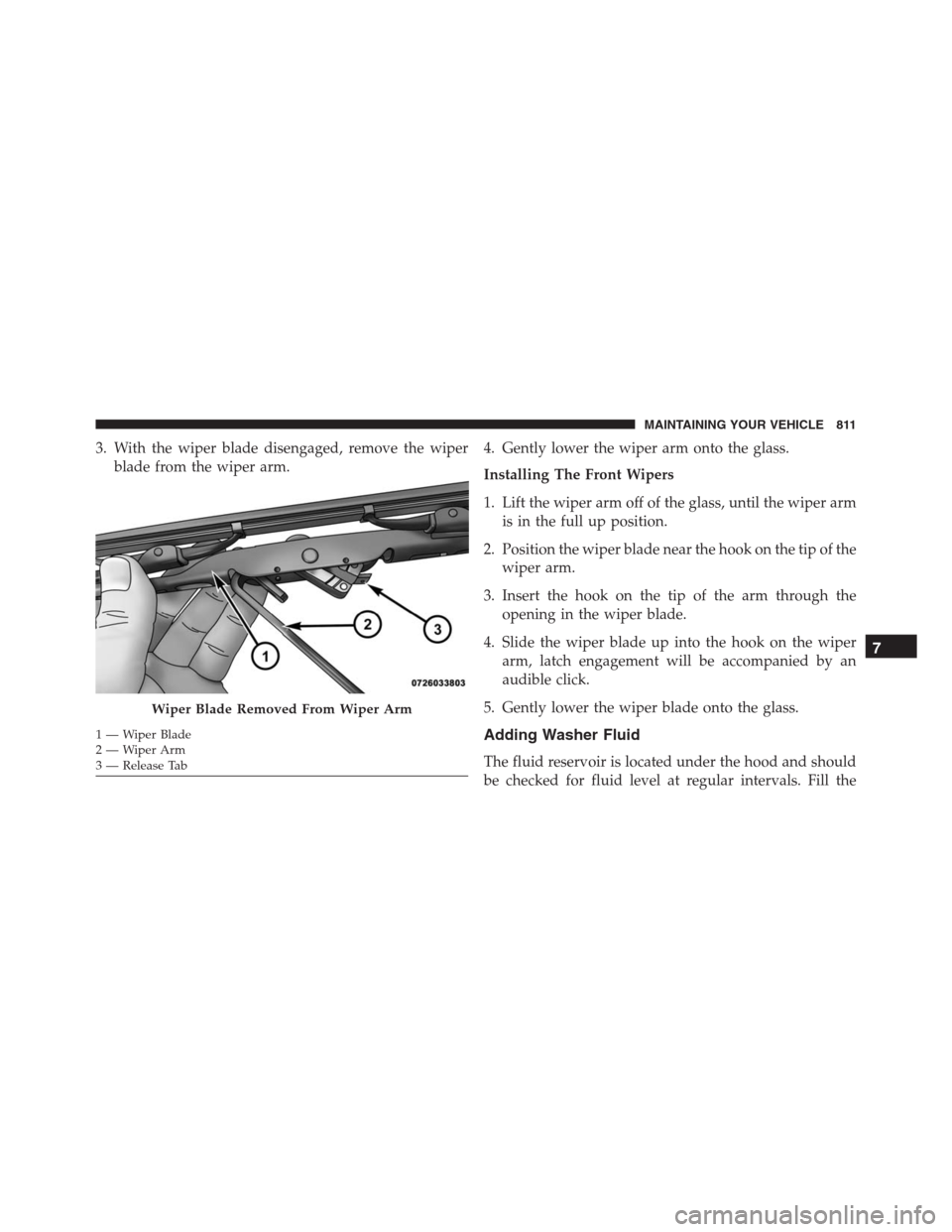
3. With the wiper blade disengaged, remove the wiper
blade from the wiper arm.4. Gently lower the wiper arm onto the glass.
Installing The Front Wipers
1. Lift the wiper arm off of the glass, until the wiper arm
is in the full up position.
2. Position the wiper blade near the hook on the tip of the
wiper arm.
3. Insert the hook on the tip of the arm through the
opening in the wiper blade.
4. Slide the wiper blade up into the hook on the wiper
arm, latch engagement will be accompanied by an
audible click.
5. Gently lower the wiper blade onto the glass.
Adding Washer Fluid
The fluid reservoir is located under the hood and should
be checked for fluid level at regular intervals. Fill the
Wiper Blade Removed From Wiper Arm
1—WiperBlade
2—WiperArm
3 — Release Tab
7
MAINTAINING YOUR VEHICLE 811
Page 897 of 916
Cleaning
Wheels...............................833
Climate Control.......................422, 432
Automatic............................432
Cold Weather Operation....................480
Compact Disc (CD) Maintenance..............419
Compact Spare Tire........................654
Console, Overhead........................217
Contract, Service..........................883
Coolant Pressure Cap (Radiator Cap)...........818
Cooling System...........................815
Adding Coolant (Antifreeze)...............817
Coolant Capacity.......................861
Coolant Level...................815, 820, 821
Disposal Of Used Coolant.................819
Drain, Flush, And Refill...................816
Inspection.........................820, 821
Points To Remember.....................822
Pressure Cap..........................818Radiator Cap..........................818
Selection Of Coolant (Antifreeze)......816, 861, 863
Corrosion Protection.......................830
Cruise Light..........................330, 332
Cupholders.............................239
Customer Assistance.......................881
Customer Programmable Features.............398
Data Recorder, Event.......................83
Daytime Running Lights....................174
Dealer Service............................794
Defroster, Rear Window.....................249
Defroster, Windshield...................119,425
Delay (Intermittent) Wipers..................185
Differential, Limited-Slip....................587
Dipsticks
Power Steering.........................615
Disabled Vehicle Towing...................
.781
10
INDEX 895
Page 902 of 916
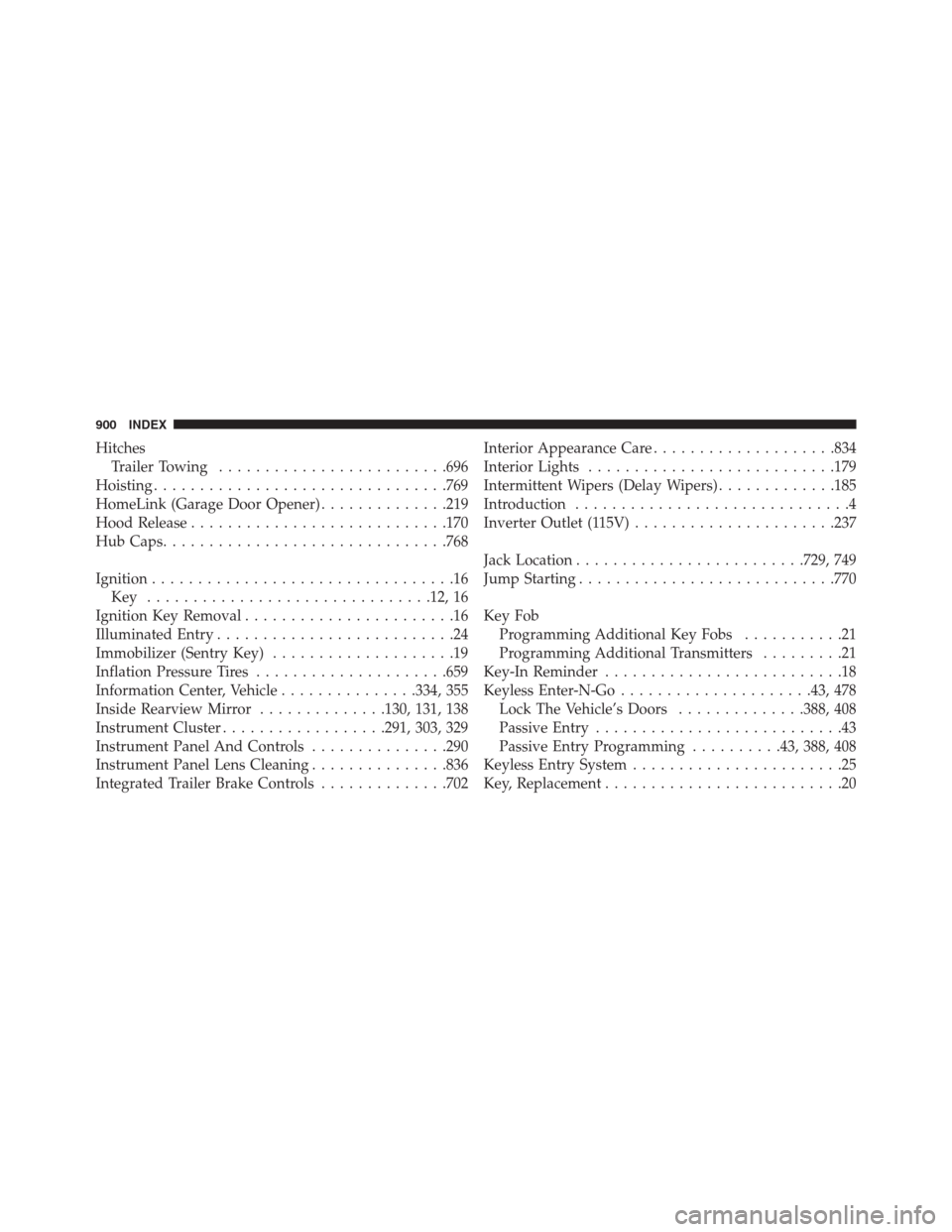
Hitches
Trailer Towing.........................696
Hoisting................................769
HomeLink (Garage Door Opener)..............219
Hood Release............................170
Hub Caps...............................768
Ignition.................................16
Key ...............................12, 16
Ignition Key Removal.......................16
Illuminated Entry..........................24
Immobilizer (Sentry Key)....................19
Inflation Pressure Tires.....................659
Information Center, Vehicle...............334, 355
Inside Rearview Mirror..............130, 131, 138
Instrument Cluster..................291, 303, 329
Instrument Panel And Controls...............290
Instrument Panel Lens Cleaning...............836
Integrated Trailer Brake Controls..............702Interior Appearance Care....................834
Interior Lights...........................179
Intermittent Wipers (Delay Wipers).............185
Introduction..............................4
Inverter Outlet (115V)......................237
Jack Location.........................729, 749
Jump Starting............................770
Key Fob
Programming Additional Key Fobs...........21
Programming Additional Transmitters.........21
Key-In Reminder..........................18
Keyless Enter-N-Go.....................43, 478
Lock The Vehicle’s Doors..............388, 408
Passive Entry...........................43
Passive Entry Programming..........43, 388, 408
Keyless Entry System.......................25
Key, Replacement..........................20
900 INDEX
Page 914 of 916

Windshield Wipers........................185
Wiper Blade Replacement...................808
Wipers, Intermittent.......................185
Wipers, Rain Sensitive......................187
912 INDEX