eco Ram 1500 2016 Owner's Manual
[x] Cancel search | Manufacturer: RAM, Model Year: 2016, Model line: 1500, Model: Ram 1500 2016Pages: 916, PDF Size: 7.55 MB
Page 602 of 916
•Always wear leather gloves and do not allow the wire
rope to slip through your hands when handling the
rope.
•Only the operator should handle the wire rope and
remote control.
•Think safety at all times.
Vehicle Recovery Using The Winch
CAUTION!
•Always Know Your Winch: Take the time to fully
read and understand the included Installation and
Operations Guide, and Basic Guide to Winching
Techniques, in order to understand your winch and
the winching operation.
(Continued)
CAUTION!(Continued)
•Always inspect winch installation and wire rope
condition before operating the winch. Frayed,
kinked or damaged wire rope must be replaced
immediately. Loose or damaged winch installation
must be corrected immediately.
•Always be sure any element which can interfere
with safe winching operations is removed prior to
initiating winching.
•Always keep remote control lead clear of the drum,
wire rope and rigging.
•Inspect for cracks, pinches, frayed wires, or loose
connections. Replace if damaged.
•Be careful not to pull the Winch Cable Collar
through the rollers. Watch and listen to Winch for
proper snugness.
600 STARTING AND OPERATING
Page 604 of 916
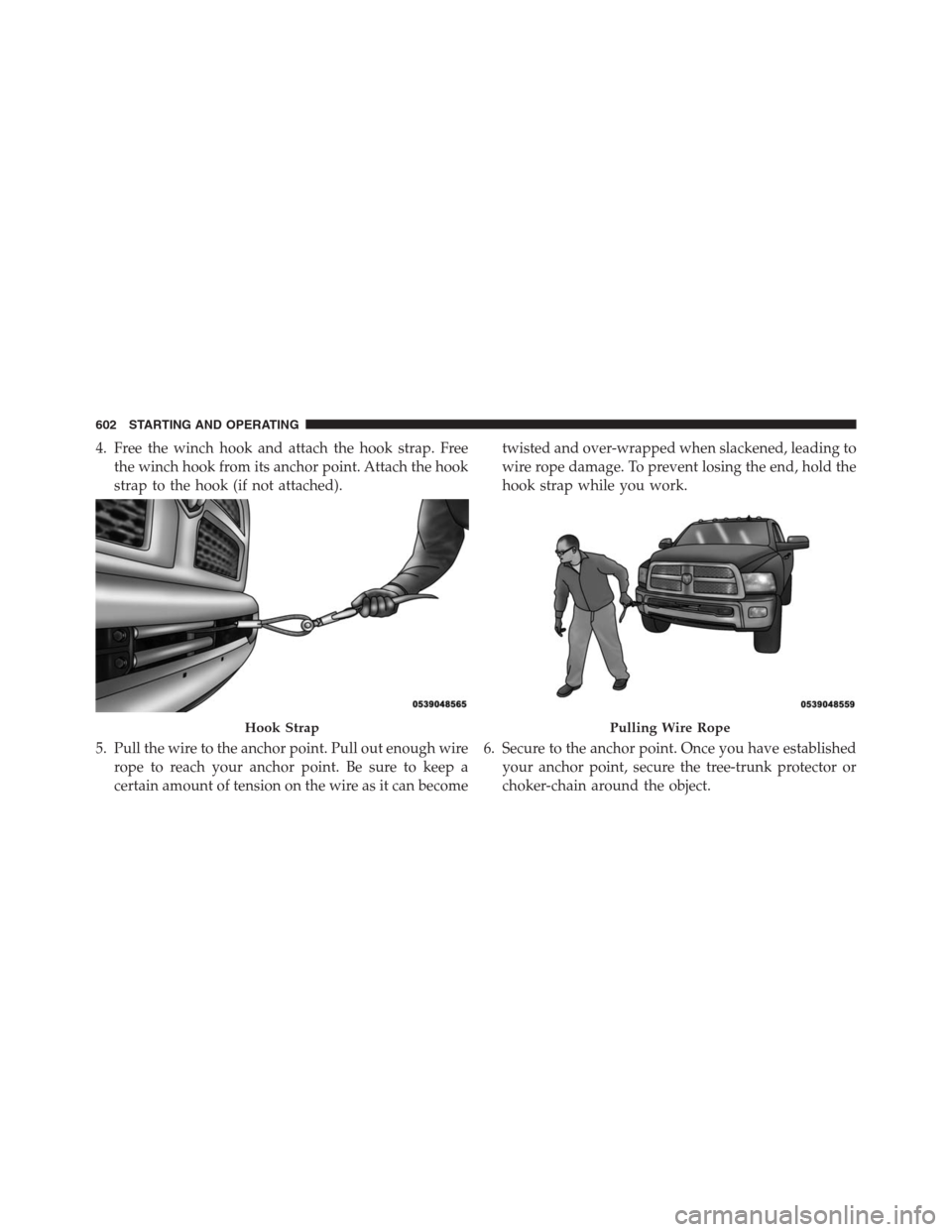
4. Free the winch hook and attach the hook strap. Free
the winch hook from its anchor point. Attach the hook
strap to the hook (if not attached).
5. Pull the wire to the anchor point. Pull out enough wire
rope to reach your anchor point. Be sure to keep a
certain amount of tension on the wire as it can becometwisted and over-wrapped when slackened, leading to
wire rope damage. To prevent losing the end, hold the
hook strap while you work.
6. Secure to the anchor point. Once you have established
your anchor point, secure the tree-trunk protector or
choker-chain around the object.
Hook StrapPulling Wire Rope
602 STARTING AND OPERATING
Page 605 of 916
CAUTION!
Always be certain the anchor you select will with-
stand the load.NOTE: How to choose an anchor point:A secure anchor
is critical to winching operations. An anchor must be
strong enough to hold while winching. Natural anchors
include trees, stumps and rocks. Hook the cable as low as
possible. If no natural anchors are available when recov-
ering another vehicle, your vehicle becomes the anchor
point. In this case, be sure to put the transmission in
NEUTRAL, apply the hand brake and block its wheels to
prevent your vehicle from moving. Ideally, you’ll want
an anchor point that will enable you to pull straight in the
direction the vehicle will move. This allows the wire rope
to wind tightly and evenly onto the spooling drum. An
anchor point as far away as possible will provide the
winch with its greatest pulling power.
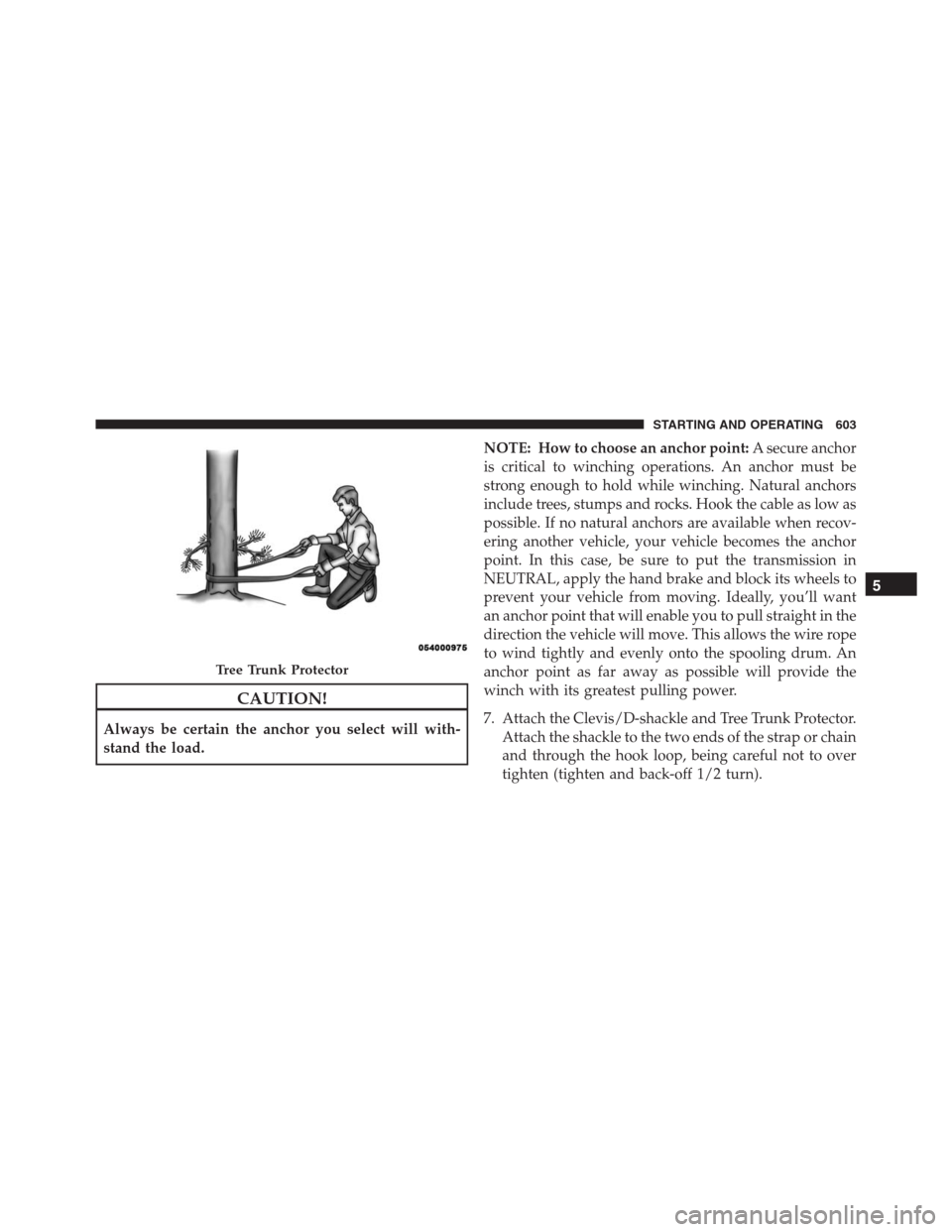
7. Attach the Clevis/D-shackle and Tree Trunk Protector.
Attach the shackle to the two ends of the strap or chain
and through the hook loop, being careful not to over
tighten (tighten and back-off 1/2 turn).
Tree Trunk Protector
5
STARTING AND OPERATING 603
Page 610 of 916
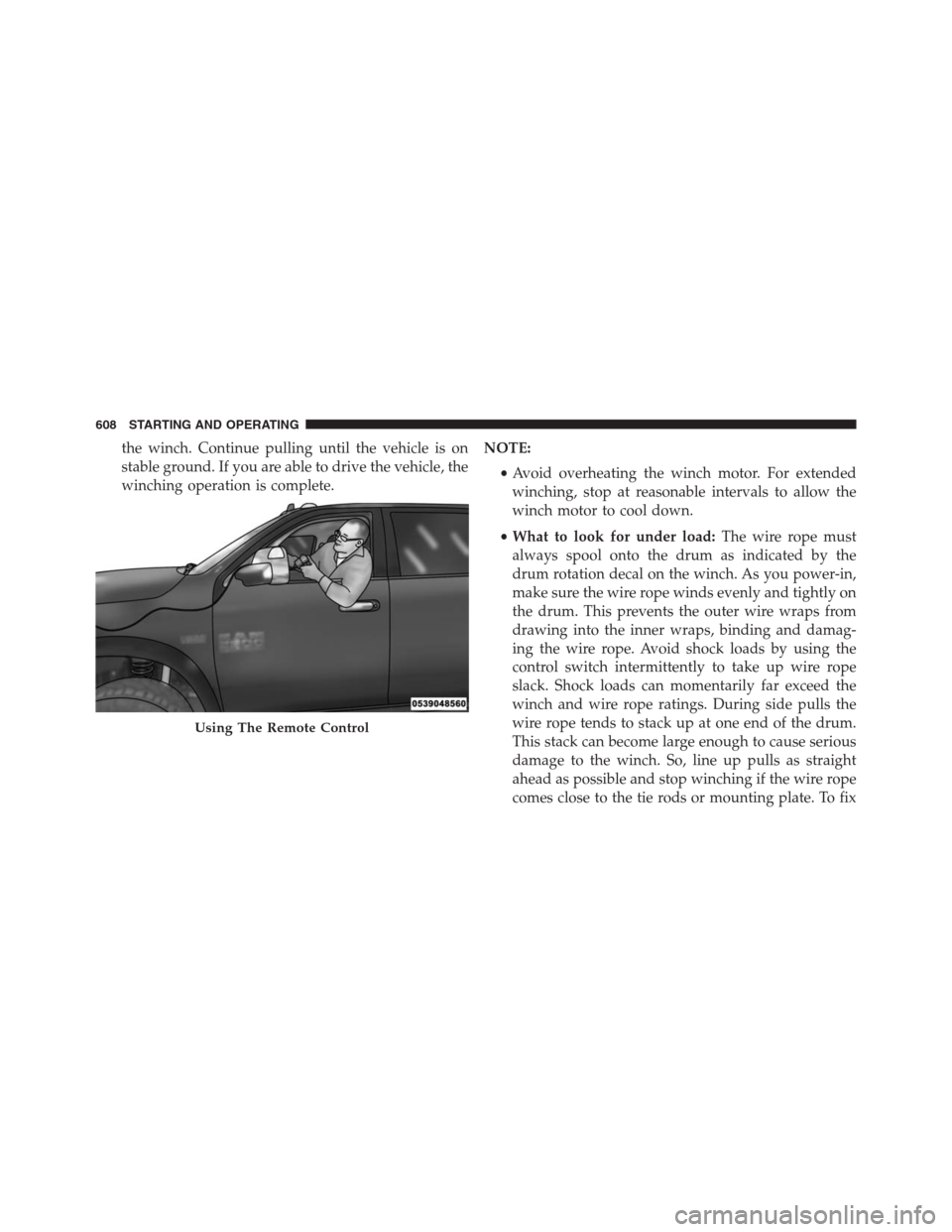
the winch. Continue pulling until the vehicle is on
stable ground. If you are able to drive the vehicle, the
winching operation is complete.NOTE:
•Avoid overheating the winch motor. For extended
winching, stop at reasonable intervals to allow the
winch motor to cool down.
•What to look for under load:The wire rope must
always spool onto the drum as indicated by the
drum rotation decal on the winch. As you power-in,
make sure the wire rope winds evenly and tightly on
the drum. This prevents the outer wire wraps from
drawing into the inner wraps, binding and damag-
ing the wire rope. Avoid shock loads by using the
control switch intermittently to take up wire rope
slack. Shock loads can momentarily far exceed the
winch and wire rope ratings. During side pulls the
wire rope tends to stack up at one end of the drum.
This stack can become large enough to cause serious
damage to the winch. So, line up pulls as straight
ahead as possible and stop winching if the wire rope
comes close to the tie rods or mounting plate. To fix
Using The Remote Control
608 STARTING AND OPERATING
Page 611 of 916
an uneven stack, spool out that section of the rope
and reposition it to the opposite end of the drum,
which will free up space for continued winching.
15. Secure vehicle. Once recovery of the vehicle is com-
plete, be sure to secure the vehicle’s brakes and shift
the transmission to PARK. Release tension in the wire
rope.
16. Disconnect the wire rope, and disconnect from the
anchor.
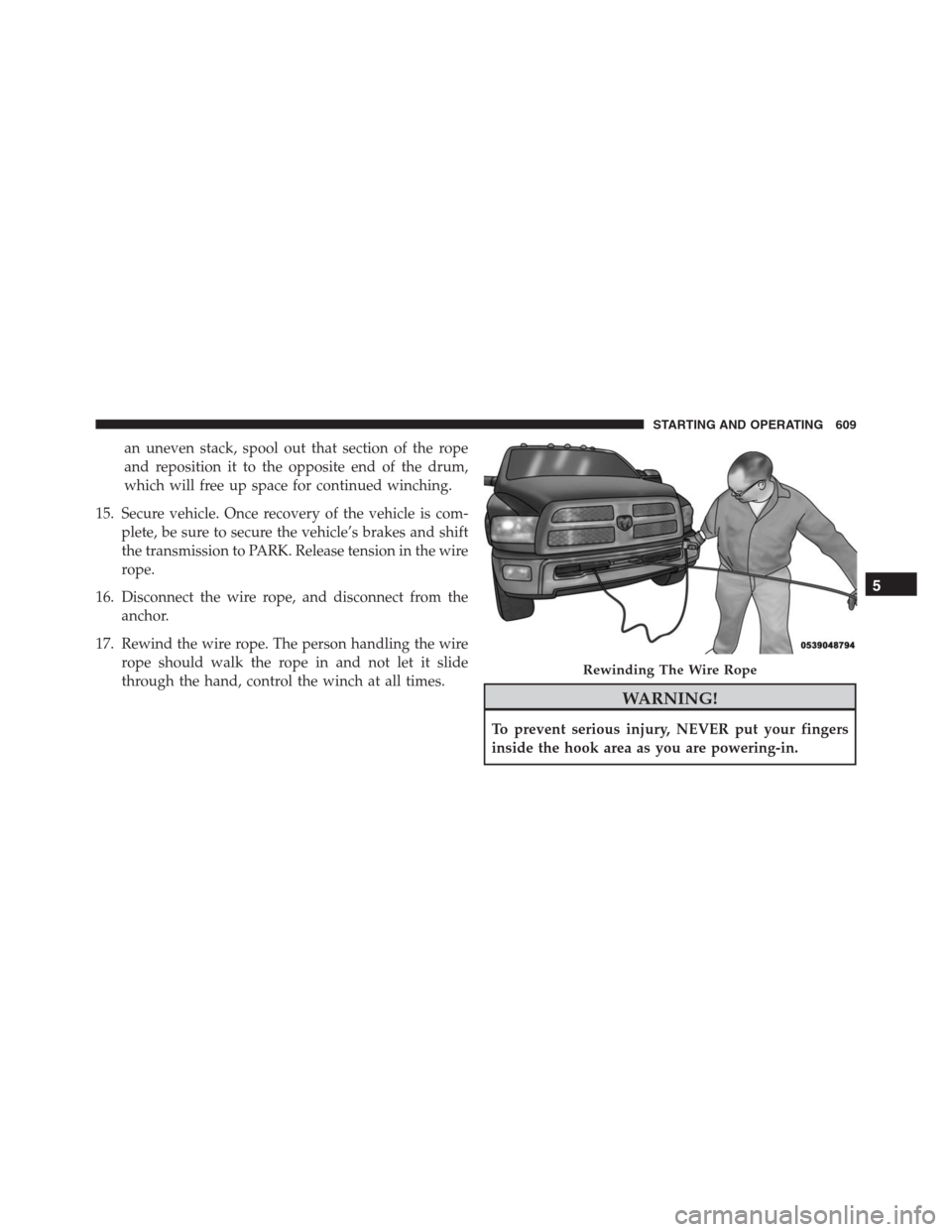
17. Rewind the wire rope. The person handling the wire
rope should walk the rope in and not let it slide
through the hand, control the winch at all times.
WARNING!
To prevent serious injury, NEVER put your fingers
inside the hook area as you are powering-in.
Rewinding The Wire Rope
5
STARTING AND OPERATING 609
Page 617 of 916

system. This noise should be considered normal, and it
does not in any way damage the steering system.
CAUTION!
Prolonged operation of the steering system at the end
of the steering wheel travel will increase the steering
fluid temperature and it should be avoided when
possible. Damage to the power steering pump may
occur.
Power Steering Fluid Check — 2500/3500 Models
Checking the power steering fluid level at a defined
service interval is not required. The fluid should only be
checked if a leak is suspected, abnormal noises are
apparent, and/or the system is not functioning as antici-
pated. Coordinate inspection efforts through an autho-
rized dealer.
CAUTION!
Do not use chemical flushes in your power steering
system as the chemicals can damage your power
steering components. Such damage is not covered by
the New Vehicle Limited Warranty.
WARNING!
Fluid level should be checked on a level surface and
with the engine off to prevent injury from moving
parts and to ensure accurate fluid level reading. Do
not overfill. Use only manufacturer’s recommended
power steering fluid.
If necessary, add fluid to restore to the proper indicated
level. With a clean cloth, wipe any spilled fluid from all
surfaces. Refer to “Fluids, Lubricants, And Genuine
Parts” in “Maintaining Your Vehicle” for further informa-
tion.
5
STARTING AND OPERATING 615
Page 618 of 916
FUEL SAVER TECHNOLOGY 5.7L/6.4L ENGINES
ONLY — IF EQUIPPED
This feature offers improved fuel economy by shutting
off four of the engine’s eight cylinders during light load
and cruise conditions. The system is automatic with no
driver inputs or additional driving skills required.
NOTE:This system may take some time to return to full
functionality after a battery disconnect.
PARKING BRAKE
Before leaving the vehicle, make sure that the parking
brake is fully applied. Also, be certain to leave the
transmission in PARK.
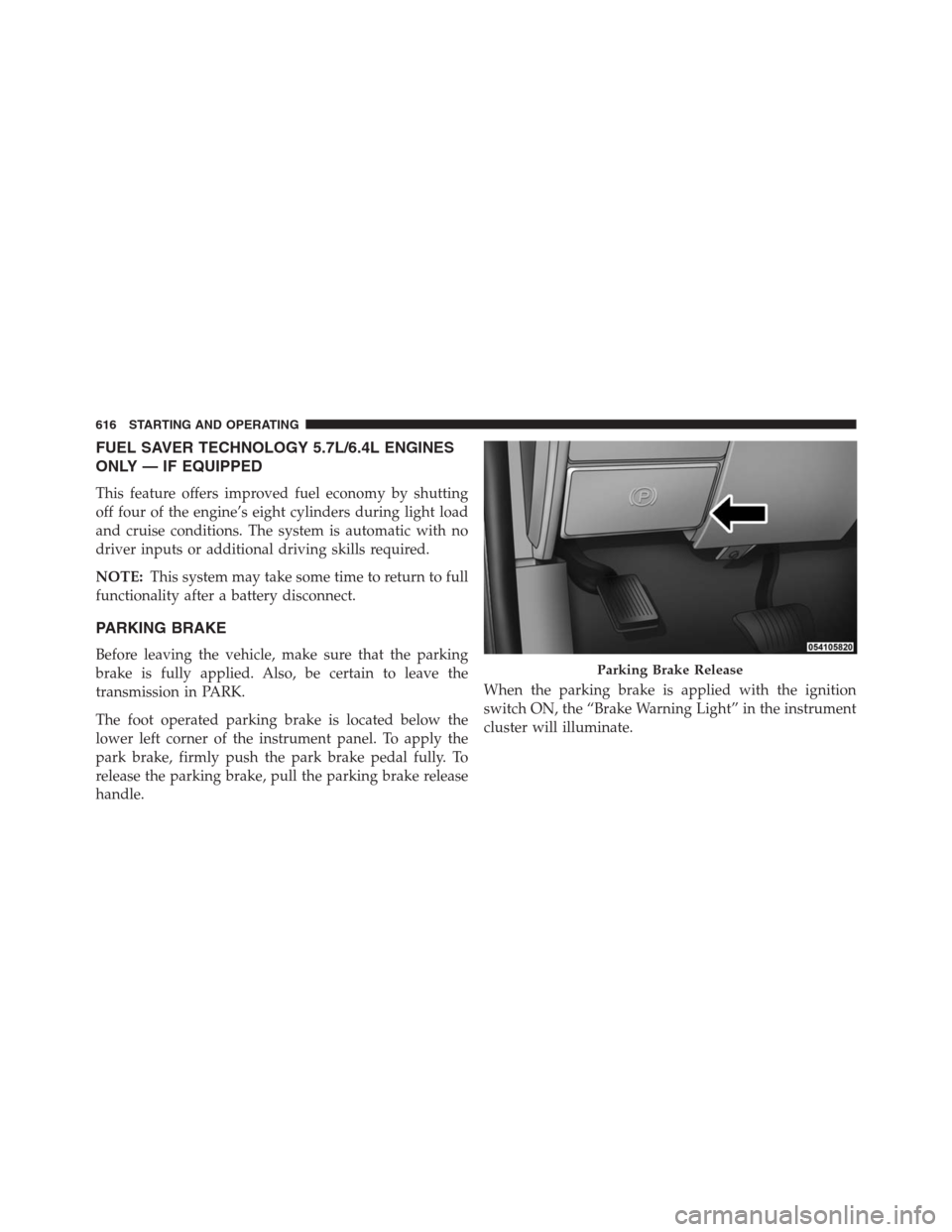
The foot operated parking brake is located below the
lower left corner of the instrument panel. To apply the
park brake, firmly push the park brake pedal fully. To
release the parking brake, pull the parking brake release
handle.When the parking brake is applied with the ignition
switch ON, the “Brake Warning Light” in the instrument
cluster will illuminate.Parking Brake Release
616 STARTING AND OPERATING
Page 621 of 916
system. You may experience some clicking or hissing
noises from the hydro-boost system during hard braking
conditions.
NOTE:Under cold temperatures, pedal effort will be
higher than normal until the power steering fluid reaches
operating temperature.
ELECTRONIC BRAKE CONTROL SYSTEM
Your vehicle is equipped with an advanced Electronic
Brake Control system (EBC). This system includes Elec-
tronic Brake Force Distribution (EBD), Anti-Lock Brake
System (ABS), Brake Assist System (BAS), Hill Start
Assist (HSA), Traction Control System (TCS), Electronic
Stability Control (ESC), and Electronic Roll Mitigation
(ERM). These systems work together to enhance both
vehicle stability and control in various driving condi-
tions.Your vehicle may also be equipped with Trailer Sway
Control (TSC) and Hill Descent Control (HDC).
Electronic Brake Force Distribution (EBD)
This function manages the distribution of the braking
torque between the front and rear axles by limiting
braking pressure to the rear axle. This is done to prevent
overslip of the rear wheels to avoid vehicle instability,
and to prevent the rear axle from entering ABS before the
front axle.
Brake System Warning Light
The red “Brake System Warning Light” will turn on when
the ignition switch is turned to the ON position and may
stay on for as long as four seconds.
If the “Brake System Warning Light” remains on or
comes on while driving, it indicates that the brake system
is not functioning properly and that immediate service is
required. If the “Brake System Warning Light” does not
5
STARTING AND OPERATING 619
Page 623 of 916
WARNING!(Continued)
can cause possible loss of anti-lock braking capa-
bility. Installation of such equipment should be
performed by qualified professionals.
•Pumping of the Anti-Lock Brakes will diminish
their effectiveness and may lead to a collision.
Pumping makes the stopping distance longer. Just
press firmly on your brake pedal when you need to
slow down or stop.
•The ABS cannot prevent the natural laws of phys-
ics from acting on the vehicle, nor can it increase
braking or steering efficiency beyond that afforded
by the condition of the vehicle brakes and tires or
the traction afforded.
•The ABS cannot prevent collisions, including those
resulting from excessive speed in turns, following
another vehicle too closely, or hydroplaning.
(Continued)
WARNING!(Continued)
•The capabilities of an ABS equipped vehicle must
never be exploited in a reckless or dangerous
manner that could jeopardize the user ’s safety or
the safety of others.
ABS is designed to function with the OEM tires. Modifi-
cation may result in degraded ABS performance.
Anti-Lock Brake Warning Light
The amber “Anti-Lock Brake Warning Light” will turn on
when the ignition switch is turned to the ON position
and may stay on for as long as four seconds.
If the “Anti-Lock Brake Warning Light” remains on or
comes on while driving, it indicates that the anti-lock
portion of the brake system is not functioning and that
service is required. However, the conventional brake
system will continue to operate normally if the “Brake
System Warning Light” is not on.
5
STARTING AND OPERATING 621
Page 627 of 916
Center (EVIC)” or “Driver Information Display (DID)”
in “Understanding Your Instrument Panel” for further
information.
•If disabling HSA using Uconnect Settings, refer to
“Uconnect Settings” in “Understanding Your Instru-
ment Panel” for further information.
For vehicles not equipped with the EVIC/DID, perform
the following steps:
1. Center the steering wheel (front wheels pointing
straight forward).
2. Shift the transmission into PARK.
3. Apply the parking brake.
4. Start the engine.
5. Rotate the steering wheel slightly more than one-half
turn to the left.6. Push the “ESC Off” button located in the lower switch
bank below the climate control four times within
twenty seconds. The “ESC Off Indicator Light” should
turn on and turn off two times.
7. Rotate the steering wheel back to center and then an
additional slighty more than one-half turn to the right.
8. Turn the ignition switch to the OFF position and then
back to the ON position. If the sequence was com-
pleted properly, the “ESC Off Indicator Light” will
blink several times to confirm HSA is disabled.
9. Repeat these steps if you want to return this feature to
its previous setting.
Traction Control System (TCS)
This system monitors the amount of wheel spin of each of
the driven wheels. If wheel spin is detected, the TCS may
apply brake pressure to the spinning wheel(s) and/or
reduce engine power to provide enhanced acceleration
5
STARTING AND OPERATING 625