air Ram 1500 2016 Service Manual
[x] Cancel search | Manufacturer: RAM, Model Year: 2016, Model line: 1500, Model: Ram 1500 2016Pages: 916, PDF Size: 7.55 MB
Page 326 of 916
Air Suspension Off-Road 2 Indicator Light — If Equipped
Yellow Telltale
LightWhat It Means
Air Suspension Off-Road 2 Indicator Light
This light will illuminate when the air suspension system is set to the Off-Road 2 setting.
For further information, refer to “Air Suspension System” in “Starting And Operating”.
Air Suspension Ride Height Raising Indicator Light— If Equipped
Yellow Telltale
LightWhat It Means
Air Suspension Ride Height Raising Indicator Light
This light will blink and alert the driver that the vehicle is changing to a higher ride height.
324 UNDERSTANDING YOUR INSTRUMENT PANEL
Page 327 of 916
Air Suspension Ride Height Lowering Indicator Light— If Equipped
Yellow Telltale
LightWhat It Means
Air Suspension Ride Height Lowering Indicator Light
This light will blink and alert the driver that the vehicle is changing to a lower ride height.
4WD Indicator Light — If Equipped
Yellow Telltale
LightWhat It Means
4WD Indicator Light
This light alerts the driver that the vehicle is in the four-wheel drive mode, and the front
and rear driveshafts are mechanically locked together forcing the front and rear wheels to
rotate at the same speed.
4
UNDERSTANDING YOUR INSTRUMENT PANEL 325
Page 336 of 916
ELECTRONIC VEHICLE INFORMATION CENTER
(EVIC)
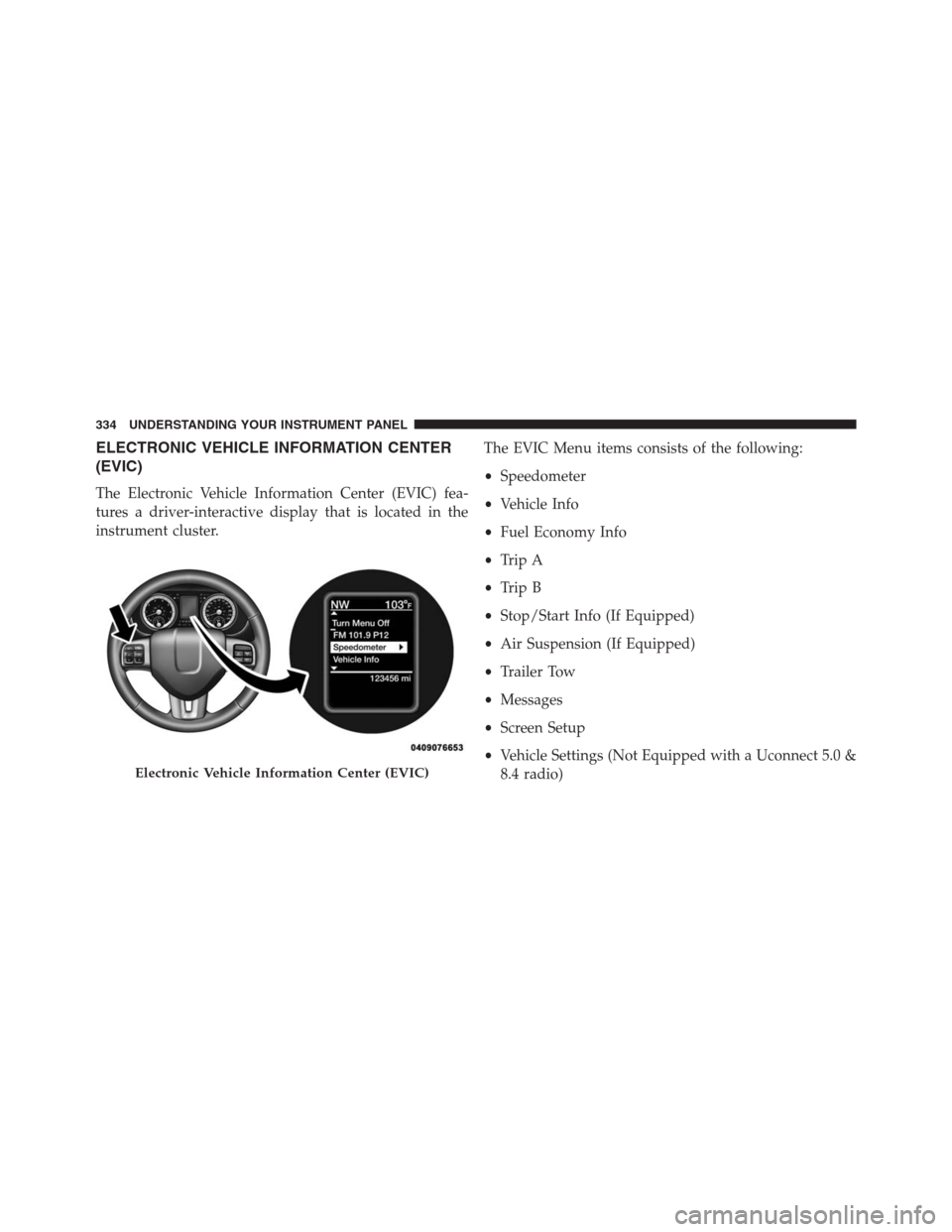
The Electronic Vehicle Information Center (EVIC) fea-
tures a driver-interactive display that is located in the
instrument cluster.The EVIC Menu items consists of the following:
•Speedometer
•Vehicle Info
•Fuel Economy Info
•Trip A
•Trip B
•Stop/Start Info (If Equipped)
•Air Suspension (If Equipped)
•Trailer Tow
•Messages
•Screen Setup
•Vehicle Settings (Not Equipped with a Uconnect 5.0 &
8.4 radio)
Electronic Vehicle Information Center (EVIC)
334 UNDERSTANDING YOUR INSTRUMENT PANEL
Page 344 of 916
Air Suspension Menu Item — If Equipped
Push and release theUPorDOWNarrow button until
the Air Suspension menu item is highlighted in the EVIC.
Push and release theRIGHTarrow button to display the
Air Suspension status.
Trailer Tow Menu Item
Push and release theUPorDOWNarrow button until
the Trailer Tow menu item is highlighted. Push and
release theRIGHTarrow button and the next screen will
display the following trailer trip information:
•Trip (trailer specific) Distance: Push and hold the
RIGHTarrow button to reset the distance.
•Trailer Brake
•Output
•Type
•Gain
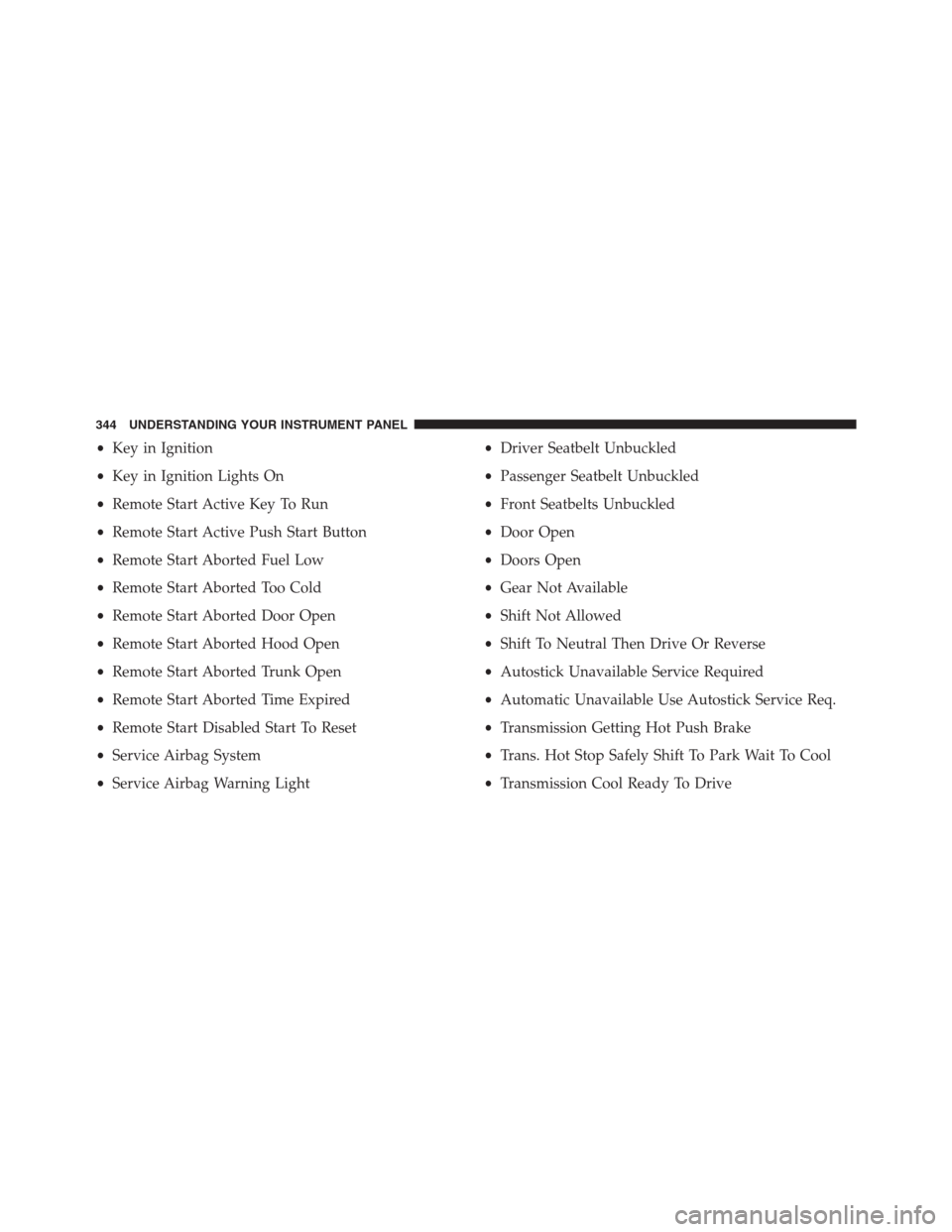
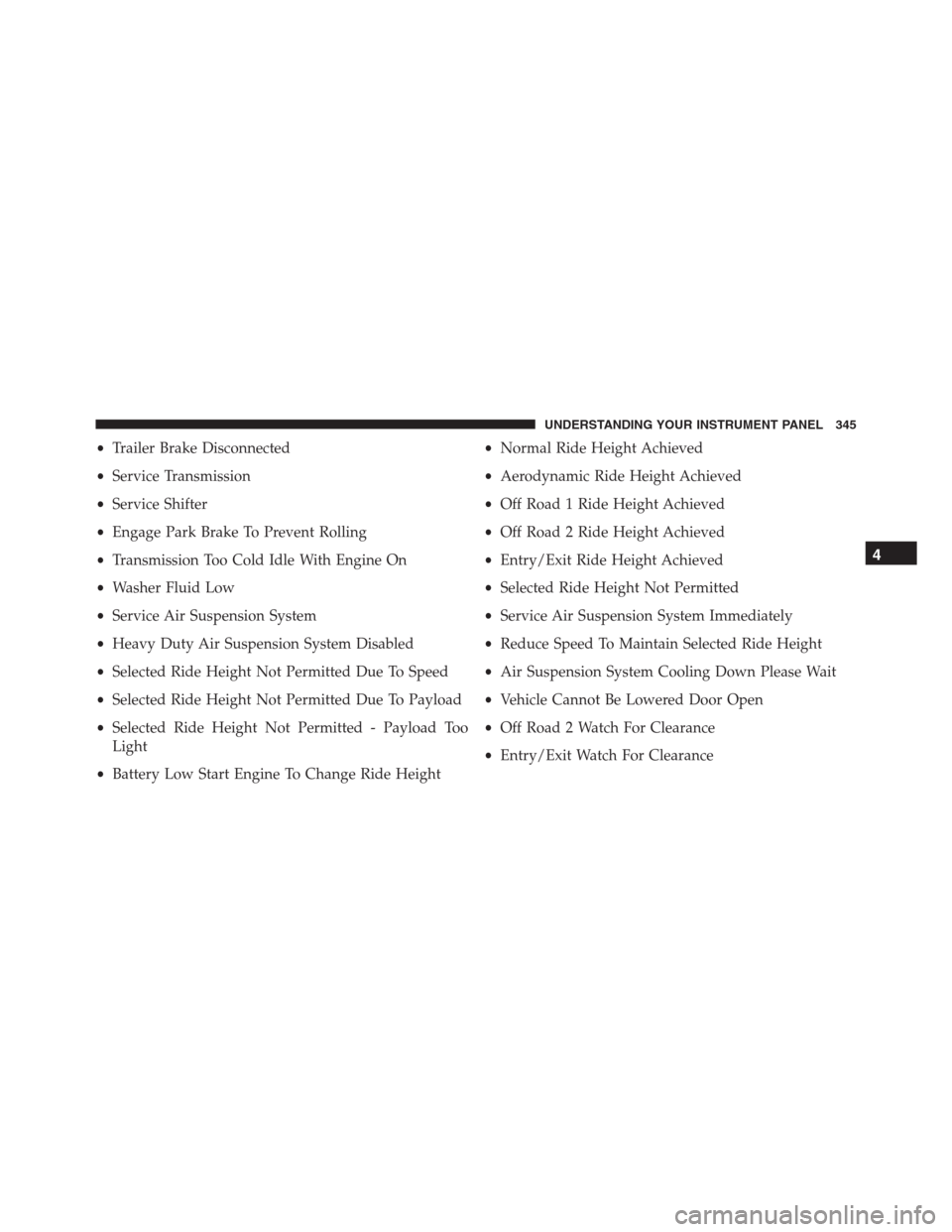
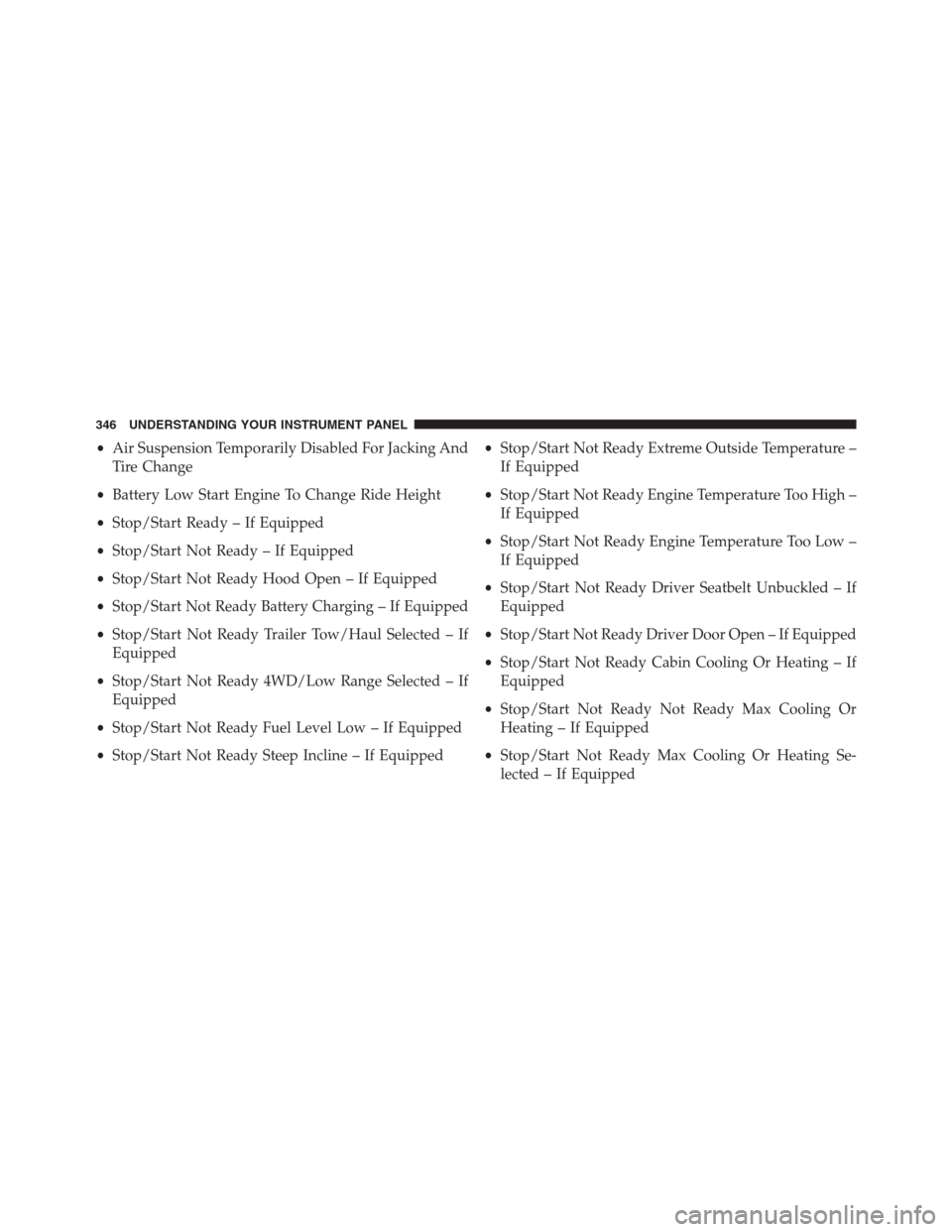
EVIC Messages (Stored)
Number of messages stored will be indicated on the
highlighted Messages Menu bar.
When no message(s) have been stored, the right arrow
will not be present in the highlighted Messages bar.
Message(s) remain stored until condition has been
cleared by your authorized service provider.
Sample of stored EVIC Messages
•Front Seat Belts Unbuckled
•Driver Seat Belt Unbuckled
•Passenger Seat Belt Unbuckled
•Service Air Bag System
•Traction Control Off
•Washer Fluid Low
342 UNDERSTANDING YOUR INSTRUMENT PANEL
Page 346 of 916
•Key in Ignition
•Key in Ignition Lights On
•Remote Start Active Key To Run
•Remote Start Active Push Start Button
•Remote Start Aborted Fuel Low
•Remote Start Aborted Too Cold
•Remote Start Aborted Door Open
•Remote Start Aborted Hood Open
•Remote Start Aborted Trunk Open
•Remote Start Aborted Time Expired
•Remote Start Disabled Start To Reset
•Service Airbag System
•Service Airbag Warning Light•Driver Seatbelt Unbuckled
•Passenger Seatbelt Unbuckled
•Front Seatbelts Unbuckled
•Door Open
•Doors Open
•Gear Not Available
•Shift Not Allowed
•Shift To Neutral Then Drive Or Reverse
•Autostick Unavailable Service Required
•Automatic Unavailable Use Autostick Service Req.
•Transmission Getting Hot Push Brake
•Trans. Hot Stop Safely Shift To Park Wait To Cool
•Transmission Cool Ready To Drive
344 UNDERSTANDING YOUR INSTRUMENT PANEL
Page 347 of 916
•Trailer Brake Disconnected
•Service Transmission
•Service Shifter
•Engage Park Brake To Prevent Rolling
•Transmission Too Cold Idle With Engine On
•Washer Fluid Low
•Service Air Suspension System
•Heavy Duty Air Suspension System Disabled
•Selected Ride Height Not Permitted Due To Speed
•Selected Ride Height Not Permitted Due To Payload
•Selected Ride Height Not Permitted - Payload Too
Light
•Battery Low Start Engine To Change Ride Height•Normal Ride Height Achieved
•Aerodynamic Ride Height Achieved
•Off Road 1 Ride Height Achieved
•Off Road 2 Ride Height Achieved
•Entry/Exit Ride Height Achieved
•Selected Ride Height Not Permitted
•Service Air Suspension System Immediately
•Reduce Speed To Maintain Selected Ride Height
•Air Suspension System Cooling Down Please Wait
•Vehicle Cannot Be Lowered Door Open
•Off Road 2 Watch For Clearance
•Entry/Exit Watch For Clearance
4
UNDERSTANDING YOUR INSTRUMENT PANEL 345
Page 348 of 916
•Air Suspension Temporarily Disabled For Jacking And
Tire Change
•Battery Low Start Engine To Change Ride Height
•Stop/Start Ready – If Equipped
•Stop/Start Not Ready – If Equipped
•Stop/Start Not Ready Hood Open – If Equipped
•Stop/Start Not Ready Battery Charging – If Equipped
•Stop/Start Not Ready Trailer Tow/Haul Selected – If
Equipped
•Stop/Start Not Ready 4WD/Low Range Selected – If
Equipped
•Stop/Start Not Ready Fuel Level Low – If Equipped
•Stop/Start Not Ready Steep Incline – If Equipped•Stop/Start Not Ready Extreme Outside Temperature –
If Equipped
•Stop/Start Not Ready Engine Temperature Too High –
If Equipped
•Stop/Start Not Ready Engine Temperature Too Low –
If Equipped
•Stop/Start Not Ready Driver Seatbelt Unbuckled – If
Equipped
•Stop/Start Not Ready Driver Door Open – If Equipped
•Stop/Start Not Ready Cabin Cooling Or Heating – If
Equipped
•Stop/Start Not Ready Not Ready Max Cooling Or
Heating – If Equipped
•Stop/Start Not Ready Max Cooling Or Heating Se-
lected – If Equipped
346 UNDERSTANDING YOUR INSTRUMENT PANEL
Page 353 of 916
Setting NamesSetting Names Abbre-
viated (Left Submenu
Layer)Sub-Menus (Right Submenu Layer)
16 Remote Unlock
SequenceRemote Unlock Driver Door; All Doors
17 Key Fob Linked
to MemoryKey in Memory On; Off
18 Passive Entry Passive Entry On; Off
19 Remote Start
Comfort SystemRmt Start Comfort Off; Remoter Start; All starts
20 Easy Exit Seat Easy Exit Seat On; Off
21 Key-off Power
DelayPower Off Delay Off; 45 seconds; 5 minutes; 10 minutes
22 Air Suspension
Display AlertsAir Susp. Alerts All; Warnings Only
23 Aero Ride
Height ModeAero Mode On; Off
4
UNDERSTANDING YOUR INSTRUMENT PANEL 351
Page 359 of 916
•LEFT Arrow Button
Push and release theLEFTarrow button to
return to the main menu from an info screen or
submenu item.
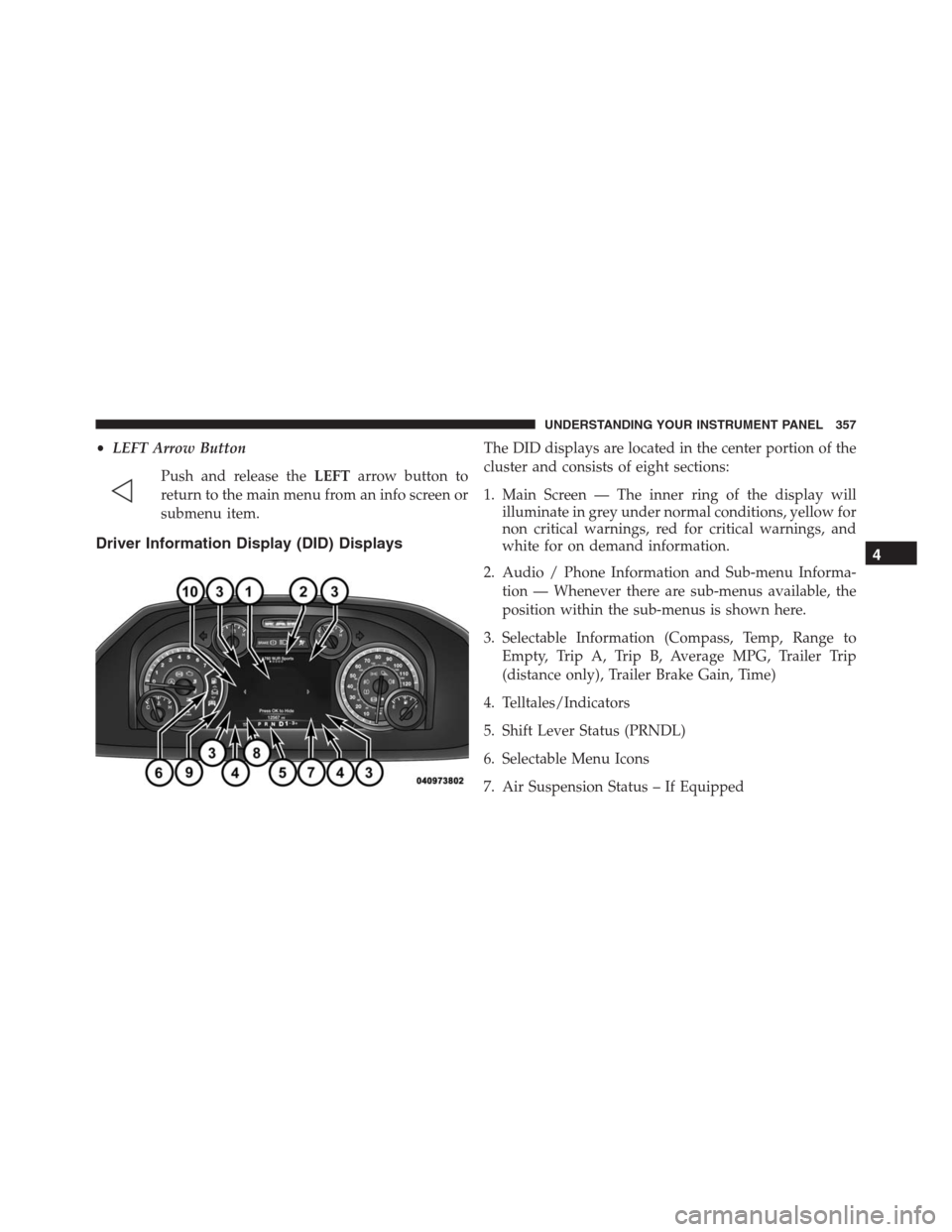
Driver Information Display (DID) Displays
The DID displays are located in the center portion of the
cluster and consists of eight sections:
1. Main Screen — The inner ring of the display will
illuminate in grey under normal conditions, yellow for
non critical warnings, red for critical warnings, and
white for on demand information.
2. Audio / Phone Information and Sub-menu Informa-
tion — Whenever there are sub-menus available, the
position within the sub-menus is shown here.
3. Selectable Information (Compass, Temp, Range to
Empty, Trip A, Trip B, Average MPG, Trailer Trip
(distance only), Trailer Brake Gain, Time)
4. Telltales/Indicators
5. Shift Lever Status (PRNDL)
6. Selectable Menu Icons
7. Air Suspension Status – If Equipped
4
UNDERSTANDING YOUR INSTRUMENT PANEL 357
Page 362 of 916
Vehicles Not Equipped With Passive Entry
1. Without pushing the brake pedal, cycle the ignition to
the ON/RUN position (do not start the engine).
2. Push and release theDOWNarrow button to scroll
downward through the main menu to “Vehicle Info.”
3. Push and release theRIGHTarrow button to access
the “Oil Life” screen.
4. Push and hold theRIGHTarrow button for one
second to access the “Oil Life Reset” screen.
5. Push and release theDOWNarrow button to select
“Yes,” then push and release theRIGHTarrow button
to select reset of the Oil Life.
6. Push and release theUParrow button to exit the DID
screen.NOTE:If the indicator message illuminates when you
start the vehicle, the oil change indicator system did not
reset. If necessary, repeat this procedure.
DID Messages
•Front Seatbelts Unbuckled
•Driver Seatbelt Unbuckled
•Passenger Seatbelt Unbuckled
•Service Airbag System
•Traction Control Off
•Washer Fluid Low
•Oil Pressure Low
•Oil Change Due
•Fuel Low
•Service Antilock Brake System
360 UNDERSTANDING YOUR INSTRUMENT PANEL