instrument panel Ram 1500 2020 Owner's Manual
[x] Cancel search | Manufacturer: RAM, Model Year: 2020, Model line: 1500, Model: Ram 1500 2020Pages: 674, PDF Size: 32.69 MB
Page 484 of 674

482
SERVICING AND MAINTENANCE
SCHEDULED SERVICING
Your vehicle is equipped with an automatic oil change indi-
cator system. The oil change indicator system will remind
you that it is time to take your vehicle in for scheduled main -
tenance.
Based on engine operation conditions, the oil change indi -
cator message will illuminate. This means that service is
required for your vehicle. Operating conditions such as
frequent short-trips, trailer tow, and extremely hot or cold
ambient temperatures will influence when the “Oil Change
Required” message is displayed. Severe Operating Condi -
tions can cause the change oil message to illuminate as early
as 3,500 miles (5,600 km) since last reset. Have your vehicle
serviced as soon as possible, within the next 500 miles
(805 km).
An authorized dealer will reset the oil change indicator
message after completing the scheduled oil change. If a
scheduled oil change is performed by someone other than your authorized dealer, the message can be reset by referring
to the steps described under “Instrument Cluster Display” in
“Getting To Know Your Instrument Panel”.
NOTE:
Under no circumstances should oil change intervals exceed
10,000 miles (16,000 km), 12 months or 350 hours of engine
run time, whichever comes first. The 350 hours of engine run
or idle time is generally only a concern for fleet customers.
Severe Duty All Models
NOTE:
Change Engine Oil at 4,000 miles (6,500 km) or 350 hours of
engine run time if the vehicle is operated in a dusty and off
road environment or is operated predominantly at idle, or
only very low engine RPM. This type of vehicle use is consid
-
ered Severe Duty.
2020_DT_1500_OM_US.book Page 482
Page 548 of 674
546
TECHNICAL SPECIFICATIONS
IDENTIFICATION DATA
Vehicle Identification Number
The Vehicle Identification Number (VIN) is found on the left
front corner of the instrument panel, visible through the
windshield. This number also appears on the vehicle frame
etched on right hand center rail, as well as the Automobile
Information Disclosure Label affixed to a window on your
vehicle, the vehicle registration and title.Vehicle Identification Number
NOTE:
It is illegal to remove or alter the VIN.
BRAKE SYSTEM
If power assist is lost for any reason (for example, repeated
brake applications with the engine off), the brakes will still
function. However, you will experience a substantial
increase in braking effort to stop the vehicle.
If either the front or rear hydraulic system loses normal
braking capability, the remaining system will still function
with some loss of overall braking effectiveness. This will be
evident by increased pedal travel during application, greater
pedal force required to slow or stop, and activation of the
“Brake Warning Light” and the “ABS Warning Light” (if
equipped) during brake use.
WHEEL AND TIRE TORQUE SPECIFICATIONS
Proper lug nut/bolt torque is very important to ensure that
the wheel is properly mounted to the vehicle. Any time a
wheel has been removed and reinstalled on the vehicle, the
lug nuts/bolts should be torqued using a properly calibrated
torque wrench using a high quality six sided (hex) deep wall
socket.
2020_DT_1500_OM_US.book Page 546
Page 561 of 674

MULTIMEDIA 559
NOTE:
• FCA US LLC or your dealer may contact you directlyregarding software updates.
• To help further improve vehicle security and minimize the potential risk of a security breach, vehicle owners should:
• Routinely check www.driveuconnect.com (U.S. Resi-
dents) or www.driveuconnect.ca (Canadian Residents)
to learn about available Uconnect software updates.
• Only connect and use trusted media devices (e.g. personal mobile phones, USBs, CDs).
Privacy of any wireless and wired communications cannot
be assured. Third parties may unlawfully intercept informa -
tion and private communications without your consent. For
further information, refer to “Data Collection & Privacy” in
your Uconnect Owner’s Manual Supplement or “Onboard
Diagnostic System (OBD II) Cybersecurity” in “Getting To
Know Your Instrument Panel”.UCONNECT SETTINGS
The Uconnect system uses a combination of buttons on the
touchscreen and buttons on the faceplate located on the
center of the instrument panel that allows you to access and
change the customer programmable features. Many features
can vary by vehicle.
Uconnect 3 Settings
Uconnect 3 With 5-inch Display Buttons On The Touchscreen And Buttons On The Faceplate
1 — Uconnect Buttons On The Touchscreen
2 — Uconnect Buttons On The Faceplate
9
2020_DT_1500_OM_US.book Page 559
Page 625 of 674
MULTIMEDIA 623
IPOD®/USB/MP3 CONTROL — IF EQUIPPED
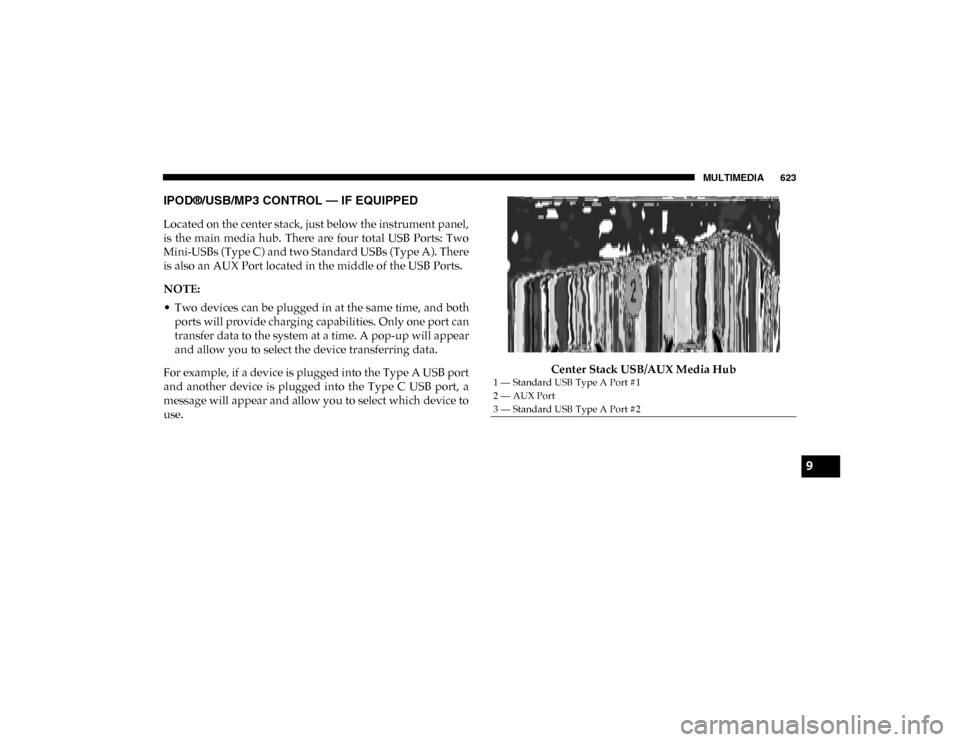
Located on the center stack, just below the instrument panel,
is the main media hub. There are four total USB Ports: Two
Mini-USBs (Type C) and two Standard USBs (Type A). There
is also an AUX Port located in the middle of the USB Ports.
NOTE:
• Two devices can be plugged in at the same time, and bothports will provide charging capabilities. Only one port can
transfer data to the system at a time. A pop-up will appear
and allow you to select the device transferring data.
For example, if a device is plugged into the Type A USB port
and another device is plugged into the Type C USB port, a
message will appear and allow you to select which device to
use. Center Stack USB/AUX Media Hub
1 — Standard USB Type A Port #1
2 — AUX Port
3 — Standard USB Type A Port #2
9
2020_DT_1500_OM_US.book Page 623
Page 664 of 674

662
Gross Vehicle Weight Rating ................................................ 407
GuideBody Builders ........................................................................ 14
GVWR ....................................................................................... 405 H
Hazard Driving Through Flowing, Rising, Or Shallow
Standing Water .................................................................... 427
Hazard Warning Flashers ...................................................... 431
Head Restraints ......................................................................... 54
Head Rests ................................................................................. 54
Headlights ................................................................................ 438 Cleaning................................................................................ 540
High Beam.............................................................................. 68
High Beam/Low Beam Select Switch ................................ 68
Lights On Reminder ............................................................. 71
Passing .................................................................................... 69
Switch...................................................................................... 66
Heated Mirrors .......................................................................... 65
Heater, Engine Block .............................................................. 296
High Beam/Low Beam Select (Dimmer) Switch ................. 68
Hill Descent Control ............................................................... 205
Hill Descent Control Indicator .............................................. 205
Hill Start Assist........................................................................ 207
Hitches Trailer Towing ..................................................................... 411 Hoisting ....................................................................................516
HomeLink (Garage Door Opener) ........................................109
Hood Prop ................................................................................105
Hood Release ...........................................................................105
I
Ignition........................................................................................25 Switch ......................................................................................25
Illuminated Entry ......................................................................75
In Vehicle Help Vehicle User Guide ...............................................................16
Inside Rearview Mirror ..............................................59, 60, 431 Instrument Cluster Descriptions .........................................................................193
Display ..................................................................................166
Instrument Panel Lens Cleaning...........................................545
Integrated Trailer Brake Control...........................................416
Interior Appearance Care ......................................................543
Interior Lights ............................................................................73 Intermittent Wipers (Delay Wipers) .......................................76
Introduction ...............................................................................13
Inverter Outlet (115V).............................................................131
iPod/USB/MP3 Control ........................................................623 J
Jack Location ............................................................................454
Jump Starting ...........................................................................472
2020_DT_1500_OM_US.book Page 662