park assist Ram 1500 2020 User Guide
[x] Cancel search | Manufacturer: RAM, Model Year: 2020, Model line: 1500, Model: Ram 1500 2020Pages: 674, PDF Size: 32.69 MB
Page 295 of 674

STARTING AND OPERATING 293
ENGINE START/STOP Button Functions — With Driver’s
Foot OFF The Brake Pedal (In PARK Or NEUTRAL Posi-
tion)
The ENGINE START/STOP button operates similar to an
ignition switch. It has three modes: OFF, ACC, and RUN. To
change the ignition modes without starting the vehicle and
use the accessories, follow these directions:
1. Start with the ignition in the OFF mode.
2. Push the ENGINE START/STOP button once to place the ignition to the ACC mode.
3. Push the ENGINE START/STOP button a second time to place the ignition to the RUN mode.
4. Push the ENGINE START/STOP button a third time to return the ignition to the OFF mode.
AutoPark — Rotary Shifter and 8-Speed Transmission
Only
AutoPark is a supplemental feature to assist in placing the
vehicle in PARK should the situations on the following
pages occur. It is a back up system and should not be relied
upon as the primary method by which the driver shifts the
vehicle into PARK. The conditions under which AutoPark will engage are
outlined on the following pages.
WARNING!
• Driver inattention could lead to failure to place the vehicle in PARK. ALWAYS DO A VISUAL CHECK
that your vehicle is in PARK by verifying that a solid
(not blinking) “P” is indicated in the Instrument
Cluster Display and near the gear selector. If the "P"
indicator is blinking, your vehicle is not in PARK. As
an added precaution, always apply the parking brake
when exiting the vehicle.
• AutoPark is a supplemental feature. It is not designed to replace the need to shift your vehicle into PARK. It is
a back up system and should not be relied upon as the
primary method by which the driver shifts the vehicle
into PARK.
5
2020_DT_1500_OM_US.book Page 293
Page 335 of 674

STARTING AND OPERATING 333
POWER STEERING
Electric Power Steering
The electric power steering system will give you effective
vehicle response and increased ease of maneuverability in
tight spaces. The system will vary its assist to provide light
efforts while parking and proper feel while driving. If the
electric steering system experiences a fault that prevents it
from providing assist, you will still have the ability to steer
the vehicle manually.
If the Steering icon is flashing, it indicates that the vehicle
needs to be taken to the dealer for service. It is likely the
vehicle has lost power steering assistance.
If the Steering icon is displayed and the “POWER STEERING
SYSTEM OVER TEMP” message is displayed on the instru-
ment cluster screen, they indicate that extreme steering
maneuvers may have occurred which caused an over
temperature condition in the power steering system. Once
driving conditions are safe, pull over and let the vehicle idle
for a few moments until the icon and message turn off. Refer
to “Instrument Cluster Display” in “Getting To Know Your
Instrument Panel” for further information.
If the Steering icon is displayed and the “SERVICE POWER
STEERING – ASSIST OFF” message is displayed the instru-ment cluster screen, they indicate the vehicle needs to be
taken to the dealer for service. Refer to “Instrument Cluster
Display” in “Getting To Know Your Instrument Panel” for
further information.
NOTE:
• Even if the power steering assistance is no longer opera
-
tional, it is still possible to steer the vehicle. Under these
conditions there will be a substantial increase in steering
effort, especially at low speeds and during parking
maneuvers.
• If the condition persists, see your authorized dealer for service.
FUEL SAVER TECHNOLOGY 5.7L ENGINES ONLY —
IF EQUIPPED
This feature offers improved fuel economy by shutting off
four of the engine's eight cylinders during light load and
cruise conditions. The system is automatic with no driver
inputs or additional driving skills required.
NOTE:
This system may take some time to return to full function -
ality after a battery disconnect.
5
2020_DT_1500_OM_US.book Page 333
Page 353 of 674
STARTING AND OPERATING 351
Brake Alert
NOTE:
The “BRAKE!” Screen in the instrument cluster display is a
warning for the driver to take action and does not necessarily
mean that the Forward Collision Warning system is
applying the brakes autonomously.
Overtake Aid
When driving with Adaptive Cruise Control (ACC)
engaged, and following a vehicle, the system will provide an
additional acceleration up to the ACC set speed to assist in passing the vehicle. This additional acceleration is triggered
when the driver utilizes the left turn signal and will only be
active when passing on the left hand side.
ACC Operation At Stop
In the event that the ACC system brings your vehicle to a
standstill while following a target vehicle, if the target
vehicle starts moving within two seconds of your vehicle
coming to a standstill, your vehicle will resume motion
without the need for any driver action.
If the target vehicle does not start moving within two
seconds of your vehicle coming to a standstill, the driver will
either have to push the RES (resume) button, or apply the
accelerator pedal to reengage the ACC to the existing Set
Speed.
NOTE:
After the ACC system holds your vehicle at a standstill for
approximately 3 consecutive minutes, the parking brake will
be activated, and the ACC system will be cancelled.
While ACC is holding your vehicle at a standstill, if the
driver seatbelt is unbuckled or the driver door is opened, the
parking brake will be activated, and the ACC system will be
cancelled.
5
2020_DT_1500_OM_US.book Page 351
Page 363 of 674

STARTING AND OPERATING 361
Metric Speed (km/h)
• Pushing the SET (-) button once will result in a 1 km/h
decrease in set speed. Each subsequent tap of the button
results in a decrease of 1 km/h.
• If the button is continually pushed, the set speed will continue to decrease in 10 km/h decrements until the
button is released. The decrease in set speed is reflected in
the instrument cluster display.
To Cancel
The following conditions will cancel the Normal (Fixed
Speed) Cruise Control without clearing the memory:
• The brake pedal is applied.
• The CANC button is pushed.
• The Electronic Stability Control/Traction Control System (ESC/TCS) activates.
• The vehicle parking brake is applied.
• The braking temperature exceeds normal range (over -
heated).
• The gear selector is removed from the DRIVE position.
• The driver switches ESC to Full Off mode. To Resume Speed
To resume a previously set speed, push the RES button and
release. Resume can be used at any speed above 20 mph
(32 km/h).
To Turn Off
The system will turn off and erase the set speed in memory if:
• The Normal (Fixed Speed) Cruise Control on/off button is
pushed.
• The ignition is placed in the OFF position.
• You engage Four-Wheel Drive Low.
• The Adaptive Cruise Control (ACC) on/off button is pushed.
PARKSENSE FRONT AND REAR PARK ASSIST
The ParkSense Park Assist system provides visual and
audible indications of the distance between the rear and/or
front fascia and a detected obstacle when backing up or
moving forward (e.g. during a parking maneuver). If your
vehicle is equipped with the automatic braking function, the
vehicle brakes may be automatically applied and released
when performing a reverse parking maneuver if the system
detects a possible collision with an obstacle.
5
2020_DT_1500_OM_US.book Page 361
Page 364 of 674

362 STARTING AND OPERATING
NOTE:
• The driver can override the automatic braking function bypressing the gas pedal, turning ParkSense off via Park -
Sense switch, or changing the gear while the automatic
brakes are being applied.
• Automatic brakes will not be available if ESC is not avail -
able.
• Automatic brakes will not be available if there is a faulted condition detected with the ParkSense Park Assist system
or the Braking System Module.
• The automatic braking function may only be applied if the vehicle deceleration is not enough to avoid colliding with
a detected obstacle.
• The automatic braking function will not be available if vehicle is in 4LO transfer case mode.
• The automatic braking function may not be applied fast enough for obstacles that move toward the rear of the
vehicle from the left and/or right sides.
• The automatic braking function can be enabled/disabled from the Customer Programmable Features section of the
Uconnect System. • ParkSense will retain its last known configuration state for
the automatic braking function through ignition cycles.
• Trailer hitch ball assembly may cause false braking events if left attached after towing.
The automatic braking function is intended to assist the
driver in avoiding possible collisions with detected obstacles
when backing up in REVERSE gear.
NOTE:
• The driver is always responsible for controlling the vehicle.
• The system is provided to assist the driver and not to substitute the driver.
• The driver must stay in full control of the vehicle's acceler -
ation and braking and is responsible for the vehicle's
movements.
Refer to “ParkSense System Usage Precautions” in this
section for limitations of this system and recommendations.
ParkSense will retain the last system state (enabled or
disabled) from the last ignition cycle when the ignition is
placed in the ON/RUN position.
2020_DT_1500_OM_US.book Page 362
Page 370 of 674
368 STARTING AND OPERATING
Front Park Assist Audible Alerts
ParkSense will turn off the Front Park Assist audible alert
(chime) after approximately three seconds when an obstacle
has been detected, the vehicle is stationary, and brake pedal
is applied.
Adjustable Chime Volume Settings
The Front and Rear chime volume settings are program-
mable.
• The settings may be programmed through the Uconnect System. Refer to “Uconnect Settings ” in “Multimedia” for
further information.
Enabling And Disabling Front And/Or Rear ParkSense
Front ParkSense can be enabled and disabled with the Front
ParkSense switch.
Rear ParkSense can be enabled and disabled with the Rear
ParkSense switch.
When the Front or Rear ParkSense switch is pushed
to disable the system, the instrument cluster display
will show a vehicle graphic of the Front or Rear Park-
Sense on/off state for two seconds. Refer to “Instrument
Cluster Display” in “Getting To Know Your Instrument
Panel” for further information. When the gear selector is moved to REVERSE and the Front
or Rear system is disabled, the instrument cluster display
will show a vehicle graphic with "OFF" on the corresponding
side. This vehicle graphic will be displayed for as long as the
vehicle is in REVERSE.
NOTE:
Arc alerts from the enabled ParkSense system, will interrupt
the five second messages, and the instrument cluster display
will show the vehicle graphic with the corresponding arcs
and "OFF" message.
The Front or Rear ParkSense switch LED will be on when
Front or Rear ParkSense is disabled or requires service. The
Front or Rear ParkSense switch LED will be off when the
Front or Rear system is enabled. If the Front or Rear Park
-
Sense switch is pushed, and the system requires service, the
Front or Rear ParkSense switch LED will blink momentarily,
and then the LED will be on.
Service The ParkSense Park Assist System
During vehicle start up, when the ParkSense System has
detected a faulted condition, the instrument cluster will
actuate a single chime, once per ignition cycle, and it will
display the "PARKSENSE UNAVAILABLE WIPE REAR
SENSORS", "PARKSENSE UNAVAILABLE WIPE FRONT
2020_DT_1500_OM_US.book Page 368
Page 373 of 674

STARTING AND OPERATING 371
PARKSENSE ACTIVE PARK ASSIST SYSTEM — IF
EQUIPPED
The ParkSense Active Park Assist system is intended to assist
the driver during parallel and perpendicular parking
maneuvers by identifying a proper parking space, providing
audible/visual instructions, and controlling the steering
wheel. The ParkSense Active Park Assist system is defined as
“semi-automatic” since the driver maintains control of the
accelerator, gear selector and brakes. Depending on the
driver's parking maneuver selection, the ParkSense ActivePark Assist system is capable of maneuvering a vehicle into
a parallel or a perpendicular parking space on either side
(i.e., driver side or passenger side).
NOTE:
• The driver is always responsible for controlling the
vehicle, responsible for any surrounding objects, and must
intervene as required.
• The system is provided to assist the driver and not to substitute the driver.
• During a semi-automatic maneuver, if the driver touches the steering wheel after being instructed to remove their
hands from the steering wheel, the system will cancel, and
the driver will be required to manually complete the
parking maneuver.
• The system may not work in all conditions (e.g. environ -
mental conditions such as heavy rain, snow, etc., or if
searching for a parking space that has surfaces that will
absorb the ultrasonic sensor waves).
• New vehicles from the dealership must have at least 30 miles (48 km) accumulated before the ParkSense Active
Park Assist system is fully calibrated and performs accu -
rately. This is due to the system’s dynamic vehicle calibra -
CAUTION!
• ParkSense is only a parking aid and it is unable to recognize every obstacle, including small obstacles.
Parking curbs might be temporarily detected or not
detected at all. Obstacles located above or below the
sensors will not be detected when they are in close
proximity.
• The vehicle must be driven slowly when using Park -
Sense in order to be able to stop in time when an
obstacle is detected. It is recommended that the driver
looks over his/her shoulder when using ParkSense.
5
2020_DT_1500_OM_US.book Page 371
Page 374 of 674
372 STARTING AND OPERATING
tion to improve the performance of the feature. The system
will also continuously perform the dynamic vehicle cali-
bration to account for differences such as over or under
inflated tires and new tires.
• The driver must control the vehicle’s brakes themselves. Automatic emergency braking feature is NOT intended to
substitute for the driver during REVERSE maneuvers.
Enabling And Disabling The ParkSense Active Park
Assist System
The ParkSense Active Park Assist system can be
enabled and disabled with the ParkSense Active Park
Assist switch, located on the switch panel below the
Uconnect display.
NOTE:
If your vehicle is equipped with a 12–inch Uconnect display,
the ParkSense Active Park Assist switch is located above the
display.
To enable the ParkSense Active Park Assist system, push the
ParkSense Active Park Assist switch once (LED turns on).
To disable the ParkSense Active Park Assist system, push the
ParkSense Active Park Assist switch again (LED turns off). The ParkSense Active Park Assist system will turn off auto
-
matically for any of the following conditions:
• The parking maneuver is completed.
• Vehicle speed greater than 18 mph (30 km/h) when searching for a parking space.
• Vehicle speed greater than 5 mph (7 km/h) during active steering guidance into the parking space.
• Touching the steering wheel during active steering guid -
ance into the parking space.
• Pushing the ParkSense Front and Rear Park Assist switch.
• The driver’s door is opened.
• The tailgate is opened.
• Electronic Stability Control/Anti-lock Braking System intervention.
• The ParkSense Active Park Assist system will allow a maximum of eight shifts between DRIVE and REVERSE. If
the maneuver cannot be completed within eight shifts, the
system will cancel and the instrument cluster display will
instruct the driver to complete the maneuver manually.
2020_DT_1500_OM_US.book Page 372
Page 375 of 674

STARTING AND OPERATING 373
The ParkSense Active Park Assist system will only operate
and search for a parking space when the following condi-
tions are present:
• The gear position is in DRIVE.
• The ignition is in the RUN position.
• The ParkSense Active Park Assist switch is activated.
• The driver’s door is closed.
• The liftgate is closed.
• Vehicle speed is less than 15 mph (25 km/h).
NOTE:
If the vehicle is driven above approximately 15 mph (25 km/h),
the instrument cluster display will instruct the driver to slow
down. If the vehicle is driven above approximately 18 mph
(30 km/h), the system will cancel. The driver must then reacti -
vate the system by pushing the ParkSense Active Park Assist
switch.
• Make sure that the outer surface and the underside of the front and rear fascias/bumpers are clean and clear of
snow, ice, mud, dirt or other obstruction.
When pushed, the LED on the ParkSense Active Park Assist
switch will blink momentarily, and then the LED will turn
off if any of the above conditions are not present.Parallel Parking Space Assistance Operation/Display
When the ParkSense Active Park Assist system is enabled the
“Active ParkSense Searching - Push OK To Switch To
Perpendicular Park” message will appear in the instrument
cluster display. You may switch to perpendicular parking if
you desire. Push the OK button on the left side steering
wheel switch to change your parking space setting.
NOTE:
• When searching for a parking space, use the turn signal indicator to select which side of the vehicle you want to
perform the parking maneuver. The ParkSense Active
Park Assist system will automatically search for a parking
space on the passenger's side of the vehicle if the turn
signal is not activated.
• The driver needs to make sure that the selected parking space for the maneuver remains free and clear of any
obstructions (e.g. pedestrians, bicycles, etc.).
• The driver is responsible to ensure that the selected parking space is suitable for the maneuver and free/clear
of anything that may be overhanging or protruding into
the parking space (e.g., ladders, tailgates, etc. from
surrounding objects/vehicles).
5
2020_DT_1500_OM_US.book Page 373
Page 379 of 674
STARTING AND OPERATING 377
NOTE:
• It is the driver’s responsibility to use the brake and accel-
erator during the semi-automatic parking maneuver.
• Rear automatic braking is NOT intended to stop the vehicle for the driver during parking maneuvers.
• When the system instructs the driver to remove their hands from the steering wheel, the driver should check
their surroundings and begin to back up slowly.
• The ParkSense Active Park Assist system will allow a maximum of eight shifts between DRIVE or REVERSE. If
the maneuver cannot be completed within eight shifts, the
system will cancel and the instrument cluster display will
instruct the driver to complete the maneuver manually.
• The system will cancel the maneuver if the vehicle speed exceeds 5 mph (7 km/h) during active steering guidanceinto the parking space. The system will provide a warning
to the driver at 3 mph (5 km/h) that tells them to slowdown. The driver is then responsible for completing the
maneuver if the system is canceled.
• If the system is canceled during the maneuver for any reason, the driver must take full control of the vehicle. When the vehicle has reached the end of its backward move
-
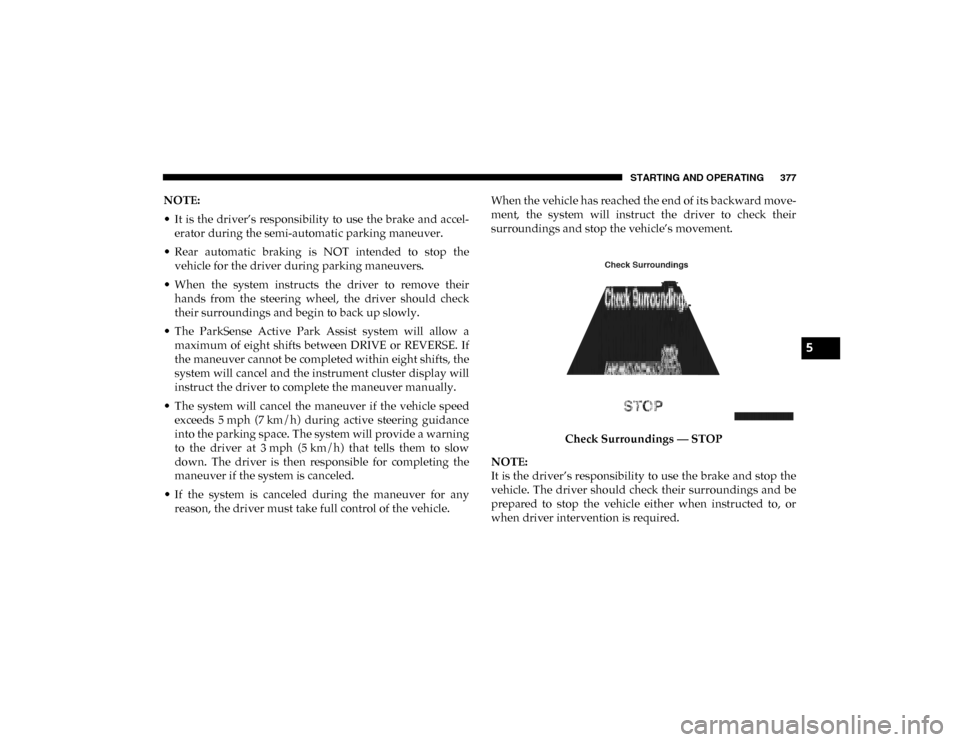
ment, the system will instruct the driver to check their
surroundings and stop the vehicle’s movement.
Check Surroundings — STOP
NOTE:
It is the driver’s responsibility to use the brake and stop the
vehicle. The driver should check their surroundings and be
prepared to stop the vehicle either when instructed to, or
when driver intervention is required.
5
2020_DT_1500_OM_US.book Page 377