AC system Ram 1500 2020 Owner's Manual
[x] Cancel search | Manufacturer: RAM, Model Year: 2020, Model line: 1500, Model: Ram 1500 2020Pages: 674, PDF Size: 32.69 MB
Page 571 of 674

MULTIMEDIA 569
Auto Comfort Systems — If Equipped
After pressing the Auto-On Comfort button on the touchscreen, the following settings will be available:
Engine Off Options
After pressing the Engine Off Options button on the touchscreen, the following settings will be available:Setting Name
Selectable Options
Auto-On Driver Heated/
Ventilated Seat & Steering
Wheel With Vehicle Start — If Equipped Off
Remote Start Only All Starts
NOTE:
When the “Auto-On Driver Heated/Ventilated Seat & Steering Wheel With Vehicle Start” feature is selected, the driver's
heated seat and heated steering wheel will automatically turn on when temperatures are below 40°F (4.4°C). When tempera -
tures are above 80°F (26.7°C), the driver vented seat will turn on.
Setting Name Selectable Options
Easy Exit Seats — If Equipped OnOff
Headlight Off Delay 0 sec
30 sec
60 sec 90 sec
Engine Off Power Delay 0 sec
45 sec
5 min 10 min
Auto Entry/Exit — If Equipped OnOff
9
2020_DT_1500_OM_US.book Page 569
Page 572 of 674

570 MULTIMEDIA
Suspension — If Equipped
After pressing the Suspension button on the touchscreen, the following settings will be available:Setting Name Selectable Options
Sound Horn With Lower OnOff
Flash Lights With Lower OnOff
Auto Entry/Exit Suspension OnOff
NOTE:
When the “Auto Entry/Exit Suspension” feature is selected, the vehicle automatically lowers from ride height position when
vehicle shifted to park for easy entry/exit. Display Suspension Messages AllWarning Only
Automatic Aero Mode OnOff
NOTE:
When the “Automatic Aero Mode” feature is selected, the Ride Height will automatically be adjusted depending on the
vehicle speed. Tire Jack Mode OnOff
NOTE:
When this feature is selected, the air suspension system is disabled to prevent auto leveling of the suspension while the
vehicle is on a jack changing a tire. Transport Mode OnOff
NOTE:
When the “Transport Mode” feature is selected, the air suspension system is disabled to assist with flat bed towing.
2020_DT_1500_OM_US.book Page 570
Page 575 of 674

MULTIMEDIA 573
Phone/Bluetooth®
After pressing the Phone/Bluetooth® button on the touchscreen, the following settings will be available:AUX Volume Offset
— If Equipped On
Off
NOTE:
The “AUX Volume Offset” feature provides the ability to tune the audio level for portable devices connected through the
AUX input. Loudness — If Equipped On
Off
NOTE:
The “Loudness” feature improves sound quality at lower volumes. Setting Name
Selectable Options
Setting NameSelectable Options
Paired Phones List of Paired Phones
NOTE:
The “Paired Phones” feature shows which phones are paired to the Phone/Bluetooth® system. For further information, refer
to the Uconnect Owner’s Manual Supplement.
9
2020_DT_1500_OM_US.book Page 573
Page 578 of 674
576 MULTIMEDIA
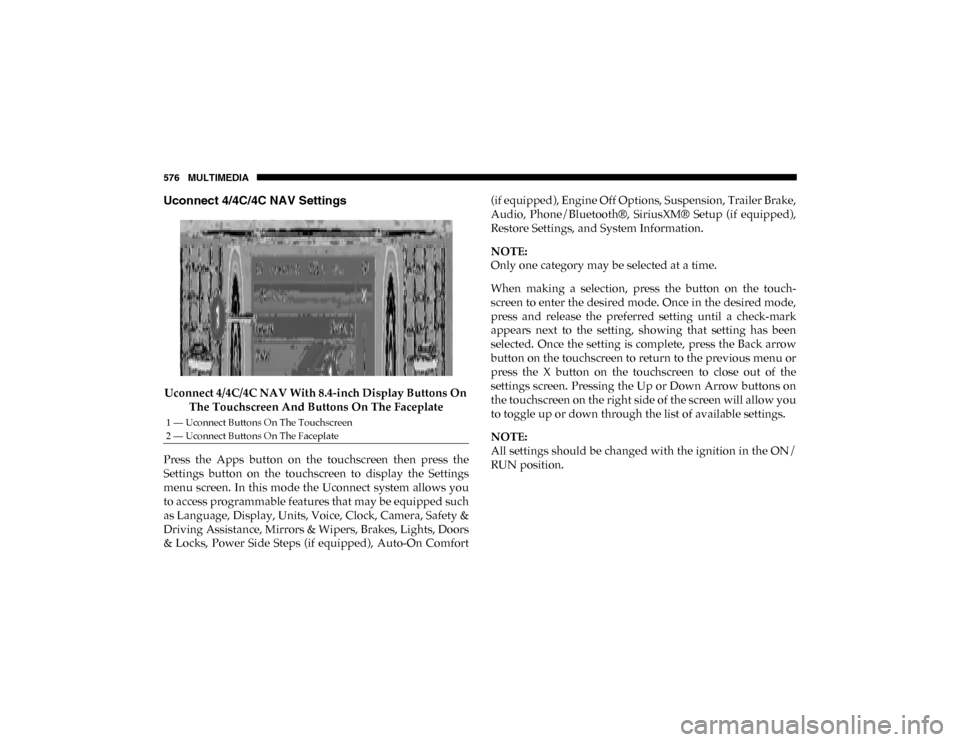
Uconnect 4/4C/4C NAV Settings
Uconnect 4/4C/4C NAV With 8.4-inch Display Buttons On The Touchscreen And Buttons On The Faceplate
Press the Apps button on the touchscreen then press the
Settings button on the touchscreen to display the Settings
menu screen. In this mode the Uconnect system allows you
to access programmable features that may be equipped such
as Language, Display, Units, Voice, Clock, Camera, Safety &
Driving Assistance, Mirrors & Wipers, Brakes, Lights, Doors
& Locks, Power Side Steps (if equipped), Auto-On Comfort (if equipped), Engine Off Options, Suspension, Trailer Brake,
Audio, Phone/Bluetooth®, SiriusXM® Setup (if equipped),
Restore Settings, and System Information.
NOTE:
Only one category may be selected at a time.
When making a selection, press the button on the touch
-
screen to enter the desired mode. Once in the desired mode,
press and release the preferred setting until a check-mark
appears next to the setting, showing that setting has been
selected. Once the setting is complete, press the Back arrow
button on the touchscreen to return to the previous menu or
press the X button on the touchscreen to close out of the
settings screen. Pressing the Up or Down Arrow buttons on
the touchscreen on the right side of the screen will allow you
to toggle up or down through the list of available settings.
NOTE:
All settings should be changed with the ignition in the ON/
RUN position.
1 — Uconnect Buttons On The Touchscreen
2 — Uconnect Buttons On The Faceplate
2020_DT_1500_OM_US.book Page 576
Page 579 of 674

MULTIMEDIA 577
Language
After pressing the Language button on the touchscreen, the following settings will be available:
Display
After pressing the Display button on the touchscreen, the following settings will be available:Setting Name
Selectable Options
Set Language EnglishFrançais Español
NOTE:
When the “Set Language” feature is selected, you may select one of multiple languages (English / Français / Español) for all
display nomenclature, including the trip functions and the navigation system (if equipped). Press the Set Language button
on the touchscreen, and then press the desired language button on the touchscreen until a check-mark appears next to the
language, showing that setting has been selected.
Setting Name Selectable Options
Display Mode AutoManual
NOTE:
When Day or Night is selected for the Display Mode, the usage of the Parade Mode feature will cause the radio to activate
the Display Brightness Day control even though the headlights are on. Display Brightness With Headlights ON –
+
NOTE:
To make changes to the "Display Brightness with Headlights ON" setting, the headlights must be on and the interior dimmer
switch must not be in the "party" or "parade" positions.
9
2020_DT_1500_OM_US.book Page 577
Page 580 of 674

578 MULTIMEDIA
Display Brightness With Headlights OFF –
+
NOTE:
To make changes to the "Display Brightness with Headlights OFF" setting, the headlights must be off and the interior dimmer
switch must not be in the "party" or "parade" positions. Set Theme — If Equipped Pre-configured Themes
Touchscreen Beep OnOff
Controls Screen Time-Out — If Equipped On
Off
Fuel Saver Display in Cluster — If Equipped On
Off
NOTE:
When selected, the system displays fuel saver mode in the instrument cluster. Navigation Next Turn Pop-ups
Displayed In Cluster — If Equipped On
Off
Phone Pop-ups Displayed in Cluster — If Equipped On
Off
Setting Name
Selectable Options
2020_DT_1500_OM_US.book Page 578
Page 581 of 674

MULTIMEDIA 579
Units
After pressing the Units button on the touchscreen, you may select each unit of measure independently displayed in the instru-
ment cluster display and navigation system (if equipped). The following selectable units of measure are listed below:
Voice
After pressing the Voice button on the touchscreen, the following settings will be available: Setting Name
Selectable Options
Units USMetric Custom
NOTE:
When the “Custom” setting is selected, units will appear according to your personally configured settings. To configure these
settings, press the “Custom” bar. The following settings will appear: Speed MPH km/h
Distance mi km
Fuel Consumption MPG (US)MPG (UK) L/100 km km/L
Pressure PSIkPa bar
Temperature °F °C
Setting Name Selectable Options
Voice Response Length Brief Detailed
Show Command List Neverw/Help Always9
2020_DT_1500_OM_US.book Page 579
Page 584 of 674

582 MULTIMEDIA
Lane Sense Warning — If Equipped Early
MedLate
NOTE:
Sets what distance the steering wheel provides feedback for potential lane departures. Lane Sense Strength — If Equipped Low
MedHigh
ParkSense Sound Only Sound & Display
NOTE:
The Rear Park Assist system scans for objects behind the vehicle when the transmission gear selector is in REVERSE and the
vehicle speed is less than 7 mph (11 km/h). Front ParkSense Volume — If Equipped Low
MedHigh
Rear ParkSense Volume — If Equipped Low
MedHigh
Rear ParkSense Braking Assist — If Equipped On
Off
Power Side Steps — If Equipped Auto
Store
Blind Spot Alert — If Equipped Off
LightsLights & Chime
NOTE:
Brakes the vehicle while in reverse if potential rear collision is detected. Setting Name
Selectable Options
2020_DT_1500_OM_US.book Page 582
Page 586 of 674

584 MULTIMEDIA
Brakes
After pressing the Brakes button on the touchscreen, the following settings will be available:Rain Sensing Auto Wipers — If
Equipped On
Off
NOTE:
Automatically adjusts the wiper speed based on the amount of precipitation. Headlights with Wipers OnOff
Setting Name
Selectable Options
Setting NameSelectable Options
Brake Service YesNo
NOTE:
Selecting the “Brake Service” feature will display a pop-up asking whether or you would like to retract the park brakes to all
brake system service. Auto Park Brake OnOff
2020_DT_1500_OM_US.book Page 584
Page 592 of 674

590 MULTIMEDIA
Auto Comfort Systems — If Equipped
After pressing the Auto-On Comfort button on the touchscreen, the following settings will be available:
Engine Off Options
After pressing the Engine Off Options button on the touchscreen, the following settings will be available:Setting Name
Selectable Options
Auto-On Driver Heated/
Ventilated Seat & Steering
Wheel With Vehicle Start — If Equipped Off
Remote Start All Starts
NOTE:
When the “Auto-On Driver Heated/Ventilated Seat & Steering Wheel With Vehicle Start” feature is selected, the driver's
heated seat and heated steering wheel will automatically turn on when temperatures are below 40°F (4.4°C). When tempera -
tures are above 80°F (26.7°C), the driver vented seat will turn on.
Setting Name Selectable Options
Engine Off Power Delay –+
NOTE:
When the “Engine Off Power Delay” feature is selected, the power window switches, radio, Uconnect phone system (if
equipped), power sunroof (if equipped), and power outlets will remain active for up to 10 minutes after the ignition is cycled
to OFF. Opening either front door will cancel this feature.
2020_DT_1500_OM_US.book Page 590