steering wheel Ram 1500 2020 Repair Manual
[x] Cancel search | Manufacturer: RAM, Model Year: 2020, Model line: 1500, Model: Ram 1500 2020Pages: 674, PDF Size: 32.69 MB
Page 568 of 674

566 MULTIMEDIA
Doors & Locks
After pressing the Doors & Locks button on the touchscreen, the following settings will be available:Auto Dim High Beams — If Equipped
OnOff
Flash Lights With Lock OnOff
NOTE:
When the “Flash Lights With Lock” feature is selected, the exterior lights flash when the doors are locked or unlocked with
the key fob. This feature may be selected with or without the sound horn on lock feature selected. Steering Directed Lights — If Equipped On
Off
NOTE:
When the “Steering Directed Lights” feature is selected, the headlights turn with the direction of the steering wheel. Setting Name
Selectable Options
Setting NameSelectable Options
Auto Door Locks — If Equipped On
Off
NOTE:
When the “Auto Door Locks” feature is selected, all doors lock automatically when the vehicle reaches a speed of 15 mph
(24 km/h).
2020_DT_1500_OM_US.book Page 566
Page 571 of 674

MULTIMEDIA 569
Auto Comfort Systems — If Equipped
After pressing the Auto-On Comfort button on the touchscreen, the following settings will be available:
Engine Off Options
After pressing the Engine Off Options button on the touchscreen, the following settings will be available:Setting Name
Selectable Options
Auto-On Driver Heated/
Ventilated Seat & Steering
Wheel With Vehicle Start — If Equipped Off
Remote Start Only All Starts
NOTE:
When the “Auto-On Driver Heated/Ventilated Seat & Steering Wheel With Vehicle Start” feature is selected, the driver's
heated seat and heated steering wheel will automatically turn on when temperatures are below 40°F (4.4°C). When tempera -
tures are above 80°F (26.7°C), the driver vented seat will turn on.
Setting Name Selectable Options
Easy Exit Seats — If Equipped OnOff
Headlight Off Delay 0 sec
30 sec
60 sec 90 sec
Engine Off Power Delay 0 sec
45 sec
5 min 10 min
Auto Entry/Exit — If Equipped OnOff
9
2020_DT_1500_OM_US.book Page 569
Page 583 of 674

MULTIMEDIA 581
Safety & Driving Assistance
After pressing the Safety & Driving Assistance button on the touchscreen, the following settings will be available:Active Parkview Backup Camera
Guidelines On
Off
NOTE:
The “Active ParkView Backup Camera Guide Lines” feature overlays the Rear Backup Camera image with active, or
dynamic, grid lines to help illustrate the width of the vehicle and its projected backup path, based on the steering wheel posi -
tion when the option is checked. A dashed center line overlay indicates the center of the vehicle to assist with parking or
aligning to a hitch/receiver.
Fixed Parkview Backup Camera Guidelines On
Off
Setting Name
Selectable Options
Setting NameSelectable Options
Forward Collision Warning — If Equipped Off
Warning Only Warning & Braking
NOTE:
Applies brakes to slow the vehicle in case of potential forward collision, or applies brakes and a warning chime. Forward Collision Warning Sensitivity — If Equipped Near
Med Far
NOTE:
Sets the distance in which a Forward Collision Warning occurs.
9
2020_DT_1500_OM_US.book Page 581
Page 584 of 674

582 MULTIMEDIA
Lane Sense Warning — If Equipped Early
MedLate
NOTE:
Sets what distance the steering wheel provides feedback for potential lane departures. Lane Sense Strength — If Equipped Low
MedHigh
ParkSense Sound Only Sound & Display
NOTE:
The Rear Park Assist system scans for objects behind the vehicle when the transmission gear selector is in REVERSE and the
vehicle speed is less than 7 mph (11 km/h). Front ParkSense Volume — If Equipped Low
MedHigh
Rear ParkSense Volume — If Equipped Low
MedHigh
Rear ParkSense Braking Assist — If Equipped On
Off
Power Side Steps — If Equipped Auto
Store
Blind Spot Alert — If Equipped Off
LightsLights & Chime
NOTE:
Brakes the vehicle while in reverse if potential rear collision is detected. Setting Name
Selectable Options
2020_DT_1500_OM_US.book Page 582
Page 592 of 674

590 MULTIMEDIA
Auto Comfort Systems — If Equipped
After pressing the Auto-On Comfort button on the touchscreen, the following settings will be available:
Engine Off Options
After pressing the Engine Off Options button on the touchscreen, the following settings will be available:Setting Name
Selectable Options
Auto-On Driver Heated/
Ventilated Seat & Steering
Wheel With Vehicle Start — If Equipped Off
Remote Start All Starts
NOTE:
When the “Auto-On Driver Heated/Ventilated Seat & Steering Wheel With Vehicle Start” feature is selected, the driver's
heated seat and heated steering wheel will automatically turn on when temperatures are below 40°F (4.4°C). When tempera -
tures are above 80°F (26.7°C), the driver vented seat will turn on.
Setting Name Selectable Options
Engine Off Power Delay –+
NOTE:
When the “Engine Off Power Delay” feature is selected, the power window switches, radio, Uconnect phone system (if
equipped), power sunroof (if equipped), and power outlets will remain active for up to 10 minutes after the ignition is cycled
to OFF. Opening either front door will cancel this feature.
2020_DT_1500_OM_US.book Page 590
Page 607 of 674

MULTIMEDIA 605
Safety & Driving Assistance
After pressing the Safety & Driving Assistance button on the touchscreen, the following settings will be available:Active Backup Camera Guidelines
OnOff
NOTE:
The “Active Backup Camera Guidelines” feature overlays the Rear Backup Camera image with active, or dynamic, grid lines
to help illustrate the width of the vehicle and its project back up path, based on the steering wheel position when the option
is checked. A dashed center line overlay indicates the center of the vehicle to assist with parking or aligning to a hitch/
receiver. Fixed Backup Camera Guidelines OnOff
Setting Name
Selectable Options
Setting NameSelectable Options
Forward Collision Warning — If Equipped Off
Warning Only Warning & Active Braking
NOTE:
Applies brakes to slow the vehicle in case of potential forward collision, or applies brakes and a warning chime. Forward Collision Warning Sensitivity — If Equipped Near
Med Far
NOTE:
Sets the distance in which a Forward Collision Warning occurs.
9
2020_DT_1500_OM_US.book Page 605
Page 608 of 674

606 MULTIMEDIA
Lane Sense Warning — If Equipped Early
MedLate
NOTE:
Sets what distance the steering wheel provides feedback for potential lane departures. Lane Sense Strength — If Equipped Low
MedHigh
ParkSense Sound Only Sound & Display
NOTE:
The Rear Park Assist system scans for objects behind the vehicle when the transmission gear selector is in REVERSE and the
vehicle speed is less than 7 mph (11 km/h). Front ParkSense Volume LowMedHigh
Rear ParkSense Volume LowMedHigh
Rear ParkSense Braking Assist On
Off
NOTE:
Brakes the vehicle while in reverse if potential rear collision is detected. Blind Spot Alert OffLightsLights & Chime
Trailer Length For Blind Spot Alert Auto
Max (39.5 feet)
NOTE:
Auto detects the length of the trailer. Max sets all trailers to 39.5 ft (12 m). Setting Name
Selectable Options
2020_DT_1500_OM_US.book Page 606
Page 611 of 674

MULTIMEDIA 609
Headlights With Wipers — If Equipped On
Off
NOTE:
When the “Headlights With Wipers” feature is selected, and the headlight switch is in the AUTO position, the headlights
turn on approximately 10 seconds after the wipers are turned on. The headlights also turn off when the wipers are turned
off if they were turned on by this feature. Auto Dim High Beams — If Equipped OnOff
NOTE:
When the “Auto Dim High Beams” feature is selected, the high beam headlights deactivate automatically under certain
conditions. Daytime Running Lights OnOff
NOTE:
When the “Daytime Running Lights” feature is selected, the daytime running lights can be turned on or off. This feature is
only allowed by law in the country of the vehicle purchase. Steering Directed Lights — If Equipped On
Off
NOTE:
When the “Steering Directed Lights” feature is selected, the headlights turn with the direction of the steering wheel. Flash Lights with Lock OnOff
NOTE:
When the “Flash Lights With Lock” feature is selected, the exterior lamps flash when the doors are locked or unlocked with
the key fob. This feature may be selected with or without the sound horn on lock feature selected. Setting Name
Selectable Options
9
2020_DT_1500_OM_US.book Page 609
Page 614 of 674

612 MULTIMEDIA
Auto-On Comfort & Remote Start Systems — If Equipped
After pressing the Auto-On Comfort & Remote Start button on the touchscreen, the following settings will be available:Personal Settings Linked To Key Fob
— If Equipped On
Off
NOTE:
• The “Personal Settings Linked To Key Fob” feature provides automatic driver seat positioning to enhance driver mobility when entering and exiting the vehicle.
• The seats return to the memorized seat location (if “Personal Settings Linked To Key Fob” is set to on) when the key fob is used to unlock the door. Setting Name
Selectable Options
Setting NameSelectable Options
Auto-On Driver Heated/ Vented Seat & Steering Wheel — If Equipped Off
Remote Start All Starts
NOTE:
When the “Auto-On Driver Heated/Vented Seat & Steering Wheel” feature is selected, the driver's heated seat and heated
steering wheel will automatically turn on when temperatures are below 40°F (4.4°C). When temperatures are above 80°F
(26.7°C), the driver vented seat will turn on.
2020_DT_1500_OM_US.book Page 612
Page 624 of 674
622 MULTIMEDIA
STEERING WHEEL AUDIO CONTROLS — IF
EQUIPPED
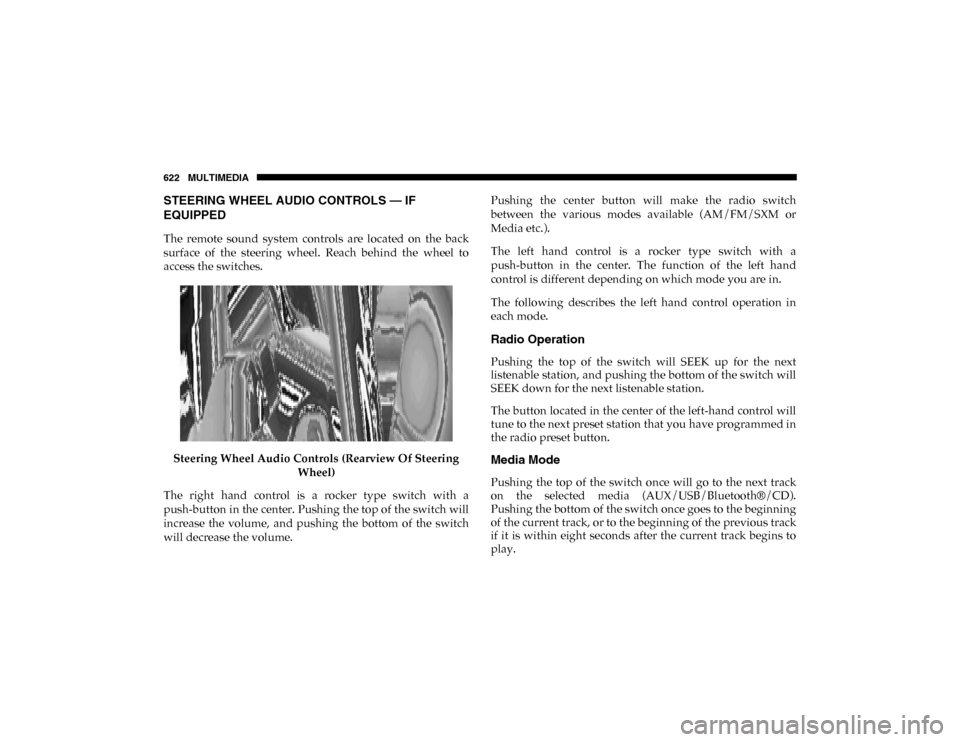
The remote sound system controls are located on the back
surface of the steering wheel. Reach behind the wheel to
access the switches.Steering Wheel Audio Controls (Rearview Of Steering Wheel)
The right hand control is a rocker type switch with a
push-button in the center. Pushing the top of the switch will
increase the volume, and pushing the bottom of the switch
will decrease the volume. Pushing the center button will make the radio switch
between the various modes available (AM/FM/SXM or
Media etc.).
The left hand control is a rocker type switch with a
push-button in the center. The function of the left hand
control is different depending on which mode you are in.
The following describes the left hand control operation in
each mode.
Radio Operation
Pushing the top of the switch will SEEK up for the next
listenable station, and pushing the bottom of the switch will
SEEK down for the next listenable station.
The button located in the center of the left-hand control will
tune to the next preset station that you have programmed in
the radio preset button.
Media Mode
Pushing the top of the switch once will go to the next track
on the selected media (AUX/USB/Bluetooth®/CD).
Pushing the bottom of the switch once goes to the beginning
of the current track, or to the beginning of the previous track
if it is within eight seconds after the current track begins to
play.
2020_DT_1500_OM_US.book Page 622