cruise control Ram 1500 2020 Owner's Manual
[x] Cancel search | Manufacturer: RAM, Model Year: 2020, Model line: 1500, Model: Ram 1500 2020Pages: 674, PDF Size: 32.69 MB
Page 9 of 674

7
To Manually Turn Off The Stop Start System ......... 336
To Manually Turn On The Stop Start System ......... 337
System Malfunction .................................................... 337
SPEED CONTROL — IF EQUIPPED ............................. 337
To Activate ................................................................... 338
To Set A Desired Speed .............................................. 338
To Vary The Speed Setting ......................................... 338
To Accelerate For Passing ......................................... 340
To Resume Speed ....................................................... 340
To Deactivate ............................................................... 340
ADAPTIVE CRUISE CONTROL (ACC) — IF
EQUIPPED ......................................................................... 340
Adaptive Cruise Control (ACC) Operation............. 342
Activating Adaptive Cruise Control (ACC) ............ 343
To Activate/Deactivate .............................................. 344
To Set A Desired ACC Speed..................................... 345
To Cancel ...................................................................... 345
To Turn Off................................................................... 346
To Resume .................................................................... 346
To Vary The Speed Setting ......................................... 346
Setting The Following Distance In ACC .................. 348
Overtake Aid ................................................................ 351
ACC Operation At Stop.............................................. 351
Adaptive Cruise Control (ACC) Menu.....................352
Display Warnings And Maintenance .......................353
Precautions While Driving With ACC .....................355
General Information ....................................................358
Normal (Fixed Speed) Cruise Control Mode...........359
PARKSENSE FRONT AND REAR PARK ASSIST .......361
ParkSense Sensors........................................................363
ParkSense Warning Display.......................................363
ParkSense Display .......................................................363
Enabling And Disabling Front And/Or Rear
ParkSense ......................................................................368
Service The ParkSense Park Assist System ..............368
Cleaning The ParkSense System................................369
ParkSense System Usage Precautions.......................369
PARKSENSE ACTIVE PARK ASSIST SYSTEM — IF
EQUIPPED .........................................................................371
Enabling And Disabling The ParkSense Active Park
Assist System................................................................372
Parallel Parking Space Assistance Operation/
Display ..........................................................................373
Perpendicular Parking Space Assistance Operation/
Display ..........................................................................381
2020_DT_1500_OM_US.book Page 7
Page 60 of 674
58 GETTING TO KNOW YOUR VEHICLE
DRIVER ADJUSTABLE PEDALS — IF EQUIPPED
The adjustable pedals system is designed to allow a greater
range of driver comfort for steering wheel tilt and seat posi-
tion. This feature allows the brake and accelerator pedals to
move toward or away from the driver to provide improved
position with the steering wheel.
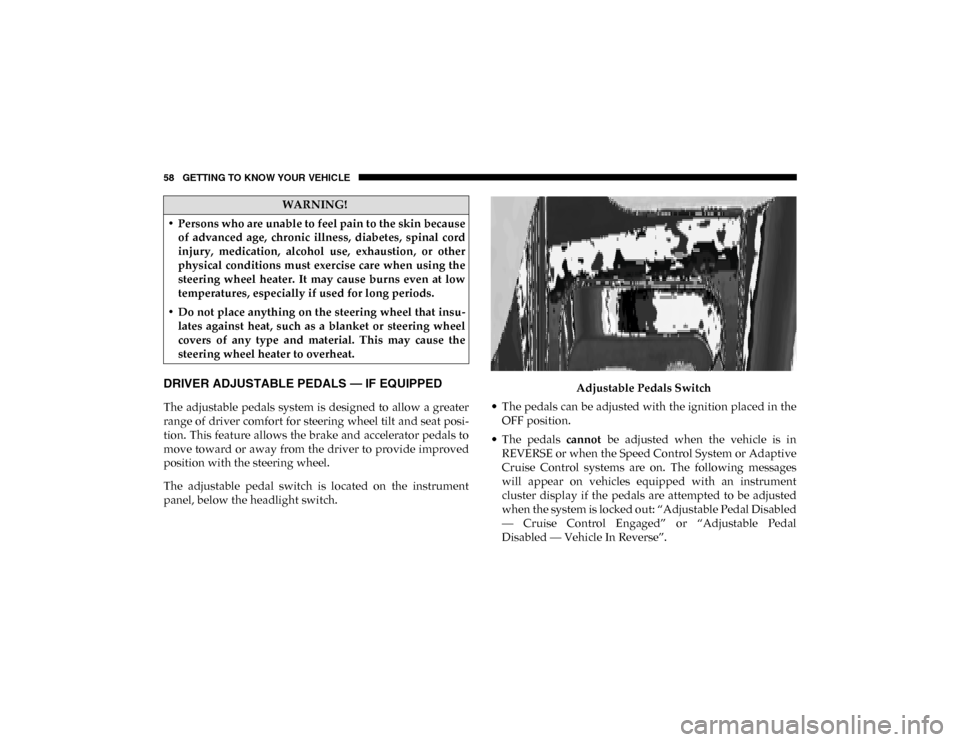
The adjustable pedal switch is located on the instrument
panel, below the headlight switch. Adjustable Pedals Switch
• The pedals can be adjusted with the ignition placed in the OFF position.
• The pedals cannot be adjusted when the vehicle is in
REVERSE or when the Speed Control System or Adaptive
Cruise Control systems are on. The following messages
will appear on vehicles equipped with an instrument
cluster display if the pedals are attempted to be adjusted
when the system is locked out: “Adjustable Pedal Disabled
— Cruise Control Engaged” or “Adjustable Pedal
Disabled — Vehicle In Reverse”.
WARNING!
• Persons who are unable to feel pain to the skin because of advanced age, chronic illness, diabetes, spinal cord
injury, medication, alcohol use, exhaustion, or other
physical conditions must exercise care when using the
steering wheel heater. It may cause burns even at low
temperatures, especially if used for long periods.
• Do not place anything on the steering wheel that insu -
lates against heat, such as a blanket or steering wheel
covers of any type and material. This may cause the
steering wheel heater to overheat.
2020_DT_1500_OM_US.book Page 58
Page 172 of 674

170 GETTING TO KNOW YOUR INSTRUMENT PANEL
Driver Assist — If Equipped
The Driver Assist menu displays the status of the ACC and
LaneSense systems.
Push and release the up or down arrow button until the
Driver Assist menu is displayed in the instrument cluster
display.
Adaptive Cruise Control (ACC) Feature
The instrument cluster display displays the current Adap -
tive Cruise Control (ACC) system settings. The information
displayed depends on ACC system status.
Push the Adaptive Cruise Control (ACC) on/off button
(located on the steering wheel) until one of the following
displays in the instrument cluster display:
Adaptive Cruise Control Off
When ACC is deactivated, the display will read “Adaptive
Cruise Control Off.”
Adaptive Cruise Control Ready
When ACC is activated but the vehicle speed setting has not
been selected, the display will read “Adaptive Cruise
Control Ready.” Push the SET + or the SET- button (located on the steering
wheel) and the following will display in the instrument
cluster display:
ACC SET
When ACC is set, the set speed will display in the instrument
cluster.
The ACC screen may display once again if any ACC activity
occurs, which may include any of the following:
• Distance Setting Change
• System Cancel
• Driver Override
• System Off
• ACC Proximity Warning
• ACC Unavailable Warning
For further information, refer to “Adaptive Cruise Control
(ACC) — If Equipped” in “Starting And Operating.”
2020_DT_1500_OM_US.book Page 170
Page 185 of 674
GETTING TO KNOW YOUR INSTRUMENT PANEL 183
— Door Open Warning Light
This indicator will illuminate when a door is ajar/open and
not fully closed.
NOTE:
If the vehicle is moving there will also be a single chime.
Yellow Warning Lights
— Adaptive Cruise Control (ACC) Fault Warning Light
— If Equipped
This warning light will illuminate to indicate a fault in the
ACC system. Contact a local authorized dealer for service.
For further information, refer to “Adaptive Cruise Control
(ACC)” in “Starting And Operating.”
— Air Suspension Fault Warning Light — If Equipped
This light will illuminate when a fault is detected with the air
suspension system. — Engine Check/Malfunction Indicator Warning Light
(MIL)
The Engine Check/Malfunction Indicator Light (MIL) is a
part of an Onboard Diagnostic System called OBD II that
monitors engine and automatic transmission control
systems. This warning light will illuminate when the ignition
is in the ON/RUN position before engine start. If the bulb
does not come on when turning the ignition switch from OFF
to ON/RUN, have the condition checked promptly.
Certain conditions, such as a loose or missing gas cap, poor
quality fuel, etc., may illuminate the light after engine start.
The vehicle should be serviced if the light stays on through
several typical driving styles. In most situations, the vehicle
will drive normally and will not require towing.
When the engine is running, the MIL may flash to alert
serious conditions that could lead to immediate loss of
power or severe catalytic converter damage. The vehicle
should be serviced by an authorized dealer as soon as
possible if this occurs.
CAUTION!
Continuous driving with the Transmission Temperature
Warning Light illuminated will eventually cause severe
transmission damage or transmission failure.
3
2020_DT_1500_OM_US.book Page 183
Page 194 of 674
192 GETTING TO KNOW YOUR INSTRUMENT PANEL
Refer to “Starting The Engine” in “Starting And Operating”
for further information.
NOTE:
The “Wait To Start” telltale may not illuminate if the intake
manifold temperature is warm enough.
Green Indicator Lights
— Adaptive Cruise Control (ACC) Set With Target
Light — If Equipped
This will display when the ACC is set and a target vehicle is
detected.
Refer to “Adaptive Cruise Control (ACC) — If Equipped” in
“Starting And Operating” for further information.
— Adaptive Cruise Control (ACC) Set With No Target
Detected Indicator Light — If Equipped
This light will turn on when the Adaptive Cruise Control is
SET and there is no target vehicle detected.
Refer to “Adaptive Cruise Control (ACC) — If Equipped” in
“Starting And Operating” for further information. — ECO Mode Indicator Light
This light will turn on when ECO Mode is active.
— Park/Headlight On Indicator Light
This indicator light will illuminate when the park lights or
headlights are turned on.
— LaneSense Indicator Light — If Equipped
The LaneSense indicator light illuminates solid green when
both lane markings have been detected and the system is
“armed” and ready to provide visual and torque warnings if
an unintentional lane departure occurs.
Refer to “LaneSense — If Equipped” in “Starting And Oper -
ating” for further information.
— Front Fog Indicator Light — If Equipped
This indicator light will illuminate when the front fog lights
are on.
2020_DT_1500_OM_US.book Page 192
Page 195 of 674
GETTING TO KNOW YOUR INSTRUMENT PANEL 193
— Turn Signal Indicator Lights
When the left or right turn signal is activated, the turn signal
indicator will flash independently and the corresponding
exterior turn signal lamps will flash. Turn signals can be acti -
vated when the multifunction lever is moved down (left) or
up (right).
NOTE:
• A continuous chime will sound if the vehicle is driven more than 1 mile (1.6 km) with either turn signal on.
• Check for an inoperative outside light bulb if either indi -
cator flashes at a rapid rate.
• If equipped with fog lamps, the fog lamp on the side of the activated turn signal will also illuminate to provide addi -
tional light when turning.
— Cruise Control SET Indicator Light — If Equipped
With 7 Inch Instrument Cluster Display
This light will turn on when the speed control is set.
Refer to “Speed Control” in “Starting And Operating” for
further information. — Stop/Start Active Indicator Light — If Equipped
This indicator light will illuminate when the Stop/Start func -
tion is in “Autostop” mode.
— 4WD AUTO Indicator Light — If Equipped
This light alerts the driver that the vehicle is in the
four-wheel drive auto mode, and the front axle is engaged,
but the vehicle's power is sent to the rear wheels. Four-wheel
drive will be automatically engaged when the vehicle senses
a loss of traction.
For further information on four-wheel drive operation and
proper use, refer to “Four-Wheel Drive Operation — If
Equipped” in “Starting And Operating.”
White Indicator Lights
— Adaptive Cruise Control (ACC) Ready Light — If
Equipped
This light will illuminate when the vehicle equipped with
Adaptive Cruise Control (ACC) has been turned on but not
set.
Refer to “Adaptive Cruise Control (ACC) — If Equipped” in
“Starting And Operating” for further information.
3
2020_DT_1500_OM_US.book Page 193
Page 196 of 674
194 GETTING TO KNOW YOUR INSTRUMENT PANEL
— Cruise Control Ready Indicator
This indicator light will illuminate when the cruise control is
ready, but not set. Refer to “Speed Control” in “Starting And
Operating” for further information.
— Speed Control SET Indicator Light — If Equipped
With 3.5 Inch Instrument Cluster Display
This light will turn on when the speed control is set.
Refer to “Speed Control” in “Starting And Operating” for
further information.
— Hill Descent Control (HDC) Indicator Light — If
Equipped
This indicator shows when the Hill Descent Control (HDC)
feature is turned on. The lamp will be on solid when HDC is
armed. HDC can only be armed when the transfer case is in
the “4WD LOW” position and the vehicle speed is less then
20 mph (32 km/h). If these conditions are not met while
attempting to use the HDC feature, the HDC indicator light
will flash on/off. — LaneSense Indicator Light — If Equipped
When the LaneSense system is ON, but not armed, the Lane -
Sense indicator light illuminates solid white. This occurs
when only left, right, or neither lane line has been detected.
If a single lane line is detected, the system is ready to provide
only visual warnings if an unintentional lane departure
occurs on the detected lane line.
Refer to “LaneSense — If Equipped” in “Starting And Oper -
ating” for further information.
Blue Indicator Lights
— High Beam Indicator Light
This indicator light will illuminate to indicate that the high
beam headlights are on. With the low beams activated, push
the multifunction lever forward (toward the front of the
vehicle) to turn on the high beams. Pull the multifunction
lever rearward (toward the rear of the vehicle) to turn off the
high beams. If the high beams are off, pull the lever toward
you for a temporary high beam on, “flash to pass” scenario.
2020_DT_1500_OM_US.book Page 194
Page 340 of 674

338 STARTING AND OPERATING
NOTE:
In order to ensure proper operation, the Speed Control
system has been designed to shut down if multiple Speed
Control functions are operated at the same time. If this
occurs, the Speed Control system can be reactivated by
pushing the Speed Control on/off button and resetting the
desired vehicle set speed.
To Activate
Push the On/Off button to activate the Speed Control. The
cruise indicator light in the instrument cluster display will
illuminate. To turn the system off, push the On/Off button a
second time. The cruise indicator light will turn off. The
system should be turned off when not in use.
To Set A Desired Speed
Turn the Speed Control on.
NOTE:
The vehicle should be traveling at a steady speed and on
level ground before pushing the SET (+) or SET (-) button.
When the vehicle has reached the desired speed, push the
SET (+) or SET (-) button and release. Release the accelerator
and the vehicle will operate at the selected speed.
To Vary The Speed Setting
To Increase Speed
When the Speed Control is set, you can increase speed by
pushing the SET (+) button.
WARNING!
Speed Control can be dangerous where the system
cannot maintain a constant speed. Your vehicle could go
too fast for the conditions, and you could lose control
and have an accident. Do not use Speed Control in heavy
traffic or on roads that are winding, icy, snow-covered or
slippery.
WARNING!
Leaving the Speed Control system on when not in use is
dangerous. You could accidentally set the system or
cause it to go faster than you want. You could lose
control and have an accident. Always leave the system
off when you are not using it.
2020_DT_1500_OM_US.book Page 338
Page 342 of 674

340 STARTING AND OPERATING
To Accelerate For Passing
Press the accelerator as you would normally. When the pedal
is released, the vehicle will return to the set speed.
To Resume Speed
To resume a previously set speed, push the RES button and
release. Resume can be used at any speed above 20 mph
(32 km/h).
To Deactivate
A soft tap on the brake pedal, pushing the CANC (cancel)
button, or normal brake pressure while slowing the vehicle
will deactivate the speed control without erasing the set
speed from memory.
Pushing the on/off button or placing the ignition in the OFF
position, erases the set speed from memory.
Using Speed Control On Hills
The transmission may downshift on hills to maintain the
vehicle set speed.
NOTE:
The Speed Control system maintains speed up and down
hills. A slight speed change on moderate hills is normal.On steep hills, a greater speed loss or gain may occur so it
may be preferable to drive without Speed Control.
ADAPTIVE CRUISE CONTROL (ACC) — IF EQUIPPED
Adaptive Cruise Control (ACC) increases the driving conve
-
nience provided by cruise control while traveling on high -
ways and major roadways. However, it is not a safety system
and not designed to prevent collisions. Speed Control func-
tion performs differently. Please refer to the proper section
within this chapter.
ACC will allow you to keep cruise control engaged in light
to moderate traffic conditions without the constant need to
reset your cruise control. ACC utilizes a radar sensor and a
forward facing camera designed to detect a vehicle directly
ahead of you.
NOTE:
• If the sensor does not detect a vehicle ahead of you, ACC will maintain a fixed set speed.
• If the ACC sensor detects a vehicle ahead, ACC will apply limited braking or accelerate (not to exceed the original set
speed) automatically to maintain a preset following
distance, while matching the speed of the vehicle ahead.
2020_DT_1500_OM_US.book Page 340
Page 343 of 674

STARTING AND OPERATING 341
(Continued)
The Cruise Control system has two control modes:
• Adaptive Cruise Control mode for maintaining an appro-
priate distance between vehicles.
• Normal (Fixed Speed) Cruise Control mode for cruising at a constant preset speed. For additional information, refer
to “Normal (Fixed Speed) Cruise Control Mode” in this
section.
NOTE:
Normal (Fixed Speed) Cruise Control will not react to
preceding vehicles. Always be aware of the mode selected.
You can change the mode by using the Cruise Control
buttons. The two control modes function differently. Always
confirm which mode is selected.WARNING!
• Adaptive Cruise Control (ACC) is a convenience system. It is not a substitute for active driving involve -
ment. It is always the driver’s responsibility to be atten -
tive of road, traffic, and weather conditions, vehicle
speed, distance to the vehicle ahead; and, most impor -
tantly, brake operation to ensure safe operation of the
vehicle under all road conditions. Your complete atten -
tion is always required while driving to maintain safe
control of your vehicle. Failure to follow these warn -
ings can result in a collision and death or serious
personal injury.
• The ACC system: • Does not react to pedestrians, oncoming vehicles,and stationary objects (e.g., a stopped vehicle in a
traffic jam or a disabled vehicle).
• Cannot take street, traffic, and weather conditions into account, and may be limited upon adverse sight
distance conditions.
5
2020_DT_1500_OM_US.book Page 341