reset RAM 1500 2021 User Guide
[x] Cancel search | Manufacturer: RAM, Model Year: 2021, Model line: 1500, Model: RAM 1500 2021Pages: 496, PDF Size: 20.89 MB
Page 120 of 496

118GETTING TO KNOW YOUR INSTRUMENT PANEL
Trailer Tow
Push and release the up or down arrow
button until the Trailer Tow menu item is
highlighted in the instrument cluster display.
Push and release the right or left arrow
button to cycle through the following trailer tow
information:
Trip (trailer specific) Distance: Push and hold
the OK button to reset the distance.
Integrated Trailer Brake Module (ITBM):
Braking Output
Trailer Type
ITBM Gain
Trailer Light Check: Push and hold the OK
button to begin the Trailer Light Test
sequence Ú page 225.
Trailer Tire Pressure Monitoring: The Instru-
ment Cluster Display will display the Trailer
Tire Pressure for a connected trailer with
sensors that match the active trailer profile.
When a low tire is present, the low tire value
will be displayed in red, and the affected low
tire will have a red glow. “Trailer Tire Low“ will
be displayed on the center bottom of the
Instrument Cluster Display screen.
Audio
Push and release the up or down arrow
button until the Audio Menu icon/title is
highlighted in the instrument cluster display.
This menu will display the audio source
information, including the Song name, Artist
name, and audio source with an accompanying
graphic.
Phone Call Status
When a call is incoming, a Phone Call Status
pop-up will display on the screen. The pop-up
will remain until the phone is answered or
ignored.
NOTE:
The call status will temporarily replace the
previous media source information displayed
on the screen. When the pop-up is no longer
displayed, the display will return to the last used
screen.
Stored Messages
Push and release the up or down arrow
button until the Messages Menu item is
highlighted. This feature shows the number of
stored warning messages. Push and release the
right or left arrow button to cycle through
stored messages.
Settings
Head-Up Display (HUD)
NOTE:
The HUD feature Settings are available at any
vehicle speed.
Push and release the up or down arrow
button until the Settings Menu icon/title is
highlighted in the instrument cluster display.
Push and release the left or right arrow
button until the HUD Menu icon/title is
highlighted in the instrument cluster
display.Push and release the OK button to enter
HUD. Use the up or down arrow button to
select a setting, then push and release the OK
button to adjust the setting.
ON/OFF
Content and Layout
Simple : Speed, Speed Limit
Standard : Speed, Speed Limit, Naviga-
tion
Advanced : Speed, Speed Limit, Naviga-
tion, Driver Assist (ACC/Cruise, Lane -
Sense, Highway Assist/Highway Assist+),
Gear
21_DT_OM_EN_USC_t.book Page 118
Page 124 of 496
122GETTING TO KNOW YOUR INSTRUMENT PANEL
Your vehicle has the ability to alert you to
additional maintenance required on your
vehicle or engine. Refer to the following
messages that may be displayed on your
instrument cluster:
Exhaust Filter XX% Full Safely Drive at
Highway Speeds to Remedy — This message
will be displayed in the instrument cluster if
the exhaust particulate filter reaches 80% of
its maximum storage capacity. Under condi -
tions of exclusive short duration and low
speed driving cycles, your diesel engine and
exhaust after-treatment system may never
reach the conditions required to cleanse the
filter to remove the trapped PM. If this
occurs, the “Exhaust Filter XX% Full Safely
Drive at Highway Speeds to Remedy”
message will be displayed in the instrument
cluster display. If this message is displayed,
you will hear one chime to assist in alerting
you of this condition. By simply driving your
vehicle at highway speeds for up to
20 minutes, you can remedy the condition in
the particulate filter system and allow your
diesel engine and exhaust after-treatment
system to cleanse the filter to remove the
trapped PM and restore the system to normal
operating condition.
Exhaust System — Regeneration In Process
Exhaust Filter XX% Full — This message indi-
cates that the DPF is self-cleaning. Maintain
your current driving condition until regenera -
tion is completed.
Exhaust System — Regeneration Completed
— This message indicates that the DPF
self-cleaning is completed. If this message is
displayed, you will hear one chime to assist in
alerting you of this condition.
Exhaust Service Required — See Dealer Now
— This messages indicates regeneration has
been disabled due to a system malfunction.
At this point the engine Powertrain Control
Module (PCM) will register a fault code, the
instrument panel will display a MIL light.
Exhaust Filter Full — Power Reduced See
Dealer — This message indicates the PCM
has derated the engine to limit the likelihood
of permanent damage to the after-treatment
system. If this condition is not corrected and
a dealer service is not performed, extensive
exhaust after-treatment damage can occur.
To correct this condition it will be necessary
to have your vehicle serviced by an autho -
rized dealer.
NOTE:
Failing to follow the oil change indicator,
changing your oil and resetting the oil change
indicator by 0 miles remaining will prevent the
diesel exhaust filter from performing it's
cleaning routine. This will shortly result in a
Malfunction Indicator Light (MIL) and reduced
engine power. Only an authorized dealer will be
able to correct this condition.
CAUTION!
See an authorized dealer, as damage to the
exhaust system could occur soon with
continued operation.
CAUTION!
See an authorized dealer, as damage to the
exhaust system could occur soon with
continued operation.
21_DT_OM_EN_USC_t.book Page 122
Page 156 of 496

154STARTING AND OPERATING
(Continued)
(Continued)
Fortunately, actuator retraction can be done
easily by entering the Brake Service Mode
through the Uconnect Settings in your vehicle.
This menu based system will guide you through
the steps necessary to retract the EPB actuator
in order to perform rear brake service.
Service Mode has requirements that must be
met in order to be activated:
The vehicle must be at a standstill.
The parking brake must be unapplied.
The transmission must be in PARK or
NEUTRAL.
While in Service Mode, the EPB fault lamp will
flash continuously while the ignition is ON.
When brake service work is complete, the
following steps must be followed to reset the
park brake system to normal operation:
Ensure the vehicle is at a standstill.
Press the brake pedal with moderate force.
Apply the EPB Switch.
AUTOMATIC TRANSMISSION
You must press and hold the brake pedal while
shifting out of PARK.
WARNING!
You can be badly injured working on or
around a motor vehicle. Do only that service
work for which you have the knowledge and
the right equipment. If you have any doubt
about your ability to perform a service job,
take your vehicle to a competent mechanic.
WARNING!
Never use the PARK position as a substi -
tute for the parking brake. Always apply the
parking brake fully when exiting the vehicle
to guard against vehicle movement and
possible injury or damage.
Your vehicle could move and injure you and
others if it is not in PARK. Check by trying to
move the transmission gear selector out of
PARK with the brake pedal released. Make
sure the transmission is in PARK before
exiting the vehicle.
The transmission may not engage PARK if
the vehicle is moving. Always bring the
vehicle to a complete stop before shifting to
PARK, and verify that the transmission gear
position indicator solidly indicates PARK (P)
without blinking. Ensure that the vehicle is
completely stopped, and the PARK position
is properly indicated, before exiting the
vehicle.
It is dangerous to shift out of PARK or
NEUTRAL if the engine speed is higher than
idle speed. If your foot is not firmly pressing
the brake pedal, the vehicle could accel -
erate quickly forward or in reverse. You
could lose control of the vehicle and hit
someone or something. Only shift into gear
when the engine is idling normally and your
foot is firmly pressing the brake pedal.
WARNING! (Continued)
21_DT_OM_EN_USC_t.book Page 154
Page 161 of 496
![RAM 1500 2021 User Guide
STARTING AND OPERATING159
During extremely cold temperatures (-22°F
[-30°C] or below), transmission operation may
be modified depending on engine and
transmission temperature as well as vehicle](/img/34/59195/w960_59195-160.png "RAM 1500 2021 User Guide
STARTING AND OPERATING159
During extremely cold temperatures (-22°F
[-30°C] or below), transmission operation may
be modified depending on engine and
transmission temperature as well as vehicle")
STARTING AND OPERATING159
During extremely cold temperatures (-22°F
[-30°C] or below), transmission operation may
be modified depending on engine and
transmission temperature as well as vehicle
speed. Normal operation will resume once the
transmission temperature has risen to a
suitable level.
Transmission Limp Home Mode
Transmission function is monitored
electronically for abnormal conditions. If a
condition is detected that could result in
transmission damage, Transmission Limp
Home Mode is activated. In this mode, the
transmission may operate only in certain gears,
or may not shift at all. Vehicle performance may
be severely degraded and the engine may stall.
In some situations, the transmission may not
re-engage if the engine is turned off and
restarted. The Malfunction Indicator Light (MIL)
may be illuminated. A message in the
instrument cluster will inform the driver of the
more serious conditions, and indicate what
actions may be necessary. In the event of a momentary problem, the
transmission can be reset to regain all forward
gears by performing the following steps:
NOTE:
In cases where the instrument cluster message
indicates the transmission may not re-engage
after engine shutdown, perform this procedure
only in a desired location (preferably, at an
authorized dealer).
1. Stop the vehicle.
2. Shift the transmission into PARK, if
possible. If not, shift the transmission to
NEUTRAL.
3. Push and hold the ignition switch until the engine turns off.
4. Wait approximately 30 seconds.
5. Restart the engine.
6. Shift into the desired gear range. If the problem is no longer detected, the
transmission will return to normal
operation. NOTE:
Even if the transmission can be reset, we
recommend that you visit an authorized dealer
at your earliest possible convenience. An autho
-
rized dealer has diagnostic equipment to
assess the condition of your transmission. If the
transmission cannot be reset, an authorized
dealer service is required.Electronic Range Select (ERS) Operation
The Electronic Range Select (ERS) shift control
allows the driver to limit the highest available
gear when the transmission is in DRIVE and ERS
mode is not active. For example, if you set the
transmission gear limit to FOURTH gear, the
transmission will not shift above FOURTH gear
(except to prevent engine overspeed), but will
shift through the lower gears normally.
You can switch between DRIVE and ERS mode
at any vehicle speed. When the transmission
gear selector is in DRIVE, the transmission will
operate automatically, shifting between all
available gears. Tapping the - button (on the
steering wheel) will activate ERS mode, display
the current gear in the instrument cluster, and
set that gear as the top available gear. Once in
ERS mode, tapping the - or + button will change
the top available gear.4
21_DT_OM_EN_USC_t.book Page 159
Page 178 of 496

176STARTING AND OPERATING
TOW/HAUL mode is selected
Accelerator pedal input
Excessive 12 Volt loads
It may be possible to operate the vehicle several
consecutive times in extreme conditions and
not meet all criteria to enable an Autostop state.
TO START THE ENGINE WHILE IN
A
UTOSTOP MODE
While in DRIVE, the engine will start when the
brake pedal is released or the throttle pedal is
pressed and the transmission will automatically
reengage upon engine restart.
Conditions That Will Cause The Engine To Start
Automatically While In Autostop Mode
The engine will start automatically when:
The transmission selector is moved from
DRIVE to REVERSE, NEUTRAL, or PARK
To maintain cabin temperature near the
HVAC settings
HVAC is set to full defrost mode
12 Volt demand requires engine restart
Stop/Start OFF switch is pushed
Transfer case is in 4WD LOW
The emissions system override is present
A Stop/Start system error present
Conditions That Force An Automatic Shift To
Park While In Autostop Mode
The engine will not start automatically and the
transmission will be placed in PARK if:
The driver door is open and brake pedal
released
The driver door is open and the driver seat
belt is unbuckled
The engine hood has been opened
A Stop/Start system error present
The engine may then be restarted by moving the
transmission shift selector out of PARK (e.g. to
DRIVE) or, in some cases, only by a KEY START.
The instrument cluster will display a SHIFT OUT
OF PARK message, or a STOP/START KEY
START REQUIRED message, to indicate which
action is required Ú page 114.
TO MANUALLY TURN OFF THE STOP
S
TART SYSTEM
Stop/Start OFF Switch
Push the Stop/Start OFF switch (located on the
switch bank). The light on the switch will
illuminate. The “STOP/START OFF” message
will appear in the instrument cluster display and
the autostop mode will be disabled
Ú page 114.
NOTE:
The Stop/Start system will reset itself back to
the ON mode every time the ignition is turned
OFF and back ON.
21_DT_OM_EN_USC_t.book Page 176
Page 179 of 496

STARTING AND OPERATING177
TO MANUALLY TURN ON THE STOP
S
TART SYSTEM
Push the Stop/Start OFF switch (located on the
switch bank). The light on the switch will turn
off.
SYSTEM MALFUNCTION
If there is a malfunction in the Stop/Start
system, the system will not shut down the
engine. A “SERVICE STOP/START SYSTEM”
message will appear in the instrument cluster
display Ú page 126.
The system will need to be checked by an
authorized dealer.
CRUISE CONTROL SYSTEMS — IF EQUIPPED
Your vehicle may be equipped with the Cruise
Control system, or the Adaptive Cruise Control
(ACC) system:
Cruise Control for cruising at a constant
preset speed.
Adaptive Cruise Control (ACC) for maintaining
a set distance between you and the vehicle
ahead using Fixed Speed Cruise Control to
automatically adjust the preset speed. NOTE:
In vehicles equipped with ACC, if an ACC
distance is not set, Fixed Speed Cruise Control
will not detect vehicles directly ahead of you.
Always be aware of the mode selected.
CRUISE CONTROL — IF EQUIPPED
When engaged, the Cruise Control takes over
accelerator operations at speeds greater than
20 mph (32 km/h).
The Cruise Control buttons are located on the
right side of the steering wheel.
Cruise Control Buttons
NOTE:
In order to ensure proper operation, the Cruise
Control system has been designed to shut down
if multiple Cruise Control functions are operated
at the same time. If this occurs, the Cruise
Control system can be reactivated by pushing
the Cruise Control on/off button and resetting
the desired vehicle set speed.
To Activate
Push the on/off button to activate the Cruise
Control. The cruise indicator light in the
instrument cluster display will illuminate. To
turn the system off, push the on/off button a 1 — CANC/Cancel
2 — SET (+)/Accel
3 — On/Off
4 — RES/Resume
5 — SET (-)/Decel
WARNING!
Cruise Control can be dangerous where the
system cannot maintain a constant speed.
Your vehicle could go too fast for the
conditions, and you could lose control and
have an accident. Do not use Cruise Control
in heavy traffic or on roads that are winding,
icy, snow-covered or slippery.
4
21_DT_OM_EN_USC_t.book Page 177
Page 181 of 496
STARTING AND OPERATING179
(Continued)
To Resume Speed
To resume a previously set speed, push the RES
button and release. Resume can be used at any
speed above 20 mph (32 km/h).
To Deactivate
A tap on the brake pedal, pushing the CANC
(cancel) button, or normal brake pressure while
slowing the vehicle will deactivate the Cruise
Control system without erasing the set speed
from memory.
The following conditions will also deactivate the
Cruise Control system without erasing the set
speed from memory:
Vehicle parking brake is applied
Stability event occurs
Gear selector is moved out of DRIVE
Engine overspeed occurs
Pushing the on/off button or placing the ignition
in the OFF position, erases the set speed from
memory.
ADAPTIVE CRUISE CONTROL (ACC) — IF
E
QUIPPED
Adaptive Cruise Control (ACC) increases the
driving convenience provided by Cruise Control
while traveling on highways and major
roadways. However, it is not a safety system
and not designed to prevent collisions. The
Cruise Control function performs differently
Ú page 177.
ACC will allow you to keep Cruise Control
engaged in light to moderate traffic conditions
without the constant need to reset your speed.
ACC utilizes a radar sensor and a forward facing
camera designed to detect a vehicle directly
ahead of you to maintain a set speed.
NOTE:
If the ACC sensor detects a vehicle ahead,
ACC will apply limited braking or acceleration
(not to exceed the original set speed) auto -
matically to maintain a preset following
distance, while matching the speed of the
vehicle ahead.
Any chassis/suspension or tire size modifica -
tions to the vehicle will affect the perfor -
mance of the Adaptive Cruise Control and
Forward Collision Warning system.
Fixed Speed Cruise Control alone (an ACC
distance not set) will not detect vehicles
directly ahead of you. Always be aware of the
mode selected.
WARNING!
Adaptive Cruise Control (ACC) is a conve -
nience system. It is not a substitute for
active driver involvement. It is always the
driver’s responsibility to be attentive of
road, traffic, and weather conditions,
vehicle speed, distance to the vehicle
ahead; and, most importantly, brake opera -
tion to ensure safe operation of the vehicle
under all road conditions. Your complete
attention is always required while driving to
maintain safe control of your vehicle.
Failure to follow these warnings can result
in a collision and death or serious personal
injury.
4
21_DT_OM_EN_USC_t.book Page 179
Page 230 of 496
228STARTING AND OPERATING
BEFORE PLOWING
Check the hydraulic system for leaks and
proper fluid level.
Check the mounting bolts and nuts for proper
tightness.
Check the runners and cutting edge for
excessive wear. The cutting edge should be
¼ to ½ inches (6 cm to 1.2 cm) above ground
in snow plowing position.
Check that snowplow lighting is connected
and functioning properly.
SNOWPLOW PREP PACKAGE MODEL
A
VAILABILITY
For Information about snowplow applications
visit www.ramtrucks.com or refer to the current
Body Builders Guide.
1. The maximum number of occupants in the
truck should not exceed two.
2. The total GVWR, Front GAWR or the Rear GAWR should never be exceeded.
3. Cargo capacity will be reduced by the addition of options or passengers, etc.
The loaded vehicle weight, including the
snowplow system, all aftermarket accessories,
driver, passengers, options, and cargo, must
not exceed either the Gross Vehicle Weight
(GVWR) or Gross Axle Weight (GAWR) ratings.
These weights are specified on the Safety
Compliance Certification Label on the driver's
side door opening. NOTE:
Detach the snowplow when transporting
passengers.
Vehicle front end wheel alignment was set to
specifications at the factory without
consideration for the weight of the plow. Front
end toe-in should be checked and reset if
necessary at the beginning and end of the
snowplow season. This will help prevent uneven
tire wear.
The blade should be lowered whenever the
vehicle is parked.
Maintain and operate your vehicle and
snowplow equipment following the
recommendations provided by the specific
snowplow manufacturer.
WARNING!
Attaching a snowplow to this vehicle could
adversely affect performance of the airbag
system in a collision. Do not expect that the
airbag will perform as described earlier in this
manual.
CAUTION!
The “Lamp Out” indicator could illuminate if
exterior lamps are not properly installed.
21_DT_OM_EN_USC_t.book Page 228
Page 249 of 496
MULTIMEDIA247
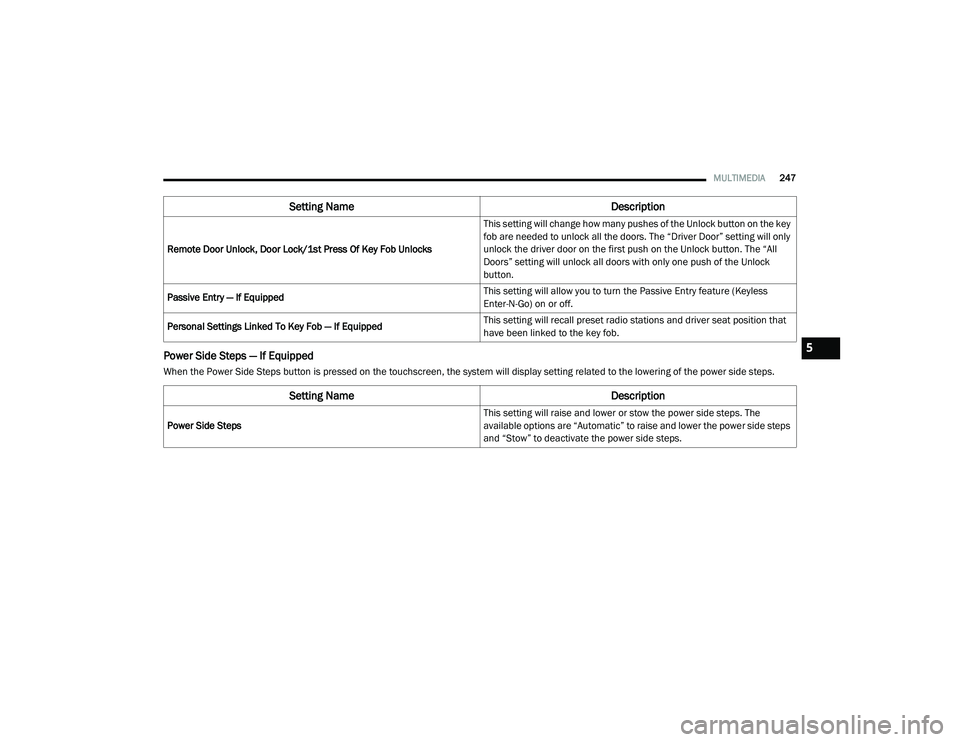
Power Side Steps — If Equipped
When the Power Side Steps button is pressed on the touchscreen, the system will display setting related to the lowering of the power side steps.Remote Door Unlock, Door Lock/1st Press Of Key Fob Unlocks
This setting will change how many pushes of the Unlock button on the key
fob are needed to unlock all the doors. The “Driver Door” setting will only
unlock the driver door on the first push on the Unlock button. The “All
Doors” setting will unlock all doors with only one push of the Unlock
button.
Passive Entry — If Equipped This setting will allow you to turn the Passive Entry feature (Keyless
Enter-N-Go) on or off.
Personal Settings Linked To Key Fob — If Equipped This setting will recall preset radio stations and driver seat position that
have been linked to the key fob.
Setting Name
Description
Setting NameDescription
Power Side Steps This setting will raise and lower or stow the power side steps. The
available options are “Automatic” to raise and lower the power side steps
and “Stow” to deactivate the power side steps.
5
21_DT_OM_EN_USC_t.book Page 247
Page 255 of 496

MULTIMEDIA253
SiriusXM® Setup
NOTE:
A subscription to SiriusXM® satellite radio is required for these settings to be functional.
When the SiriusXM® Setup button is pressed on the touchscreen, the system displays options related to SiriusXM® satellite radio. These settings can
be used to skip specific radio channels and restart favorite songs from the beginning.
Reset/Restore Settings To Default
When the Reset/Restore Settings To Default button is pressed on the touchscreen, the system displays the options related to resetting the Uconnect
system back to its default settings. These settings can clear personal data and reset selected settings from other menus.
Setting Name Selectable Options
Tune Start This setting will play the current song from the beginning when you tune
to a music channel using one of the 12 presets.
Channel Skip This setting allows you to set channels that you wish to skip. A channel
list will display of the skipped channels.
Subscription Information This menu provides SiriusXM® subscription information. SiriusXM®
Travel Link is a separate subscription.
Setting Name
Description
Restore Settings This setting will return all the previously changed settings to their factory
default.
Reset App Drawer This setting will reset the app drawer to its factory default layout.
Clear Personal Data This setting will display a pop-up that gives you the option to clear all
personal data from the system, including Bluetooth® devices and
presets.
5
21_DT_OM_EN_USC_t.book Page 253