battery RAM 1500 2021 Owners Manual
[x] Cancel search | Manufacturer: RAM, Model Year: 2021, Model line: 1500, Model: RAM 1500 2021Pages: 496, PDF Size: 20.89 MB
Page 5 of 496
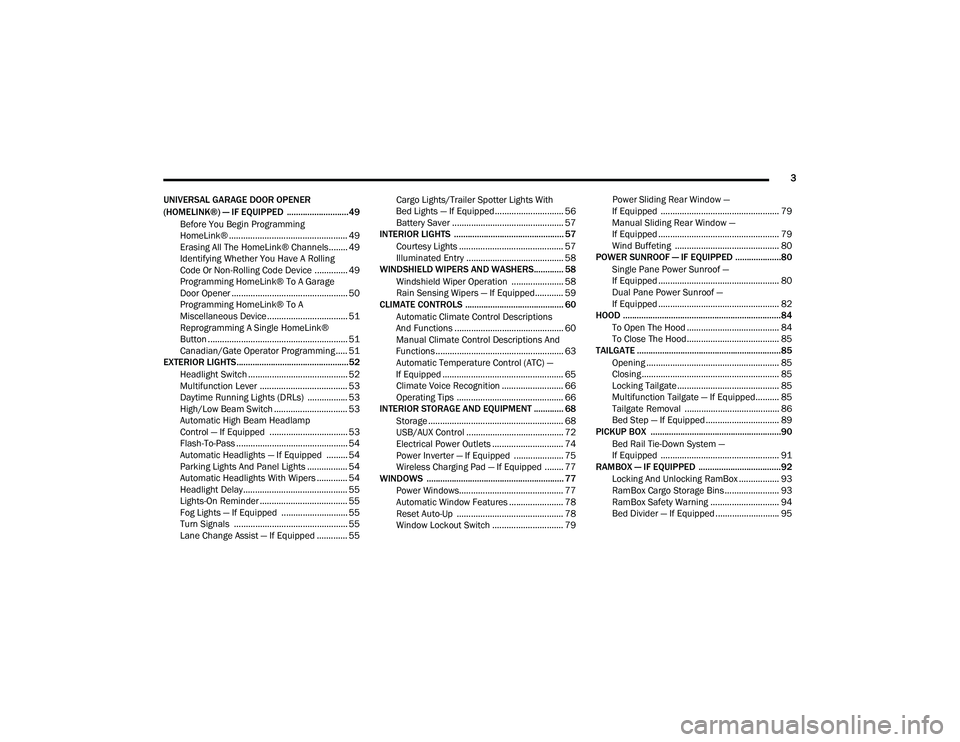
3
UNIVERSAL GARAGE DOOR OPENER
(HOMELINK®) — IF EQUIPPED ...........................49 Before You Begin Programming
HomeLink® .................................................. 49 Erasing All The HomeLink® Channels........ 49
Identifying Whether You Have A Rolling
Code Or Non-Rolling Code Device .............. 49 Programming HomeLink® To A Garage
Door Opener ................................................. 50 Programming HomeLink® To A
Miscellaneous Device.................................. 51 Reprogramming A Single HomeLink®
Button ........................................................... 51 Canadian/Gate Operator Programming ..... 51
EXTERIOR LIGHTS.................................................52
Headlight Switch .......................................... 52
Multifunction Lever ..................................... 53
Daytime Running Lights (DRLs) ................. 53
High/Low Beam Switch ............................... 53
Automatic High Beam Headlamp
Control — If Equipped ................................. 53 Flash-To-Pass ............................................... 54
Automatic Headlights — If Equipped ......... 54
Parking Lights And Panel Lights ................. 54
Automatic Headlights With Wipers ............. 54
Headlight Delay ............................................ 55
Lights-On Reminder ..................................... 55
Fog Lights — If Equipped ............................ 55
Turn Signals ................................................ 55
Lane Change Assist — If Equipped ............. 55 Cargo Lights/Trailer Spotter Lights With
Bed Lights — If Equipped............................. 56 Battery Saver ............................................... 57
INTERIOR LIGHTS ................................................ 57
Courtesy Lights ............................................ 57
Illuminated Entry ......................................... 58
WINDSHIELD WIPERS AND WASHERS............. 58
Windshield Wiper Operation ...................... 58
Rain Sensing Wipers — If Equipped............ 59
CLIMATE CONTROLS ........................................... 60
Automatic Climate Control Descriptions
And Functions .............................................. 60 Manual Climate Control Descriptions And
Functions...................................................... 63 Automatic Temperature Control (ATC) —
If Equipped ................................................... 65 Climate Voice Recognition .......................... 66
Operating Tips ............................................. 66
INTERIOR STORAGE AND EQUIPMENT ............. 68
Storage ......................................................... 68
USB/AUX Control ......................................... 72
Electrical Power Outlets .............................. 74
Power Inverter — If Equipped ..................... 75
Wireless Charging Pad — If Equipped ........ 77
WINDOWS ............................................................ 77
Power Windows............................................ 77
Automatic Window Features ....................... 78
Reset Auto-Up ............................................. 78
Window Lockout Switch .............................. 79 Power Sliding Rear Window —
If Equipped .................................................. 79 Manual Sliding Rear Window —
If Equipped ................................................... 79 Wind Buffeting ............................................ 80
POWER SUNROOF — IF EQUIPPED ....................80
Single Pane Power Sunroof —
If Equipped ................................................... 80 Dual Pane Power Sunroof —
If Equipped ................................................... 82
HOOD .....................................................................84
To Open The Hood ....................................... 84
To Close The Hood....................................... 85
TAILGATE ...............................................................85
Opening ........................................................ 85
Closing.......................................................... 85
Locking Tailgate ........................................... 85
Multifunction Tailgate — If Equipped.......... 85
Tailgate Removal ........................................ 86
Bed Step — If Equipped ............................... 89
PICKUP BOX .........................................................90
Bed Rail Tie-Down System —
If Equipped .................................................. 91
RAMBOX — IF EQUIPPED ....................................92
Locking And Unlocking RamBox ................. 93
RamBox Cargo Storage Bins ....................... 93
RamBox Safety Warning ............................. 94
Bed Divider — If Equipped ........................... 95
21_DT_OM_EN_USC_t.book Page 3
Page 6 of 496
4
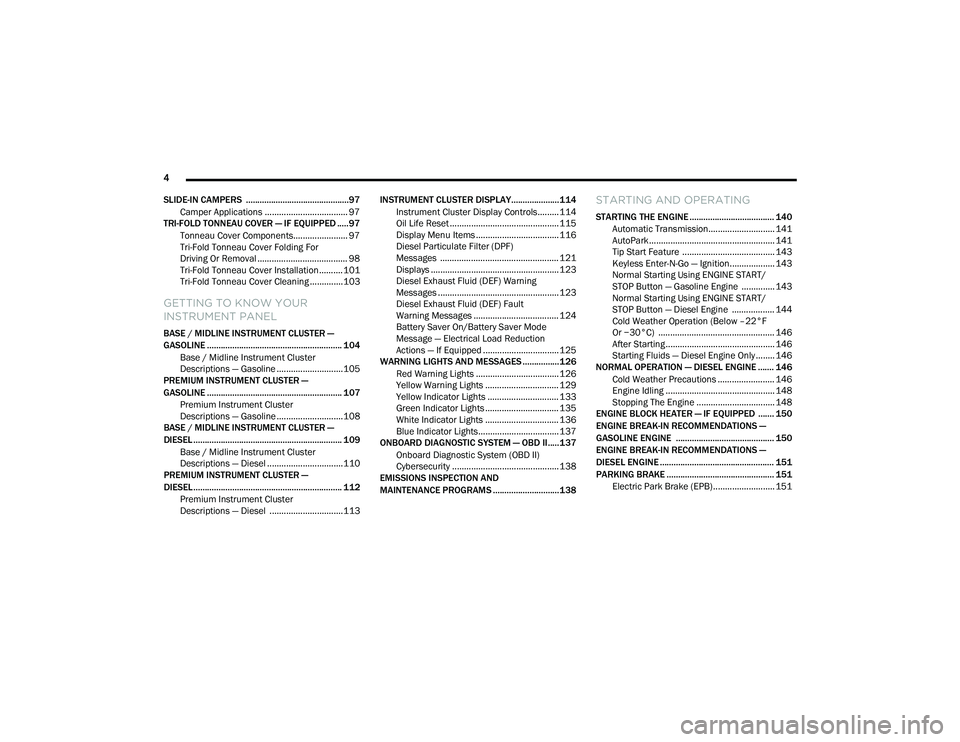
SLIDE-IN CAMPERS .............................................97 Camper Applications ................................... 97
TRI-FOLD TONNEAU COVER — IF EQUIPPED .....97
Tonneau Cover Components....................... 97
Tri-Fold Tonneau Cover Folding For
Driving Or Removal ...................................... 98 Tri-Fold Tonneau Cover Installation ..........101
Tri-Fold Tonneau Cover Cleaning ..............103
GETTING TO KNOW YOUR
INSTRUMENT PANEL
BASE / MIDLINE INSTRUMENT CLUSTER —
GASOLINE ........................................................... 104
Base / Midline Instrument Cluster
Descriptions — Gasoline ............................105
PREMIUM INSTRUMENT CLUSTER —
GASOLINE ........................................................... 107
Premium Instrument Cluster
Descriptions — Gasoline ............................108
BASE / MIDLINE INSTRUMENT CLUSTER —
DIESEL ................................................................. 109
Base / Midline Instrument Cluster
Descriptions — Diesel ................................110
PREMIUM INSTRUMENT CLUSTER —
DIESEL ................................................................. 112
Premium Instrument Cluster
Descriptions — Diesel ...............................113 INSTRUMENT CLUSTER DISPLAY..................... 114
Instrument Cluster Display Controls......... 114
Oil Life Reset .............................................. 115
Display Menu Items ................................... 116
Diesel Particulate Filter (DPF)
Messages .................................................. 121 Displays ...................................................... 123
Diesel Exhaust Fluid (DEF) Warning
Messages ................................................... 123 Diesel Exhaust Fluid (DEF) Fault
Warning Messages .................................... 124 Battery Saver On/Battery Saver Mode
Message — Electrical Load Reduction
Actions — If Equipped ................................ 125
WARNING LIGHTS AND MESSAGES ................126
Red Warning Lights ................................... 126
Yellow Warning Lights ............................... 129Yellow Indicator Lights .............................. 133
Green Indicator Lights ............................... 135White Indicator Lights ............................... 136Blue Indicator Lights.................................. 137
ONBOARD DIAGNOSTIC SYSTEM — OBD II..... 137
Onboard Diagnostic System (OBD II)
Cybersecurity ............................................. 138
EMISSIONS INSPECTION AND
MAINTENANCE PROGRAMS .............................138
STARTING AND OPERATING
STARTING THE ENGINE ..................................... 140
Automatic Transmission............................ 141AutoPark ..................................................... 141
Tip Start Feature ....................................... 143
Keyless Enter-N-Go — Ignition................... 143
Normal Starting Using ENGINE START/
STOP Button — Gasoline Engine .............. 143 Normal Starting Using ENGINE START/
STOP Button — Diesel Engine .................. 144 Cold Weather Operation (Below –22°F
Or −30°C) ................................................. 146 After Starting .............................................. 146Starting Fluids — Diesel Engine Only ........ 146
NORMAL OPERATION — DIESEL ENGINE ....... 146
Cold Weather Precautions ........................ 146
Engine Idling .............................................. 148Stopping The Engine ................................. 148
ENGINE BLOCK HEATER — IF EQUIPPED ....... 150
ENGINE BREAK-IN RECOMMENDATIONS —
GASOLINE ENGINE ........................................... 150
ENGINE BREAK-IN RECOMMENDATIONS —
DIESEL ENGINE .................................................. 151
PARKING BRAKE ............................................... 151 Electric Park Brake (EPB) .......................... 151
21_DT_OM_EN_USC_t.book Page 4
Page 9 of 496
7
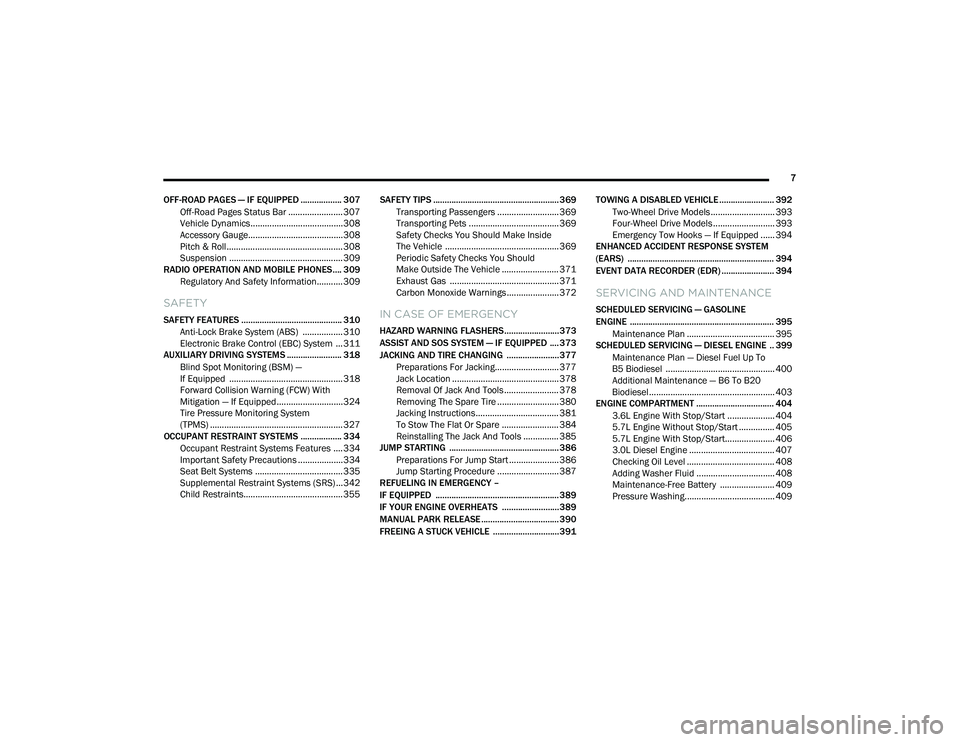
OFF-ROAD PAGES — IF EQUIPPED .................. 307 Off-Road Pages Status Bar .......................307
Vehicle Dynamics.......................................308
Accessory Gauge........................................308
Pitch & Roll .................................................308
Suspension ................................................309
RADIO OPERATION AND MOBILE PHONES.... 309
Regulatory And Safety Information........... 309
SAFETY
SAFETY FEATURES ............................................ 310 Anti-Lock Brake System (ABS) ................. 310
Electronic Brake Control (EBC) System ...311
AUXILIARY DRIVING SYSTEMS ........................ 318
Blind Spot Monitoring (BSM) —
If Equipped ................................................318 Forward Collision Warning (FCW) With
Mitigation — If Equipped............................324 Tire Pressure Monitoring System
(TPMS) ........................................................ 327
OCCUPANT RESTRAINT SYSTEMS .................. 334
Occupant Restraint Systems Features ....334
Important Safety Precautions ...................334Seat Belt Systems ..................................... 335Supplemental Restraint Systems (SRS) ...342Child Restraints..........................................355 SAFETY TIPS ....................................................... 369
Transporting Passengers .......................... 369Transporting Pets ...................................... 369
Safety Checks You Should Make Inside
The Vehicle ................................................ 369 Periodic Safety Checks You Should
Make Outside The Vehicle ........................ 371 Exhaust Gas .............................................. 371
Carbon Monoxide Warnings ...................... 372IN CASE OF EMERGENCY
HAZARD WARNING FLASHERS........................373
ASSIST AND SOS SYSTEM — IF EQUIPPED .... 373
JACKING AND TIRE CHANGING .......................377 Preparations For Jacking........................... 377
Jack Location ............................................. 378
Removal Of Jack And Tools ....................... 378
Removing The Spare Tire .......................... 380Jacking Instructions ................................... 381
To Stow The Flat Or Spare ........................ 384
Reinstalling The Jack And Tools ............... 385
JUMP STARTING ................................................ 386
Preparations For Jump Start ..................... 386Jump Starting Procedure .......................... 387
REFUELING IN EMERGENCY –
IF EQUIPPED ...................................................... 389
IF YOUR ENGINE OVERHEATS .........................389
MANUAL PARK RELEASE .................................. 390
FREEING A STUCK VEHICLE .............................391 TOWING A DISABLED VEHICLE ........................ 392
Two-Wheel Drive Models ........................... 393
Four-Wheel Drive Models .......................... 393
Emergency Tow Hooks — If Equipped ...... 394
ENHANCED ACCIDENT RESPONSE SYSTEM
(EARS) ................................................................ 394
EVENT DATA RECORDER (EDR) ....................... 394
SERVICING AND MAINTENANCE
SCHEDULED SERVICING — GASOLINE
ENGINE ............................................................... 395
Maintenance Plan ..................................... 395
SCHEDULED SERVICING — DIESEL ENGINE .. 399
Maintenance Plan — Diesel Fuel Up To
B5 Biodiesel .............................................. 400 Additional Maintenance — B6 To B20
Biodiesel..................................................... 403
ENGINE COMPARTMENT .................................. 404
3.6L Engine With Stop/Start .................... 404
5.7L Engine Without Stop/Start ............... 4055.7L Engine With Stop/Start..................... 406
3.0L Diesel Engine .................................... 407Checking Oil Level ..................................... 408
Adding Washer Fluid ................................. 408Maintenance-Free Battery ....................... 409Pressure Washing...................................... 409
21_DT_OM_EN_USC_t.book Page 7
Page 14 of 496
12
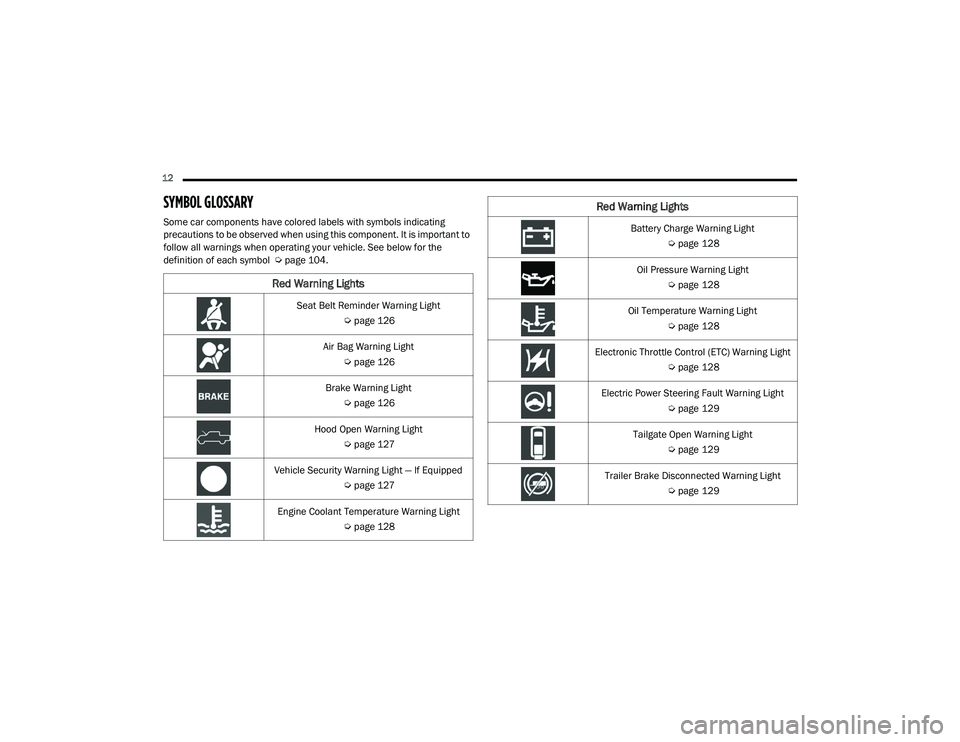
SYMBOL GLOSSARY
Some car components have colored labels with symbols indicating
precautions to be observed when using this component. It is important to
follow all warnings when operating your vehicle. See below for the
definition of each symbol Úpage 104.
Red Warning Lights
Seat Belt Reminder Warning Light
Úpage 126
Air Bag Warning Light Úpage 126
Brake Warning Light Úpage 126
Hood Open Warning Light Úpage 127
Vehicle Security Warning Light — If Equipped Úpage 127
Engine Coolant Temperature Warning Light Úpage 128
Battery Charge Warning Light
Úpage 128
Oil Pressure Warning Light Úpage 128
Oil Temperature Warning Light Úpage 128
Electronic Throttle Control (ETC) Warning Light Úpage 128
Electric Power Steering Fault Warning Light Úpage 129
Tailgate Open Warning Light Úpage 129
Trailer Brake Disconnected Warning Light Úpage 129
Red Warning Lights
21_DT_OM_EN_USC_t.book Page 12
Page 19 of 496

17
GETTING TO KNOW YOUR VEHICLE
KEYS
KEY FOB
Your vehicle is equipped with a key fob which
supports Passive Entry, Remote Keyless Entry
(RKE), Keyless Enter-N-Go (if equipped), and
Remote Start (if equipped). The key fob allows
you to lock or unlock all doors, tailgate, and the
RamBox (if equipped) as well as activate the
Panic Alarm from distances up to approximately
66 ft (20 m). The key fob does not need to be
pointed at the vehicle to activate the system. The
key fob also contains an emergency key, which is
stored in the rear of the key fob.
NOTE:
The key fob’s wireless signal may be blocked if
the key fob is located next to a mobile phone,
laptop, or other electronic device. This may
result in poor performance.
If your vehicle is equipped with a Wireless
Charging Pad, the key fob may not be found if
it is placed within 15 cm (150 mm) of the pad
Ú page 77.
With the ignition in the ON position and the
vehicle moving at 2 mph (4 km/h), all RKE
commands are disabled.
Key Fob
In case the ignition switch does not change with
the push of a button, the key fob may have a low
or fully depleted battery. A low key fob battery
can be verified by referring to the instrument
cluster, which will display directions to follow.
NOTE:
A low key fob battery condition may be indicated
by a message in the instrument cluster display,
or by the LED light on the key fob. If the LED key
fob light no longer illuminates from key fob
button pushes, then the key fob battery requires
replacement.
1 — Unlock
2 — LED Light
3 — Lock
4 — Tailgate Lowering
5 — Remote Start
6 — PANIC
7 — Emergency Key
8 — Air Suspension
2
21_DT_OM_EN_USC_t.book Page 17
Page 20 of 496
18GETTING TO KNOW YOUR VEHICLE
To Lock/Unlock The Doors And Tailgate
Push and release the unlock button on the key
fob once to unlock the driver’s door, or, twice
within five seconds to unlock all doors, the
tailgate and the RamBox (if equipped). To lock all
the doors and the tailgate, push the lock button
once.
When the doors are unlocked, the turn signals
will flash and the illuminated entry system will
be activated. When the doors are locked, the
turn signals will flash and the horn will chirp.
All doors can be programmed to unlock on the
first push of the unlock button. The horn chirp
when the lock button is pushed can be
programmed on/off within Uconnect Settings
Úpage 237.
Air Suspension (Remote Lowering Of The
Vehicle) — If Equipped
For easy entry and loading, your
vehicle can be lowered by pushing the
key fob air suspension lowering button
two times. When air suspension
lowering is requested using the key fob, the
vehicle will send a series of chirps and flashes to
alert the customer that the operation has begun
and will continue these alerts until it successfully
lowers. The following conditions must be met for the
vehicle to lower remotely:
The vehicle must not already be in Entry/Exit
(Park) ride height.
The vehicle battery must be fully charged.
All doors must be closed.
The key fob must be out of the vehicle.
NOTE:
Ensure the vehicle is clear of all objects, pets,
and people prior to remote lowering.
Canceling Remote Lowering
Vehicle lowering can be cancelled at anytime.
When vehicle lowering is cancelled, the vehicle
will raise up to the next defined level and lock
out the remote lowering feature until the
ignition has been cycled ON/OFF.
To cancel vehicle lowering, push the key fob air
suspension lowering button one time during the
lowering process. When vehicle lowering is
cancelled, the horn will chirp two times and the
turn signal lamps will flash four times. Once
raising is completed, the horn will chirp one
time. NOTE:
More information on air suspension is provided
later in this manual Ú
page 165.
Replacing The Battery In The Key Fob
The replacement battery model is one CR2450
battery.
NOTE:
Customers are recommended to use a
battery obtained from Mopar. Aftermarket
coin battery dimensions may not meet the
original OEM coin battery dimensions.
Perchlorate Material — special handling may
apply. See www.dtsc.ca.gov/hazard -
ouswaste/perchlorate for further informa -
tion.
Do not touch the battery terminals that are
on the back housing or the printed circuit
board.
Do not replace the coin battery if the LED on
the key fob above the top row buttons blinks
when a button is pressed. The coin battery
should last a minimum of three years with
normal vehicle usage.
21_DT_OM_EN_USC_t.book Page 18
Page 21 of 496
GETTING TO KNOW YOUR VEHICLE19
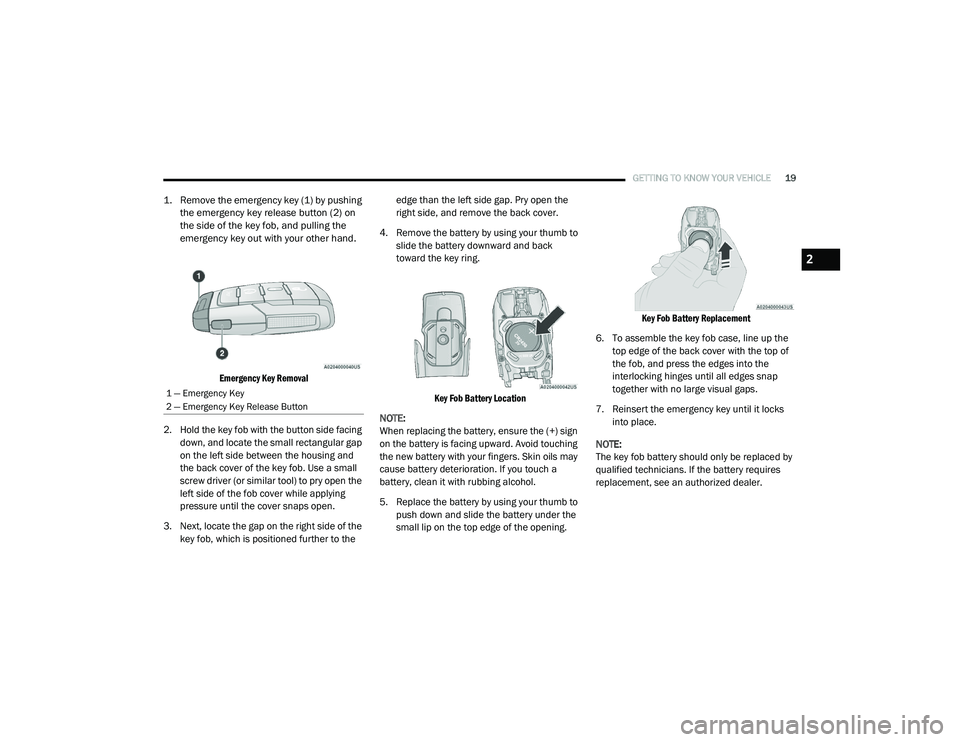
1. Remove the emergency key (1) by pushing
the emergency key release button (2) on
the side of the key fob, and pulling the
emergency key out with your other hand.
Emergency Key Removal
2. Hold the key fob with the button side facing down, and locate the small rectangular gap
on the left side between the housing and
the back cover of the key fob. Use a small
screw driver (or similar tool) to pry open the
left side of the fob cover while applying
pressure until the cover snaps open.
3. Next, locate the gap on the right side of the key fob, which is positioned further to the edge than the left side gap. Pry open the
right side, and remove the back cover.
4. Remove the battery by using your thumb to slide the battery downward and back
toward the key ring.
Key Fob Battery Location
NOTE:
When replacing the battery, ensure the (+) sign
on the battery is facing upward. Avoid touching
the new battery with your fingers. Skin oils may
cause battery deterioration. If you touch a
battery, clean it with rubbing alcohol.
5. Replace the battery by using your thumb to push down and slide the battery under the
small lip on the top edge of the opening.
Key Fob Battery Replacement
6. To assemble the key fob case, line up the top edge of the back cover with the top of
the fob, and press the edges into the
interlocking hinges until all edges snap
together with no large visual gaps.
7. Reinsert the emergency key until it locks into place.
NOTE:
The key fob battery should only be replaced by
qualified technicians. If the battery requires
replacement, see an authorized dealer.
1 — Emergency Key
2 — Emergency Key Release Button
2
21_DT_OM_EN_USC_t.book Page 19
Page 23 of 496

GETTING TO KNOW YOUR VEHICLE21
(Continued)
IGNITION SWITCH
KEYLESS ENTER-N-GO — IGNITION
This feature allows the driver to operate the
ignition switch with the push of a button as long
as the key fob is in the passenger compartment.
The START/STOP ignition button has several
operating modes that are labeled and will
illuminate when in position. These modes are
OFF, ACC, ON/RUN, and START.
Keyless Push Button Ignition
The push button ignition can be placed in the
following modes: OFF
The engine is stopped
Some electrical devices (e.g. central locking,
alarm, etc.) are still available
ACC
Engine is not started
Some electrical devices are available (e.g.
power sunroof, power windows etc.)
ON/RUN
Driving position
All the electrical devices are available (e.g.
climate controls, heated seats, etc.)
START
The engine will start (when foot is on the
brake)
NOTE:
If the ignition switch does not change the mode
by pushing the button, the key fob may have a
low or depleted battery. In this situation, a back
up method can be used to operate the ignition
switch. Put the nose side (side opposite of the
emergency key) of the key fob against the START/STOP ignition button and push to
operate the ignition switch.
Back Up Starting Method
1 — OFF
2 — ACC (Accessory)
3 — ON/RUN
WARNING!
When exiting the vehicle, always remove
the key fob from the vehicle and lock your
vehicle.
Never leave children alone in a vehicle, or
with access to an unlocked vehicle.
Allowing children to be in a vehicle unat -
tended is dangerous for a number of
reasons. A child or others could be seriously
or fatally injured. Children should be
warned not to touch the parking brake,
brake pedal or the gear selector.
2
21_DT_OM_EN_USC_t.book Page 21
Page 25 of 496

GETTING TO KNOW YOUR VEHICLE23
To drive the vehicle, push the unlock button,
insert the key into the ignition, and turn to the
ON/RUN position.
NOTE:
With Remote Start, the engine will only run
for 15 minutes.
Remote Start can only be used twice.
If an engine fault is present or fuel level is
low, the vehicle will start and then shut down
in 10 seconds.
The parking lights will turn on and remain on
during Remote Start mode.
For security, power window and power
sunroof operation (if equipped) are disabled
when the vehicle is in the Remote Start
mode.
The ignition must be placed in the ON/RUN
position before the Remote Start sequence
can be repeated for a third cycle. All of the following conditions must be met
before the engine will remote start:
Gear selector in PARK
Doors closed
Hood closed
Hazard switch off
Brake switch inactive (brake pedal not
pushed)
Battery at an acceptable charge level
PANIC button not pushed
Fuel meets minimum requirement
System not disabled from previous remote
start event
Vehicle Security system not active
Malfunction Indicator Light is not illuminated
TO EXIT REMOTE START MODE
To drive the vehicle after starting the Remote
Start system, either push and release the
unlock button on the key fob to unlock the
doors, or unlock the vehicle using Keyless
Enter-N-Go — Passive Entry via the door
handles, and disarm the vehicle security system
(if equipped). Then, prior to the end of the
15 minute cycle, press the brake pedal and
push and release the START/STOP ignition
button.
WARNING!
Do not start or run an engine in a closed
garage or confined area. Exhaust gas
contains Carbon Monoxide (CO) which is
odorless and colorless. Carbon Monoxide is
poisonous and can cause serious injury or
death when inhaled.
Keep key fobs away from children. Opera
-
tion of the Remote Start System, windows,
door locks or other controls could cause
serious injury or death.
2
21_DT_OM_EN_USC_t.book Page 23
Page 27 of 496

GETTING TO KNOW YOUR VEHICLE25
REMOTE START WINDSHIELD WIPER
D
E-ICER ACTIVATION — IF EQUIPPED
When the Remote Start system is active and the
outside ambient temperature is less than 33°F
(0.6°C), the Windshield Wiper De-Icer will
activate. Exiting remote start will its resume
previous operation. If the Windshield Wiper
De-Icer was active, the timer and operation will
continue.
REMOTE START ABORT MESSAGE
The following messages will display in the
instrument cluster display if the vehicle fails to
remote start, or exits remote start prematurely:
Remote Start Cancelled — Door Open
Remote Start Cancelled — Hood Open
Remote Start Cancelled — Fuel Low
Remote Start Cancelled — Too Cold
Remote Start Cancelled — Time Expired
Remote Start Disabled — Start Vehicle to
Reset
The message will stay active until the ignition is
placed in the ON/RUN position Ú page 482.
REMOTE START — IF EQUIPPED (DIESEL)
This system uses the key fob to start
the engine conveniently from outside
the vehicle while still maintaining
security. The system has a range of
approximately 300 ft (91 m).
NOTE:
Obstructions between the vehicle and the
key fob may reduce this range.
The Remote Start system will wait for the
Wait To Start indicator light Ú page 135 to
extinguish before cranking the engine. This
allows time for the engine pre-heat cycle to
pre-heat the cylinder air, and is normal in
cold weather. For further information on the
Wait To Start indicator light and the pre-heat
cycle see .
HOW TO USE REMOTE START
All of the following conditions must be met
before the engine will remote start:
Gear selector in PARK
Doors closed
Hood closed
Hazard switch off
Brake switch inactive (brake pedal not
pressed)
Battery at an acceptable charge level
PANIC button not pushed
Fuel meets minimum requirement
System not disabled from previous remote
start event
Vehicle Security system not active
Water In Fuel indicator light is not illuminated
Wait To Start indicator light is not illuminated
Malfunction Indicator Light (MIL) is not illumi -
nated
2
21_DT_OM_EN_USC_t.book Page 25