transmission RAM 1500 2021 Owners Manual
[x] Cancel search | Manufacturer: RAM, Model Year: 2021, Model line: 1500, Model: RAM 1500 2021Pages: 496, PDF Size: 20.89 MB
Page 6 of 496
4
SLIDE-IN CAMPERS .............................................97 Camper Applications ................................... 97
TRI-FOLD TONNEAU COVER — IF EQUIPPED .....97
Tonneau Cover Components....................... 97
Tri-Fold Tonneau Cover Folding For
Driving Or Removal ...................................... 98 Tri-Fold Tonneau Cover Installation ..........101
Tri-Fold Tonneau Cover Cleaning ..............103
GETTING TO KNOW YOUR
INSTRUMENT PANEL
BASE / MIDLINE INSTRUMENT CLUSTER —
GASOLINE ........................................................... 104
Base / Midline Instrument Cluster
Descriptions — Gasoline ............................105
PREMIUM INSTRUMENT CLUSTER —
GASOLINE ........................................................... 107
Premium Instrument Cluster
Descriptions — Gasoline ............................108
BASE / MIDLINE INSTRUMENT CLUSTER —
DIESEL ................................................................. 109
Base / Midline Instrument Cluster
Descriptions — Diesel ................................110
PREMIUM INSTRUMENT CLUSTER —
DIESEL ................................................................. 112
Premium Instrument Cluster
Descriptions — Diesel ...............................113 INSTRUMENT CLUSTER DISPLAY..................... 114
Instrument Cluster Display Controls......... 114
Oil Life Reset .............................................. 115
Display Menu Items ................................... 116
Diesel Particulate Filter (DPF)
Messages .................................................. 121 Displays ...................................................... 123
Diesel Exhaust Fluid (DEF) Warning
Messages ................................................... 123 Diesel Exhaust Fluid (DEF) Fault
Warning Messages .................................... 124 Battery Saver On/Battery Saver Mode
Message — Electrical Load Reduction
Actions — If Equipped ................................ 125
WARNING LIGHTS AND MESSAGES ................126
Red Warning Lights ................................... 126
Yellow Warning Lights ............................... 129Yellow Indicator Lights .............................. 133
Green Indicator Lights ............................... 135White Indicator Lights ............................... 136Blue Indicator Lights.................................. 137
ONBOARD DIAGNOSTIC SYSTEM — OBD II..... 137
Onboard Diagnostic System (OBD II)
Cybersecurity ............................................. 138
EMISSIONS INSPECTION AND
MAINTENANCE PROGRAMS .............................138
STARTING AND OPERATING
STARTING THE ENGINE ..................................... 140
Automatic Transmission............................ 141AutoPark ..................................................... 141
Tip Start Feature ....................................... 143
Keyless Enter-N-Go — Ignition................... 143
Normal Starting Using ENGINE START/
STOP Button — Gasoline Engine .............. 143 Normal Starting Using ENGINE START/
STOP Button — Diesel Engine .................. 144 Cold Weather Operation (Below –22°F
Or −30°C) ................................................. 146 After Starting .............................................. 146Starting Fluids — Diesel Engine Only ........ 146
NORMAL OPERATION — DIESEL ENGINE ....... 146
Cold Weather Precautions ........................ 146
Engine Idling .............................................. 148Stopping The Engine ................................. 148
ENGINE BLOCK HEATER — IF EQUIPPED ....... 150
ENGINE BREAK-IN RECOMMENDATIONS —
GASOLINE ENGINE ........................................... 150
ENGINE BREAK-IN RECOMMENDATIONS —
DIESEL ENGINE .................................................. 151
PARKING BRAKE ............................................... 151 Electric Park Brake (EPB) .......................... 151
21_DT_OM_EN_USC_t.book Page 4
Page 7 of 496
5
AUTOMATIC TRANSMISSION .......................... 154 Ignition Park Interlock ...............................155
Brake/Transmission Shift Interlock
System .......................................................155 Eight-Speed Automatic Transmission.......156
FOUR-WHEEL DRIVE OPERATION —
IF EQUIPPED ...................................................... 161
Four-Position Electronically Shifted
Transfer Case — If Equipped ....................161 Five-Position Electronically Shifted
Transfer Case — If Equipped ....................163
ACTIVE-LEVEL FOUR CORNER AIR
SUSPENSION SYSTEM — IF EQUIPPED ........... 165 Description .................................................165
Air Suspension Modes...............................167
Instrument Cluster Display Messages......168Operation....................................................168
ACTIVE-LEVEL FOUR CORNER AIR
SUSPENSION SYSTEM (REBEL MODELS
ONLY) — IF EQUIPPED ....................................... 169 Description .................................................169
Air Suspension Modes...............................171
Instrument Cluster Display Messages......171Operation....................................................172
AXLE LOCK SYSTEM — IF EQUIPPED .............. 173
LIMITED-SLIP DIFFERENTIAL —
IF EQUIPPED ....................................................... 174
POWER STEERING ............................................. 174 Electric Power Steering ............................174 FUEL SAVER TECHNOLOGY 5.7L ENGINES
ONLY — IF EQUIPPED......................................... 175
STOP/START SYSTEM — IF EQUIPPED ............ 175 Autostop Mode........................................... 175
Possible Reasons The Engine Does Not
Autostop ..................................................... 175 To Start The Engine While In Autostop
Mode........................................................... 176 To Manually Turn Off The Stop Start
System ........................................................ 176 To Manually Turn On The Stop Start
System ........................................................ 177 System Malfunction................................... 177
CRUISE CONTROL SYSTEMS —
IF EQUIPPED ...................................................... 177
Cruise Control — If Equipped..................... 177Adaptive Cruise Control (ACC) —
If Equipped ................................................. 179
PARKSENSE FRONT/REAR PARK ASSIST
SYSTEM — IF EQUIPPED ....................................189
ParkSense Sensors ................................... 190
ParkSense Warning Display ...................... 190
ParkSense Display ..................................... 190
Enabling And Disabling Front And/Or
Rear ParkSense ......................................... 193 Service The ParkSense Park Assist
System ........................................................ 193 Cleaning The ParkSense System.............. 194
ParkSense System Usage Precautions .... 194 PARKSENSE ACTIVE PARK ASSIST
SYSTEM — IF EQUIPPED ................................... 195
Enabling And Disabling The ParkSense
Active Park Assist System ......................... 196 Parallel/Perpendicular Parking Space
Assistance Operation ................................ 197
LANESENSE — IF EQUIPPED ........................... 199
LaneSense Operation................................ 199
Turning LaneSense On Or Off ................... 200
LaneSense Warning Message .................. 200Changing LaneSense Status..................... 202
PARKVIEW REAR BACK UP CAMERA ............. 202
AUX Camera — If Equipped ...................... 204
SURROUND VIEW CAMERA SYSTEM — IF
EQUIPPED ........................................................... 204
AUX Camera — If Equipped ...................... 208
REFUELING THE VEHICLE — GASOLINE
ENGINE ................................................................ 208
REFUELING THE VEHICLE — DIESEL
ENGINE ............................................................... 210
Avoid Using Contaminated Fuel ............... 210Bulk Fuel Storage — Diesel Fuel ............... 210Diesel Exhaust Fluid .................................. 211
Diesel Exhaust Fluid Storage .................... 211Adding Diesel Exhaust Fluid ..................... 211
21_DT_OM_EN_USC_t.book Page 5
Page 10 of 496
8
VEHICLE MAINTENANCE .................................. 409 Engine Oil — Gas Engine ...........................410
Engine Oil Filter ..........................................410Engine Air Cleaner Filter ............................411
Draining Fuel/Water Separator Filter —
Diesel Engine ............................................412 Underbody Mounted Fuel Filter
Replacement — Diesel Engine ..................413 Priming If The Engine Has Run Out Of
Fuel — Diesel Engine .................................414 Intervention Regeneration Strategy —
Message Process Flow (Diesel Engine) ....414 Diesel Exhaust Fluid ..................................415Air Conditioner Maintenance ....................415
Accessory Drive Belt Inspection................417Body Lubrication ........................................418
Windshield Wiper Blades ..........................418
Exhaust System ........................................420
Cooling System .........................................421
Charge Air Cooler — Inter-Cooler (Diesel
Engine)........................................................ 424 Brake System ............................................425
Automatic Transmission ...........................426
Rear Axle And 4x4 Front Driving Axle
Fluid Level .................................................426 Transfer Case ............................................427
FUSES .........................................................427
BULB REPLACEMENT ................................437 TIRES....................................................................443
Tire Safety Information .............................. 443
Tires — General Information ..................... 449Tire Types ................................................... 454
Spare Tires — If Equipped ......................... 455
Wheel And Wheel Trim Care ..................... 456Snow Traction Devices .............................. 458
Tire Rotation Recommendations ............. 460
DEPARTMENT OF TRANSPORTATION
UNIFORM TIRE QUALITY GRADES .................. 460
Treadwear .................................................. 460
Traction Grades ......................................... 461
Temperature Grades ................................. 461
STORING THE VEHICLE ......................................461
BODYWORK ........................................................ 461
Protection From Atmospheric Agents....... 461
Body And Underbody Maintenance .......... 462Preserving The Bodywork .......................... 462
INTERIORS ......................................................... 464
Seats And Fabric Parts .............................. 464
Plastic And Coated Parts ........................... 465
Leather Surfaces ....................................... 465Glass Surfaces .......................................... 466
TECHNICAL SPECIFICATIONS
VEHICLE IDENTIFICATION NUMBER ................ 467
BRAKE SYSTEM ................................................ 467
WHEEL AND TIRE TORQUE
SPECIFICATIONS ................................................ 467
Torque Specifications ............................... 467
FUEL REQUIREMENTS — GASOLINE
ENGINE ............................................................... 468
3.6L Engine ............................................... 468
5.7L Engine ................................................ 469
Reformulated Gasoline ............................. 469
Materials Added To Fuel ........................... 469
Gasoline/Oxygenate Blends ..................... 469
Do Not Use E-85 In Non-Flex Fuel
Vehicles ...................................................... 470 CNG And LP Fuel System Modifications .. 470Methylcyclopentadienyl Manganese
Tricarbonyl (MMT) In Gasoline .................. 470 Fuel System Cautions................................ 470
FUEL REQUIREMENTS – DIESEL ENGINE ....... 471
Diesel Fuel Specifications......................... 471
Biodiesel Fuel Requirements.................... 472
FLUID CAPACITIES ............................................ 474
ENGINE FLUIDS AND LUBRICANTS ................ 475
CHASSIS FLUIDS AND LUBRICANTS ............... 478
21_DT_OM_EN_USC_t.book Page 8
Page 12 of 496

10
INTRODUCTION
Dear Customer, congratulations on the purchase of your new Ram vehicle. Be assured that it represents precision workmanship, distinctive styling, and
high quality.
This is a specialized utility vehicle. It can go places and perform tasks that are not intended for conventional passenger vehicles. It handles and
maneuvers differently from many passenger vehicles both on-road and off-road, so take time to become familiar with your vehicle. If equipped, the
two-wheel drive version of this vehicle was designed for on-road use only. It is not intended for off-road driving or use in other severe conditions suited
for a four-wheel drive vehicle. Before you start to drive this vehicle, read the Owner’s Manual. Be sure you are familiar with all vehicle controls,
particularly those used for braking, steering, transmission, and transfer case shifting. Learn how your vehicle handles on different road surfaces. Your
driving skills will improve with experience. When driving off-road, or working the vehicle, don’t overload the vehicle or expect the vehicle to overcome
the natural laws of physics. Always observe federal, state, provincial and local laws wherever you drive. As with other vehicles of this type, failure to
operate this vehicle correctly may result in loss of control or a collision Úpage 234.
This Owner's Manual has been prepared with the assistance of service and engineering specialists to acquaint you with the operation and maintenance
of your vehicle. It is supplemented by customer-oriented documents. Within this information, you will find a description of the services that FCA US LLC
offers to its customers as well as the details of the terms and conditions for maintaining its validity. Please take the time to read all of these publications
carefully before driving your vehicle for the first time. Following the instructions, recommendations, tips, and important warnings in this manual will help
ensure safe and enjoyable operation of your vehicle.
This Owner's Manual describes all versions of this vehicle. Options and equipment dedicated to specific markets or versions are not expressly indicated
in the text. Therefore, you should only consider the information that is related to the trim level, engine, and version that you have purchased. Any content
introduced throughout the Owner's Information, which may or may not be applicable to your vehicle, will be identified with the wording “If Equipped”.
All data contained in this publication are intended to help you use your vehicle in the best possible way. FCA US LLC aims at a constant improvement
of the vehicles produced. For this reason, it reserves the right to make changes to the model described for technical and/or commercial reasons. For
further information, contact an authorized dealer.
When it comes to service, remember that authorized dealers know your Ram best, have factory-trained technicians and genuine MOPAR® parts, and
care about your satisfaction.
21_DT_OM_EN_USC_t.book Page 10
Page 15 of 496

13
Transmission Temperature Warning Light — If Equipped
Ú page 129
Door Open Warning Light Úpage 129
Yellow Warning Lights
Adaptive Cruise Control (ACC) Fault Warning
Light — If Equipped
Úpage 129
Air Suspension Fault Warning Light — If Equipped
Ú page 129
Engine Check/Malfunction Indicator Warning Light (MIL)
Ú page 130
Electronic Park Brake Warning Light Úpage 130
Electronic Stability Control (ESC) Active Warning Light — If Equipped
Úpage 130
Red Warning Lights
Electronic Stability Control (ESC) OFF Warning
Light — If Equipped
Úpage 131
Service LaneSense Warning Light — If Equipped Úpage 131
Low Washer Fluid Warning Light — If Equipped Úpage 131
Low Fuel Warning Light Úpage 131
Tire Pressure Monitoring System (TPMS) Warning Light
Ú page 131
Anti-Lock Brake System (ABS) Warning Light Úpage 132
Rear Axle Locker Fault Indicator Light — If Equipped
Ú page 132
Service Forward Collision Warning (FCW) Light — If Equipped
Ú page 132
Yellow Warning Lights
1
21_DT_OM_EN_USC_t.book Page 13
Page 32 of 496

30GETTING TO KNOW YOUR VEHICLE
Push The Door Handle Button To Lock
NOTE:
DO NOT grab the door handle when pushing the
door handle lock button. This could unlock the
door(s).
Do NOT Grab The Door Handle When Locking
NOTE:
After pushing the door handle button, you
must wait two seconds before you can lock or
unlock the doors, using either Passive Entry
door handle. This is done to allow you to
check if the vehicle is locked by pulling the
door handle without the vehicle unlocking.
If Passive Entry is disabled using the
Uconnect settings, the key protection
described in "Frequency Operated Button
Integrated Key (FOBIK-Safe)" remains active/
functional.
The Passive Entry system will not operate if
the key fob battery is depleted.
The LED light on the key fob will not blink
if the key fob battery is low or fully
depleted, but a low key fob battery condi
-
tion will still support the Passive Entry
system functionality. When the key fob
battery is low, the instrument cluster will
display a message indicating that the key
fob battery is low Ú page 17
Ú page 482.
AUTOMATIC UNLOCK DOORS ON EXIT —
I
F EQUIPPED
The doors will unlock automatically on vehicles
with power door locks after the following
sequence of actions:
1. The Automatic Unlock Doors On Exit
feature is enabled.
2. All doors are closed.
3. The transmission gear selector was not in PARK, then is placed in PARK.
4. Any door is opened.
AUTOMATIC DOOR LOCKS — IF
E
QUIPPED
The auto door lock feature default condition is
enabled. When enabled, the door locks will lock
automatically when the vehicle's speed exceeds
15 mph (24 km/h). The auto door lock feature
is enabled/disabled in the Uconnect Settings
Ú page 237.
21_DT_OM_EN_USC_t.book Page 30
Page 51 of 496
GETTING TO KNOW YOUR VEHICLE49
UNIVERSAL GARAGE DOOR OPENER
(HOMELINK®) — IF EQUIPPED
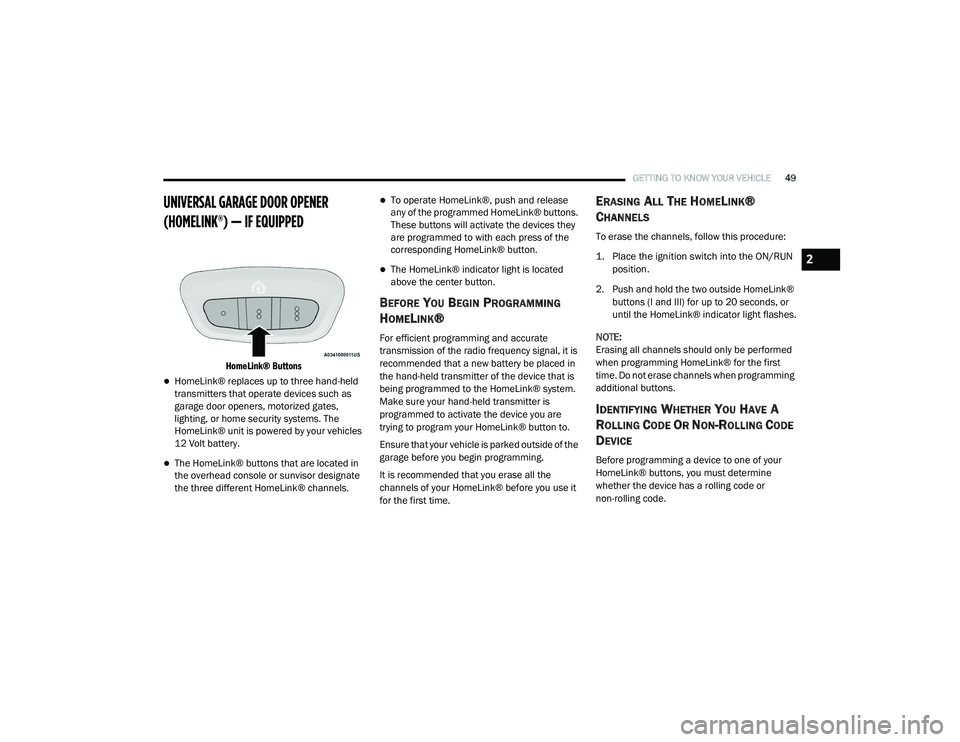
HomeLink® Buttons
HomeLink® replaces up to three hand-held
transmitters that operate devices such as
garage door openers, motorized gates,
lighting, or home security systems. The
HomeLink® unit is powered by your vehicles
12 Volt battery.
The HomeLink® buttons that are located in
the overhead console or sunvisor designate
the three different HomeLink® channels.
To operate HomeLink®, push and release
any of the programmed HomeLink® buttons.
These buttons will activate the devices they
are programmed to with each press of the
corresponding HomeLink® button.
The HomeLink® indicator light is located
above the center button.
BEFORE YOU BEGIN PROGRAMMING
H
OMELINK®
For efficient programming and accurate
transmission of the radio frequency signal, it is
recommended that a new battery be placed in
the hand-held transmitter of the device that is
being programmed to the HomeLink® system.
Make sure your hand-held transmitter is
programmed to activate the device you are
trying to program your HomeLink® button to.
Ensure that your vehicle is parked outside of the
garage before you begin programming.
It is recommended that you erase all the
channels of your HomeLink® before you use it
for the first time.
ERASING ALL THE HOMELINK®
C
HANNELS
To erase the channels, follow this procedure:
1. Place the ignition switch into the ON/RUN
position.
2. Push and hold the two outside HomeLink® buttons (I and III) for up to 20 seconds, or
until the HomeLink® indicator light flashes.
NOTE:
Erasing all channels should only be performed
when programming HomeLink® for the first
time. Do not erase channels when programming
additional buttons.
IDENTIFYING WHETHER YOU HAVE A
R
OLLING CODE OR NON-ROLLING CODE
D
EVICE
Before programming a device to one of your
HomeLink® buttons, you must determine
whether the device has a rolling code or
non-rolling code.
2
21_DT_OM_EN_USC_t.book Page 49
Page 53 of 496
GETTING TO KNOW YOUR VEHICLE51
Non-Rolling Code Garage Door Opener Final
Steps
1. Push and hold the programmed
HomeLink® button and observe the
HomeLink® indicator light. If the
HomeLink® indicator light stays on
constantly, programming is complete.
2. Push the programmed HomeLink® button to confirm that the garage door opener
motor operates. If the garage door opener
motor does not operate, repeat the steps
from the beginning.PROGRAMMING HOMELINK® TO A
M
ISCELLANEOUS DEVICE
The procedure on how to program HomeLink®
to a miscellaneous device follows the same
procedure as programming to a garage door
opener Úpage 50. Be sure to determine if the
device has a rolling code, or non-rolling code
before beginning the programming process.
NOTE:
Canadian radio frequency laws require trans -
mitter signals to time-out (or quit) after several
seconds of transmission, which may not be long
enough for HomeLink® to pick up the signal
during programming. Similar to this Canadian
law, some U.S. gate operators are designed to
time-out in the same manner. The procedure
may need to be performed multiple times to
successfully pair the device to your HomeLink®
buttons.
REPROGRAMMING A SINGLE
H
OMELINK® BUTTON
To reprogram a single HomeLink® button that
has been previously trained, without erasing all
the channels, follow the procedure below. Be
sure to determine whether the new device you want to program the HomeLink® button to has
a Rolling Code, or Non-rolling Code.
1. Place the ignition in the ON/RUN position,
without starting the engine.
2. Push and hold the desired HomeLink® button until the HomeLink® Indicator light
begins to flash after 20 seconds. Do not
release the button.
3. Without releasing the button , proceed with
Step 2 in “Programming HomeLink® To A
Garage Door Opener” Ú page 50, and
follow all remaining steps.
CANADIAN/GATE OPERATOR
P
ROGRAMMING
For programming transmitters in Canada/
United States that require the transmitter
signals to “time-out” after several seconds of
transmission.
Canadian radio frequency laws require
transmitter signals to time-out (or quit) after
several seconds of transmission – which may
not be long enough for HomeLink to pick up the
signal during programming. Similar to this
Canadian law, some U.S. gate operators are
designed to time-out in the same manner.
WARNING!
Your motorized door or gate will open and
close while you are programming the
universal transceiver. Do not program the
transceiver if people or pets are in the path
of the door or gate.
Do not run your vehicle in a closed garage
or confined area while programming the
transceiver. Exhaust gas from your vehicle
contains Carbon Monoxide (CO) which is
odorless and colorless. Carbon Monoxide is
poisonous when inhaled and can cause you
and others to be severely injured or killed.
2
21_DT_OM_EN_USC_t.book Page 51
Page 58 of 496

56GETTING TO KNOW YOUR VEHICLE
CARGO LIGHTS/TRAILER SPOTTER
L
IGHTS WITH BED LIGHTS — IF
E
QUIPPED
The cargo light, bed lights, and trailer spotter
lights are turned on by pushing the cargo light
button located on the lower half of the headlight
switch.
Cargo/Bed Lights Button On Headlight Switch Cargo Lights
When the vehicle is stationary, these lights can
also be turned on using the switch located just
inside the pickup box, on the lower part of the
bed light lens. A telltale will illuminate in the
instrument cluster display when these lights are
on. Pushing the switch a second time will turn
the lights off.
Bed Light Switch (Without RamBox)
The cargo light and bed lights (if equipped) will
turn on for approximately 30 seconds when a
key fob unlock button is pushed, as part of the
Illuminated Entry feature.
When these lights are activated using the
button on the headlight switch, the trailer
spotter lights will remain illuminated when the
vehicle transmission is in PARK, NEUTRAL, or
REVERSE. The trailer spotter lights will turn off
when the vehicle transmission is placed in
DRIVE.
NOTE:
The cargo light will automatically turn off if the
vehicle is shifted into NEUTRAL or DRIVE, and
will turn back on when the vehicle is shifted into
PARK or REVERSE. The bed lights are not
affected by gear selection.
NOTE:
For vehicles shipped to or sold in the states of
California or Mississippi, the cargo, bed, and
mirror spotter lights will not work while the
vehicle is in motion. In every other state, the
cargo and mirror spotter lights will turn off when
the vehicle is in motion, but the bed light will
remain on. In all states, including California and
Mississippi, if a bed camera is deactivated, the
bed lights will turn back on.
21_DT_OM_EN_USC_t.book Page 56
Page 62 of 496

60GETTING TO KNOW YOUR VEHICLE
Transmission In NEUTRAL Position — When
the ignition is ON, and the automatic transmis -
sion is in the NEUTRAL position, the Rain
Sensing system will not operate until the wiper
switch is moved, vehicle speed is greater than
3 mph (5 km/h), or the gear selector is moved
out of the NEUTRAL position.
Remote Start Mode Inhibit — On vehicles
equipped with Remote Start system, Rain
Sensing wipers are not operational when the
vehicle is in the remote start mode.
CLIMATE CONTROLS
The Climate Control system allows you to
regulate the temperature, air flow, and direction
of air circulating throughout the vehicle. The
controls are located on the touchscreen (if
equipped), on the sides of the touchscreen or
on the instrument panel below the radio.
AUTOMATIC CLIMATE CONTROL
D
ESCRIPTIONS AND FUNCTIONS
Uconnect 4/4C/4C NAV With 8.4-inch Display Auto -
matic Temperature Controls
Uconnect 4C NAV With 12-inch Display Automatic Tem -
perature Controls
NOTE:
Icons and descriptions can vary based upon
vehicle equipment.
MAX A/C Button
Press and release the MAX A/C button
on the touchscreen to change the
current setting to the coldest output
of air. The MAX A/C indicator
illuminates when MAX A/C is on. Pressing the
button again will cause the MAX A/C operation
to exit.
NOTE:
The MAX A/C button is only available on the
touchscreen.
A/C Button
Press and release this button on the
touchscreen, or push the button on
the faceplate to change the current
setting. The A/C indicator illuminates
when A/C is on.
21_DT_OM_EN_USC_t.book Page 60